interior lights Seat Alhambra 2014 Owner's Manual
[x] Cancel search | Manufacturer: SEAT, Model Year: 2014, Model line: Alhambra, Model: Seat Alhambra 2014Pages: 381, PDF Size: 5.75 MB
Page 5 of 381
Table of Contents
About this manual . . . . . . . . . . . . . . . . . . . 5
Content . . . . . . . . . . . . . . . . . . . . . . . . . . . . . . . . 6
Safety First . . . . . . . . . . . . . . . . . . . . . . . . . . . . 7
Safe driving . . . . . . . . . . . . . . . . . . . . . . . . . . . . . . . 7
Dear SEAT Driver . . . . . . . . . . . . . . . . . . . . . . . . . . 7
Tips for driving . . . . . . . . . . . . . . . . . . . . . . . . . . . 7
Adjusting the seat position . . . . . . . . . . . . . . . . . 10
Transporting objects . . . . . . . . . . . . . . . . . . . . . . . 13
Seat belts . . . . . . . . . . . . . . . . . . . . . . . . . . . . . . . . . 16
Brief introduction . . . . . . . . . . . . . . . . . . . . . . . . . 16
Why wear seat belts? . . . . . . . . . . . . . . . . . . . . . . 19
Seat belts . . . . . . . . . . . . . . . . . . . . . . . . . . . . . . . 21
Seat belt tensioners . . . . . . . . . . . . . . . . . . . . . . . 27
Airbag system . . . . . . . . . . . . . . . . . . . . . . . . . . . . . 29
Brief introduction . . . . . . . . . . . . . . . . . . . . . . . . . 29
Airbag system . . . . . . . . . . . . . . . . . . . . . . . . . . . . 31
Child safety . . . . . . . . . . . . . . . . . . . . . . . . . . . . . . . 39
Child seats (accessories) . . . . . . . . . . . . . . . . . . . 39
Integrated child seat . . . . . . . . . . . . . . . . . . . . . . . 45
Operating instructions . . . . . . . . . . . . . 53
Cockpit . . . . . . . . . . . . . . . . . . . . . . . . . . . . . . . . . . . 53
Overview . . . . . . . . . . . . . . . . . . . . . . . . . . . . . . . . 53
Instrument panel . . . . . . . . . . . . . . . . . . . . . . . . . . 54
Instruments . . . . . . . . . . . . . . . . . . . . . . . . . . . . . . 57
SEAT information system . . . . . . . . . . . . . . . . . . . 62
Three button unit in headliner . . . . . . . . . . . . . . . 70 Opening and closing
. . . . . . . . . . . . . . . . . . . . . . 72
Vehicle key set . . . . . . . . . . . . . . . . . . . . . . . . . . . 72
Central locking and locking system . . . . . . . . . . . 75
Doors . . . . . . . . . . . . . . . . . . . . . . . . . . . . . . . . . . . 81
Sliding doors . . . . . . . . . . . . . . . . . . . . . . . . . . . . . 81
Rear lid . . . . . . . . . . . . . . . . . . . . . . . . . . . . . . . . . . 84
Electric windows . . . . . . . . . . . . . . . . . . . . . . . . . . 89
Panoramic sliding sunroof* . . . . . . . . . . . . . . . . . 93
Lights and visibility . . . . . . . . . . . . . . . . . . . . . . . . 96
Lights . . . . . . . . . . . . . . . . . . . . . . . . . . . . . . . . . . . 96
Sun blind . . . . . . . . . . . . . . . . . . . . . . . . . . . . . . . . 104
Windscreen wiper and washer . . . . . . . . . . . . . . . 106
Rear vision mirror . . . . . . . . . . . . . . . . . . . . . . . . . 111
Seats and storage . . . . . . . . . . . . . . . . . . . . . . . . . 115
Seat adjustment . . . . . . . . . . . . . . . . . . . . . . . . . . 115
Seat functions . . . . . . . . . . . . . . . . . . . . . . . . . . . . 118
Head restraints . . . . . . . . . . . . . . . . . . . . . . . . . . . 124
Centre armrest . . . . . . . . . . . . . . . . . . . . . . . . . . . . 127
Loading luggage compartment . . . . . . . . . . . . . . 127
Roof carrier system* . . . . . . . . . . . . . . . . . . . . . . . 140
Storage compartments . . . . . . . . . . . . . . . . . . . . . 142
Drink holders . . . . . . . . . . . . . . . . . . . . . . . . . . . . . 150
Ashtray and cigarette lighter* . . . . . . . . . . . . . . . 152
Power sockets . . . . . . . . . . . . . . . . . . . . . . . . . . . . 153
Air conditioning . . . . . . . . . . . . . . . . . . . . . . . . . . . 157
Air conditioner . . . . . . . . . . . . . . . . . . . . . . . . . . . . 157
Auxiliary heater* (additional heater) . . . . . . . . . . 165
Driving . . . . . . . . . . . . . . . . . . . . . . . . . . . . . . . . . . . . 169
Steering . . . . . . . . . . . . . . . . . . . . . . . . . . . . . . . . . 169
Stopping and starting the engine . . . . . . . . . . . . 172
Changing gear . . . . . . . . . . . . . . . . . . . . . . . . . . . . 176
Braking, stopping and parking . . . . . . . . . . . . . . 185
Start assist systems . . . . . . . . . . . . . . . . . . . . . . . 196
Parking sensor system* . . . . . . . . . . . . . . . . . . . . 200 Park Assist system* . . . . . . . . . . . . . . . . . . . . . . . 204
Rear Assist system* . . . . . . . . . . . . . . . . . . . . . . . 209
Cruise control system* . . . . . . . . . . . . . . . . . . . . . 214
Lane Assist system* . . . . . . . . . . . . . . . . . . . . . . . 217
Sign Assist* . . . . . . . . . . . . . . . . . . . . . . . . . . . . . . 220
Tiredness detection (recommendation to take a
break) . . . . . . . . . . . . . . . . . . . . . . . . . . . . . . . . . . . 223
Tyre monitoring systems . . . . . . . . . . . . . . . . . . . . 225
Practical Tips . . . . . . . . . . . . . . . . . . . . . . . . . 229
Driving and the environment . . . . . . . . . . . . . . . 229
Running-in . . . . . . . . . . . . . . . . . . . . . . . . . . . . . . . 229
Ecological driving . . . . . . . . . . . . . . . . . . . . . . . . . 229
Engine management and exhaust gas
purification system . . . . . . . . . . . . . . . . . . . . . . . . 232
Trailer towing . . . . . . . . . . . . . . . . . . . . . . . . . . . . . . 235
Introduction . . . . . . . . . . . . . . . . . . . . . . . . . . . . . . 235
Driving with a trailer . . . . . . . . . . . . . . . . . . . . . . . 237
Vehicle maintenance and cleaning . . . . . . . . . 246
Care and cleaning the vehicle exterior . . . . . . . . 246
Caring for and cleaning the vehicle interior . . . . 253
Notes for the user . . . . . . . . . . . . . . . . . . . . . . . . . 259
Accessories, replacement of parts and
modifications . . . . . . . . . . . . . . . . . . . . . . . . . . . . . 261
Accessories, replacement of parts and
modifications . . . . . . . . . . . . . . . . . . . . . . . . . . . . 261
Checking and refilling levels . . . . . . . . . . . . . . . 268
Filling the tank . . . . . . . . . . . . . . . . . . . . . . . . . . . . 268
Fuel . . . . . . . . . . . . . . . . . . . . . . . . . . . . . . . . . . . . 271
Selective Catalytic Reduction* (AdBlue) . . . . . . . 275
Working in the engine compartment . . . . . . . . . . 279
Engine oil . . . . . . . . . . . . . . . . . . . . . . . . . . . . . . . . 283
3
Table of Contents
Page 80 of 381
78Opening and closing
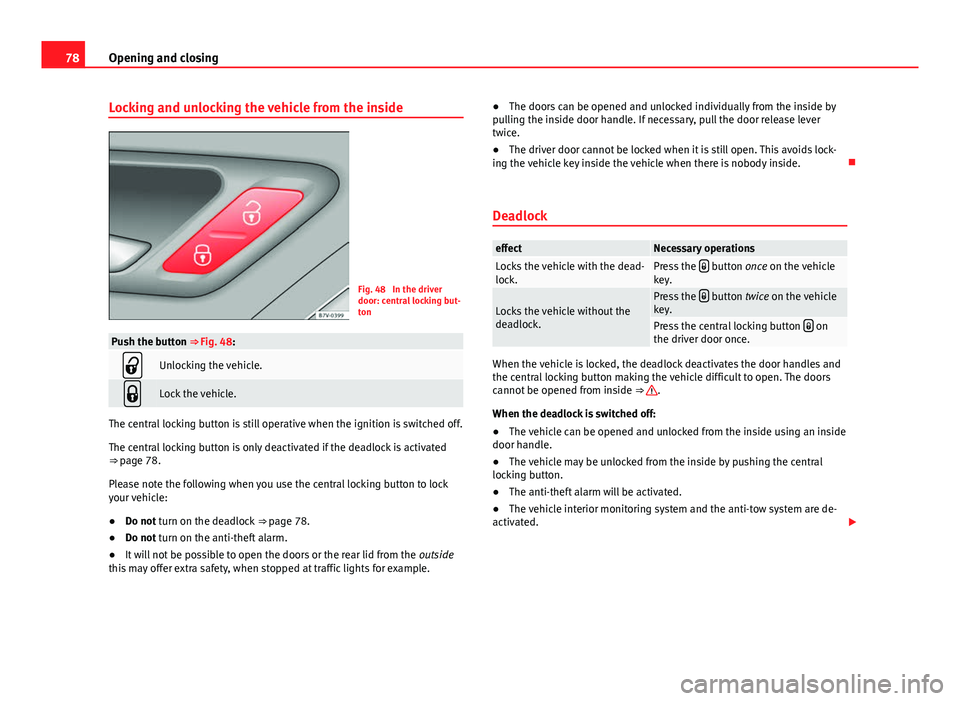
Locking and unlocking the vehicle from the inside
Fig. 48 In the driver
door: central locking but-
ton
Push the button ⇒ Fig. 48:
Unlocking the vehicle.
Lock the vehicle.
The central locking button is still operative when the ignition is switched off.
The central locking button is only deactivated if the deadlock is activated
⇒ page 78.
Please note the following when you use the central locking button to lock
your vehicle:
●Do not turn on the deadlock ⇒ page 78.
● Do not turn on the anti-theft alarm.
● It will not be possible to open the doors or the rear lid from the outside
this may offer extra safety, when stopped at traffic lights for example. ●
The doors can be opened and unlocked individually from the inside by
pulling the inside door handle. If necessary, pull the door release lever
twice.
● The driver door cannot be locked when it is still open. This avoids lock-
ing the vehicle key inside the vehicle when there is nobody inside.
Deadlock
effectNecessary operationsLocks the vehicle with the dead-
lock.Press the button once on the vehicle
key.
Locks the vehicle without the
deadlock.Press the button twice on the vehicle
key.
Press the central locking button on
the driver door once.
When the vehicle is locked, the deadlock deactivates the door handles and
the central locking button making the vehicle difficult to open. The doors
cannot be opened from inside ⇒
.
When the deadlock is switched off:
● The vehicle can be opened and unlocked from the inside using an inside
door handle.
● The vehicle may be unlocked from the inside by pushing the central
locking button.
● The anti-theft alarm will be activated.
● The vehicle interior monitoring system and the anti-tow system are de-
activated.
Page 87 of 381
85
Opening and closing
WARNING (Continued)
● Ensure the rear lid is locked after closing, otherwise, it may open un-
expectedly while driving. A closed rear lid should be flush with the corre-
sponding parts of the bodywork.
● Always keep the rear lid closed while driving to avoid toxic gases en-
tering the vehicle interior.
● Do not open the rear lid when there is a load carrier installed. Like-
wise, the rear lid cannot be opened when a load is attached to it, for ex-
ample bicycles. An open rear lid could close itself if there is an additional
weight on it. If necessary, press down on the rear lid and remove the
load.
● Close and lock both the rear lid and all the other doors when you are
not using the vehicle. Ensure that nobody remains inside the vehicle.
● Never allow children to play inside or around the vehicle without su-
pervision, especially if the rear lid is open. Children could enter the lug-
gage compartment, close the rear lid and become trapped. Depending on
the time of the year, temperatures inside a locked and closed vehicle can
be extremely high or extremely low resulting in serious injuries and ill-
ness or even death, particularly for young children.
● Never leave children or disabled people alone in the vehicle. If the ve-
hicle key or the central locking button is used, they may be locked in the
vehicle.
CAUTION
Before opening the rear lid, ensure that there is sufficient free space to
open and close it, for example if you are towing a trailer or in a garage. Warning lamp
lights upPossible causeSolution
The rear lid is open or not
correctly shut.
Stop driving immediately!
Open the rear lid and close it
again.
Several warning and control lamps should light up for a few seconds when
the ignition is switched on, signalling that the function is being verified.
They will switch off after a few seconds.
A warning lamp appears on the instrument panel if the rear lid is open or
not properly closed.
Depending on the vehicle equipment, a symbol may be displayed on the
dash panel screen instead of the warning lamp. The indication is also visi-
ble when the ignition is switched off. The indication disappears around 15
seconds after the vehicle has been locked.
WARNING
If the rear lid is not correctly closed, it could open unexpectedly when
driving and cause serious injuries.
● Always stop immediately and close the rear lid.
● Ensure that the rear lid has been locked into place by the element on
the lock carrier when you close it.
Safety FirstOperating instructionsPractical TipsTechnical Specifications
Page 102 of 381
100Lights and visibility
Adaptive headlights (AFS)
The adaptive headlights only operate when the dipped beam is on and at
speeds of over 10 km/h (6 mph). When taking a bend, the adaptive head-
lights automatically light up the road better.
The adaptive headlights can be switched on and off from the infotainment
system.
Static turning lights
When turning slowly to change direction or going round a tight bend, the
static cornering lights automatically come on. The static cornering lights on-
ly work at speeds of less than 40 km/h (25 mph).
The static cornering lights may be incorporated into the fog lights or the
front headlights, depending upon the equipment.
WARNING
If the road is not well lit and other road users cannot see the vehicle well
enough or at all, accidents may occur.
● The automatic dipped beam control ( ) only switches on the dip-
ped beam when there are no changes in brightness, and not, for example
when it is foggy.
● Never drive with daytime lights if the road is not well lit due to weath-
er or lighting conditions. Daytime lights do not provide enough light to
illuminate the road properly or be seen by other road users.
Headlight adjustment
Headlight adjustment (Light Assist)
The headlight adjustment automatically connects and disconnects the main
beam headlights depending on the environmental and traffic conditions
and on the speed, within the limitations of the system ⇒
. This is moni-tored by a sensor located on the inside of the windscreen, above the interior
rear vision mirror.
The automatic headlight adjustment automatically switches on the main
beam depending on the vehicles travelling in front and in the opposite di-
rection, and of other environmental and traffic conditions from an approxi-
mate speed of 60 km/h (37 mph) and turns them off again at speeds below
approximately 30 km/h (18 mph).
Switching on and off
ActionSwitching
on:– With the ignition on, turn the lights control to the position
and put the turn signal and main beam lever in the
main beam position ⇒ page 97. When the headlight adjust-
ment (automatic also) is activated, the warning lamp lights
up in the instrument panel display
.
Switching
off:– Disconnect the on button.
– OR: turn the lights control to a different position to
⇒ page 98.
– OR: place the turn signal and main beam lever in the
headlight flasher or main beam position ⇒ page 97.
The following conditions can cause the headlight adjustment to fail to turn
off the main beam or fail to do so in time:
●On roads with insufficient lighting with very reflective signs
● If road users are insufficiently lit up, e.g. pedestrians or cyclists
● On closed curves, when the traffic in the opposite direction is partially
hidden, on pronounced slopes
● On roads with traffic in the opposite direction and with a central reserva-
tion barrier when the driver can see through gaps or over it e.g. lorry drivers
● If the camera is damaged or if the power supply has been cut off
● In the event of fog, snow or heavy rain
● In the event of dust or sand storms
Page 105 of 381
103
Lights and visibility
ValueVehicle load status a)
2All seats occupied, luggage compartment full With trailer
and minimum drawbar load
3Driver only, luggage compartment full With trailer and
maximum drawbar load
a)
If the vehicle load does not correspond to those shown in the table, it is possible to select
intermediary positions.
Dynamic headlight range control
The control 2
is not mounted in vehicles with dynamic headlight range
control. The headlight range is automatically adjusted according to the ve-
hicle load status when the headlights are switched on.
WARNING
Heavy objects in the vehicle may mean that the headlights dazzle and
distract other drivers. This could result in a serious accident.
● Adjust the light beam to the vehicle load status so that it does not
blind other drivers.
Interior and reading lights
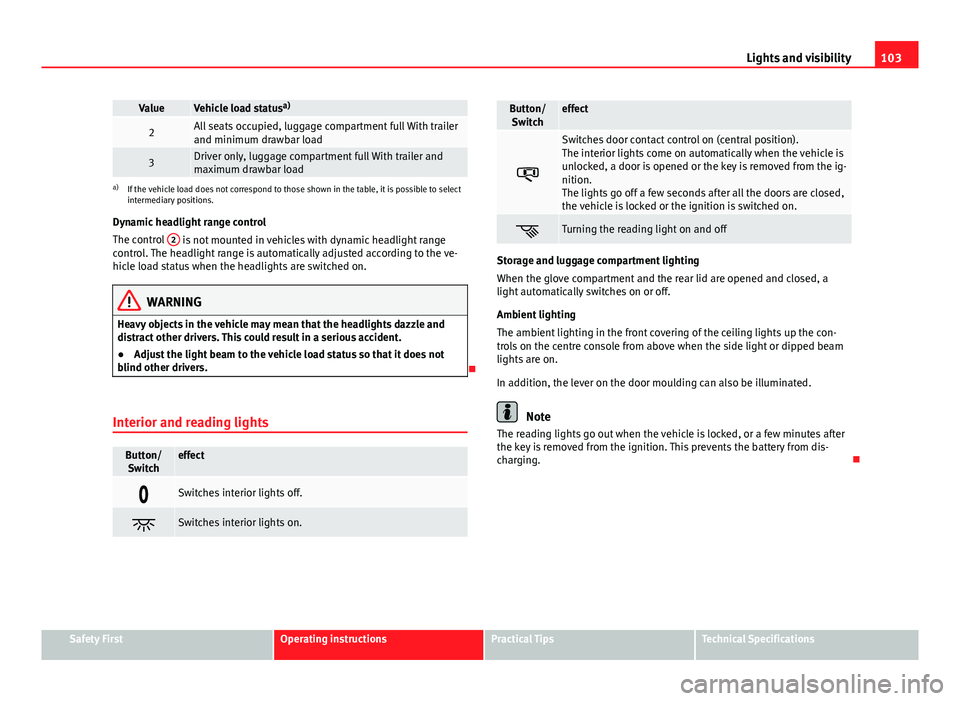
Button/ Switcheffect
Switches interior lights off.
Switches interior lights on.
Button/Switcheffect
Switches door contact control on (central position).
The interior lights come on automatically when the vehicle is
unlocked, a door is opened or the key is removed from the ig-
nition.
The lights go off a few seconds after all the doors are closed,
the vehicle is locked or the ignition is switched on.
Turning the reading light on and off
Storage and luggage compartment lighting
When the glove compartment and the rear lid are opened and closed, a
light automatically switches on or off.
Ambient lighting
The ambient lighting in the front covering of the ceiling lights up the con-
trols on the centre console from above when the side light or dipped beam
lights are on.
In addition, the lever on the door moulding can also be illuminated.
Note
The reading lights go out when the vehicle is locked, or a few minutes after
the key is removed from the ignition. This prevents the battery from dis-
charging.
Safety FirstOperating instructionsPractical TipsTechnical Specifications
Page 106 of 381
104Lights and visibility
Sun blind
Introduction
WARNING
Sun visors and sun blinds may reduce visibility when open.
● Always roll or fold sun blinds and visors away when not in use.
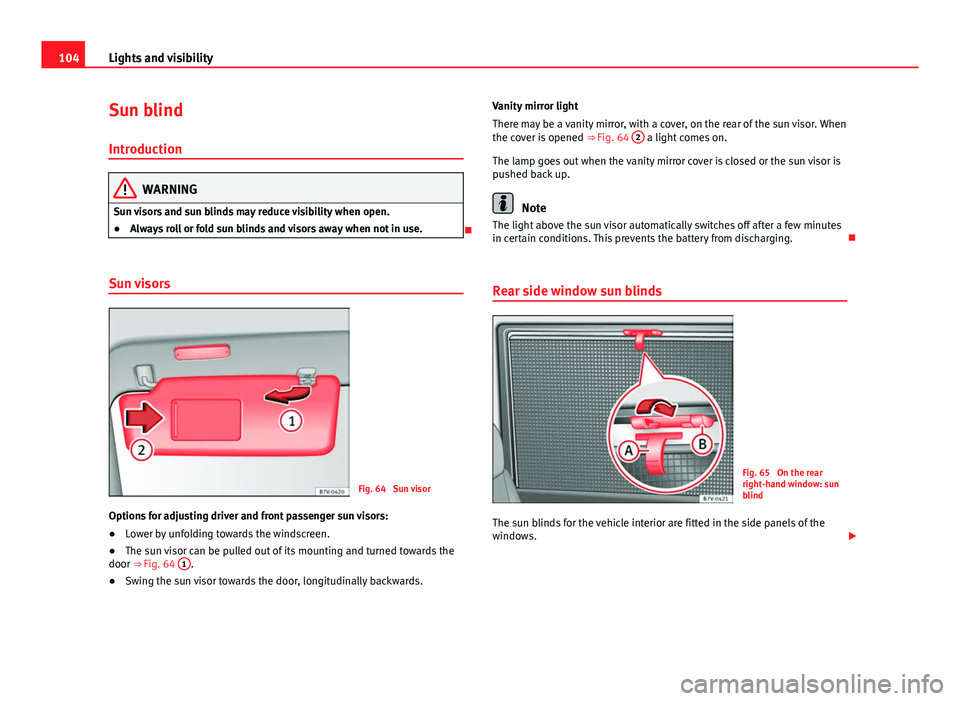
Sun visors
Fig. 64 Sun visor
Options for adjusting driver and front passenger sun visors:
● Lower by unfolding towards the windscreen.
● The sun visor can be pulled out of its mounting and turned towards the
door ⇒ Fig. 64 1
.
● Swing the sun visor towards the door, longitudinally backwards. Vanity mirror light
There may be a vanity mirror, with a cover, on the rear of the sun visor. When
the cover is opened
⇒ Fig. 64 2
a light comes on.
The lamp goes out when the vanity mirror cover is closed or the sun visor is
pushed back up.
Note
The light above the sun visor automatically switches off after a few minutes
in certain conditions. This prevents the battery from discharging.
Rear side window sun blinds
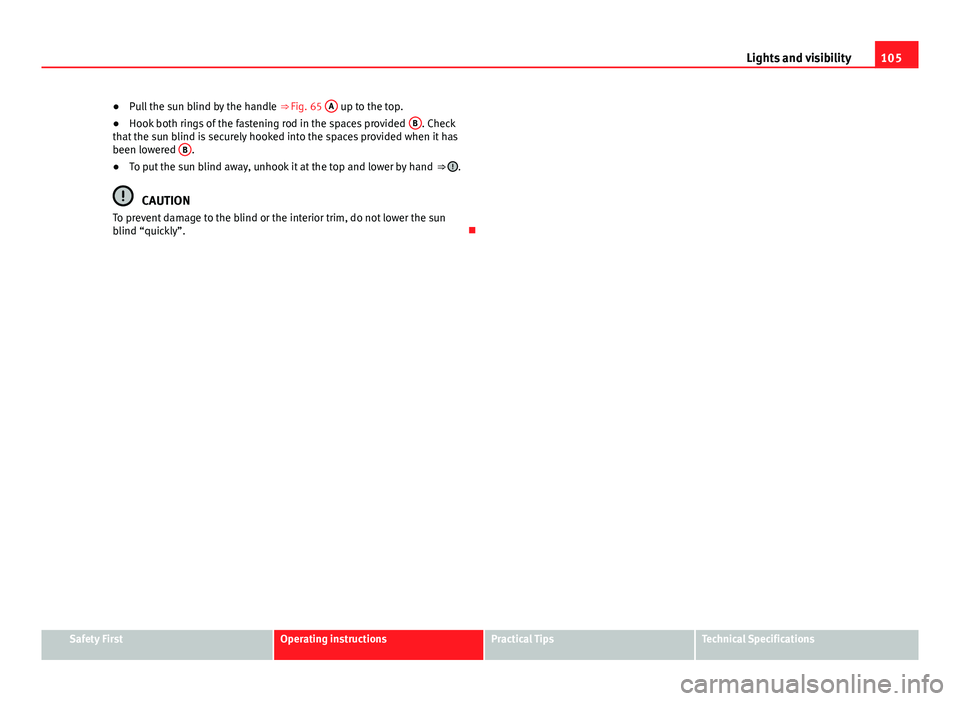
Fig. 65 On the rear
right-hand window: sun
blind
The sun blinds for the vehicle interior are fitted in the side panels of the
windows.
Page 107 of 381
105
Lights and visibility
● Pull the sun blind by the handle ⇒ Fig. 65 A
up to the top.
● Hook both rings of the fastening rod in the spaces provided B. Check
that the sun blind is securely hooked into the spaces provided when it has
been lowered B
.
● To put the sun blind away, unhook it at the top and lower by hand ⇒ .
CAUTION
To prevent damage to the blind or the interior trim, do not lower the sun
blind “quickly”.
Safety FirstOperating instructionsPractical TipsTechnical Specifications
Page 114 of 381

112Lights and visibility
Rear vision mirror
Fig. 72 Manual anti-daz-
zle function for rear vi-
sion mirror
Fig. 73 Automatic anti-
dazzle function for rear
vision mirror
The driver should always adjust the rear vision mirror to permit adequate
visibility through the rear window. Manual anti-dazzle function for interior rear vision mirror
●
Basic position: point the lever at the bottom of the mirror forwards.
● Pull the lever to the back to select the anti-dazzle function ⇒ Fig. 72.
Automatic anti-dazzle function for interior mirror
Legend for the Fig. 73:
control lamp
Control
Light incidence sensor
This function can be activated and deactivated by pressing the rear vision
mirror switch ⇒ Fig. 73 2
. When it is activated, the warning lamp lights up
1.
When the ignition is on, the sensor 3
automatically moves the rear vision
mirror to the anti-dazzle position depending upon the incidence of the light
from behind.
The automatic anti-dazzle function is deactivated when reverse gear is en-
gaged or the interior or reading lights are on.
Note
If the incidence of the light on the sensor is obstructed or prevented, e.g. by
the sun blinds, the rear vision mirror with automatic anti-dazzle function will
not operate correctly.
1
23
Page 163 of 381
161
Air conditioning
Control but-
tonAdditional information. Electronic manual air conditioning
⇒ Fig. 123; Climatronic ⇒ Fig. 124.
Climatronic: Accept the temperature selection for the driver
and front passenger sides: When the SYNC button light is lit,
the temperature settings on the driver side also apply to the
passenger side. Press the button or adjust the temperature
control for the passenger side in order to set a different tem-
perature. No lamp lights up on the button.
Climatronic: Automatic temperature, fan, and air distribution
control. Press the button to switch on the function. The con-
trol lamp lights up on the AUTO
button.
Climatronic: Press the button REAR to adjust the air condi-
tioner for the rear seats from the front seats. A lamp is lit in
the REAR
button if the function is activated. The settings for
the rear seats will be displayed. Press the button again to
switch the function off or do not touch any other button for
around 10 seconds.
Climatronic: Press the button REST to use the heat that the
engine radiates. When the engine is still warm but the igni-
tion switched off, the heat given off by the engine can be
used to keep the vehicle interior warm. The REST
button will
light up when the function is switched on. The function will
switch off after around 30 minutes and if the battery level is
low.
a)
Switch off.
Electronic manual air conditioning : Turn the fan switch to
setting 0.
Climatronic: Press the button OFF
or manually set the fan to
0. When the device is switched off the OFF button will light
up.
a) Depending on the version of the model.
WARNING
Never turn off the air fan for a long time or the air in the vehicle interior
will not be refreshed.
● Stuffy or used air will increase fatigue and reduce driver and passen-
ger concentration possibly resulting in a serious accident.
Note
● Not all Climatronic buttons are operational in REAR mode.
● The REAR
button is locked in defrost mode.
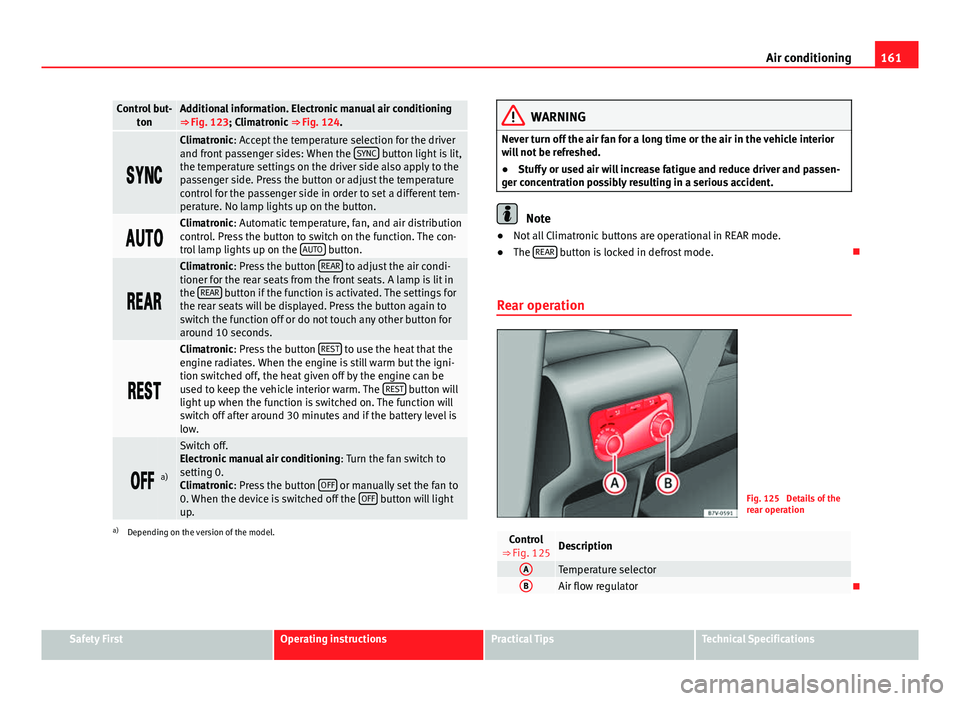
Rear operation
Fig. 125 Details of the
rear operation
Control
⇒ Fig. 125Description
ATemperature selectorBAir flow regulator
Safety FirstOperating instructionsPractical TipsTechnical Specifications
Page 165 of 381
163
Air conditioning
Air vents
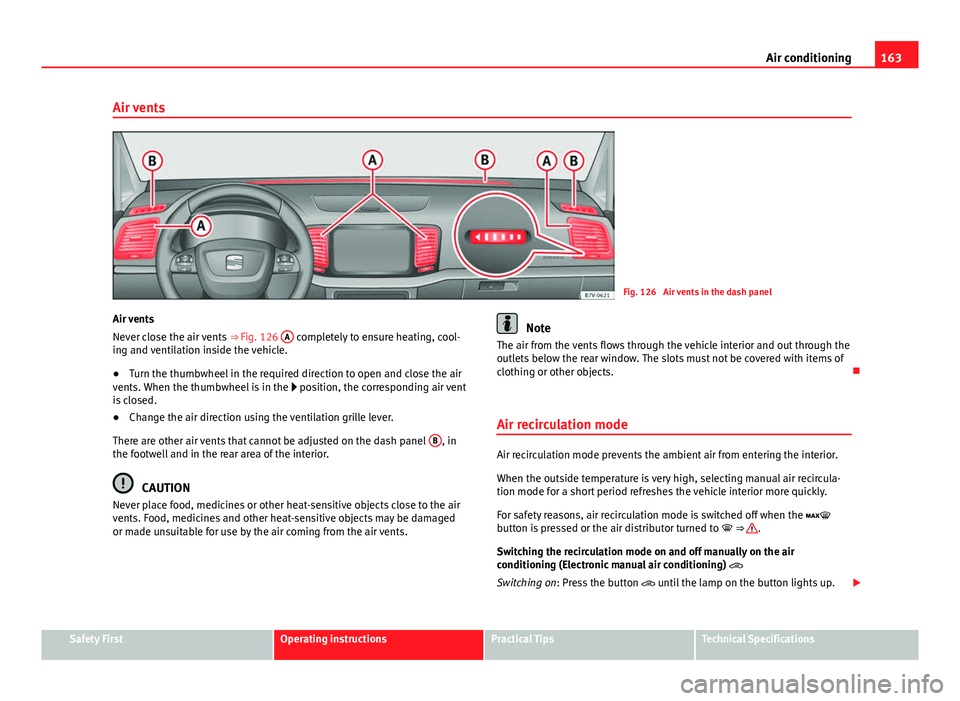
Fig. 126 Air vents in the dash panel
Air vents
Never close the air vents ⇒ Fig. 126 A
completely to ensure heating, cool-
ing and ventilation inside the vehicle.
● Turn the thumbwheel in the required direction to open and close the air
vents. When the thumbwheel is in the position, the corresponding air vent
is closed.
● Change the air direction using the ventilation grille lever.
There are other air vents that cannot be adjusted on the dash panel B
, in
the footwell and in the rear area of the interior.
CAUTION
Never place food, medicines or other heat-sensitive objects close to the air
vents. Food, medicines and other heat-sensitive objects may be damaged
or made unsuitable for use by the air coming from the air vents.
Note
The air from the vents flows through the vehicle interior and out through the
outlets below the rear window. The slots must not be covered with items of
clothing or other objects.
Air recirculation mode
Air recirculation mode prevents the ambient air from entering the interior.
When the outside temperature is very high, selecting manual air recircula-
tion mode for a short period refreshes the vehicle interior more quickly.
For safety reasons, air recirculation mode is switched off when the
button is pressed or the air distributor turned to ⇒
.
Switching the recirculation mode on and off manually on the air
conditioning (Electronic manual air conditioning)
Switching on: Press the button until the lamp on the button lights up.
Safety FirstOperating instructionsPractical TipsTechnical Specifications