start stop button Seat Alhambra 2015 Owner's Guide
[x] Cancel search | Manufacturer: SEAT, Model Year: 2015, Model line: Alhambra, Model: Seat Alhambra 2015Pages: 305, PDF Size: 5.46 MB
Page 167 of 305
Driver assistance systems
(25 mph) or close to be perpendicular parking
space at about 20 km an hour (12 mph) then
press the button
.
● The progress bar on the screen of the in-
strument panel shows a display of the rela-
tive distance to be covered.
● When the Park Assist system is turning the
steering wheel of the stopped vehicle the
symbol is also displayed. Press on the
brake pedal so that the steering can turn with
the vehicle at a standstill and thus reduce the
number of manoeuvres.
● A “suitable” parking space length is at
least 1.1 m greater than the length of the ve-
hicle.
● If the results of the park assist system are
not as good after changing the wheels, the
system must memorise the perimeter of the
new wheels. This process is performed auto-
matically while the vehicle is in motion. To
help this process, turn slowly (at less than
20 km/h [12 mph]), e.g. in an empty car park. Leaving a parking space using the
Park Assist system
Driving off
● Switch on the engine.
● Press button . When the function is ena-
bled, the button ››› Fig. 141 will light up.
● Ap p
ly the turn signal for the side on which
you want to leave the parking space. ●
Select reverse gear.
● Follow the instructions given by the park
assist system.
● When the next indication appears, release
the steering wheel ››› in Parking using the
park assist system on page 164 :
The system
w
ill move the steering wheel! Observe the sur-
rounding area.
● Observe the surrounding area and acceler-
ate carefully at a maximum of 7 km/h
(4 mph).
● The park assist system is only
responsible
for moving the steering wheel during the ma-
noeuvre.
The driver applies the accelerator,
the clutch, the gears and the brake.
● When it is possible to leave the parking
space, the Park Assist system will stop. Take
control of the steering and when traffic condi-
tions permit, leave the parking space.
Automatic stoppage of the manoeuvre
The park assist system stops the manoeuvre
in the event of one of the following:
● Driving faster than 7 km/h (4 mph).
● The driver moves the steering wheel.
● A sliding door is opened. To restart the ma-
noeuvre, close the sliding door and press the
button again.
● There is a system malfunction (system tem-
porarily unavailable). ●
The ASR system is switched off or the ASR
or ESC is working. WARNING
The steering wheel turns quickly automatical-
ly when leaving a parking space using the
park assist system. Placing your hand be-
tween the steering wheel spokes could lead
to injuries. Park Assist brake operation
The Park Assist system helps the driver by
braking automatically. Automatic braking
does not relieve the driver of responsibility
for controlling the accelerator, brake and
clutch
››› .
Braking to avoid damage at excess speed
It is possible that the system operates the
brakes to reduce excess speed. The parking
manoeuvre can then continue. The brakes
will intervene during each parking process.
Braking to minimise damage
When approaching an obstacle, the vehicle
may brake automatically. In certain circum-
stances (e.g. storm, detection of ultrasounds,
vehicle status, load, inclination), the Park As-
sist system may stop the vehicle completely
before an object. »
165
Technical specifications
Advice
Operation
Safety
Page 180 of 305
Operation
Elements of the tyre monitoring
indicatorTyre monitoring indicator with button.
See ››› page 179.
Control lamp on the instrument panel.
SET button on the centre console.
Monitoring the tread of all tyres using ABS sensors
(indirect measurement).
Adjustable medium and full-load tyre pressures.
Button to update the system when the tyre pressure is
changed. Control lamp
Lights
up or
flashesPossible causeSolution
The tyre pressure
of a wheel has
dropped consider-
ably in relation to
the pressure set
by the driver
››› page 179.
Stop the vehicle!
Reduce your speed im-
mediately! Stop the ve-
hicle safely as soon as
possible. Avoid sud-
den manoeuvres and
braking!
Check all tyres and
pressures. Replace any
damaged tyres.
Lights
up or
flashesPossible causeSolution
System malfunc-
tion.
Consult a specialised
workshop if the tyre
pressure is correct and
the lamp remains lit af-
ter switching the igni-
tion off and back on
again. Have the sys-
tem checked there.
Several warning and control lamps light up
for a few seconds when the ignition is switch-
ed on, signalling that the function is being
verified. They will switch off after a few sec-
onds.
WARNING
Observe the safety warnings ››› in Control
and warning lamps on page 47. WARNING
When the tyres are inflated at different pres-
sures or at a pressure that is too low then a
tyre may be damaged resulting in a loss of
control of the vehicle and a serious or fatal
accident.
● If the warning lamp lights up, stop im-
mediately and check the tyres.
● If the tyres are inflated at different pres-
sures or if a tyre pressure is too low, this will
increase tyre wear, negatively affecting vehi- cle stability and increasing braking distan-
ces.
●
If tyres are inflated at different pressures or
a tyre pressure is too low, a tyre may be dam-
aged and burst resulting in a loss of control
of the vehicle.
● The driver is responsible for ensuring that
all of the vehicle tyres are correctly inflated
to the right pressure. The recommended tyre
pressure is indicated on the label ››› Fig. 175.
● The ty r
e monitoring system can only oper-
ate correctly if all of the tyres are inflated to
the correct pressure when cold.
● Driving with tyres at the wrong pressure
can damage them and result in an accident.
Ensure that the tyre pressures of all the tyres
correspond to the vehicle load.
● Before starting a journey, always inflate
tyres to the correct pressure.
● If tyre pressure is too low then the tyre is
subject to greater forces and it may be heated
to such an extent that the tread can rupture
and the tyre will burst.
● With an overloaded vehicle at high speed,
the tyres can overheat and burst resulting in
a loss of vehicle control.
● Tyre pressures which are too high or too
low reduce the useful life of the tyre, affect-
ing vehicle performance.
● If a tyre has not been “punctured” and does
not have to be changed immediately, drive to
the nearest specialised workshop at a moder-
ate speed and have the tyre checked and in-
flated to the correct pressure. 178
Page 181 of 305
Towing bracket device
Tyre monitoring indicator Fig. 152
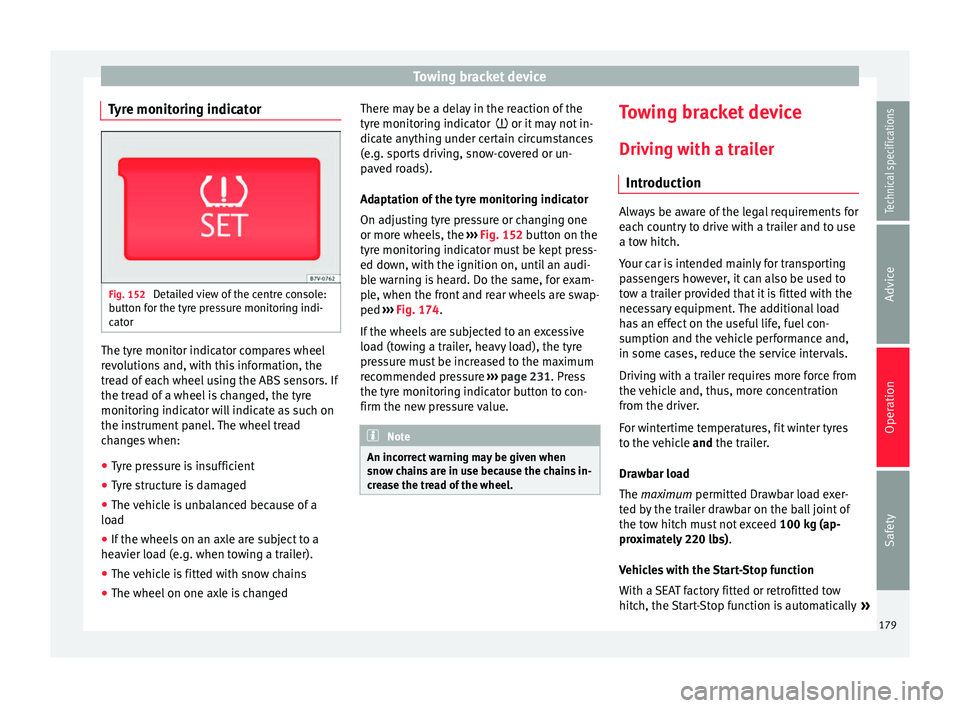
Detailed view of the centre console:
button for the tyre pressure monitoring indi-
cator The tyre monitor indicator compares wheel
revolutions and, with this information, the
tread of each wheel using the ABS sensors. If
the tread of a wheel is changed, the tyre
monitoring indicator will indicate as such on
the instrument panel. The wheel tread
changes when:
● Tyre pressure is insufficient
● Tyre structure is damaged
● The vehicle is unbalanced because of a
load
● If the wheels on an axle are subject to a
heavier load (e.g. when towing a trailer).
● The vehicle is fitted with snow chains
● The wheel on one axle is changed There may be a delay in the reaction of the
tyre monitoring indicator
or it may not in-
dic
ate anything under certain circumstances
(e.g. sports driving, snow-covered or un-
paved roads).
Adaptation of the tyre monitoring indicator
On adjusting tyre pressure or changing one
or more wheels, the ››› Fig. 152
button on the
tyre monitoring indicator must be kept press-
ed down, with the ignition on, until an audi-
ble warning is heard. Do the same, for exam-
ple, when the front and rear wheels are swap-
ped ››› Fig. 174
.
If the wheels are subjected to an excessive
load (towing a trailer, heavy load), the tyre
pressure must be increased to the maximum
recommended pressure ››› page 231. Press
the tyre monitoring indicator button to con-
firm the new pressure value. Note
An incorrect warning may be given when
snow chains are in use because the chains in-
crease the tread of the wheel. Towing bracket device
Driving with a trailer Introduction Always be aware of the legal requirements for
each country to drive with a trailer and to use
a tow hitch.
Your car is intended mainly for transporting
passengers however, it can also be used to
tow a trailer provided that it is fitted with the
necessary equipment. The additional load
has an effect on the useful life, fuel con-
sumption and the vehicle performance and,
in some cases, reduce the service intervals.
Driving with a trailer requires more force from
the vehicle and, thus, more concentration
from the driver.
For wintertime temperatures, fit winter tyres
to the vehicle
and
the trailer.
Dr a
wbar load
The
maximum permitted Drawbar load exer-
ted by the trailer drawbar on the ball joint of
the tow hitch must not exceed 100 kg (ap-
proximately 220 lbs).
Vehicles with the Start-Stop function
With a SEAT factory fitted or retrofitted tow
hitch, the Start-Stop function is automatically »
179
Technical specifications
Advice
Operation
Safety
Page 182 of 305
Operation
deactivated when a trailer is connected. For
tow hitches not installed by SEAT, the Start-
St op f
unction must be deactivated manually
using a button located on the dash panel be-
fore
driving with a trailer and it must remain
off for the entire journey ››› .
WARNING
Never transport people in a trailer: this will
endanger in their life and is against the law. WARNING
The incorrect use of the tow hitch can cause
accidents and injury.
● Only use a tow hitch in perfect condition
and correctly installed.
● Never change or repair a tow hitch.
● To reduce the risk of injury in case of a re-
versing collision, injury to pedestrians and
cyclists when parking, always keep the ball
joint in when a trailer is not being used.
● Never fit a trailer tow hitch “that distrib-
utes the load” or “balances the load”. Your
vehicle has not been designed for this type of
tow hitch. The tow hitch may fail and the
trailer will separate from the vehicle. WARNING
Driving with a trailer and transporting heavy
or large objects can affect vehicle handling
and even cause an accident. ●
Always secure loads correctly with suitable
and undamaged attachment rope or straps.
● Adjust your speed and driving style to visi-
bility, road, traffic and weather conditions.
● Trailers with a high centre of gravity can
overturn more easily than those with a low
centre of gravity.
● Avoid brusque manoeuvres and sudden
braking.
● Always take the following precautions seri-
ously.
● Reduce your speed immediately if you ob-
serve the trailer rocking from side to side.
● Never drive at more than 80 km/h (50 mph)
when towing a trailer (or 100 km/h [60 mph]
in exceptional circumstances). This also ap-
plies in countries where higher speeds are
permitted. Always take the speed limits for
vehicles with and without trailers in each
country into account.
● Never try to stop the “snaking” by increas-
ing speed. WARNING
When driving with a trailer and using a tow
hitch that was not installed by SEAT, the
Start-Stop function must be manually deacti-
vated. Otherwise, this could cause a braking
anomaly that could result in an accident with
serious consequences.
● Always manually deactivate the Start-Stop
function when a trailer is being used on a tow
hitch that has not been installed by SEAT. Note
● Always turn off the anti-theft alarm system
before connecting or disconnecting a trailer
››› page 62. Otherwise, the tilt sensor may er-
r oneou
sly activate the alarm.
● Never use a trailer with a new engine (for
the first 1,000 km) ››› page 189.
● At
SEAT, we recommend folding in the tow
hitch ball when a trailer is not being used. In
case of a rear collision, the damage caused to
the vehicle with the extended tow hitch ball
could be more extensive.
● In some models, a tow hitch is necessary
for towing vehicles. For this reason, you
should store the tow hitch in the vehicle at all
times. Technical requirements
If the car is supplied with a
factory-fitted tow-
in g br
acket it will already have the necessary
technical modifications and meet the statuto-
ry requirements for towing a trailer.
Only use an approved tow hitch for the gross
trailer weight rating. The tow hitch must be
suitable for both the vehicle and trailer and
must be securely fitted to the vehicle chassis.
Only use a tow hitch with a removable ball
joint. Always check and take into account the
tow hitch manufacturer's instructions. Never
fit a trailer tow hitch “that distributes the
load” or “balances the load”.
180
Page 188 of 305
Operation
slow down the vehicle. Otherwise, the brak-
ing system could overheat and fail.
● The vehicle centre of gravity and handling
change because of the trailer load and be-
cause of the increased combined mass of the
vehicle and trailer.
● If the towing vehicle is empty and the trail-
er loaded then the load distribution is incor-
rect. If you must travel in these conditions,
drive carefully and reduce your speed accord-
ingly.
Hill starts with a trailer
Depending on the hill and the gross com-
bined weight, it is possible that the com-
bined vehicle and trailer move backwards
slightly when starting.
For a hill start with a trailer, proceed as fol-
lows:
● Press and hold the brake pedal.
● Press the button once to turn off the
electric parking brake ››› page 137.
● Press and hold the button to hold the
vehicle and trailer combination using the
parking brake.
● With a manual gearbox: press the clutch
pedal to the floor.
● Engage first gear or the gear range D
››› page 143, Changing gear .
● Rel
ease the brake pedal. ●
Move off slowly. To do this, gently release
the clutch pedal (for manual gearbox).
● Release the button only when the en-
gine provides sufficient power to move the
vehicle and trailer combination. WARNING
Jerking the trailer in an unsuitable manner
could cause loss of vehicle control with the
subsequent serious consequences.
● Driving with a trailer and transporting
heavy or a large objects will change the vehi-
cle handling and braking distances.
● Anticipate traffic and be extremely cau-
tious. Brake early.
● Adjust your speed and driving style to visi-
bility, road, traffic and weather conditions.
Reduce your speed, especially on steep hills.
● Accelerate gently and carefully. Avoid brus-
que manoeuvres and sudden braking.
● Always take the following precautions seri-
ously. Reduce your speed immediately if you
observe the trailer rocking from side to side.
● Never try to stop the “snaking” by increas-
ing speed.
● Always take the speed limits for vehicles
with and without trailers in each country into
account. Stabilising the vehicle and trailer
combination
Stabilisation of the vehicle and trailer combi-
nation is an extension of the electronic sta-
bility control (ESC) and helps, with the assis-
tance of the trajectory control, to reduce trail-
er “snaking”.
Stabilisation of the vehicle and trailer combi-
nation is active when the ESC
indicator on
the d a
sh panel remains lit for about two sec-
onds more than the ABS indicator.
Requirements for stabilising the
vehicle/trailer combination
● An original tow hitch is fitted by the manu-
facturer or a compatible model is retrofitted.
● The ECS is switched on. The warning lamp
on the dash panel is not lit.
● The trailer is connected to the vehicle using
the power socket.
● It travels faster than 60 km/h (37 mph).
● The maximum drawbar load is used.
● The trailer must have a fixed drawbar.
● Trailers with brakes must be equipped with
a mechanical inertia brake. WARNING
Do not let the extra safety afforded by the
stabilisation system tempt you into taking
any risks when driving. 186
Page 299 of 305
Index
Cleaning and maintenance of natural leather 203
cleaning the trim fabric . . . . . . . . . . . . . . . . . . 201
synthetic leather . . . . . . . . . . . . . . . . . . . . . . . . 203
Seat with position memory . . . . . . . . . . . . . . . . . . 94
Selective Catalytic Reduction . . . . . . . . . . . . . . . 212
Selector lever locking . . . . . . . . . . . . . . . . . . . . . . 145
Service interval display . . . . . . . . . . . . . . . . . . . . . 44
Service notification: read . . . . . . . . . . . . . . . . . . . . 44
Side airbags See "Airbag system" . . . . . . . . . . . . . . . . . . . . . . 23
Side light . . . . . . . . . . . . . . . . . . . . . . . . . . . . . . . . 75
Sign Assist . . . . . . . . . . . . . . . . . . . . . . . . . . . . . . 174 Connection . . . . . . . . . . . . . . . . . . . . . . . . . . . . 175
Disconnection . . . . . . . . . . . . . . . . . . . . . . . . . . 175
Indication on display . . . . . . . . . . . . . . . . . . . . 174
Operation mode . . . . . . . . . . . . . . . . . . . . . . . . 175
Trailer . . . . . . . . . . . . . . . . . . . . . . . . . . . . . . . . . 175
Sitting position Incorrect position . . . . . . . . . . . . . . . . . . . . . . . . . 8
Sliding door Manually opening and closing . . . . . . . . . . . . . 64
Sliding doors . . . . . . . . . . . . . . . . . . . . . . . . . . . . . 64 Childproof lock . . . . . . . . . . . . . . . . . . . . . . . . . . 66
Opening and closing electrically . . . . . . . . . . . . 65
Snow chains . . . . . . . . . . . . . . . . . . . . . . . . 242, 276 All-wheel drive . . . . . . . . . . . . . . . . . . . . . . . . . 242
Spanner symbol . . . . . . . . . . . . . . . . . . . . . . . . . . . 44
Spare fuel canister . . . . . . . . . . . . . . . . . . . . . . . . 207
Spare parts . . . . . . . . . . . . . . . . . . . . . . . . . . . . . . 189
Special features Automatic car wash . . . . . . . . . . . . . . . . . . . . . 196
Folding exterior mirrors . . . . . . . . . . . . . . . . . . . 87
High pressure cleaning equipment . . . . . . . . . 197
Parking . . . . . . . . . . . . . . . . . . . . . . 138, 141, 285
Pushing . . . . . . . . . . . . . . . . . . . . . . . . . . . . . . . 133
Radio reception . . . . . . . . . . . . . . . . . . . . . . . . 205 Washing the vehicle . . . . . . . . . . . . . . . . . . . . . 196
Windscreen wipers . . . . . . . . . . . . . . . . . . . . . . . 82
Special notes High-pressure cleaning system . . . . . . . . . . . . 183
Long parking times . . . . . . . . . . . . . . . . . . . . . . . 57
Towing . . . . . . . . . . . . . . . . . . . . . . . . . . . 255, 257
Tow starting . . . . . . . . . . . . . . . . . . . . . . . . . . . 256
Specifications Combined weight . . . . . . . . . . . . . . . . . . . . . . . 188
Drawbar load . . . . . . . . . . . . . . . . . . . . . . . . . . 179
Trailer weight . . . . . . . . . . . . . . . . . . . . . . . . . . 188
Specific notes Electric sliding doors . . . . . . . . . . . . . . . . . . . . . 65
Spectacle case . . . . . . . . . . . . . . . . . . . . . . . . . . . 112
Speed rating . . . . . . . . . . . . . . . . . . . . . . . . . . . . . 240
Stabilising the vehicle and trailer combination . 186
Start-Stop function Driving with a trailer . . . . . . . . . . . . . . . . . . . . . 179
Start-Stop Function . . . . . . . . . . . . . . . . . . . . . . . 158
Start assist See "Start assist systems" . . . . . . . . . . . . . . . . 156
Starter button . . . . . . . . . . . . . . . . . . . . . . . . . . . . 135
Starting assistance . . . . . . . . . . . . . . . . . . . . . . . 253 Description . . . . . . . . . . . . . . . . . . . . . . . . . . . . 254
Jump leads . . . . . . . . . . . . . . . . . . . . . . . . . . . . 254
Positive pole on the starting assistancepoints . . . . . . . . . . . . . . . . . . . . . . . . . . . . . . 254
Starting using an external battery See Starting assistance . . . . . . . . . . . . . . . . . . 253
Steering Control lamp . . . . . . . . . . . . . . . . . . . . . . . . . . . 132
Counter steering assistance system . . . . . . . . 133
Electromechanical . . . . . . . . . . . . . . . . . . . . . . 133
Power steering . . . . . . . . . . . . . . . . . . . . . . . . . 133
Steering column lock . . . . . . . . . . . . . . . . . . . . 132
Tendency to pull to one side . . . . . . . . . . . . . . 237
Warning lamp . . . . . . . . . . . . . . . . . . . . . . . . . . 132 Steering wheel
Adjustment . . . . . . . . . . . . . . . . . . . . . . . . . . . . . . 7
Rocker switches (Tiptronic) . . . . . . . . . . . . . . . 146
Storage compartment on the roof console . . . . . 113
Storage compartments . . . . . . . . . . . . . . . . . . . . 112 Glove compartment lighting . . . . . . . . . . . . . . . 80
Sudden braking . . . . . . . . . . . . . . . . . . . . . . . . . . 244
Sun blind Anti-trap function . . . . . . . . . . . . . . . . . . . . . . . . 74
Closing . . . . . . . . . . . . . . . . . . . . . . . . . . . . . . . . 73
Opening . . . . . . . . . . . . . . . . . . . . . . . . . . . . . . . 73
Sun blinds Rear side windows . . . . . . . . . . . . . . . . . . . . . . . 81
Sun protection . . . . . . . . . . . . . . . . . . . . . . . . . . . . 80
Sun visor . . . . . . . . . . . . . . . . . . . . . . . . . . . . . . . . . 80
Symbols See "Lamps" . . . . . . . . . . . . . . . . . . . . . . . . . . . . 45
System Automatic dipped beam control . . . . . . . . . . . . 77
Systems ABS . . . . . . . . . . . . . . . . . . . . . . . . . . . . . . . . . . 154
Adaptive headlights . . . . . . . . . . . . . . . . . . . . . . 77
Anti-lock brake system (ABS) . . . . . . . . . . . . . . 154
ASR . . . . . . . . . . . . . . . . . . . . . . . . . . . . . 155, 156
Auto Hold . . . . . . . . . . . . . . . . . . . . . . . . . . . . . 156
BAS . . . . . . . . . . . . . . . . . . . . . . . . . . . . . . . . . . 155
Brake assist system (BAS) . . . . . . . . . . . . . . . . 155
Braking assist . . . . . . . . . . . . . . . . . . . . . . . . . . 155
Cruise control system . . . . . . . . . . . . . . . . . . . . 169
EDL and XDS . . . . . . . . . . . . . . . . . . . . . . . . . . . 155
Electronic differential lock system (EDL andXDS) . . . . . . . . . . . . . . . . . . . . . . . . . . . . . . . . 155
Electronic Stability Control (ESC) . . . . . . . . . . . 154
ESC . . . . . . . . . . . . . . . . . . . . . . . . . . . . . . . . . . 154
Lane Assist . . . . . . . . . . . . . . . . . . . . . . . . . . . . 172
Lane Assist system . . . . . . . . . . . . . . . . . . . . . . 172
Launch-Control Programme . . . . . . . . . . . . . . . 147
Optical parking system . . . . . . . . . . . . . . . . . . 161 297