check engine Seat Alhambra 2016 User Guide
[x] Cancel search | Manufacturer: SEAT, Model Year: 2016, Model line: Alhambra, Model: Seat Alhambra 2016Pages: 324, PDF Size: 5.93 MB
Page 104 of 324
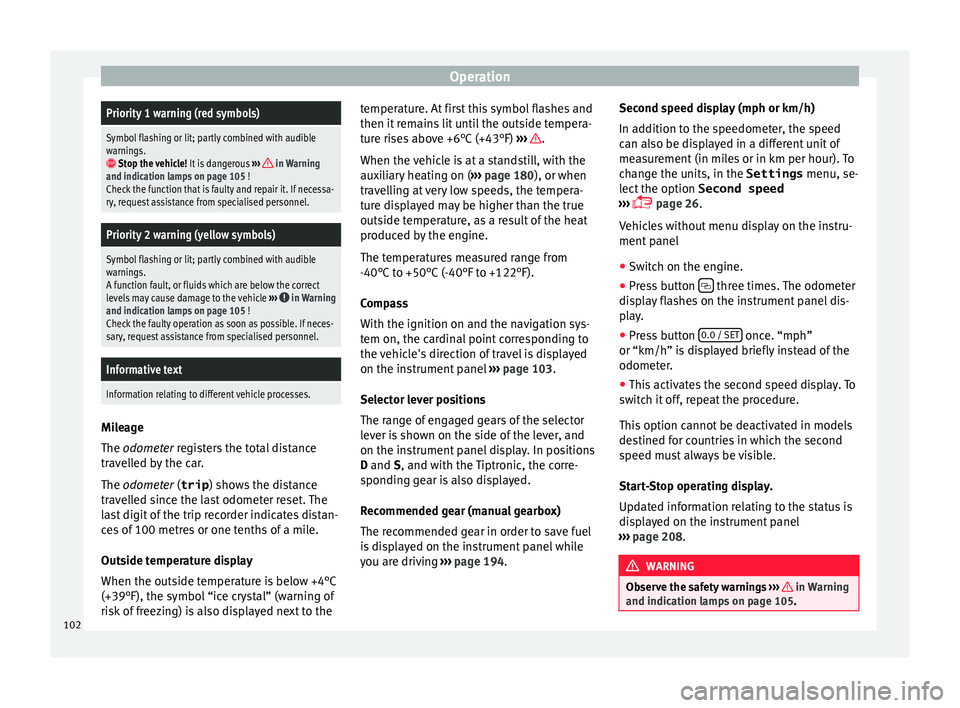
OperationPriority 1 warning (red symbols)
Symbol flashing or lit; partly combined with audible
warnings.
Stop the vehicle!
It is dangerous ››› in Warning
and indication lamps on page 105 !
Check the function that is faulty and repair it. If necessa-
ry, request assistance from specialised personnel.
Priority 2 warning (yellow symbols)
Symbol flashing or lit; partly combined with audible
warnings.
A function fault, or fluids which are below the correct
levels may cause damage to the vehicle ›››
in Warning
and indication lamps on page 105 !
Check the faulty operation as soon as possible. If neces-
sary, request assistance from specialised personnel.
Informative text
Information relating to different vehicle processes. Mileage
The odomet
er
r
egisters the total distance
travelled by the car.
The odometer (trip ) shows the distance
travelled since the last odometer reset. The
last digit of the trip recorder indicates distan-
ces of 100 metres or one tenths of a mile.
Outside temperature display
When the outside temperature is below +4°C
(+39°F), the symbol “ice crystal” (warning of
risk of freezing) is also displayed next to the temperature. At first this symbol flashes and
then it rem
ains lit until the outside tempera-
ture rises above +6°C (+43°F) ››› .
When the v
ehic
le is at a standstill, with the
auxiliary heating on ( ››› page 180), or when
travelling at very low speeds, the tempera-
ture displayed may be higher than the true
outside temperature, as a result of the heat
produced by the engine.
The temperatures measured range from
-40°C to +50°C (-40°F to +122°F).
Compass
With the ignition on and the navigation sys-
tem on, the cardinal point corresponding to
the vehicle's direction of travel is displayed
on the instrument panel ››› page 103.
Selector lever positions
The range of engaged gears of the selector
lever is shown on the side of the lever, and
on the instrument panel display. In positions
D and S, and with the Tiptronic, the corre-
sponding gear is also displayed.
Recommended gear (manual gearbox)
The recommended gear in order to save fuel
is displayed on the instrument panel while
you are driving ›››
page 194. Second speed display (mph or km/h)
In addition t
o the speedometer, the speed
can also be displayed in a different unit of
measurement (in miles or in km per hour). To
change the units, in the Settings menu, se-
lect the option Second speed
››› page 26.
Vehicles without menu display on the instru-
ment panel
● Switch on the engine.
● Press button three times. The odometer
di s
p
lay flashes on the instrument panel dis-
play.
● Press button 0.0 / SET once. “mph”
or “km/h” i s
di
splayed briefly instead of the
odometer.
● This activates the second speed display. To
switc
h it off, repeat the procedure.
This option cannot be deactivated in models
destined for countries in which the second
speed must always be visible.
Start-Stop operating display.
Updated information relating to the status is
displayed on the instrument panel
››› page 208. WARNING
Observe the safety warnings ›››
in Warning
and indication l amp
s on page 105. 102
Page 131 of 324
Opening and closing
●
Only c
lose the panoramic sliding sunroof
and the sun blind when nobody is in the way.
● Always take all the keys with you whenever
you le
ave the vehicle.
● Never leave children or disabled persons in
the vehic
le, particularly if they have access to
the keys. Uncontrolled use of the key could
lock the vehicle, start the engine, turn on the
ignition and operate the panoramic sliding
sunroof.
● The panoramic sliding sunroof can be oper-
ated for up t
o about ten minutes after the ig-
nition has been switched off, provided the
driver door and the front passenger door are
not opened. Note
● In ca se of
a fault in the operation of the
panoramic sliding sunroof, the anti-trap func-
tion will not operate correctly. Visit a special-
ised workshop.
● The rotary button of the panoramic sliding
sunr
oof remains in the last position selected
if the roof is closed using convenience clos-
ing from outside the vehicle, and will have to
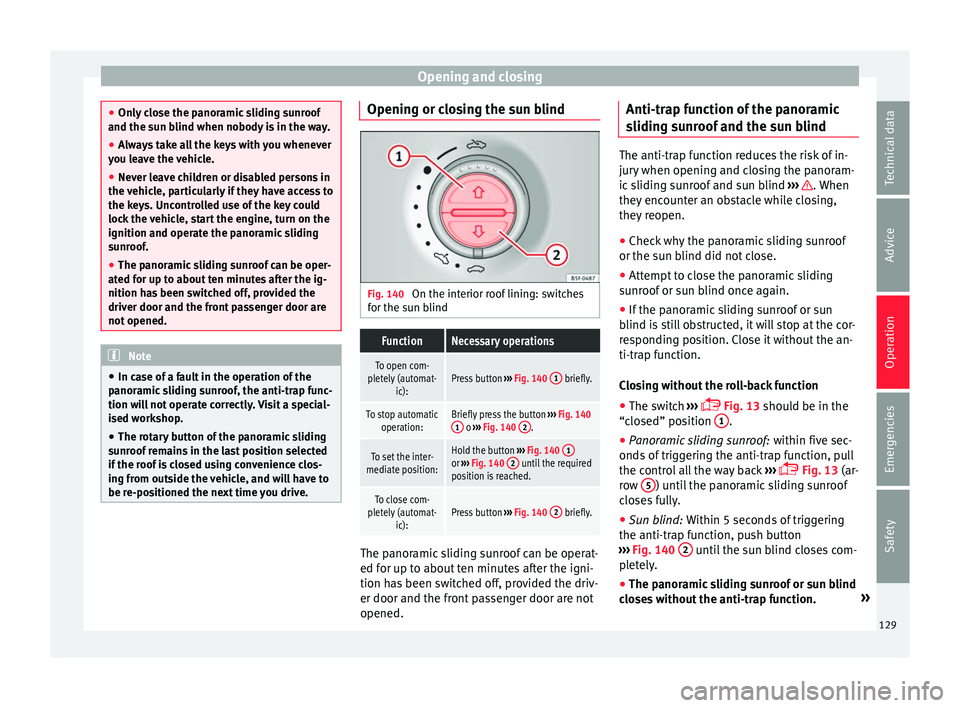
be re-positioned the next time you drive. Opening or closing the sun blind
Fig. 140
On the interior roof lining: switches
f or the s
u
n blind
FunctionNecessary operations
To open com-
pletely (automat- ic):Press button ››› Fig. 140 1 briefly.
To stop automatic
operation:Briefly press the button ››› Fig. 140
1 o ››› Fig. 140 2.
To set the inter-
mediate position:Hold the button ››› Fig. 140 1or
››› Fig. 140 2 until the required
position is reached.
To close com-
pletely (automat- ic):Press button ››› Fig. 140 2 briefly. The panoramic sliding sunroof can be operat-
ed f
or up t
o about
ten minutes after the igni-
tion has been switched off, provided the driv-
er door and the front passenger door are not
opened. Anti-trap function of the panoramic
sliding s
unroof and the sun blind The anti-trap function reduces the risk of in-
jury
when openin
g and closing the panoram-
ic sliding sunroof and sun blind ››› . When
they enc ou
nter an obstacle while closing,
they reopen.
● Check why the panoramic sliding sunroof
or the sun b
lind did not close.
● Attempt to close the panoramic sliding
sunr
oof or sun blind once again.
● If the panoramic sliding sunroof or sun
blind i s
still obstructed, it will stop at the cor-
responding position. Close it without the an-
ti-trap function.
Closing without the roll-back function
● The switch ›››
Fig. 13 should be in the
“closed” position 1 .
● Panoramic sliding sunroof: within fiv
e sec
-
onds of triggering the anti-trap function, pull
the control all the way back ›››
Fig. 13 (ar-
row 5 ) until the panoramic sliding sunroof
c lo
se
s fully.
● Sun blind: Within 5 second
s of triggering
the anti-trap function, push button
››› Fig. 140 2 until the sun blind closes com-
p l
et
ely.
● The panoramic sliding sunroof or sun blind
close
s without the anti-trap function. »
129
Technical data
Advice
Operation
Emergencies
Safety
Page 136 of 324
Operation
opened and when the “Coming home” or
“L e
av
ing home” function is switched on. If
the equipment includes the light sensor, the
lighting around the exterior mirrors only
comes when it is dark. Note
● The time tak en f
or the headlights to go off
can be changed in the Lights & Visibil- ity menu and the function can be switched
on or off ›››
page 26.
● When the “Coming home” function is on, if
the vehic
le door is opened there is no audible
warning signal to advise that the light is still
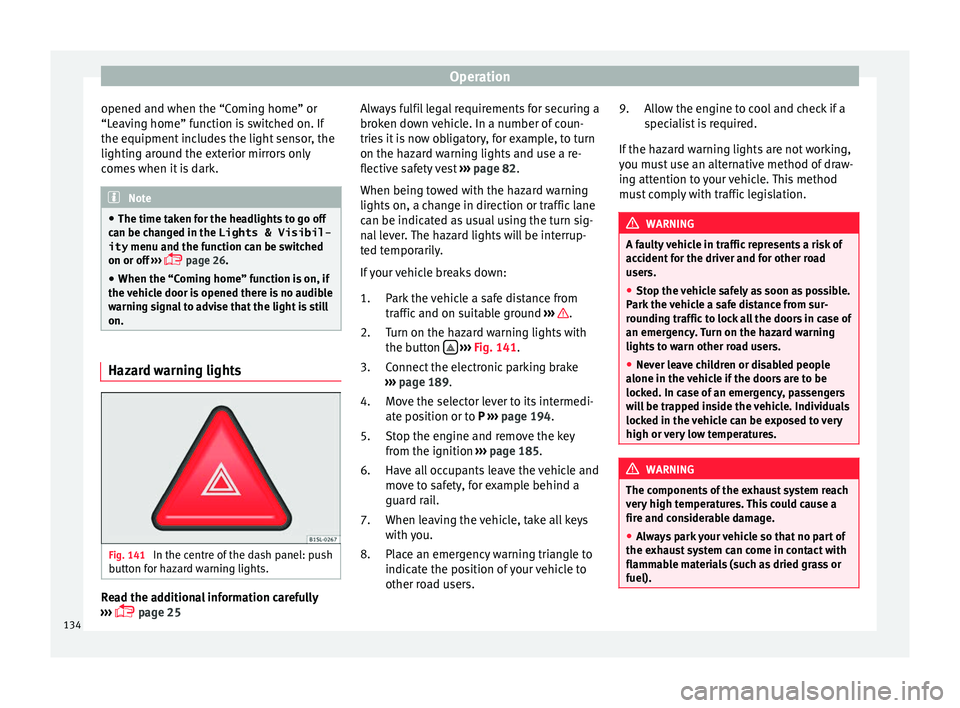
on. Hazard warning lights
Fig. 141
In the centre of the dash panel: push
b utt
on f
or hazard warning lights. Read the additional information carefully
› ›
›
page 25 Always fulfil legal requirements for securing a
broken do
wn vehicle. In a number of coun-
tries it is now obligatory, for example, to turn
on the hazard warning lights and use a re-
flective safety vest ››› page 82.
When being towed with the hazard warning
lights on, a change in direction or traffic lane
can be indicated as usual using the turn sig-
nal lever. The hazard lights will be interrup-
ted temporarily.
If your vehicle breaks down:
Park the vehicle a safe distance from
traffic and on suitable ground ››› .
T urn on the h
az
ard warning lights with
the button
› ›
› Fig. 141
.
Connect the electronic parking brake
››› page 189.
Move the selector lever to its intermedi-
ate position or to P ››› page 194.
Stop the engine and remove the key
from the ignition ››› page 185.
Have all occupants leave the vehicle and
move to safety, for example behind a
guard rail.
When leaving the vehicle, take all keys
with you.
Place an emergency warning triangle to
indicate the position of your vehicle to
other road users.
1.
2.
3.
4.
5.
6.
7.
8. Allow the engine to cool and check if a
speci
alist is required.
If the hazard warning lights are not working,
you must use an alternative method of draw-
ing attention to your vehicle. This method
must comply with traffic legislation. WARNING
A faulty vehicle in traffic represents a risk of
acc ident
for the driver and for other road
users.
● Stop the vehicle safely as soon as possible.
Park the
vehicle a safe distance from sur-
rounding traffic to lock all the doors in case of
an emergency. Turn on the hazard warning
lights to warn other road users.
● Never leave children or disabled people
alone in the v
ehicle if the doors are to be
locked. In case of an emergency, passengers
will be trapped inside the vehicle. Individuals
locked in the vehicle can be exposed to very
high or very low temperatures. WARNING
The components of the exhaust system reach
ver y
high temperatures. This could cause a
fire and considerable damage.
● Always park your vehicle so that no part of
the exhau
st system can come in contact with
flammable materials (such as dried grass or
fuel). 9.
134
Page 178 of 324
Operation
Air conditioning
Air c onditionin
g
Intr
oduction Viewing Climatronic information
The fact
or
y-fitted radio or navigation system
screen briefly displays information relating to
Climatronic.
The units of temperature measurement is dis-
played on the factory-installed radio or navi-
gation system and, depending on the vehicle
equipment, can be set using the Configu-
ration menu on the instrument panel. WARNING
Reduced visibility through the windows in-
cr e
ases the risk of serious accidents.
● Ensure that all windows are free of ice and
snow and th
at they are not fogged up pre-
venting a clear view of everything outside.
● The maximum heat output required to de-
fros
t windows quickly is only available when
the engine has reached its normal running
temperature. Only drive when you have good
visibility.
● Always ensure that you use the air condi-
tioner and heated r
ear window to maintain
good visibility.
● Never leave the air recirculation on for a
long period of time. If
the cooling system is switched off and air recirculation mode
swit
c
hed on, the windows can mist over very
quickly, considerably limiting visibility.
● Switch air recirculation mode off when it is
not requir
ed. WARNING
Stuffy or used air will increase fatigue and re-
duc e driv er c
oncentration possibly resulting
in a serious accident.
● Never leave the fresh air fan turned off or
use the air rec
irculation for long periods of
time; the air in the vehicle interior will not be
refreshed. CAUTION
● Swit c
h the air conditioner off if you think it
may be broken. This will avoid additional
damage. Have the air conditioner checked by
a specialised workshop.
● Repairs to the air conditioner require spe-
cia
list knowledge and special tools. SEAT rec-
ommends taking your car in for technical
service.
● Do not smoke when air recirculation is
switc
hed on in vehicles with an air condition-
er. The smoke taken in could lie on the cool-
ing system vaporiser and on the activated
charcoal cartridge of the dust and pollen fil-
ter, leading to a permanently unpleasant
smell. Note
● When the coo lin
g system is turned off, air
coming from the outside will not be dried. To
avoid fogging up the windows, SEAT recom-
mends leaving the cooler (compressor) on. To
do this, press the A/C button. The button
lamp shou l
d light up.
● If the humidity and temperature outside the
vehicl
e are high, condensation can drip off
the evaporator in the cooling system and
form a pool underneath the vehicle, this is
completely normal and there is no need to
suspect a leak.
● Keep the air intake slots in front of the
winds
creen free of snow, ice and leaves to en-
sure heating and cooling are not impaired,
and to prevent the windows from misting
over. Controls
Read the additional information carefully
› ›
›
page 36
To switch a function on or off, press the ap-
propriate button. Press the button again to
switch off the function.
The LED on each control lights up to indicate
that the respective function of a control has
been switched on.
Some Climatronic controls may also be on
the air conditioner control panel located in
176
Page 180 of 324
Operation
● Another f au
lt
in the vehicle. Have the air
conditioner checked by a specialised work-
shop.
Special features
If the humidity and temperature outside the
vehicle are high, condensation can drip off the vaporiser in the cooling system and form
a pool u
nderneath the vehicle. This is normal
and does not indicate a leak! Note
After starting the engine, any residual humid-
ity in the air c onditioner c
ould mist over the
windscreen. Switch on the defrost function as soon as possible to clear the windscreen of
conden
s
ation. Air vents
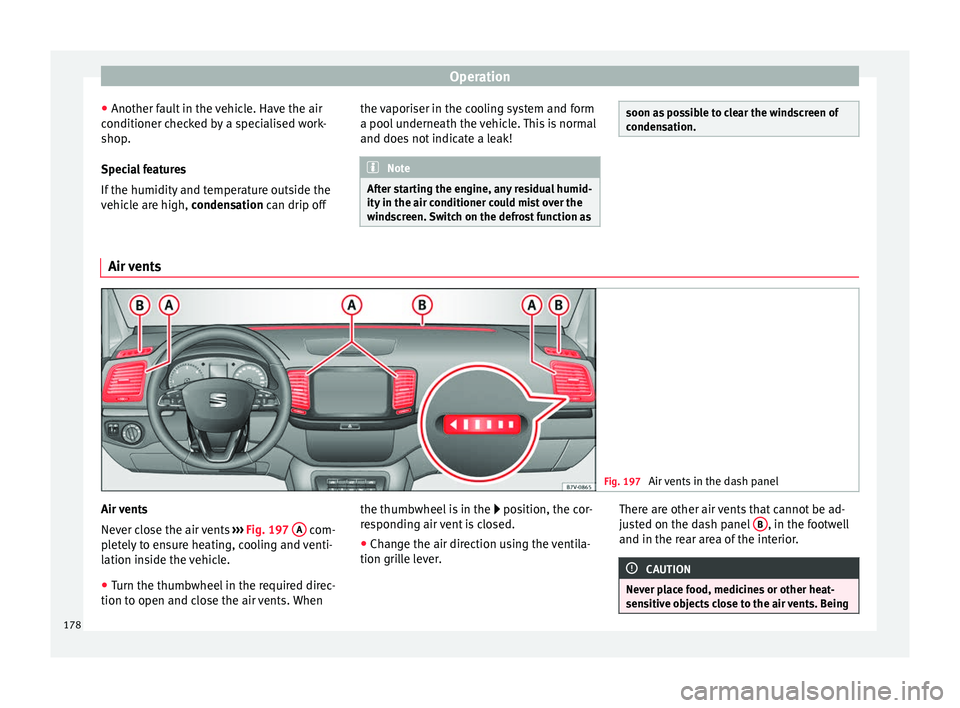
Fig. 197
Air vents in the dash panel Air vents
Nev
er clo
se the air vents ››› Fig. 197 A com-
p let
ely to ensure heating, cooling and venti-
lation inside the vehicle.
● Turn the thumbwheel in the required direc-
tion to open and clo
se the air vents. When the thumbwheel is in the
position, the c
or-
responding air vent is closed.
● Change the air direction using the ventila-
tion grill
e lever. There are other air vents that cannot be ad-
just
ed on the dash panel B , in the footwell
and in the r ear ar
ea of the interior. CAUTION
Never place food, medicines or other heat-
sens itiv
e objects close to the air vents. Being178
Page 186 of 324
Operation
lock and it will not be possible to turn the
st
eerin
g wheel. Warning and indication lamps
It lights up red
Power steering faul-
ty.The steering system should be
checked by a specialised work-
shop as soon as possible.
It lights up yellow
Power steering op-
eration reduced.The steering system should be
checked by a specialised work-
shop as soon as possible.
If, after restarting the engine and
driving for a short distance, the
yellow warning lamp no longer
comes on, it will
not be necessa-
ry to take the vehicle to a speci-
alised workshop.
The vehicle battery
was disconnected
and has been recon-
nected.Drive for a short distance at
15-20 km/h (9-12 mph).
Flashes red
Fault in the steering
column electronic
lock.
Do not drive on!
Seek professional advice.
It flashes yellow
Steering column de-
viation.Gently turn the steering wheel to
and fro.
Steering wheel not
unlocked or locked.Remove the key from the ignition
and then switch the ignition
back on. Check the messages
displayed on the instrument
panel at the same time.
Do not drive on, if
the steering
column remains locked after the
ignition has been switched on.
Seek specialist assistance. Several warning and indication lamps light
up f
or a f
ew sec
onds when the ignition is
switched on, signalling that the function is
being verified. They will switch off after a few
seconds. WARNING
Observe the safety warnings ›››
in Warning
and indication l amp
s on page 105. Information on the steering
Electronic steering column lock
V
ehic
l
es with Keyless Access: the steering
column locks when the driver's door is
opened and the ignition is switched off.
Therefore, the vehicle should be at a stand-
still and, where applicable, the selector lever
in position P. If the driver door is opened before the igni-
tion is sw
itched off, the steering column elec-
tronic lock is activated via the ignition key or
the sensor built into the door handle.
Steering column mechanical lock
To prevent theft, we recommend you lock the
steering before leaving the vehicle.
Please engage steer-
ing lockUnlocking the steering
Parking the vehicle
››› page 189.Turn the steering wheel
slightly to release the
steering lock.
Remove the key from the
ignition.Insert the key in the igni-
tion lock.
Turn the steering wheel
slightly until you hear the
steering lock.Hold the steering wheel in
this position and switch
on the ignition. Electromechanical power steering
W
ith the po
w
er steering system, the assisted
steering function automatically adjusts ac-
cording to the vehicle speed, the steering tor-
que and the wheel turning angle. The power
steering only works when the engine is run-
ning.
You should remember that you will need con-
siderably more power than normal to steer
the vehicle if the power steering is not work-
ing correctly or not at all.
184
Page 191 of 324
Driving
●
If the k ey
is removed from the ignition, the
steering may lock and it will not be possible
to steer the vehicle. CAUTION
If the engine has been driven at high speed
f or a pr o
longed period of time, it may over-
heat when turned off. To avoid engine dam-
age, allow the engine to run for approximate-
ly two minutes in neutral before switching it
off. Note
● In v ehic
les with automatic gearbox, the key
can only be removed when the selector lever
is in position P.
● After stopping the engine, the engine com-
partment
fan may continue running for a few
minutes, even when the ignition has been
switched off or the key removed. The radiator
fan is automatically switched off. Electronic immobiliser
The gear lock prevents the engine from being
s
t
ar
ted with an unauthorised key and the ve-
hicle being moved.
The vehicle key has a chip that automatically
disables the immobilizer when the key is
placed in the ignition lock. The electronic immobiliser will be activated
again autom
atically as soon as you pull the
key out of the ignition lock. For vehicles with
the Keyless Access system, the key has to be
outside the vehicle ››› page 117.
For this reason, the vehicle can only be used
with a genuine SEAT key with the correct
code. Coded keys can be purchased from
your technical service centre ››› page 112.
If an unauthorised key is used, the message SAFE or Immobiliser active is displayed
on the instrument panel. The vehicle cannot
be started in this case Note
The correct operation of the vehicle is only
guarant eed when origin
al SEAT keys are
used. Braking and parking
Intr oduction The a
ssisted braking systems include the an-
ti-loc k
braking system (ABS), the brake assist
system (BAS), the electronic differential lock
(EDL), the traction control system (ASR) and
the electronic stability control (ESC). WARNING
Driving with worn brake pads or a faulty
brak e sy
stem may lead to serious accident.
● If lights, alone or accompanied by a
warnin
g message on the instrument panel
display, please go immediately to a special-
ised workshop to check the brake pads and to
replace them if they are worn. WARNING
Careless parking can cause serious injury.
● Never remove the key from the ignition if
the v ehic
le is in motion. The steering lock
may engage and lock the steering wheel mak-
ing the vehicle impossible to control.
● Always park your vehicle so that no part of
the exhau
st system can come in contact with
flammable materials (such as wood, leaves,
dried grass, spilled fuel, etc.).
● Always apply the electronic parking brake
when you l
eave your vehicle and when you
park.
● Never leave children or disabled people
alone in the v
ehicle. They could release the
electronic parking brake, activate the selec-
tor lever or gear stick and start the vehicle
moving. This could result in a serious acci-
dent.
● Always take all the keys with you whenever
you le
ave the vehicle. The engine could acci-
dentally be started and electrical equipment
such as the windows could accidentally be
operated resulting in serious injury. » 189
Technical data
Advice
Operation
Emergencies
Safety
Page 192 of 324
Operation
●
Never l e
ave children or disabled people
alone in the car. They could be trapped in the
car in an emergency and will not be able to
get themselves to safety. For example, de-
pending on the time of the year, tempera-
tures inside a locked and closed vehicle can
be extremely high or extremely low resulting
in serious injuries and illness or even death,
particularly for young children. CAUTION
● Spec i
al care should be taken when parking
in areas with high kerbs or fixed barriers. Ob-
jects protruding from the ground may dam-
age the bumper or other parts of the vehicle
during manoeuvres. To avoid damage, stop
before the wheels touch the barrier or kerb.
● Special attention is required when driving
through entranc
es, over ramps, kerbs or oth-
er objects. The vehicle underbody, bumpers,
mudguards and running gear, and the engine
and exhaust system could be damaged as
you drive over these objects. Warning and indication lamps
It lights up red
Together with the
control lamp on
the button: Elec-
tronic parking brake
on.››› page 191
It lights up red
Fault in the brake
system
Stop the vehicle!
Seek professional assistance!
››› page 193.
Brake fluid level in-
adequate. Do not drive on!
Check brake fluid level
››› page 283.
Together with the
ABS control lamp
: ABS fault.
Contact a specialised workshop.
The vehicle can be braked with-
out ABS.
It lights up red
Brake pedal not
pressed!Press brake pedal to the floor.
It lights up yellow
Front brake pads
worn.Contact a specialised workshop
immediately. Inspect
all the
brake pads and replace as nec-
essary.
It lights up yellow
ESC disconnected
by the system.Switching the ignition on and off
If necessary, drive for a short dis-
tance.
Fault in the ESC.Contact a specialised workshop.
Together with the
ABS control lamp
: Fault in the ABS.
Contact a specialised workshop.
The vehicle can be braked with-
out ABS.
It lights up yellow
The battery has
been reconnected.›››
page 284
It lights up yellow
ASR manually deac-
tivated.Switch on ASR
››› page 207. ASR
is automatically activated when
the ignition is switched on or off.
It lights up yellow
Together with the
ESC control lamp :
Fault in the ABS.Contact a specialised workshop.
The vehicle can be braked with-
out ABS.
Together with the
warning lamp or: ABS fault.
It lights up yellow
Together with the
warning lamp flashing: electronic
parking brake faul-
ty.Contact a specialised workshop.
It lights up green
Brake pedal not
pressed.
Press the brake pedal to select a
gear range.
Press the brake pedal to discon-
nect the electronic parking brake
››› page 191. 190
Page 193 of 324
Driving
Flashes red
Electronic parking
brake faulty. The
control lamp
may
light up at the same
time or the control
lamp
may flash
on the button.
Contact a specialised workshop,
as it may not be possible to park
the vehicle in safety.
It flashes yellow
ESC or ASR regulat-
ing.Take your foot off the accelera-
tor. Adjust your driving style to
the road conditions.
Several warning and indication lamps light
up f
or a f
ew sec
onds when the ignition is
switched on, signalling that the function is
being verified. They will switch off after a few
seconds. WARNING
Observe the safety warnings ›››
in Warning
and indication l amp
s on page 105. WARNING
Driving with brakes in bad condition could re-
su lt
in a serious accident.
● If the brake warning lamp does not
go
out, or if it lights up when driving, the brake
fluid level in the reservoir is too low or there
is a fault in the brake system. Obtain profes- sional assistance immediately
›››
page 282,
Checking the brake fluid level.
● If the brake warning lamp lights up t
o-
gether with the ABS warning lamp , the
regulation function of the ABS could be mal-
functioning. As a result, the rear wheels can
lock relatively easily when braking. If the rear
wheels lock this could result in loss of vehicle
control! If possible, reduce your speed and
drive carefully to a specialised workshop
close by to check the brake system. During
the following journey, avoid sudden braking
and manoeuvres.
● If the ABS warning lamp does not
go out
or if it lights while driving, the ABS is mal-
functioning. The vehicle can only be stopped
using normal braking without ABS. The pro-
tection provided by the ABS is not available.
Visit a specialised workshop as soon as pos-
sible.
● If lights, alone or accompanied by a
warnin
g message on the instrument panel
display, please go immediately to a special-
ised workshop to check the brake pads and to
replace them if they are worn. Electronic parking brake
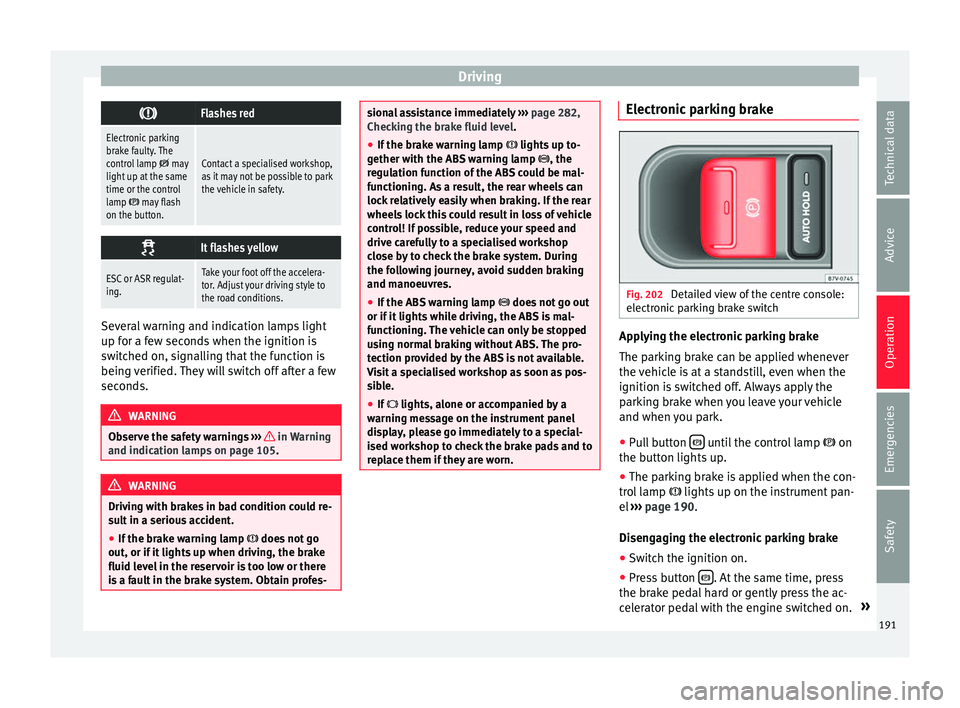
Fig. 202
Detailed view of the centre console:
el ectr
onic
parking brake switch Applying the electronic parking brake
The p
ark
in
g brake can be applied whenever
the vehicle is at a standstill, even when the
ignition is switched off. Always apply the
parking brake when you leave your vehicle
and when you park.
● Pull button until the control lamp
on
the b utt
on lights
up.
● The parking brake is applied when the con-
trol
lamp lights up on the instrument pan-
el ››› page 190.
Disengaging the electronic parking brake ● Switch the ignition on.
● Press button . At the same time, press
the br ak
e ped
al hard or gently press the ac-
celerator pedal with the engine switched on. »
191
Technical data
Advice
Operation
Emergencies
Safety
Page 194 of 324
Operation
● The c ontr
o
l lamps on the button and
on the instrument panel go out.
Automatic release of the electronic parking
brake on starting the engine
The electronic parking brake is automatically
released when the vehicle starts moving, if
the driver door is closed and the driver is
wearing his/her seat belt. In addition, in ve-
hicles with a manual gearbox the clutch ped-
al should also be pressed to the floor before
starting the engine so that the system recog-
nises that the parking brake should be re-
leased.
Emergency braking function
Only use the emergency braking function if
the vehicle cannot be stopped with the brake
pedal ››› !
● Pull button h
ard to stop the vehicle. The
w arnin
g display will be accompanied by the
corresponding audible warning.
● To stop the braking process, release the
button or pr
ess the accelerator. WARNING
The incorrect use of the electronic parking
brak e m
ay result in serious accident.
● Never use the electronic parking brake to
brake the
vehicle except in an emergency.
The braking distance is considerably longer, because braking is only applied to the rear
wheels. A
lw
ays use the foot brake.
● Never accelerate from the engine compart-
ment with the en
gine running and a gear or a
gear range engaged. The vehicle could move,
even if the parking brake is applied. Note
● In vehic
les with a manual gearbox: when
the clutch pedal is released and the accelera-
tor pressed at the same time, the electronic
parking brake is automatically released.
● If the vehicle battery is flat, it will not be
poss
ible to disconnect the electronic parking
brake. Use the jump-start ›››
page 51.
● When the electronic parking brake is ap-
plied or rel
eased, noises may be heard.
● If the electronic parking brake has not been
used for a lon
g while, the system sometimes
performs automatic and audible checks while
the vehicle is at a standstill. Parking
When parking your vehicle, all legal require-
ments
shou
l
d be observed.
To park the vehicle
Complete operations only in the sequence
given. ● Park the vehicle on a suitable surface ›››
.●
Pr e
s
s and hold the brake pedal until the ve-
hicle comes to a standstill.
● Connect the electronic parking brake
›››
page 191.
● For an automatic gearbox, move the selec-
tor lev
er to position P.
● Switch off the engine and release the brake
pedal.
● R
emove the key from the ignition.
● If necessary, turn the steering wheel slight-
ly to loc
k the steering.
● With a manual gearbox, engage 1st gear on
flat gr
ound and slopes, or even reverse gear
on hills, and release the clutch pedal.
● Ensure that all passengers leave the vehi-
cle, e
specially children.
● When leaving the vehicle, take all keys with
you.
● Loc
k the vehicle.
Additiona
l information for steep slopes and
hills
Before switching off the engine, rotate the
steering wheel so that if the vehicle should
move, it will be held by the kerb.
● On slopes, turn the front wheels so that
they are ag
ainst the edge of the kerb.
● Uphill, turn the wheels towards the centre
of the r o
ad.
192