instrument panel Seat Alhambra 2016 Owner's Guide
[x] Cancel search | Manufacturer: SEAT, Model Year: 2016, Model line: Alhambra, Model: Seat Alhambra 2016Pages: 324, PDF Size: 5.93 MB
Page 213 of 324
Driver assistance systems
Note
● In some ca se
s, you may have to restart the
vehicle using the key. Observe the corre-
sponding message on the instrument panel
display.
● If the steering wheel is turned more than
270°, Stop w
ill not function; however, the an-
gle of steering wheel turn does not affect
starting the vehicle. Parking distance warning sys-
t
em*
Intr oduction The parking distance warning system assists
the driv
er when p
ark
ing. When the vehicle
approaches an obstacle, forwards or back-
wards, an intermittent audible warning will
be heard, higher or lower depending on the
distance. The shorter the distance, the short-
er the intervals between tones. If the vehicle
is too close to the obstacle, the audible warn-
ing becomes constant.
If you continue to approach an obstacle when
the sound is continuous, this means the sys-
tem can no longer measure the distance.
The sensor system on the bumpers transmit
and receive ultrasound. Using the ultrasound
signal (transmission, reflection from the ob-
stacle and reception), this system continu- ously calculates the distance between the
bumper and the ob
stacle. WARNING
The parking distance warning system and the
optica l
parking system cannot replace driver
awareness.
● The sensors have blind spots in which ob-
stac
les and people are not registered.
● Always observe the area around the vehi-
cle, a
s the sensors do not always detect
small children, animals or objects.
● The surface of certain objects and some
clothing do not
reflect the ultrasound signals
from the parking distance system. The sys-
tem cannot detect or incorrectly detects
these objects and people wearing these
types of clothes.
● External sound sources can affect the park-
ing dis
tance aid signals. In this case, under
certain circumstances, people and objects
will not be detected. CAUTION
● The sensor s
may not always be able to de-
tect objects such as trailer draw bars, thin
rails, fences, posts, trees and open boots,
etc. This could result in damage to your car.
● Although the parking distance warning sys-
tem detect
s and warns of the presence of an
obstacle, the obstacle could disappear from
the angle of measurement of the sensors if it
is too high or low and the system would no longer show it. Therefore, it will not warn you
of the
se o
bjects. Ignoring the warnings of the
parking sensor system could cause consider-
able damage to the vehicle.
● The bumper sensors may become damaged
or misa
ligned, for example, when parking.
● To ensure that the system works properly,
the bumper sensor
s must be kept clean, free
of ice and snow and uncovered.
● When cleaning the sensors with high-pres-
sure or s
team cleaning equipment, spray the
sensors briefly at a distance of no less than
10 cm (4 inches). Note
Acoustic sources may lead to erroneous warn-
ing s
on the parking sensor system, e.g.
rough tarmac, cobbles or the noise of other
vehicles. 211
Technical data
Advice
Operation
Emergencies
Safety
Page 217 of 324
Driver assistance systems
Note
Contact a specialised workshop with any sys-
tem f au
lts. SEAT recommends taking your car
in for technical service. Parking using the park assist system
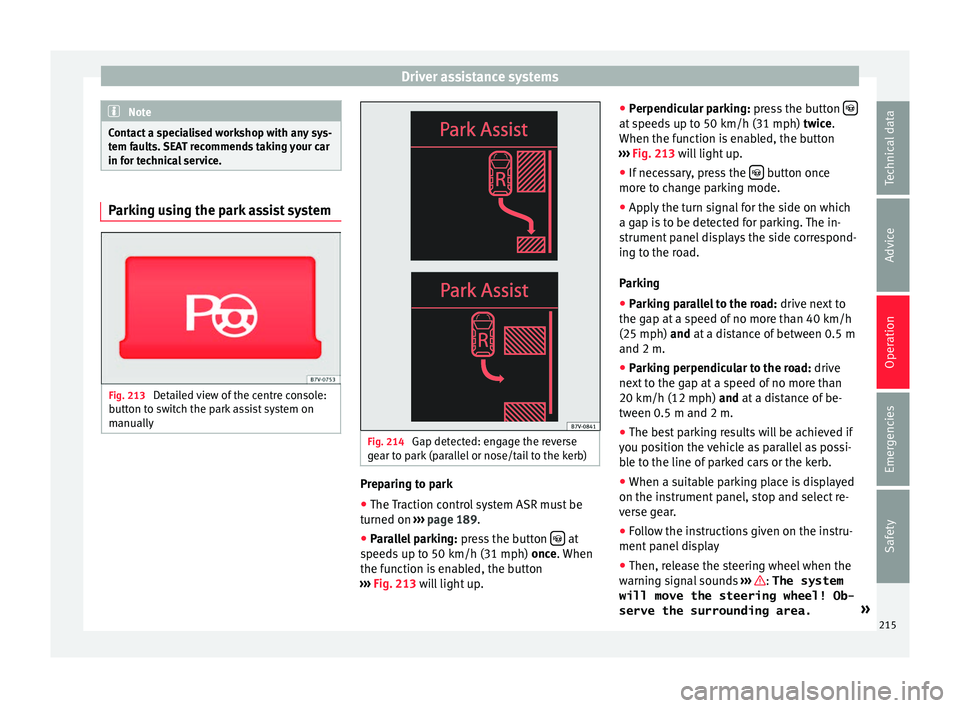
Fig. 213
Detailed view of the centre console:
b utt
on t
o switch the park assist system on
manually Fig. 214
Gap detected: engage the reverse
g e
ar t
o park (parallel or nose/tail to the kerb) Preparing to park
● The Traction control system ASR must be
t urned on ›
›
› page 189.
● Parallel parking: pres
s the button at
s peed
s
up to 50 km/h (31 mph) once. When
the function is enabled, the button
››› Fig. 213 will light up. ●
Perpendicu
lar parking: press the button at speeds up to 50 km/h (31 mph) tw
ic
e .
When the function is enabled, the button
››› Fig. 213 will light up.
● If necessary, press the button once
mor e t
o c
hange parking mode.
● Apply the turn signal for the side on which
a gap is
to be detected for parking. The in-
strument panel displays the side correspond-
ing to the road.
Parking
● Parking parallel to the road: drive next
to
the gap at a speed of no more than 40 km/h
(25 mph) and at a distance of between 0.5 m
and 2 m.
● Parking perpendicular to the road: drive
next
to the gap at a speed of no more than
20 km/h (12 mph) and at a distance of be-
tween 0.5 m and 2 m.
● The best parking results will be achieved if
you pos
ition the vehicle as parallel as possi-
ble to the line of parked cars or the kerb.
● When a suitable parking place is displayed
on the instrument
panel, stop and select re-
verse gear.
● Follow the instructions given on the instru-
ment panel
display
● Then, release the steering wheel when the
warning s
ignal sounds ››› : The system
will move the steering wheel! Ob-
serve the surrounding area. »
215
Technical data
Advice
Operation
Emergencies
Safety
Page 218 of 324
Operation
● Ob
ser
ve the surrounding area and acceler-
ate carefully at a maximum of 7 km/h
(4 mph).
● The park assist system is only r
esponsible
for moving the steering wheel during the ma-
noeuvre. The driver applies the accelerator,
the clutch, the gears and the brake.
● Follow the instructions given by the park
ass
ist system until the manoeuvre is comple-
ted.
● The park assist system steers the vehicle
forw
ards and backwards until it is in a
straight position in the parking space.
● The manoeuvre is complete when the corre-
sponding indic
ation is given on the instru-
ment panel display.
Stopping the parking manoeuvre
The park assist system stops the manoeuvre
in advance in the event of one of the follow-
ing:
● Press button .
● Driving faster than 7 km/h (4 mph).
● The driver moves the steering wheel.
● The parking manoeuvre has not been com-
p l
et
ed after 6 minutes since the park assist
system was activated.
● A sliding door is opened. To restart the ma-
noeuvr e, c
lose the sliding door and press the
button again. ●
Ther e i
s
a system malfunction (system tem-
porarily unavailable).
● The ASR system is switched off or the ASR
or ESC i
s working. WARNING
The steering wheel turns quickly by itself
when park in
g using the park assist system.
Placing your hand between the steering
wheel spokes could lead to injuries. Note
● The park a
ssist system has its limitations.
For example, it is not possible to park on
tight bends using the park assist system.
● Even if the park assist system recognises
that ther
e is not enough space for parking
the vehicle, the instrument panel display will
still show this place. In this case, the parking
manoeuvre should not be requested.
● Changing gears between forward and re-
verse g
ears before indicated (that is, before
the signal from the parking sensor system)
the parking results may not be ideal.
● For parallel parking (parallel to the road), a
sound wi
ll tell the driver when they must
change from forward gears to reverse; the
signal from the parking sensor system does
not indicate changes of direction.
● The park assist can also be activated after-
ward
s, if you pass close to a parallel parking
space at a maximum of 40 km an hour
(25 mph) or close to be perpendicular parking space at about 20 km an hour (12 mph) then
pre
s
s the button .
● The progress bar on the screen of the in-
strument p
anel shows a display of the rela-
tive distance to be covered.
● When the Park Assist system is turning the
steerin
g wheel of the stopped vehicle the
symbol is also displayed. Press on the
brake pedal so that the steering can turn with
the vehicle at a standstill and thus reduce the
number of manoeuvres.
● A “suitable” parking space length is at
lea
st 1.1 m greater than the length of the ve-
hicle.
● If the results of the park assist system are
not as
good after changing the wheels, the
system must memorise the perimeter of the
new wheels. This process is performed auto-
matically while the vehicle is in motion. To
help this process, turn slowly (at less than
20 km/h [12 mph]), e.g. in an empty car park. Leaving a parking space using the
P
ark
As
sist system Driving off
● Switch on the engine.
● Press button . When the function is ena-
b l
ed, the b
utton ››› Fig. 213 will light up.
● Apply the turn signal for the side on which
you w ant
to leave the parking space.
● Select reverse gear.
216
Page 223 of 324
Driver assistance systems
lengths of the orientation lines use a vehicle
loc at
ed on a horiz
ontal surface as reference.
Safety distance: road area located up to
around 40 cm behind the vehicle.
Vehicle side limit.
Turning point when parking. When the
yellow line touches the curb or another
limit of the parking space, the point for
changing direction (magnifying glass)
will have been reached.
Free space required to parallel park the
vehicle. The surface displayed must com-
pletely fit in the space.
Possible vehicle parked next to the curb.
Parking
● Stop the vehicle 1 m away parallel to the
parkin
g space and select reverse gear.
● Switch on mode 2 on the navigation system
scr
een for parallel parking.
● Slowly reverse and turn the steering wheel
so that the s
urface displayed yellow on the
screen stops in front of any obstacles 5(e.g. another vehicle).
●
Turn the steering wheel fully towards the
s p
ac
e and reverse slowly.
● When the yellow line 3 touches the side
limit of
the s
pace, e.g. the border or curb
(magnifying glass), turn the steering wheel
fully in the opposite direction. 1 2
3
4
5 ●
Continue r
ev
ersing until the vehicle is in-
side the space, parallel to the road. Correct
the position if necessary.
Cruise control* (Cruise control
syst
em - CCS)
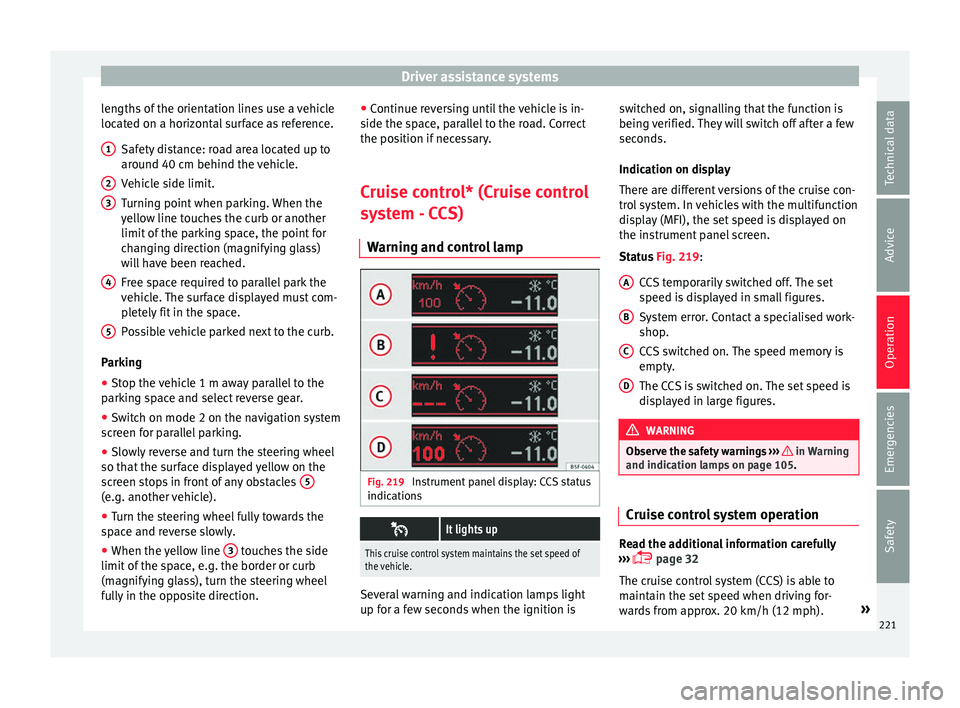
Warning and control lamp Fig. 219
Instrument panel display: CCS status
indic ation
s
It lights up
This cruise control system maintains the set speed of
the vehicle.
Several warning and indication lamps light
up f
or a f
ew sec
onds when the ignition is switched on, signalling that the function is
being v
erified. They will switch off after a few
seconds.
Indication on display
There are different versions of the cruise con-
trol system. In vehicles with the multifunction
display (MFI), the set speed is displayed on
the instrument panel screen.
Status Fig. 219:
CCS temporarily switched off. The set
speed is displayed in small figures.
System error. Contact a specialised work-
shop.
CCS switched on. The speed memory is
empty.
The CCS is switched on. The set speed is
displayed in large figures. WARNING
Observe the safety warnings ›››
in Warning
and indication l amp
s on page 105. Cruise control system operation
Read the additional information carefully
› ›
›
page 32
The cruise control system (CCS) is able to
maintain the set speed when driving for-
wards from approx. 20 km/h (12 mph). »
A B
C
D
221
Technical data
Advice
Operation
Emergencies
Safety
Page 227 of 324
Driver assistance systems
Blind spot detector (BSD) with
p ark
in
g assistant (RTA)
Introduction The blind spot detector (BSD) helps detect
the traffic
s
ituation to the sides and behind
the vehicle.
The integrated parking assistant (RTA) helps
the driver when backing out of a parallel
parking spot and in manoeuvring.
The blind spot detector has been developed
for driving on paved roads. WARNING
The smart technology incorporated into the
blind s pot
detector (BSD) with parking assis-
tance (RTA) included cannot overcome the
limits imposed by the laws of physics; it only
works within the limits of the system. Acci-
dents and severe injury may occur if the blind
spot detection system or the parking assis-
tant are used negligently or involuntarily. The
system is not a replacement for driver aware-
ness.
● Adapt your speed and safe distance to the
vehicl
e in front of you at all times to suit visi-
bility, weather, road and traffic conditions.
● Keep your hands on the wheel at all times,
and be rea
dy to intervene in the steering at
any time. ●
Pa y
attention to the control lamps that may
come on in the external rear view mirrors and
on the instrument panel, and follow any in-
structions they may give.
● The blind spot assistant may react in the
face of
any special constructions that may be
present on the sides of the vehicle: e.g., high
or irregular protective fences. This may cause
erroneous warnings.
● Never use the blind spot detector with
parkin
g assistance on unpaved roads. The
blind spot detector with parking assistance
has been designed for use on paved roads.
● Always pay attention to the vehicle's sur-
roundin
gs.
● Never use the blind spot detector with
parkin
g assistance if the radar sensors are
dirty, covered or damaged. The system may
work incorrectly in these cases. CAUTION
● The ra d
ar sensors on the rear bumper may
be damaged or shifted in the event of a colli-
sion, for example, when entering or exiting a
parking space. This may result in the system
disconnecting itself, or at least having its
functionality diminished.
● In order to ensure that the radar sensors
work pr
operly, keep the rear bumper free of
snow and ice and do not cover it.
● The rear bumper should only be painted
with paint
authorised by SEAT. The blind spot detector's functions may be limited or work
incorr
ectly
if other paints are used.
● The external rear view mirror control lamps
may
have their functionality limited in the
event of solar radiation. Note
If the blind spot detector with the parking as-
s is
tant does not work as described in this
chapter, do not use it and have it checked by
a specialised workshop. Control lamps
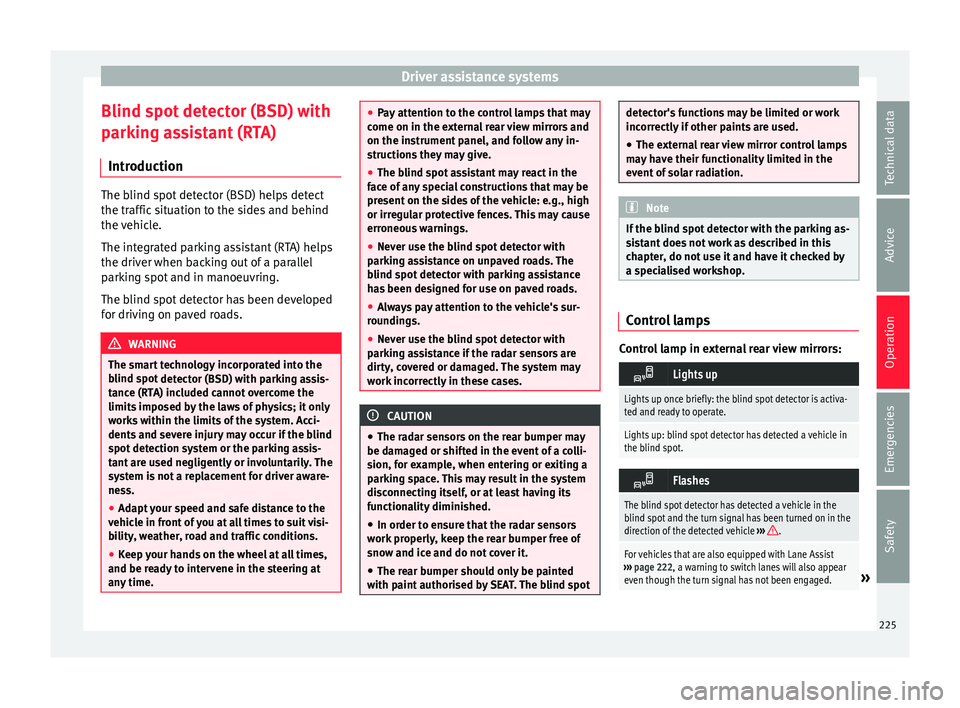
Control lamp in external rear view mirrors:
Lights up
Lights up once briefly: the blind spot detector is activa-
ted and ready to operate.
Lights up: blind spot detector has detected a vehicle in
the blind spot.
Flashes
The blind spot detector has detected a vehicle in the
blind spot and the turn signal has been turned on in the
direction of the detected vehicle
›››
.
For vehicles that are also equipped with Lane Assist
››› page 222, a warning to switch lanes will also appear
even though the turn signal has not been engaged.
» 225
Technical data
Advice
Operation
Emergencies
Safety
Page 231 of 324
Driver assistance systems
● in the c a
se of
special constructions to the
side of the vehicle, e.g., high or irregular di-
viders
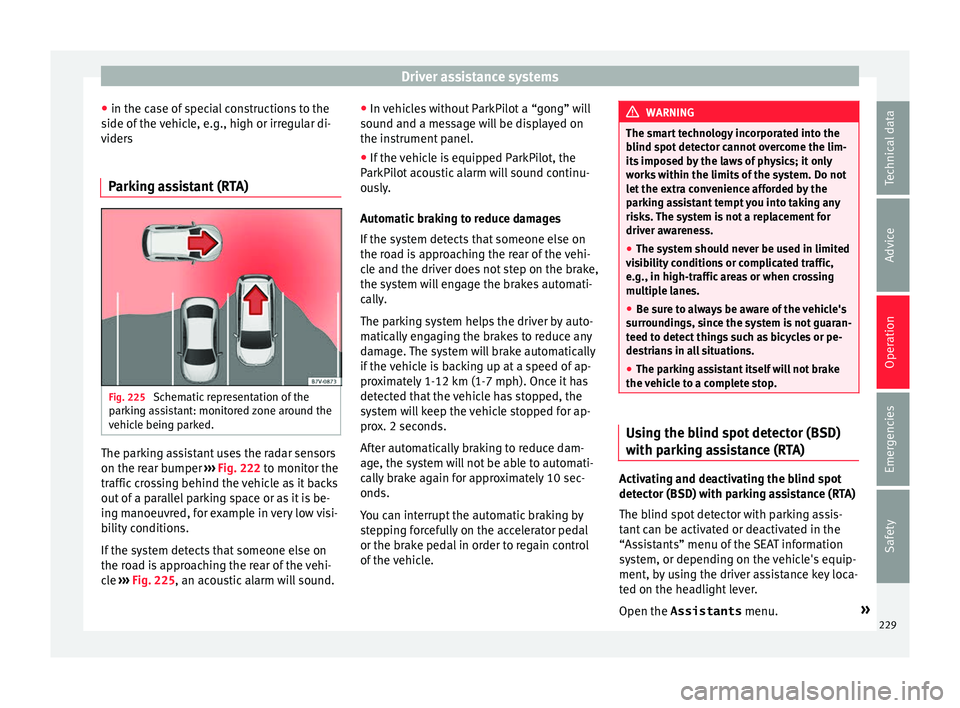
Parking assistant (RTA) Fig. 225
Schematic representation of the
p ark
in
g assistant: monitored zone around the
vehicle being parked. The parking assistant uses the radar sensors
on the r
e
ar b
umper ››› Fig. 222 to monitor the
traffic crossing behind the vehicle as it backs
out of a parallel parking space or as it is be-
ing manoeuvred, for example in very low visi-
bility conditions.
If the system detects that someone else on
the road is approaching the rear of the vehi-
cle ››› Fig. 225, an acoustic alarm will sound. ●
In vehic
les without ParkPilot a “gong” will
sound and a message will be displayed on
the instrument panel.
● If the vehicle is equipped ParkPilot, the
ParkPilot
acoustic alarm will sound continu-
ously.
Automatic braking to reduce damages
If the system detects that someone else on
the road is approaching the rear of the vehi-
cle and the driver does not step on the brake,
the system will engage the brakes automati-
cally.
The parking system helps the driver by auto-
matically engaging the brakes to reduce any
damage. The system will brake automatically
if the vehicle is backing up at a speed of ap-
proximately 1-12 km (1-7 mph). Once it has
detected that the vehicle has stopped, the
system will keep the vehicle stopped for ap-
prox. 2 seconds.
After automatically braking to reduce dam-
age, the system will not be able to automati-
cally brake again for approximately 10 sec-
onds.
You can interrupt the automatic braking by
stepping forcefully on the accelerator pedal
or the brake pedal in order to regain control
of the vehicle. WARNING
The smart technology incorporated into the
blind s pot
detector cannot overcome the lim-
its imposed by the laws of physics; it only
works within the limits of the system. Do not
let the extra convenience afforded by the
parking assistant tempt you into taking any
risks. The system is not a replacement for
driver awareness.
● The system should never be used in limited
vis
ibility conditions or complicated traffic,
e.g., in high-traffic areas or when crossing
multiple lanes.
● Be sure to always be aware of the vehicle's
surrou
ndings, since the system is not guaran-
teed to detect things such as bicycles or pe-
destrians in all situations.
● The parking assistant itself will not brake
the vehic
le to a complete stop. Using the blind spot detector (BSD)
w
ith p
ark
ing assistance (RTA) Activating and deactivating the blind spot
det
ect
or (BSD) w
ith parking assistance (RTA)
The blind spot detector with parking assis-
tant can be activated or deactivated in the
“Assistants” menu of the SEAT information
system, or depending on the vehicle's equip-
ment, by using the driver assistance key loca-
ted on the headlight lever.
Open the Assistants menu.»
229
Technical data
Advice
Operation
Emergencies
Safety
Page 232 of 324
Operation
● BSD
● P arking Assist.
If the
verification box on the control panel is
checked , the functionality will be automat-
ically activated at ignition.
When the blind spot detector is ready to op-
erate, the indications in the external mirrors
will turn on briefly as confirmation.
The control lamp of the instrument panel in-
dicates the system's status.
When the vehicle is restarted, the last adjust-
ment in the system will remain active.
If the blind spot detector was automatically
deactivated, it will only be possible to restart
the system after turning the vehicle off and
restarting it.
Automatic deactivation of the blind spot de-
tector (BSD)
The radar sensors of the blind spot detector
with parking assistant will be automatically
deactivated when, among other reasons, one
of the sensors is detected to be permanently
covered. This may be the case if, for example,
there is a layer of snow or ice in front of one
of the sensors.
The relevant text message will appear in the
dash panel display Towing a trailer
The Blind spot det
ector and the parking as-
sistant will be automatically deactivated and
it will be impossible to activate them if the
tow hitch is electrically connected to a trailer
or other similar object.
As soon as the driver starts to drive with a
trailer connected electrically to the vehicle, a
message will appear on the instrument panel
display indicating that the blind spot detec-
tor and parking assistant are deactivated.
Once the trailer has been unhitched from the
vehicle, if you want to us the blind spot de-
tector and parking assistant, you will have to
reactivate them in the corresponding menu.
If the towing hitch is not factory equipped,
then the blind spot detector and parking as-
sistant will have to be deactivated manually
when driving with a trailer.
Traffic signal detection
(Sign Assi
st)*
Introduction Sign Assist can help the driver with informa-
tion on s
peed limits
or if
overtaking is pro-
hibited at that moment. The traffic signs and
additional information detected by the sys-
tem is represented in the dash panel display and in the visual presentation of the naviga-
tion syst
em map.
Applicable countries:
Sign Assist is accepted in the following coun-
tries:
Andorra, Belgium, Denmark, Germany, Fin-
land, France, Ireland, Italy, Liechtenstein,
Luxembourg, Monaco, Netherlands, Norway,
Austria, Poland, Portugal, San Marino, Swe-
den, Switzerland, Spain, Czech Republic, Uni-
ted Kingdom, Vatican City. WARNING
The traffic signs and instructions shown by
Sign Ass i
st may differ from the current traffic
situation.
● The signs and highway code rules always
take pr
ecedence over the instructions and
display of Sign Assist.
● Adjust your speed and driving style to visi-
bility
, road, traffic and weather conditions.
● The system cannot always detect or cor-
rectly sho
w all the traffic signs. WARNING
The traffic sign detection is not a replacement
for driv er a
wareness.
● Adverse conditions of visibility, darkness,
snow
, rain and fog can cause the system not
to show the traffic signs or to show them er-
roneously. 230
Page 233 of 324
Driver assistance systems
CAUTION
● If o l
d mapping data is used in the naviga-
tion system, this may cause the traffic signs
to be shown incorrectly.
● In the route points mode (navigation by
route point
s) of the navigation system, Sign
Assist is only partly available. Indication on display
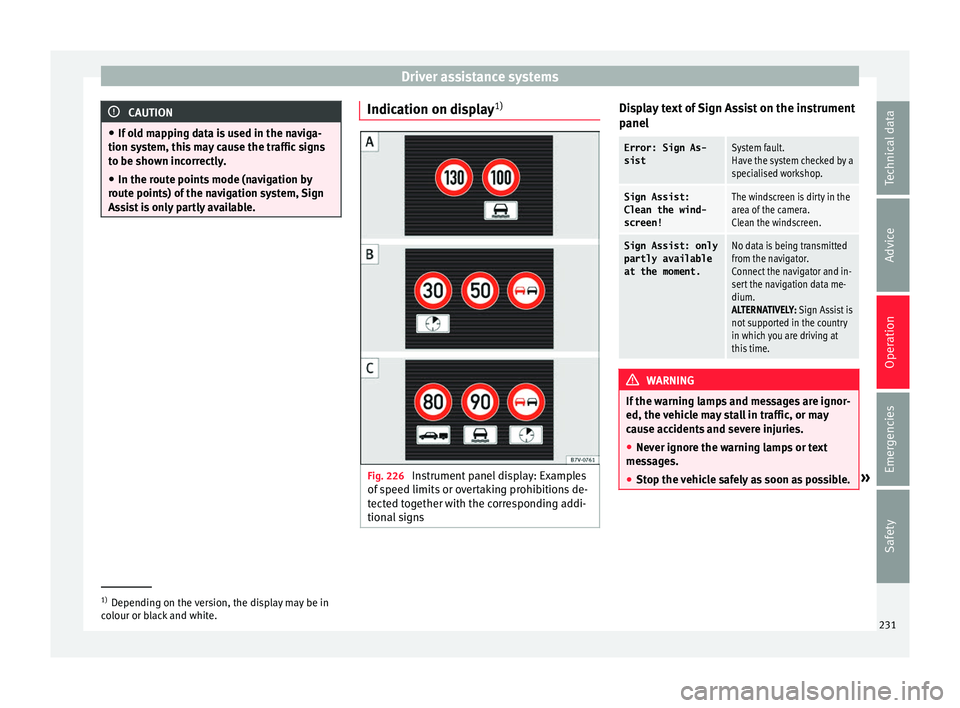
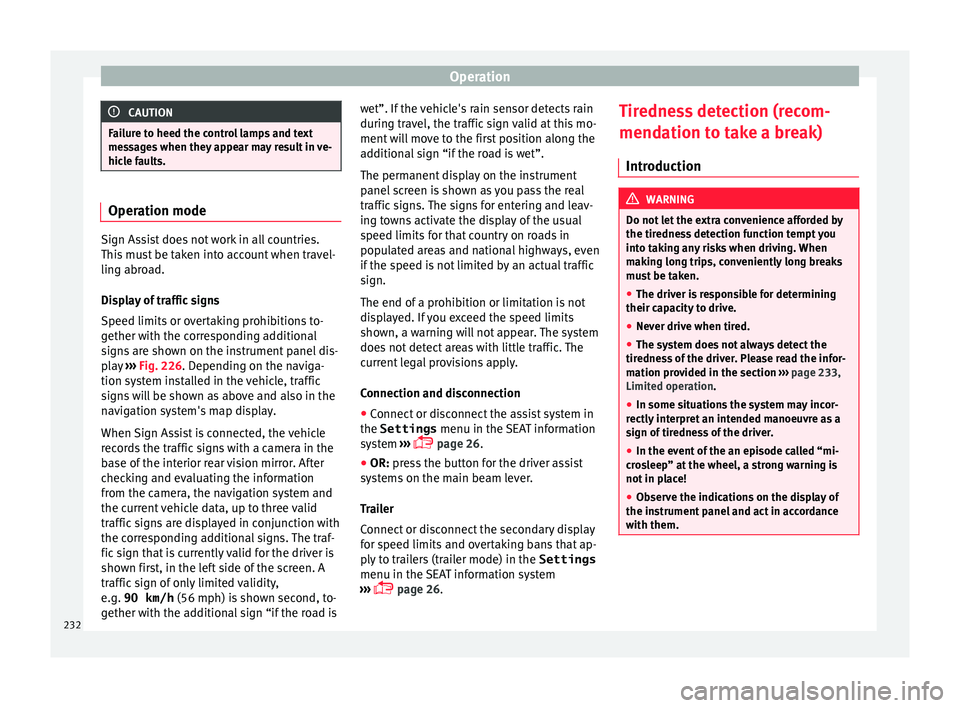
1) Fig. 226
Instrument panel display: Examples
of s
peed limits
or overtaking prohibitions de-
tected together with the corresponding addi-
tional signs Display text of Sign Assist on the instrument
p
anel
Error: Sign As-
sistSystem fault.
Have the system checked by a
specialised workshop.
Sign Assist:
Clean the wind-
screen!The windscreen is dirty in the
area of the camera.
Clean the windscreen.
Sign Assist: only
partly available
at the moment.No data is being transmitted
from the navigator.
Connect the navigator and in-
sert the navigation data me-
dium.
ALTERNATIVELY: Sign Assist is
not supported in the country
in which you are driving at
this time. WARNING
If the warning lamps and messages are ignor-
ed, the v ehic
le may stall in traffic, or may
cause accidents and severe injuries.
● Never ignore the warning lamps or text
mess
ages.
● Stop the vehicle safely as soon as possible. »1)
Depending on the version, the display may be in
co lour or b
lack and white. 231
Technical data
Advice
Operation
Emergencies
Safety
Page 234 of 324
Operation
CAUTION
Failure to heed the control lamps and text
mes s
ages when they appear may result in ve-
hicle faults. Operation mode
Sign Assist does not work in all countries.
This
mu
st be taken into account when travel-
ling abroad.
Display of traffic signs
Speed limits or overtaking prohibitions to-
gether with the corresponding additional
signs are shown on the instrument panel dis-
play ›››
Fig. 226. Depending on the naviga-
tion system installed in the vehicle, traffic
signs will be shown as above and also in the
navigation system's map display.
When Sign Assist is connected, the vehicle
records the traffic signs with a camera in the
base of the interior rear vision mirror. After
checking and evaluating the information
from the camera, the navigation system and
the current vehicle data, up to three valid
traffic signs are displayed in conjunction with
the corresponding additional signs. The traf-
fic sign that is currently valid for the driver is
shown first, in the left side of the screen. A
traffic sign of only limited validity,
e.g. 90 km/h (56 mph) is shown second, to-
gether with the additional sign “if the road is wet”. If the vehicle's rain sensor detects rain
during tr
av
el, the traffic sign valid at this mo-
ment will move to the first position along the
additional sign “if the road is wet”.
The permanent display on the instrument
panel screen is shown as you pass the real
traffic signs. The signs for entering and leav-
ing towns activate the display of the usual
speed limits for that country on roads in
populated areas and national highways, even
if the speed is not limited by an actual traffic
sign.
The end of a prohibition or limitation is not
displayed. If you exceed the speed limits
shown, a warning will not appear. The system
does not detect areas with little traffic. The
current legal provisions apply.
Connection and disconnection
● Connect or disconnect the assist system in
the Settings menu in the SEA
T information
system ›››
page 26.
● OR: press the button for the driver assist
sys
tems on the main beam lever.
Trailer
Connect or disconnect the secondary display
for speed limits and overtaking bans that ap-
ply to trailers (trailer mode) in the Settings
menu in the SEAT information system
››› page 26. Tiredness detection (recom-
mendation to t
ake a break)
Introduction WARNING
Do not let the extra convenience afforded by
the tiredne s
s detection function tempt you
into taking any risks when driving. When
making long trips, conveniently long breaks
must be taken.
● The driver is responsible for determining
their capac
ity to drive.
● Never drive when tired.
● The system does not always detect the
tirednes
s of the driver. Please read the infor-
mation provided in the section ››› page 233,
Limited operation.
● In some situations the system may incor-
rectly int
erpret an intended manoeuvre as a
sign of tiredness of the driver.
● In the event of the an episode called “mi-
cro
sleep” at the wheel, a strong warning is
not in place!
● Observe the indications on the display of
the instrument
panel and act in accordance
with them. 232
Page 235 of 324
Driver assistance systems
Note
● The tiredne s
s detection function has only
been designed for driving on motorways and
wide roads.
● If there is a fault in the system, refer to a
Speci
alised workshop to have the system in-
spected. Function and operation
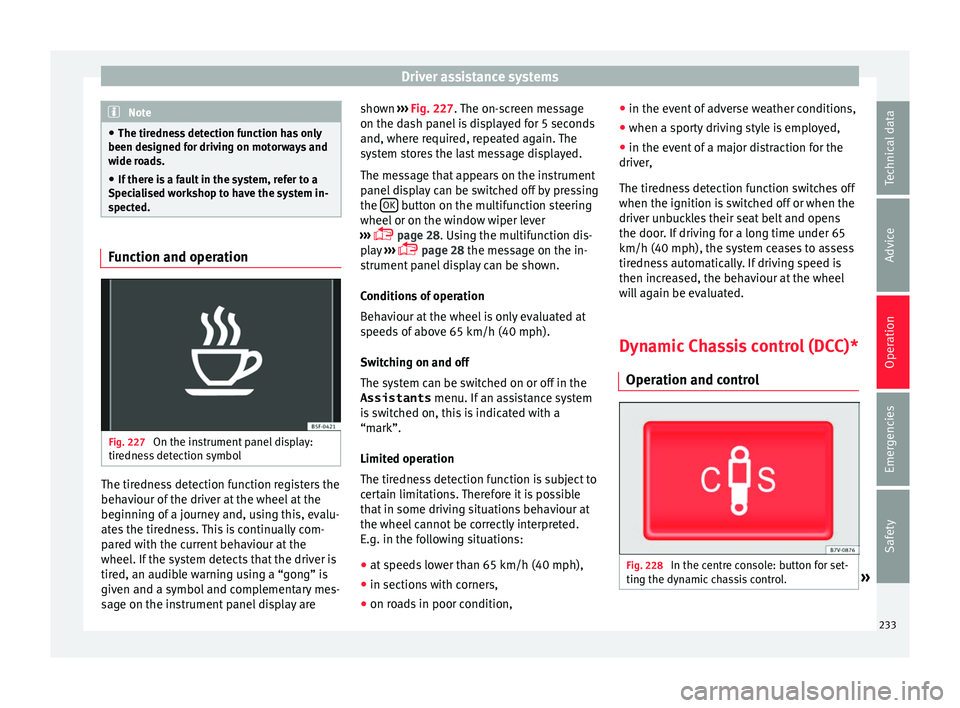
Fig. 227
On the instrument panel display:
tir edne
s
s detection symbol The tiredness detection function registers the
beh
av
iour of
the driver at the wheel at the
beginning of a journey and, using this, evalu-
ates the tiredness. This is continually com-
pared with the current behaviour at the
wheel. If the system detects that the driver is
tired, an audible warning using a “gong” is
given and a symbol and complementary mes-
sage on the instrument panel display are shown
››› Fig. 227.
The on-screen message
on the dash panel is displayed for 5 seconds
and, where required, repeated again. The
system stores the last message displayed.
The message that appears on the instrument
panel display can be switched off by pressing
the OK button on the multifunction steering
wheel or on the w
indo
w wiper lever
››› page 28. Using the multifunction dis-
play ›››
page 28 the message on the in-
strument panel display can be shown.
Conditions of operation
Behaviour at the wheel is only evaluated at
speeds of above 65 km/h (40 mph).
Switching on and off
The system can be switched on or off in the
Assistants menu. If an assistance system
is switched on, this is indicated with a
“mark”.
Limited operation
The tiredness detection function is subject to
certain limitations. Therefore it is possible
that in some driving situations behaviour at
the wheel cannot be correctly interpreted.
E.g. in the following situations:
● at speeds lower than 65 km/h (40 mph),
● in sections with corners,
● on roads in poor condition, ●
in the event of
adverse weather conditions,
● when a sporty driving style is employed,
● in the event of a major distraction for the
driver,
The tir
edness detection function switches off
when the ignition is switched off or when the
driver unbuckles their seat belt and opens
the door. If driving for a long time under 65
km/h (40 mph), the system ceases to assess
tiredness automatically. If driving speed is
then increased, the behaviour at the wheel
will again be evaluated.
Dynamic Chassis control (DCC)*
Operation and contr
ol Fig. 228
In the centre console: button for set-
tin g the dy
n
amic chassis control. » 233
Technical data
Advice
Operation
Emergencies
Safety