interior lights Seat Alhambra 2017 User Guide
[x] Cancel search | Manufacturer: SEAT, Model Year: 2017, Model line: Alhambra, Model: Seat Alhambra 2017Pages: 320, PDF Size: 6.88 MB
Page 140 of 320

Operation
CAUTION
In the event that an automatic anti-dazzle
re ar
vision mirror breaks, an electrolyte fluid
may leak. This liquid attacks plastic surfaces.
Therefore, it should be cleaned as fast as
possible with a damp sponge or similar. Interior rear vision mirror
Fig. 146
Manual anti-dazzle function for rear
v i
s
ion mirror Fig. 147
Automatic anti-dazzle function for
re ar
vision mirror The driver should always adjust the rear vi-
s
ion mirr
or t
o permit adequate visibility
through the rear window.
Manual anti-dazzle function for interior rear
vision mirror
● Basic position: point the lever at the bot-
tom of the mirr
or forwards.
● Pull the lever to the back to select the anti-
dazzl
e function ››› Fig. 146.
Automatic anti-dazzle function for interior
mirror
Key to Fig. 147:
Control lamp
Control
Light incidence sensor
1 2
3 This function can be activated and deactiva-
t
ed b
y
pressing the rear-view mirror switch
››› Fig. 147 2 . When it is activated, the warn-
in g l
amp lights
up 1 .
When the ignition i s
on, the sen
sor 3 auto-
matic a
l
ly moves the rear vision mirror to the
anti-dazzle position depending upon the in-
cidence of the light from behind.
The automatic anti-dazzle function is deacti-
vated when reverse gear is engaged or the in-
terior or reading lights are on. Note
If the light is obstructed or prevented from
re ac
hing the sensor, e.g. by the sun blinds,
the rear vision mirror with automatic anti-
dazzle function will not operate correctly. 138
Page 176 of 320
Operation
Note
● When the coo lin
g system is turned off, air
coming from the outside will not be dried. To
avoid fogging up the windows, SEAT recom-
mends leaving the cooler (compressor) on. To
do this, press the A/C button. The button
lamp shou l
d light up.
● If the humidity and temperature outside the
vehicl
e are high, condensation can drip off
the evaporator in the cooling system and
form a pool underneath the vehicle, this is
completely normal and there is no need to
suspect a leak.
● Keep the air intake slots in front of the
winds
creen free of snow, ice and leaves to en-
sure heating and cooling are not impaired,
and to prevent the windows from misting
over. Controls
Read the additional information carefully
› ›
›
page 36
To switch a function on or off, press the ap-
propriate button. Press the button again to
switch off the function.
The LED on each control lights up to indicate
that the respective function of a control has
been switched on.
Some Climatronic controls may also be on
the air conditioner control panel located in
the rear centre console. These controls are used to make the appropriate settings for the
rear se
ats. Note
● Not a l
l Climatronic buttons are operational
in REAR mode.
● The REAR button is locked in defrost mode.
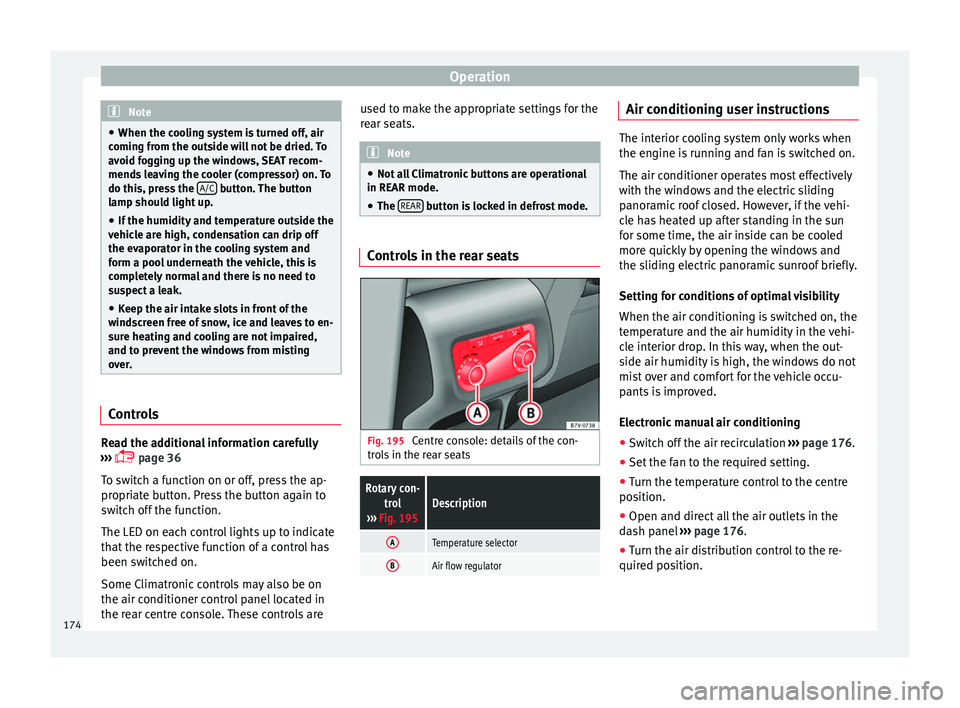
Controls in the rear seats
Fig. 195
Centre console: details of the con-
tr o
l
s in the rear seats
Rotary con-
trol
››› Fig. 195Description
ATemperature selector
BAir flow regulator Air conditioning user instructions
The interior cooling system only works when
the engine i
s
running and fan is switched on.
The air conditioner operates most effectively
with the windows and the electric sliding
panoramic roof closed. However, if the vehi-
cle has heated up after standing in the sun
for some time, the air inside can be cooled
more quickly by opening the windows and
the sliding electric panoramic sunroof briefly.
Setting for conditions of optimal visibility
When the air conditioning is switched on, the
temperature and the air humidity in the vehi-
cle interior drop. In this way, when the out-
side air humidity is high, the windows do not
mist over and comfort for the vehicle occu-
pants is improved.
Electronic manual air conditioning
● Switch off the air recirculation ››
›
page 176.
● Set the fan to the required setting.
● Turn the temperature control to the centre
position.
● Open and dir
ect all the air outlets in the
dash p
anel ›››
page 176.
● Turn the air distribution control to the re-
quired pos
ition.
174
Page 178 of 320
Operation
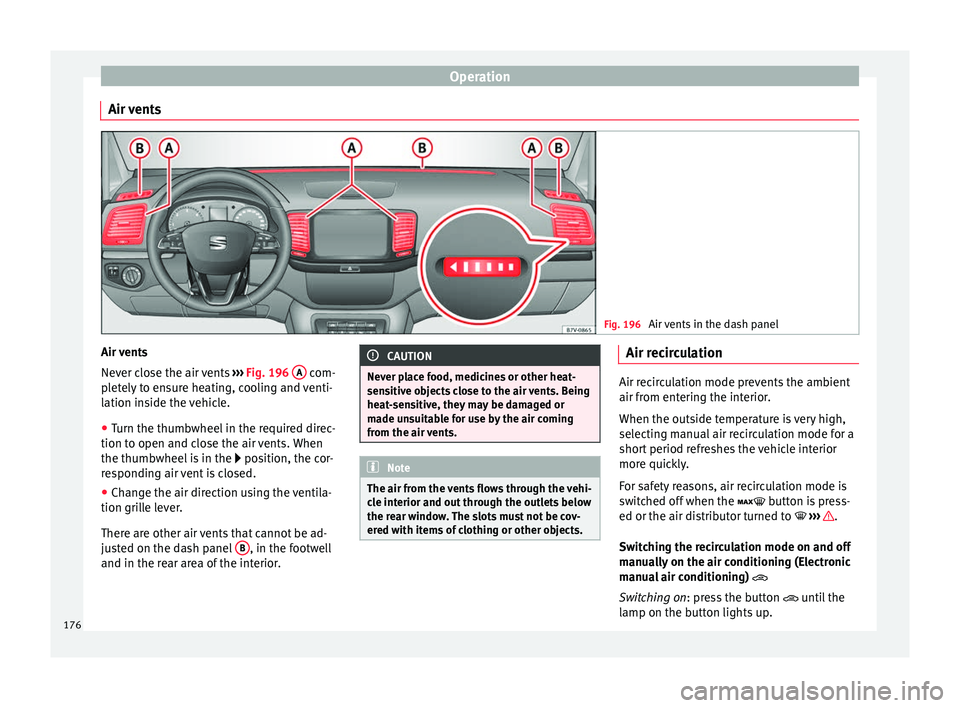
Air vents Fig. 196
Air vents in the dash panel Air vents
Nev
er c
lo
se the air vents ››› Fig. 196 A com-
p l
et
ely to ensure heating, cooling and venti-
lation inside the vehicle.
● Turn the thumbwheel in the required direc-
tion to open and clo
se the air vents. When
the thumbwheel is in the position, the cor-
responding air vent is closed.
● Change the air direction using the ventila-
tion grill
e lever.
There are other air vents that cannot be ad-
justed on the dash panel B , in the footwell
and in the r ear ar
ea of the interior. CAUTION
Never place food, medicines or other heat-
sens itiv
e objects close to the air vents. Being
heat-sensitive, they may be damaged or
made unsuitable for use by the air coming
from the air vents. Note
The air from the vents flows through the vehi-
cl e int
erior and out through the outlets below
the rear window. The slots must not be cov-
ered with items of clothing or other objects. Air recirculation
Air recirculation mode prevents the ambient
air from ent
erin
g the interior.
When the outside temperature is very high,
selecting manual air recirculation mode for a
short period refreshes the vehicle interior
more quickly.
For safety reasons, air recirculation mode is
switched off when the button is press-
ed or the air distributor turned to ››› .
Swit c
hing the recirculation mode on and off
manually on the air conditioning (Electronic
manual air conditioning)
Switching on: press the button until the
lamp on the button lights up.
176
Page 179 of 320
Air conditioning
Switching off: pr e
s s the button until the
lamp on the button switches off.
Switching the recirculation mode on and off
manually on the Climatronic
Switching on: press the button until the
lamp on the button lights up.
Switching off: press the button until the
lamp on the button switches off.
Automatic air recirculation mode
Fresh air enters the vehicle interior in posi-
tion . If the system detects a high con-
centration of hazardous substances in the
ambient air, air recirculation mode is switch-
ed on automatically. When the level of impur-
ities drops to within a normal range, recircu-
lation mode is switched off.
The system is unable to detect unpleasant
smells.
With the following outside temperatures and
conditions the air recirculation does not
switch on automatically:
● The cooling system is switched on (the ACbutton is lit up) and the outside temperature
i
s
belo
w +3°C (+38°F).
● The cooling system and the windscreen
wipers
are switched off and the outside tem-
perature is below +10°C (+50°F). ●
The coolin
g system is switched off and the
outside temperature is below +15°C (+59°F).
The windscreen wiper is switched on.
Switching the automatic air recirculation
mode on and off
Switching on: press the button until the
right lamp on the button lights up.
Switching off: press the button until all
the lamps on the button are switched off.
Switching the automatic air recirculation
mode off temporarily
● Press the button onc
e to temporarily
switch to manual air recirculation mode in
the event of unpleasant smells from outside.
The left indicator lamp turns on.
● After more than two seconds, press the
button ag
ain to restart automatic air recircu-
lation. The right indicator lamp turns on. WARNING
Observe the safety warnings ›››
in Intro-
duction on pag e 173
.
● If the cooling system is switched off and air
recir
culation mode switched on, the windows
can mist over very quickly, considerably limit-
ing visibility.
● Switch air recirculation mode off when it is
not requir
ed. CAUTION
Do not smoke when air recirculation is
swit c
hed on in vehicles with an air condition-
er. The smoke taken in could lie on the cool-
ing system vaporiser and on the activated
charcoal cartridge of the dust and pollen fil-
ter, leading to a permanently unpleasant
smell. Note
Climatronic: air recirculation mode switches
on to pr ev
ent exhaust gas from entering the
vehicle interior when it is in reverse and
while the automatic windscreen wipers are
working. Auxiliary heater* (additional
he
at
er)
Intr
oduction The auxiliary heater is powered by fuel from
the
v
ehic
le's fuel tank and can be used while
the vehicle is in motion and at a standstill.
Select the mode required ( heat or fan )
››› page 179 on the dash panel.
In winter, the auxiliary heater can be used in
heat mode before switching on the ignition
to remove any ice, mist or snow from the
windscreen (thin layers only). »
177
Technical data
Advice
Operation
Emergencies
Safety
Page 181 of 320
Air conditioning
Remote control light
The r emot
e c
ontrol light provides users with
different information at the push of a button:
Battery light
Fig. 197 BMeaning
Lights up green for
around two seconds.The auxiliary heater has been
switched on using the ON but-
ton.
Lights up red for
around two seconds.The auxiliary heater has been
switched off using the OFF but-
ton.
Slowly flashes green
for around two sec-
onds.No on a)
signal has been re-
ceived.
Quickly flashes green
for around two sec-
onds.The auxiliary heater is locked.
Possible causes: the fuel tank
is almost empty, the battery
charge is very low or there is a
fault.
Flashes red for
around two seconds.No off a)
signal has been re-
ceived.
Lights up orange for
around two seconds,
then green or red.The remote control battery is
almost flat. However, the on or
off signal has been received,
respectively.
Lights up orange for
around two seconds,
then flashes green or
red.The remote control battery is
almost flat. The on or off signal
has not been received, respec-
tively.
Battery light
Fig. 197 BMeaning
Flashes orange for
around five seconds.The remote control battery is
flat. The on or off signal has
not been received, respective-
ly.
a)
Within its range, the remote control might not receive the sig-
nal sent by the vehicle receiver. In this case, the remote control
will send an error message whether the auxiliary heater is on or
off. Come closer to the vehicle and press the corresponding but-
ton on the remote control once again.
Replacing the remote control battery
If the light ›››
Fig. 197 B on the remote con-
tr o
l
does not come on when the button is
pressed, the remote control battery should
soon be replaced.
The battery is located beneath a cover on the
back of the remote control. Turn the slot to
the left using a flat, blunt object (e.g. a coin).
When changing the battery, use another bat-
tery of the same model and observe the po-
larity when fitting it ››› .
R an
g
e
The receiver is in the interior of the vehicle.
The remote control, when fitted with new bat-
teries, has a range of several hundred me-
tres. Obstacles between the remote control
and the vehicle, bad weather conditions and
discharged batteries can considerably reduce
the range of the remote control. An optimum range is obtained by keeping
the remote c
ontrol vertical, with the aerial
››› Fig. 197 A pointing upwards. When doing
so , do not
c
over the aerial with your fingers
or with the palm of your hand.
There must be a minimum distance of 2 me-
tres between the remote control and the vehi-
cle. CAUTION
● The ra dio fr
equency remote control con-
tains electronic components. Therefore, avoid
getting it wet and being knocked and protect
it from direct sunlight.
● Use of inappropriate batteries may damage
the remote c
ontrol. For this reason, always re-
place the used battery with another of the
same voltage, size and specifications. For the sake of the environment
● Ple a
se dispose of old batteries so that they
do not harm the environment.
● The remote control battery may contain
perch
lorate. Observe the legal requirements
for their disposal. Programming the auxiliary heater
The heater or ventilation inside the vehicle
c
an be pr
ogr
ammed for a certain period. »
179
Technical data
Advice
Operation
Emergencies
Safety
Page 182 of 320
Operation
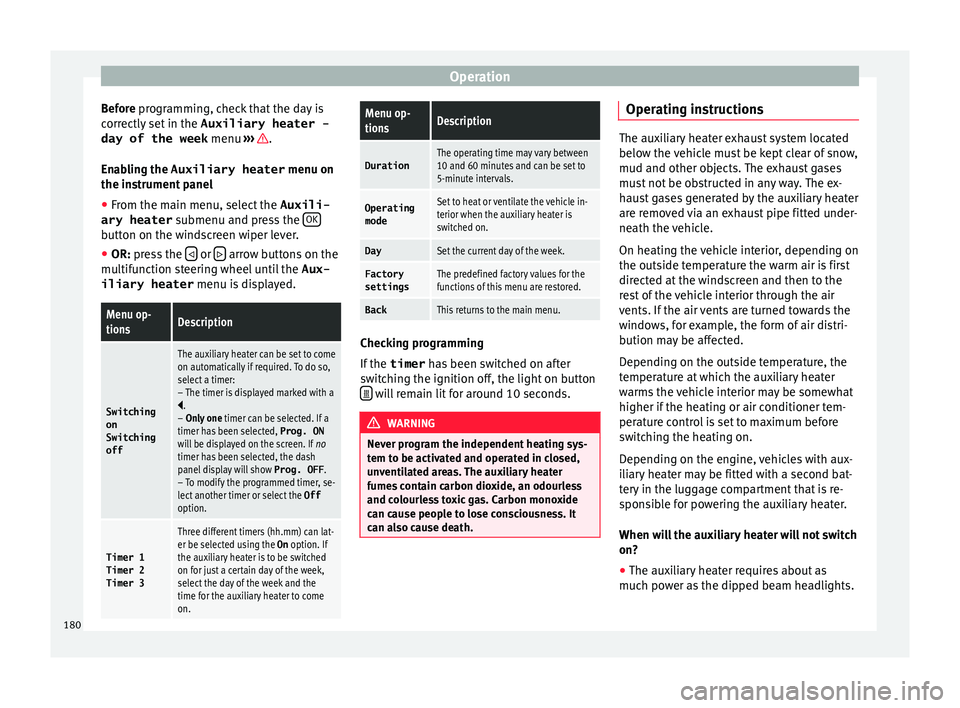
Before pr ogramming, check that the day is
c orr
ectly set in the Auxiliary heater -
day of the week menu ››› .
En ab
lin
g the Auxiliary heater menu on
the instrument panel
● From the main menu, select the Auxili-
ary heater submenu and pre
ss the OK button on the windscreen wiper lever.
● OR: pr ess the or
arrow buttons on the
mu ltif
u
nction steering wheel until the Aux-
iliary heater menu is displayed.
Menu op-
tionsDescription
Switching
on
Switching
off
The auxiliary heater can be set to come
on automatically if required. To do so,
select a timer:
– The timer is displayed marked with a
.
– Only one timer can be selected. If a
timer has been selected, Prog. ON
will be displayed on the screen. If no
timer has been selected, the dash
panel display will show Prog. OFF.
– To modify the programmed timer, se-
lect another timer or select the Off
option.
Timer 1
Timer 2
Timer 3
Three different timers (hh.mm) can lat-
er be selected using the On option. If
the auxiliary heater is to be switched
on for just a certain day of the week,
select the day of the week and the
time for the auxiliary heater to come
on.
Menu op-
tionsDescription
DurationThe operating time may vary between
10 and 60 minutes and can be set to
5-minute intervals.
Operating
modeSet to heat or ventilate the vehicle in-
terior when the auxiliary heater is
switched on.
DaySet the current day of the week.
Factory
settingsThe predefined factory values for the
functions of this menu are restored.
BackThis returns to the main menu. Checking programming
If
the
timer h
a
s been switched on after
switching the ignition off, the light on button will remain lit for around 10 seconds.
WARNING
Never program the independent heating sys-
tem t o be activ
ated and operated in closed,
unventilated areas. The auxiliary heater
fumes contain carbon dioxide, an odourless
and colourless toxic gas. Carbon monoxide
can cause people to lose consciousness. It
can also cause death. Operating instructions
The auxiliary heater exhaust system located
below the
v
ehicle must be kept clear of snow,
mud and other objects. The exhaust gases
must not be obstructed in any way. The ex-
haust gases generated by the auxiliary heater
are removed via an exhaust pipe fitted under-
neath the vehicle.
On heating the vehicle interior, depending on
the outside temperature the warm air is first
directed at the windscreen and then to the
rest of the vehicle interior through the air
vents. If the air vents are turned towards the
windows, for example, the form of air distri-
bution may be affected.
Depending on the outside temperature, the
temperature at which the auxiliary heater
warms the vehicle interior may be somewhat
higher if the heating or air conditioner tem-
perature control is set to maximum before
switching the heating on.
Depending on the engine, vehicles with aux-
iliary heater may be fitted with a second bat-
tery in the luggage compartment that is re-
sponsible for powering the auxiliary heater.
When will the auxiliary heater will not switch
on?
● The auxiliary heater requires about as
much po w
er as the dipped beam headlights.
180
Page 240 of 320
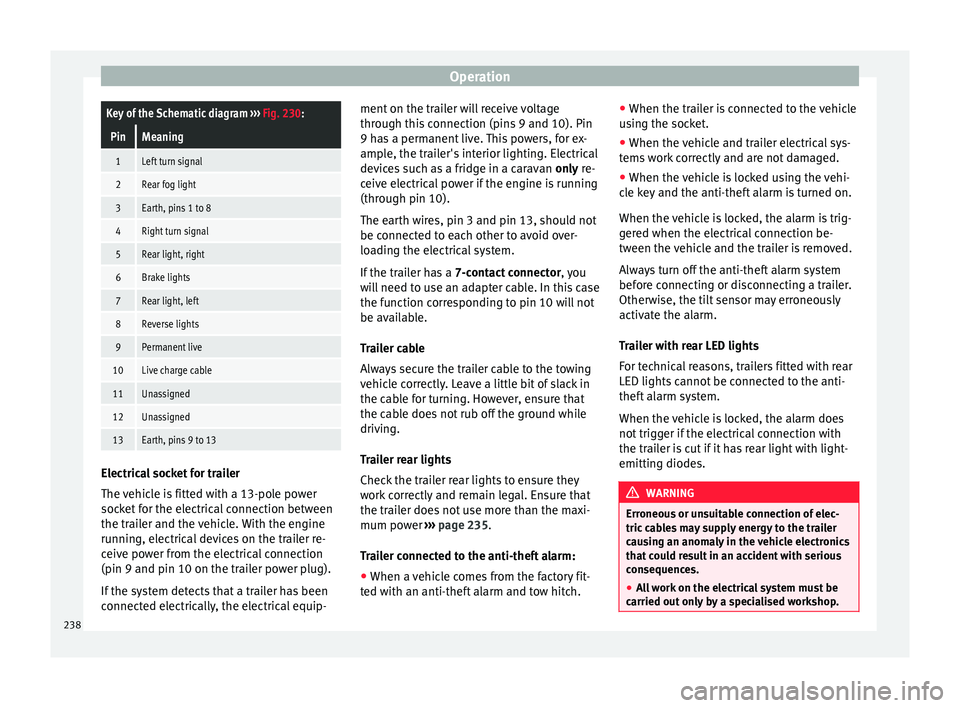
OperationKey of the Schematic diagram
››› Fig. 230:
PinMeaning
1Left turn signal
2Rear fog light
3Earth, pins 1 to 8
4Right turn signal
5Rear light, right
6Brake lights
7Rear light, left
8Reverse lights
9Permanent live
10Live charge cable
11Unassigned
12Unassigned
13Earth, pins 9 to 13 Electrical socket for trailer
The
v
ehic
le is fitted with a 13-pole power
socket for the electrical connection between
the trailer and the vehicle. With the engine
running, electrical devices on the trailer re-
ceive power from the electrical connection
(pin 9 and pin 10 on the trailer power plug).
If the system detects that a trailer has been
connected electrically, the electrical equip- ment on the trailer will receive voltage
through this
connection (pins 9 and 10). Pin
9 has a permanent live. This powers, for ex-
ample, the trailer's interior lighting. Electrical
devices such as a fridge in a caravan only re-
ceive electrical power if the engine is running
(through pin 10).
The earth wires, pin 3 and pin 13, should not
be connected to each other to avoid over-
loading the electrical system.
If the trailer has a 7-contact connector , you
will need to use an adapter cable. In this case
the function corresponding to pin 10 will not
be available.
Trailer cable
Always secure the trailer cable to the towing
vehicle correctly. Leave a little bit of slack in
the cable for turning. However, ensure that
the cable does not rub off the ground while
driving.
Trailer rear lights
Check the trailer rear lights to ensure they
work correctly and remain legal. Ensure that
the trailer does not use more than the maxi-
mum power ››› page 235.
Trailer connected to the anti-theft alarm:
● When a vehicle comes from the factory fit-
ted w ith an anti-thef
t alarm and tow hitch. ●
When the trai l
er is connected to the vehicle
using the socket.
● When the vehicle and trailer electrical sys-
tems w
ork correctly and are not damaged.
● When the vehicle is locked using the vehi-
cle k
ey and the anti-theft alarm is turned on.
When the vehicle is locked, the alarm is trig-
gered when the electrical connection be-
tween the vehicle and the trailer is removed.
Always turn off the anti-theft alarm system
before connecting or disconnecting a trailer.
Otherwise, the tilt sensor may erroneously
activate the alarm.
Trailer with rear LED lights
For technical reasons, trailers fitted with rear
LED lights cannot be connected to the anti-
theft alarm system.
When the vehicle is locked, the alarm does
not trigger if the electrical connection with
the trailer is cut if it has rear light with light-
emitting diodes. WARNING
Erroneous or unsuitable connection of elec-
tric c ab
les may supply energy to the trailer
causing an anomaly in the vehicle electronics
that could result in an accident with serious
consequences.
● All work on the electrical system must be
carried out on
ly by a specialised workshop.238
Page 253 of 320
Care and maintenance
Automatic car washes
A lw
a
ys observe the instructions provided at
the automatic car wash. The standard pre-
cautionary measures prior to entering the car
wash should be taken to avoid damage to
the vehicle (close all windows, fold in exterior
mirrors). If the vehicle is fitted with additional
components (spoiler, roof-rack, aerial, etc.),
check with the car wash supervisor whether
these can enter the car wash ››› .
The v
ehic
le paintwork is so durable that the
vehicle can normally be washed without
problems in an automatic car wash tunnel.
However, wear and damage to the paintwork
will depend on the type of car wash used.
SEAT recommends the use of car washes
without brushes.
To remove traces of wax on windows and to
prevent wiper blades from scratching, please
observe the following ››› page 252, Cleaning
windows and exterior mirrors .
Washing the car by hand
When washing the car by hand, use plenty of
water to soften the dirt first, and rinse off as
well as possible.
Then clean the vehicle with a soft sponge,
glove or brush using only slight pressure.
Start at the roof and work downwards. Spe-
cial car shampoo should only be used for
very persistent dirt. Rinse the sponge or glove thoroughly and of-
ten.
Wheels, s
ills and similar should be cleaned
last. Use a second sponge for this. WARNING
Sharp components on the vehicle may cause
injury .
● Pr
otect arms and hands from sharp edges
when cle
aning the vehicle undercarriage or
the interior of the wheel hubs. WARNING
After the vehicle has been washed, the brak-
ing eff ect
will be reduced (and the braking
distance increased) due to moisture (and ice
in winter) on the brakes.
● “Dry the brakes and remove ice” by braking
caref
ully. Ensure that you are not endanger-
ing other road-users or breaking traffic regu-
lations in the process. CAUTION
● The temper at
ure of the water must not ex-
ceed +60°C (+140°F).
● To avoid damage to the paintwork, do not
wash the
vehicle in full sun.
● Do not use rough sponges or similar which
coul
d damage the surface to clean away the
traces of insects. ●
Never w ipe the he
adlights with a dry cloth
or sponge, always moisten first. It is best to
use soapy water.
● Washing the vehicle in low temperatures:
When washin
g the vehicle with a hose, do
not direct water into the lock cylinders or the
gaps around the doors or roof. Locks and
seals could freeze! CAUTION
To avoid any risk of damage to the vehicle,
p le
ase check the following points before us-
ing an automatic car wash:
● Compare the distance between the vehicle
wheels and the di
stance between the guide-
rails of the car wash to prevent damage to the
wheels and tyres!
● Switch off the rain sensor and the Au-
to Hol
d function before entering a car wash.
● Compare the height and width of your vehi-
cle w
ith the available height and width when
entering and driving through the car wash.
● Fold in exterior mirrors Electrically retracta-
ble e
xterior mirrors must not be folded in or
out by hand. Always use the electrical power
control.
● To avoid damaging the bonnet paintwork,
res
t the wipers on the windscreen after dry-
ing them. Do not let them fall!
● Lock the rear lid to prevent it from opening
unexpect
edly while inside the car wash. 251
Technical data
Advice
Operation
Emergencies
Safety
Page 305 of 320
Index
Index
A
Abr o
a
d
extended stay abroad with your vehicle . . . . . 260
sale of vehicle . . . . . . . . . . . . . . . . . . . . . . . . . . 260
ABS see Anti-lock brake system . . . . . . . . . . . . . . . 203
Accessories . . . . . . . . . . . . . . . . . . . . . . . . . . . . . . 244
Acoustic alarm control and warning lamps . . . . . . . . . . . . . . . . 32
seatbelt unfastened . . . . . . . . . . . . . . . . . . . . . . 62
Adaptive headlights dynamic . . . . . . . . . . . . . . . . . . . . . . . . . . . . . . . 130
AdBlue control and warning lamps . . . . . . . . . . . . . . . 266
information . . . . . . . . . . . . . . . . . . . . . . . . . . . . 266
minimum quantity for a refill . . . . . . . . . . . . . . 266
refilling . . . . . . . . . . . . . . . . . . . . . . . . . . . . . . . 267
specifications . . . . . . . . . . . . . . . . . . . . . . . . . . 267
tank filling capacity . . . . . . . . . . . . . . . . . . . . . 265
Additional heater see "Auxiliary heater" . . . . . . . . . . . . . . . . . . . . 177
Adjusting folding the backrest of the front passengerseat . . . . . . . . . . . . . . . . . . . . . . . . . . . . . . . . 148
front seats . . . . . . . . . . . . . . . . . . . . . . . . . . . . . 140
lights . . . . . . . . . . . . . . . . . . . . . . . . . . . . . . . . . 133
rear head restraints . . . . . . . . . . . . . . . . . 15, 142
seats . . . . . . . . . . . . . . . . . . . . . . . . . . . . . . . . . . 57
seat with position memory . . . . . . . . . . . . . . . 146
Adjusting the head restraint rear head restraints . . . . . . . . . . . . . . . . . . . . . . 15
Adjusting the head restraints rear head restraints . . . . . . . . . . . . . . . . . . . . . 142 Adjusting the seats
front se ats . . . . . . . . . . . . . . . . . . . . . . . . . . . . . 140
rear seats . . . . . . . . . . . . . . . . . . . . . . . . . . . . . 141
AFS . . . . . . . . . . . . . . . . . . . . . . . . . . . . . . . . . . . . 130
Air-conditioning malfunctions . . . . . . . . . . . . . . . . . . . . . . . . . . . 175
Airbag covers . . . . . . . . . . . . . . . . . . . . . . . . . . . . . 17
Airbags see Airbag system . . . . . . . . . . . . . . . . . . . . . . . 18
Airbag system . . . . . . . . . . . . . . . . . . . . . . . . . . 17, 68 activation . . . . . . . . . . . . . . . . . . . . . . . . . . . . . . 70
cleaning dash panel . . . . . . . . . . . . . . . . . . . . . 259
control lamp . . . . . . . . . . . . . . . . . . . . . . . . . . . . 72
description . . . . . . . . . . . . . . . . . . . . . . . . . . . . . 69
front airbags . . . . . . . . . . . . . . . . . . . . . . . . . 17, 71
functioning . . . . . . . . . . . . . . . . . . . . . . . . . . . . . 70
head-protection airbag . . . . . . . . . . . . . . . . . . . 20
knee airbag . . . . . . . . . . . . . . . . . . . . . . . . . . . . . 18
locking the vehicle after deployment . . . . . . . 113
repairs . . . . . . . . . . . . . . . . . . . . . . . . . . . . . . . . 246
side airbags . . . . . . . . . . . . . . . . . . . . . . . . . . . . 19
use of child seats . . . . . . . . . . . . . . . . . . . . . 18, 73
vehicle care . . . . . . . . . . . . . . . . . . . . . . . . . . . . 259
Air conditioning . . . . . . . . . . . . . . . . . . . . . . . . . . 173 air recirculation . . . . . . . . . . . . . . . . . . . . . . . . . 176
air vents . . . . . . . . . . . . . . . . . . . . . . . . . . . . . . 176
climatronic . . . . . . . . . . . . . . . . . . . . 36, 173, 174
controls . . . . . . . . . . . . . . . . . . . . . . . . . . . 36, 174
electronic manual air conditioning . . . . . . . . . 174
indirect ventilation . . . . . . . . . . . . . . . . . . . . . . 176
rear seats . . . . . . . . . . . . . . . . . . . . . . . . . . . . . 174
special features . . . . . . . . . . . . . . . . . . . . . . . . 175
user instructions . . . . . . . . . . . . . . . . . . . . . . . . 174
Air recirculation . . . . . . . . . . . . . . . . . . . . . . . . . . 176
Air vents . . . . . . . . . . . . . . . . . . . . . . . . . . . . . . . . 176
Alcantara . . . . . . . . . . . . . . . . . . . . . . . . . . . . . . . . 257 All-wheel drive
snow c hains . . . . . . . . . . . . . . . . . . . . . . . . . . . . 49
winter tyres . . . . . . . . . . . . . . . . . . . . . . . . . . . . 293
Ambient lighting . . . . . . . . . . . . . . . . . . . . . . . . . 134
Anodized surfaces . . . . . . . . . . . . . . . . . . . . . . . . 254
Antenna . . . . . . . . . . . . . . . . . . . . . . . . . . . 246, 260
Anti-freeze . . . . . . . . . . . . . . . . . . . . . . . . . . . . . . . 40
Anti-lock brake system . . . . . . . . . . . . . . . . . . . . . 203
Anti-lock system . . . . . . . . . . . . . . . . . . . . . . . . . . 203
Anti-puncture . . . . . . . . . . . . . . . . . . . . . . . . . . 44, 85
Anti-puncture kit . . . . . . . . . . . . . . . . . . . . . . . . 44, 85
Anti-puncture set . . . . . . . . . . . . . . . . . . . . . . . . . . 85
Anti-theft alarm . . . . . . . . . . . . . . . . . . . . . . . . . . 117 false alarms . . . . . . . . . . . . . . . . . . . . . . . . . . . 118
trailer . . . . . . . . . . . . . . . . . . . . . . . . . . . . . . . . . 238
Anti-theft alarm system anti-tow system . . . . . . . . . . . . . . . . . . . . . . . . 118
vehicle interior monitoring . . . . . . . . . . . . . . . 118
Anti-theft security system . . . . . . . . . . . . . . . . . . 117
Anti-tow system . . . . . . . . . . . . . . . . . . . . . . . . . . 118
Anti-trap function panoramic sunroof . . . . . . . . . . . . . . . . . . . . . . 127
sun blind . . . . . . . . . . . . . . . . . . . . . . . . . . . . . . 127
Antifreeze . . . . . . . . . . . . . . . . . . . . . . . . . . . 40, 276
Armrests . . . . . . . . . . . . . . . . . . . . . . . . . . . . . . . . 149
Ashtray . . . . . . . . . . . . . . . . . . . . . . . . . . . . . . . . . 170
ASR see Brake assist systems . . . . . . . . . . . . . . . . . 204
see Braking assist systems . . . . . . . . . . . . . . . 205
switching on and off . . . . . . . . . . . . . . . . . . . . . 205
see also Traction control system . . . . . . . . . . . 203
Assistance call . . . . . . . . . . . . . . . . . . . . . . . . . . . 109
Assistance systems electronic differential lock system (EDS) . . . . 204
electronic drive torque management (XDS) . . 204
launch-Control programme . . . . . . . . . . . . . . . 196
303
Page 311 of 320
Index
Headlamp range adjustment . . . . . . . . . . . . . . . . . 99
He a
dlight
range control . . . . . . . . . . . . . . . . . . . . 133
Headlights adaptive headlights . . . . . . . . . . . . . . . . . . . . . 130
driving abroad . . . . . . . . . . . . . . . . . . . . . . . . . 133
headlight adjustment . . . . . . . . . . . . . . . . . . . . 130
headlight washers . . . . . . . . . . . . . . . . . . . . . . 136
Head restraint assembly and removal . . . . . . . . . . . . . . . . . . . 143
Head restraints . . . . . . . . . . . . . . . . . . . . . . . . . . . 143 adjustment . . . . . . . . . . . . . . . . . . . . . . . . 15, 142
Headrests adjustment . . . . . . . . . . . . . . . . . . . . . . . . 15, 142
assembly and removal . . . . . . . . . . . . . . . . . . . 143
Heat and air conditioning . . . . . . . . . . . . . . . . . . 173
Heated rear window . . . . . . . . . . . . . . . . . . . . . . . . 37
Heated windscreen . . . . . . . . . . . . . . . . . . . . . . . . 37
Heating and air conditioning controls . . . . . . . . . . . . . . . . . . . . . . . . . . . . . . . . 36
Hitch ball electric release . . . . . . . . . . . . . . . . . . . . . . . . . 236
Horn . . . . . . . . . . . . . . . . . . . . . . . . . . . . . . . . . . . . 99
How to jump start . . . . . . . . . . . . . . . . . . . . . . . . . . 51
Hubcaps . . . . . . . . . . . . . . . . . . . . . . . . . . . . . . . . . 45
I Identifying letters on engine . . . . . . . . . . . . . . . . 294
Ignition . . . . . . . . . . . . . . . . . . . . . . . . . . . . . . . . . . 24 see Engine and ignition . . . . . . . . . . . . . . . . . . 182
Ignition lock . . . . . . . . . . . . . . . . . . . . . . . . . . . . . . 24 removal lock . . . . . . . . . . . . . . . . . . . . . . . . . . . 184
unauthorised vehicle key . . . . . . . . . . . . . . . . . 183
Immobiliser . . . . . . . . . . . . . . . . . . . . . . . . . . . . . . 186
In case of emergency . . . . . . . . . . . . . . . . . . . . . . . 82
Indication on display Sign Assist . . . . . . . . . . . . . . . . . . . . . . . . . . . . 228 Indications on the display . . . . . . . . . . . . . . . . . . 101
outside temper ature . . . . . . . . . . . . . . . . . . . . . 102
Information call . . . . . . . . . . . . . . . . . . . . . . . . . . 109
Instrument panel . . . . . . . . . . . . . . . . . . . . . 27, 100 control and warning lamps . . . . . . . . . . . 32, 105
display . . . . . . . . . . . . . . . . . . . . . . . . 27, 100, 101
general instrument panel . . . . . . . . . . . . . . . . . . 99
instruments . . . . . . . . . . . . . . . . . . . . . . . . . . . . 100
menus . . . . . . . . . . . . . . . . . . . . . . . . . . . . . . . . . 28
service intervals . . . . . . . . . . . . . . . . . . . . . . . . 103
symbols . . . . . . . . . . . . . . . . . . . . . . . . . . . 32, 105
Instruments . . . . . . . . . . . . . . . . . . . . . . . . . . . . . 100
Integrated child seat . . . . . . . . . . . . . . . . . . . . . . . 78 removing . . . . . . . . . . . . . . . . . . . . . . . . . . . . . . . 80
seat belt routing . . . . . . . . . . . . . . . . . . . . . . . . . 80
setting up . . . . . . . . . . . . . . . . . . . . . . . . . . . . . . 79
Interior door release lever . . . . . . . . . . . . . . . . . . . 99
Interior lights . . . . . . . . . . . . . . . . . . . . . . . . . . . . . 26
Interior rear vision mirror . . . . . . . . . . . . . . . . . . . 137 anti-dazzle . . . . . . . . . . . . . . . . . . . . . . . . . . . . 138
Interior view left guide . . . . . . . . . . . . . . . . . . . . . . . . . . . . . . . . 7
ISOFIX . . . . . . . . . . . . . . . . . . . . . . . . . . . . . . . . . . . 23
ISOFIX system . . . . . . . . . . . . . . . . . . . . . . . . . . . . . 23
J Jack . . . . . . . . . . . . . . . . . . . . . . . . . . . . . . 45, 82, 84 mounting points . . . . . . . . . . . . . . . . . . . . . . . . . 47
Jump leads . . . . . . . . . . . . . . . . . . . . . . . . . . . . . . . 51
K
Keyless Access keyless-Entry . . . . . . . . . . . . . . . . . . . . . . . . . . . 115
keyless-Exit . . . . . . . . . . . . . . . . . . . . . . . . . . . . 115
locking and unlocking the vehicle . . . . . . . . . . 115
starter button . . . . . . . . . . . . . . . . . . . . . . . . . . 184
things to note . . . . . . . . . . . . . . . . . . . . . . . . . . 116 Keyless Access locking and ignition system
see Keyle ss Access . . . . . . . . . . . . . . . . . . . . . . 115
Keys control lamp . . . . . . . . . . . . . . . . . . . . . . . . . . . 111
locking and unlocking . . . . . . . . . . . . . . . . . . . . . 8
remote control . . . . . . . . . . . . . . . . . . . . . . . . . 110
replacing the battery . . . . . . . . . . . . . . . . . . . . 111
spare key . . . . . . . . . . . . . . . . . . . . . . . . . . . . . . 110
synchronising . . . . . . . . . . . . . . . . . . . . . . . . . . 112
unlocking and locking . . . . . . . . . . . . . . 113, 114
vehicle key . . . . . . . . . . . . . . . . . . . . . . . . . . . . 110
L
Labels and plates . . . . . . . . . . . . . . . . . . . . . . . . . 260
Lane Assist . . . . . . . . . . . . . . . . . . . . . . . . . . . . . . 220
Lane assist system . . . . . . . . . . . . . . . . . . . . . . . . 220 control lamp . . . . . . . . . . . . . . . . . . . . . . . . . . . 220
malfunction . . . . . . . . . . . . . . . . . . . . . . . . . . . . 220
operation mode . . . . . . . . . . . . . . . . . . . . . . . . 221
when is it necessary to disconnect it? . . . . . . . 221
Lane Assist system . . . . . . . . . . . . . . . . . . . . . . . . 220
Leaving Home . . . . . . . . . . . . . . . . . . . . . . . . . . . . 131
Lift platform . . . . . . . . . . . . . . . . . . . . . . . . . . . . . 249
Lighting of the instrument panel . . . . . . . . . . . . . 133
Lights . . . . . . . . . . . . . . . . . . . . . . . . . . . . . . 24, 128 AUTO . . . . . . . . . . . . . . . . . . . . . . . . . . . . . . . . . 130
automatic dipped beam control . . . . . . . . . . . 130
coming home . . . . . . . . . . . . . . . . . . . . . . . . . . 131
control and warning lamps . . . . . . . . . . . . . . . 128
cornering lights . . . . . . . . . . . . . . . . . . . . . . . . 130
daytime running lights . . . . . . . . . . . . . . . . . . . 129
dipped beam headlights . . . . . . . . . . . . . . . . . 128
driving abroad . . . . . . . . . . . . . . . . . . . . . . . . . 133
fog lights . . . . . . . . . . . . . . . . . . . . . . . . . . . . . . . 25
functions . . . . . . . . . . . . . . . . . . . . . . . . . . . . . . 129
hazard warning lights . . . . . . . . . . . . . . . . . . . . 25
headlight range control . . . . . . . . . . . . . . . . . . 133
309