change time Seat Alhambra 2017 Owner's Guide
[x] Cancel search | Manufacturer: SEAT, Model Year: 2017, Model line: Alhambra, Model: Seat Alhambra 2017Pages: 320, PDF Size: 6.88 MB
Page 200 of 320
Operation
● Pla
s
tic parts and elastomers are marked in
accordance with ISO 1043, ISO 11469 and
ISO 1629.
Choice of materials
● Use of recycled materials.
● Use of compatible plastics in the same part
if its c
omponents are not easily separated.
● Use of recycled materials and/or materials
originating fr
om renewable sources.
● Reduction of volatile components, includ-
ing odour, in p
lastic materials.
● Use of CFC-free coolants.
Ban on heavy
metals, with the exceptions
dictated by law (Annex II of ELV Directive
2000/53/EC): cadmium, lead, mercury, hexa-
valent chromium.
Manufacturing methods
● Reduction of the quantity of thinner in the
protectiv
e wax for cavities.
● Use of plastic film as protection during ve-
hicle tr
ansport.
● Use of solvent-free adhesives.
● Use of CFC-free coolants in cooling sys-
tems.
● Recy
cling and energy recovery from resi-
dues (RDF).
● Impr
ovement in the quality of waste water. ●
Use of sy
stems for the recovery of residual
heat (thermal recovery, enthalpy wheels,
etc.).
● The use of water-soluble paints.
Economical and environmentally
friendly drivin
g Fuel consumption, environmental impact and
engine, br
ak
e and tyre wear depend largely
on three factors:
● Personal driving style.
● Conditions of use (weather, road surface).
● Technical requirements.
Savin g
s of up to 25% in fuel consumption
are possible with an appropriate driving style
and the adoption of certain simple tips.
Changing gear early
General instructions: The highest gear is al-
ways the most economical. As a guideline,
for the majority of vehicles: at a speed of
30 km/h (19 mph), drive in third gear, at
40 km/h (25 mph) in fourth gear and at
50 km/h (31 mph) in fifth gear.
In addition, “skipping” gears when shifting
up helps to save fuel, weather and traffic
conditions permitting. Do not wait until the last moment before
chan
ging gear. Only use first gear when you
move off and change to second gear quickly.
Avoid the kick-down function in vehicles with
automatic gearbox.
Vehicles with a gear display help to achieve
an economical driving style as the display in-
dicates the best moment to change gear.
Let the vehicle roll
If you take your foot off the accelerator, the
fuel supply is stopped and consumption is
reduced.
Allow the vehicle to roll without accelerating,
for example when approaching a red traffic
light. However, if the vehicle is rolling too
slowly or the distance is too long, the clutch
pedal should be pressed to declutch. The en-
gine will then operate at idle speed.
If the vehicle is going to be at a standstill for
a period of time, switch off the engine; for ex-
ample, while waiting at a level crossing. In
vehicles which have the Start-Stop function
on, the engine switches off automatically
when the vehicle is not moving.
Think ahead and “flow” with the traffic
Frequent acceleration and braking considera-
bly increase fuel consumption. If you think
ahead as you drive and keep a safe distance
from the vehicle in front, it is possible to slow
down by simply lifting your foot off the
198
Page 208 of 320
Operation
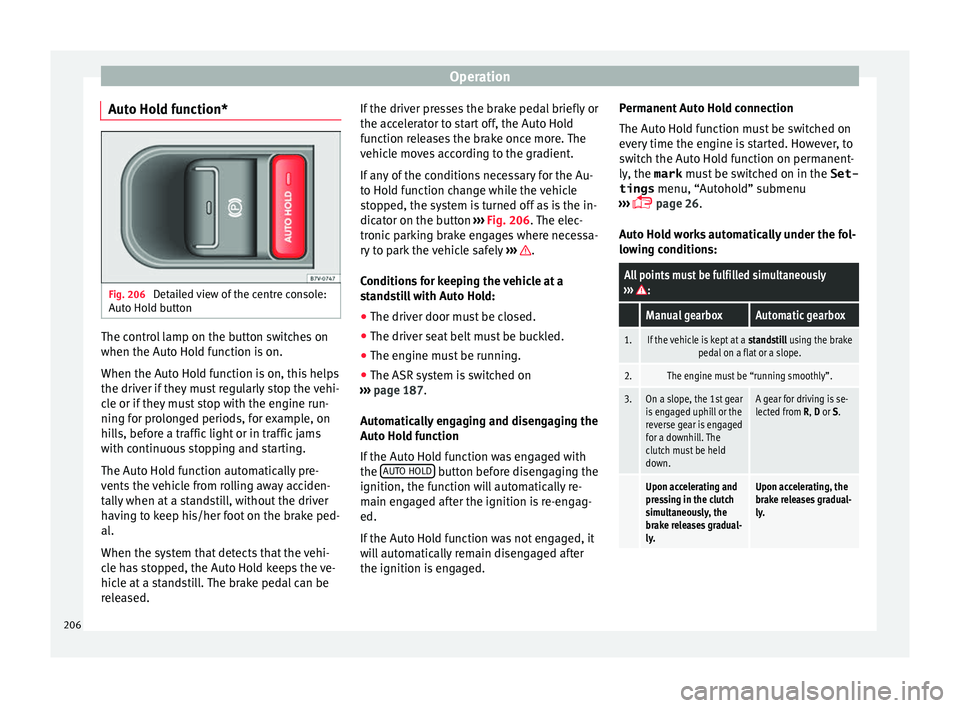
Auto Hold function* Fig. 206
Detailed view of the centre console:
Aut o Ho
l
d button The control lamp on the button switches on
when the Aut
o Ho
l
d function is on.
When the Auto Hold function is on, this helps
the driver if they must regularly stop the vehi-
cle or if they must stop with the engine run-
ning for prolonged periods, for example, on
hills, before a traffic light or in traffic jams
with continuous stopping and starting.
The Auto Hold function automatically pre-
vents the vehicle from rolling away acciden-
tally when at a standstill, without the driver
having to keep his/her foot on the brake ped-
al.
When the system that detects that the vehi-
cle has stopped, the Auto Hold keeps the ve-
hicle at a standstill. The brake pedal can be
released. If the driver presses the brake pedal briefly or
the accel
erator to start off, the Auto Hold
function releases the brake once more. The
vehicle moves according to the gradient.
If any of the conditions necessary for the Au-
to Hold function change while the vehicle
stopped, the system is turned off as is the in-
dicator on the button ››› Fig. 206. The elec-
tronic parking brake engages where necessa-
ry to park the vehicle safely ››› .
C ondition
s
for keeping the vehicle at a
standstill with Auto Hold:
● The driver door must be closed.
● The driver seat belt must be buckled.
● The engine must be running.
● The ASR system is switched on
›››
page 187.
Automatically engaging and disengaging the
Auto Hold function
If the Auto Hold function was engaged with
the AUTO HOLD button before disengaging the
ignition, the f u
nction w
ill automatically re-
main engaged after the ignition is re-engag-
ed.
If the Auto Hold function was not engaged, it
will automatically remain disengaged after
the ignition is engaged. Permanent Auto Hold connection
The Auto Hol
d function must be switched on
every time the engine is started. However, to
switch the Auto Hold function on permanent-
ly, the mark must be switched on in the Set-
tings menu, “Autohold” submenu
››› page 26.
Auto Hold works automatically under the fol-
lowing conditions:
All points must be fulfilled simultaneously
››› :
Manual gearboxAutomatic gearbox
1.If the vehicle is kept at a standstill using the brake
pedal on a flat or a slope.
2.The engine must be “running smoothly”.
3.On a slope, the 1st gear
is engaged uphill or the
reverse gear is engaged
for a downhill. The
clutch must be held
down.A gear for driving is se-
lected from R, D or S.
Upon accelerating and
pressing in the clutch
simultaneously, the
brake releases gradual-
ly.Upon accelerating, the
brake releases gradual-
ly. 206
Page 212 of 320
Operation
tones. If the vehicle is too close to the obsta-
c l
e, the audib
le warning becomes constant.
Switching the parking distance warning sys-
tem on and off
● Press the button
›››
Fig. 208
when the
ignition i
s switched on.
● Automatic on: select r
everse gear.
● Automatic off: drive fa
ster than 15 km/h
(9 mph).
The button lights up when the function is
switched on.
Things to note on the parking distance warn-
ing system
● The parking distance warning system
sometimes r
egisters water on the sensors as
an obstacle.
● If the distance does not change, the warn-
ing sign
al will sound less loudly after a few
seconds. If the continuous signal sounds, the
volume will remain constant.
● When the vehicle moves away from the ob-
stac
le, the beeping sound automatically
switches off. On approaching the obstacle
again, the beeping sound will automatically
switch back on.
● If the electronic parking brake is engaged
or the selector l
ever is set to P, no audible
warning will be emitted. ●
Your tec
hnical service centre can adjust the
volume of the warning signals. Note
If the parking distance warning system is
fau lty
, a constant audible warning will be
emitted the first time it is switched on and
the button will flash. Switch the parking dis-
tance warning system off using the button
and take the vehicle to a specialised work-
shop to have the system checked as soon as
possible. Optical parking system* (OPS)
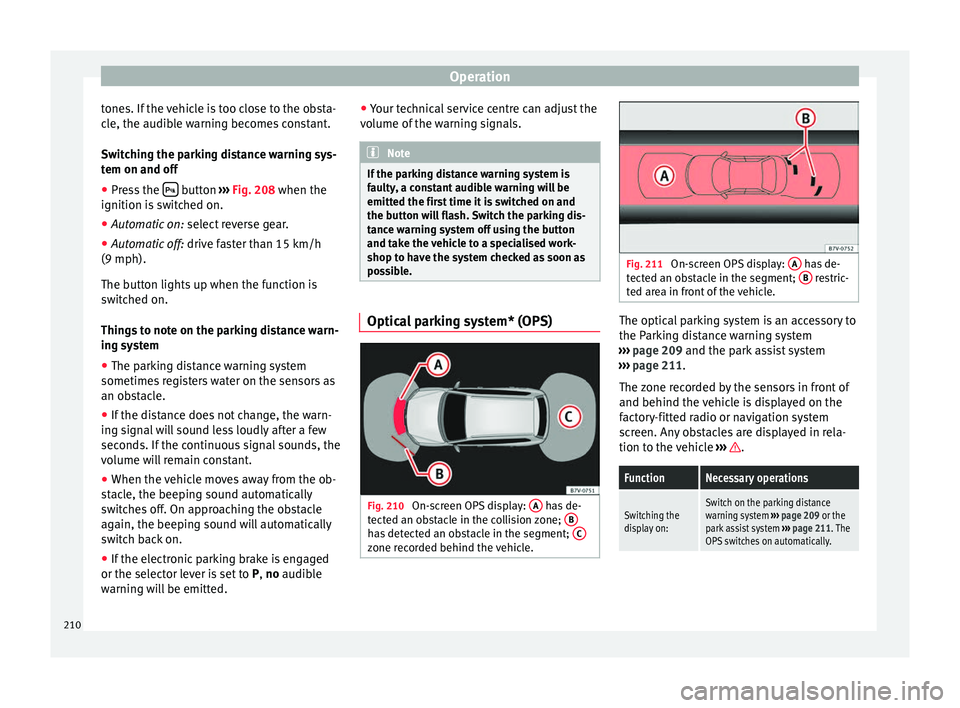
Fig. 210
On-screen OPS display: A has de-
t ect
ed an o
bstacle in the collision zone; B has detected an obstacle in the segment;
C zone recorded behind the vehicle. Fig. 211
On-screen OPS display: A has de-
tect ed an o
bstacle in the segment; B restric-
ted ar e
a in front of the vehicle. The optical parking system is an accessory to
the P
ark
in
g distance warning system
››› page 209 and the park assist system
››› page 211.
The zone recorded by the sensors in front of
and behind the vehicle is displayed on the
factory-fitted radio or navigation system
screen. Any obstacles are displayed in rela-
tion to the vehicle ››› .
FunctionNecessary operations
Switching the
display on:Switch on the parking distance
warning system
››› page 209 or the
park assist system ››› page 211. The
OPS switches on automatically. 210
Page 221 of 320
Driver assistance systems
● Continue r
ev
ersing until the vehicle is in-
side the space, parallel to the road. Correct
the position if necessary.
Cruise control* (Cruise control
syst
em - CCS)
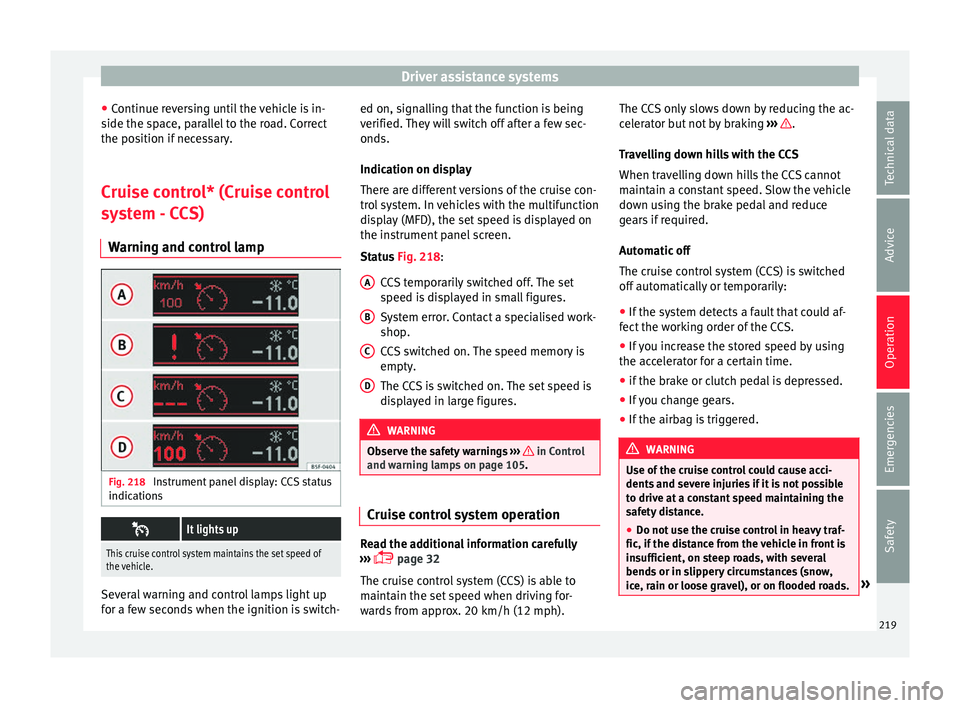
Warning and control lamp Fig. 218
Instrument panel display: CCS status
indic ation
s
It lights up
This cruise control system maintains the set speed of
the vehicle.
Several warning and control lamps light up
f
or a f
ew sec
onds when the ignition is switch- ed on, signalling that the function is being
verified. They
will switch off after a few sec-
onds.
Indication on display
There are different versions of the cruise con-
trol system. In vehicles with the multifunction
display (MFD), the set speed is displayed on
the instrument panel screen.
Status Fig. 218:
CCS temporarily switched off. The set
speed is displayed in small figures.
System error. Contact a specialised work-
shop.
CCS switched on. The speed memory is
empty.
The CCS is switched on. The set speed is
displayed in large figures. WARNING
Observe the safety warnings ›››
in Control
and warnin g l
amps on page 105. Cruise control system operation
Read the additional information carefully
› ›
›
page 32
The cruise control system (CCS) is able to
maintain the set speed when driving for-
wards from approx. 20 km/h (12 mph). A B
C
D The CCS only slows down by reducing the ac-
c
el
er
ator but not by braking ››› .
T r
av
elling down hills with the CCS
When travelling down hills the CCS cannot
maintain a constant speed. Slow the vehicle
down using the brake pedal and reduce
gears if required.
Automatic off
The cruise control system (CCS) is switched
off automatically or temporarily:
● If the system detects a fault that could af-
fect the w
orking order of the CCS.
● If you increase the stored speed by using
the accel
erator for a certain time.
● if the brake or clutch pedal is depressed.
● If you change gears.
● If the airbag is triggered. WARNING
Use of the cruise control could cause acci-
dents and sev
ere injuries if it is not possible
to drive at a constant speed maintaining the
safety distance.
● Do not use the cruise control in heavy traf-
fic, if the dis
tance from the vehicle in front is
insufficient, on steep roads, with several
bends or in slippery circumstances (snow,
ice, rain or loose gravel), or on flooded roads. » 219
Technical data
Advice
Operation
Emergencies
Safety
Page 222 of 320
Operation
●
Never u se the C
CS when driving off-road or
on unpaved roads.
● Always adapt your speed and the distance
to the v
ehicles ahead in line with visibility,
weather conditions, the condition of the road
and the traffic situation.
● To avoid unexpected operation of the cruise
contro
l system, turn it off every time you fin-
ish using it.
● It is dangerous to use a set speed which is
too high for the pr
evailing road, traffic or
weather conditions.
● When travelling down hills, the CCS cannot
maintain a c
onstant speed. The vehicle tends
to accelerate under its own weight. Select a
lower gear or use the foot brake to slow the
vehicle. Lane Assist system*
Intr oduction WARNING
The intelligent technology in the lane assist
sys t
em cannot change the limits imposed by
the laws of physics and by the system itself.
Careless or uncontrolled use of the Lane As-
sist system may cause accidents and injury.
The system is not a replacement for driver
awareness. ●
Alw a
ys adapt your speed and the distance
to the vehicles ahead in line with visibility,
weather conditions, the condition of the road
and the traffic situation.
● Always keep your hands on the steering
wheel so y
ou can turn it at any time.
● The lane assist system does not detect all
roa
d markings. In some circumstances, the
poor state of the road, structures located on
it or certain objects may be mistakenly recog-
nised as road markings by the lane assist
system. In such situations, switch the lane
assist system off immediately.
● Pay attention to the instructions on the in-
strument p
anel display and act accordingly to
its requests.
● Always pay attention to the vehicle's sur-
roundin
gs. Note
The lane assist system has been exclusively
developed f or driv
ing on asphalted roads. Note
If the lane assist system does not work as de-
sc ribed in thi
s chapter, do not use it and con-
tact a specialised workshop. Note
If you observe any system malfunction, have
the sys t
em checked by a specialised work-
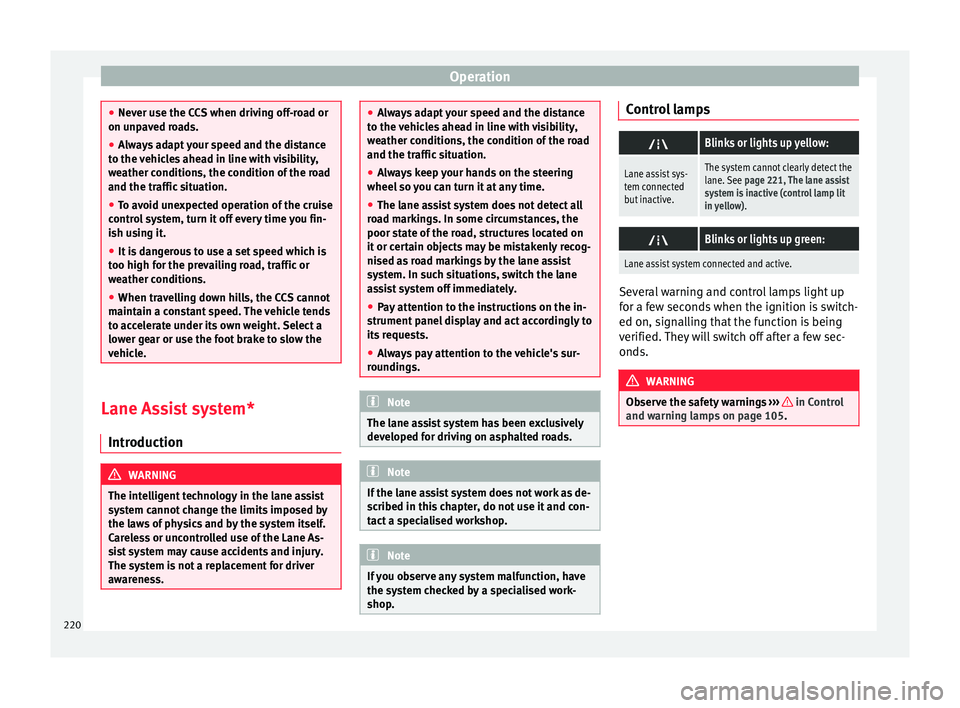
shop. Control lamps
Blinks or lights up yellow:
Lane assist sys-
tem connected
but inactive.The system cannot clearly detect the
lane. See
page 221, The lane assist
system is inactive (control lamp lit
in yellow) .
Blinks or lights up green:
Lane assist system connected and active.
Several warning and control lamps light up
f
or a f
ew sec
onds when the ignition is switch-
ed on, signalling that the function is being
verified. They will switch off after a few sec-
onds. WARNING
Observe the safety warnings ›››
in Control
and warnin g l
amps on page 105. 220
Page 223 of 320
Driver assistance systems
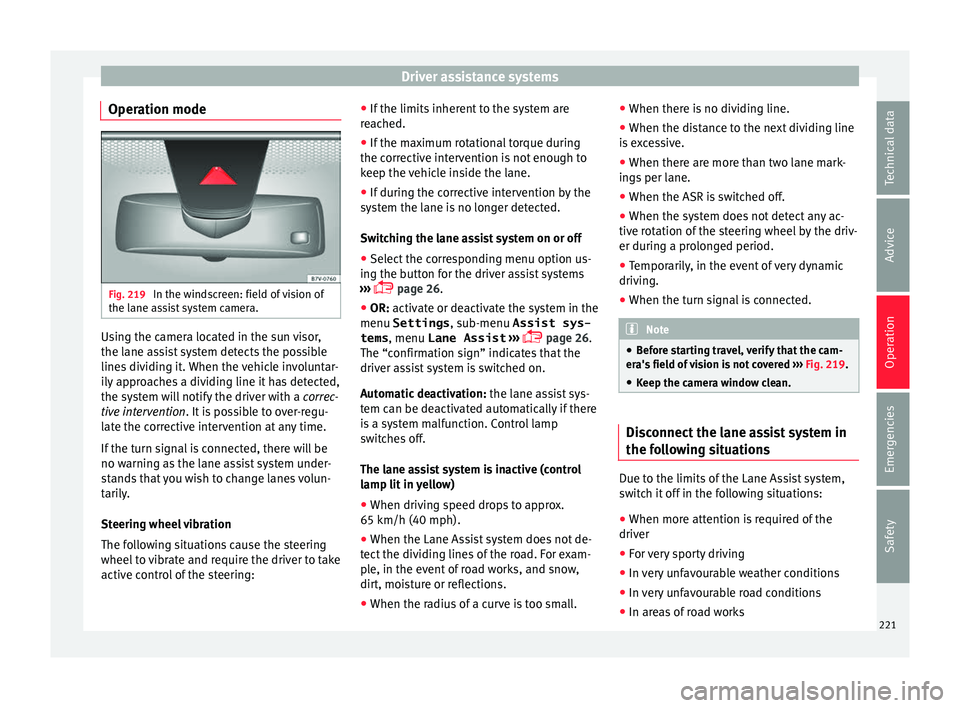
Operation mode Fig. 219
In the windscreen: field of vision of
the l ane a
s
sist system camera. Using the camera located in the sun visor,
the l
ane a
s
sist system detects the possible
lines dividing it. When the vehicle involuntar-
ily approaches a dividing line it has detected,
the system will notify the driver with a correc-
tive intervention. It is possible to over-regu-
late the corrective intervention at any time.
If the turn signal is connected, there will be
no warning as the lane assist system under-
stands that you wish to change lanes volun-
tarily.
Steering wheel vibration
The following situations cause the steering
wheel to vibrate and require the driver to take
active control of the steering: ●
If the limits inher
ent to the system are
reached.
● If the maximum rotational torque during
the correctiv
e intervention is not enough to
keep the vehicle inside the lane.
● If during the corrective intervention by the
syst
em the lane is no longer detected.
Switching the lane assist system on or off
● Select the corresponding menu option us-
ing the butt
on for the driver assist systems
››› page 26.
● OR: activate or deactivate the system in the
menu Settings , sub-menu Assist sys-
tems , menu
Lane Assist ›››
page 26.
The “confirmation sign” indicates that the
driver assist system is switched on.
Automatic deactivation: the lane assist sys-
tem can be deactivated automatically if there
is a system malfunction. Control lamp
switches off.
The lane assist system is inactive (control
lamp lit in yellow)
● When driving speed drops to approx.
65 km/h (40 mph).
● When the Lane Assist system does not de-
tect the div
iding lines of the road. For exam-
ple, in the event of road works, and snow,
dirt, moisture or reflections.
● When the radius of a curve is too small. ●
When there is
no dividing line.
● When the distance to the next dividing line
is e
xcessive.
● When there are more than two lane mark-
ings
per lane.
● When the ASR is switched off.
● When the system does not detect any ac-
tive rot
ation of the steering wheel by the driv-
er during a prolonged period.
● Temporarily, in the event of very dynamic
driving.
● When the t
urn signal is connected. Note
● Bef or
e starting travel, verify that the cam-
era's field of vision is not covered ››› Fig. 219.
● Keep the camera window clean. Disconnect the lane assist system in
the f
o
l
lowing situations Due to the limits of the Lane Assist system,
sw
it
c
h it off in the following situations:
● When more attention is required of the
driver
● For
very sporty driving
● In very unfavourable weather conditions
● In very unfavourable road conditions
● In areas of road works 221
Technical data
Advice
Operation
Emergencies
Safety
Page 233 of 320
Driver assistance systems
DCC continuously adapts the suspension to
the c ondition of
the r
oad and current driving
conditions, according to the pre-set pro-
gramme.
Steering is also adapted in the “Sport” pro-
gramme.
ProgrammeDriving recommendations
“COMFORT” C
Adjust it to the most comfortable set-
ting, for example, driving on surfaces
in poor condition, or making long
trips.
“NORMAL”Balanced setting, suitable, for exam-
ple, for day-to-day use.
“SPORT” SSport setting for sporty style driving Select a program
● Switch the ignition on.
● Press the C S butt
on r
epeatedly until the
desired programme is displayed.
The “NORMAL” programme is active when
neither the C nor S buttons are lit up. WARNING
Switching the dynamic chassis control sys-
tem on whi l
e the vehicle is in motion could
divert your attention from the traffic and
cause accidents. WARNING
Adjusting the suspension can change driving
proper tie
s. Dynamic chassis control must
never lead to any kinds of risk.
● Adapt your speed and driving style at all
times t
o suit visibility, weather, road and traf-
fic conditions. Note
If the dynamic chassis control does not oper-
ate a s
described in this chapter, go to an au-
thorised workshop and request it be checked. Note
In case of a fault in the dynamic chassis con-
tro l, the b
uttons C and S will so indicate. A
fault could the affect driving comfort. Have
the system checked by a specialised work-
shop. Tyre monitoring systems
Intr oduction The tyre monitor indicator monitors the tyre
pr
e
s
sure of each wheel during driving using
the ABS sensors. The ABS sensors monitor
the tyre tread perimeter and vibrations of
each tyre. The tyre monitor indicator warns
the driver if it detects a considerable drop in
tyre pressure of one or several tyres while driving. Loss of tyre pressure will be indica-
ted by
the indicator as well as an audible
warning and sometimes a text message on
the dash panel display. When you open the
driver door, you will find a label indicating
the tyre pressure recommended by the manu-
facturer for the maximum vehicle load for
each tyre approved for the vehicle in ques-
tion. By pressing the adjustment button on
the tyre monitoring indicator, you may
change the reference pressure for the tyres
so that the tyre pressure coincides with ac-
tual pressure ››› page 233.
Suitable use of the adjustment button
››› page 233. WARNING
Unsuitable handling of the wheels and tyres
ma y
lead to sudden tyre pressure losses, to
tread separation or even to a blow-out.
● Check tyre pressures regularly and ensure
they are m
aintained at the pressures indica-
ted. If the tyre pressure is too low, the tyres
could overheat, resulting in tread detachment
or even burst tyres.
● Tyre pressure should be that indicated on
the label when the ty
res are cold at all times
››› page 288.
● Regularly check the cold inflation pressure
of the tyr
es. If necessary, change the tyre
pressure of the vehicle tyres while they are
cold. » 231
Technical data
Advice
Operation
Emergencies
Safety
Page 236 of 320
Operation
Towing bracket device
Driv in
g w
ith a trailer
Introduction Always be aware of the legal requirements for
eac
h c
ountry to drive with a trailer and to use
a tow hitch.
Your car is intended mainly for transporting
passengers however, it can also be used to
tow a trailer provided that it is fitted with the
necessary equipment. The additional load
has an effect on the useful life, fuel con-
sumption and the vehicle performance and,
in some cases, reduce the service intervals.
Driving with a trailer requires more force from
the vehicle and, thus, more concentration
from the driver.
For wintertime temperatures, fit winter tyres
to the vehicle and the trailer.
Drawbar load
The maximum permitted Drawbar load exer-
ted by the trailer drawbar on the ball joint of
the tow hitch must not exceed 100 kg (ap-
proximately 220 lbs).
Vehicles with the Start-Stop function
With a SEAT factory fitted or retrofitted tow
hitch, the Start-Stop function is automatically deactivated when a trailer is connected. For
to
w hit
ches not installed by SEAT, the Start-
Stop function must be deactivated manually
using a button located on the dash panel be-
fore driving with a trailer and it must remain
off for the entire journey ››› .
WARNING
Never transport people in a trailer: this will
endan g
er in their life and is against the law. WARNING
The incorrect use of the tow hitch can cause
acc ident
s and injury.
● Only use a tow hitch in perfect condition
and correctly
installed.
● Never change or repair a tow hitch.
● To reduce the risk of injury in case of a re-
vers
ing collision, injury to pedestrians and
cyclists when parking, always keep the ball
joint in when a trailer is not being used.
● Never fit a trailer tow hitch “that distrib-
utes
the load” or “balances the load”. Your
vehicle has not been designed for this type of
tow hitch. The tow hitch may fail and the
trailer will separate from the vehicle. WARNING
Driving with a trailer and transporting heavy
or lar g
e objects can affect vehicle handling
and even cause an accident. ●
Alw a
ys secure loads correctly with suitable
and undamaged attachment rope or straps.
● Adjust your speed and driving style to visi-
bility
, road, traffic and weather conditions.
● Trailers with a high centre of gravity can
over
turn more easily than those with a low
centre of gravity.
● Avoid brusque manoeuvres and sudden
brakin
g.
● Always take the following precautions seri-
ously
.
● Reduce your speed immediately if you ob-
serve the tr
ailer rocking from side to side.
● Never drive at more than 80 km/h (50 mph)
when tow
ing a trailer (or 100 km/h [62 mph]
in exceptional circumstances). This also ap-
plies in countries where higher speeds are
permitted. Always take the speed limits for
vehicles with and without trailers in each
country into account.
● Never try to stop the “snaking” by increas-
ing speed. WARNING
When driving with a trailer and using a tow
hitc h th
at was not installed by SEAT, the
Start-Stop function must be manually deacti-
vated. Otherwise, this could cause a braking
anomaly that could result in an accident with
serious consequences.
● Always manually deactivate the Start-Stop
function when a tr
ailer is being used on a tow
hitch that has not been installed by SEAT. 234
Page 288 of 320
Advice
● Re
gu
larly check tyres for non-visible dam-
age ››› page 290.
● Never exceed the maximum permitted
speed or loa
ds specified for the type of tyre
fitted on your vehicle ››› page 291.
● Do not allow tyres to come into contact with
aggre
ssive substances, grease, oil, fuel or
brake fluid ››› .
● Lost valve caps should be replaced imme-
di at
ely
.
Changing wheels
To ensure that the wear is equal on all tyres
the wheels should be changed round from
time to time according to the system
››› Fig. 250. The useful life of all the tyres will
then be about the same time.
SEAT recommends you take the vehicle to a
specialised workshop to have the tyres
changed.
Tyres over 6 years old
Tyres are subject to an ageing process as a
result of physical and chemical processes.
This may affect their performance. Tyres
which are stored for long periods of time
without being used, harden and become
more fragile than tyres which are in constant
use.
SEAT recommends that tyres over six years
old are replaced with new tyres. This also ap-
plies to tyres which appear to be in perfect condition on the outside and which have a
trea
d depth within the values stipulated by
the Law ››› .
The d at
e of
manufacture, part of the tyre
identification number (TIN), indicates the age
of the tyre ››› page 291.
Storing tyres
Mark tyres when you remove them to indicate
the direction of rotation (left, right, forwards,
backwards). This ensures you will be able to
mount them correctly when you replace
them. When removed, the wheels and/or
tyres should be stored in a cool, dry and pref-
erably dark location. Do not place tyres
mounted on the wheel in a vertical position.
Protect tyres not mounted on wheels from
dirt by storing them in suitable bags and
standing them on the ground on their tread. WARNING
Aggressive fluids or substances could result
in v i
sible or invisible damage with the conse-
quent risks.
● Always ensure that tyres do not come into
contact
with chemical products, oil, grease,
fuel, brake fluid or other aggressive substan-
ces. WARNING
Old tyres, even if they have never been used,
ma y
lose air or burst unexpectedly while driv-
ing, resulting in serious accident or damage.
● If tyres are over six years old, they should
only be u
sed in an emergency and with ex-
treme caution. For the sake of the environment
Old tyres must be disposed of by qualified
personnel ac
cording to the laws in the coun-
try concerned. Wheels
The design of wheel bolts is matched to the
rims. If
diff
er
ent rims are fitted, the correct
wheel bolts with the right length and correct-
ly shaped bolt heads must be used. This en-
sures that wheels are fitted securely and that
the brake system functions correctly
››› page 84.
For technical reasons, it is not generally pos-
sible to use the wheels from other vehicles.
In some cases, this may also be true for the
same model of wheel.
The tyres and rims approved by SEAT are spe-
cially matched to the characteristics of the
vehicle and are critical to good road holding
and safe handling.
286
Page 295 of 320
Wheels and tyres
● On ly
u
se winter tyres of the size authorised
for the vehicle.
● Only use radial winter tyres of the same
type, size (r
olling circumference) and tread
pattern.
● Adjust speeds to within the limits indicated
(code lett
er on tyre) ››› .
S peed limit
A c ode l
etter indicating the speed limit is
stamped on all winter tyres ››› page 292.
In some vehicles, it is possible to set a speed
warning in the MFD (multifunction
display) menu on the instrument panel
››› page 26.
If you use V-rated tyres the speed limits and
tyre pressure will be determined by engine
size. Please ask your technical service centre
for further information on the maximum per-
mitted speed and the required pressures for
the tyres.
All-wheel drive*
Thanks to its all-wheel drive, your car will
have plenty of traction in winter conditions,
even with the standard tyres. Nevertheless,
SEAT still recommend that winter tyres or all-
season tyres should be fitted on all four
wheels when winter road conditions are ex-
pected, mainly because this will give a better
braking response. Please observe all instructions and warnings
when usin
g snow chains ›››
page 49. WARNING
Although winter tyres help to make driving
saf er in the w
inter, you should not take un-
necessary risks.
● Adjust your speed and driving style to visi-
bility
, road, traffic and weather conditions.
● Never exceed the maximum permitted
speed or loa
ds specified for the type of winter
tyre fitted on your vehicle. For the sake of the environment
When winter is over, change back to summer
tyr e
s when you have the time. In tempera-
tures above +7°C (+45°F), performance will
be improved if summer tyres are used. Fuel
consumption, wear and noises while driving
will all be reduced. Note
● If the v
ehicle is fitted with a tyre control
system, this should be “reprogrammed”
whenever a tyre is changed ››› page 233.
● Please ask at a technical service centre for
information about
the permitted sizes for
winter tyres. 293
Technical data
Advice
Operation
Emergencies
Safety