ignition Seat Alhambra 2017 Repair Manual
[x] Cancel search | Manufacturer: SEAT, Model Year: 2017, Model line: Alhambra, Model: Seat Alhambra 2017Pages: 320, PDF Size: 6.88 MB
Page 147 of 320
Seats and head restraints
The seat cushions can be heated electrically
when the ignition i s
sw
itched on. The back-
rest is also heated in some versions.
Switch off seat heating if there is nobody in
the seat.
FunctionAction ››› Fig. 154, ››› Fig. 155
ActivatePress button . Seat heating is
switched on fully.
Adjusting the
heating outputKeep pressing button until the re-
quired intensity is set.
DeactivatingKeep pressing button until all of
the lights are switched off
››› Fig. 154, ››› Fig. 155. WARNING
Inappropriate use of the seat functions can
cau se sev
ere injuries.
● Assume the proper sitting position before
your trip and rem
ain in it throughout. This al-
so applies to the other occupants.
● Only adjust the seat position memory when
the vehic
le is stationary.
● Only switch the lumbar massage function
on and off when the v
ehicle is stationary.
● Keep hands, fingers, feet and other limbs
awa
y from the seat operating and adjustment
radius. WARNING
People whose pain and temperature thresh-
ol d h
as been affected by some kind of medi-
cine, paraplegia or chronic illness (e.g. diabe-
tes) may sustain burns to the back, buttocks
and legs from using the seat heaters that
may lead to a long healing process or that
may never completely heal. Seek medical ad-
vice if you have doubts regarding your health.
● People with limited pain and temperature
thresho
lds must never use seat heating. CAUTION
● To av oid d
amaging the heating elements of
the seat heaters, please do not kneel on the
seat or apply sharp pressure to a single point
on the seat cushion or backrest.
● Liquids, sharp objects and insulating mate-
rial
s on the seat could damage the seat heat-
ing.
● In the event of smells, switch off the seat
heating immedi
ately and have the unit in-
spected by a specialised workshop. For the sake of the environment
The seat heating should remain on only when
needed. Otherw i
se, it is an unnecessary fuel
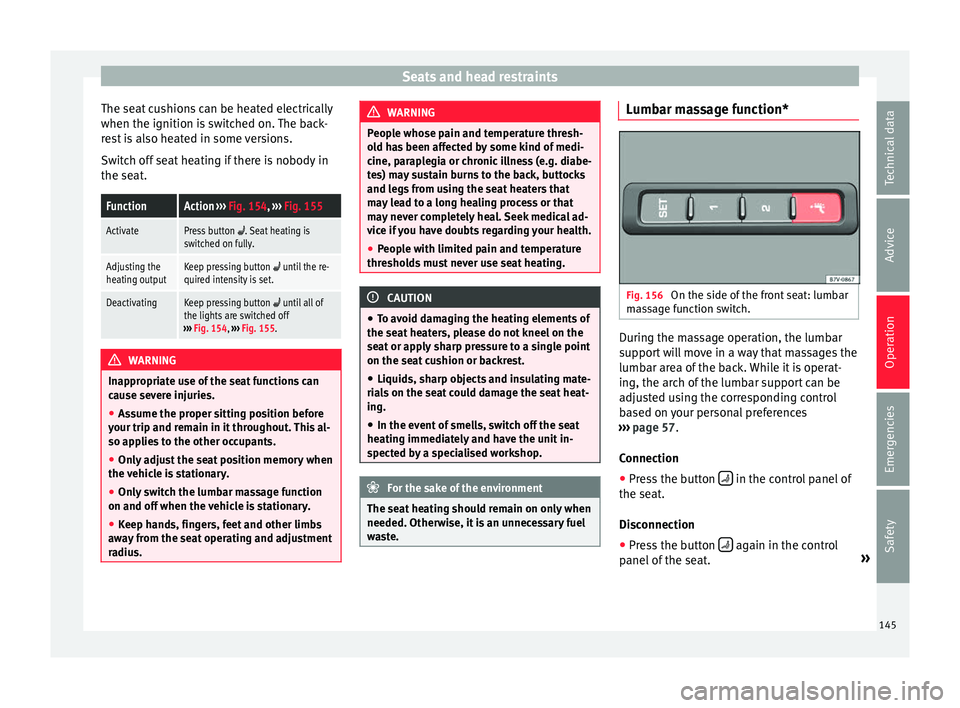
waste. Lumbar massage function*
Fig. 156
On the side of the front seat: lumbar
m a
s
sage function switch. During the massage operation, the lumbar
s
up
por
t will move in a way that massages the
lumbar area of the back. While it is operat-
ing, the arch of the lumbar support can be
adjusted using the corresponding control
based on your personal preferences
››› page 57.
Connection ● Press the button in the control panel of
the se at
.
Di
sconnection
● Press the button again in the control
p anel
of
the seat. »
145
Technical data
Advice
Operation
Emergencies
Safety
Page 148 of 320

Operation
Automatic off
● The lumbar massage will disconnect auto-
m atic
al
ly after approx. 10 minutes.
Seat with position memory* Fig. 157
Memory buttons on the outside of
the driv er se
at Memory buttons
Indiv
idual
settin
gs for the driver seat and the
exterior mirror can be assigned to each mem-
ory button.
Storing exterior mirror settings for driving
forwards
● Connect the automatic parking brake.
● Move the gear lever to neutral.
● Switch the ignition on.
● Adjust the front seat and the exterior mir-
rors. ●
K
eep the
SET button held down for more
th an one sec
ond ›
›› Fig. 157.
● Press the required memory button for the
fol
lowing 10 seconds. An audible warning
confirms the settings have been stored.
Storing front passenger exterior mirror set-
tings for driving in reverse gear
● Connect the automatic parking brake.
● Move the gear lever to neutral.
● Switch the ignition on.
● Press the required memory button.
● Select reverse gear.
● Adjust the front passenger side exterior
mirror so that
you can see, for example, the
kerb area.
● The new position of the mirror will be stor-
ed automatic
ally and allocated to the vehicle
key that was used to unlock the vehicle.
Activating exterior mirror settings
● With the driver door open and the ignition
turned off, p
ush the memory button of the
corresponding door briefly.
● OR: with the ignition switched on, hold in
the corr
esponding memory button until the
memorised position is reached. To activate the memory function of the vehi-
cle k
ey
Important: a position must be memorised in
the memory.
● Open the driver-side door.
● Press and hold any memory button.
● Within the following three seconds, push
the button to open the vehicle on the vehi-
c l
e k
ey. An audible warning confirms the set-
tings have been activated.
Adjusting the wing mirrors for driving and
assigning driver seat settings to a vehicle
key
● Activate the memory function of the vehicle
key
● Adjus
t the front seat and the exterior mir-
rors.
● L
ock the vehicle. The settings are assigned
to the v
ehicle key.
To deactivate the memory function of the ve-
hicle key
Important: a position must be memorised in
the memory.
● Press and hold the SET button.
● Within the following 10 seconds, push the
open b utt
on on the vehicle key. An audi-
b l
e w
arning confirms the settings have been
deactivated.
146
Page 172 of 320
Operation
Ashtray and cigarette lighter* Ashtr a
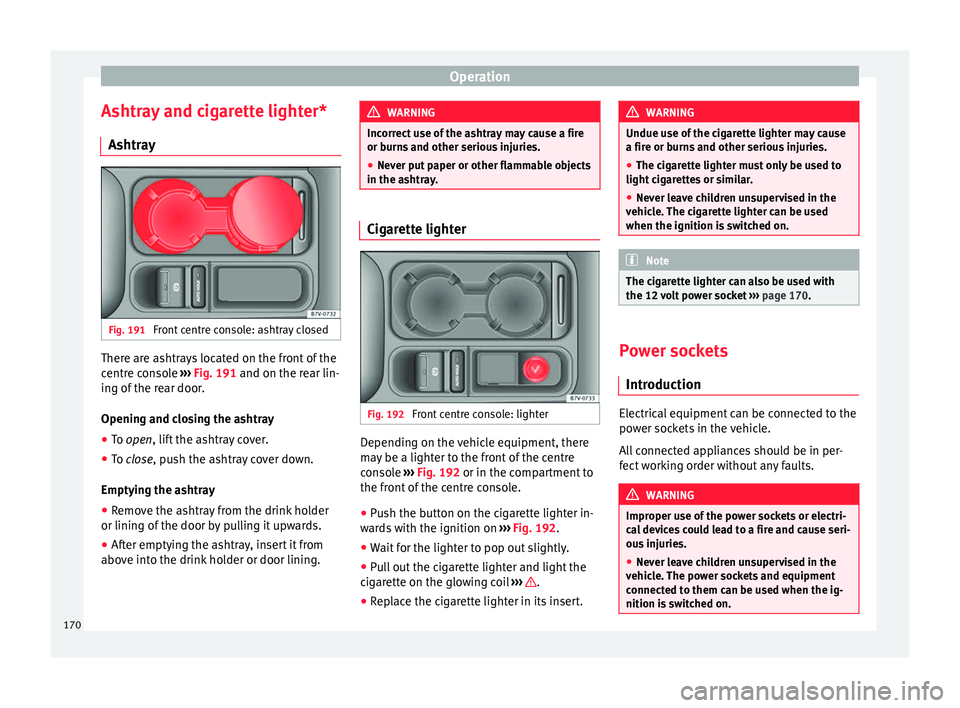
y Fig. 191
Front centre console: ashtray closed There are ashtrays located on the front of the
c
entr
e c
onsole ››› Fig. 191 and on the rear lin-
ing of the rear door.
Opening and closing the ashtray
● To open, lift the ashtray cover.
● To
close, push the ashtray cover down.
Emptyin
g the ashtray
● Remove the ashtray from the drink holder
or lining of the door b
y pulling it upwards.
● After emptying the ashtray, insert it from
above int
o the drink holder or door lining. WARNING
Incorrect use of the ashtray may cause a fire
or burn s
and other serious injuries.
● Never put paper or other flammable objects
in the ashtra
y. Cigarette lighter
Fig. 192
Front centre console: lighter Depending on the vehicle equipment, there
m
a
y
be a lighter to the front of the centre
console ››› Fig. 192 or in the compartment to
the front of the centre console.
● Push the button on the cigarette lighter in-
ward
s with the ignition on ››› Fig. 192.
● Wait for the lighter to pop out slightly.
● Pull out the cigarette lighter and light the
cigar
ette on the glowing coil ››› .
● Replace the cigarette lighter in its insert. WARNING
Undue use of the cigarette lighter may cause
a fire or b urn
s and other serious injuries.
● The cigarette lighter must only be used to
light cig
arettes or similar.
● Never leave children unsupervised in the
vehicl
e. The cigarette lighter can be used
when the ignition is switched on. Note
The cigarette lighter can also be used with
the 12 v o
lt power socket ››› page 170. Power sockets
Intr oduction Electrical equipment can be connected to the
po
w
er soc
kets in the vehicle.
All connected appliances should be in per-
fect working order without any faults. WARNING
Improper use of the power sockets or electri-
ca l
devices could lead to a fire and cause seri-
ous injuries.
● Never leave children unsupervised in the
vehicl
e. The power sockets and equipment
connected to them can be used when the ig-
nition is switched on. 170
Page 173 of 320
Transport and practical equipment
●
Shoul d a c
onnected electrical device over-
heat, switch it off and unplug it immediately. CAUTION
● To av oid d
amage to the vehicle's electrical
system, never connect equipment that gener-
ates electrical current, such as solar panels
or battery chargers, to the 12 volt power
sockets in order to charge the vehicle's bat-
tery.
● Only use accessories with approved elec-
tromagnetic
compatibility according to cur-
rent regulations.
● To avoid damage due to voltage variations,
switc
h off all devices connected to the 12 V
power sockets before switching the ignition
on or off and before starting the engine.
● Never connect an appliance to the 12 volt
power soc
ket that consumes more than the
power indicated in watts. Exceeding the max-
imum power absorption could damage the ve-
hicle's electrical system. For the sake of the environment
Do not leave the engine running when the ve-
hicl e i
s at a standstill. Note
● Us in
g devices with the engine stopped and
the ignition switched on will drain the bat-
tery. ●
Unshiel ded equipment
can cause interfer-
ence on the radio equipment and the vehi-
cle's electrical system.
● Interference can occur on the radio's AM
wave
band if electrical appliances are used
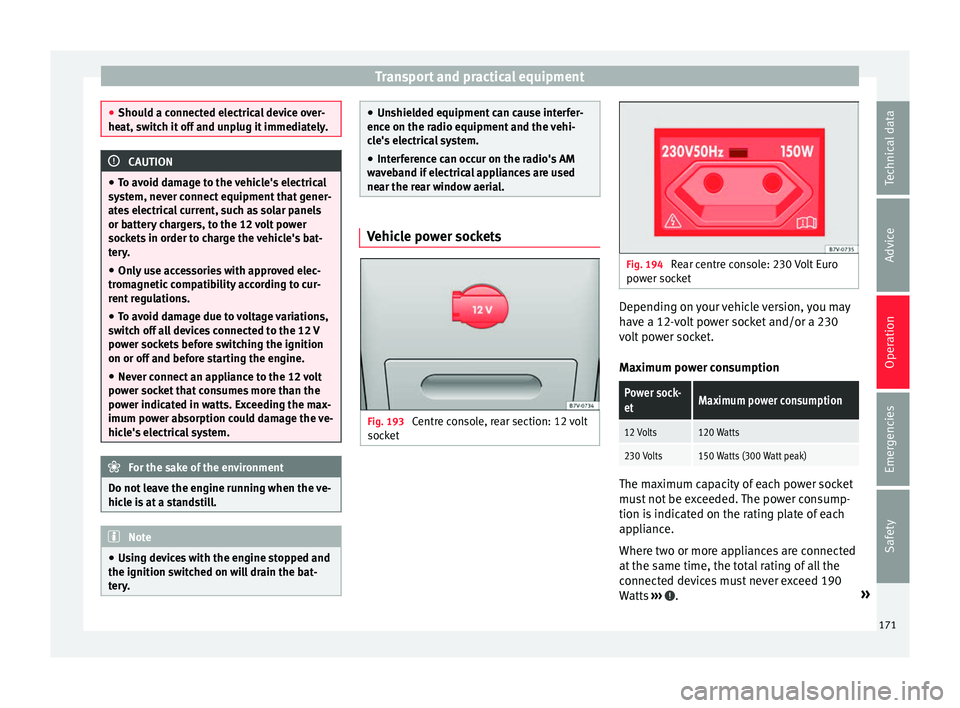
near the rear window aerial. Vehicle power sockets
Fig. 193
Centre console, rear section: 12 volt
soc k
et Fig. 194
Rear centre console: 230 Volt Euro
pow er soc
ket Depending on your vehicle version, you may
h
av
e a 12-
volt power socket and/or a 230
volt power socket.
Maximum power consumption
Power sock-
etMaximum power consumption
12 Volts120 Watts
230 Volts150 Watts (300 Watt peak) The maximum capacity of each power socket
mu
s
t
not be exceeded. The power consump-
tion is indicated on the rating plate of each
appliance.
Where two or more appliances are connected
at the same time, the total rating of all the
connected devices must never exceed 190
Watts ››› .
»
171
Technical data
Advice
Operation
Emergencies
Safety
Page 174 of 320
Operation
12 volt power socket
The 12 v
o
lt power socket will only work with
the ignition on.
Using electrical appliances with the engine
stopped and the ignition switched on will
drain the battery. Therefore, electrical devi-
ces connected to the power socket can only
be used when the engine is running.
To prevent voltage variations from causing
damage, switch off the electrical consumer
connected to the 12 volt power socket before
switching the ignition on or off and before
starting the engine.
12 volt power sockets can be found in the fol-
lowing locations in the vehicle:
● Compartment in the centre of the centre
conso
le.
● Compartment in the front centre console.
● Storage compartment in the front central
armres
t.
● Rear centre console ›››
Fig. 193.
● At the rear right of the luggage compart-
ment.
230 V
olt Euro power socket*
The power socket only works when the en-
gine is running ››› .
C onn e
cting an electrical appliance: plug the
device into the power socket as far as possi-
ble to unlock the built-in childproof lock. The current only flows when the childproof lock is
unloc
ked.
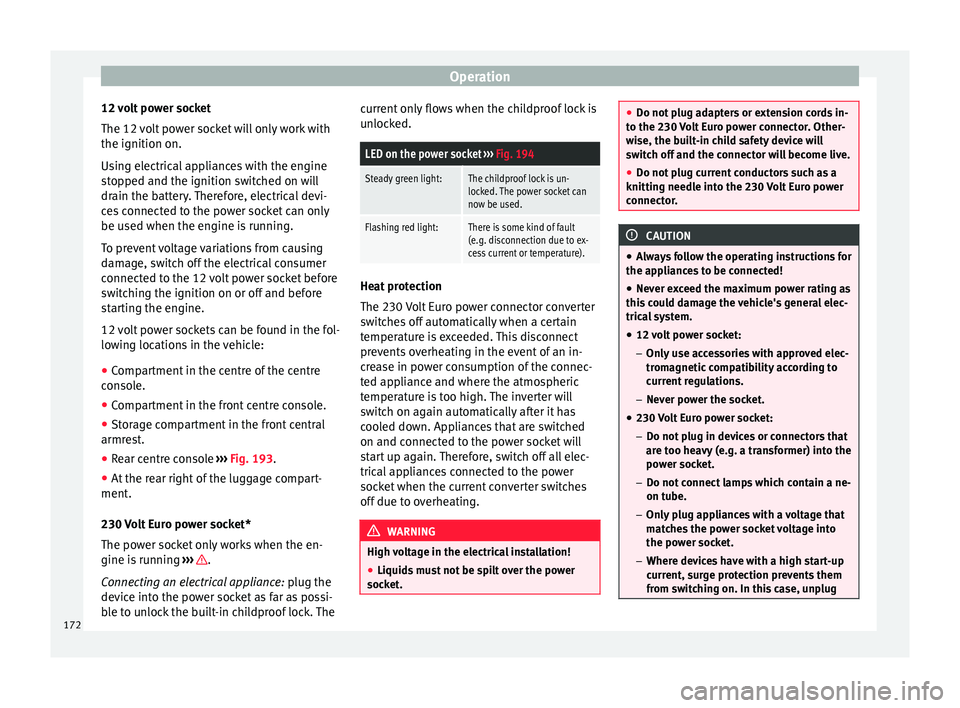
LED on the power socket ››› Fig. 194
Steady green light:The childproof lock is un-
locked. The power socket can
now be used.
Flashing red light:There is some kind of fault
(e.g. disconnection due to ex-
cess current or temperature). Heat protection
The 230
V
o
lt Euro power connector converter
switches off automatically when a certain
temperature is exceeded. This disconnect
prevents overheating in the event of an in-
crease in power consumption of the connec-
ted appliance and where the atmospheric
temperature is too high. The inverter will
switch on again automatically after it has
cooled down. Appliances that are switched
on and connected to the power socket will
start up again. Therefore, switch off all elec-
trical appliances connected to the power
socket when the current converter switches
off due to overheating. WARNING
High voltage in the electrical installation!
● Liquids must not be spilt over the power
sock et
. ●
Do not p lug a
dapters or extension cords in-
to the 230 Volt Euro power connector. Other-
wise, the built-in child safety device will
switch off and the connector will become live.
● Do not plug current conductors such as a
knitting needle int
o the 230 Volt Euro power
connector. CAUTION
● Alw a
ys follow the operating instructions for
the appliances to be connected!
● Never exceed the maximum power rating as
this c
ould damage the vehicle's general elec-
trical system.
● 12 volt power socket:
– Only u
se accessories with approved elec-
tromagnetic compatibility according to
current regulations.
– Never power the socket.
● 230 Volt Euro power socket:
– Do not plug in dev
ices or connectors that
are too heavy (e.g. a transformer) into the
power socket.
– Do not connect lamps which contain a ne-
on tube.
– Only plug appliances with a voltage that
matches the power socket voltage into
the power socket.
– Where devices have with a high start-up
current, surge protection prevents them
from switching on. In this case, unplug 172
Page 179 of 320
Air conditioning
Switching off: pr e
s s the button until the
lamp on the button switches off.
Switching the recirculation mode on and off
manually on the Climatronic
Switching on: press the button until the
lamp on the button lights up.
Switching off: press the button until the
lamp on the button switches off.
Automatic air recirculation mode
Fresh air enters the vehicle interior in posi-
tion . If the system detects a high con-
centration of hazardous substances in the
ambient air, air recirculation mode is switch-
ed on automatically. When the level of impur-
ities drops to within a normal range, recircu-
lation mode is switched off.
The system is unable to detect unpleasant
smells.
With the following outside temperatures and
conditions the air recirculation does not
switch on automatically:
● The cooling system is switched on (the ACbutton is lit up) and the outside temperature
i
s
belo
w +3°C (+38°F).
● The cooling system and the windscreen
wipers
are switched off and the outside tem-
perature is below +10°C (+50°F). ●
The coolin
g system is switched off and the
outside temperature is below +15°C (+59°F).
The windscreen wiper is switched on.
Switching the automatic air recirculation
mode on and off
Switching on: press the button until the
right lamp on the button lights up.
Switching off: press the button until all
the lamps on the button are switched off.
Switching the automatic air recirculation
mode off temporarily
● Press the button onc
e to temporarily
switch to manual air recirculation mode in
the event of unpleasant smells from outside.
The left indicator lamp turns on.
● After more than two seconds, press the
button ag
ain to restart automatic air recircu-
lation. The right indicator lamp turns on. WARNING
Observe the safety warnings ›››
in Intro-
duction on pag e 173
.
● If the cooling system is switched off and air
recir
culation mode switched on, the windows
can mist over very quickly, considerably limit-
ing visibility.
● Switch air recirculation mode off when it is
not requir
ed. CAUTION
Do not smoke when air recirculation is
swit c
hed on in vehicles with an air condition-
er. The smoke taken in could lie on the cool-
ing system vaporiser and on the activated
charcoal cartridge of the dust and pollen fil-
ter, leading to a permanently unpleasant
smell. Note
Climatronic: air recirculation mode switches
on to pr ev
ent exhaust gas from entering the
vehicle interior when it is in reverse and
while the automatic windscreen wipers are
working. Auxiliary heater* (additional
he
at
er)
Intr
oduction The auxiliary heater is powered by fuel from
the
v
ehic
le's fuel tank and can be used while
the vehicle is in motion and at a standstill.
Select the mode required ( heat or fan )
››› page 179 on the dash panel.
In winter, the auxiliary heater can be used in
heat mode before switching on the ignition
to remove any ice, mist or snow from the
windscreen (thin layers only). »
177
Technical data
Advice
Operation
Emergencies
Safety
Page 182 of 320
Operation
Before pr ogramming, check that the day is
c orr
ectly set in the Auxiliary heater -
day of the week menu ››› .
En ab
lin
g the Auxiliary heater menu on
the instrument panel
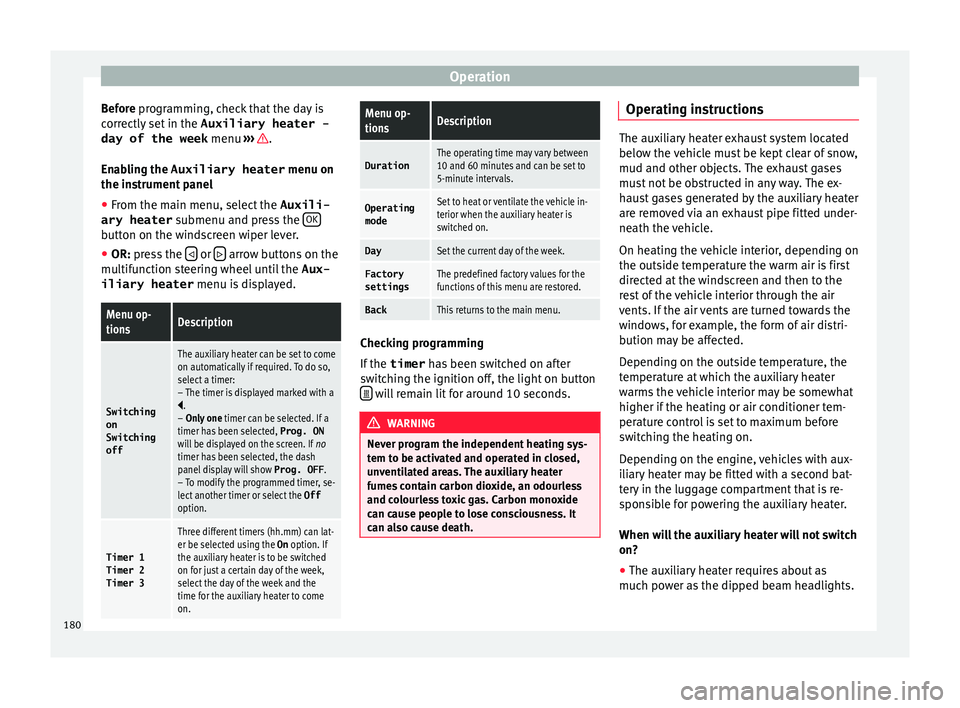
● From the main menu, select the Auxili-
ary heater submenu and pre
ss the OK button on the windscreen wiper lever.
● OR: pr ess the or
arrow buttons on the
mu ltif
u
nction steering wheel until the Aux-
iliary heater menu is displayed.
Menu op-
tionsDescription
Switching
on
Switching
off
The auxiliary heater can be set to come
on automatically if required. To do so,
select a timer:
– The timer is displayed marked with a
.
– Only one timer can be selected. If a
timer has been selected, Prog. ON
will be displayed on the screen. If no
timer has been selected, the dash
panel display will show Prog. OFF.
– To modify the programmed timer, se-
lect another timer or select the Off
option.
Timer 1
Timer 2
Timer 3
Three different timers (hh.mm) can lat-
er be selected using the On option. If
the auxiliary heater is to be switched
on for just a certain day of the week,
select the day of the week and the
time for the auxiliary heater to come
on.
Menu op-
tionsDescription
DurationThe operating time may vary between
10 and 60 minutes and can be set to
5-minute intervals.
Operating
modeSet to heat or ventilate the vehicle in-
terior when the auxiliary heater is
switched on.
DaySet the current day of the week.
Factory
settingsThe predefined factory values for the
functions of this menu are restored.
BackThis returns to the main menu. Checking programming
If
the
timer h
a
s been switched on after
switching the ignition off, the light on button will remain lit for around 10 seconds.
WARNING
Never program the independent heating sys-
tem t o be activ
ated and operated in closed,
unventilated areas. The auxiliary heater
fumes contain carbon dioxide, an odourless
and colourless toxic gas. Carbon monoxide
can cause people to lose consciousness. It
can also cause death. Operating instructions
The auxiliary heater exhaust system located
below the
v
ehicle must be kept clear of snow,
mud and other objects. The exhaust gases
must not be obstructed in any way. The ex-
haust gases generated by the auxiliary heater
are removed via an exhaust pipe fitted under-
neath the vehicle.
On heating the vehicle interior, depending on
the outside temperature the warm air is first
directed at the windscreen and then to the
rest of the vehicle interior through the air
vents. If the air vents are turned towards the
windows, for example, the form of air distri-
bution may be affected.
Depending on the outside temperature, the
temperature at which the auxiliary heater
warms the vehicle interior may be somewhat
higher if the heating or air conditioner tem-
perature control is set to maximum before
switching the heating on.
Depending on the engine, vehicles with aux-
iliary heater may be fitted with a second bat-
tery in the luggage compartment that is re-
sponsible for powering the auxiliary heater.
When will the auxiliary heater will not switch
on?
● The auxiliary heater requires about as
much po w
er as the dipped beam headlights.
180
Page 183 of 320
Driving
If the battery charge is low, the auxiliary heat-
er w i
l
l switch off automatically or will not
even switch on. This avoids problems when
starting the engine.
● The heater will switch on just once each
time. The timer wi
ll also have to be switched
back on every time it is required. Note
● Noise w i
ll be heard while the auxiliary
heater is running.
● When the air humidity is high and the out-
side temper
ature low, the heating system
may evaporate condensation from the auxili-
ary heater. In this case, steam may be re-
leased from underneath the vehicle. This is
completely normal and there is no need to
suspect a fault!
● If the auxiliary heater runs several times
over a pr
olonged period, the vehicle battery
may run flat. To re-charge the battery, drive
the vehicle for a long distance. As a general
rule, drive for as much time as the auxiliary
heating was working. Driving
Ad dr
e
ss
Introduction The power steering is not hydraulic but elec-
tromec
h
anical. The advantage of this steer-
ing system is that it disposes of hydraulic
tubes, hydraulic oil, the pump, filter and oth-
er components. The electromechanical sys-
tem saves fuel. While a hydraulic system re-
quires oil pressure to be maintained, electro-
mechanical steering only requires energy
when the steering wheel is turned.
With the power steering system, the assisted
steering function automatically adjusts ac-
cording to the vehicle speed, the steering tor-
que and the wheel turning angle. The power
steering only works when the engine is run-
ning. WARNING
If the power steering is not working then the
st eerin
g wheel is much more difficult to turn
and the vehicle more difficult to control.
● The power steering only works when the
engine is
running.
● Never allow the vehicle to move when the
engine is
switched off.
● Never remove the key from the ignition if
the vehic
le is in motion. The steering may lock and it will not be possible to turn the
st
eerin
g wheel. Control and warning lamps
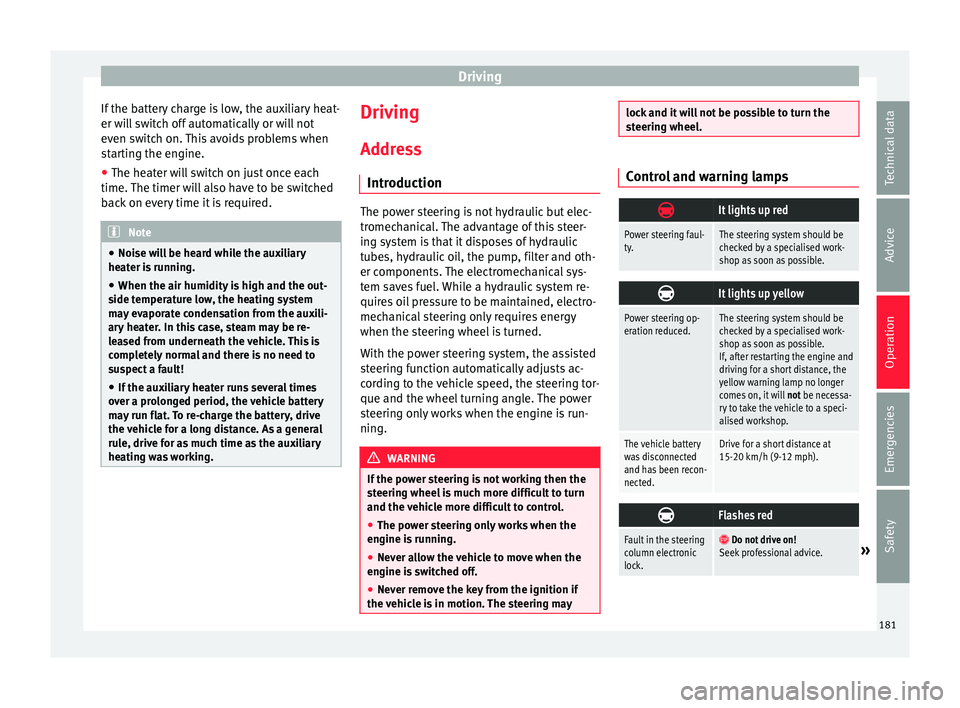
It lights up red
Power steering faul-
ty.The steering system should be
checked by a specialised work-
shop as soon as possible.
It lights up yellow
Power steering op-
eration reduced.The steering system should be
checked by a specialised work-
shop as soon as possible.
If, after restarting the engine and
driving for a short distance, the
yellow warning lamp no longer
comes on, it will
not be necessa-
ry to take the vehicle to a speci-
alised workshop.
The vehicle battery
was disconnected
and has been recon-
nected.Drive for a short distance at
15-20 km/h (9-12 mph).
Flashes red
Fault in the steering
column electronic
lock.
Do not drive on!
Seek professional advice.» 181
Technical data
Advice
Operation
Emergencies
Safety
Page 184 of 320
Operation
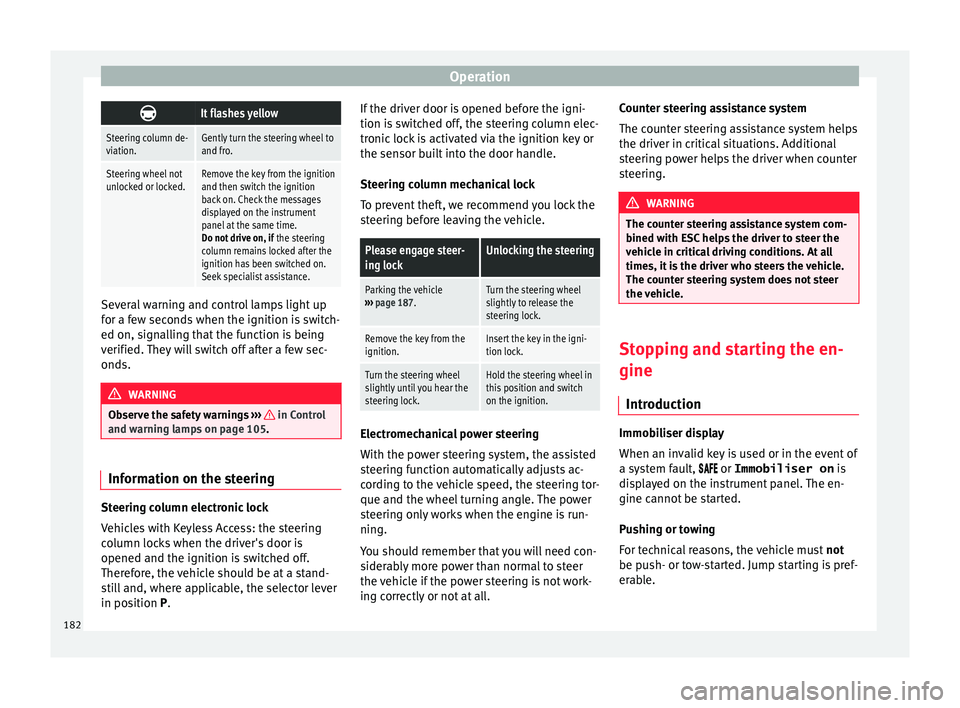
It flashes yellow
Steering column de-
viation.Gently turn the steering wheel to
and fro.
Steering wheel not
unlocked or locked.Remove the key from the ignition
and then switch the ignition
back on. Check the messages
displayed on the instrument
panel at the same time.
Do not drive on, if
the steering
column remains locked after the
ignition has been switched on.
Seek specialist assistance. Several warning and control lamps light up
f
or a f
ew sec
onds when the ignition is switch-
ed on, signalling that the function is being
verified. They will switch off after a few sec-
onds. WARNING
Observe the safety warnings ›››
in Control
and warnin g l
amps on page 105. Information on the steering
Steering column electronic lock
V
ehic
l
es with Keyless Access: the steering
column locks when the driver's door is
opened and the ignition is switched off.
Therefore, the vehicle should be at a stand-
still and, where applicable, the selector lever
in position P. If the driver door is opened before the igni-
tion is sw
itched off, the steering column elec-
tronic lock is activated via the ignition key or
the sensor built into the door handle.
Steering column mechanical lock
To prevent theft, we recommend you lock the
steering before leaving the vehicle.
Please engage steer-
ing lockUnlocking the steering
Parking the vehicle
››› page 187.Turn the steering wheel
slightly to release the
steering lock.
Remove the key from the
ignition.Insert the key in the igni-
tion lock.
Turn the steering wheel
slightly until you hear the
steering lock.Hold the steering wheel in
this position and switch
on the ignition. Electromechanical power steering
W
ith the po
w
er steering system, the assisted
steering function automatically adjusts ac-
cording to the vehicle speed, the steering tor-
que and the wheel turning angle. The power
steering only works when the engine is run-
ning.
You should remember that you will need con-
siderably more power than normal to steer
the vehicle if the power steering is not work-
ing correctly or not at all. Counter steering assistance system
The count
er steering assistance system helps
the driver in critical situations. Additional
steering power helps the driver when counter
steering. WARNING
The counter steering assistance system com-
bined w ith E
SC helps the driver to steer the
vehicle in critical driving conditions. At all
times, it is the driver who steers the vehicle.
The counter steering system does not steer
the vehicle. Stopping and starting the en-
gine
Intr oduction Immobiliser display
When an in
v
alid k
ey is used or in the event of
a system fault, or Immobiliser on is
displayed on the instrument panel. The en-
gine cannot be started.
Pushing or towing
For technical reasons, the vehicle must not
be push- or tow-started. Jump starting is pref-
erable.
182
Page 185 of 320
Driving
WARNING
Turning off the engine while driving will make
st op
ping the vehicle difficult; this could even
result in the loss of control causing an acci-
dent with serious consequences.
● The assisted braking and steering systems,
the airbag sys
tem, seat belts and certain
safety equipment are only active while the
engine is running.
● The engine should only be switched off
when the vehic
le is at a standstill. WARNING
While the engine is running or starting it
cou l
d help reduce the risk of serious injury.
● Never start or leave the engine running in
poorly v
entilated or closed spaces. Exhaust
gas contains carbon monoxide, a toxic, col-
ourless and odourless gas. Carbon monoxide
can cause people to lose consciousness. It
can also cause death.
● Never leave the vehicle unattended if the
engine is
running. The vehicle could move off
suddenly or something unexpected could
happen resulting in damage and serious in-
jury.
● Never use start boosters. Cold start sprays
coul
d explode or increase the engine speed
unexpectedly. WARNING
The components of the exhaust system reach
ver y
high temperatures. This could cause a
fire and considerable damage.
● Always park your vehicle so that no part of
the exhau
st system can come in contact with
flammable materials (such as wood, leaves,
dried grass, spilled fuel, etc.).
● Do not apply additional underseal or anti-
corro
sion coatings to the exhaust pipes, cata-
lytic converter, heat shields or the diesel par-
ticulate filter. Ignition lock
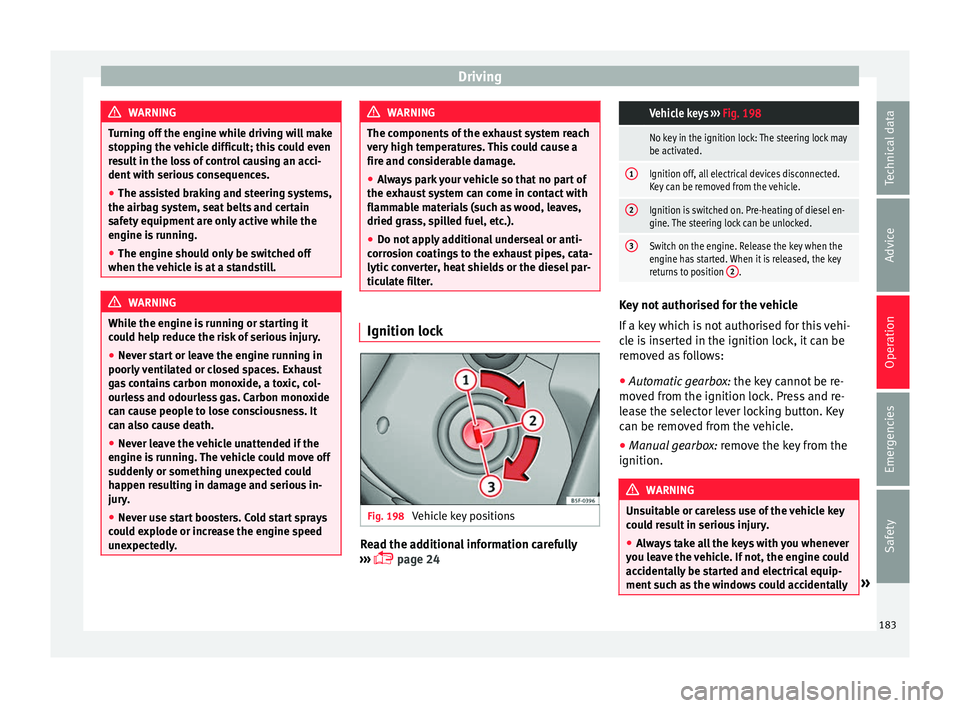
Fig. 198
Vehicle key positions Read the additional information carefully
› ›
›
page 24
Vehicle keys
››› Fig. 198
No key in the ignition lock: The steering lock may
be activated.
1Ignition off, all electrical devices disconnected.
Key can be removed from the vehicle.
2Ignition is switched on. Pre-heating of diesel en-
gine. The steering lock can be unlocked.
3Switch on the engine. Release the key when the
engine has started. When it is released, the key
returns to position 2
. Key not authorised for the vehicle
If
a k
ey
which is not authorised for this vehi-
cle is inserted in the ignition lock, it can be
removed as follows:
● Automatic gearbox: the key c
annot be re-
moved from the ignition lock. Press and re-
lease the selector lever locking button. Key
can be removed from the vehicle.
● Manual gearbox: remov
e the key from the
ignition. WARNING
Unsuitable or careless use of the vehicle key
cou l
d result in serious injury.
● Always take all the keys with you whenever
you le
ave the vehicle. If not, the engine could
accidentally be started and electrical equip-
ment such as the windows could accidentally » 183
Technical data
Advice
Operation
Emergencies
Safety