audio Seat Alhambra 2017 Owner's Manual
[x] Cancel search | Manufacturer: SEAT, Model Year: 2017, Model line: Alhambra, Model: Seat Alhambra 2017Pages: 320, PDF Size: 6.88 MB
Page 2 of 320

SEAT S.A. is permanently concerned about continuous development of its t\
ypes and models. For this reason we ask you to under-
stand, that at any given time, changes regarding shape, equipment and te\
chnique may take place on the car delivered. For this reason
no right at all may derive based on the data, drawings and descriptions \
in this current handbook.
All texts, illustrations and standards in this handbook are based on the\
status of information at the time of printing. Except for error
or omission, the information included in the current handbook is valid a\
s of the date of closing print.
Re-printing, copying or translating, whether total or partial is not all\
owed unless SEAT allows it in written form.
SEAT reserves all rights in accordance with the “Copyright” Act.
All rights on changes are reserved.
❀This paper has been manufactured using bleached non-chlorine cellulose.
© SEAT S.A. - Reprint: 15.11.16
About this manual
This manual contains a description of the
equipment supplied with the vehicle at the
time this manual was published. Some of the
units described herein will not be available
until a later date or are only available in cer -
tain markets.
B ecause this is a general manual for the
ALHAMBRA range, some of the equipment
and functions that are described in this man-
ual are not included in all types or variants
of the model; they may vary or be modied
depending on the technical requirements and
on the market; this is in no way deceptive ad-
vertising.
The illustrations are intended as a general
guide and may vary from the equipment tted
in your vehicle in some details.
The steering indications (left, right, forward,
reverse) appearing in this manual refer to the
normal driving movements of the vehicle ex -
cept when otherwise indicated.
The audiovisual material only is intended to
help users to understand certain car function -
alities better. It does not replace the instruc -
tion manual. Please use the instruction manu-
al to obtain more comprehensive information
and indications.
The equipment marked with an aster -
isk* is tted as standard only in certain
versions, and is only supplied as op -
tional extras for some versions, or are
only offered in certain countries.
® All registered marks are indicated with
®. Although the copyright symbol does
not appear, it is a copyrighted mark.
>> The section is continued on the follow -
ing page.
Important warnings on a given page
Detailed contents on a given page
General information on a given page
Emergency information on a given page
Audiovisual material on a given page
WARNING
Texts preceded by this symbol contain infor -
mation on safety. They warn you about possi -
ble dangers of accident or injury.
CAUTION
Texts with this symbol draw your attention to
potential sources of damage to your vehicle.
For the sake of the environment
Texts preceded by this symbol contain rele-
vant information concerning environmental
protection.
Note
Texts preceded by this symbol contain additio -
nal information.
This manual is divided into six large parts,
which are:
1. The essentials
2. Safety
3. Emergencies
4. Operation
5. Tips
6. Technical data
At the end of this manual, there is a detailed
alphabetical index that will help you quickly
nd the information you require.
Page 29 of 320
The essentials
A specialised workshop will be able to pro-
gr amme or modif
y
additional functions, ac-
cording to the vehicle equipment. SEAT rec-
ommends taking your car in for technical
service.
Some menu options can only be read when
the vehicle is at a standstill.
As long as a priority 1 warning is displayed, it
will not be possible to read the menus. To
display the menus, confirm the warning by
pressing OK .
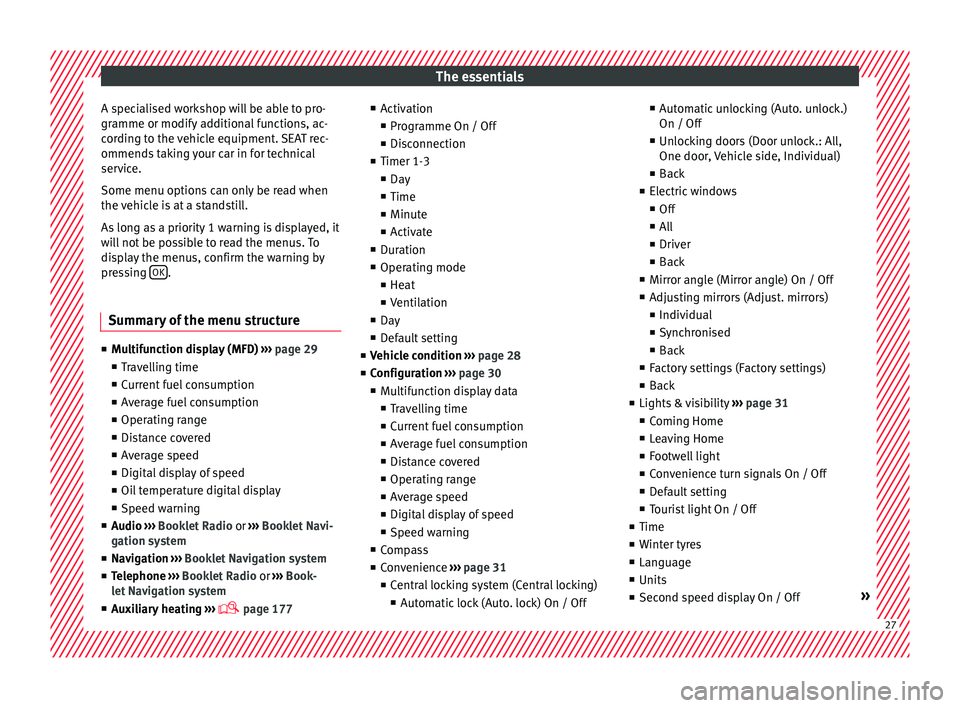
Summary of the menu structure ■
Mu ltif
unction display (MFD) ››› page 29
■ Travelling time
■ Current fuel consumption
■ Average fuel consumption
■ Operating range
■ Distance covered
■ Average speed
■ Digital display of speed
■ Oil temperature digital display
■ Speed warning
■ Audio ›››
Booklet Radio or ›››
Booklet Navi-
gation system
■ Navigation ›››
Booklet Navigation system
■ Telephone ›››
Booklet Radio or ›››
Book-
let Navigation system
■ Auxiliary heating ›››
page 177 ■
Activ ation
■ Pr
ogramme On / Off
■ Disconnection
■ Timer 1-3
■ Day
■ Time
■ Minute
■ Activate
■ Duration
■ Operating mode
■ Heat
■ Ventilation
■ Day
■ Default setting
■ Vehicle condition ››› page 28
■ Configuration ››› page 30
■ Multifunction display data
■ Travelling time
■ Current fuel consumption
■ Average fuel consumption
■ Distance covered
■ Operating range
■ Average speed
■ Digital display of speed
■ Speed warning
■ Compass
■ Convenience ››› page 31
■ Central locking system (Central locking)
■Automatic lock (Auto. lock) On / Off ■
Automatic unlocking (Auto. unlock.)
On / Off
■ Unlocking doors (Door unlock.: All,
One door, Vehicle side, Individual)
■ Back
■ Electric windows
■ Off
■ All
■ Driver
■ Back
■ Mirror angle (Mirror angle) On / Off
■ Adjusting mirrors (Adjust. mirrors)
■ Individual
■ Synchronised
■ Back
■ Factory settings (Factory settings)
■ Back
■ Lights & visibility ››› page 31
■ Coming Home
■ Leaving Home
■ Footwell light
■ Convenience turn signals On / Off
■ Default setting
■ Tourist light On / Off
■ Time
■ Winter tyres
■ Language
■ Units
■ Second speed display On / Off » 27
Page 30 of 320
The essentials
■ Aut oho
l
d
■ Service
■ Info
■ Reset
■ Default setting
Using the menus on the instrument
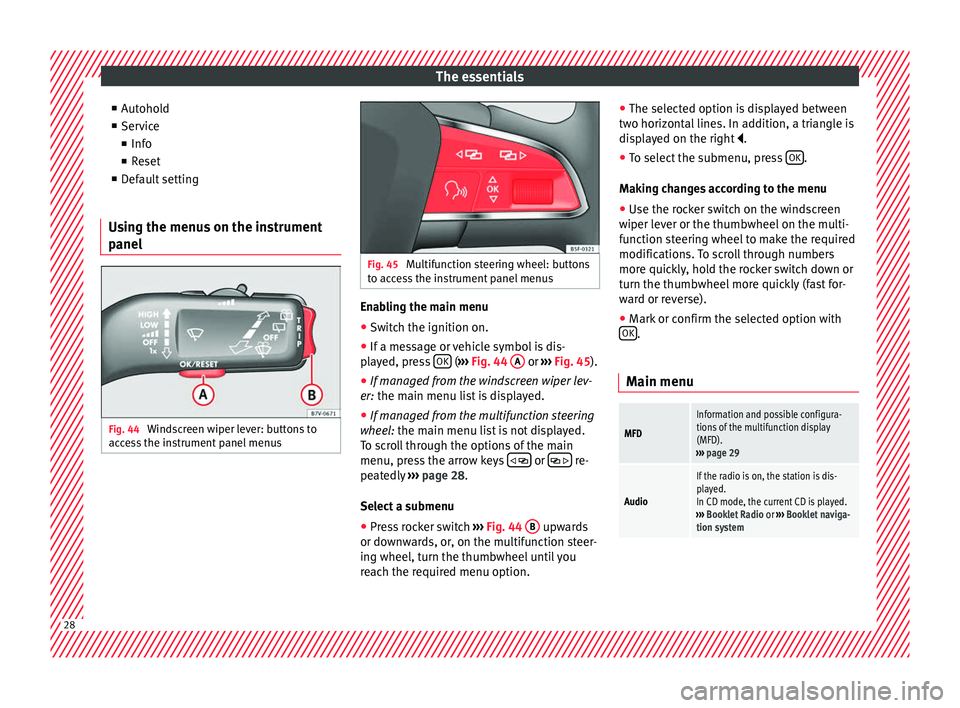
panel Fig. 44
Windscreen wiper lever: buttons to
ac c
e
ss the instrument panel menus Fig. 45
Multifunction steering wheel: buttons
to ac c
ess the instrument panel menus Enabling the main menu
● Switch the ignition on.
● If a message or vehicle symbol is dis-
p l
a
yed, press OK (
››
› Fig. 44 A or
››
› Fig. 45 ).
● If managed from the windscreen wiper lev-
er: the main menu lis
t is displayed.
● If managed from the multifunction steering
wheel:
the main menu list is not displayed.
To scroll through the options of the main
menu, press the arrow keys or
re-
pe at
edly
››› page 28.
Select a submenu ● Press rocker switch ›››
Fig. 44 B upwards
or do wn
w
ards, or, on the multifunction steer-
ing wheel, turn the thumbwheel until you
reach the required menu option. ●
The selected option i
s displayed between
two horizontal lines. In addition, a triangle is
displayed on the right .
● To select the submenu, press OK .
M ak
in
g changes according to the menu
● Use the rocker switch on the windscreen
wiper lev
er or the thumbwheel on the multi-
function steering wheel to make the required
modifications. To scroll through numbers
more quickly, hold the rocker switch down or
turn the thumbwheel more quickly (fast for-
ward or reverse).
● Mark or confirm the selected option with
OK .
Main menu
MFD
Information and possible configura-
tions of the multifunction display
(MFD).
››› page 29
Audio
If the radio is on, the station is dis-
played.
In CD mode, the current CD is played.
››› Booklet Radio or ››› Booklet naviga-
tion system 28
Page 108 of 320
Operation
Communications and multimedia
St eerin
g wheel
controls*
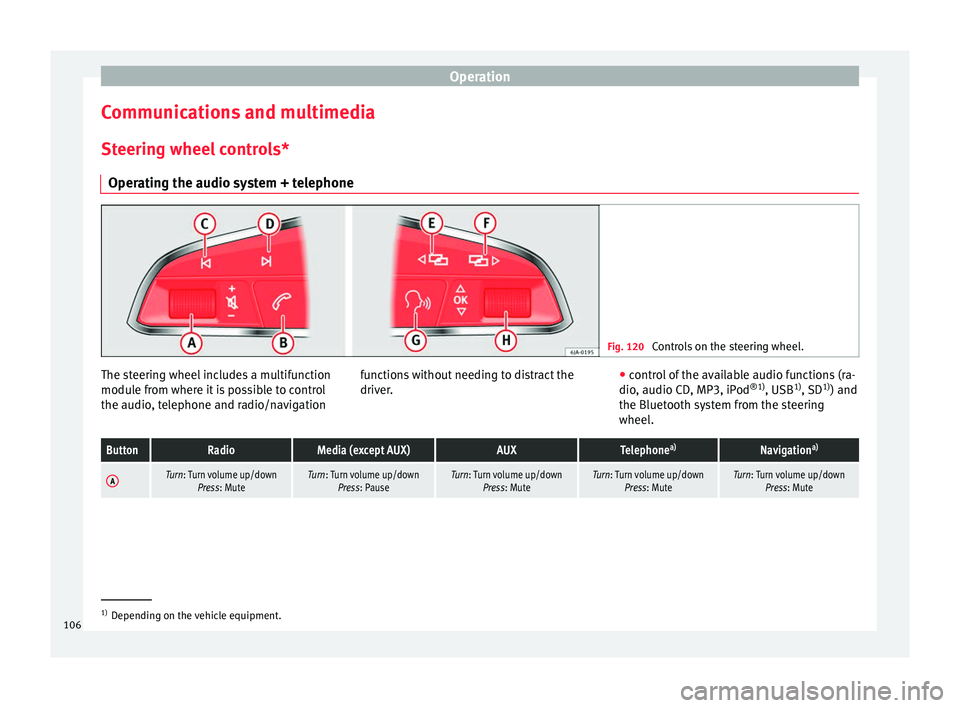
Operating the audio system + telephone Fig. 120
Controls on the steering wheel. The steering wheel includes a multifunction
modu
l
e fr
om where it is possible to control
the audio, telephone and radio/navigation functions without needing to distract the
driver.
●
c ontro
l of the available audio functions (ra-
dio, audio CD, MP3, iPod ®1)
, USB 1)
, SD 1)
) and
the Bluetooth system from the steering
wheel.
ButtonRadioMedia (except AUX)AUXTelephone a)Navigation a)
ATurn: Turn volume up/down
Press: MuteTurn: Turn volume up/downPress: PauseTurn: Turn volume up/down Press: MuteTurn: Turn volume up/downPress: MuteTurn: Turn volume up/downPress: Mute 1)
Depending on the vehicle equipment.
106
Page 109 of 320

Communications and multimediaButtonRadioMedia (except AUX)AUXTelephone
a)Navigation a)
B
Short press:
access to the tele-
phone menu on the dash pan- ela)
.
Hold down: redial a)Short press:
access to the tele-
phone menu on the dash pan- ela)
.
Hold down: redial a)Short press:
access to the tele-
phone menu on the dash pan- ela)
.
Hold down: redial a)
Short press:
answer/hang up
calls, enable/open the tele- phone menu.
Hold down: reject incoming
call/switch to private mode or
return to hands-free mode/re- dial
Short press: access to the tele-
phone menu on the dash pan- ela)
.
Hold down: redial a)
CSearch for last stationShort press:
switch to the previ-
ous song
Hold down: quick rewindNo functionNo function b)Radio/media functionality (ex-
cept AUX )
DSearch for the next stationShort press: switch to the next
song
Hold down: fast forwardNo functionNo function b)Radio/media functionality (ex-
cept AUX )
E, FChange menu on instrument
panelChange menu on instrumentpanelChange menu on instrumentpanelChange menu on instrumentpanelChange menu on instrumentpanel
GEnable/disable voice control a)Enable/disable voice controla)Enable/disable voice controla)No functionb)Enable/disable voice control
H
Turn: Next/previous preset c)
Press: Acts on the MFD or con- firms the menu option of the
dash panel depending on the menu optionTurn: Next/previous song c)
Press: Acts on the MFD or con- firms the menu option of the
dash panel depending on the menu optionTurn: Acts upon the instrument
panel menu depending on posi- tion
Press: Acts on the MFD or con- firms the menu option of the
dash panel depending on the menu optionTurn: Acts upon the instrumentpanel menu depending on po- sition
Press: Acts on the MFD or con- firms the menu option of the
dash panel depending on the menu optionTurn: Acts upon the instrumentpanel menu depending on po- sition
Press: Acts on the MFD or con- firms the menu option of the
dash panel depending on the menu option
a)According to the vehicle's equipment package.
b) When a call is being made, radio/media functionality (except AUX).
c) Only if the dash panel is in audio menu.
107
Technical data
Advice
Operation
Emergencies
Safety
Page 110 of 320
Operation
Multimedia USB/A UX
-IN inp
utFig. 121
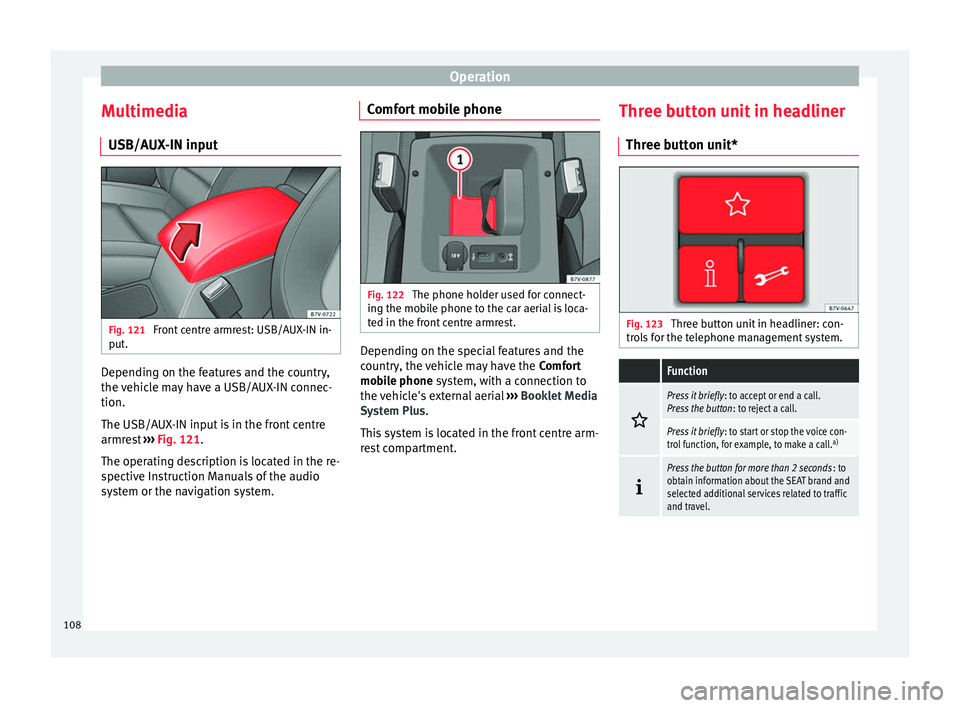
Front centre armrest: USB/AUX-IN in-
p ut
. Depending on the features and the country,
the
v
ehic
le may have a USB/AUX-IN connec-
tion.
The USB/AUX-IN input is in the front centre
armrest ››› Fig. 121.
The operating description is located in the re-
spective Instruction Manuals of the audio
system or the navigation system. Comfort mobile phone
Fig. 122
The phone holder used for connect-
in g the mo
b
ile phone to the car aerial is loca-
ted in the front centre armrest. Depending on the special features and the
c
ou
ntr
y, the vehicle may have the Comfort
mobile phone system, with a connection to
the vehicle's external aerial ››› Booklet Media
System Plus.
This system is located in the front centre arm-
rest compartment. Three button unit in headliner
Three butt
on unit* Fig. 123
Three button unit in headliner: con-
tr o
l
s for the telephone management system.
Function
Press it briefly
: to accept or end a call.
Press the button : to reject a call.
Press it briefly: to start or stop the voice con-
trol function, for example, to make a call. a)
Press the button for more than 2 seconds
: to
obtain information about the SEAT brand and
selected additional services related to traffic
and travel. 108
Page 308 of 320
Index
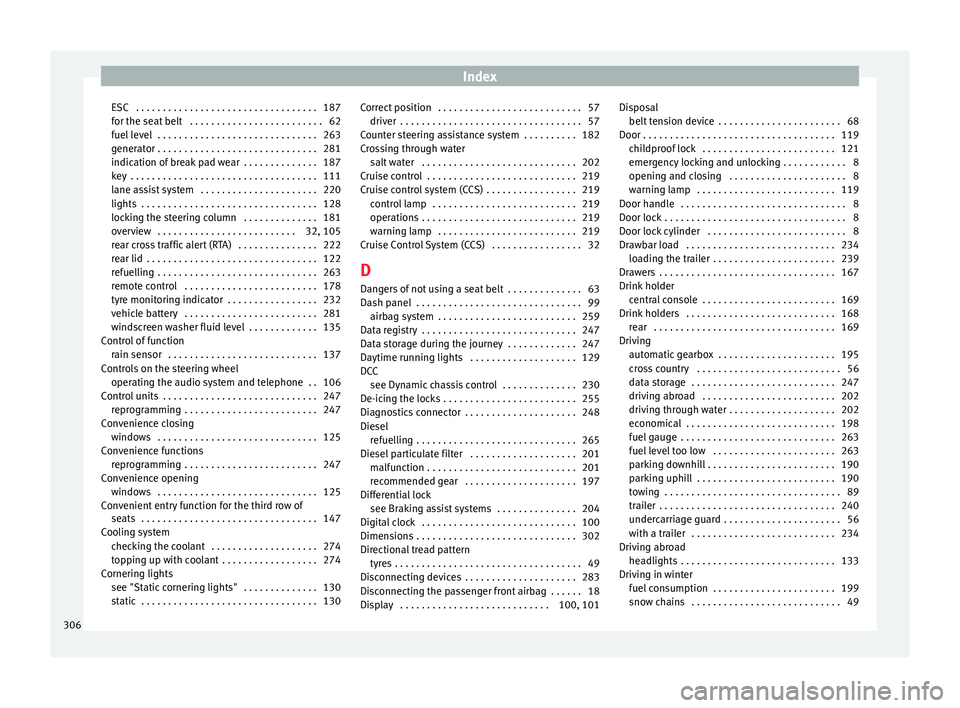
ESC . . . . . . . . . . . . . . . . . . . . . . . . . . . . . . . . . . 187
f or the se
at
belt . . . . . . . . . . . . . . . . . . . . . . . . . 62
fuel level . . . . . . . . . . . . . . . . . . . . . . . . . . . . . . 263
generator . . . . . . . . . . . . . . . . . . . . . . . . . . . . . . 281
indication of break pad wear . . . . . . . . . . . . . . 187
key . . . . . . . . . . . . . . . . . . . . . . . . . . . . . . . . . . . 111
lane assist system . . . . . . . . . . . . . . . . . . . . . . 220
lights . . . . . . . . . . . . . . . . . . . . . . . . . . . . . . . . . 128
locking the steering column . . . . . . . . . . . . . . 181
overview . . . . . . . . . . . . . . . . . . . . . . . . . . 32, 105
rear cross traffic alert (RTA) . . . . . . . . . . . . . . . 222
rear lid . . . . . . . . . . . . . . . . . . . . . . . . . . . . . . . . 122
refuelling . . . . . . . . . . . . . . . . . . . . . . . . . . . . . . 263
remote control . . . . . . . . . . . . . . . . . . . . . . . . . 178
tyre monitoring indicator . . . . . . . . . . . . . . . . . 232
vehicle battery . . . . . . . . . . . . . . . . . . . . . . . . . 281
windscreen washer fluid level . . . . . . . . . . . . . 135
Control of function rain sensor . . . . . . . . . . . . . . . . . . . . . . . . . . . . 137
Controls on the steering wheel operating the audio system and telephone . . 106
Control units . . . . . . . . . . . . . . . . . . . . . . . . . . . . . 247 reprogramming . . . . . . . . . . . . . . . . . . . . . . . . . 247
Convenience closing windows . . . . . . . . . . . . . . . . . . . . . . . . . . . . . . 125
Convenience functions reprogramming . . . . . . . . . . . . . . . . . . . . . . . . . 247
Convenience opening windows . . . . . . . . . . . . . . . . . . . . . . . . . . . . . . 125
Convenient entry function for the third row of seats . . . . . . . . . . . . . . . . . . . . . . . . . . . . . . . . . 147
Cooling system checking the coolant . . . . . . . . . . . . . . . . . . . . 274
topping up with coolant . . . . . . . . . . . . . . . . . . 274
Cornering lights see "Static cornering lights" . . . . . . . . . . . . . . 130
static . . . . . . . . . . . . . . . . . . . . . . . . . . . . . . . . . 130 Correct position . . . . . . . . . . . . . . . . . . . . . . . . . . . 57
driver . . . . . . . . . . . . . . . . . . . . . . . . . . . . . . . . . . 57
C
ounter steering assistance system . . . . . . . . . . 182
Crossing through water salt water . . . . . . . . . . . . . . . . . . . . . . . . . . . . . 202
Cruise control . . . . . . . . . . . . . . . . . . . . . . . . . . . . 219
Cruise control system (CCS) . . . . . . . . . . . . . . . . . 219 control lamp . . . . . . . . . . . . . . . . . . . . . . . . . . . 219
operations . . . . . . . . . . . . . . . . . . . . . . . . . . . . . 219
warning lamp . . . . . . . . . . . . . . . . . . . . . . . . . . 219
Cruise Control System (CCS) . . . . . . . . . . . . . . . . . 32
D Dangers of not using a seat belt . . . . . . . . . . . . . . 63
Dash panel . . . . . . . . . . . . . . . . . . . . . . . . . . . . . . . 99 airbag system . . . . . . . . . . . . . . . . . . . . . . . . . . 259
Data registry . . . . . . . . . . . . . . . . . . . . . . . . . . . . . 247
Data storage during the journey . . . . . . . . . . . . . 247
Daytime running lights . . . . . . . . . . . . . . . . . . . . 129
DCC see Dynamic chassis control . . . . . . . . . . . . . . 230
De-icing the locks . . . . . . . . . . . . . . . . . . . . . . . . . 255
Diagnostics connector . . . . . . . . . . . . . . . . . . . . . 248
Diesel refuelling . . . . . . . . . . . . . . . . . . . . . . . . . . . . . . 265
Diesel particulate filter . . . . . . . . . . . . . . . . . . . . 201 malfunction . . . . . . . . . . . . . . . . . . . . . . . . . . . . 201
recommended gear . . . . . . . . . . . . . . . . . . . . . 197
Differential lock see Braking assist systems . . . . . . . . . . . . . . . 204
Digital clock . . . . . . . . . . . . . . . . . . . . . . . . . . . . . 100
Dimensions . . . . . . . . . . . . . . . . . . . . . . . . . . . . . . 302
Directional tread pattern tyres . . . . . . . . . . . . . . . . . . . . . . . . . . . . . . . . . . . 49
Disconnecting devices . . . . . . . . . . . . . . . . . . . . . 283
Disconnecting the passenger front airbag . . . . . . 18
Display . . . . . . . . . . . . . . . . . . . . . . . . . . . . 100, 101 Disposal
belt ten sion device . . . . . . . . . . . . . . . . . . . . . . . 68
Door . . . . . . . . . . . . . . . . . . . . . . . . . . . . . . . . . . . . 119 childproof lock . . . . . . . . . . . . . . . . . . . . . . . . . 121
emergency locking and unlocking . . . . . . . . . . . . 8
opening and closing . . . . . . . . . . . . . . . . . . . . . . 8
warning lamp . . . . . . . . . . . . . . . . . . . . . . . . . . 119
Door handle . . . . . . . . . . . . . . . . . . . . . . . . . . . . . . . 8
Door lock . . . . . . . . . . . . . . . . . . . . . . . . . . . . . . . . . . 8
Door lock cylinder . . . . . . . . . . . . . . . . . . . . . . . . . . 8
Drawbar load . . . . . . . . . . . . . . . . . . . . . . . . . . . . 234 loading the trailer . . . . . . . . . . . . . . . . . . . . . . . 239
Drawers . . . . . . . . . . . . . . . . . . . . . . . . . . . . . . . . . 167
Drink holder central console . . . . . . . . . . . . . . . . . . . . . . . . . 169
Drink holders . . . . . . . . . . . . . . . . . . . . . . . . . . . . 168 rear . . . . . . . . . . . . . . . . . . . . . . . . . . . . . . . . . . 169
Driving automatic gearbox . . . . . . . . . . . . . . . . . . . . . . 195
cross country . . . . . . . . . . . . . . . . . . . . . . . . . . . 56
data storage . . . . . . . . . . . . . . . . . . . . . . . . . . . 247
driving abroad . . . . . . . . . . . . . . . . . . . . . . . . . 202
driving through water . . . . . . . . . . . . . . . . . . . . 202
economical . . . . . . . . . . . . . . . . . . . . . . . . . . . . 198
fuel gauge . . . . . . . . . . . . . . . . . . . . . . . . . . . . . 263
fuel level too low . . . . . . . . . . . . . . . . . . . . . . . 263
parking downhill . . . . . . . . . . . . . . . . . . . . . . . . 190
parking uphill . . . . . . . . . . . . . . . . . . . . . . . . . . 190
towing . . . . . . . . . . . . . . . . . . . . . . . . . . . . . . . . . 89
trailer . . . . . . . . . . . . . . . . . . . . . . . . . . . . . . . . . 240
undercarriage guard . . . . . . . . . . . . . . . . . . . . . . 56
with a trailer . . . . . . . . . . . . . . . . . . . . . . . . . . . 234
Driving abroad headlights . . . . . . . . . . . . . . . . . . . . . . . . . . . . . 133
Driving in winter fuel consumption . . . . . . . . . . . . . . . . . . . . . . . 199
snow chains . . . . . . . . . . . . . . . . . . . . . . . . . . . . 49
306
Page 319 of 320

SEAT S.A. is permanently concerned about continuous development of its t\
ypes and models. For this reason we ask you to under-
stand, that at any given time, changes regarding shape, equipment and te\
chnique may take place on the car delivered. For this reason
no right at all may derive based on the data, drawings and descriptions \
in this current handbook.
All texts, illustrations and standards in this handbook are based on the\
status of information at the time of printing. Except for error
or omission, the information included in the current handbook is valid a\
s of the date of closing print.
Re-printing, copying or translating, whether total or partial is not all\
owed unless SEAT allows it in written form.
SEAT reserves all rights in accordance with the “Copyright” Act.
All rights on changes are reserved.
❀This paper has been manufactured using bleached non-chlorine cellulose.
© SEAT S.A. - Reprint: 15.11.16
About this manual
This manual contains a description of the
equipment supplied with the vehicle at the
time this manual was published. Some of the
units described herein will not be available
until a later date or are only available in cer -
tain markets.
B ecause this is a general manual for the
ALHAMBRA range, some of the equipment
and functions that are described in this man-
ual are not included in all types or variants
of the model; they may vary or be modied
depending on the technical requirements and
on the market; this is in no way deceptive ad-
vertising.
The illustrations are intended as a general
guide and may vary from the equipment tted
in your vehicle in some details.
The steering indications (left, right, forward,
reverse) appearing in this manual refer to the
normal driving movements of the vehicle ex -
cept when otherwise indicated.
The audiovisual material only is intended to
help users to understand certain car function -
alities better. It does not replace the instruc -
tion manual. Please use the instruction manu-
al to obtain more comprehensive information
and indications.
The equipment marked with an aster -
isk* is tted as standard only in certain
versions, and is only supplied as op -
tional extras for some versions, or are
only offered in certain countries.
® All registered marks are indicated with
®. Although the copyright symbol does
not appear, it is a copyrighted mark.
>> The section is continued on the follow -
ing page.
Important warnings on a given page
Detailed contents on a given page
General information on a given page
Emergency information on a given page
Audiovisual material on a given page
WARNING
Texts preceded by this symbol contain infor -
mation on safety. They warn you about possi -
ble dangers of accident or injury.
CAUTION
Texts with this symbol draw your attention to
potential sources of damage to your vehicle.
For the sake of the environment
Texts preceded by this symbol contain rele-
vant information concerning environmental
protection.
Note
Texts preceded by this symbol contain additio -
nal information.
This manual is divided into six large parts,
which are:
1. The essentials
2. Safety
3. Emergencies
4. Operation
5. Tips
6. Technical data
At the end of this manual, there is a detailed
alphabetical index that will help you quickly
nd the information you require.