buttons Seat Alhambra 2018 User Guide
[x] Cancel search | Manufacturer: SEAT, Model Year: 2018, Model line: Alhambra, Model: Seat Alhambra 2018Pages: 324, PDF Size: 7.04 MB
Page 117 of 324
Opening and closing
Description of the central locking sys-
t em The central locking system allows all doors
and the re
ar lid t
o be locked and unlocked
centrally.
● From outside, using the vehicle key.
● From outside with the Keyless Access sys-
tem ››
› page 117,
● From inside, by pushing the central locking
button ›
›› page 116.
In the submenu Convenience in the Con-
figuration menu, or by visiting a special-
ised workshop, special functions of the cen-
tral locking system can be switched on or off
››› page 27.
In case of a vehicle key fault or central lock-
ing system fault, all doors can be locked or
unlocked manually.
Automatic locking (Auto Lock)
In this instance, the vehicle locks automati-
cally when moving at speeds above approx.
15 km/h (10 mph) ›››
page 27. When the
vehicle is locked, the control lamp on the
central locking button lights up in yellow
››› Fig. 129. Automatic unlocking (Auto Unlock)
When the key
i
s removed from the ignition
slot, here the vehicle unlocks all doors and
the boot automatically ›››
page 27.
Locking the vehicle after the airbags have
been deployed
If the airbags are deployed due to an acci-
dent, the vehicle will be automatically and
completely unlocked. Depending on the
amount of damage, it can be locked follow-
ing an accident in the following ways:
FunctionAction
Lock the vehicle
by pushing the
central locking
button:– Switch off the ignition.
– Open a door of the vehicle and
close it again.
– Push the central locking button
.
Lock the vehicle
with the vehicle
key:– Disconnect the ignition button.
OR: remove the key from the igni-
tion.
– Open a door once.
– Lock the vehicle with the key. Note
If the vehicle key buttons are pressed
›› ›
Fig. 128 or one of the central locking but-
tons is pressed ››› Fig. 129 several times in
quick succession, the central locking feature
is disabled briefly to protect from overload-
ing. The vehicle will then remain unlocked for
around 30 seconds. If no door nor the boot is opened during this time, the vehicle will then
autom
atic
ally unlock. Unlocking and locking the vehicle
from out
s
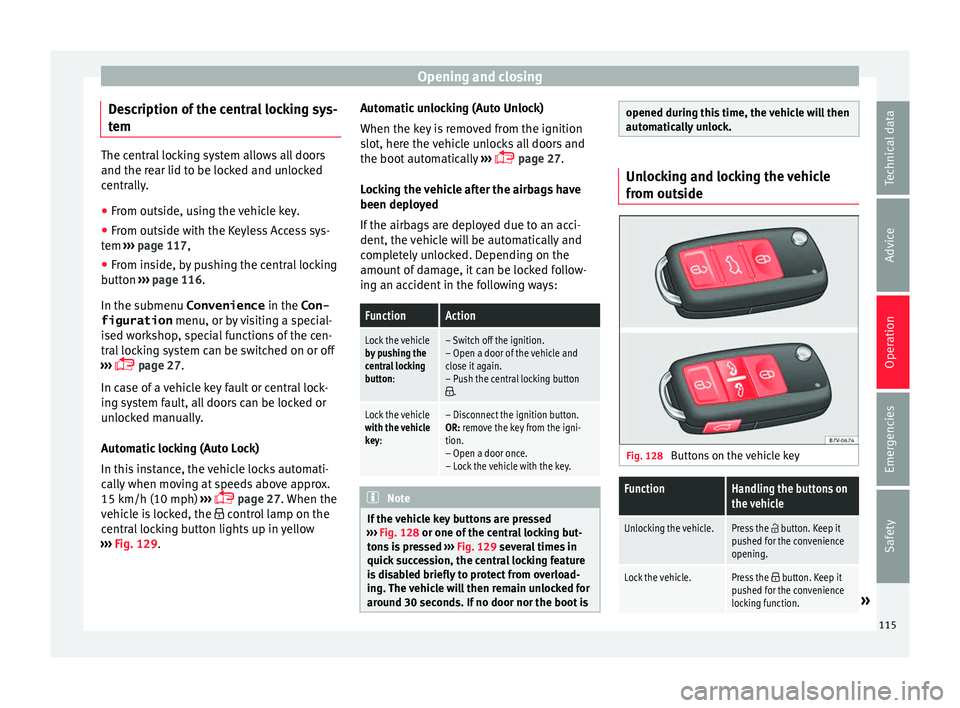
ide Fig. 128
Buttons on the vehicle key
FunctionHandling the buttons on
the vehicle
Unlocking the vehicle.Press the button. Keep it
pushed for the convenience
opening.
Lock the vehicle.Press the button. Keep it
pushed for the convenience
locking function.
» 115
Technical data
Advice
Operation
Emergencies
Safety
Page 118 of 324
OperationFunctionHandling the buttons on
the vehicle
Unlocking the rear lid.Press the button.
Open the sliding door.›››
page 122. Please note: depending on the c
entr
al lock-
ing function selected in the Convenience submenu, you may have to push the but-
ton twice ›››
page 27 to unlock all doors
and the rear lid.
The vehicle key only locks and unlocks the
vehicle if it is within range of the vehicle and
if the batteries have enough power. When
locking, the vehicle's turn signals will blink.
If the driver door is open, the vehicle cannot
be locked with the key. If you unlock the vehi-
cle without opening any doors or the rear lid,
it will lock again automatically after a few
seconds. This function prevents the vehicle
from remaining unlocked if the unlocking
button is pressed by mistake.
Convenience open/close function
● See ››
›
page 127, Controls for the win-
dows: functions.
● See ›››
page 129, Panoramic sliding sun-
roof: operating. Unlocking and locking the vehicle
from ins
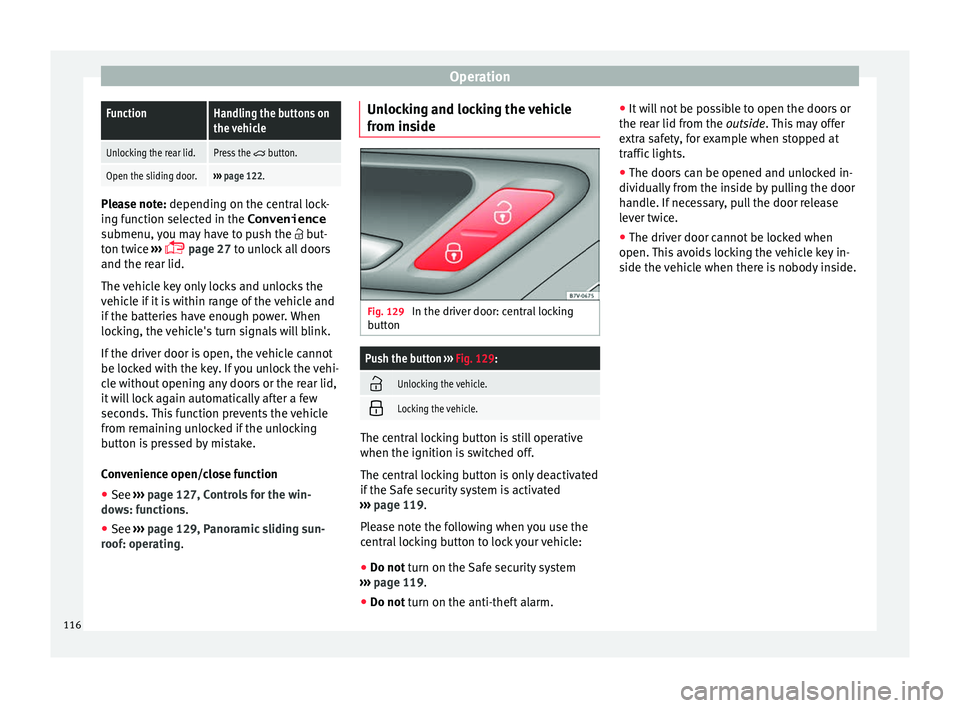
ide Fig. 129
In the driver door: central locking
b utt
on
Push the button ››› Fig. 129:
Unlocking the vehicle.
Locking the vehicle.
The central locking button is still operative
when the ignition i
s
sw
itched off.
The central locking button is only deactivated
if the Safe security system is activated
››› page 119.
Please note the following when you use the
central locking button to lock your vehicle:
● Do not turn on the Safe security system
› ›
› page 119.
● Do not turn on the anti-theft alarm. ●
It w i
ll not be possible to open the doors or
the rear lid from the outside. This may offer
extra safety, for example when stopped at
traffic lights.
● The doors can be opened and unlocked in-
dividually
from the inside by pulling the door
handle. If necessary, pull the door release
lever twice.
● The driver door cannot be locked when
open. This
avoids locking the vehicle key in-
side the vehicle when there is nobody inside.
116
Page 125 of 324
Opening and closingFunctionNecessary operations
Opens the slid-
ing door elec-
trically.
Press the
››› Fig. 134 button on the
dash panel, on the remote control key
and on the interior lining of the slid-
ing door. The sliding door opens with
the rollback anti-trap function as long
as the button is not pressed again.
Pull briefly on the interior or exterior
door handle. The sliding door opens
automatically.
Closing the
sliding door
electrically.
Press the ››› Fig. 134 button on the
dash panel, on the remote control key
and on the interior lining of the slid-
ing door. The sliding door closes with
the rollback anti-trap function as long
as the button is not pressed again. As
it closes, a warning sound is given.
Pull briefly on the interior or exterior
door handle. The sliding door closes
with the roll-back function. As it
closes, a warning sound is given. Note
● When the fuel t
ank flap is open, the right-
hand side electric sliding door is locked and
can only be opened manually.
● If the window of a sliding door is lowered
them this door c
annot open fully. Rollback anti-trap function of the elec-
tric
s
lidin
g doors The rollback anti-trap function of the electric
slidin
g door
s can reduce the risk of injury
when opening and closing the sliding doors
››› .
If an o b
ject gets in the way of the sliding
door while it is closing, it will open again.
If an object gets in the way of the sliding
door while it is opening, the door will be im-
mobilised at this point.
● Check the reason for which the sliding door
does not
open or close.
● Try to open or close the sliding door again.
To clo
se the sliding door without the rollback
anti-trap function
● Turn off the ignition and turn it on again.
● Press and hold the button ›
››
Fig. 134.
The sliding door closes with full force. WARNING
Closing the electric windows without the an-
ti-trap f u
nction can cause serious injury.
● Always close the sliding doors carefully.
● Nobody should ever get in the way of the
electric s
liding doors, especially when clos-
ing without the anti-trap function. ●
The anti-trap f u
nction does not prevent fin-
gers or other parts of the body getting
pinched against the window frame and caus-
ing injury. Electric child safety lock
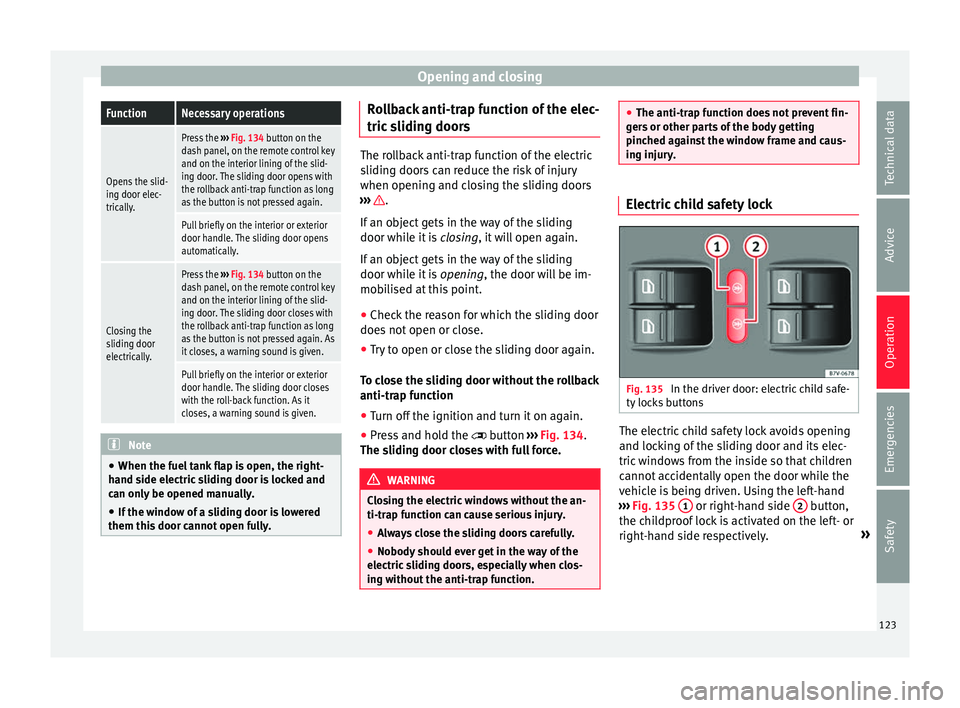
Fig. 135
In the driver door: electric child safe-
ty loc
k
s buttons The electric child safety lock avoids opening
and loc
k
in
g of the sliding door and its elec-
tric windows from the inside so that children
cannot accidentally open the door while the
vehicle is being driven. Using the left-hand
››› Fig. 135 1 or right-hand side
2 button,
the c hi
l
dproof lock is activated on the left- or
right-hand side respectively. »
123
Technical data
Advice
Operation
Emergencies
Safety
Page 128 of 324
Operation
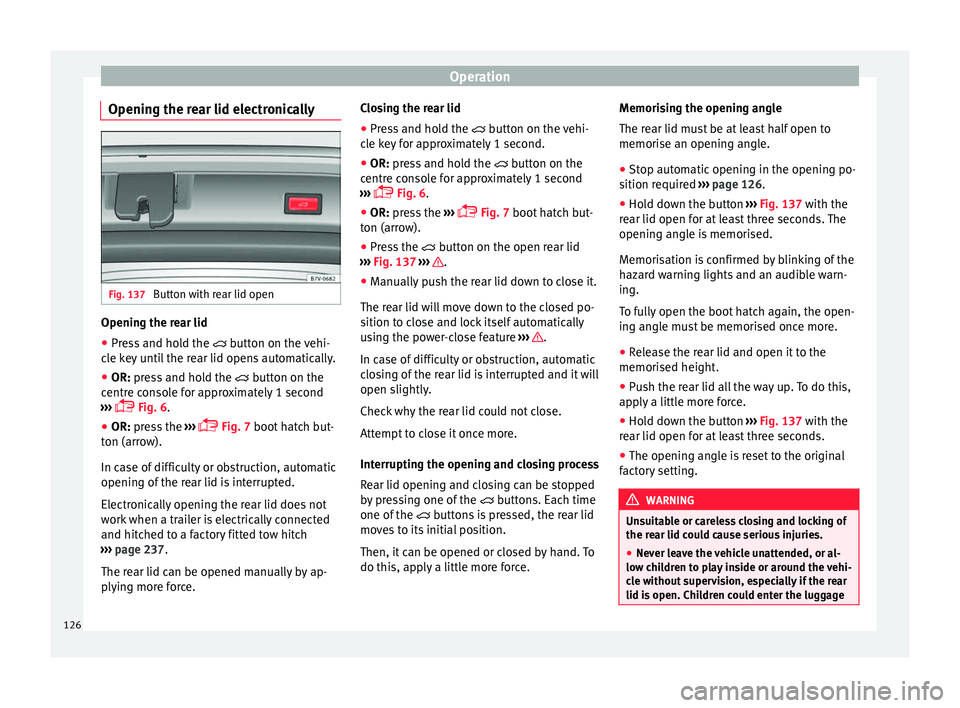
Opening the rear lid electronically Fig. 137
Button with rear lid open Opening the rear lid
● Press and hold the butt
on on the vehi-
cle key until the rear lid opens automatically.
● OR: press and hold the butt
on on the
centre console for approximately 1 second
››› Fig. 6.
● OR: press the ››
›
Fig. 7 boot hatch but-
ton (arrow).
In case of difficulty or obstruction, automatic
opening of the rear lid is interrupted.
Electronically opening the rear lid does not
work when a trailer is electrically connected
and hitched to a factory fitted tow hitch
››› page 237.
The rear lid can be opened manually by ap-
plying more force. Closing the rear lid
● Press and hold the button on the
vehi-
cle key for approximately 1 second.
● OR: press and hold the b
utton on the
centre console for approximately 1 second
››› Fig. 6.
● OR: press the ››
›
Fig. 7 boot hatch but-
ton (arrow).
● Press the button on the open r
ear lid
››› Fig. 137 ››› .
● Manually push the rear lid down to close it.
The r e
ar lid w
ill move down to the closed po-
sition to close and lock itself automatically
using the power-close feature ››› .
In c a
se of
difficulty or obstruction, automatic
closing of the rear lid is interrupted and it will
open slightly.
Check why the rear lid could not close.
Attempt to close it once more.
Interrupting the opening and closing process
Rear lid opening and closing can be stopped
by pressing one of the buttons. Each time
one of the buttons is pressed, the rear lid
moves to its initial position.
Then, it can be opened or closed by hand. To
do this, apply a little more force. Memorising the opening angle
The rear lid mu
st be at least half open to
memorise an opening angle.
● Stop automatic opening in the opening po-
sition requir
ed ››› page 126.
● Hold down the button ›››
Fig. 137 with the
rear lid open for at least three seconds. The
opening angle is memorised.
Memorisation is confirmed by blinking of the
hazard warning lights and an audible warn-
ing.
To fully open the boot hatch again, the open-
ing angle must be memorised once more.
● Release the rear lid and open it to the
memorised height.
● P
ush the rear lid all the way up. To do this,
apply
a little more force.
● Hold down the button ›››
Fig. 137 with the
rear lid open for at least three seconds.
● The opening angle is reset to the original
factor
y setting. WARNING
Unsuitable or careless closing and locking of
the re ar lid c
ould cause serious injuries.
● Never leave the vehicle unattended, or al-
low chi
ldren to play inside or around the vehi-
cle without supervision, especially if the rear
lid is open. Children could enter the luggage 126
Page 129 of 324
Opening and closing
compartment, close the rear lid and become
trap
ped. A loc
ked vehicle can be subjected to
extremely high and low temperatures, de-
pending on the time of year, resulting in seri-
ous injuries/illness or even death. WARNING
It is possible that the rear lid does not open
c omp l
etely or, if it is open, closes alone if a
large amount of snow has built up on it or if a
luggage rack is fitted. In this case, the rear lid
must be supported. CAUTION
● When us in
g a trailer, ensure that there is
sufficient space to open and close the rear
lid.
● Before opening the rear lid, any kind of
equipment carrier shou
ld be removed, for ex-
ample a bicycle carrier. CAUTION
In case of repeated short-term use, the sys-
tem i s
turned off to avoid overheating.
● When it has cooled, it may be used once
again. Durin
g this time, the rear lid may be
manually opened or closed applying a little
more effort.
● If the vehicle battery is disconnected or the
fuse b
lows when the rear lid is open, the rear
lid system must be re-initialised. To do this,
close the rear lid. Note
Before closing the rear lid, make sure that the
key h
as not been left inside the luggage com-
partment. Controls for the windows
Contr o
ls for the windows: functions Read the additional information carefully
›› ›
page 13
After turning off the ignition, the windows
can be opened and closed for a short time
using the buttons on the door as long as the
driver door or passenger side door is not
open. When the key is removed from the igni-
tion and the driver door is open, all of the
electric windows can be opened or closed at
the same time keeping the button on the
driver’s door pressed down. After a few sec-
onds, the convenience opening or closing
function will begin ›››
page 127.
One-touch opening and closing
The one-touch automatic opening and clos-
ing is used to open or close the windows
completely. It will not be necessary to hold
the button of the corresponding electric win-
dow. For the one-touch closing function: p
u
l
l the
button for the corresponding window up-
wards until it reaches the second position.
For the one-touch opening function: push the
button for the corresponding window down-
wards until it reaches the second position.
To stop the one touch function: push or pull
on the button of the corresponding window.
Resetting one-touch opening and closing
The one-touch opening and closing function
is not active after the vehicle battery has
been disconnected or is flat and will have to
be reset.
● Close all windows and doors.
● Pull the button of the corresponding win-
dow and hol
d it for one second in this posi-
tion.
● Release the button and pull upwards and
hold ag
ain. The one-touch function is now
ready for operation.
The automatic one-touch electric windows
can be reinitialised individually or several at
a time.
Convenience opening/closing
The electric windows can be opened or
closed from outside using the vehicle key: »
127
Technical data
Advice
Operation
Emergencies
Safety
Page 130 of 324
Operation
● Keep the
v
ehicle unlocking or locking but-
ton pressed. All windows which function elec-
trically will be either opened or closed.
● To interrupt the function, release the lock-
ing or un
locking button.
During convenience closing, first the win-
dows and then the sliding sunroof will be
closed.
In the Configuration - convenience
menu, there are different settings for operat-
ing the windows ›››
page 27. WARNING
Careless use of the electric windows can
cau se seriou
s injury.
● Only operate the electric windows when
nobody i
s in the way.
● Never leave children or disabled people
alone in the v
ehicle if the doors are to be
locked. The windows cannot be opened in
case of an emergency.
● Always take all the keys with you whenever
you le
ave the vehicle. After turning off the ig-
nition, the windows can be opened and
closed for a short time using the buttons on
the door as long as the driver door or passen-
ger side door is not open.
● When transporting children in the rear
seats, a
lways deactivate the rear electric win-
dows with the child safety lock so that they
cannot be opened and closed. Note
The one-touch function and roll-back function
wi l
l not work if there is a malfunction in the
electric windows. Visit an authorised work-
shop. Roll-back function on electric win-
dow
s The anti-trap function of the electric windows
can r
educ
e the risk of injury when opening
and closing the electric windows ››› . If a
w indo
w i
s not able to close because it is stiff
or because of an obstruction, it will automati-
cally open again.
● Check why the window does not close.
● Attempt to close the window again.
● If you try within the following 10 seconds
and the window c
loses with difficulty or there
is an obstruction once again, the one-touch
closing will stop working for 10 seconds.
● If the window is still obstructed, it will stop
at the corr
esponding position. When the but-
ton is operated within 10 seconds, the win-
dow will close without the anti-trap function
››› .To close windows without the anti-trap func-
tion
●
Attempt to close the corresponding electric
w indo
w w
ithin 10 seconds after by holding
the button. The window is closed without the
anti-trap function, deactivated for a short
time.
● After more than 10 seconds, the anti-trap
function i
s reactivated. The window will stop
once again if there is another difficulty or ob-
stacle.
● If the window will still not close, visit a spe-
ciali
sed workshop. WARNING
Closing the electric windows without the an-
ti-trap f u
nction can cause serious injury.
● Always close the electric windows careful-
ly.
● Nobody
should be in the way of the electric
window
s, especially when the anti-trap func-
tion is deactivated.
● The anti-trap function does not prevent fin-
gers
or other parts of the body getting
pinched against the window frame and caus-
ing injury. Note
The anti-trap function also operates if the
windo w
s are closed from the outside of the
vehicle using the ignition key for convenience
closing ››› page 127.128
Page 144 of 324
Operation
steering wheel buttons and select Conven-
ience .
● Select the Rear vision mirror ad-
justment fu
nction (if
it is already checked,
uncheck it and check the option again).
● Select reverse gear.
● Adjust the front passenger side exterior
mirror so that
you can see, for example, the
kerb area.
● The new position of the mirror will be stor-
ed automatic
ally and allocated to the vehicle
key that was used to unlock the vehicle. For
vehicles with seat memory, please see
››› page 147.
Activating the passenger exterior mirror set-
tings
● Turn the exterior mirror knob to position R.
● With the ignition switched on, select re-
verse g
ear.
● The stored position of the passenger exteri-
or mirror for r
everse gear is deleted when
driving forwards at 15 km/h (9 mph), or if the
knob is turned from position R to another po-
sition. WARNING
Fold and unfold the exterior mirror, taking
car e t
o avoid injuries.
● Only fold or unfold the exterior mirror when
there is
no-one in the way of the mirror. ●
When mov in
g the mirror, take care not to
trap fingers between the mirror and the mir-
ror bracket. WARNING
Failure to correctly estimate the distance of
the vehic
le behind could lead to serious acci-
dent.
● Rear-view convex or aspheric mirrors in-
cre
ase the field of vision, however objects ap-
pear smaller and further away in the mirrors.
● The use of these mirrors to estimate the
dist
ance to the next vehicle when changing
lane is imprecise and could result in serious
accident.
● If possible, use the rear vision mirror to es-
timate di
stances to vehicles behind you or in
other circumstances.
● Make sure that the rear visibility is ade-
quate. CAUTION
● Bef or
e entering a car wash, always ensure
that the exterior mirrors are correctly folded
in.
● Electrically-folding exterior mirrors should
not be fo
lded and unfolded mechanically as
this may damage the electrical operation. For the sake of the environment
The exterior mirror heating should be switch-
ed off when it i
s no longer needed. Other-
wise, it is an unnecessary fuel waste. Note
● The ext erior mirr
or heating initially heats
up with a high power, after two minutes the
heat will depend upon the ambient tempera-
ture.
● In the event of a fault, the electric exterior
mirrors
can be adjusted manually by pressing
the edge of the mirror surface. 142
Page 150 of 324
Operation
Lumbar massage function* Fig. 155
On the side of the front seat: lumbar
m a
s
sage function switch. During the massage operation, the lumbar
s
up
por
t will move in a way that massages the
lumbar area of the back. While it is operat-
ing, the arch of the lumbar support can be
adjusted using the corresponding control
based on your personal preferences
››› page 58.
Connection ● Press the button in the c
ontrol panel of
the seat.
Disconnection
● Press the button ag
ain in the control
panel of the seat. Automatic off
●
The lumbar massage will disconnect auto-
matical
ly after approx. 10 minutes.
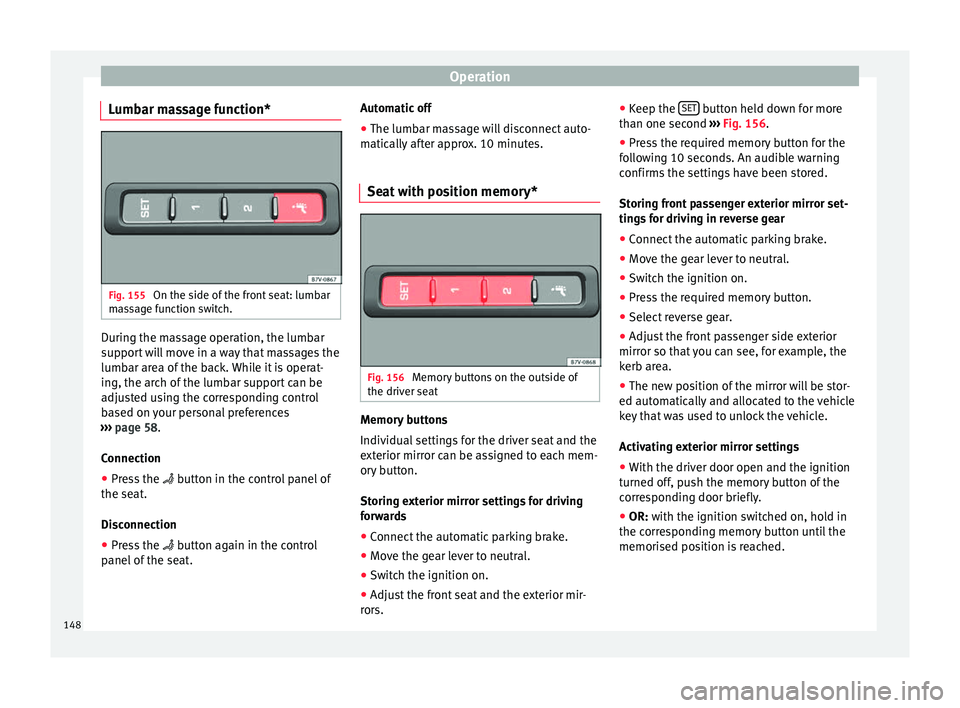
Seat with position memory* Fig. 156
Memory buttons on the outside of
the driv er se
at Memory buttons
Indiv
idual
settin
gs for the driver seat and the
exterior mirror can be assigned to each mem-
ory button.
Storing exterior mirror settings for driving
forwards
● Connect the automatic parking brake.
● Move the gear lever to neutral.
● Switch the ignition on.
● Adjust the front seat and the exterior mir-
rors. ●
K
eep the
SET button held down for more
th an one sec
ond ›
›› Fig. 156.
● Press the required memory button for the
fol
lowing 10 seconds. An audible warning
confirms the settings have been stored.
Storing front passenger exterior mirror set-
tings for driving in reverse gear
● Connect the automatic parking brake.
● Move the gear lever to neutral.
● Switch the ignition on.
● Press the required memory button.
● Select reverse gear.
● Adjust the front passenger side exterior
mirror so that
you can see, for example, the
kerb area.
● The new position of the mirror will be stor-
ed automatic
ally and allocated to the vehicle
key that was used to unlock the vehicle.
Activating exterior mirror settings
● With the driver door open and the ignition
turned off, p
ush the memory button of the
corresponding door briefly.
● OR: with the ignition switched on, hold in
the corr
esponding memory button until the
memorised position is reached.
148
Page 151 of 324
Seats and head restraints
To activate the memory function of the vehi-
c l
e k
ey
Important: a position must be memorised in
the memory.
● Open the driver-side door.
● Press and hold any memory button.
● Within the following three seconds, push
the open button
on the vehicle key. An au-
dible warning confirms the settings have
been activated.
Adjusting the wing mirrors for driving and
assigning driver seat settings to a vehicle
key
● Activate the memory function of the vehicle
key
● Adjus
t the front seat and the exterior mir-
rors.
● L
ock the vehicle. The settings are assigned
to the v
ehicle key.
To deactivate the memory function of the ve-
hicle key
Important: a position must be memorised in
the memory.
● Press and hold the SET button.
● Within the following 10 seconds, push the
open b utt
on
on the vehicle key. An audible
warning confirms the settings have been de-
activated. Initialising the seat position memory
The position memor
y system must be restar-
ted if, for example, the driver seat has been
changed.
Restarting deletes all memories and assign-
ments for the seat with position memory. The
memory buttons can then be reprogrammed
and the vehicle keys re-assigned.
● Open the driver door and do not get into
the vehic
le.
● Operating the seat settings from outside
the vehic
le.
● Move the angle of the seat backrest com-
plet
ely forwards.
● Release the control to set the angle and
then pres
s again until an audible warning is
heard. Note
The front passenger side exterior mirror auto-
matic a
lly changes from the position stored
for reversing as soon as the vehicle moves
forward at a speed of at least 15 km/h
(9 mph) or when the gear selection lever is
changed to a position other than R. Convenient entry function for the third
r
o
w of
seats Fig. 157
Second row of seats: convenient en-
tr y
f
unction controls The outer seats of the second row can be fol-
ded t
o m
ak
e it easier to get in and out of the
third row of seats.
Folding down the second row seats
● If necessary, open the belt loop and wind
up the seat belt
by hand.
● If necessary, remove the side head restraint
of the inte
grated child seat ›››
page 79.
● If necessary, raise the armrests.
● Remove any objects located in the footwell
of the second r
ow of seats, where applicable
››› .
»
149
Technical data
Advice
Operation
Emergencies
Safety
Page 179 of 324
Air conditioning
the rear centre console. These controls are
u sed t
o m
ake the appropriate settings for the
rear seats. Note
● Not a l
l Climatronic buttons are operational
in mode.
● The button is locked in defrost mode.
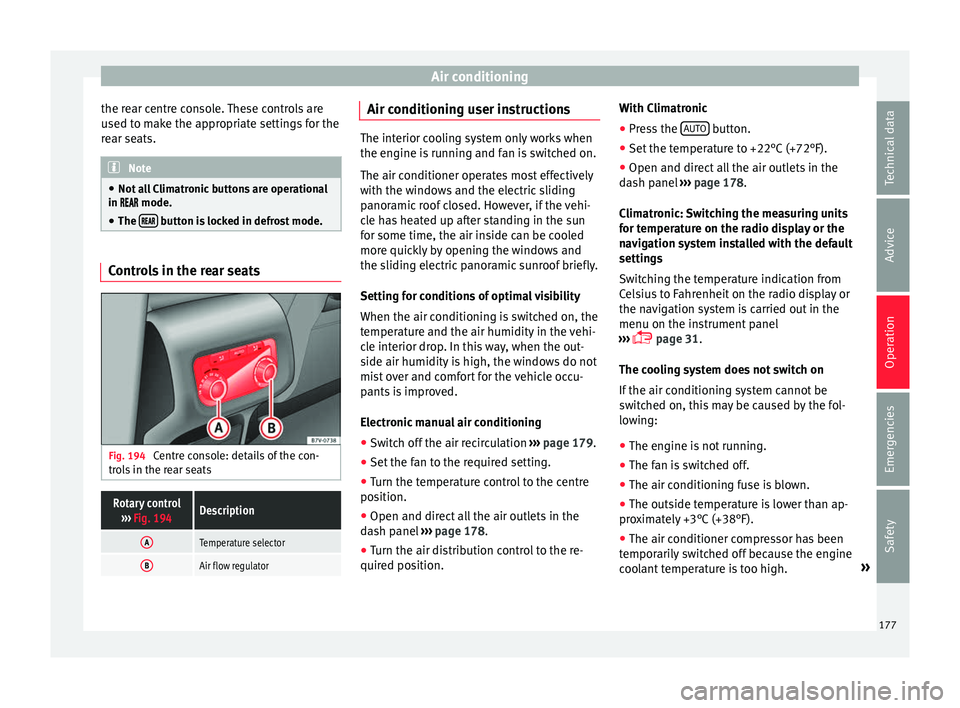
Controls in the rear seats
Fig. 194
Centre console: details of the con-
tr o
l
s in the rear seats
Rotary control
››› Fig. 194Description
ATemperature selector
BAir flow regulator Air conditioning user instructions
The interior cooling system only works when
the engine i
s
running and fan is switched on.
The air conditioner operates most effectively
with the windows and the electric sliding
panoramic roof closed. However, if the vehi-
cle has heated up after standing in the sun
for some time, the air inside can be cooled
more quickly by opening the windows and
the sliding electric panoramic sunroof briefly.
Setting for conditions of optimal visibility
When the air conditioning is switched on, the
temperature and the air humidity in the vehi-
cle interior drop. In this way, when the out-
side air humidity is high, the windows do not
mist over and comfort for the vehicle occu-
pants is improved.
Electronic manual air conditioning
● Switch off the air recirculation ››
›
page 179.
● Set the fan to the required setting.
● Turn the temperature control to the centre
position.
● Open and dir
ect all the air outlets in the
dash p
anel ›››
page 178.
● Turn the air distribution control to the re-
quired pos
ition. With Climatronic
●
Press the AUTO button.
● Set the temperature to +22°C (+72°F).
● Open and direct all the air outlets in the
d a
sh p
anel ››› page 178.
Climatronic: Switching the measuring units
for temperature on the radio display or the
navigation system installed with the default
settings
Switching the temperature indication from
Celsius to Fahrenheit on the radio display or
the navigation system is carried out in the
menu on the instrument panel
››› page 31.
The cooling system does not switch on
If the air conditioning system cannot be
switched on, this may be caused by the fol-
lowing:
● The engine is not running.
● The fan is switched off.
● The air conditioning fuse is blown.
● The outside temperature is lower than ap-
prox
imately +3°C (+38°F).
● The air conditioner compressor has been
temporari
ly switched off because the engine
coolant temperature is too high. »
177
Technical data
Advice
Operation
Emergencies
Safety