battery Seat Alhambra 2018 Owner's Guide
[x] Cancel search | Manufacturer: SEAT, Model Year: 2018, Model line: Alhambra, Model: Seat Alhambra 2018Pages: 324, PDF Size: 7.04 MB
Page 176 of 324
Operation
●
Unshiel ded equipment
can cause interfer-
ence on the radio equipment and the vehi-
cle's electrical system.
● Interference can occur on the radio's AM
wave
band if electrical appliances are used
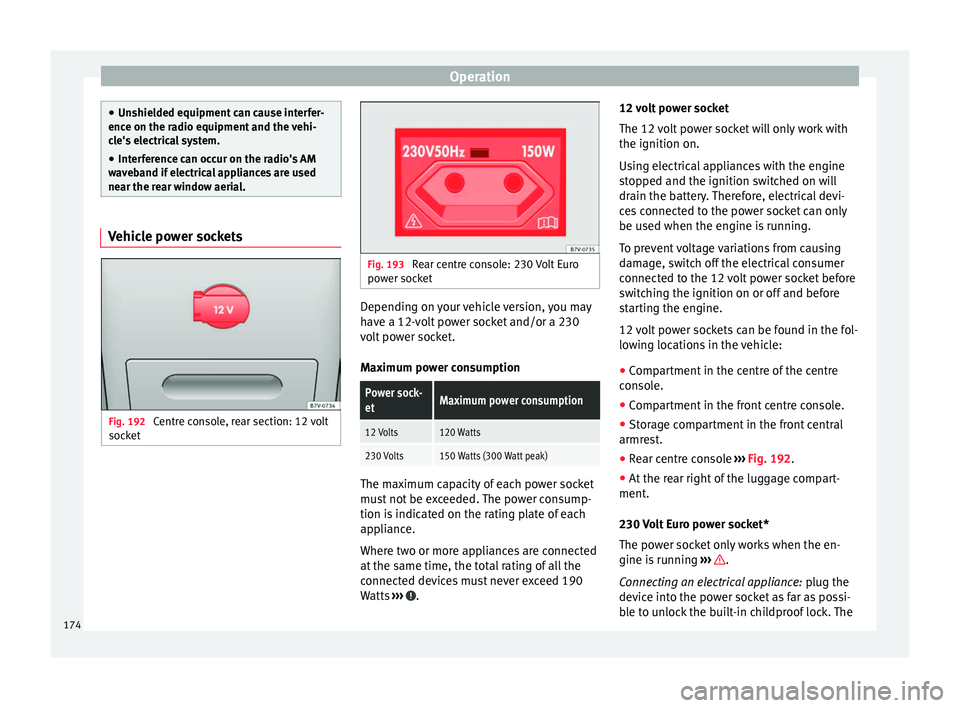
near the rear window aerial. Vehicle power sockets
Fig. 192
Centre console, rear section: 12 volt
soc k
et Fig. 193
Rear centre console: 230 Volt Euro
pow er soc
ket Depending on your vehicle version, you may
h
av
e a 12-
volt power socket and/or a 230
volt power socket.
Maximum power consumption
Power sock-
etMaximum power consumption
12 Volts120 Watts
230 Volts150 Watts (300 Watt peak) The maximum capacity of each power socket
mu
s
t
not be exceeded. The power consump-
tion is indicated on the rating plate of each
appliance.
Where two or more appliances are connected
at the same time, the total rating of all the
connected devices must never exceed 190
Watts ››› .12 volt power socket
The 12
v
o
lt power socket will only work with
the ignition on.
Using electrical appliances with the engine
stopped and the ignition switched on will
drain the battery. Therefore, electrical devi-
ces connected to the power socket can only
be used when the engine is running.
To prevent voltage variations from causing
damage, switch off the electrical consumer
connected to the 12 volt power socket before
switching the ignition on or off and before
starting the engine.
12 volt power sockets can be found in the fol-
lowing locations in the vehicle:
● Compartment in the centre of the centre
conso
le.
● Compartment in the front centre console.
● Storage compartment in the front central
armres
t.
● Rear centre console ›››
Fig. 192.
● At the rear right of the luggage compart-
ment.
230 V
olt Euro power socket*
The power socket only works when the en-
gine is running ››› .
C onn e
cting an electrical appliance: plug the
device into the power socket as far as possi-
ble to unlock the built-in childproof lock. The
174
Page 182 of 324
Operation
CAUTION
Do not smoke when air recirculation is
swit c
hed on in vehicles with an air condition-
er. The smoke taken in could lie on the cool-
ing system vaporiser and on the activated
charcoal cartridge of the dust and pollen fil-
ter, leading to a permanently unpleasant
smell. Note
Climatronic: air recirculation mode switches
on to pr ev
ent exhaust gas from entering the
vehicle interior when it is in reverse and
while the automatic windscreen wipers are
working. Auxiliary heater* (additional
he
at
er)
Intr
oduction The auxiliary heater is powered by fuel from
the
v
ehic
le's fuel tank and can be used while
the vehicle is in motion and at a standstill.
Select the mode required ( heat or fan )
››› page 182 on the dash panel.
In winter, the auxiliary heater can be used in
heat mode before switching on the ignition
to remove any ice, mist or snow from the
windscreen (thin layers only). WARNING
The auxiliary heater fumes contain carbon di-
ox ide, an odourl
ess and colourless toxic gas.
Carbon monoxide can cause people to lose
consciousness. It can also cause death.
● Never switch on the auxiliary heater or
leav
e it running in places that are enclosed or
unventilated.
● Never program the independent heating
syst
em to be activated and operated in
closed, unventilated areas. WARNING
The components of the auxiliary heater ex-
hau s
t system heat up a great deal. This could
cause a fire.
● Always park your vehicle so that no part of
the exhau
st system can come in contact with
flammable materials (such as dried grass). CAUTION
Never place food, medicines or other heat-
sens itiv
e objects close to the air vents. Food,
medicines and other heat-sensitive objects
may be damaged or made unsuitable for use
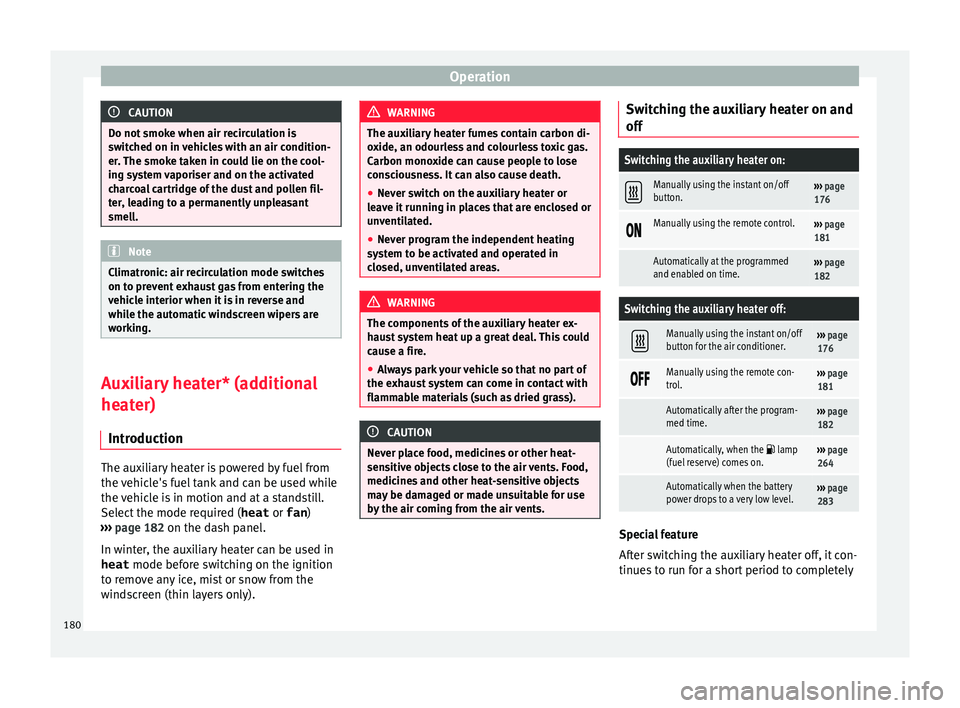
by the air coming from the air vents. Switching the auxiliary heater on and
off
Switching the auxiliary heater on:
Manually using the instant on/off
button.›››
page
176
Manually using the remote control.›››
page
181
Automatically at the programmed
and enabled on time.››› page
182
Switching the auxiliary heater off:
Manually using the instant on/off
button for the air conditioner.›››
page
176
Manually using the remote con-
trol.›››
page
181
Automatically after the program-
med time.››› page
182
Automatically, when the lamp
(fuel reserve) comes on.››› page
264
Automatically when the battery
power drops to a very low level.››› page
283 Special feature
Af
t
er sw
itching the auxiliary heater off, it con-
tinues to run for a short period to completely
180
Page 183 of 324

Air conditioning
burn any fuel remaining in the auxiliary heat-
er .
The e
xhaust gases are also extracted from
the system.
Remote control Fig. 196
Auxiliary heater: remote control
Fig. 196Meaning
Switch the auxiliary heater on.
Switch the auxiliary heater off:
AAerial.
BLight.
The auxiliary heater may accidentally switch
on if
a b
utt
on is pressed on the remote con-
trol by mistake. This may also occur outside
the range of the remote control or if the light
flashes. Remote control light
The remote c
ontrol light provides users with
different information at the push of a button:
Battery light
Fig. 196 BMeaning
Lights up green for
around two seconds.The auxiliary heater has been
switched on using the but-
ton.
Lights up red for
around two seconds.The auxiliary heater has been
switched off using the but-
ton.
Slowly flashes green
for around two sec-
onds.No on a)
signal has been re-
ceived.
Quickly flashes green
for around two sec-
onds.The auxiliary heater is locked.
Possible causes: the fuel tank
is almost empty, the battery
charge is very low or there is a
fault.
Flashes red for
around two seconds.No off a)
signal has been re-
ceived.
Lights up orange for
around two seconds,
then green or red.The remote control battery is
almost flat. However, the on or
off signal has been received,
respectively.
Lights up orange for
around two seconds,
then flashes green or
red.The remote control battery is
almost flat. The on or off signal
has not been received, respec-
tively.
Battery light
Fig. 196 BMeaning
Flashes orange for
around five seconds.The remote control battery is
flat. The on or off signal has
not been received, respective-
ly.
a)
Within its range, the remote control might not receive the sig-
nal sent by the vehicle receiver. In this case, the remote control
will send an error message whether the auxiliary heater is on or
off. Come closer to the vehicle and press the corresponding but-
ton on the remote control once again.
Replacing the remote control battery
If the light ›››
Fig. 196 B on the remote con-
tr o
l
does not come on when the button is
pressed, the remote control battery should
soon be replaced.
The battery is located beneath a cover on the
back of the remote control. Turn the slot to
the left using a flat, blunt object (e.g. a coin).
When changing the battery, use another bat-
tery of the same model and observe the po-
larity when fitting it ››› .
R an
g
e
The receiver is in the interior of the vehicle.
The remote control, when fitted with new bat-
teries, has a range of several hundred me-
tres. Obstacles between the remote control
and the vehicle, bad weather conditions and
discharged batteries can considerably reduce
the range of the remote control. »
181
Technical data
Advice
Operation
Emergencies
Safety
Page 184 of 324
Operation
An optimum range is obtained by keeping
the r emot
e c
ontrol vertical, with the aerial
››› Fig. 196 A pointing upwards. When doing
so , do not
c
over the aerial with your fingers
or with the palm of your hand.
There must be a minimum distance of 2 me-
tres between the remote control and the vehi-
cle. CAUTION
● The ra dio fr
equency remote control con-
tains electronic components. Therefore, avoid
getting it wet and being knocked and protect
it from direct sunlight.
● Use of inappropriate batteries may damage
the remote c
ontrol. For this reason, always re-
place the used battery with another of the
same voltage, size and specifications. For the sake of the environment
● Ple a
se dispose of old batteries so that they
do not harm the environment.
● The remote control battery may contain
perch
lorate. Observe the legal requirements
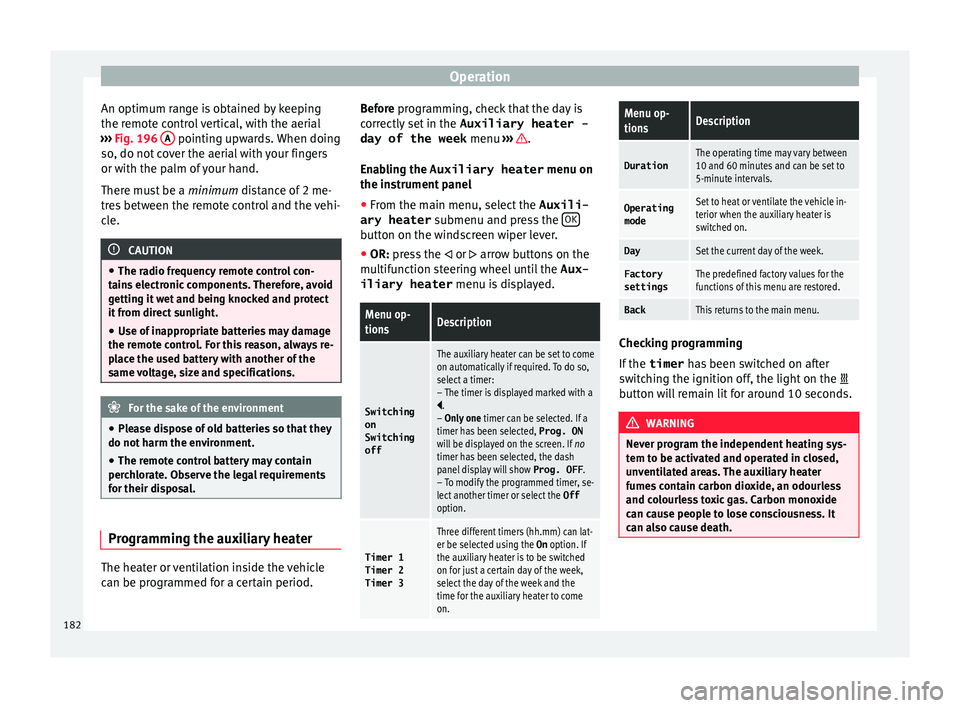
for their disposal. Programming the auxiliary heater
The heater or ventilation inside the vehicle
c
an be pr
ogr
ammed for a certain period. Before programming, check that the day is
corr
ectly set in the Auxiliary heater -
day of the week menu ››› .
En ab
lin
g the Auxiliary heater menu on
the instrument panel
● From the main menu, select the Auxili-
ary heater submenu and pre
ss the OK button on the windscreen wiper lever.
● OR: pr ess the
or
arrow buttons on the
multifunction steering wheel until the Aux-
iliary heater menu is displayed.
Menu op-
tionsDescription
Switching
on
Switching
off
The auxiliary heater can be set to come
on automatically if required. To do so,
select a timer:
– The timer is displayed marked with a
.
– Only one timer can be selected. If a
timer has been selected, Prog. ON
will be displayed on the screen. If no
timer has been selected, the dash
panel display will show Prog. OFF.
– To modify the programmed timer, se-
lect another timer or select the Off
option.
Timer 1
Timer 2
Timer 3
Three different timers (hh.mm) can lat-
er be selected using the On option. If
the auxiliary heater is to be switched
on for just a certain day of the week,
select the day of the week and the
time for the auxiliary heater to come
on.
Menu op-
tionsDescription
DurationThe operating time may vary between
10 and 60 minutes and can be set to
5-minute intervals.
Operating
modeSet to heat or ventilate the vehicle in-
terior when the auxiliary heater is
switched on.
DaySet the current day of the week.
Factory
settingsThe predefined factory values for the
functions of this menu are restored.
BackThis returns to the main menu. Checking programming
If
the
timer h
a
s been switched on after
switching the ignition off, the light on the
button will remain lit for around 10 seconds. WARNING
Never program the independent heating sys-
tem t o be activ
ated and operated in closed,
unventilated areas. The auxiliary heater
fumes contain carbon dioxide, an odourless
and colourless toxic gas. Carbon monoxide
can cause people to lose consciousness. It
can also cause death. 182
Page 185 of 324
Driving
Operating instructions The auxiliary heater exhaust system located
below the
v
ehicle must be kept clear of snow,
mud and other objects. The exhaust gases
must not be obstructed in any way. The ex-
haust gases generated by the auxiliary heater
are removed via an exhaust pipe fitted under-
neath the vehicle.
On heating the vehicle interior, depending on
the outside temperature the warm air is first
directed at the windscreen and then to the
rest of the vehicle interior through the air
vents. If the air vents are turned towards the
windows, for example, the form of air distri-
bution may be affected.
Depending on the outside temperature, the
temperature at which the auxiliary heater
warms the vehicle interior may be somewhat
higher if the heating or air conditioner tem-
perature control is set to maximum before
switching the heating on.
Depending on the engine, vehicles with aux-
iliary heater may be fitted with a second bat-
tery in the luggage compartment that is re-
sponsible for powering the auxiliary heater.
When will the auxiliary heater will not switch
on?
● The auxiliary heater requires about as
much po w
er as the dipped beam headlights.
If the battery charge is low, the auxiliary heat- er will switch off automatically or will not
even swit
ch on. This avoids problems when
starting the engine.
● The heater will switch on just once each
time. The timer wi
ll also have to be switched
back on every time it is required. Note
● Noise w i
ll be heard while the auxiliary
heater is running.
● When the air humidity is high and the out-
side temper
ature low, the heating system
may evaporate condensation from the auxili-
ary heater. In this case, steam may be re-
leased from underneath the vehicle. This is
completely normal and there is no need to
suspect a fault!
● If the auxiliary heater runs several times
over a pr
olonged period, the vehicle battery
may run flat. To re-charge the battery, drive
the vehicle for a long distance. As a general
rule, drive for as much time as the auxiliary
heating was working. Driving
St op
pin
g and starting the en-
gine
Introduction Immobiliser display
When an inv
alid k
ey is used or in the event of
a system fault, or Immobiliser on is
displayed on the instrument panel. The en-
gine cannot be started.
Pushing or towing
For technical reasons, the vehicle must not
be push- or tow-started. Jump starting is pref-
erable. WARNING
Turning off the engine while driving will make
st op
ping the vehicle difficult; this could even
result in the loss of control causing an acci-
dent with serious consequences.
● The assisted braking and steering systems,
the airbag sys
tem, seat belts and certain
safety equipment are only active while the
engine is running.
● The engine should only be switched off
when the vehic
le is at a standstill. » 183
Technical data
Advice
Operation
Emergencies
Safety
Page 187 of 324
Driving
Note
● If the k ey
is left in the ignition lock with the
engine off for long periods, the vehicle
battery will run flat.
● For automatic gearbox vehicles, the key can
only be r
emoved from the ignition lock if the
gear selector lever is in position P. In this
case, press and release the selector lever
locking button. Starter button
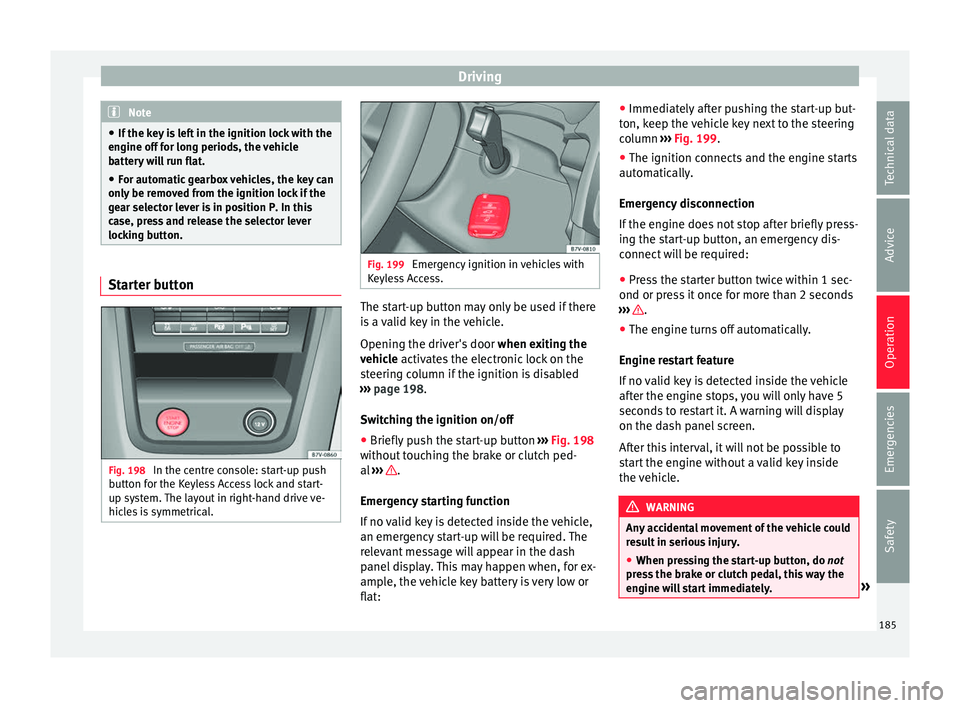
Fig. 198
In the centre console: start-up push
b utt
on f
or the Keyless Access lock and start-
up system. The layout in right-hand drive ve-
hicles is symmetrical. Fig. 199
Emergency ignition in vehicles with
Keyl e
ss Access. The start-up button may only be used if there
i
s
a
valid key in the vehicle.
Opening the driver's door when exiting the
vehicle activates the electronic lock on the
steering column if the ignition is disabled
››› page 198.
Switching the ignition on/off
● Briefly push the start-up button ›››
Fig. 198
without touching the brake or clutch ped-
al ››› .
Emer g
ency
starting function
If no valid key is detected inside the vehicle,
an emergency start-up will be required. The
relevant message will appear in the dash
panel display. This may happen when, for ex-
ample, the vehicle key battery is very low or
flat: ●
Immediately
after pushing the start-up but-
ton, keep the vehicle key next to the steering
column ››› Fig. 199.
● The ignition connects and the engine starts
automatic
ally.
Emergency disconnection
If the engine does not stop after briefly press-
ing the start-up button, an emergency dis-
connect will be required:
● Press the starter button twice within 1 sec-
ond or pres
s it once for more than 2 seconds
››› .
● The engine turns off automatically.
En gine r
e
start feature
If no valid key is detected inside the vehicle
after the engine stops, you will only have 5
seconds to restart it. A warning will display
on the dash panel screen.
After this interval, it will not be possible to
start the engine without a valid key inside
the vehicle. WARNING
Any accidental movement of the vehicle could
re s
ult in serious injury.
● When pressing the start-up button, do not
pre
ss the brake or clutch pedal, this way the
engine will start immediately. » 185
Technical data
Advice
Operation
Emergencies
Safety
Page 188 of 324
Operation
WARNING
If vehicle keys are used negligently or with-
out due c ar
e, this may cause accidents and
serious injury.
● Never leave any key inside the vehicle
when exitin
g. Otherwise, a child or unauthor-
ised person could lock the vehicle, start the
engine or connect the ignition and, in this
way, operate electronic equipment (e.g. the
windows). Note
In diesel vehicles with the Keyless Access
sys t
em, there may be a delay in the engine
starting if it requires preheating. Starting the engine
Complete operations only in the sequence
giv
en:
Vehicles without
Keyless AccessVehicles with
Keyless Access
1.Press and hold the brake pedal until step 5 is per- formed.
1a.In vehicles with a manual gearbox: press and
hold the clutch down until the engine starts.
2.Put the gearbox lever in neutral or the selector lever in position P or N.
Vehicles without
Keyless AccessVehicles with
Keyless Access
3.
Only in vehicles with
diesel engines: for pre-
heating, turn the key in the ignition lock to po-
sition ››› Fig. 197 2
. A
control lamp lights up
on the dash panel
.
4.
Turn the key in the igni- tion lock to position
››› Fig. 197 3
; do not
press the accelerator.
Press the starter button ››› Fig. 198; do not
press the accelerator. There needs to be a
valid key inside the ve- hicle for the engine to start.
5.Once the engine starts,release the key in the ignition lock.Once the engine starts,release the start-up button.
6.
If the engine does not
start, stop and wait for around 1 minute to try again.If the engine does not
start, stop and wait for around 1 minute to try again. If necessary,
perform an emergency start ››› page 185.
7.Disconnect the electronic parking brake when you
are about to start driving ››› page 188. WARNING
Never leave the vehicle unattended if the en-
gine is ru
nning. The vehicle could move off
suddenly, especially if it is in gear, resulting
in an accident and serious injury. WARNING
Cold start sprays could explode or cause a
sud den inc
rease in the engine speed.
● Never use start boosters. CAUTION
● An attempt t
o start the engine while driving
or starting the engine immediately after turn-
ing it off can cause damage to the engine or
starter motor.
● When the engine is cold, avoid high revs
and heavy ac
celeration and do not make the
engine work hard.
● Do not push or tow start the engine. Un-
burnt f
uel could damage the catalytic con-
verter. For the sake of the environment
Do not warm the engine at idle speed; start
drivin g immedi
ately if the visibility is OK.
This helps the engine reach operating tem-
perature faster and reduces emissions. Note
● For e x
ample, if the key battery is very worn
or flat, the engine cannot be started with the
starter button. In this case, remove the igni-
tion button from the lock and insert the key.
● Electrical devices with a high power con-
sumption are sw
itched off temporarily when
the engine starts. 186
Page 189 of 324
Driving
●
When the engine i s
started cold, there may
be strong vibrations for a few moments for
technical reasons. This is quite normal, and
no cause for concern.
● At temperatures below +5°C (+41°F),
smoke ma
y be given off below the vehicle
when the additional heater is turned on. Stopping the engine
Complete operations only in the sequence
given:
Vehicles without
Keyless AccessVehicles with
Keyless Access
1.Bring the vehicle to a full stop ››› .
2.Press and hold the brake pedal until the step 4 is
performed.
3.If the vehicle has an automatic gearbox, place theselector lever in position P.
4.Connect the electronic parking brake ››› page 188.
5.Turn the vehicle key in
the ignition lock to po-
sition ››› Fig. 197 1
.
Briefly press the start-
up button
››› Fig. 198. If
the engine fails to
switch off, perform an
emergency disconnect
››› page 185.
6.If the vehicle is equipped with a manual gearbox,
put it into 1st or reverse. WARNING
Never switch off the engine while the vehicle
is mo
ving. You may lose control of the vehicle
and there is a risk of serious accident.
● The airbags and belt tensioners do not
work when the ignition i
s switched off.
● The brake servo does not work with the en-
gine off. T
o stop, the brake pedal must be
pressed with more force.
● As the power steering does not work if the
engine is
not running, you will need more
strength to steer than normally.
● If the key is removed from the ignition, the
steerin
g may lock and it will not be possible
to steer the vehicle. CAUTION
● If the v
ehicle is stopped and the Start-Stop
system* switches off the engine, the ignition
remains switched on. Make sure that the igni-
tion is switched off before leaving the vehi-
cle, otherwise the battery could discharge.
● If the engine has been driven at high speed
for a pro
longed period of time, it may over-
heat when turned off. To avoid engine dam-
age, allow the engine to run for approximate-
ly two minutes in neutral before switching it
off. Note
● In v ehic
les with automatic gearbox, the key
can only be removed when the selector lever
is in position P.
● After stopping the engine, the engine com-
partment
fan may continue running for a few
minutes, even when the ignition has been
switched off or the key removed. The radiator
fan is automatically switched off. Electronic immobiliser
The gear lock prevents the engine from being
s
t
ar
ted with an unauthorised key and the ve-
hicle being moved.
The vehicle key has a chip that automatically
disables the immobilizer when the key is
placed in the ignition lock.
The electronic immobiliser will be activated
again automatically as soon as you pull the
key out of the ignition lock. For vehicles with
the Keyless Access system, the key has to be
outside the vehicle ›››
page 117.
For this reason, the vehicle can only be used
with a genuine SEAT key with the correct
code. Coded keys can be purchased from
your technical service centre ›››
page 112.
If an unauthorised key is used, the message SAFE or Immobiliser active is displayed
on the instrument panel. The vehicle cannot
be started in this case »
187
Technical data
Advice
Operation
Emergencies
Safety
Page 191 of 324
Driving
It lights up yellow
Front brake pads
worn.Contact a specialised work-
shop immediately. Inspect
all
the brake pads and replace as
necessary.
It lights up yellow
ESC disconnected by
the system.Switching the ignition on and
off If necessary, drive for a
short distance.
Fault in the ESC.Contact a specialised work-
shop.
Together with the ABS
control lamp : Fault
in the ABS.Contact a specialised work-
shop. The vehicle can be
braked without ABS.
The battery has been
reconnected.››› page 283
It lights up yellow
ASR manually deacti-
vated.Switch on ASR
››› page 207.
ASR is automatically activated
when the ignition is switched
on or off.
It lights up yellow
Together with the ESC
control lamp : Fault
in the ABS.Contact a specialised work-
shop. The vehicle can be
braked without ABS.
Together with the
warning lamp o: ABS fault.
It lights up yellow
Together with the warning lamp flash-
ing: electronic parking
brake faulty.Contact a specialised work-
shop.
It lights up green
Brake pedal not press-
ed.
Press the brake pedal to select
a gear range.
Press the brake pedal to dis-
connect the electronic parking
brake
››› page 190.
Flashes red
Electronic parking
brake faulty. At the
same time the
con-
trol lamp may light up
or the
control lamp
on the button may
flash.
Contact a specialised work-
shop, as it may not be possi-
ble to park the vehicle in safe-
ty.
It flashes yellow
ESC or ASR regulating.Take your foot off the accelera-
tor. Adjust your driving style to
the road conditions.
Several warning and control lamps light up
f
or a f
ew sec
onds when the ignition is switch-
ed on, signalling that the function is being
verified. They will switch off after a few sec-
onds. WARNING
Observe the safety warnings ›››
in Control
and warnin g l
amps on page 107. WARNING
Driving with brakes in bad condition could re-
su lt
in a serious accident.
● If the brake warning lamp does not
turn
off or if it lights up when driving, the brake
fluid level in the reservoir is too low or there
is a fault in the brake system. Obtain profes-
sional assistance immediately ››› page 281,
Checking the brake fluid level.
● If the brake warning lamp lights up t
o-
gether with the ABS warning lamp , the
ABS regulation could be malfunctioning. As a
result, the rear wheels can lock relatively
easily when braking. If the rear wheels lock
this could result in loss of vehicle control! If
possible, reduce your speed and drive care-
fully to a specialised workshop close by to
check the brake system. During the following
journey, avoid sudden braking and manoeu-
vres.
● If the ABS warning lamp does not
go out
or if it lights up while driving, the ABS is not
working properly. The vehicle can only be
stopped using normal braking without ABS.
The protection provided by the ABS is not
available. Visit a specialised workshop as
soon as possible.
● If the lights up
, alone or accompanied by
a warning message on the instrument panel » 189
Technical data
Advice
Operation
Emergencies
Safety
Page 192 of 324
Operation
display, please go immediately to a
spec
i
alised workshop to check the brake
pads and to replace them if they are worn. Electronic parking brake
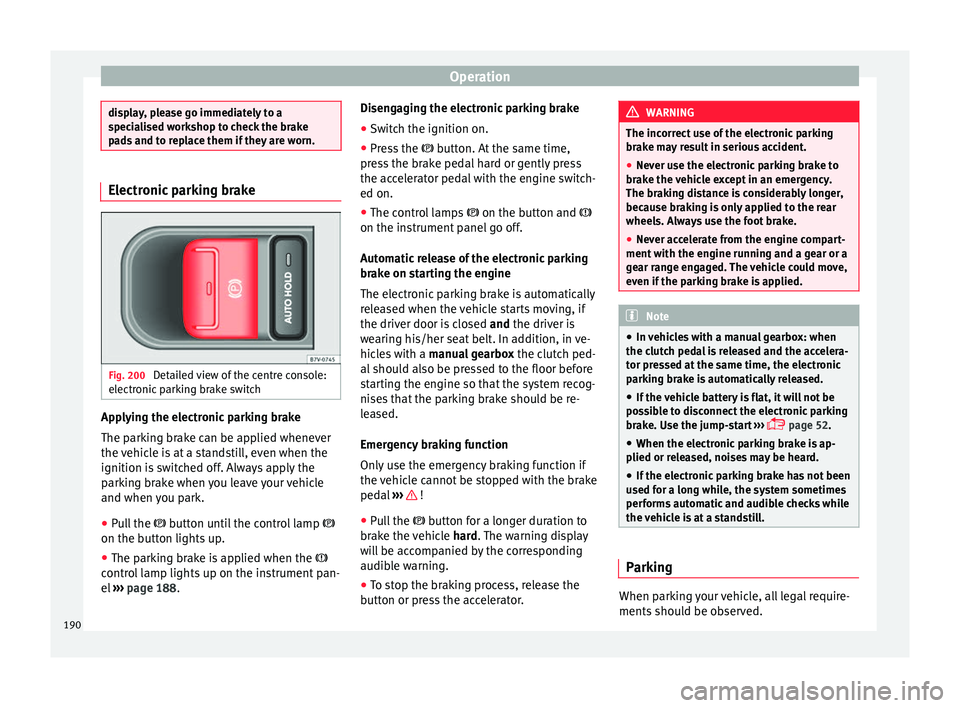
Fig. 200
Detailed view of the centre console:
el ectr
onic
parking brake switch Applying the electronic parking brake
The p
ark
in
g brake can be applied whenever
the vehicle is at a standstill, even when the
ignition is switched off. Always apply the
parking brake when you leave your vehicle
and when you park.
● Pull the button u
ntil the control lamp
on the button lights up.
● The parking brake is applied when the
contro
l lamp lights up on the instrument pan-
el ››› page 188. Disengaging the electronic parking brake
● Switch the ignition on.
● Press the button. At
the same time,
press the brake pedal hard or gently press
the accelerator pedal with the engine switch-
ed on.
● The control lamps on the button and
on the instrument panel go off.
Automatic release of the electronic parking
brake on starting the engine
The electronic parking brake is automatically
released when the vehicle starts moving, if
the driver door is closed and the driver is
wearing his/her seat belt. In addition, in ve-
hicles with a manual gearbox the clutch ped-
al should also be pressed to the floor before
starting the engine so that the system recog-
nises that the parking brake should be re-
leased.
Emergency braking function
Only use the emergency braking function if
the vehicle cannot be stopped with the brake
pedal ››› !
● Pull the butt
on f
or a longer duration to
brake the vehicle hard. The warning display
will be accompanied by the corresponding
audible warning.
● To stop the braking process, release the
button or pr
ess the accelerator. WARNING
The incorrect use of the electronic parking
brak e m
ay result in serious accident.
● Never use the electronic parking brake to
brake the
vehicle except in an emergency.
The braking distance is considerably longer,
because braking is only applied to the rear
wheels. Always use the foot brake.
● Never accelerate from the engine compart-
ment with the en
gine running and a gear or a
gear range engaged. The vehicle could move,
even if the parking brake is applied. Note
● In v ehic
les with a manual gearbox: when
the clutch pedal is released and the accelera-
tor pressed at the same time, the electronic
parking brake is automatically released.
● If the vehicle battery is flat, it will not be
poss
ible to disconnect the electronic parking
brake. Use the jump-start ›››
page 52.
● When the electronic parking brake is ap-
plied or rel
eased, noises may be heard.
● If the electronic parking brake has not been
used for a lon
g while, the system sometimes
performs automatic and audible checks while
the vehicle is at a standstill. Parking
When parking your vehicle, all legal require-
ments
shou
l
d be observed.
190