Seat Alhambra 2019 User Guide
Alhambra 2019
Seat
Seat
https://www.carmanualsonline.info/img/39/28796/w960_28796-0.png
Seat Alhambra 2019 User Guide
Page 202 of 392
Infotainment System
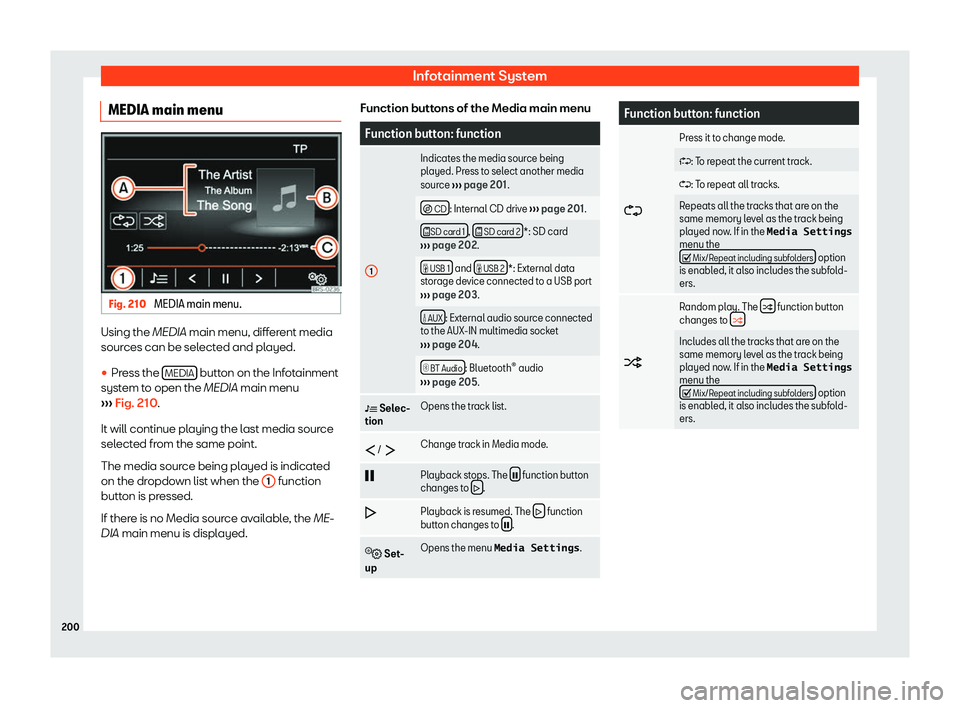
MEDIA main menu Fig. 210
MEDIA main menu. Using the MEDIA main menu, diff
er
ent media
sour ces can be selected and played.
�
Page 204 of 392
Page 205 of 392
Audio and Media Mode
Illegible SD card
If the dat a on an SD car
d cannot be r
ead, a
warning will be displayed on the infotainment
system.
The infotainment system switches to the last
source selected. Note
The navigation SD card may not be used as
memory stor age f
or other files. The Info-
tainment system will not recognise the files
saved on it. External data storage device in the
USB por
tDepending on the country and device, there
might be one or se
v
er
al USB ports in the
vehicle.
The location of the USB ports depends on the vehicle in question
Page 206 of 392
Infotainment System
External audio source connected to
the AUX-IN multimedia sock et
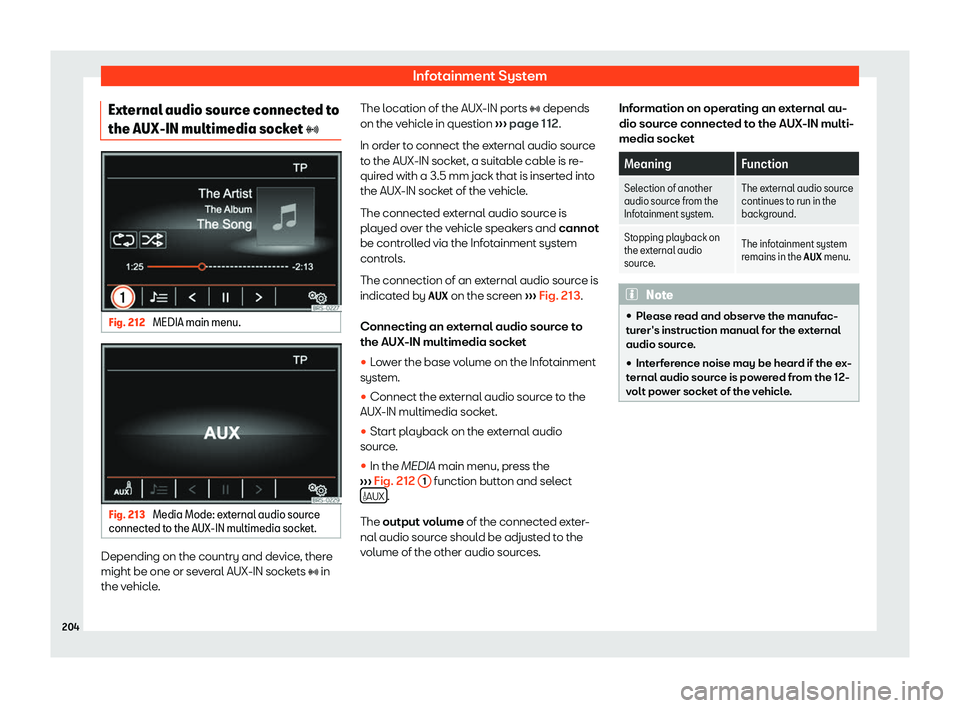
Fig. 212
MEDIA main menu. Fig. 213
Media Mode: external audio source
connect ed t
o the AUX-IN multimedia sock
et.Depending on the country and device, there
might be one or se
v
er
al AUX-IN sockets
in
the vehicle. The location of the AUX-IN ports depends
on the vehicle in question
Page 208 of 392
Infotainment System
Compatible image formats:
BMP (.bmp) up to 4 megapixels.
GIF (.gif) up to 4 megapixels.
JPEG (.jpg, .jpeg) up to 64 megapixels (progressive
mode up to 4 megapix el
s).
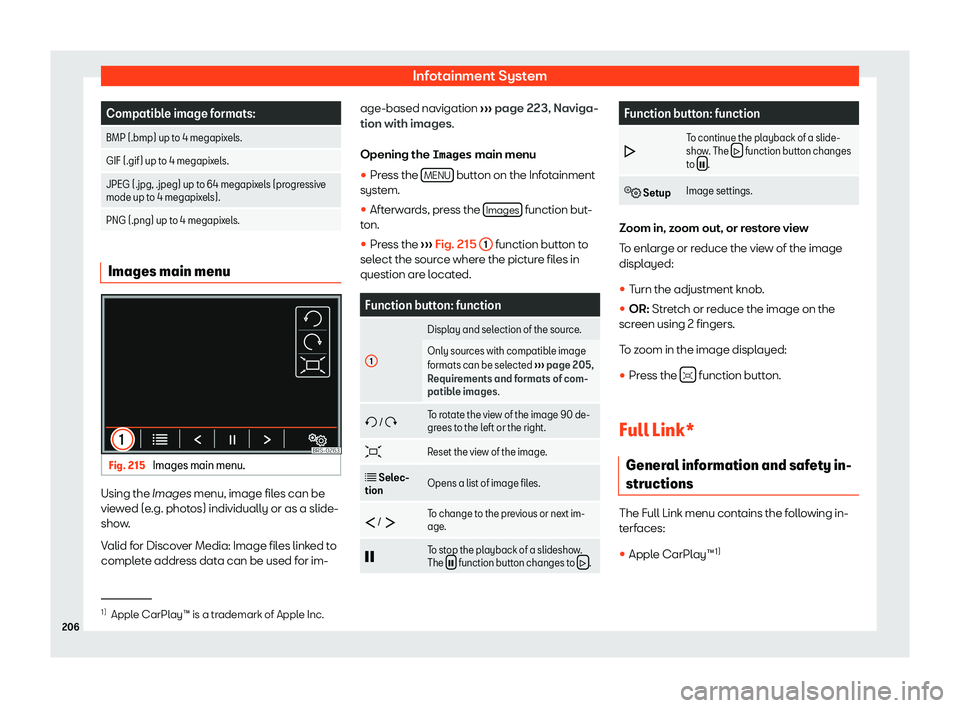
PNG (.png) up to 4 megapixels. Images main menu
Fig. 215
Images main menu. Using the Images menu, image fil
es can be
vie w
ed (e.g. photos) individually or as a slide-
show.
Valid for Discover Media: Image files linked to
complete address data can be used for im- age-based navigation
Page 210 of 392
Page 212 of 392
Infotainment System
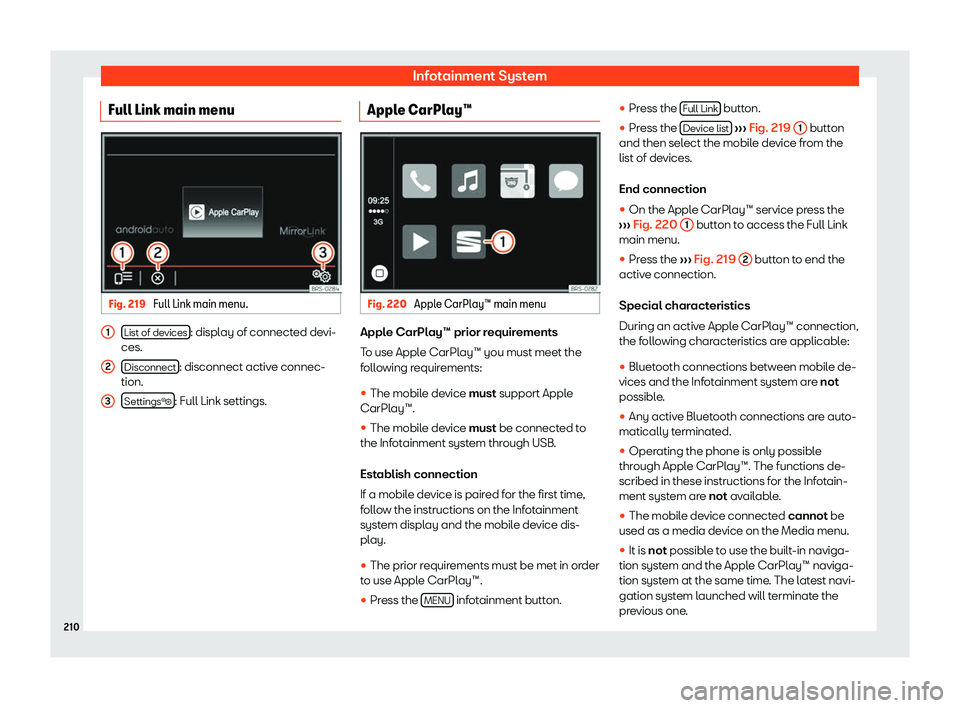
Full Link main menu Fig. 219
Full Link main menu. List of devices : display of connected devi-
ces.
Disconnect : disconnect active connec-
tion.
Settings
Page 214 of 392
Infotainment System
device is connected to the Infotainment sys-
t em thr
ough Bluet
ooth at the same time, the
telephone function of the Infotainment sys-
tem can also be used.
�
Page 216 of 392
Infotainment System
Where can I find more information about Full
Link?
If you have any questions, pl
ease see our
Innova-
tion/Connectivity sections on our website:
www.seat.es or www.seat.com or e-mail seat-re-
[email protected] 214
Page 217 of 392
Navigation*
Navigation* Navigation, entry and con-
tr ol
Intr oduction General information
Using all the data av
ail
able, the Infotainment
system calculates the optimum route to the
destination.
The destination is defined by entering an ad-
dress or a point of interest, e.g. a petrol sta-
tion or hotel. Traffic reports, if any, will also be
taken into account in the route calculation
(dynamic route guidance