technical specifications Seat Altea 2013 Workshop Manual
[x] Cancel search | Manufacturer: SEAT, Model Year: 2013, Model line: Altea, Model: Seat Altea 2013Pages: 315, PDF Size: 4.66 MB
Page 105 of 315
103
Opening and closing
This function is independent of the vehicle electronic opening and
locking systems. It only affects rear doors. It can only be activated
and deactivated manually, as described below:
Activating the childproof lock
– Unlock the vehicle and open the door in which you wish to acti-
vate the childproof lock.
– With the door open, rotate the groove in the door using the igni-
tion key, clockwise for the left hand side doors, and anticlock-
wise for the right hand side doors ⇒ Fig. 61 ⇒ Fig. 62.
Deactivating the childproof lock
– Unlock the vehicle and open the door whose childproof lock you
want to deactivate.
– With the door open, rotate the groove in the door using the igni-
tion key, clockwise for the right hand side doors, and anticlock-
wise for the left hand side doors ⇒ Fig. 61 ⇒ Fig. 62.
Once the childproof lock is activated, the door can only be opened from the
outside. The childproof lock can be activated and deactivated by inserting
the key in the groove when the door is open, as described above. Keys
Set of keys
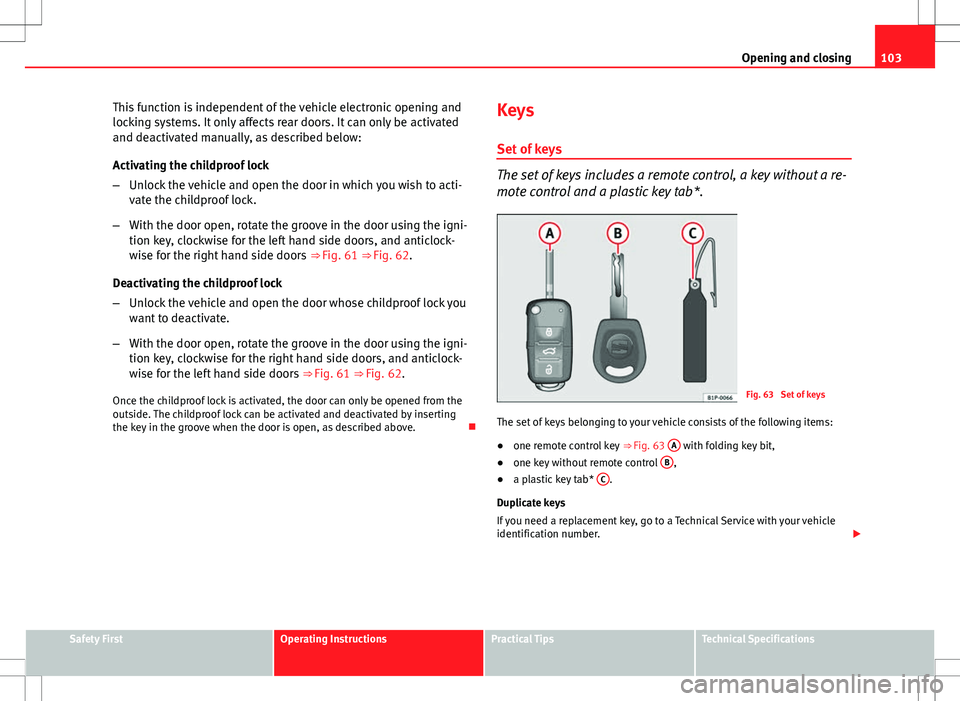
The set of keys includes a remote control, a key without a re-
mote control and a plastic key tab*.
Fig. 63 Set of keys
The set of keys belonging to your vehicle consists of the following items:
● one remote control key
⇒ Fig. 63 A
with folding key bit,
● one key without remote control B,
● a plastic key tab* C.
Duplicate keys
If you need a replacement key, go to a Technical Service with your vehicle
identification number.
Safety FirstOperating InstructionsPractical TipsTechnical Specifications
Page 107 of 315
105
Opening and closing
Radio frequency remote control Locking and unlocking the vehicle
The radio frequency remote control key is used to lock and
unlock the vehicle from a distance.
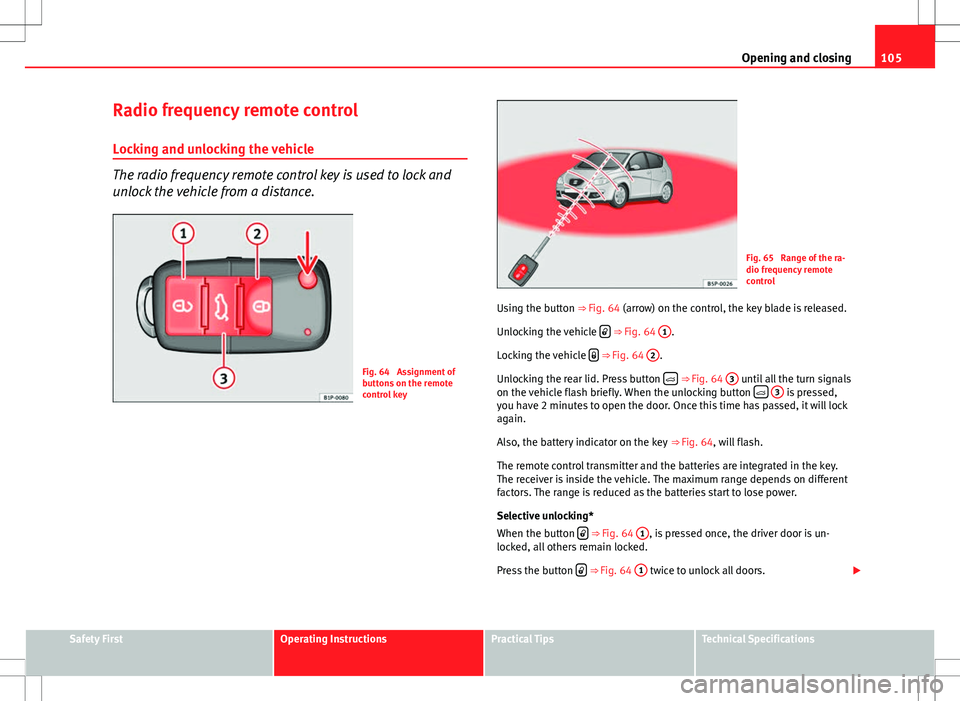
Fig. 64 Assignment of
buttons on the remote
control key
Fig. 65 Range of the ra-
dio frequency remote
control
Using the button ⇒ Fig. 64 (arrow) on the control, the key blade is released.
Unlocking the vehicle
⇒ Fig. 64 1.
Locking the vehicle
⇒ Fig. 64 2.
Unlocking the rear lid. Press button
⇒ Fig. 64 3 until all the turn signals
on the vehicle flash briefly. When the unlocking button
3 is pressed,
you have 2 minutes to open the door. Once this time has passed, it will lock
again.
Also, the battery indicator on the key ⇒ Fig. 64, will flash.
The remote control transmitter and the batteries are integrated in the key.
The receiver is inside the vehicle. The maximum range depends on different
factors. The range is reduced as the batteries start to lose power.
Selective unlocking*
When the button
⇒ Fig. 64 1, is pressed once, the driver door is un-
locked, all others remain locked.
Press the button
⇒ Fig. 64 1 twice to unlock all doors.
Safety FirstOperating InstructionsPractical TipsTechnical Specifications
Page 109 of 315
107
Opening and closing
Anti-theft alarm system* Description of anti-theft alarm system*
The anti-theft alarm triggers if unauthorised movements are
detected around the vehicle.
The anti-theft alarm makes it more difficult to break into the vehicle or steal
it. Audible and visible alarms are triggered if the vehicle is opened using
the key, or if unauthorised access to the vehicle is forced.
The anti-theft alarm system is automatically switched on when locking the
vehicle. The system is then primed.
When does the system trigger an alarm?
The system triggers an alarm if the following unauthorised actions are car-
ried out when the vehicle is locked:
● Opening the vehicle mechanically using the key and with the ignition off
● Opening a door
● Opening the bonnet
● Opening the rear lid
● Switching on the ignition
● Movements in the vehicle interior
● Undue manipulation of the alarm
● Battery handling
The acoustic signals sound and the turn signals flash for approx. 30 sec-
onds. This may be repeated up to 10 times depending on the country.
Opening the doors mechanically (emergency opening)
If the radio frequency remote control function fails, you will have to use the
key to unlock the vehicle. This is done as follows: ●
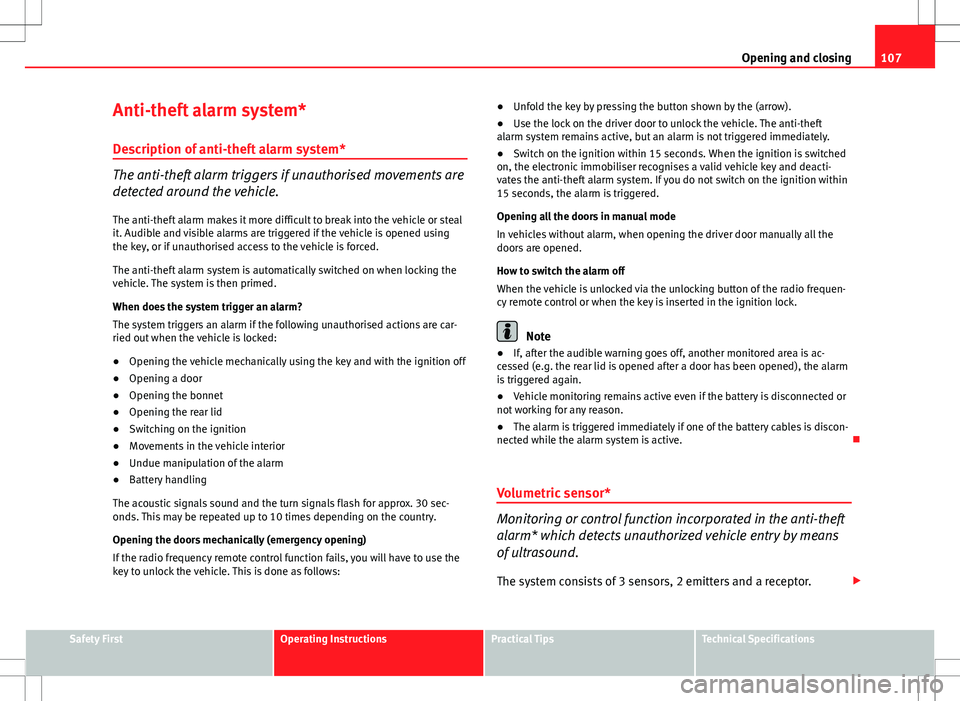
Unfold the key by pressing the button shown by the (arrow).
● Use the lock on the driver door to unlock the vehicle. The anti-theft
alarm system remains active, but an alarm is not triggered immediately.
● Switch on the ignition within 15 seconds. When the ignition is switched
on, the electronic immobiliser recognises a valid vehicle key and deacti-
vates the anti-theft alarm system. If you do not switch on the ignition within
15 seconds, the alarm is triggered.
Opening all the doors in manual mode
In vehicles without alarm, when opening the driver door manually all the
doors are opened.
How to switch the alarm off
When the vehicle is unlocked via the unlocking button of the radio frequen-
cy remote control or when the key is inserted in the ignition lock.
Note
● If, after the audible warning goes off, another monitored area is ac-
cessed (e.g. the rear lid is opened after a door has been opened), the alarm
is triggered again.
● Vehicle monitoring remains active even if the battery is disconnected or
not working for any reason.
● The alarm is triggered immediately if one of the battery cables is discon-
nected while the alarm system is active.
Volumetric sensor*
Monitoring or control function incorporated in the anti-theft
alarm* which detects unauthorized vehicle entry by means
of ultrasound.
The system consists of 3 sensors, 2 emitters and a receptor.
Safety FirstOperating InstructionsPractical TipsTechnical Specifications
Page 111 of 315
109
Opening and closing
Rear lid
Unlocking and locking
The rear lid opening system operates electrically. It is activa-
ted by using the handle on the rear lid.
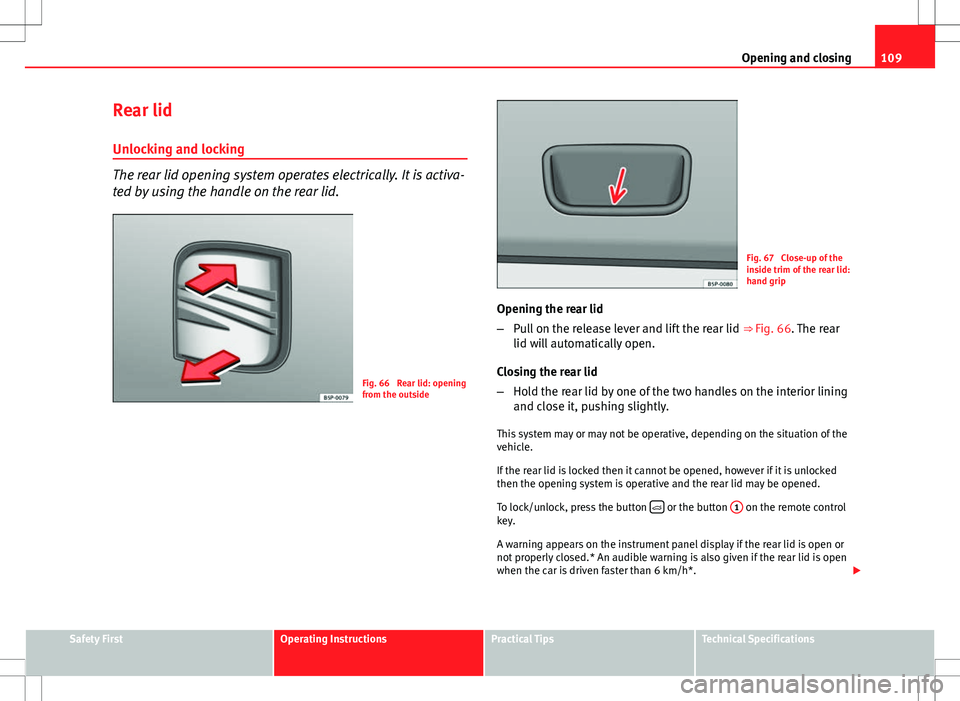
Fig. 66 Rear lid: opening
from the outside
Fig. 67 Close-up of the
inside trim of the rear lid:
hand grip
Opening the rear lid
– Pull on the release lever and lift the rear lid ⇒ Fig. 66. The rear
lid will automatically open.
Closing the rear lid
– Hold the rear lid by one of the two handles on the interior lining
and close it, pushing slightly.
This system may or may not be operative, depending on the situation of the
vehicle.
If the rear lid is locked then it cannot be opened, however if it is unlocked
then the opening system is operative and the rear lid may be opened.
To lock/unlock, press the button
or the button
1 on the remote control
key.
A warning appears on the instrument panel display if the rear lid is open or
not properly closed.* An audible warning is also given if the rear lid is open
when the car is driven faster than 6 km/h*.
Safety FirstOperating InstructionsPractical TipsTechnical Specifications
Page 113 of 315
111
Opening and closing
Windows Opening or closing the electric windows
The front and rear electric windows can be operated by us-
ing the controls on the driver door.
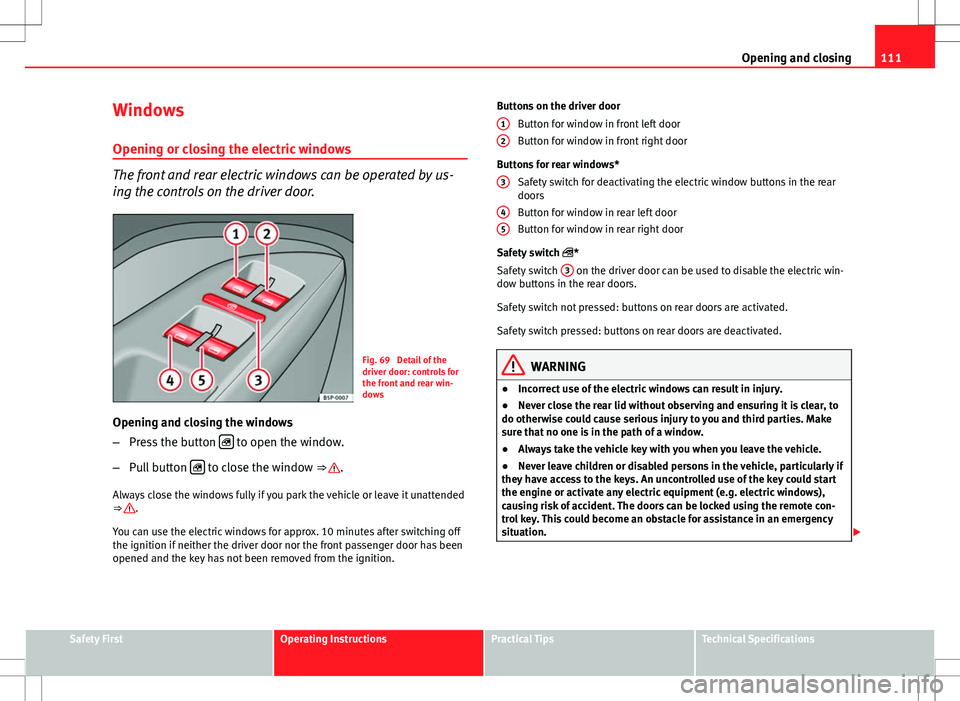
Fig. 69 Detail of the
driver door: controls for
the front and rear win-
dows
Opening and closing the windows
– Press the button
to open the window.
– Pull button
to close the window ⇒ .
Always close the windows fully if you park the vehicle or leave it unattended
⇒
.
You can use the electric windows for approx. 10 minutes after switching off
the ignition if neither the driver door nor the front passenger door has been
opened and the key has not been removed from the ignition. Buttons on the driver door
Button for window in front left door
Button for window in front right door
Buttons for rear windows* Safety switch for deactivating the electric window buttons in the rear
doors
Button for window in rear left door
Button for window in rear right door
Safety switch *
Safety switch 3
on the driver door can be used to disable the electric win-
dow buttons in the rear doors.
Safety switch not pressed: buttons on rear doors are activated.
Safety switch pressed: buttons on rear doors are deactivated.
WARNING
● Incorrect use of the electric windows can result in injury.
● Never close the rear lid without observing and ensuring it is clear, to
do otherwise could cause serious injury to you and third parties. Make
sure that no one is in the path of a window.
● Always take the vehicle key with you when you leave the vehicle.
● Never leave children or disabled persons in the vehicle, particularly if
they have access to the keys. An uncontrolled use of the key could start
the engine or activate any electric equipment (e.g. electric windows),
causing risk of accident. The doors can be locked using the remote con-
trol key. This could become an obstacle for assistance in an emergency
situation.
12
3
45
Safety FirstOperating InstructionsPractical TipsTechnical Specifications
Page 115 of 315
113
Opening and closing
WARNING
● Incorrect use of the electric windows can result in injury.
● Always take the ignition key with you when leaving the vehicle, even
if you only intend to be gone for a short time. Please ensure that children
are never left alone inside the vehicle.
● The electric windows will work until the key has been removed from
the ignition and one of the front doors has been opened.
● Never close the rear lid without observing and ensuring it is clear, to
do otherwise could cause serious injury to you and third parties. Make
sure that no one is in the path of a window.
● Never allow people to remain in the vehicle when you close the vehi-
cle from the outside. The windows cannot be opened even in an emergen-
cy.
Note
The roll-back function is deactivated if the windows are closed from the out-
side of the vehicle using the ignition key for convenience closing
⇒ page 113.
Convenience opening and closing*
Using the door lock
– Hold the key in the door lock of the driver door in either the
locking or the unlocking position until all windows are either
opened or closed.
– Release the key to interrupt this function. Using the remote control
–
Push the lock or unlock button on the remote control for about 3
seconds. All windows which function electrically will be either
opened or closed.
– Release the unlock button to interrupt the function.
– Once the windows are completely closed, the turn signals will
flash.
Sliding/tilting sunroof* Opening and closing the sliding/tilting roof
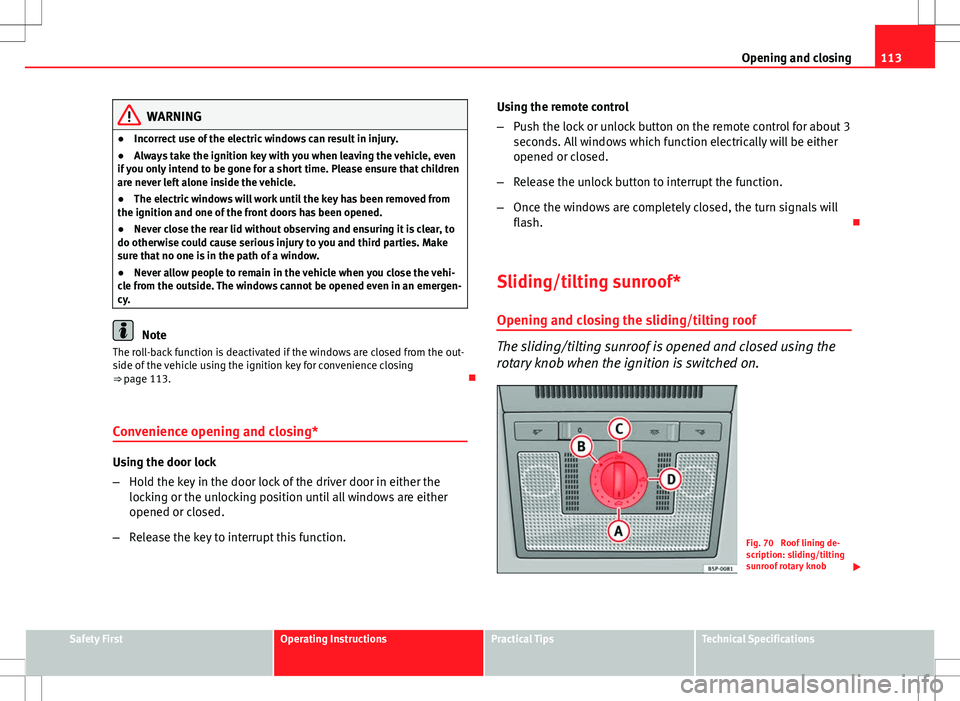
The sliding/tilting sunroof is opened and closed using the
rotary knob when the ignition is switched on.
Fig. 70 Roof lining de-
scription: sliding/tilting
sunroof rotary knob
Safety FirstOperating InstructionsPractical TipsTechnical Specifications
Page 117 of 315
115
Opening and closing
Roll-back function of the sliding/tilting sunroof*
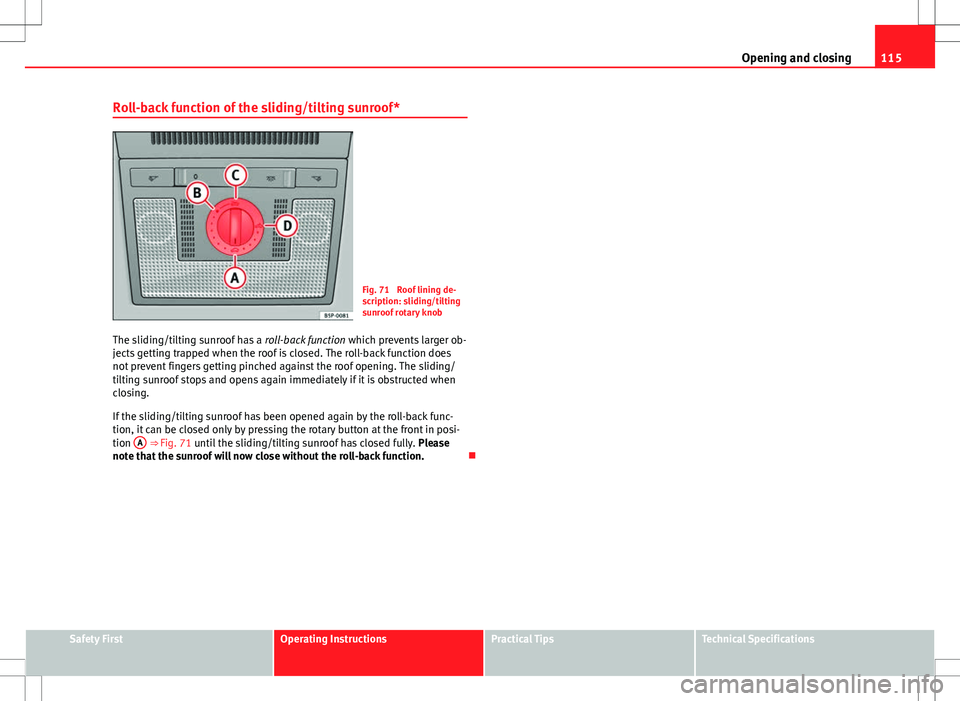
Fig. 71 Roof lining de-
scription: sliding/tilting
sunroof rotary knob
The sliding/tilting sunroof has a roll-back function which prevents larger ob-
jects getting trapped when the roof is closed. The roll-back function does
not prevent fingers getting pinched against the roof opening. The sliding/
tilting sunroof stops and opens again immediately if it is obstructed when
closing.
If the sliding/tilting sunroof has been opened again by the roll-back func-
tion, it can be closed only by pressing the rotary button at the front in posi-
tion A
⇒ Fig. 71 until the sliding/tilting sunroof has closed fully.
Please
note that the sunroof will now close without the roll-back function.
Safety FirstOperating InstructionsPractical TipsTechnical Specifications
Page 119 of 315
117
Lights and visibility
● If you are towing a trailer equipped with a rear fog light on a vehicle with
a factory-fitted towing bracket, the rear fog light on the vehicle will automat-
ically be switched off.
● The use of the lighting described here is subject to the relevant statutory
requirements.
● Depending on weather conditions (very cold or wet), the front and rear
lights and the indicators may be temporarily misted. This has no influence
on the useful life of the lighting system. The lights will soon demist when
they are switched on.
Automatic lighting*
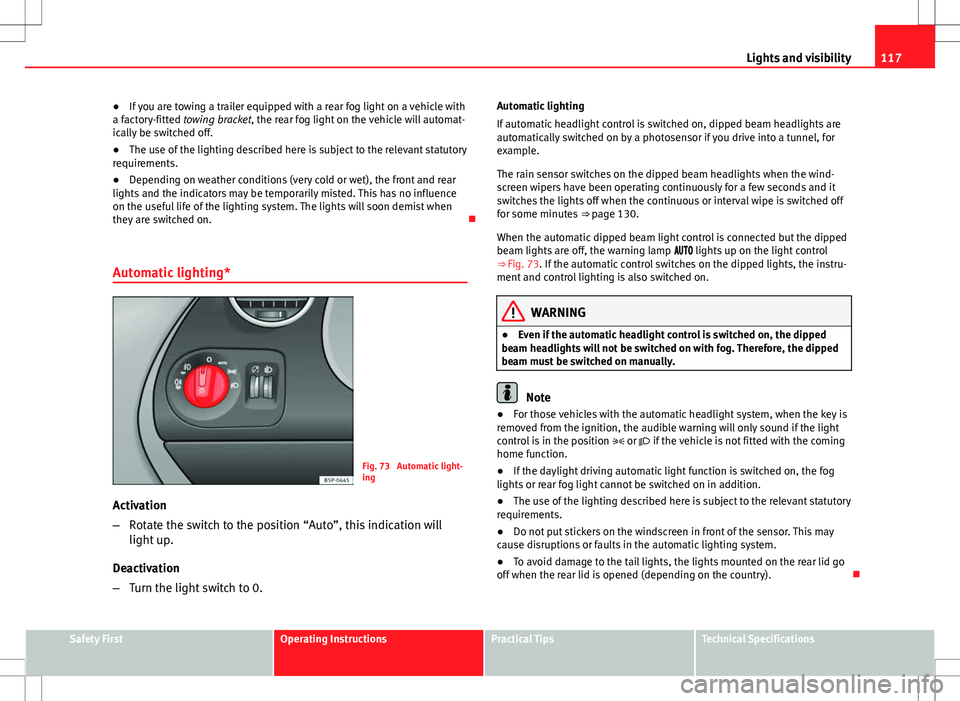
Fig. 73 Automatic light-
ing
Activation
– Rotate the switch to the position “Auto”, this indication will
light up.
Deactivation
– Turn the light switch to 0. Automatic lighting
If automatic headlight control is switched on, dipped beam headlights are
automatically switched on by a photosensor if you drive into a tunnel, for
example.
The rain sensor switches on the dipped beam headlights when the wind-
screen wipers have been operating continuously for a few seconds and it
switches the lights off when the continuous or interval wipe is switched off
for some minutes
⇒ page 130.
When the automatic dipped beam light control is connected but the dipped
beam lights are off, the warning lamp lights up on the light control
⇒ Fig. 73. If the automatic control switches on the dipped lights, the instru-
ment and control lighting is also switched on.
WARNING
● Even if the automatic headlight control is switched on, the dipped
beam headlights will not be switched on with fog. Therefore, the dipped
beam must be switched on manually.
Note
● For those vehicles with the automatic headlight system, when the key is
removed from the ignition, the audible warning will only sound if the light
control is in the position or if the vehicle is not fitted with the coming
home function.
● If the daylight driving automatic light function is switched on, the fog
lights or rear fog light cannot be switched on in addition.
● The use of the lighting described here is subject to the relevant statutory
requirements.
● Do not put stickers on the windscreen in front of the sensor. This may
cause disruptions or faults in the automatic lighting system.
● To avoid damage to the tail lights, the lights mounted on the rear lid go
off when the rear lid is opened (depending on the country).
Safety FirstOperating InstructionsPractical TipsTechnical Specifications
Page 121 of 315
119
Lights and visibility
Note
Please observe any relevant legal requirements which may apply in your
country.
Coming home/leaving home function*
The Coming Home function is controlled manually. The Leav-
ing Home function is controlled with a photosensor.
If the Coming Home or Leaving Home function is connected, the front side
and dipped lights, the tail lights and the number plate light will light up to
provide assistance.
Coming home function
The Coming Home function is activated by switching off the ignition and
briefly flashing the lights. When the driver door is opened, the Coming
Home lighting comes on. If the driver door is already open when the lights
are flashed briefly, the Coming Home lighting comes on immediately.
When the last door of the vehicle or the rear lid is closed, the Coming Home
function starts and the switching off the headlights is delayed.
The Coming Home lighting switches off in the following cases:
● On completion of the time period established for the delay in switching
off the lights after all the vehicle doors and the rear lid have been closed.
● If, 30 seconds after being connected, any doors or the rear lid remain
open.
● If the light switch is turned to position .
● If the ignition is switched on.
Leaving home function
The Leaving Home function is activated when the vehicle is unlocked if: ●
the light control is in position and
● the photosensor detects “darkness”.
The Leaving Home lighting switches off in the following cases:
● If the time period for the delay in switching off the headlights has ended
● If the vehicle is locked again.
● If the light switch is turned to position .
● If the ignition is switched on.
Note
The setting for the delay in switching off the headlights in the Coming Home
and Leaving Home function can be changed or the function can be connec-
ted or disconnected in the menu Lights and visibility ⇒ page 75.
● If the ignition key is removed while the lights are on, and the lights are
flashed briefly and the driver door opened, no audible warning is heard, as
when the Coming Home function is on, the lights are automatically switched
off after a period of time (except when the light switch is in position or
.
Safety FirstOperating InstructionsPractical TipsTechnical Specifications
Page 123 of 315
121
Lights and visibility
Dynamic cornering lights* (AFS)
The dynamic cornering lights only operate if the vehicle is travelling at more
than 10 km/h (6 mph) and the dipped headlights are on. When taking a
bend, the road is illuminated better with directional gas discharge bulbs
than with conventional fixed headlights.
A fault in the system is indicated via the flashing of the control lamp on
the instrument panel. At the same time, a text message with information or
instructions to perform necessary operations may appear on the instrument
panel display. Take the vehicle to a specialised workshop and have the fault
repaired.
If the control lamp lights up on the instrument panel but all the bulbs are
operating correctly ⇒ page 272, there may still be a fault in the dynamic
curve lighting system (AFS). Take the vehicle to a specialised workshop and
have the fault repaired.
WARNING
If the “automatic dipped beam control” is switched on, the dipped beam
headlights will not be switched on in fog. They should be switched on
manually using the light switch. The driver is personally responsible for
the correct use of lights in all situations. “Automatic headlight control”
is merely a system to support the driver. Where necessary, switch on the
lights manually using the light switch.
Fog lights with cornering function*
When the turn signal is switched on to turn or on very tight bends, the right
or left fog light automatically comes on to function as a cornering light. The
cornering light only operates if the dipped beam lights are on.
WARNING
If the “automatic dipped beam control” is switched on, the dipped beam
headlights will not be switched on in fog. They should be switched on
manually using the light switch. The driver is personally responsible for
the correct use of lights in all situations. “Automatic headlight control”
is merely a system to support the driver. Where necessary, switch on the
lights manually using the light switch.
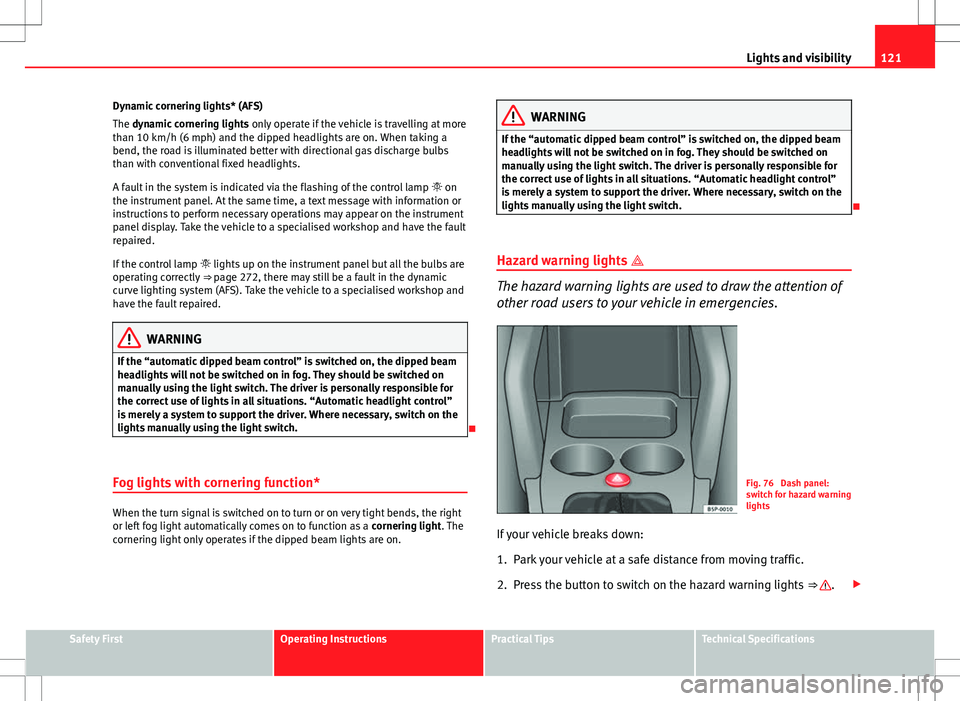
Hazard warning lights
The hazard warning lights are used to draw the attention of
other road users to your vehicle in emergencies.
Fig. 76 Dash panel:
switch for hazard warning
lights
If your vehicle breaks down:
1. Park your vehicle at a safe distance from moving traffic.
2. Press the button to switch on the hazard warning lights ⇒
.
Safety FirstOperating InstructionsPractical TipsTechnical Specifications