fuel Seat Altea 2014 User Guide
[x] Cancel search | Manufacturer: SEAT, Model Year: 2014, Model line: Altea, Model: Seat Altea 2014Pages: 321, PDF Size: 4.52 MB
Page 72 of 321
70Cockpit
Open main menu
–Switch the ignition on.
– Press and hold the eject button B
for at least two seconds. It
may be necessary to repeat this operation until the main menu
is displayed.
Select a menu from the main menu
– To choose an option from the menu, press the upper or lower
end of rocker switch B
. The selected option is displayed be-
tween two horizontal lines.
– Press button A
to select the entry.
Example of menu use ⇒ page 68
Main menueffectMultifunction dis-
playChange to the multifunction display (MFI): “Multifunc-
tion display (MFI)”
AudioThis menu displays the available information for the
active audio source (radio station, CD audio track /
MP3 / USB / iPod / Bluetooth audio a)
/ call informa-
tion a)
.
NavigationThis menu is only available if the vehicle is fitted with a
navigation system. The navigation system must be
switched on. When the route guidance is activated, the
turning arrows and proximity bars are displayed. The
appearance is similar to the Navigation system.
If the route guidance is not activated, the direction of
travel (compass) and the name of the street along
which you are driving are shown.
TelephoneThis menu is only available in vehicles with radio unit if
the vehicle is fitted with the telephone function. In ve-
hicles fitted with a radio navigation system, this menu
is available in the central unit (navigator) ⇒ Book-
let Navigation system..
Vehicle conditionThis menu displays current warning or information
texts: “Vehicle status menu”
This option flashes when one of these texts is dis-
played.
ConfigurationThis option allows the time, the speed warning when
using winter tyres, units, language, independent heat-
ing, the Light and visibility menu and the Convenience
menu to be reset.
a) Only in vehicles fitted with a radio navigation system.
Note
For electronic and vehicle equipment one or more of these menus will be
displayed.
Multifunction display menu (MFI)
The multifunction display (MFI) shows you information on
the journey and fuel consumption.
The multifunction display (MFI) has two automatic memories: 1 - Trip memo-
ry and 2 - Total memory . The selected memory is shown on the upper right
hand section of the display at all times.
Open the multifunction display menu
Select the Multifunction display menu from the main menu ⇒ page 69
and press the OK
button on the windscreen wiper lever or the multi-
function steering wheel*.
–
Page 73 of 321
71
Cockpit
Selecting a memory To change from one memory to another, briefly press button A
⇒ Fig. 45 ⇒ page 68 on the windscreen wiper lever or the OK button on
the multifunction steering wheel ⇒ Fig. 46 ⇒ page 68 while the ignition
is switched on.
Resetting a memory Select the memory where you wish to erase the values.
Hold down button A
on the windscreen wiper lever or the OK button
on the multifunction steering wheel* for at least two seconds.
The trip memory 1 collects the travel and consumption data from the mo-
ment the ignition is switched on until it is switched off. If the journey is con-
tinued within two hours of switching off the ignition, the new values will be
added to the existing trip recorder memory. The memory will automatically
be deleted if the journey is interrupted for more than two hours.
The total memory 2 collects the journey data for any number of individual
journeys (even if the ignition is switched off for longer than two hours) up to
a total of 19 hours and 59 minutes travel time or 1999 km (miles) distance
travelled. The memory will automatically be deleted if one of the named val-
ues is reached.
Memory indications
The following data can be viewed on the multifunction display using the
rocker switch B
⇒ Fig. 45 ⇒
page 68 on the windscreen wiper lever or by
pressing button or ⇒
Fig. 46 on the multifunction steering wheel*.
Personal selection of display
The driver can establish which displays are shown on the instrument panel
display as required:
● Select the submenu Multifunction Display Data from the Configuration
menu ⇒ page 73.
● The displays can be activated or deactivated individually by marking the
required option and pressing the OK
button on the windscreen wiper lever
or the multifunction steering wheel*. –
–
– Duration in h and min
The display shows the amount of time which has elapsed since the ignition
was switched on.
The maximum display value in both memories is 19 hours and 59 minutes.
The memory will automatically be deleted once this value has been
reached.
Current fuel consumption in l/100 km or l/hour
The display will show the current fuel consumption in litres/100 km whilst
the vehicle is in motion or in litres/hour when the vehicle is in a stationary
position with the engine running.
Using this display you can see how your driving style affects fuel consump-
tion ⇒ page 171.
Average fuel consumption in l/100 km
The average fuel consumption will be shown after a distance of approxi-
mately 100 metres has been travelled. Until then dashes will appear in the
display. The display will be updated every five seconds while the vehicle is
in motion. The amount of fuel used will not be shown.
Distance travelled in km (miles)
The display shows the distance travelled since the ignition was switched on.
The maximum display value in both memories is 1999 km (miles). The
memory will automatically be deleted once this value has been reached.
Average speed in km/h (mph) After starting the ignition, the average speed will be shown after a distance
of approximately 100 metres has been travelled. Until then dashes will ap-
pear in the display. The display will be updated every five seconds while the
vehicle is in motion.
Speed warning at --- km/h (mph)
This function may help you to keep within the speed limits. Press the OKbutton on the windscreen wiper lever
A or the multifunction steering
Safety FirstOperating instructionsPractical TipsTechnical Specifications
Page 75 of 321
73
Cockpit
Configuration menu
This menu is used to make the settings for the vehicle func-
tions. Open Configuration menu
– Select the option Configuration from the main menu: “Main
menu” and press button OK
A ⇒ Fig. 45 on the windscreen
wiper lever. or
– Press button
or on the multifunction steering wheel*
⇒ Fig. 46 until the Configuration menu is displayed.
Example of menu use ⇒ page 68.
Displayed on the
screeneffect
Multifunction display
data.This menu is used to establish the data in the mul-
tifunction display menu to be displayed on the in-
strument panel ⇒ page 70
ConvenienceThis menu allows you to make the settings for the
convenience functions in the vehicle.
Lights and visibilityFrom this menu it is it possible to alter the vehicle
lighting settings.
TimeThe hours and minutes of the clock and the naviga-
tion system can be changed. Choose between 12
and 24-hour format and change to summer time.
Winter tyresThe menu allows the setting of a speed at which an
optical and acoustic warning will be given by the
system. You can use this function, for example, if
you have fitted winter tyres which are not suited for
the top speed of your vehicle. Please see the sec-
tion “Wheels and tyres”.
LanguageThe display texts and the navigation system texts
can be seen in different languages.
UnitsThis option allows you to select the units for dis-
playing temperature, fuel consumption values and
distances.
sel. speedThe instrument panel also displays the speed in
another different unit of measurement (mph or km/
h) to that given on the speedometer.
Inter ServiceConsult service messages and reset service interval
display here.
Factory settingsThe manufacturer's predefined values for the func-
tions of this menu are restored.
Backa)This returns to the main menu.a)
Only if the windscreen wiper lever is used (MFI).
Note
● For electronic and vehicle equipment one or more of these menus will be
displayed.
● SEAT dealerships are able to programme other functions or change the
existing functions depending upon the vehicle equipment.
● The Configuration menu is only accessible when the vehicle is at a
standstill.
Convenience menu
From this menu it is it possible to alter the vehicle conven-
ience settings.
Open menu Convenience
– Choose the option Configuration from the main menu and press
the button OK
A ⇒ Fig. 45 on the windscreen wiper lever.
Safety FirstOperating instructionsPractical TipsTechnical Specifications
Page 79 of 321
77
Cockpit
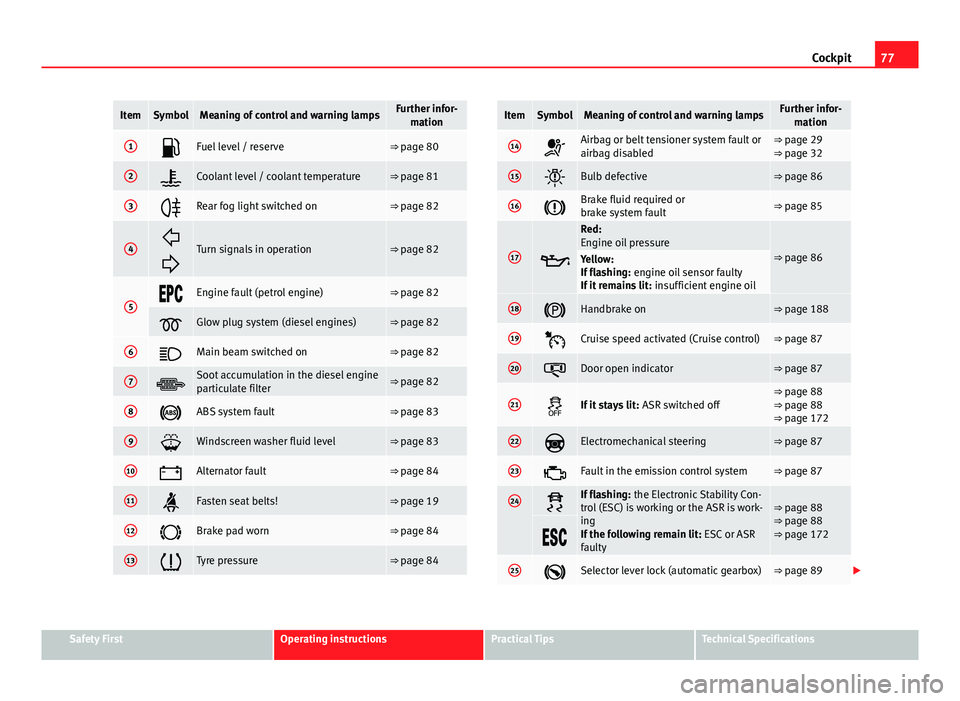
ItemSymbolMeaning of control and warning lampsFurther infor-
mation
1Fuel level / reserve⇒ page 80
2Coolant level / coolant temperature⇒ page 81
3Rear fog light switched on⇒ page 82
4
Turn signals in operation⇒ page 82
5Engine fault (petrol engine)⇒ page 82
Glow plug system (diesel engines)⇒ page 82
6Main beam switched on⇒ page 82
7Soot accumulation in the diesel engine
particulate filter⇒ page 82
8ABS system fault⇒ page 83
9Windscreen washer fluid level⇒ page 83
10Alternator fault⇒ page 84
11Fasten seat belts!⇒ page 19
12Brake pad worn⇒ page 84
13Tyre pressure⇒ page 84
ItemSymbolMeaning of control and warning lampsFurther infor- mation
14Airbag or belt tensioner system fault or
airbag disabled⇒ page 29
⇒ page 32
15Bulb defective⇒ page 86
16Brake fluid required or
brake system fault⇒ page 85
17
Red:
Engine oil pressure
⇒ page 86Yellow:
If flashing: engine oil sensor faulty
If it remains lit: insufficient engine oil
18Handbrake on⇒ page 188
19Cruise speed activated (Cruise control)⇒ page 87
20Door open indicator⇒ page 87
21If it stays lit: ASR switched off⇒ page 88
⇒ page 88
⇒ page 172
22Electromechanical steering⇒ page 87
23Fault in the emission control system⇒ page 87
24If flashing: the Electronic Stability Con-
trol (ESC) is working or the ASR is work-
ing
If the following remain lit: ESC or ASR
faulty⇒ page 88
⇒ page 88
⇒ page 172
25Selector lever lock (automatic gearbox)⇒ page 89
Safety FirstOperating instructionsPractical TipsTechnical Specifications
Page 82 of 321
80Cockpit
Priority 2 warning messages will not be shown until all Priority 1 warning
messages have been dealt with!
Examples of priority 2 warning messages (yellow): 1)
● Fuel warning light with the information text PLEASE REFUEL.
● Windscreen washer fluid symbol with the information text REFILL
WINDSCREEN WASHER FLUID . Top up the washer fluid level.
Information messages displayed on the screen*
Message a)Description
SERVICEThe service interval has ended. Take the vehicle to a
Technical Service.
IMMOBILISERImmobiliser system active. The vehicle will not start. Take
the vehicle to a Technical Service.
ERRORInstrument panel faulty. Take the vehicle to a Technical
Service.
CLEAN AIR FIL-
TERWarning: The air filter must be cleaned
NO KEYWarning: Correct key cannot be found in the vehicle.KEY BATTERYWarning: Key battery low. Change the battery.
CLUTCHWarning: Press the clutch to start. In vehicles with man-
ual gearbox and Start-Stop system.
--> P/NWarning: Place the selector level in position P/N to start.
Only in vehicles with automatic gearbox.
--> PWarning: Place the selector lever in position P to stop the
engine.
STARTINGWarning: The engine starts automatically. Start-Stop sys-
tem activated.
START MANUAL- LYWarning: The engine must be started manually. Start-
Stop system activated.
ERROR START-STOPWarning: Start-Stop system error.
START-STOP IM-POSSIBLEWarning: Although the Start-Stop system is switched on,
the engine cannot be stopped automatically. Not all the
necessary conditions are met
START-STOP AC- TIVEWarning: Start-Stop system activated. Vehicle in Stop
mode.
SWITCH OFFWarning: Start-Stop system activated. Switch off the igni-
tion when you leave the vehicle.
STOP TRANS-
MISSION TOO HOTWarning: Stop the engine. Gearbox overheated.
BRAKEWarning: To start the engine, press the brake pedal. Only
in vehicles with automatic gearbox.
COASTINGFUNCTIONWarning: Coasting mode active. Transmission engaged.
Only in vehicles with automatic gearbox.
CHECK SAFE- LOCKNotification of central locking function activated.
a)These messages may vary according the version of the vehicle model.
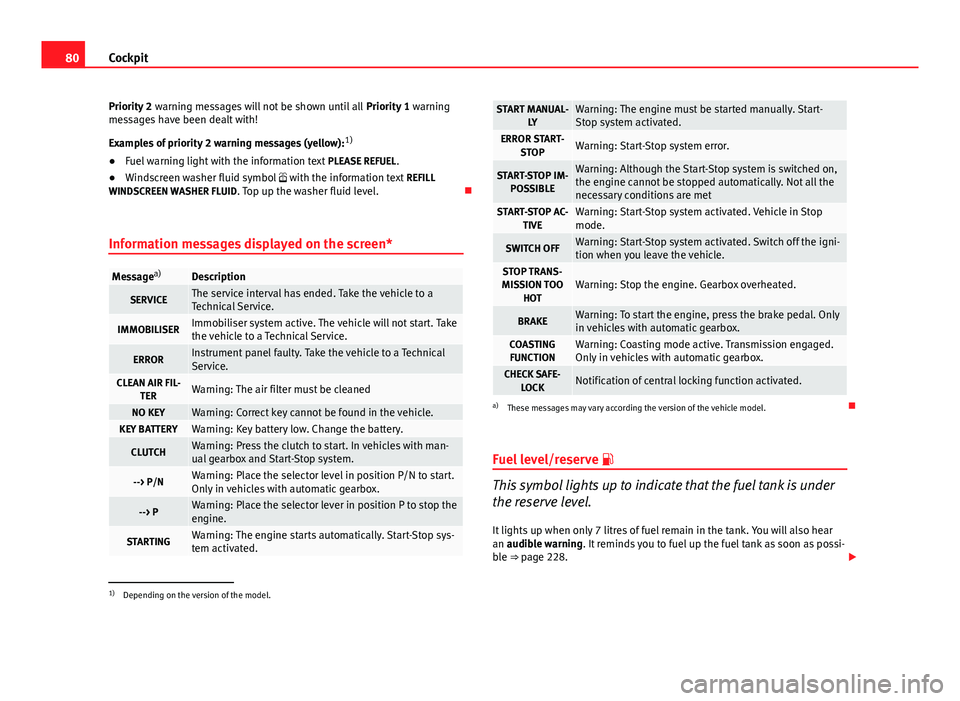
Fuel level/reserve
This symbol lights up to indicate that the fuel tank is under
the reserve level.
It lights up when only 7 litres of fuel remain in the tank. You will also hear
an audible warning. It reminds you to fuel up the fuel tank as soon as possi-
ble ⇒ page 228.
1)
Depending on the version of the model.
Page 83 of 321
81
Cockpit
The instrument panel displays the following message 1)
: PLEASE REFUEL! .
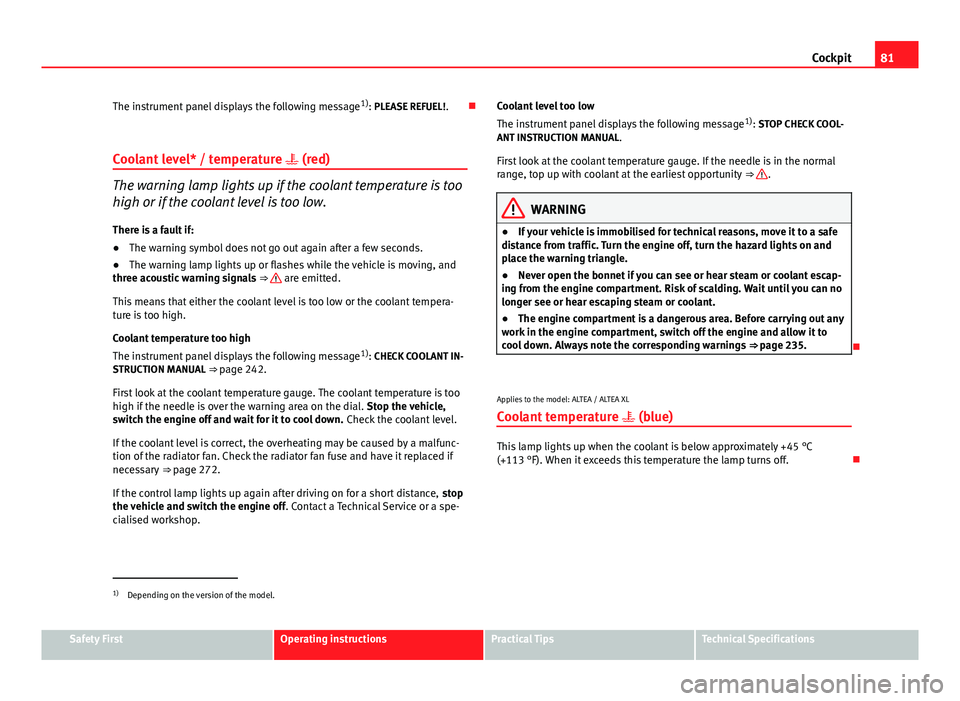
Coolant level* / temperature (red)
The warning lamp lights up if the coolant temperature is too
high or if the coolant level is too low.
There is a fault if:
● The warning symbol does not go out again after a few seconds.
● The warning lamp lights up or flashes while the vehicle is moving, and
three acoustic warning signals ⇒
are emitted.
This means that either the coolant level is too low or the coolant tempera-
ture is too high.
Coolant temperature too high
The instrument panel displays the following message 1)
: CHECK COOLANT IN-
STRUCTION MANUAL ⇒ page 242.
First look at the coolant temperature gauge. The coolant temperature is too
high if the needle is over the warning area on the dial. Stop the vehicle,
switch the engine off and wait for it to cool down. Check the coolant level.
If the coolant level is correct, the overheating may be caused by a malfunc-
tion of the radiator fan. Check the radiator fan fuse and have it replaced if
necessary ⇒ page 272.
If the control lamp lights up again after driving on for a short distance, stop
the vehicle and switch the engine off . Contact a Technical Service or a spe-
cialised workshop. Coolant level too low
The instrument panel displays the following message
1)
: STOP CHECK COOL-
ANT INSTRUCTION MANUAL.
First look at the coolant temperature gauge. If the needle is in the normal
range, top up with coolant at the earliest opportunity ⇒
.
WARNING
● If your vehicle is immobilised for technical reasons, move it to a safe
distance from traffic. Turn the engine off, turn the hazard lights on and
place the warning triangle.
● Never open the bonnet if you can see or hear steam or coolant escap-
ing from the engine compartment. Risk of scalding. Wait until you can no
longer see or hear escaping steam or coolant.
● The engine compartment is a dangerous area. Before carrying out any
work in the engine compartment, switch off the engine and allow it to
cool down. Always note the corresponding warnings ⇒ page 235.
Applies to the model: ALTEA / ALTEA XL Coolant temperature (blue)
This lamp lights up when the coolant is below approximately +45 °C
(+113 °F). When it exceeds this temperature the lamp turns off.
1)
Depending on the version of the model.
Safety FirstOperating instructionsPractical TipsTechnical Specifications
Page 87 of 321
85
Cockpit
● The temporary spare wheel is fitted.
● The wheel on one axle is changed.
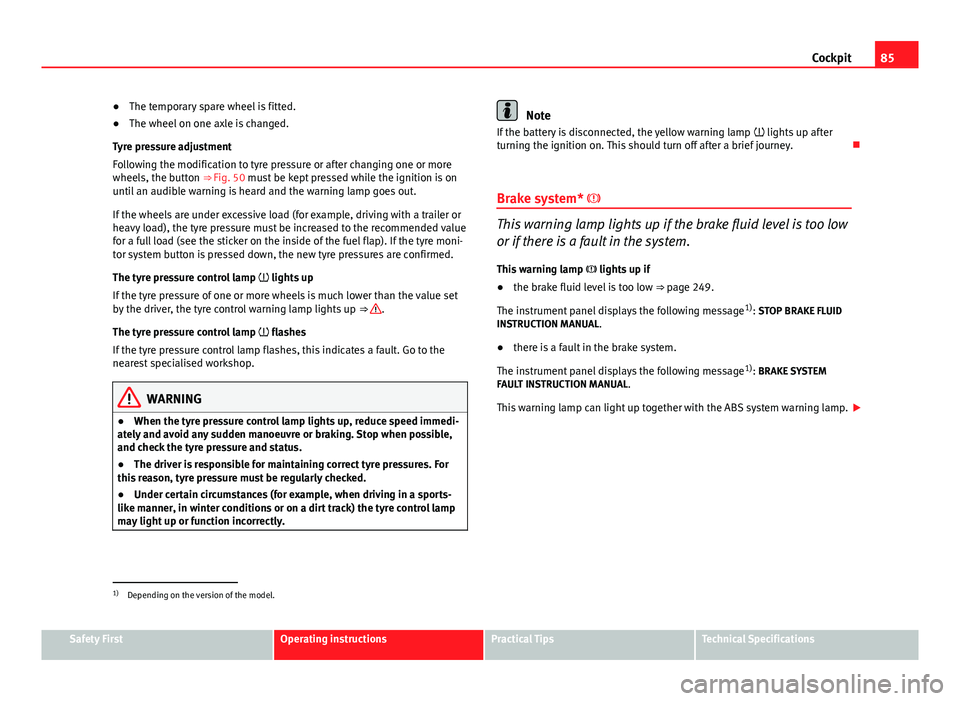
Tyre pressure adjustment
Following the modification to tyre pressure or after changing one or more
wheels, the button ⇒ Fig. 50 must be kept pressed while the ignition is on
until an audible warning is heard and the warning lamp goes out.
If the wheels are under excessive load (for example, driving with a trailer or
heavy load), the tyre pressure must be increased to the recommended value
for a full load (see the sticker on the inside of the fuel flap). If the tyre moni-
tor system button is pressed down, the new tyre pressures are confirmed.
The tyre pressure control lamp lights up
If the tyre pressure of one or more wheels is much lower than the value set
by the driver, the tyre control warning lamp lights up ⇒
.
The tyre pressure control lamp flashes
If the tyre pressure control lamp flashes, this indicates a fault. Go to the
nearest specialised workshop.
WARNING
● When the tyre pressure control lamp lights up, reduce speed immedi-
ately and avoid any sudden manoeuvre or braking. Stop when possible,
and check the tyre pressure and status.
● The driver is responsible for maintaining correct tyre pressures. For
this reason, tyre pressure must be regularly checked.
● Under certain circumstances (for example, when driving in a sports-
like manner, in winter conditions or on a dirt track) the tyre control lamp
may light up or function incorrectly.
Note
If the battery is disconnected, the yellow warning lamp lights up after
turning the ignition on. This should turn off after a brief journey.
Brake system*
This warning lamp lights up if the brake fluid level is too low
or if there is a fault in the system.
This warning lamp lights up if
● the brake fluid level is too low ⇒ page 249.
The instrument panel displays the following message 1)
: STOP BRAKE FLUID
INSTRUCTION MANUAL.
● there is a fault in the brake system.
The instrument panel displays the following message 1)
: BRAKE SYSTEM
FAULT INSTRUCTION MANUAL.
This warning lamp can light up together with the ABS system warning lamp.
1)
Depending on the version of the model.
Safety FirstOperating instructionsPractical TipsTechnical Specifications
Page 88 of 321
86Cockpit
WARNING
● Before opening the bonnet, read and observe the warnings on
⇒ page 235.
● If the brake warning lamp does not go out, or if it lights up when driv-
ing, the brake fluid level ⇒ page 249, Brake fluid in the reservoir is too
low. Risk of accident. Stop the vehicle and do not drive on. Obtain techni-
cal assistance.
● If the brake warning lamp lights up together with the ABS warning
lamp , the control function of the ABS could be out of action. This could
cause the rear wheels to lock quickly when you brake. This could cause
the rear to break away. Risk of skidding. Stop the vehicle and seek tech-
nical assistance.
Handbrake
This lamp lights up when the handbrake is applied. If you drive faster than 6 km/h (4 mph) with the handbrake on, the following
message will appear on the instrument panel display 1)
: HANDBRAKE ON. You
will also hear an acoustic warning signal ⇒ page 188.
Bulb defect*
The warning lamp lights up when a bulb in the vehicle's ex-
terior lighting is defective.
The warning lamp lights up when a bulb in the vehicle's exterior lighting
(e.g. left-hand main beam) is defective. The instrument panel displays the following message
1)
: LEFT FULL BEAM
FAULTY.
Engine oil pressure
If this warning lamp is red it indicates that the engine oil
pressure is too low.
If this warning symbol starts to flash, and is accompanied by three audible
warnings, switch off the engine and check the oil level. If necessary, add
more oil ⇒ page 238.
The instrument panel displays the following message 1)
: STOP ENGINE OIL
PRESSURE INSTRUCTION MANUAL .
If the symbol flashes although the oil level is correct, do not drive on. Do
not even run the engine at idle speed! Obtain technical assistance.
Checking the oil level
If the warning lamp is yellow the engine oil level should be checked as
soon as possible. Top up the oil ⇒ page 241 at the next opportunity.
Oil level sensor faulty*
If the yellow warning lamp flashes, take the vehicle to a specialised
workshop to have the oil level sensor checked. Until then it is advisable to
check the oil level every time you refuel.
1)
Depending on the version of the model.
Page 132 of 321
130Lights and visibility
Rear window wiper
The window wiper lever operates the windscreen wiper and
the wash and wipe system for the rear window.
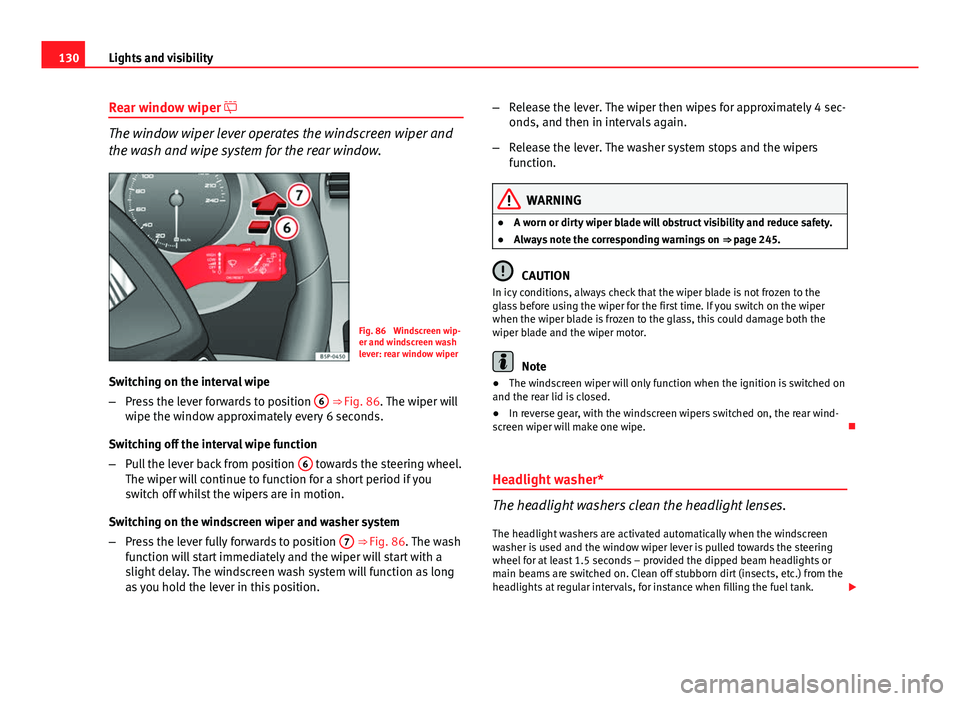
Fig. 86 Windscreen wip-
er and windscreen wash
lever: rear window wiper
Switching on the interval wipe
– Press the lever forwards to position 6
⇒ Fig. 86. The wiper will
wipe the window approximately every 6 seconds.
Switching off the interval wipe function
– Pull the lever back from position 6
towards the steering wheel.
The wiper will continue to function for a short period if you
switch off whilst the wipers are in motion.
Switching on the windscreen wiper and washer system
– Press the lever fully forwards to position 7
⇒ Fig. 86. The wash
function will start immediately and the wiper will start with a
slight delay. The windscreen wash system will function as long
as you hold the lever in this position. –
Release the lever. The wiper then wipes for approximately 4 sec-
onds, and then in intervals again.
– Release the lever. The washer system stops and the wipers
function.
WARNING
● A worn or dirty wiper blade will obstruct visibility and reduce safety.
● Always note the corresponding warnings on ⇒ page 245.
CAUTION
In icy conditions, always check that the wiper blade is not frozen to the
glass before using the wiper for the first time. If you switch on the wiper
when the wiper blade is frozen to the glass, this could damage both the
wiper blade and the wiper motor.
Note
● The windscreen wiper will only function when the ignition is switched on
and the rear lid is closed.
● In reverse gear, with the windscreen wipers switched on, the rear wind-
screen wiper will make one wipe.
Headlight washer*
The headlight washers clean the headlight lenses. The headlight washers are activated automatically when the windscreen
washer is used and the window wiper lever is pulled towards the steering
wheel for at least 1.5 seconds – provided the dipped beam headlights or
main beams are switched on. Clean off stubborn dirt (insects, etc.) from the
headlights at regular intervals, for instance when filling the fuel tank.
Page 135 of 321
133
Lights and visibility
2. Turn the rotary knob to position the exterior mirror so that you have a good view to the rear of the vehicle. The right exterior
mirror will be adjusted at the same time (synchronised).
WARNING
● Convex or aspheric mirrors increase the field of vision however the
objects appear smaller and further away in the mirrors. If you use these
mirrors to estimate the distance to vehicles behind you when changing
lane, you could make a mistake. Risk of accident.
● If possible, use the rear vision mirror to estimate distances to vehi-
cles behind you.
● Make sure that you do not get your finger trapped between the mirror
and the mirror base when folding back the mirrors. Risk of injury!
For the sake of the environment
The exterior mirror heating should be switched off when it is no longer nee-
ded. Otherwise, it is an unnecessary fuel waste.
Note
● If the electrical adjustment ever fails to operate, the mirrors can be ad-
justed by hand by lightly pressing the edge of the mirror glass.
● In vehicles with electric exterior mirrors, the following points should be
observed: if, due to an external force (e.g. a knock while manoeuvring), the
adjustment of the mirror housing is altered, the mirror will have to be com-
pletely folded electrically. Do not readjust the rear vision mirror housing by
hand, as this will interfere with the mirror adjuster function.
● The rear vision mirrors can be adjusted separately or simultaneously, as
described before.
● The fold-in function on the exterior mirrors is not active at speeds over
40 km/h (25 mph).
Safety FirstOperating instructionsPractical TipsTechnical Specifications