ignition Seat Altea 2014 User Guide
[x] Cancel search | Manufacturer: SEAT, Model Year: 2014, Model line: Altea, Model: Seat Altea 2014Pages: 321, PDF Size: 4.52 MB
Page 64 of 321
62Cockpit
Recommended gear display*
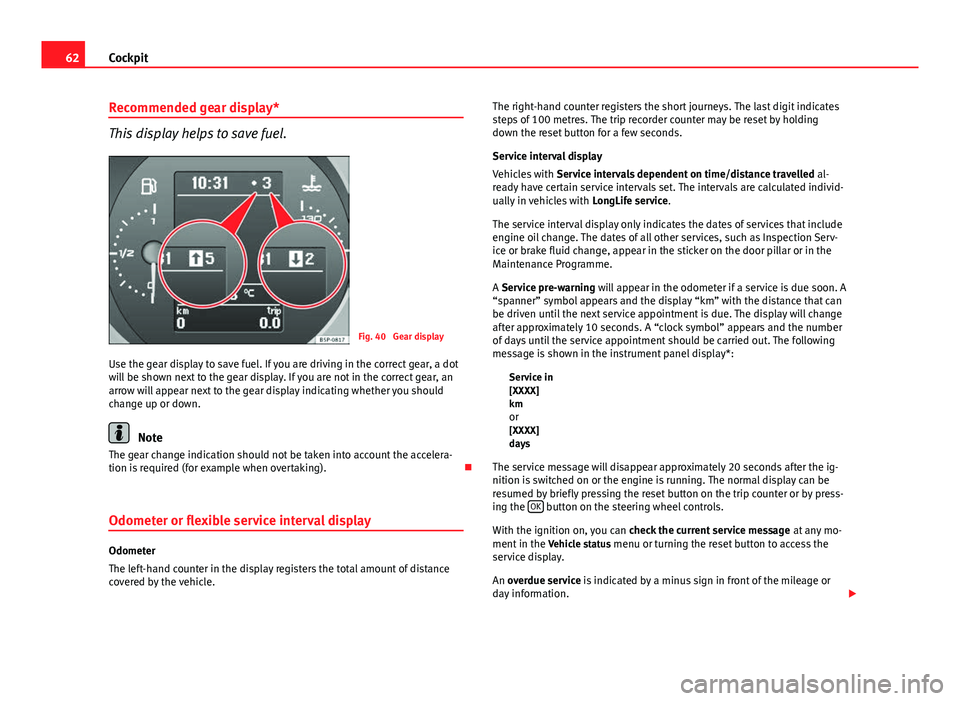
This display helps to save fuel.
Fig. 40 Gear display
Use the gear display to save fuel. If you are driving in the correct gear, a dot
will be shown next to the gear display. If you are not in the correct gear, an
arrow will appear next to the gear display indicating whether you should
change up or down.
Note
The gear change indication should not be taken into account the accelera-
tion is required (for example when overtaking).
Odometer or flexible service interval display
Odometer
The left-hand counter in the display registers the total amount of distance
covered by the vehicle. The right-hand counter registers the short journeys. The last digit indicates
steps of 100 metres. The trip recorder counter may be reset by holding
down the reset button for a few seconds.
Service interval display
Vehicles with
Service intervals dependent on time/distance travelled al-
ready have certain service intervals set. The intervals are calculated individ-
ually in vehicles with LongLife service.
The service interval display only indicates the dates of services that include
engine oil change. The dates of all other services, such as Inspection Serv-
ice or brake fluid change, appear in the sticker on the door pillar or in the
Maintenance Programme.
A Service pre-warning will appear in the odometer if a service is due soon. A
“spanner” symbol appears and the display “km” with the distance that can
be driven until the next service appointment is due. The display will change
after approximately 10 seconds. A “clock symbol” appears and the number
of days until the service appointment should be carried out. The following
message is shown in the instrument panel display*: Service in
[XXXX]
kmor
[XXXX]
days
The service message will disappear approximately 20 seconds after the ig-
nition is switched on or the engine is running. The normal display can be
resumed by briefly pressing the reset button on the trip counter or by press-
ing the OK
button on the steering wheel controls.
With the ignition on, you can check the current service message at any mo-
ment in the Vehicle status menu or turning the reset button to access the
service display.
An overdue service is indicated by a minus sign in front of the mileage or
day information.
Page 66 of 321
64Cockpit
The multifunction system uses two automatic memories: 1 - Trip
memory and 2 - Total memory . The selected memory will be shown
in the upper right-hand corner of the display.
Selecting a memory
– When the ignition is on, briefly press button ⇒ Fig. 41 A
on the
windscreen wiper lever to change from one memory to another
or press button A
on the steering wheel controls
⇒ Fig. 41.
Resetting a memory
– Select the memory that you would like to reset.
– Hold down button A
on the windscreen wiper lever or button
A on the steering wheel controls for at least 2 seconds.
The trip memory 1 collects the travel and consumption rates from the mo-
ment the ignition is switched on until it is switched off. If the journey is con-
tinued within two hours of switching off the ignition, the new values will be
added to the existing trip recorder memory. The memory will automatically
be deleted if the journey is interrupted for more than two hours.
The total memory 2 collects the trip data for any number of individual jour-
neys (even if the ignition is switched off for longer than two hours) up to a
total of 19 hours and 59 minutes travel time or 1999 km (miles) distance
travelled. The memory will automatically be deleted if one of the named val-
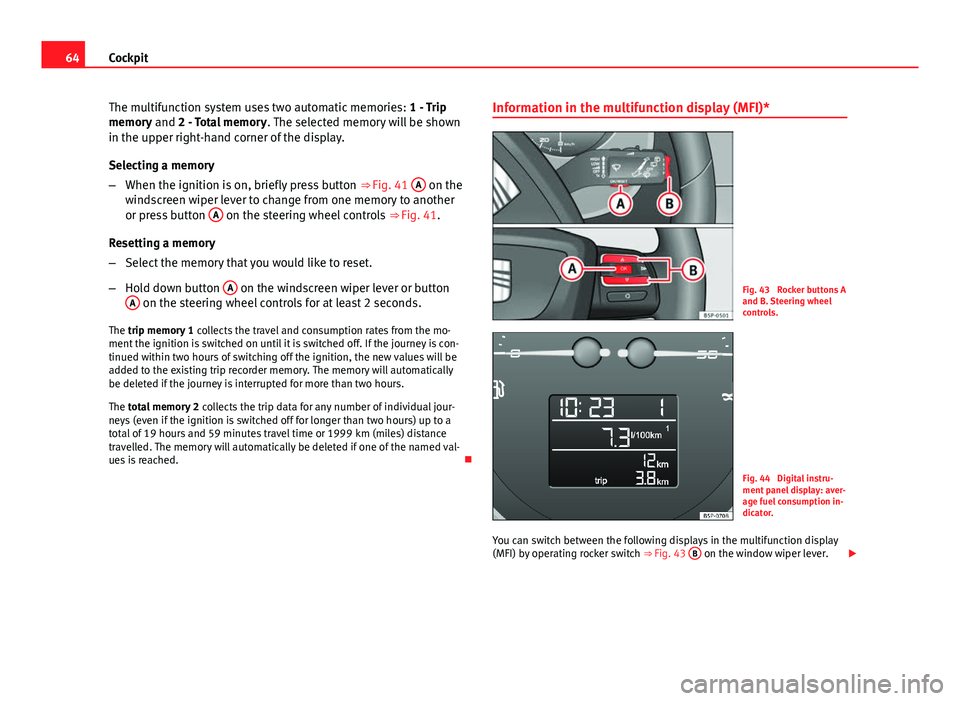
ues is reached. Information in the multifunction display (MFI)*Fig. 43 Rocker buttons A
and B. Steering wheel
controls.
Fig. 44 Digital instru-
ment panel display: aver-
age fuel consumption in-
dicator.
You can switch between the following displays in the multifunction display
(MFI) by operating rocker switch ⇒ Fig. 43 B
on the window wiper lever.
Page 67 of 321
65
Cockpit
Memory displays
● Distance
● Average speed
● Driving speed
● Speed warning at --- km/h (mph)
● Journey duration
● Current fuel consumption
● Average fuel consumption
● Operating range
km (miles) - Distance travelled The display shows the distance travelled since the ignition was switched on.
The maximum display value in both memories is 1999 km (miles). The
memory will automatically be deleted once this value has been reached.
km/h (mph) - Average speed
The average speed will be shown after running a distance of approximately
100 metres. Until then dashes will appear in the display. The display will be
updated every 5 seconds while the vehicle is in motion.
km/h (mph) - Driving speed
Driving speed is digitally shown in the display.
Set speed indicator
When driving at the required speed, enter the speed indicator mode and
press the button A
(Reset), the display remembers the indicated speed. If
the indicated speed is exceeded, a warning message is displayed on the
screen 1)
and an acoustic signal is given.
This may be deactivated by pressing the button A
(Reset).The speed may be altered using the rocker switch
B
in steps of 5 km/h
(mph) within 5 seconds of the initial memory value.
min - Journey duration
The display shows the amount of time which has elapsed since the ignition
was switched on.
The maximum display value in both memories is 19 hours and 59 minutes.
The memory will automatically be deleted once this value has been
reached.
l/100 km or l/h - Current fuel consumption The display will show the current fuel consumption in litre/km whilst the ve-
hicle is in motion or in litre/hour when the vehicle is in a stationary position
with the engine running.
Using this display you can see how your driving style affects fuel consump-
tion ⇒ page 206.
litre/100 km - Average fuel consumption
The average fuel consumption will be shown ⇒ Fig. 44 after a distance of
approximately 100 metres has been travelled. Until then dashes will appear
in the display. The display will be updated every 5 seconds while the vehicle
is in motion. The amount of fuel used will not be shown.
Km (miles) - Fuel range
The fuel range is calculated using the figures for tank content and current
fuel consumption. It shows how far the vehicle can travel using the same
conditions as a reference.
Outside temperature indicator
The measurement margin ranges from -45 °C (-49 °F) to +58 °C (+136.4 °F).
At temperatures lower than +4 °C (+39.2 °F), an “ice crystal symbol” is also
displayed and a “warning” is given if the vehicle is moving at more than
1)
Depending on the model version, the message on the screen may vary and may be repre-
sented by flashing of the speed indication or by a speed message.
Safety FirstOperating instructionsPractical TipsTechnical Specifications
Page 70 of 321
68Cockpit
Instrument panel menus*
Example of menu use
All the menus on the instrument panel may be used accord-
ing to the following procedure. The instrument panel menus
may vary according to the version of the model.
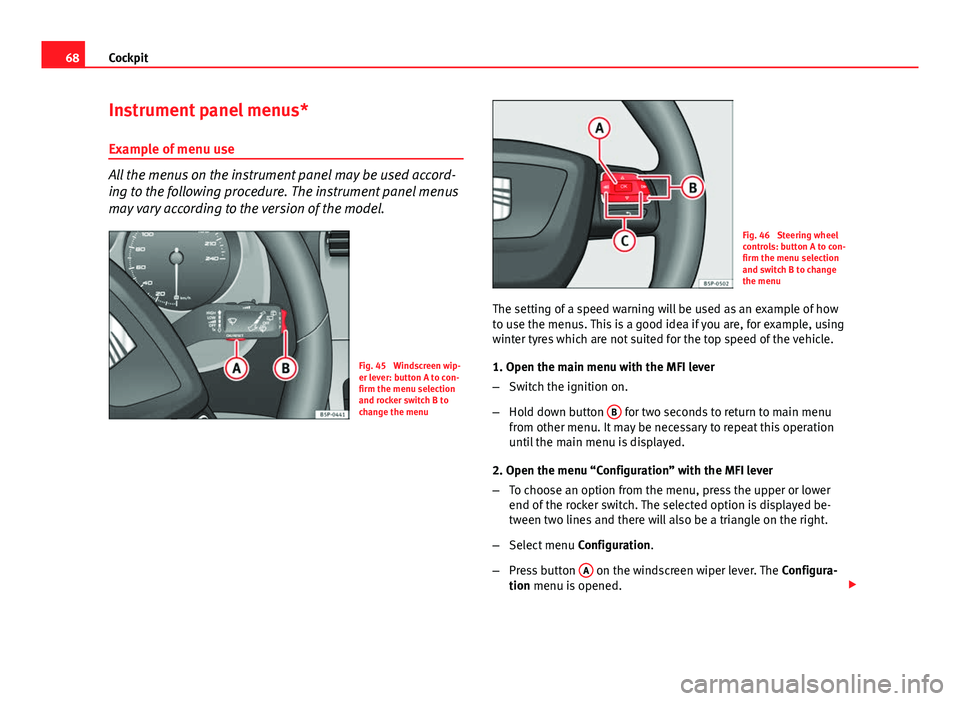
Fig. 45 Windscreen wip-
er lever: button A to con-
firm the menu selection
and rocker switch B to
change the menu
Fig. 46 Steering wheel
controls: button A to con-
firm the menu selection
and switch B to change
the menu
The setting of a speed warning will be used as an example of how
to use the menus. This is a good idea if you are, for example, using
winter tyres which are not suited for the top speed of the vehicle.
1. Open the main menu with the MFI lever
– Switch the ignition on.
– Hold down button B
for two seconds to return to main menu
from other menu. It may be necessary to repeat this operation
until the main menu is displayed.
2. Open the menu “Configuration” with the MFI lever
– To choose an option from the menu, press the upper or lower
end of the rocker switch. The selected option is displayed be-
tween two lines and there will also be a triangle on the right.
– Select menu Configuration.
– Press button A
on the windscreen wiper lever. The
Configura-
tion menu is opened.
Page 72 of 321
70Cockpit
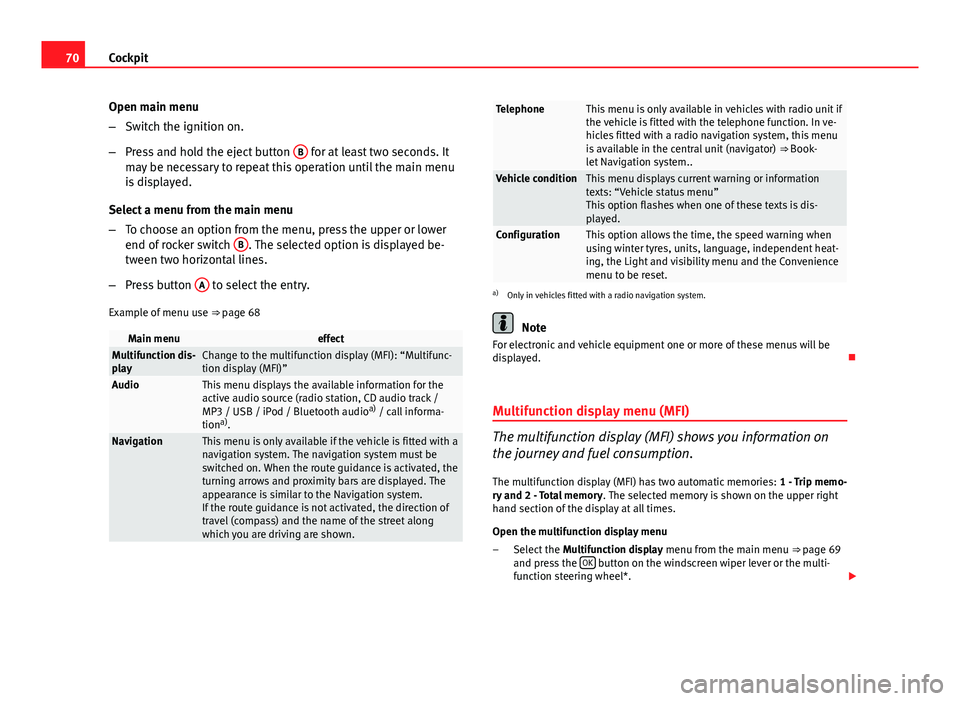
Open main menu
–Switch the ignition on.
– Press and hold the eject button B
for at least two seconds. It
may be necessary to repeat this operation until the main menu
is displayed.
Select a menu from the main menu
– To choose an option from the menu, press the upper or lower
end of rocker switch B
. The selected option is displayed be-
tween two horizontal lines.
– Press button A
to select the entry.
Example of menu use ⇒ page 68
Main menueffectMultifunction dis-
playChange to the multifunction display (MFI): “Multifunc-
tion display (MFI)”
AudioThis menu displays the available information for the
active audio source (radio station, CD audio track /
MP3 / USB / iPod / Bluetooth audio a)
/ call informa-
tion a)
.
NavigationThis menu is only available if the vehicle is fitted with a
navigation system. The navigation system must be
switched on. When the route guidance is activated, the
turning arrows and proximity bars are displayed. The
appearance is similar to the Navigation system.
If the route guidance is not activated, the direction of
travel (compass) and the name of the street along
which you are driving are shown.
TelephoneThis menu is only available in vehicles with radio unit if
the vehicle is fitted with the telephone function. In ve-
hicles fitted with a radio navigation system, this menu
is available in the central unit (navigator) ⇒ Book-
let Navigation system..
Vehicle conditionThis menu displays current warning or information
texts: “Vehicle status menu”
This option flashes when one of these texts is dis-
played.
ConfigurationThis option allows the time, the speed warning when
using winter tyres, units, language, independent heat-
ing, the Light and visibility menu and the Convenience
menu to be reset.
a) Only in vehicles fitted with a radio navigation system.
Note
For electronic and vehicle equipment one or more of these menus will be
displayed.
Multifunction display menu (MFI)
The multifunction display (MFI) shows you information on
the journey and fuel consumption.
The multifunction display (MFI) has two automatic memories: 1 - Trip memo-
ry and 2 - Total memory . The selected memory is shown on the upper right
hand section of the display at all times.
Open the multifunction display menu
Select the Multifunction display menu from the main menu ⇒ page 69
and press the OK
button on the windscreen wiper lever or the multi-
function steering wheel*.
–
Page 73 of 321
71
Cockpit
Selecting a memory To change from one memory to another, briefly press button A
⇒ Fig. 45 ⇒ page 68 on the windscreen wiper lever or the OK button on
the multifunction steering wheel ⇒ Fig. 46 ⇒ page 68 while the ignition
is switched on.
Resetting a memory Select the memory where you wish to erase the values.
Hold down button A
on the windscreen wiper lever or the OK button
on the multifunction steering wheel* for at least two seconds.
The trip memory 1 collects the travel and consumption data from the mo-
ment the ignition is switched on until it is switched off. If the journey is con-
tinued within two hours of switching off the ignition, the new values will be
added to the existing trip recorder memory. The memory will automatically
be deleted if the journey is interrupted for more than two hours.
The total memory 2 collects the journey data for any number of individual
journeys (even if the ignition is switched off for longer than two hours) up to
a total of 19 hours and 59 minutes travel time or 1999 km (miles) distance
travelled. The memory will automatically be deleted if one of the named val-
ues is reached.
Memory indications
The following data can be viewed on the multifunction display using the
rocker switch B
⇒ Fig. 45 ⇒
page 68 on the windscreen wiper lever or by
pressing button or ⇒
Fig. 46 on the multifunction steering wheel*.
Personal selection of display
The driver can establish which displays are shown on the instrument panel
display as required:
● Select the submenu Multifunction Display Data from the Configuration
menu ⇒ page 73.
● The displays can be activated or deactivated individually by marking the
required option and pressing the OK
button on the windscreen wiper lever
or the multifunction steering wheel*. –
–
– Duration in h and min
The display shows the amount of time which has elapsed since the ignition
was switched on.
The maximum display value in both memories is 19 hours and 59 minutes.
The memory will automatically be deleted once this value has been
reached.
Current fuel consumption in l/100 km or l/hour
The display will show the current fuel consumption in litres/100 km whilst
the vehicle is in motion or in litres/hour when the vehicle is in a stationary
position with the engine running.
Using this display you can see how your driving style affects fuel consump-
tion ⇒ page 171.
Average fuel consumption in l/100 km
The average fuel consumption will be shown after a distance of approxi-
mately 100 metres has been travelled. Until then dashes will appear in the
display. The display will be updated every five seconds while the vehicle is
in motion. The amount of fuel used will not be shown.
Distance travelled in km (miles)
The display shows the distance travelled since the ignition was switched on.
The maximum display value in both memories is 1999 km (miles). The
memory will automatically be deleted once this value has been reached.
Average speed in km/h (mph) After starting the ignition, the average speed will be shown after a distance
of approximately 100 metres has been travelled. Until then dashes will ap-
pear in the display. The display will be updated every five seconds while the
vehicle is in motion.
Speed warning at --- km/h (mph)
This function may help you to keep within the speed limits. Press the OKbutton on the windscreen wiper lever
A or the multifunction steering
Safety FirstOperating instructionsPractical TipsTechnical Specifications
Page 76 of 321
74Cockpit
–Press button
or on the multifunction steering wheel*
⇒ Fig. 46 until the Configuration menu is displayed.
– Choose the option Convenience from the main menu and press
the button A
on the windscreen wiper lever.
Example of menu use ⇒ page 68
Displayed on the
screeneffect
Central locking.One door: individual unlocking activated.
Auto lock: The doors are automatically locked when
the vehicle is travelling at more than approx
15 km/h (10 mph).
Auto unlock: the doors are unlocked when the key
is removed from the ignition.
Elec. window controlOpening and closing electric windows: this deter-
mines whether to open or close all the windows
when the vehicle is unlocked or locked. The open
function can also be activated for the driver door
only.
Exterior mirror ad-
just.If synchronised adjustment is selected, when the
driver side exterior mirror is adjusted, the passen-
ger exterior mirror is also moved.
Factory settingsThe predefined factory values for the functions of
this menu are restored.
BackThis returns to the Configuration menu
Note
For electronic and vehicle equipment one or more of these menus will be
displayed. Lights and visibility menu
From this menu it is it possible to alter the vehicle lighting
settings.
Open Lights and visibility Menu
– Select the option Configuration from the main menu: “Main
menu” and press button OK
A ⇒ page 68 on the windscreen
wiper lever. or
– Press button
or on the multifunction steering wheel*
⇒ Fig. 46 until the Configuration menu is displayed.
– Select the option Lights & visibil. from the menu and press but-
ton A
on the windscreen wiper lever.
Example of menu use ⇒ page 68.
Displayed on the
screeneffect
Coming Home/
Leaving HomeThis option permits the adjustment of the time dur-
ing which the headlights remain lit after the vehicle
is locked, and also permits the function to be
switched on and off
Indicator conf.The convenience turn signal function can be activa-
ted or deactivated here. With the convenience
mode activated, the turn signal will blink at least
three times when turned on.
Factory settingsThe predefined factory values for the functions of
this menu are restored.
BackThis returns to the Configuration menu
Page 84 of 321
82Cockpit
Rear fog light
This warning lamp lights up when the rear fog light is switched on . For
further information see ⇒ page 115.
Turn signals
The control lamp flashes when the turn signals are in opera-
tion.
Depending on which turn signal is operating, either the left or right
turn signal lamp flashes. Both control lamps will flash at the same time
when the hazard warning lights are switched on.
If any of both turn signals fails, the warning lamp will start flashing twice
faster than normal.
For further information on the turn signals, please see ⇒ page 122.
Engine management*
This warning lamp monitors the engine management sys-
tem for petrol engines.
The warning lamp (Electronic Power Control) lights up when the ignition
is switched while the system operation is verified. It should go out once the
engine is started.
If there is a fault in the electronic engine management system while you are
driving, this warning lamp will light up. Stop the vehicle and seek technical
assistance. Glow plug system/engine fault
The warning lamp lights up to show that the glow plugs are
preheating the diesel engine. It flashes if there is an engine
fault.
Control lamp is lit
The control lamp lights up while the glow plug system is preheating.
When the warning lamp goes off, the engine should be started straight
away.
Control lamp flashes
If a fault develops in the engine management system while you are driving,
the glow plug system lamp will flash . Take the vehicle to a specialised
workshop as soon as possible and have the engine checked.
Main beam headlights
This control lamp lights up when the main beams are on.
The warning lamp is switched on once main beams are on or once the
headlight flasher is operating.
For further information see ⇒ page 122.
Soot accumulation in the diesel engine particulate filter *
If the lamp lights up you should help the filter clean itself by driving in
the appropriate manner.
Page 85 of 321
83
Cockpit
To do this, drive about 15 minutes in fourth or fifth gear (automatic gear-
box: S gear range) at a speed of 60 km/h (37 mph), with the engine running
at approximately 2000 rpm. In this way, the pollen build up in the filter is
burned. When cleaning is successful, the lamp turns off.
If the lamp does not turn off, or the three lamps turn on (particulate filter
, emission control system fault and glow plugs ), take the vehicle to
a specialised workshop to repair the fault.
WARNING
● Always drive according to the road weather conditions, the terrain
and traffic. Driving recommendations should never lead to illegal ma-
noeuvres in surrounding traffic.
● The diesel engine particulate filter may reach extremely high temper-
atures; it should not enter into contact with flammable materials under-
neath the vehicle. Otherwise there is a risk of fire.
Anti-lock brake system (ABS)*
A control lamp monitors the ABS.
The control lamp should light up for a few seconds when the ignition is
switched on. It goes out again after the system has run through an automat-
ic test sequence.
There is a fault in the ABS if:
● The control lamp does not light up when the ignition is switched on.
● The control lamp does not go out again after a few seconds.
● The control lamp lights up when the vehicle is moving.
The vehicle can still be braked in the normal way, without the ABS function.
Take the vehicle to a specialised workshop as soon as possible. For further
information on the ABS go to ⇒ page 196. If a fault occurs in the ABS, the ESC* control lamp will also light up.
Brake system fault
If the ABS warning lamp
lights up together with the brake warning lamp
, this indicates not only a fault in the ABS function, but also a possible
fault in the brake system ⇒
.
WARNING
● Before opening the bonnet, read and observe the warnings on
⇒ page 235, Working in the engine compartment.
● If the brake system warning lamp should light up together with the
ABS warning lamp , stop the vehicle immediately and check the brake
fluid level in the reservoir ⇒ page 249, Brake fluid. If the brake fluid lev-
el has dropped below the “MIN” mark you must not drive on. Risk of acci-
dent. Obtain technical assistance.
● If the brake fluid level is correct, the fault in the brake system may
have been caused by a failure of the ABS system. This could cause the
rear wheels to lock quickly when you brake. This could cause the rear to
break away. Risk of skidding. Stop the vehicle and seek technical assis-
tance.
Washer fluid*
This warning lamp lights up to indicate that the windscreen
washer level is too low. This serves as a reminder to fill up the reservoir at the earliest opportunity
⇒ page 244.
Safety FirstOperating instructionsPractical TipsTechnical Specifications
Page 86 of 321
84Cockpit
The following message is shown on the instrument panel display* 1)
: REFILL
WINDSCREEN WASHER FLUID .
Alternator
This warning lamp signals a fault in the alternator.
The warning lamp lights up when the ignition is switched on. It should
go out when the engine has started running.
If the warning lamp lights up while driving, the alternator is no longer
charging the battery. You should immediately drive to the nearest special-
ised workshop.
You should avoid using electrical equipment that is not absolutely necessa-
ry because this will drain the battery.
Worn brake pads
If the symbol lights up, have the front brake pads (and, for safety rea-
sons, the rear pads as well) inspected by a specialised workshop. Tyre pressure
The tyre pressure control system controls the tyre speed and
the frequency spectrum of each tyre.
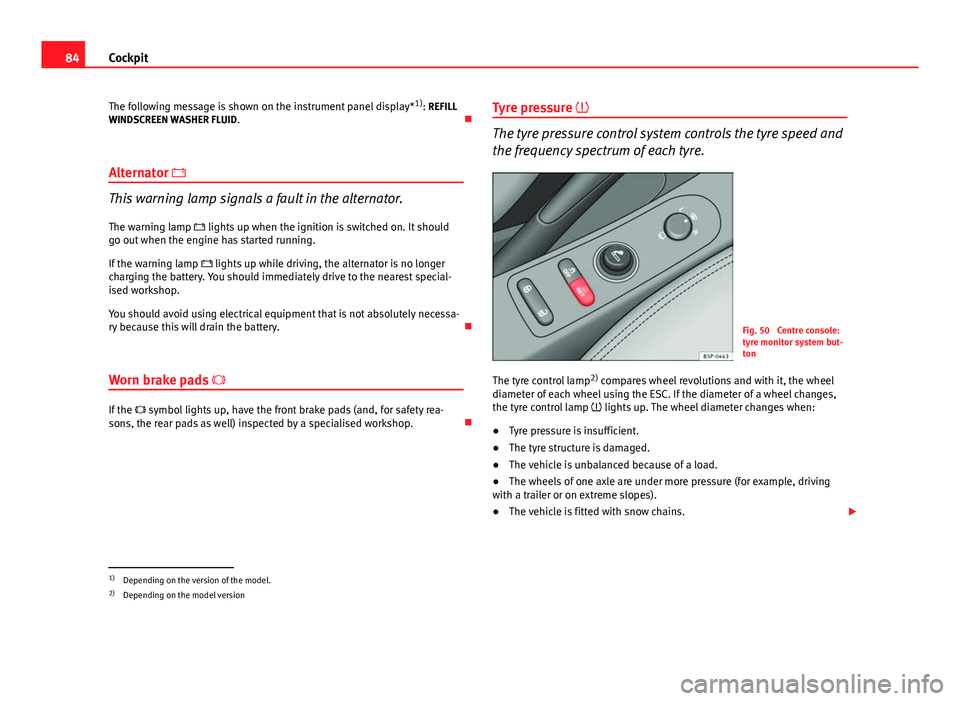
Fig. 50 Centre console:
tyre monitor system but-
ton
The tyre control lamp 2)
compares wheel revolutions and with it, the wheel
diameter of each wheel using the ESC. If the diameter of a wheel changes,
the tyre control lamp lights up. The wheel diameter changes when:
● Tyre pressure is insufficient.
● The tyre structure is damaged.
● The vehicle is unbalanced because of a load.
● The wheels of one axle are under more pressure (for example, driving
with a trailer or on extreme slopes).
● The vehicle is fitted with snow chains.
1)
Depending on the version of the model.
2) Depending on the model version