stop start Seat Altea 2014 User Guide
[x] Cancel search | Manufacturer: SEAT, Model Year: 2014, Model line: Altea, Model: Seat Altea 2014Pages: 321, PDF Size: 4.52 MB
Page 89 of 321
87
Cockpit
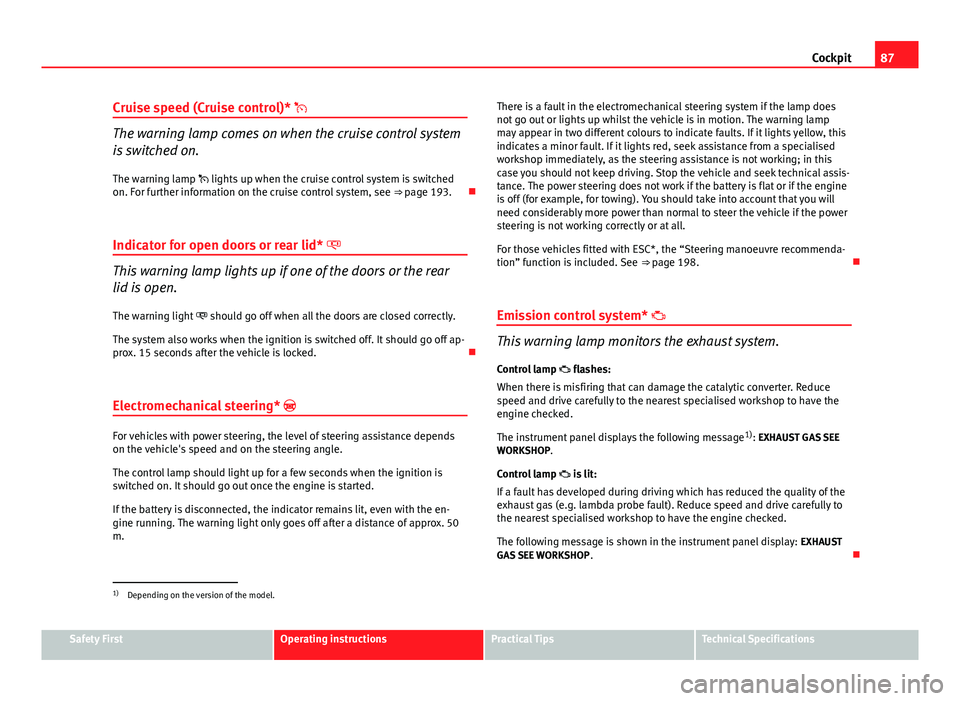
Cruise speed (Cruise control)*
The warning lamp comes on when the cruise control system
is switched on.
The warning lamp lights up when the cruise control system is switched
on. For further information on the cruise control system, see ⇒ page 193.
Indicator for open doors or rear lid*
This warning lamp lights up if one of the doors or the rear
lid is open. The warning light should go off when all the doors are closed correctly.
The system also works when the ignition is switched off. It should go off ap-
prox. 15 seconds after the vehicle is locked.
Electromechanical steering*
For vehicles with power steering, the level of steering assistance depends
on the vehicle's speed and on the steering angle.
The control lamp should light up for a few seconds when the ignition is
switched on. It should go out once the engine is started.
If the battery is disconnected, the indicator remains lit, even with the en-
gine running. The warning light only goes off after a distance of approx. 50
m. There is a fault in the electromechanical steering system if the lamp does
not go out or lights up whilst the vehicle is in motion. The warning lamp
may appear in two different colours to indicate faults. If it lights yellow, this
indicates a minor fault. If it lights red, seek assistance from a specialised
workshop immediately, as the steering assistance is not working; in this
case you should not keep driving. Stop the vehicle and seek technical assis-
tance. The power steering does not work if the battery is flat or if the engine
is off (for example, for towing). You should take into account that you will
need considerably more power than normal to steer the vehicle if the power
steering is not working correctly or at all.
For those vehicles fitted with ESC*, the “Steering manoeuvre recommenda-
tion” function is included. See
⇒ page 198.
Emission control system*
This warning lamp monitors the exhaust system.
Control lamp flashes:
When there is misfiring that can damage the catalytic converter. Reduce
speed and drive carefully to the nearest specialised workshop to have the
engine checked.
The instrument panel displays the following message 1)
: EXHAUST GAS SEE
WORKSHOP.
Control lamp is lit:
If a fault has developed during driving which has reduced the quality of the
exhaust gas (e.g. lambda probe fault). Reduce speed and drive carefully to
the nearest specialised workshop to have the engine checked.
The following message is shown in the instrument panel display: EXHAUST
GAS SEE WORKSHOP .
1)
Depending on the version of the model.
Safety FirstOperating instructionsPractical TipsTechnical Specifications
Page 91 of 321
89
Cockpit
Operating the foot brake
The brake pedal must be depressed when this warning lamp lights up. This
is necessary when the automatic gearbox* selector lever is moved out of the
positions P or N.
Electronic immobiliser* “Safe”
This warning lamp flashes if an unauthorised key is used.
Inside the key there is a chip that deactivates the electronic immobiliser au-
tomatically when the key is inserted into the ignition. The electronic immo-
biliser will be activated again automatically as soon as you pull the key out
of the ignition lock.
The instrument panel displays the following message 1)
: IMMOBILISER. The
vehicle cannot be used in that case ⇒ page 174.
The engine can, however, be started if the appropriate coded SEAT genuine
key is used.
Note
A perfect operation of the vehicle is ensured if genuine SEAT keys are used.
1)
Depending on the version of the model.
Safety FirstOperating instructionsPractical TipsTechnical Specifications
Page 99 of 321
97
Opening and closing
Note
● While the driver door is open, the vehicle cannot be locked with the re-
mote control. This avoids the user from forgetting his key inside the vehicle.
● If the driver door is unlocked with the key shaft, only the driver door is
unlocked, the rest of the doors remain locked. When the ignition is switched
on, the door deadlock function is deactivated (although the doors remain
locked) and the central lock button is activated. See ⇒ page 106.
● If the central locking or anti-theft alarm are faulty, the driver door control
lamp remains lit for approx. 30 seconds after locking the vehicle.
● For anti-theft security, only the driver door is fitted with a lock cylinder.
“Safe” Security system*
The deadlock function makes it more difficult to break into
the vehicle because the door release lever and the central
lock button are not active (depending upon country). Activating the deadlock
– Press once the locking button
on the remote control. or
– Turn the key once in the driver door lock to lock. A warning lamp
in the driver door flashes to indicate the deadlock is working.
The warning lamp flashes for approx. two seconds at short in-
tervals and then more slowly.
Deactivating the deadlock when the vehicle is locked
– Press the lock button
on the remote control
twice within two
seconds. The vehicle is locked without activating the deadlock.
The driver door warning lamp flashes for approx. two seconds
and then goes out. After approx. 30 seconds it starts flashing
again. The doors can be unlocked and opened from the inside if the deadlock has
not been activated. You will have to pull the door release lever once. When
the deadlock is off, the anti-theft alarm*
⇒ page 106 remains active. The
vehicle interior monitoring system* and the anti-tow system are deactiva-
ted*.
WARNING
Nobody should remain in the vehicle if the deadlock system mechanism
has been activated. It is not possible to open the doors from the inside.
Locked doors could make it more difficult to assist vehicle occupants in
the event of an accident. People could become trapped inside in an emer-
gency.
Selective unlocking system*
This system allows to unlock either just the driver door or all
the vehicle.
Using the remote control, press the unlock button on the remote
once.
The Safe system for all the vehicle is deactivated, only the driver door is un-
locked and both the alarm and the warning lamp are also turned off.
Unlocking all doors and the luggage compartment
The unlock button on the remote control must be pressed twice
so that
all doors and the luggage compartment can be opened.
Press twice within 2 seconds to deactivate the Safe system for all vehicle, to
unlock all doors and to use the luggage compartment. The warning lamp
and the alarm (only vehicles fitted with one) are turned off.
Safety FirstOperating instructionsPractical TipsTechnical Specifications
Page 105 of 321
103
Opening and closing
WARNING
● An incorrect use of the keys can cause serious injuries.
● Never leave children or disabled persons in the vehicle. In case of
emergency, they may not be able to leave the vehicle or manage on their
own.
● An uncontrolled use of the key could start the engine or activate any
electric equipment (e.g. electric windows), causing risk of accident. The
doors can be locked using the remote control key. This could become an
obstacle for assistance in an emergency situation.
● Never forget the keys inside the vehicle. An unauthorised use of your
vehicle could result in injury, damage or theft. Always take the key with
you when you leave the vehicle.
● Never remove the key from the ignition if the vehicle is in motion.
Otherwise, the steering could suddenly block and it would be impossible
to steer the vehicle.
CAUTION
There are electronic components in the remote control key. Avoid wetting
and hitting the keys.
Safety FirstOperating instructionsPractical TipsTechnical Specifications
Page 107 of 321
105
Opening and closing
WARNING
● An improper use of the key can cause serious injuries.
● Never leave children or disabled persons in the vehicle. In case of
emergency, they may not be able to leave the vehicle or manage on their
own.
● Never forget the keys inside the vehicle. Otherwise, this could result
in serious injuries, accidents or even the theft of your vehicle. Always
take the key with you when you leave the vehicle.
● An uncontrolled use of the key could start the engine or activate any
electric equipment (e.g. electric windows), causing risk of accident. The
vehicle can be locked when using the remote control key. This could com-
plicate the aid in case of emergency.
Note
● The radio frequency remote control can be programmed by means of
pressing the unlocking button once; as a result, only the driver door will un-
lock. When the button is pressed once more, all doors and the rear lid will
be unlocked.
● The radio frequency remote control functions only when you are in range
⇒ Fig. 63 (red area).
● If the vehicle is unlocked using the
1 button, it will lock again auto-
matically if any of the doors or the rear lid are not opened within 30 sec-
onds after unlocking it. This function prevents the vehicle from remaining
unlocked if the unlock button is pressed by mistake.
● If the vehicle cannot be opened and closed using the radio frequency re-
mote control, the remote control key will have to be re-synchronised
⇒ page 105. Changing the battery
If the battery indicator does not flash when the buttons are pushed, the bat-
tery must be replaced.
CAUTION
The use of inappropriate batteries may damage the radio frequency remote
control. For this reason, always replace the dead battery with another of the
same size and power.
For the sake of the environment
Used batteries must be disposed of at an appropriate waste facility or
through an authorised service, given that their components can affect the
environment.
Synchronising the remote control key
If it is not possible to unlock or lock the door with the remote
control, it should be re-synchronised.
– Press the
⇒ Fig. 62 button on the remote control.
– Then close the vehicle using the key bit within one minute.
It is possible that the vehicle could no longer be opened and closed with
the remote control if the button
is repeatedly pressed outside of the ef-
fective range of the radio frequency remote control. The remote control key
will have to be resynchronised.
Spare remote control keys are available in your Technical Service, where
they must be matched to the locking system.
Up to four remote control keys can be used.
Safety FirstOperating instructionsPractical TipsTechnical Specifications
Page 115 of 321
113
Opening and closing
Closing the sliding/tilting sunroof
– Turn the rotary button to position A
⇒ Fig. 68 ⇒ .
Opening the sliding/tilting sunroof
– Turn the rotary button to position B
. The sunroof opens to the
convenience position where wind noise is reduced.
– To open the roof further, turn the switch to position C
and hold
the switch in this position until the roof opens to the desired
position.
Tilting the sliding/tilting sunroof
– Turn the rotary button to position D
.
Always close the sliding/tilting sunroof fully if you park the vehicle or leave
it unattended ⇒
.
The sliding/tilting sunroof can be operated for up to about 10 minutes after
the ignition has been switched off, provided the driver door and the front
passenger door are not opened.
Sun visor
The sun visor is opened together with the sliding/tilting sunroof. If required,
it can be closed by hand when the sunroof is closed.
WARNING
● Incorrect use of the sliding/tilting sunroof can result in injury.
● Never close the sliding/tilting sunroof without checking there are no
obstructions, to do otherwise could cause serious injury to you and oth-
ers. Make sure that no one is in the path of the sliding/tilting sunroof.
● Always take the vehicle key with you when you leave the vehicle.
WARNING (Continued)
● Never leave children or disabled persons in the vehicle, particularly if
they have access to the keys. Unsupervised use of a key could mean that
the engine is started or that electrical equipment is used (e.g. electric
sliding/tilting sunroof). Risk of accident! The doors can be locked using
the remote control key. This could become an obstacle for assistance in
an emergency situation.
● The sliding/tilting sunroof continues to function until one of the front
doors is opened and the key removed from the ignition.
Convenience closing*
Using the door lock
– Hold the key in the door lock of the driver door in the locking
position until the sliding/tilting sunroof is closed.
– Release the key to interrupt this function.
Using the remote control
– Push the lock button on the remote control for about 3 seconds.
The sliding/tilting sunroof is closed.
– Release the unlock button to interrupt the function.
– When the sliding/tilting sunroof has closed completely, the turn
signals flash once.
Note
The sliding/tilting sunroof rotary knob remains in the last position selected
if the roof is closed using convenience closing from outside the vehicle and
will have to be re-positioned the next time you drive.
Safety FirstOperating instructionsPractical TipsTechnical Specifications
Page 121 of 321
119
Lights and visibility
Instrument and switch lighting / Headlight range control
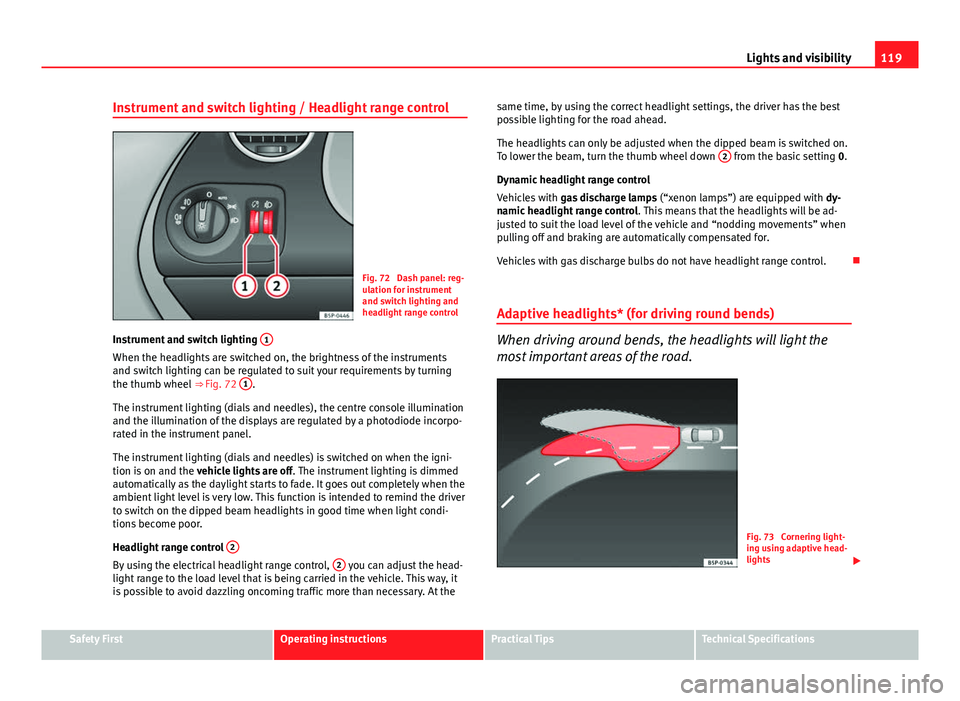
Fig. 72 Dash panel: reg-
ulation for instrument
and switch lighting and
headlight range control
Instrument and switch lighting 1
When the headlights are switched on, the brightness of the instruments
and switch lighting can be regulated to suit your requirements by turning
the thumb wheel
⇒ Fig. 72 1
.
The instrument lighting (dials and needles), the centre console illumination
and the illumination of the displays are regulated by a photodiode incorpo-
rated in the instrument panel.
The instrument lighting (dials and needles) is switched on when the igni-
tion is on and the vehicle lights are off . The instrument lighting is dimmed
automatically as the daylight starts to fade. It goes out completely when the
ambient light level is very low. This function is intended to remind the driver
to switch on the dipped beam headlights in good time when light condi-
tions become poor.
Headlight range control 2
By using the electrical headlight range control, 2 you can adjust the head-
light range to the load level that is being carried in the vehicle. This way, it
is possible to avoid dazzling oncoming traffic more than necessary. At the same time, by using the correct headlight settings, the driver has the best
possible lighting for the road ahead.
The headlights can only be adjusted when the dipped beam is switched on.
To lower the beam, turn the thumb wheel down
2
from the basic setting
0.
Dynamic headlight range control
Vehicles with gas discharge lamps (“xenon lamps”) are equipped with dy-
namic headlight range control . This means that the headlights will be ad-
justed to suit the load level of the vehicle and “nodding movements” when
pulling off and braking are automatically compensated for.
Vehicles with gas discharge bulbs do not have headlight range control.
Adaptive headlights* (for driving round bends)
When driving around bends, the headlights will light the
most important areas of the road.
Fig. 73 Cornering light-
ing using adaptive head-
lights
Safety FirstOperating instructionsPractical TipsTechnical Specifications
Page 123 of 321
121
Lights and visibility
3. Switch the ignition off.
4. Apply the handbrake.
5. On a manual gearbox engage 1st gear. On an automatic gear- box, move the selector lever to P.
6. Use the warning triangle to draw the attention of other road users to your vehicle.
7. Always take the vehicle key with you when you leave the vehi- cle.
Switch on the hazard warning lights to warn other road users, for example:
● reaching the tail end of a traffic jam,
● there is an emergency
● your vehicle breaks down due to a technical fault,
● you are towing another vehicle or your vehicle is being towed.
All turn signals flash simultaneously when the hazard warning lights are
switched on. The two turn signal turn signal lamps and the turn signal
lamp in the switch will flash at the same time. The hazard warning lights
also work when the ignition is switched off.
Emergency braking warning
If the vehicle is braked suddenly and continuously at a speed of more than
80 km/h (50 mph), the brake light flashes several times per second to warn
vehicles driving behind. If you continue braking, the hazard warning lights
will come on automatically when the vehicle comes to a standstill. They
switch off automatically when the vehicle starts to move again.
WARNING
● The risk of an accident increases if your vehicle breaks down. Always
use the hazard warning lights and a warning triangle to draw the atten-
tion of other road users to your stationary vehicle.
● Never park where the catalytic converter could come into contact with
inflammable materials under the vehicle, for example dry grass or spilt
petrol. This could start a fire!
Note
● The battery will run down if the hazard warning lights are left on for a
long time, even if the ignition is switched off.
● The use of the hazard warning lights described here is subject to the rel-
evant statutory requirements.
Safety FirstOperating instructionsPractical TipsTechnical Specifications
Page 129 of 321
127
Lights and visibility
Rear door sun blind*
– Pull out the visor and hook it onto the hooks at the top of the
door frame ⇒ Fig. 82.
Windscreen wipers
Front windscreen wipers
The window wiper lever controls the windscreen wipers and
the automatic wash and wipe.
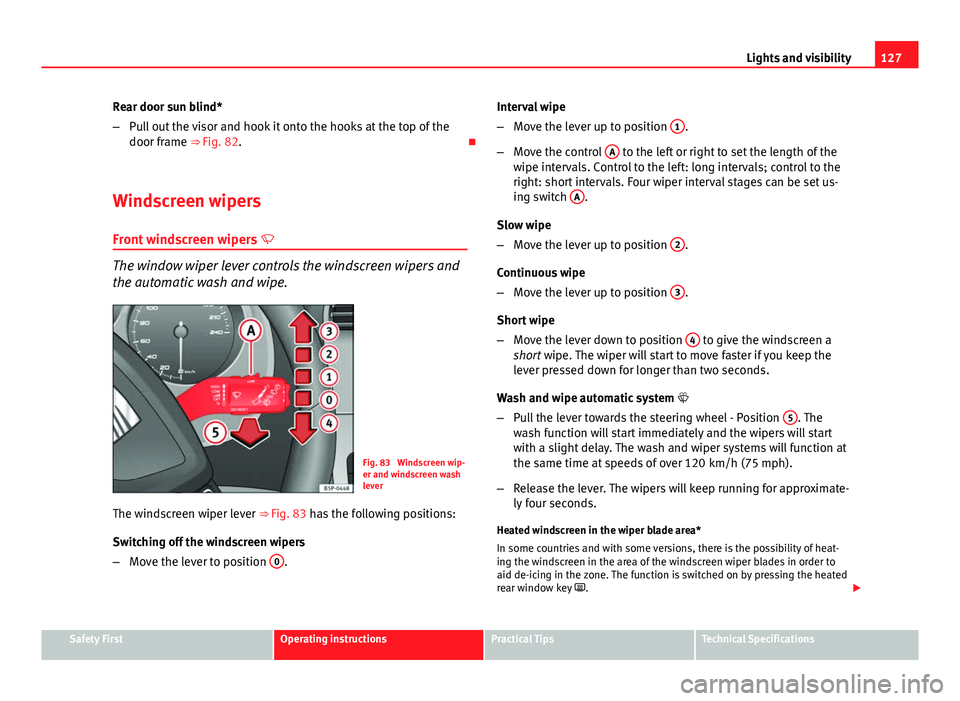
Fig. 83 Windscreen wip-
er and windscreen wash
lever
The windscreen wiper lever ⇒ Fig. 83 has the following positions:
Switching off the windscreen wipers
– Move the lever to position 0
. Interval wipe
–
Move the lever up to position 1
.
– Move the control A
to the left or right to set the length of the
wipe intervals. Control to the left: long intervals; control to the
right: short intervals. Four wiper interval stages can be set us-
ing switch A
.
Slow wipe
– Move the lever up to position 2
.
Continuous wipe
– Move the lever up to position 3
.
Short wipe
– Move the lever down to position 4
to give the windscreen a
short wipe. The wiper will start to move faster if you keep the
lever pressed down for longer than two seconds.
Wash and wipe automatic system
– Pull the lever towards the steering wheel - Position 5
. The
wash function will start immediately and the wipers will start
with a slight delay. The wash and wiper systems will function at
the same time at speeds of over 120 km/h (75 mph).
– Release the lever. The wipers will keep running for approximate-
ly four seconds.
Heated windscreen in the wiper blade area*
In some countries and with some versions, there is the possibility of heat-
ing the windscreen in the area of the windscreen wiper blades in order to
aid de-icing in the zone. The function is switched on by pressing the heated
rear window key .
Safety FirstOperating instructionsPractical TipsTechnical Specifications
Page 130 of 321
128Lights and visibility
WARNING
● Worn and dirty wiper blades reduce visibility and safety levels while
driving.
● In cold conditions, you should not use the wash/wipe system unless
you have warmed the windscreen with the heating and ventilation sys-
tem. The windscreen washer fluid could otherwise freeze on the wind-
screen and obscure your view of the road.
● Always note the corresponding warnings on ⇒ page 245.
CAUTION
In icy conditions, always check that the wiper blades are not frozen to the
glass before using the wipers for the first time. If you switch on the wind-
screen wipers when the wiper blades are frozen to the windscreen, you
could damage both the wiper blades and the wiper motor.
Note
● The windscreen wipers will only work when the ignition is switched on.
● In certain versions of vehicles with alarms, the windscreen wiper will on-
ly work when the ignition is on and the bonnet closed.
● When in use, the wipers do not go as far as the rest position. When the
lever is moved to position 0, they are totally hidden.
● The next speed down will automatically be selected if wiper speed 2
⇒ Fig. 83 or 3 is selected when the vehicle stops. The set speed will be
resumed when the vehicle starts again
● The windscreen will be wiped again after approximately five seconds
once the “automatic wipe/wash system” has been operated, provided the
vehicle is in transit (drip function). If you activate the wipers less than three
seconds after the drip function, a new wash sequence will begin without the
last wipe. For the “drip” function to work again, you have to turn the ignition
off and then on again. ●
When the “interval wipe function” is on, the intervals are directly propor-
tional to the speed. This way, the higher the vehicle speed the shorter the
intervals.
● The wiper will try to wipe away any obstacles that are on the windscreen.
The wiper will stop moving if the obstacle blocks its path. Remove the ob-
stacle and switch the wiper back on again.
● Before removing any objects that may be trapped in the side areas of
the windscreen, always move the wiper arms to the service position (hori-
zontal).
● The heat output of the heated jets is controlled automatically when the
ignition is switched on, depending upon the outside temperature.