turn signal Seat Altea 2014 User Guide
[x] Cancel search | Manufacturer: SEAT, Model Year: 2014, Model line: Altea, Model: Seat Altea 2014Pages: 321, PDF Size: 4.52 MB
Page 115 of 321
113
Opening and closing
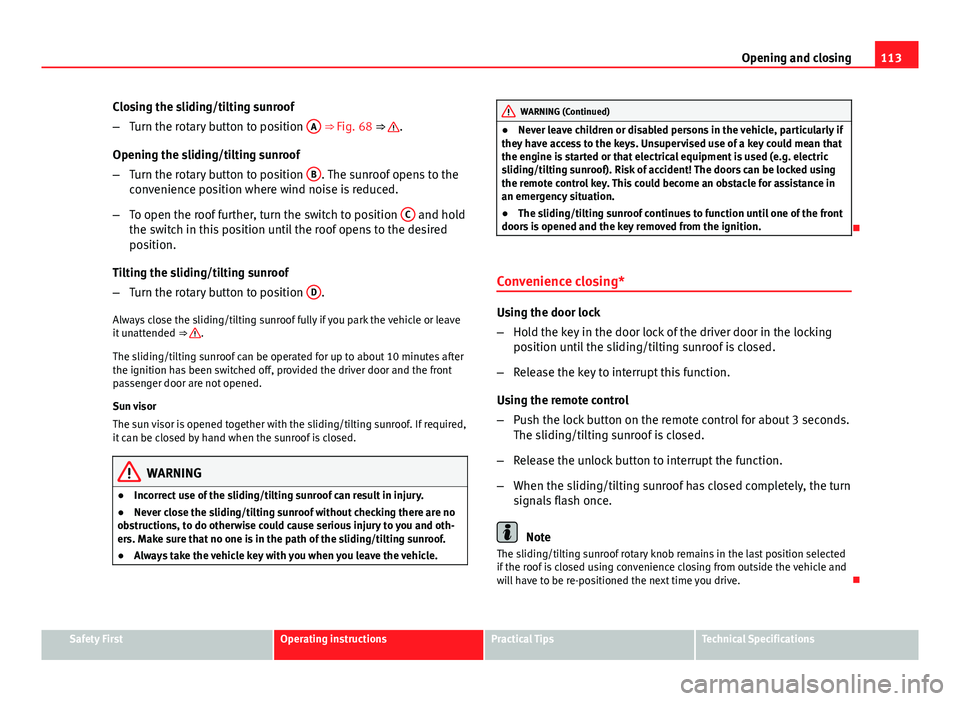
Closing the sliding/tilting sunroof
– Turn the rotary button to position A
⇒ Fig. 68 ⇒ .
Opening the sliding/tilting sunroof
– Turn the rotary button to position B
. The sunroof opens to the
convenience position where wind noise is reduced.
– To open the roof further, turn the switch to position C
and hold
the switch in this position until the roof opens to the desired
position.
Tilting the sliding/tilting sunroof
– Turn the rotary button to position D
.
Always close the sliding/tilting sunroof fully if you park the vehicle or leave
it unattended ⇒
.
The sliding/tilting sunroof can be operated for up to about 10 minutes after
the ignition has been switched off, provided the driver door and the front
passenger door are not opened.
Sun visor
The sun visor is opened together with the sliding/tilting sunroof. If required,
it can be closed by hand when the sunroof is closed.
WARNING
● Incorrect use of the sliding/tilting sunroof can result in injury.
● Never close the sliding/tilting sunroof without checking there are no
obstructions, to do otherwise could cause serious injury to you and oth-
ers. Make sure that no one is in the path of the sliding/tilting sunroof.
● Always take the vehicle key with you when you leave the vehicle.
WARNING (Continued)
● Never leave children or disabled persons in the vehicle, particularly if
they have access to the keys. Unsupervised use of a key could mean that
the engine is started or that electrical equipment is used (e.g. electric
sliding/tilting sunroof). Risk of accident! The doors can be locked using
the remote control key. This could become an obstacle for assistance in
an emergency situation.
● The sliding/tilting sunroof continues to function until one of the front
doors is opened and the key removed from the ignition.
Convenience closing*
Using the door lock
– Hold the key in the door lock of the driver door in the locking
position until the sliding/tilting sunroof is closed.
– Release the key to interrupt this function.
Using the remote control
– Push the lock button on the remote control for about 3 seconds.
The sliding/tilting sunroof is closed.
– Release the unlock button to interrupt the function.
– When the sliding/tilting sunroof has closed completely, the turn
signals flash once.
Note
The sliding/tilting sunroof rotary knob remains in the last position selected
if the roof is closed using convenience closing from outside the vehicle and
will have to be re-positioned the next time you drive.
Safety FirstOperating instructionsPractical TipsTechnical Specifications
Page 119 of 321
117
Lights and visibility
Daytime driving lights*
The daytime light reduces the risk of accidents by increasing
the visibility of the vehicle. The daytime running lights are
enabled automatically when the ignition is switched on. It is
automatically switched off when the side lights are turned
on.
Daytime running lights are signalling devices for improving road safety. The
lights are built into the headlights and come on each time the ignition is
turned on if the light switch is in position 0 or .
Automatic control of the dipped beam in combination with the daytime
running lights
If the dipped beam control and the daytime running lights are activated at
the same time, the dipped beams and the instrument panel lighting will au-
tomatically come on as required (e.g. when entering a tunnel) and the day-
time running lights will switch off. When the automatic dipped beam control
switches off the dipped beams (e.g. when coming out of a tunnel), the day-
time running lights come back on.
Activating the daytime driving lights
● Remove the key from the ignition, move the turn signal lever upwards
(right turn signal), press it backwards to flash position and hold it in this po-
sition.
● Insert the key and switch the ignition on, holding it in this position for 3
seconds. Then, switch off the ignition. The daytime lights are activated and
can be switched on. Switching off daytime driving lights
●
Remove the key from the ignition, move the turn signal lever downwards
(left turn signal), press it backwards to flash position and hold it in this po-
sition.
● Insert the key and switch the ignition on, holding it in this position for 3
seconds. Then, switch off the ignition. The daytime lights are deactivated
and cannot be switched on.
Note
Please observe any relevant legal requirements which may apply in your
country.
Nordic country solution 1)
The so-called “Nordic country solution” is an alternative solution to daytime
running lights in vehicles without this function. It consists of simultaneous-
ly connecting the dimmed dipped beams, the sidelights and the licence
plate lights.
Said lights come on each time the ignition is turned on if the light switch is
in position 0 or . Depending upon the model, the control lamp
on the
light control switch or the lighting up of the instrument panel will indicate
that the lighting is on.
Activation of the Nordic country solution
● Remove the key from the ignition, move the turn signal lever upwards
(right turn signal), press it backwards to flash position and hold it in this po-
sition.
● Insert the key and switch the ignition on, holding it in this position for 3
seconds. Then, switch off the ignition. The Nordic country solution is now
activated and the corresponding lights may come on.
1)
Only available in certain countries or as an optional extra.
Safety FirstOperating instructionsPractical TipsTechnical Specifications
Page 120 of 321
118Lights and visibility
Deactivation of the Nordic country solution
● Remove the key from the ignition, move the turn signal lever downwards
(left turn signal), press it backwards to flash position and hold it in this po-
sition.
● Insert the key and switch the ignition on, holding it in this position for 3
seconds. Then, switch off the ignition. The Nordic country solution is now
deactivated and the corresponding lights will not come on.
Coming/leaving home function*
The Coming Home function is controlled manually. The Leav-
ing Home function is controlled with a photosensor.
If the Coming Home or Leaving Home function is connected, the front side
and dipped lights, the tail lights and the number plate light will light up to
provide assistance.
Coming home function
The Coming Home function is activated by switching off the ignition and
briefly flashing the lights. When the driver door is opened, the Coming
Home lighting comes on. If the driver door is already open when the lights
are flashed briefly, the Coming Home lighting comes on immediately.
When the last door of the vehicle or the rear lid is closed, the Coming Home
function starts and the switching off the headlights is delayed.
The Coming Home lighting switches off in the following cases:
● On completion of the time period established for the delay in switching
off the lights after all the vehicle doors and the rear lid have been closed.
● If, 30 seconds after being connected, any doors or the rear lid remain
open.
● If the light switch is turned to position .
● If the ignition is switched on. Leaving home function
The Leaving Home function is activated when the vehicle is unlocked if:
●
the light control is in position and
● the photosensor detects “darkness”.
The Leaving Home lighting switches off in the following cases:
● If the time period for the delay in switching off the headlights has ended
● If the vehicle is locked again.
● If the light switch is turned to position .
● If the ignition is switched on.
Note
The setting for the delay in switching off the headlights in the Coming Home
and Leaving Home function can be changed or the function can be connec-
ted or disconnected in the menu Lights and visibility ⇒ page 74.
● If the ignition key is removed while the lights are on, and the lights are
flashed briefly and the driver door opened, no audible warning is heard, as
when the Coming Home function is on, the lights are automatically switched
off after a period of time (except when the light switch is in position or
.
Page 122 of 321
120Lights and visibility
Dynamic cornering lights* (AFS)
The dynamic cornering lights only operate if the vehicle is travelling at more
than 10 km/h (6 mph) and the dipped headlights are on. When taking a
bend, the road is illuminated better with directional gas discharge bulbs
than with conventional fixed headlights.
A fault in the system is indicated via the flashing of the control lamp on
the instrument panel. At the same time, a text message with information or
instructions to perform necessary operations may appear on the instrument
panel display. Take the vehicle to a specialised workshop and have the fault
repaired.
If the control lamp lights up on the instrument panel but all the bulbs are
operating correctly ⇒ page 274, there may still be a fault in the dynamic
curve lighting system (AFS). Take the vehicle to a specialised workshop and
have the fault repaired.
WARNING
If the “automatic dipped beam control” is switched on, the dipped beam
headlights will not be switched on in fog. They should be switched on
manually using the light switch. The driver is personally responsible for
the correct use of lights in all situations. “Automatic headlight control”
is merely a system to support the driver. Where necessary, switch on the
lights manually using the light switch.
Applies to the model: ALTEA / ALTEA XL Fog lights with cornering function*
When the turn signal is switched on to turn or on very tight bends, the right
or left fog light automatically comes on to function as a cornering light. The
cornering light only operates if the dipped beam lights are on.
WARNING
If the “automatic dipped beam control” is switched on, the dipped beam
headlights will not be switched on in fog. They should be switched on
manually using the light switch. The driver is personally responsible for
the correct use of lights in all situations. “Automatic headlight control”
is merely a system to support the driver. Where necessary, switch on the
lights manually using the light switch.
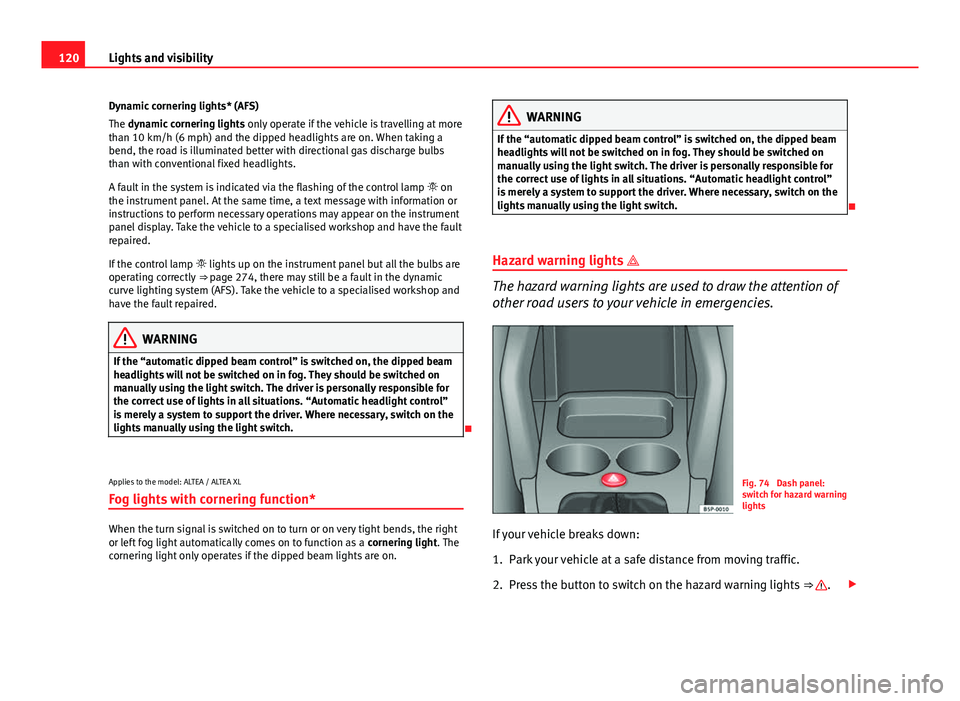
Hazard warning lights
The hazard warning lights are used to draw the attention of
other road users to your vehicle in emergencies.
Fig. 74 Dash panel:
switch for hazard warning
lights
If your vehicle breaks down:
1. Park your vehicle at a safe distance from moving traffic.
2. Press the button to switch on the hazard warning lights ⇒
.
Page 123 of 321
121
Lights and visibility
3. Switch the ignition off.
4. Apply the handbrake.
5. On a manual gearbox engage 1st gear. On an automatic gear- box, move the selector lever to P.
6. Use the warning triangle to draw the attention of other road users to your vehicle.
7. Always take the vehicle key with you when you leave the vehi- cle.
Switch on the hazard warning lights to warn other road users, for example:
● reaching the tail end of a traffic jam,
● there is an emergency
● your vehicle breaks down due to a technical fault,
● you are towing another vehicle or your vehicle is being towed.
All turn signals flash simultaneously when the hazard warning lights are
switched on. The two turn signal turn signal lamps and the turn signal
lamp in the switch will flash at the same time. The hazard warning lights
also work when the ignition is switched off.
Emergency braking warning
If the vehicle is braked suddenly and continuously at a speed of more than
80 km/h (50 mph), the brake light flashes several times per second to warn
vehicles driving behind. If you continue braking, the hazard warning lights
will come on automatically when the vehicle comes to a standstill. They
switch off automatically when the vehicle starts to move again.
WARNING
● The risk of an accident increases if your vehicle breaks down. Always
use the hazard warning lights and a warning triangle to draw the atten-
tion of other road users to your stationary vehicle.
● Never park where the catalytic converter could come into contact with
inflammable materials under the vehicle, for example dry grass or spilt
petrol. This could start a fire!
Note
● The battery will run down if the hazard warning lights are left on for a
long time, even if the ignition is switched off.
● The use of the hazard warning lights described here is subject to the rel-
evant statutory requirements.
Safety FirstOperating instructionsPractical TipsTechnical Specifications
Page 124 of 321
122Lights and visibility
Turn signal and main beam headlight lever
The turn signal and main beam lever also operates the park-
ing lights and the headlight flasher.
Fig. 75 Turn signal and
main beam headlight lev-
er
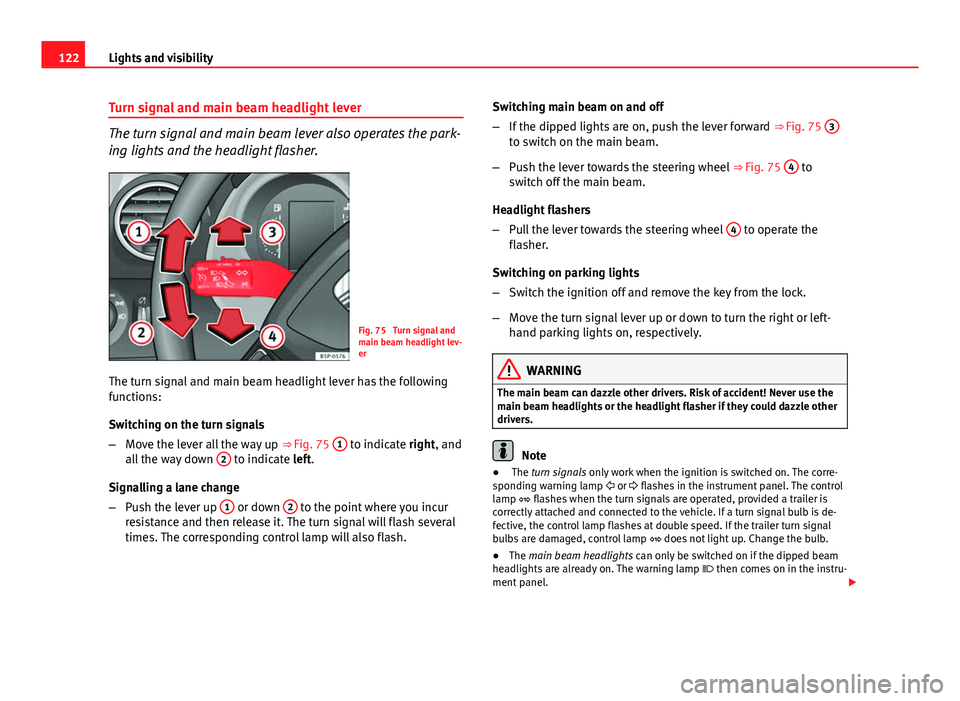
The turn signal and main beam headlight lever has the following
functions:
Switching on the turn signals
– Move the lever all the way up ⇒ Fig. 75 1
to indicate right, and
all the way down 2 to indicate left.
Signalling a lane change
– Push the lever up 1
or down 2 to the point where you incur
resistance and then release it. The turn signal will flash several
times. The corresponding control lamp will also flash. Switching main beam on and off
–
If the dipped lights are on, push the lever forward ⇒ Fig. 75 3
to switch on the main beam.
– Push the lever towards the steering wheel ⇒ Fig. 75 4
to
switch off the main beam.
Headlight flashers
– Pull the lever towards the steering wheel 4
to operate the
flasher.
Switching on parking lights
– Switch the ignition off and remove the key from the lock.
– Move the turn signal lever up or down to turn the right or left-
hand parking lights on, respectively.
WARNING
The main beam can dazzle other drivers. Risk of accident! Never use the
main beam headlights or the headlight flasher if they could dazzle other
drivers.
Note
● The turn signals only work when the ignition is switched on. The corre-
sponding warning lamp or flashes in the instrument panel. The control
lamp flashes when the turn signals are operated, provided a trailer is
correctly attached and connected to the vehicle. If a turn signal bulb is de-
fective, the control lamp flashes at double speed. If the trailer turn signal
bulbs are damaged, control lamp does not light up. Change the bulb.
● The main beam headlights can only be switched on if the dipped beam
headlights are already on. The warning lamp then comes on in the instru-
ment panel.
Page 125 of 321
123
Lights and visibility
● The headlight flasher comes on for as long as you pull the lever – even if
no other lights are switched on. The warning lamp then comes on in the
instrument panel.
● When the parking lights are switched on, the headlight and the tail light
on the corresponding side of the vehicle light up. The parking lights will on-
ly work if the key is removed from the ignition. If the lights are switched on,
an audible warning will be emitted while the driver door is open.
● If the turn signal lever is left on after the key has been taken out of the
ignition lock, an acoustic signal sounds when the driver door is opened.
This is a reminder to switch off the turn signal, unless of course you wish to
leave the parking light on.
Interior lights
Front interior light type 1
Fig. 76 Interior roof trim:
front interior lighting
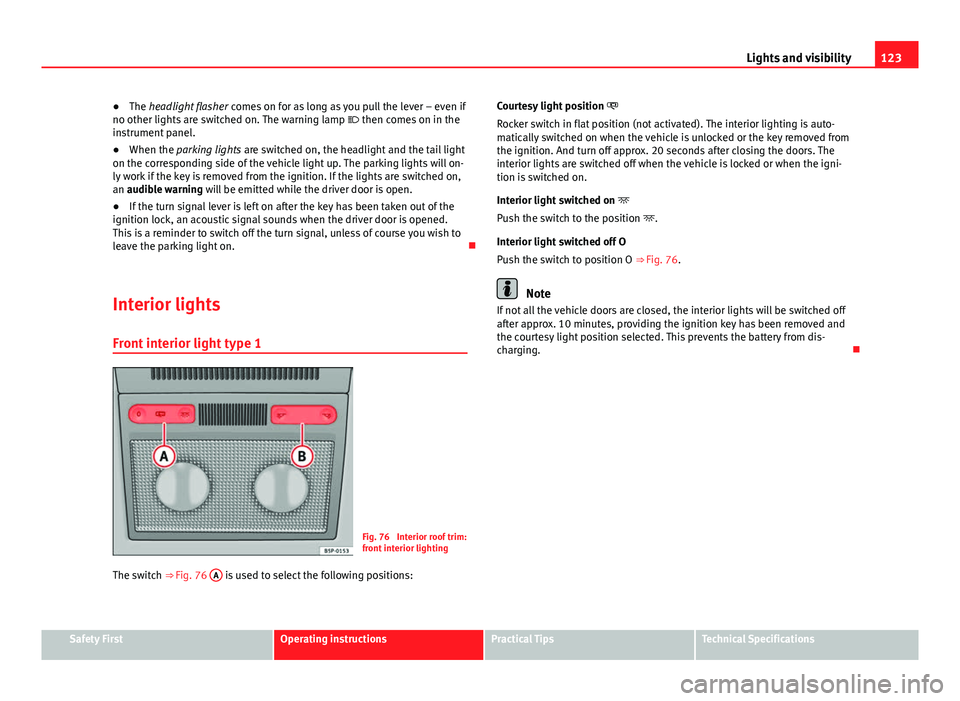
The switch ⇒ Fig. 76 A
is used to select the following positions: Courtesy light position
Rocker switch in flat position (not activated). The interior lighting is auto-
matically switched on when the vehicle is unlocked or the key removed from
the ignition. And turn off approx. 20 seconds after closing the doors. The
interior lights are switched off when the vehicle is locked or when the igni-
tion is switched on.
Interior light switched on
Push the switch to the position .
Interior light switched off O
Push the switch to position O ⇒ Fig. 76.
Note
If not all the vehicle doors are closed, the interior lights will be switched off
after approx. 10 minutes, providing the ignition key has been removed and
the courtesy light position selected. This prevents the battery from dis-
charging.
Safety FirstOperating instructionsPractical TipsTechnical Specifications
Page 195 of 321
193
Driving
Cruise speed* (Cruise control system)
Description
The CCS is able to maintain the set speed in the range from
approx. 30 km/h (19 mph) to 180 km/h (112 mph). Once the speed setting has been saved, you may take your foot off the ac-
celerator.
WARNING
It could be dangerous to use the cruise control system if it is not possible
to drive at constant speed.
● Do not use the cruise control system when driving in dense traffic, on
roads with lots of bends or on roads with poor conditions (with ice, slip-
pery surfaces, loose grit or gravel), as this could cause an accident.
● Always switch the cruise control system off after using it in order to
avoid involuntary use.
● It is dangerous to use a set speed which is too high for the current
road, traffic or weather conditions. Risk of accident.
Note
The cruise control cannot maintain a constant speed when descending
downhill. The vehicle will accelerate due to its own weight. Use the foot
brake to slow the vehicle. Switching the cruise control system on and off
Fig. 154 Turn signal and
main beam headlight lev-
er: switch and rocker
switch for the cruise con-
trol
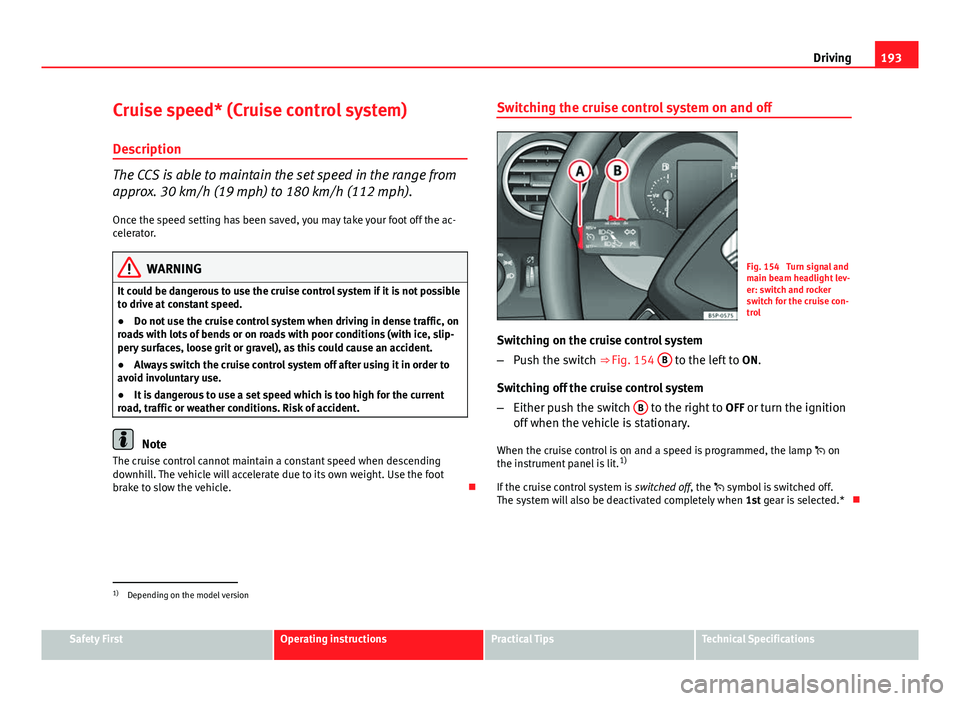
Switching on the cruise control system
– Push the switch ⇒ Fig. 154 B
to the left to
ON.
Switching off the cruise control system
– Either push the switch B
to the right to
OFF or turn the ignition
off when the vehicle is stationary.
When the cruise control is on and a speed is programmed, the lamp on
the instrument panel is lit. 1)
If the cruise control system is switched off, the symbol is switched off.
The system will also be deactivated completely when 1st gear is selected.*
1)
Depending on the model version
Safety FirstOperating instructionsPractical TipsTechnical Specifications
Page 196 of 321
194Driving
Setting speed*
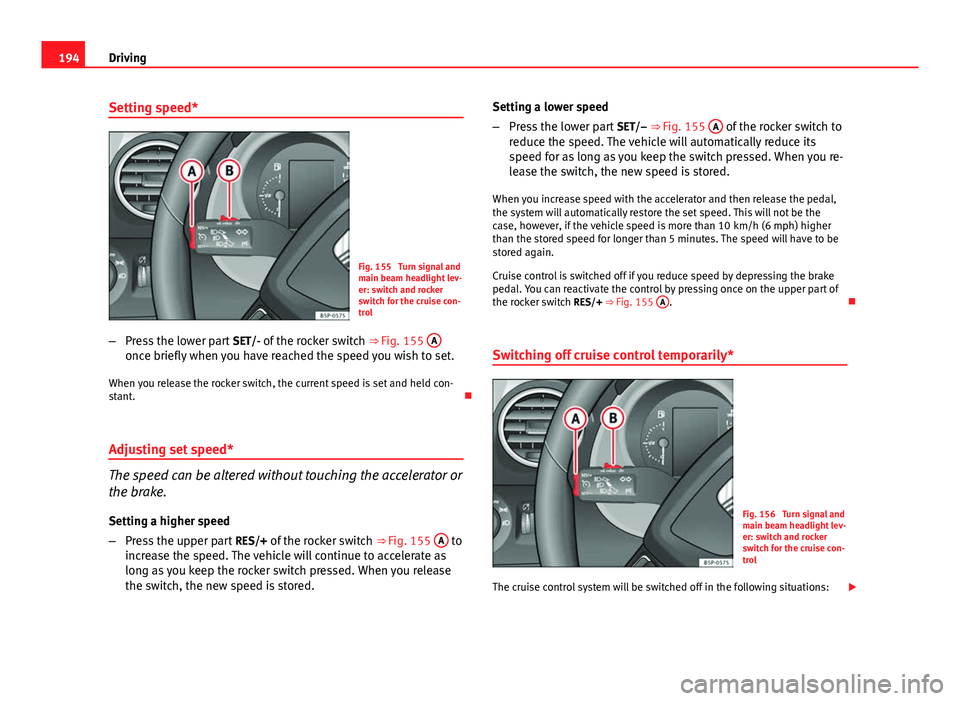
Fig. 155 Turn signal and
main beam headlight lev-
er: switch and rocker
switch for the cruise con-
trol
– Press the lower part SET/- of the rocker switch ⇒ Fig. 155 A
once briefly when you have reached the speed you wish to set.
When you release the rocker switch, the current speed is set and held con-
stant.
Adjusting set speed*
The speed can be altered without touching the accelerator or
the brake. Setting a higher speed
– Press the upper part RES/+ of the rocker switch ⇒ Fig. 155 A
to
increase the speed. The vehicle will continue to accelerate as
long as you keep the rocker switch pressed. When you release
the switch, the new speed is stored. Setting a lower speed
–
Press the lower part SET/– ⇒ Fig. 155 A
of the rocker switch to
reduce the speed. The vehicle will automatically reduce its
speed for as long as you keep the switch pressed. When you re-
lease the switch, the new speed is stored.
When you increase speed with the accelerator and then release the pedal,
the system will automatically restore the set speed. This will not be the
case, however, if the vehicle speed is more than 10 km/h (6 mph) higher
than the stored speed for longer than 5 minutes. The speed will have to be
stored again.
Cruise control is switched off if you reduce speed by depressing the brake
pedal. You can reactivate the control by pressing once on the upper part of
the rocker switch RES/+ ⇒ Fig. 155 A
.
Switching off cruise control temporarily*
Fig. 156 Turn signal and
main beam headlight lev-
er: switch and rocker
switch for the cruise con-
trol
The cruise control system will be switched off in the following situations:
Page 277 of 321
275
If and when
- W5W - PY21W
Xenon headlights 1)
/adaptive*
- D1S 2)
- P21W SLL
- W5W - PY21W
Front fog light - H3
Upper tail light (ALTEA) - P21W3)
- R10W
Lower tail light (ALTEA) - P21W- P21W
Fixed tail light (ALTEA XL / ALTEA FREETRACK) - P21W3)
- P21W
Position
Turn signal
Dipped and full beam
Daylight
Position
Turn signals
Front fog light
Stop/Position
Turn signal
Fog light
Reverse light
Stop/Position
Turn signal Mobile tail light (ALTEA XL / ALTEA FREETRACK)
- P21W- P21W
- W5W
Side turn signal - W5W
Number plate light - C5W
Note
● Depending on weather conditions (cold or wet), the headlights, the fog
lights, the tail lights and the turn signals may be temporarily misted. This
has no influence on the useful life of the lighting system. By switching on
the lights, the area through which the beam of light is projected will quickly
be demisted. However, the edges may continue to be misted.
● Please check at regular intervals that all lighting (especially the exterior
lighting) on your vehicle is functioning properly. This is not only in the inter-
est of your own safety, but also that of all other road users.
● Due to the difficulty in accessing some of the bulbs, any replacement
work should be done by a Technical Service. However, the following is a de-
scription of how to change the lamps except for the fog lights* and interior
lamps.
Fog light (driver side)
Reverse (passenger side)
Position
Side turn signal
Number plate light
1)
On this type of headlight, the bulb changes must be made by the Technical Service, given
that complex elements must be removed from the vehicle and a reset must be made on the
automatic control system incorporated.
2) The Xenon bulbs discharge 2.5 times the light flux and have an average lifespan of 5 times
more than that of halogen bulbs, this means that, except due to unusual circumstances,
there is no need to change the bulbs for the whole life of the vehicle.
3) Electronically controlled single filament bulb for Stop/side bulbs. If the bulb blows it will
not work in either position or Stop.
Safety FirstOperating instructionsPractical TipsTechnical Specifications