warning light Seat Altea 2014 Owner's Guide
[x] Cancel search | Manufacturer: SEAT, Model Year: 2014, Model line: Altea, Model: Seat Altea 2014Pages: 321, PDF Size: 4.52 MB
Page 91 of 321
89
Cockpit
Operating the foot brake
The brake pedal must be depressed when this warning lamp lights up. This
is necessary when the automatic gearbox* selector lever is moved out of the
positions P or N.
Electronic immobiliser* “Safe”
This warning lamp flashes if an unauthorised key is used.
Inside the key there is a chip that deactivates the electronic immobiliser au-
tomatically when the key is inserted into the ignition. The electronic immo-
biliser will be activated again automatically as soon as you pull the key out
of the ignition lock.
The instrument panel displays the following message 1)
: IMMOBILISER. The
vehicle cannot be used in that case ⇒ page 174.
The engine can, however, be started if the appropriate coded SEAT genuine
key is used.
Note
A perfect operation of the vehicle is ensured if genuine SEAT keys are used.
1)
Depending on the version of the model.
Safety FirstOperating instructionsPractical TipsTechnical Specifications
Page 100 of 321
98Opening and closing
Automatic speed-dependent locking and unlocking
system*
This is a safety system which prevent the access to the vehi-
cle from the outside when it is running (for example, when
stopped at a traffic light).
Locking
The doors and rear lid will lock automatically if the speed of 15 km/h
(9 mph) is exceeded.
If the vehicle is stopped and one of the doors is opened, when the vehicle
moves off again and exceeds a speed of 15 km/h (9 mph), the unlocked
door(s) will be locked once more.
Unlocking
The driver door automatically unlocks when the key is removed from the ig-
nition.
Each door can be unlocked and opened independently from the inside (for
example, when a passenger gets out of it). To do it, simply operate the lever
inside the door.
WARNING
The door handles must not be operated when the vehicle is running: the
door would open.
Automatic locking system for involuntary unlocking*
It is an anti-theft system and prevents the unintentional un-
locking of the vehicle.
If the vehicle is unlocked and any of the doors (including the rear lid) are
opened within 30 seconds, it gets re-locked automatically. This function
prevents the vehicle from remaining unlocked if the unlock button is press-
ed by mistake.
Emergency unlocking system
If the airbags are triggered during an accident, the vehicle is unlocked, ex-
cept for the luggage compartment. It is possible to lock the vehicle from in-
side with the central locking, after turning the ignition off and back on
again.
If the doors must be locked from the outside, see “Emergency locking of the
doors”.
Page 101 of 321
99
Opening and closing
Central lock button
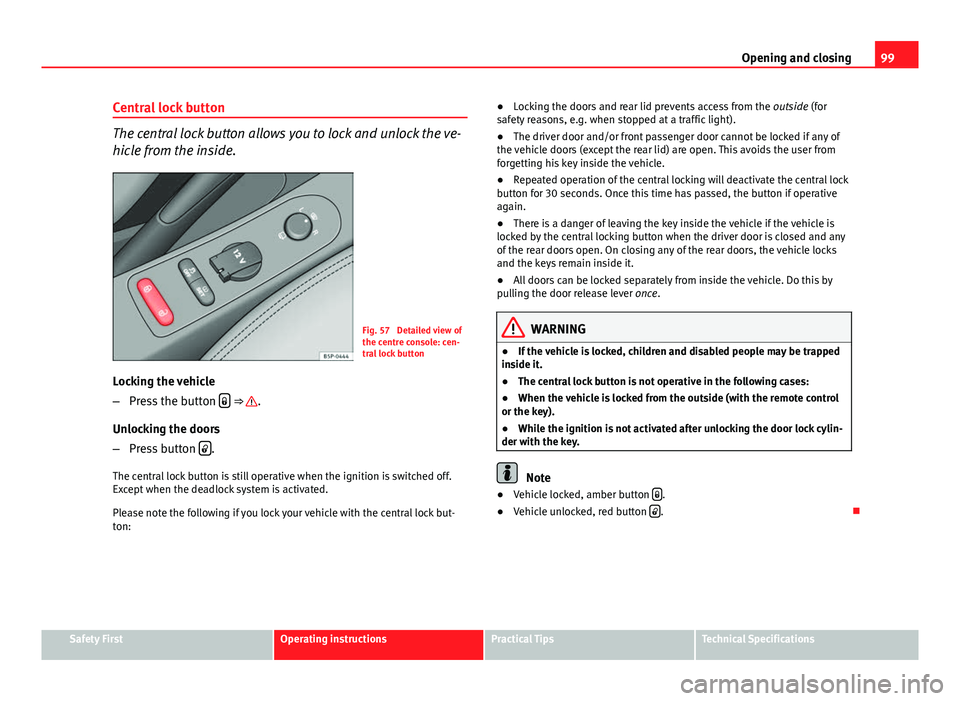
The central lock button allows you to lock and unlock the ve-
hicle from the inside.
Fig. 57 Detailed view of
the centre console: cen-
tral lock button
Locking the vehicle
– Press the button
⇒ .
Unlocking the doors
– Press button
.
The central lock button is still operative when the ignition is switched off.
Except when the deadlock system is activated.
Please note the following if you lock your vehicle with the central lock but-
ton: ●
Locking the doors and rear lid prevents access from the outside (for
safety reasons, e.g. when stopped at a traffic light).
● The driver door and/or front passenger door cannot be locked if any of
the vehicle doors (except the rear lid) are open. This avoids the user from
forgetting his key inside the vehicle.
● Repeated operation of the central locking will deactivate the central lock
button for 30 seconds. Once this time has passed, the button if operative
again.
● There is a danger of leaving the key inside the vehicle if the vehicle is
locked by the central locking button when the driver door is closed and any
of the rear doors open. On closing any of the rear doors, the vehicle locks
and the keys remain inside it.
● All doors can be locked separately from inside the vehicle. Do this by
pulling the door release lever once.
WARNING
● If the vehicle is locked, children and disabled people may be trapped
inside it.
● The central lock button is not operative in the following cases:
● When the vehicle is locked from the outside (with the remote control
or the key).
● While the ignition is not activated after unlocking the door lock cylin-
der with the key.
Note
● Vehicle locked, amber button .
● Vehicle unlocked, red button .
Safety FirstOperating instructionsPractical TipsTechnical Specifications
Page 110 of 321
108Opening and closing
Rear lid
Unlocking and locking
The rear lid opening system operates electrically. It is activa-
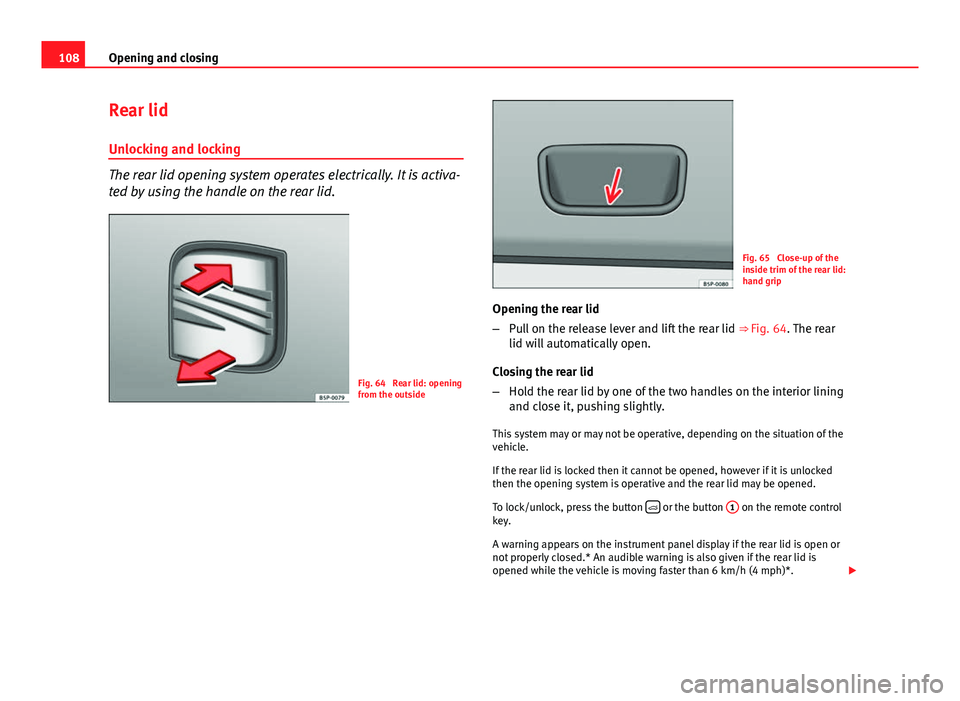
ted by using the handle on the rear lid.
Fig. 64 Rear lid: opening
from the outside
Fig. 65 Close-up of the
inside trim of the rear lid:
hand grip
Opening the rear lid
– Pull on the release lever and lift the rear lid ⇒ Fig. 64. The rear
lid will automatically open.
Closing the rear lid
– Hold the rear lid by one of the two handles on the interior lining
and close it, pushing slightly.
This system may or may not be operative, depending on the situation of the
vehicle.
If the rear lid is locked then it cannot be opened, however if it is unlocked
then the opening system is operative and the rear lid may be opened.
To lock/unlock, press the button
or the button
1 on the remote control
key.
A warning appears on the instrument panel display if the rear lid is open or
not properly closed.* An audible warning is also given if the rear lid is
opened while the vehicle is moving faster than 6 km/h (4 mph)*.
Page 117 of 321
115
Lights and visibility
Lights and visibility
Lights Switching lights on and off
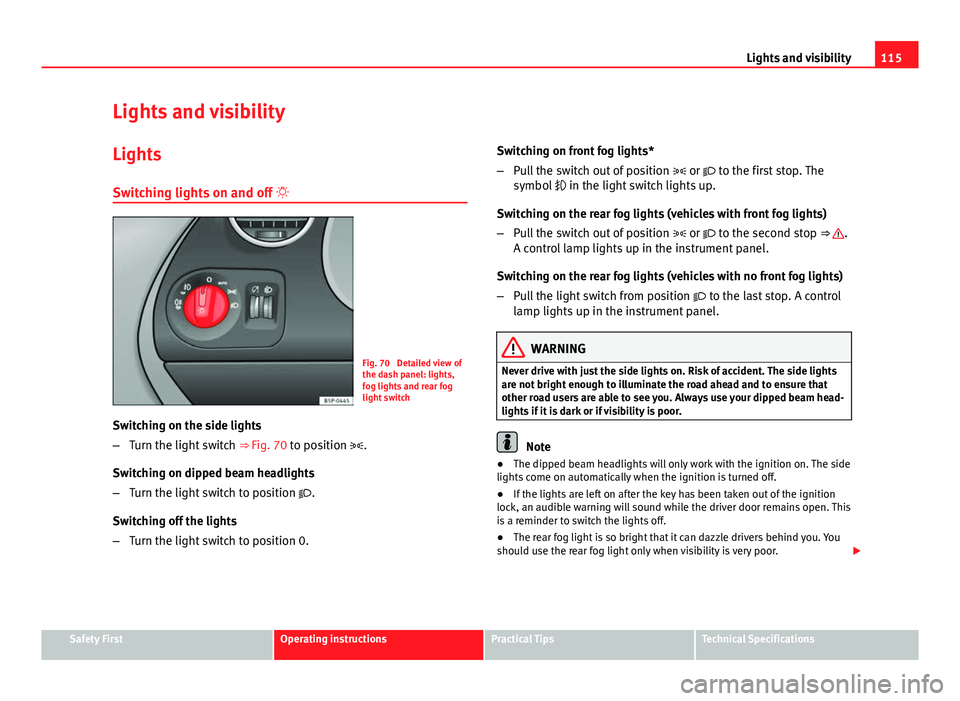
Fig. 70 Detailed view of
the dash panel: lights,
fog lights and rear fog
light switch
Switching on the side lights
– Turn the light switch ⇒ Fig. 70 to position .
Switching on dipped beam headlights
– Turn the light switch to position .
Switching off the lights
– Turn the light switch to position 0. Switching on front fog lights*
–
Pull the switch out of position or to the first stop. The
symbol in the light switch lights up.
Switching on the rear fog lights (vehicles with front fog lights)
– Pull the switch out of position or to the second stop ⇒
.
A control lamp lights up in the instrument panel.
Switching on the rear fog lights (vehicles with no front fog lights)
– Pull the light switch from position to the last stop. A control
lamp lights up in the instrument panel.
WARNING
Never drive with just the side lights on. Risk of accident. The side lights
are not bright enough to illuminate the road ahead and to ensure that
other road users are able to see you. Always use your dipped beam head-
lights if it is dark or if visibility is poor.
Note
● The dipped beam headlights will only work with the ignition on. The side
lights come on automatically when the ignition is turned off.
● If the lights are left on after the key has been taken out of the ignition
lock, an audible warning will sound while the driver door remains open. This
is a reminder to switch the lights off.
● The rear fog light is so bright that it can dazzle drivers behind you. You
should use the rear fog light only when visibility is very poor.
Safety FirstOperating instructionsPractical TipsTechnical Specifications
Page 118 of 321
116Lights and visibility
● If you are towing a trailer equipped with a rear fog light on a vehicle with
a factory-fitted towing bracket, the rear fog light on the vehicle will automat-
ically be switched off.
● The use of the lighting described here is subject to the relevant statutory
requirements.
● Depending on weather conditions (very cold or wet), the front and rear
lights and the indicators may be temporarily misted. This has no influence
on the useful life of the lighting system. The lights will soon demist when
they are switched on.
Automatic lighting*
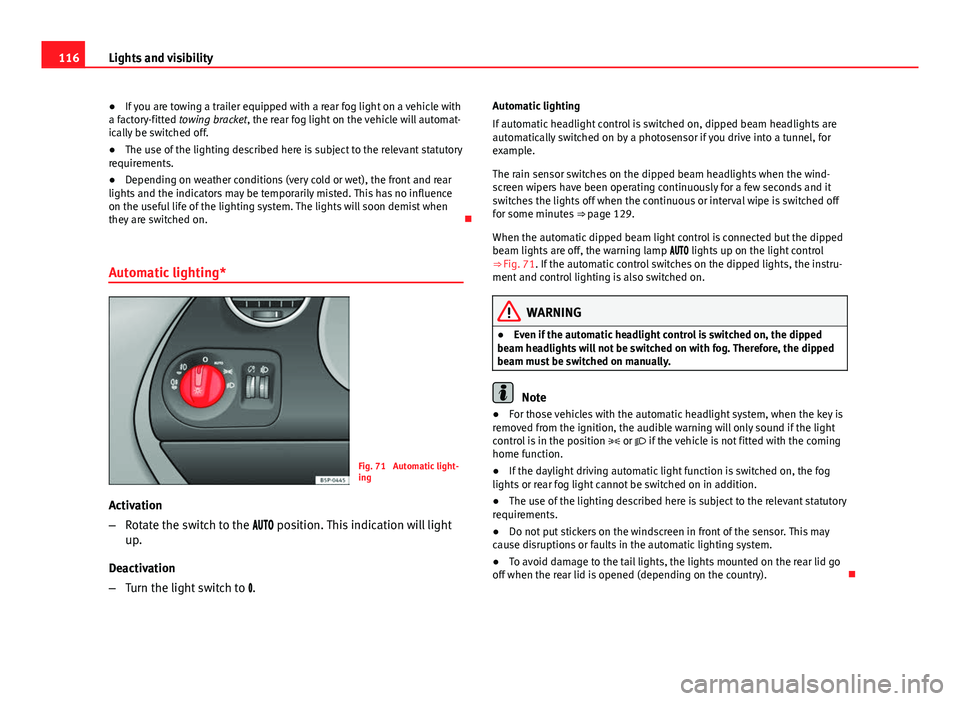
Fig. 71 Automatic light-
ing
Activation
– Rotate the switch to the position. This indication will light
up.
Deactivation
– Turn the light switch to . Automatic lighting
If automatic headlight control is switched on, dipped beam headlights are
automatically switched on by a photosensor if you drive into a tunnel, for
example.
The rain sensor switches on the dipped beam headlights when the wind-
screen wipers have been operating continuously for a few seconds and it
switches the lights off when the continuous or interval wipe is switched off
for some minutes
⇒ page 129.
When the automatic dipped beam light control is connected but the dipped
beam lights are off, the warning lamp lights up on the light control
⇒ Fig. 71. If the automatic control switches on the dipped lights, the instru-
ment and control lighting is also switched on.
WARNING
● Even if the automatic headlight control is switched on, the dipped
beam headlights will not be switched on with fog. Therefore, the dipped
beam must be switched on manually.
Note
● For those vehicles with the automatic headlight system, when the key is
removed from the ignition, the audible warning will only sound if the light
control is in the position or if the vehicle is not fitted with the coming
home function.
● If the daylight driving automatic light function is switched on, the fog
lights or rear fog light cannot be switched on in addition.
● The use of the lighting described here is subject to the relevant statutory
requirements.
● Do not put stickers on the windscreen in front of the sensor. This may
cause disruptions or faults in the automatic lighting system.
● To avoid damage to the tail lights, the lights mounted on the rear lid go
off when the rear lid is opened (depending on the country).
Page 120 of 321
118Lights and visibility
Deactivation of the Nordic country solution
● Remove the key from the ignition, move the turn signal lever downwards
(left turn signal), press it backwards to flash position and hold it in this po-
sition.
● Insert the key and switch the ignition on, holding it in this position for 3
seconds. Then, switch off the ignition. The Nordic country solution is now
deactivated and the corresponding lights will not come on.
Coming/leaving home function*
The Coming Home function is controlled manually. The Leav-
ing Home function is controlled with a photosensor.
If the Coming Home or Leaving Home function is connected, the front side
and dipped lights, the tail lights and the number plate light will light up to
provide assistance.
Coming home function
The Coming Home function is activated by switching off the ignition and
briefly flashing the lights. When the driver door is opened, the Coming
Home lighting comes on. If the driver door is already open when the lights
are flashed briefly, the Coming Home lighting comes on immediately.
When the last door of the vehicle or the rear lid is closed, the Coming Home
function starts and the switching off the headlights is delayed.
The Coming Home lighting switches off in the following cases:
● On completion of the time period established for the delay in switching
off the lights after all the vehicle doors and the rear lid have been closed.
● If, 30 seconds after being connected, any doors or the rear lid remain
open.
● If the light switch is turned to position .
● If the ignition is switched on. Leaving home function
The Leaving Home function is activated when the vehicle is unlocked if:
●
the light control is in position and
● the photosensor detects “darkness”.
The Leaving Home lighting switches off in the following cases:
● If the time period for the delay in switching off the headlights has ended
● If the vehicle is locked again.
● If the light switch is turned to position .
● If the ignition is switched on.
Note
The setting for the delay in switching off the headlights in the Coming Home
and Leaving Home function can be changed or the function can be connec-
ted or disconnected in the menu Lights and visibility ⇒ page 74.
● If the ignition key is removed while the lights are on, and the lights are
flashed briefly and the driver door opened, no audible warning is heard, as
when the Coming Home function is on, the lights are automatically switched
off after a period of time (except when the light switch is in position or
.
Page 122 of 321
120Lights and visibility
Dynamic cornering lights* (AFS)
The dynamic cornering lights only operate if the vehicle is travelling at more
than 10 km/h (6 mph) and the dipped headlights are on. When taking a
bend, the road is illuminated better with directional gas discharge bulbs
than with conventional fixed headlights.
A fault in the system is indicated via the flashing of the control lamp on
the instrument panel. At the same time, a text message with information or
instructions to perform necessary operations may appear on the instrument
panel display. Take the vehicle to a specialised workshop and have the fault
repaired.
If the control lamp lights up on the instrument panel but all the bulbs are
operating correctly ⇒ page 274, there may still be a fault in the dynamic
curve lighting system (AFS). Take the vehicle to a specialised workshop and
have the fault repaired.
WARNING
If the “automatic dipped beam control” is switched on, the dipped beam
headlights will not be switched on in fog. They should be switched on
manually using the light switch. The driver is personally responsible for
the correct use of lights in all situations. “Automatic headlight control”
is merely a system to support the driver. Where necessary, switch on the
lights manually using the light switch.
Applies to the model: ALTEA / ALTEA XL Fog lights with cornering function*
When the turn signal is switched on to turn or on very tight bends, the right
or left fog light automatically comes on to function as a cornering light. The
cornering light only operates if the dipped beam lights are on.
WARNING
If the “automatic dipped beam control” is switched on, the dipped beam
headlights will not be switched on in fog. They should be switched on
manually using the light switch. The driver is personally responsible for
the correct use of lights in all situations. “Automatic headlight control”
is merely a system to support the driver. Where necessary, switch on the
lights manually using the light switch.
Hazard warning lights
The hazard warning lights are used to draw the attention of
other road users to your vehicle in emergencies.
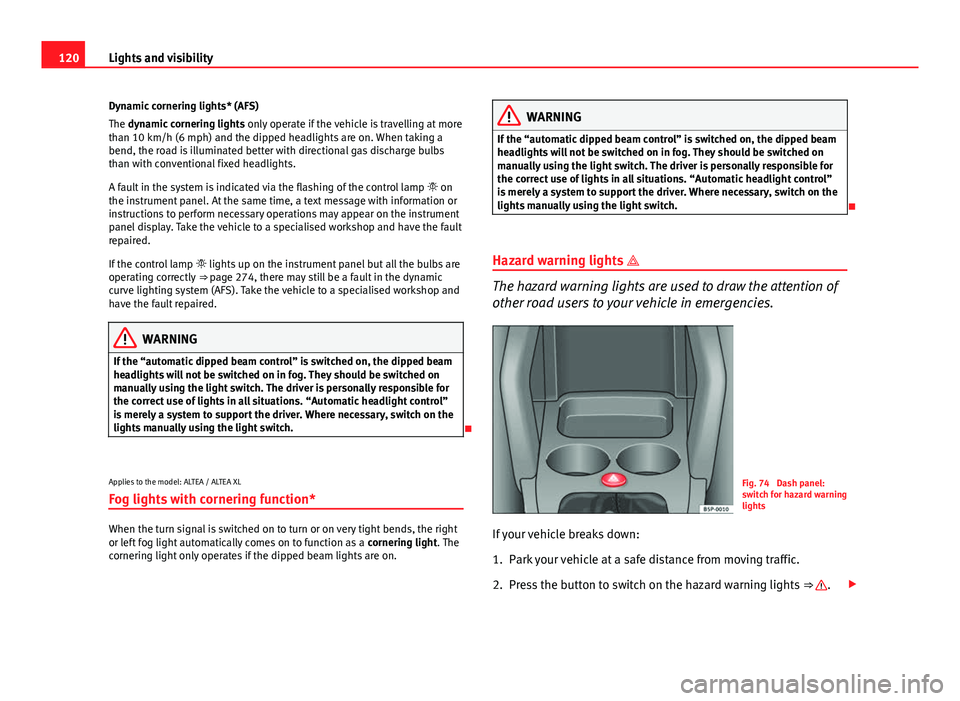
Fig. 74 Dash panel:
switch for hazard warning
lights
If your vehicle breaks down:
1. Park your vehicle at a safe distance from moving traffic.
2. Press the button to switch on the hazard warning lights ⇒
.
Page 123 of 321
121
Lights and visibility
3. Switch the ignition off.
4. Apply the handbrake.
5. On a manual gearbox engage 1st gear. On an automatic gear- box, move the selector lever to P.
6. Use the warning triangle to draw the attention of other road users to your vehicle.
7. Always take the vehicle key with you when you leave the vehi- cle.
Switch on the hazard warning lights to warn other road users, for example:
● reaching the tail end of a traffic jam,
● there is an emergency
● your vehicle breaks down due to a technical fault,
● you are towing another vehicle or your vehicle is being towed.
All turn signals flash simultaneously when the hazard warning lights are
switched on. The two turn signal turn signal lamps and the turn signal
lamp in the switch will flash at the same time. The hazard warning lights
also work when the ignition is switched off.
Emergency braking warning
If the vehicle is braked suddenly and continuously at a speed of more than
80 km/h (50 mph), the brake light flashes several times per second to warn
vehicles driving behind. If you continue braking, the hazard warning lights
will come on automatically when the vehicle comes to a standstill. They
switch off automatically when the vehicle starts to move again.
WARNING
● The risk of an accident increases if your vehicle breaks down. Always
use the hazard warning lights and a warning triangle to draw the atten-
tion of other road users to your stationary vehicle.
● Never park where the catalytic converter could come into contact with
inflammable materials under the vehicle, for example dry grass or spilt
petrol. This could start a fire!
Note
● The battery will run down if the hazard warning lights are left on for a
long time, even if the ignition is switched off.
● The use of the hazard warning lights described here is subject to the rel-
evant statutory requirements.
Safety FirstOperating instructionsPractical TipsTechnical Specifications
Page 124 of 321
122Lights and visibility
Turn signal and main beam headlight lever
The turn signal and main beam lever also operates the park-
ing lights and the headlight flasher.
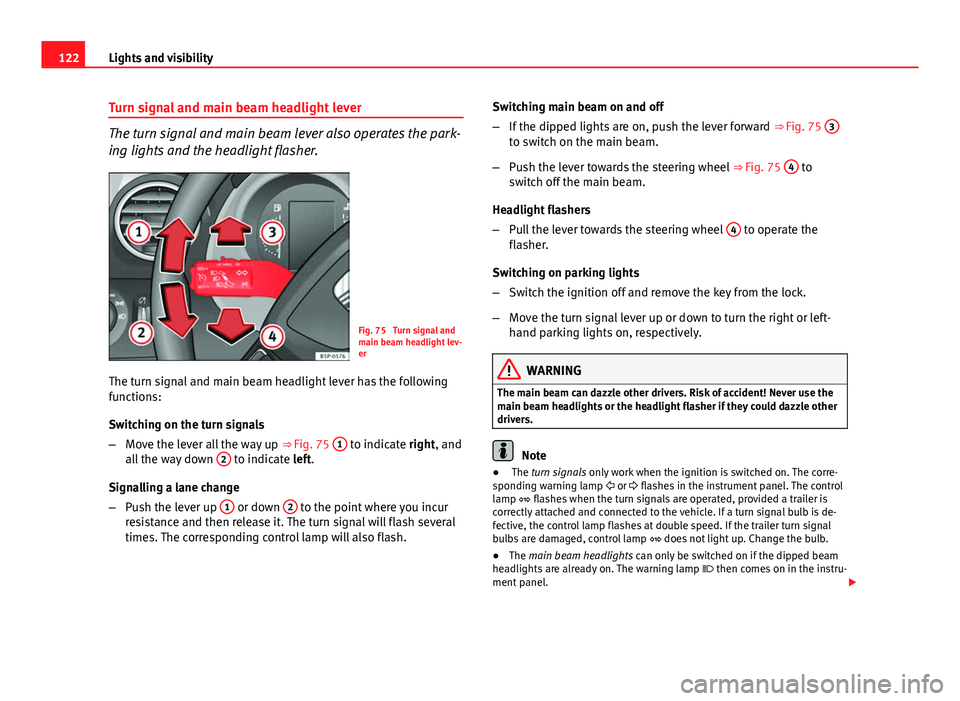
Fig. 75 Turn signal and
main beam headlight lev-
er
The turn signal and main beam headlight lever has the following
functions:
Switching on the turn signals
– Move the lever all the way up ⇒ Fig. 75 1
to indicate right, and
all the way down 2 to indicate left.
Signalling a lane change
– Push the lever up 1
or down 2 to the point where you incur
resistance and then release it. The turn signal will flash several
times. The corresponding control lamp will also flash. Switching main beam on and off
–
If the dipped lights are on, push the lever forward ⇒ Fig. 75 3
to switch on the main beam.
– Push the lever towards the steering wheel ⇒ Fig. 75 4
to
switch off the main beam.
Headlight flashers
– Pull the lever towards the steering wheel 4
to operate the
flasher.
Switching on parking lights
– Switch the ignition off and remove the key from the lock.
– Move the turn signal lever up or down to turn the right or left-
hand parking lights on, respectively.
WARNING
The main beam can dazzle other drivers. Risk of accident! Never use the
main beam headlights or the headlight flasher if they could dazzle other
drivers.
Note
● The turn signals only work when the ignition is switched on. The corre-
sponding warning lamp or flashes in the instrument panel. The control
lamp flashes when the turn signals are operated, provided a trailer is
correctly attached and connected to the vehicle. If a turn signal bulb is de-
fective, the control lamp flashes at double speed. If the trailer turn signal
bulbs are damaged, control lamp does not light up. Change the bulb.
● The main beam headlights can only be switched on if the dipped beam
headlights are already on. The warning lamp then comes on in the instru-
ment panel.