fuel Seat Altea 2015 User Guide
[x] Cancel search | Manufacturer: SEAT, Model Year: 2015, Model line: Altea, Model: Seat Altea 2015Pages: 236, PDF Size: 4.23 MB
Page 46 of 236
Operation
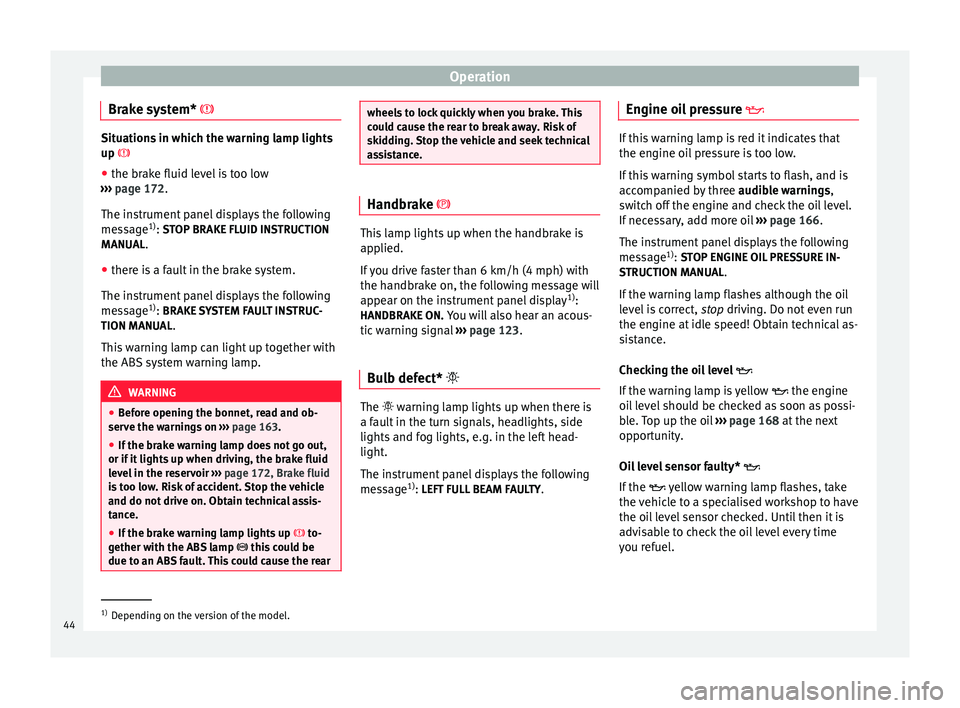
Brake system* Situations in which the warning lamp lights
up
● the br ak
e fluid level is too low
››› page 172.
The ins
trument panel displays the following
message 1)
: STOP BRAKE FLUID INSTRUCTION
MANUAL
.
● there is a fault in the brake system.
The instrument panel displays the following
message 1)
: BRAKE SYSTEM FAULT INSTRUC-
TION MANUAL .
This warning lamp can light up together with
the ABS system warning lamp. WARNING
● Before opening the bonnet, read and ob-
serve the warnings on ››› page 163.
● If the brake warning lamp does not go out,
or if it lights up when driving, the brake fluid
level in the reservoir ››› page 172, Brake fluid
is too low. Risk of accident. Stop the vehicle
and do not drive on. Obtain technical assis-
tance.
● If the brake warning lamp lights up to-
gether with the ABS lamp this could be
due to an ABS fault. This could cause the rear wheels to lock quickly when you brake. This
could cause the rear to break away. Risk of
skidding. Stop the vehicle and seek technical
assistance.
Handbrake
This lamp lights up when the handbrake is
applied.
If you drive faster than 6 km/h (4 mph) with
the handbrake on, the following message will
appear on the instrument panel display
1)
:
HANDBRAKE ON. You will also hear an acous-
tic warning signal ››› page 123.
Bulb defect* The warning lamp lights up when there is
a fault in the turn signals, headlights, side
lights and fog lights, e.g. in the left head-
light.
The instrument panel displays the following
message
1)
: LEFT FULL BEAM FAULTY .Engine oil pressure
If this warning lamp is red it indicates that
the engine oil pressure is too low.
If this warning symbol starts to flash, and is
accompanied by three
audible warnings,
switch off the engine and check the oil level.
If necessary, add more oil ››› page 166.
The instrument panel displays the following
message 1)
: STOP ENGINE OIL PRESSURE IN-
S TRUCTION MANU
AL.
If the warning lamp flashes although the oil
level is correct, stop driving. Do not even run
the en gine at
idle speed! Obtain technical as-
sistance.
Checking the oil level
If the warning lamp is yellow the engine
oil level should be checked as soon as possi-
ble. Top up the oil ›››
page 168 at the next
opportunity.
Oil level sensor faulty*
If the yellow warning lamp flashes, take
the vehicle to a specialised workshop to have
the oil level sensor checked. Until then it is
advisable to check the oil level every time
you refuel. 1)
Depending on the version of the model.
44
Page 49 of 236
Dash panel
The engine can, however, be started if the
appropriate coded SEAT genuine key is used. Note
A perfect operation of the vehicle is ensured
if genuine SEAT keys are used. Digital instrument panel
display
Display (without warning or
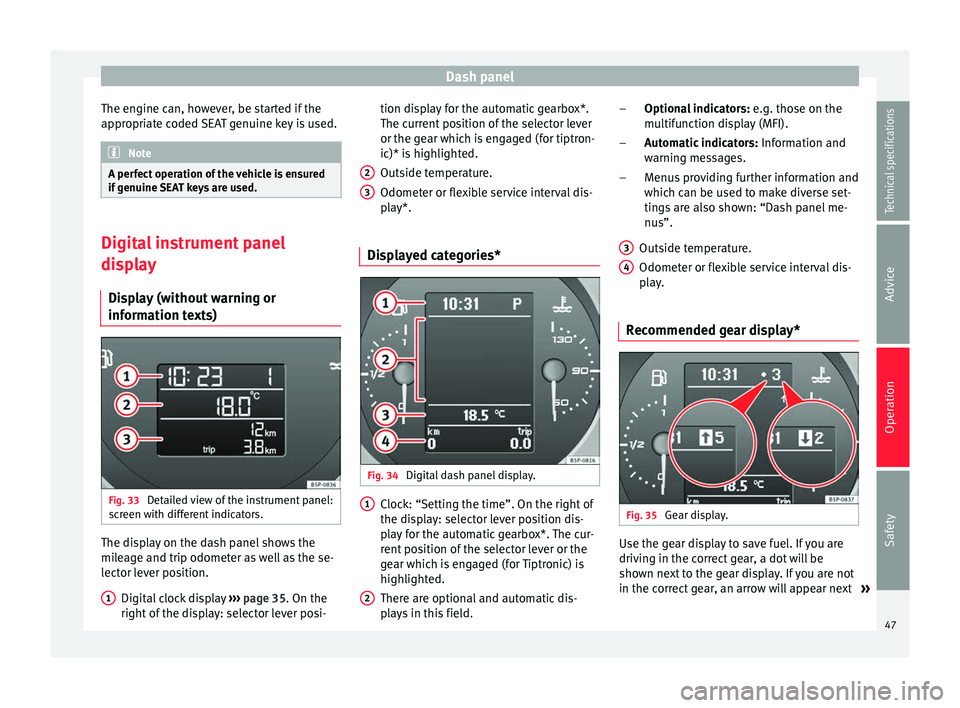
information texts) Fig. 33
Detailed view of the instrument panel:
screen with different indicators. The display on the dash panel shows the
mileage and trip odometer as well as the se-
lector lever position.
Digital clock display ››› page 35. On the
right of the display: selector lever posi-
1 tion display for the automatic gearbox*.
The current position of the selector lever
or the gear which is engaged (for tiptron-
ic)* is highlighted.
Outside temperature.
Odometer or flexible service interval dis-
play*.
Displayed categories* Fig. 34
Digital dash panel display. Clock: “Setting the time”. On the right of
the display: selector lever position dis-
play for the automatic gearbox*. The cur-
rent position of the selector lever or the
gear which is engaged (for Tiptronic) is
highlighted.
There are optional and automatic dis-
plays in this field.
2 3
1
2 Optional indicators:
e.g. those on the
multifunction display (MFI).
Automatic indicators: Information and
warning messages.
Menus providing further information and
which can be used to make diverse set-
tings are also shown: “Dash panel me-
nus”.
Outside temperature.
Odometer or flexible service interval dis-
play.
Recommended gear display* Fig. 35
Gear display. Use the gear display to save fuel. If you are
driving in the correct gear, a dot will be
shown next to the gear display. If you are not
in the correct gear, an arrow will appear next
»
–
–
–
3 4
47Technical specifications
Advice
Operation
Safety
Page 51 of 236
Dash panel
●
In LongLife Service vehicles, if the battery
is disconnected for a long period, the days re-
maining until the next service cannot be cal-
culated. Therefore, the service message dis-
plays on the instrument panel may be incor-
rect. Take into account the maximum author-
ised service intervals. Warning or information message in
the display
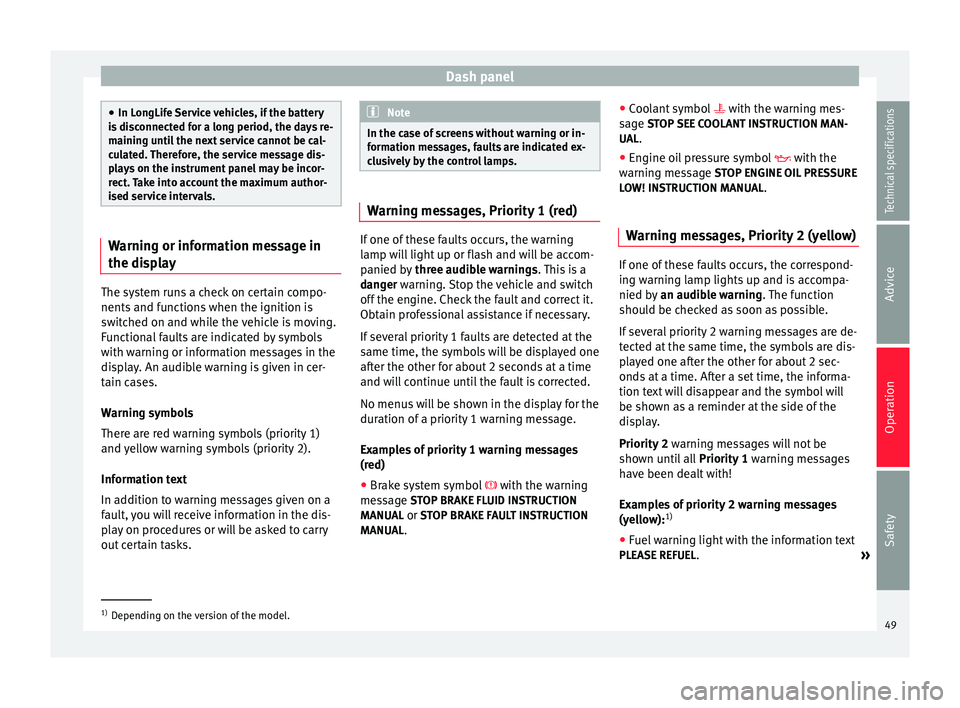
The system runs a check on certain compo-
nents and functions when the ignition is
switched on and while the vehicle is moving.
Functional faults are indicated by symbols
with warning or information messages in the
display. An audible warning is given in cer-
tain cases.
Warning symbols
There are red warning symbols (priority 1)
and yellow warning symbols (priority 2).
Information text
In addition to warning messages given on a
fault, you will receive information in the dis-
play on procedures or will be asked to carry
out certain tasks. Note
In the case of screens without warning or in-
formation messages, faults are indicated ex-
clusively by the control lamps. Warning messages, Priority 1 (red)
If one of these faults occurs, the warning
lamp will light up or flash and will be accom-
panied by
three audible warnings. This is a
danger warning. Stop the vehicle and switch
off the en
gine. Check the fault and correct it.
Obtain professional assistance if necessary.
If several priority 1 faults are detected at the
same time, the symbols will be displayed one
after the other for about 2 seconds at a time
and will continue until the fault is corrected.
No menus will be shown in the display for the
duration of a priority 1 warning message.
Examples of priority 1 warning messages
(red)
● Brake system symbol with the warning
message STOP BRAKE FLUID INSTRUCTION
MANUAL or STOP BRAKE FAULT INSTRUCTION
MANUAL . ●
Coolant symbol with the warning mes-
s ag
e STOP SEE COOLANT INSTRUCTION MAN-
UAL.
● Engine oil pressure symbol with the
warnin
g message STOP ENGINE OIL PRESSURE
LOW! INSTRUCTION MANUAL.
Warning messages, Priority 2 (yellow) If one of these faults occurs, the correspond-
ing warning lamp lights up and is accompa-
nied by
an audible warning. The function
should be checked as soon as possible.
If several priority 2 warning messages are de-
tected at the same time, the symbols are dis-
played one after the other for about 2 sec-
onds at a time. After a set time, the informa-
tion text will disappear and the symbol will
be shown as a reminder at the side of the
display.
Priority 2 warning messages will not be
shown until all Priority 1 warning messages
have been dealt with!
Examples of priority 2 warning messages
(yellow): 1)
● Fuel warning light with the information text
PLEASE REFUEL .
»1)
Depending on the version of the model.
49
Technical specifications
Advice
Operation
Safety
Page 54 of 236
OperationMain
menuFunction
Configura-
tionThis option allows the time, the speed
warning when using winter tyres, units,
language, independent heating, the
Light and visibility menu and the Conven-
ience menu to be reset.
a) Only in vehicles fitted with a radio navigation system. Note
For electronic and vehicle equipment one or
more of these menus will be displayed. Multifunction display menu (MFI)
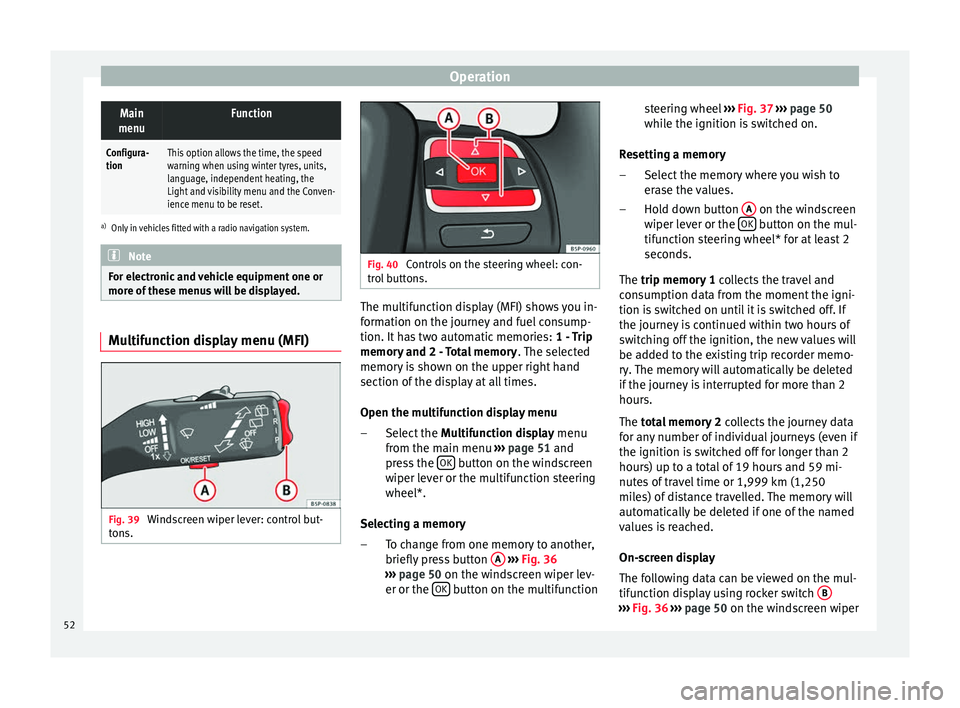
Fig. 39
Windscreen wiper lever: control but-
tons. Fig. 40
Controls on the steering wheel: con-
trol buttons. The multifunction display (MFI) shows you in-
formation on the journey and fuel consump-
tion. It has two automatic memories:
1 - Trip
memory and 2 - Total memory . The selected
memory is shown on the upper right hand
section of the display at all times.
Open the multifunction display menu
Select the Multifunction display menu
from the main menu ››› page 51 and
press the OK button on the windscreen
wiper lever or the multifunction steering
wheel*.
Selecting a memory To change from one memory to another,
briefly press button A
››› Fig. 36
››› page 50 on the windscreen wiper lev-
er or the OK button on the multifunction
–
– steering wheel
››› Fig. 37
›
›› p
age 50
while the ignition is switched on.
Resetting a memory Select the memory where you wish to
erase the values.
Hold down button A on the windscreen
wiper lever or the OK button on the mul-
tifunction steering wheel* for at least 2
seconds.
The trip memory 1
c
o
llects the travel and
consumption data from the moment the igni-
tion is switched on until it is switched off. If
the journey is continued within two hours of
switching off the ignition, the new values will
be added to the existing trip recorder memo-
ry. The memory will automatically be deleted
if the journey is interrupted for more than 2
hours.
The total memory 2 co
llects the journey data
for any number of individual journeys (even if
the ignition is switched off for longer than 2
hours) up to a total of 19 hours and 59 mi-
nutes of travel time or 1,999 km (1,250
miles) of distance travelled. The memory will
automatically be deleted if one of the named
values is reached.
On-screen display
The following data can be viewed on the mul-
tifunction display using rocker switch B ›››
Fig. 36
›
›› p
age 50 on the windscreen wiper
–
–
52
Page 55 of 236
Dash panel
lever or by pressing button or
››› Fig. 37
on the multifunction steering wheel*:
● Distance
● Average speed
● Driving speed
● Speed warning at --- km/h
● Journey duration
● Current fuel consumption
● Average fuel consumption
● Operating range
● Outside temperature
Distance travelled in km (miles)
The display shows the distance travelled
since the ignition was switched on.
The maximum display value in both memo-
ries is 1,999 km. The memory will automati-
cally be deleted once this value has been
reached.
Average speed in km/h (mph) After starting the ignition, the average speed
will be shown after a distance of approxi-
mately 100 metres has been travelled. Until
then dashes will appear in the display. The
display will be updated every five seconds
while the vehicle is in motion. km/h (mph) - Driving speed
Driving speed is digitally shown in the dis-
play.
Speed warning at --- km/h
This function may help you to keep within the
speed limits. Press the OK button on the
windscreen wiper lever A or the multifunc-
tion steering wheel* to select the current
speed. The instrument panel display gives
the selected speed, for example, Speed
warning 120 km/h . You have 5 seconds to re-
set the s
peed to between 30 km/h (18 mph)
and 250 km/h (155 mph) using rocker switch B or buttons
or
on the multifunction
steering wheel*. Press the OK button or wait
5 seconds until the speed is stored and the
warning is activated. If the set speed is ex-
ceeded, an audible warning is heard and a
warning message is displayed until the
speed is reduced to at least 4 km/h (2 mph)
below the stored speed. The function is
switched off by pressing the OK button
again. Speed warning --- km/h (miles) is now
di s
played on the instrument panel.
Trip duration in h and min The display shows the amount of time which
has elapsed since the ignition was switched
on.
The maximum display value in both memo-
ries is 19 hours and 59 minutes. The memory will automatically be deleted once this value
has been reached.
Current fuel consumption in l/100 km or l/hour
The dis
play will show the current fuel con-
sumption in litres/100 km whilst the vehicle
is in motion or in litres/hour when the vehicle
is in a stationary position with the engine
running.
Using this display you can see how your driv-
ing style affects fuel consumption
››› page 117.
Av
erage fuel consumption in l/100 km
The average fuel consumption will be shown
after a distance of approximately 100 metres
has been travelled. Until then dashes will ap-
pear in the display. The display will be upda-
ted every five seconds while the vehicle is in
motion. The amount of fuel used will not be
shown.
Km (miles) - Fuel range
The fuel range is calculated using the figures
for tank content and current fuel consump-
tion. This shows how far the vehicle can trav-
el using the same conditions as a reference.
Personal selection of display
The driver can establish which displays are
shown on the instrument panel display as re-
quired: »
53
Technical specifications
Advice
Operation
Safety
Page 57 of 236
Dash panelDisplayed on
the screenFunction
TimeThe hours and minutes of the clock
and the navigation system can be
changed. Choose between 12 and 24-
hour format and change to summer
time.
Winter tyresThe menu allows the setting of a
speed at which an optical and acous-
tic warning will be given by the sys-
tem. You can use this function, for ex-
ample, if you have fitted winter tyres
which are not suited for the top speed
of your vehicle. Please see the section
“Wheels and tyres”.
LanguageThe display texts and the navigation
system texts can be seen in different
languages.
UnitsThis option allows you to select the
units for displaying temperature, fuel
consumption values and distances.
sel. speedThe instrument panel also displays
the speed in another different unit of
measurement (mph or km/h) to that
given on the speedometer.
Inter. ServiceConsult service messages and reset
service interval display here.
Factory set-
tingsThe manufacturer's predefined values
for the functions of this menu are re-
stored.
Back a)This returns to the main menu.
a)
Only if the windscreen wiper lever is used (MFI). Note
● For electronic and vehicle equipment one or
more of these menus will be displayed.
● SEAT dealerships are able to programme
other functions or change the existing func-
tions depending upon the vehicle equipment.
● The Configuration menu is only accessible
when the vehicle is at a standstill. Convenience menu
Open menu Convenience
– Choose the option Configuration
from the
m
ain menu and press the button OK
A ›››
Fig. 36 on the windscreen wiper lever.
– Pr e
ss button or
on the multifunction
steering wheel* ›››
Fig. 37 until the
C
onfigu-
r
ation menu is displayed.
– Choose the option
Convenience from the
main menu and press the button A on the
windscreen wiper lever.
Example of menu use ›››
page 50
Displayed on
the screenFunction
Central lock-
ing.One door: Individual unlocking activa-
ted.
Auto lock: The doors are automatically
locked when the vehicle is travelling
at more than approx. 15 km/h
(10 mph).
Auto unlock: the doors are unlocked
when the key is removed from the ig-
nition.
Elec. window
controlOpening and closing electric win-
dows: this determines whether to
open or close all the windows when
the vehicle is unlocked or locked. The
open function can also be activated
for the driver door only.
Exterior mirror
adjust.If synchronised adjustment is selec-
ted, when the driver side exterior mir-
ror is adjusted, the passenger exterior
mirror is also moved.
Factory set-
tingsThe predefined factory values for the
functions of this menu are restored.
BackThis returns to the Configuration
menu. Note
For electronic and vehicle equipment one or
more of these menus will be displayed. 55
Technical specifications
Advice
Operation
Safety
Page 88 of 236
Operation
Switching on automatic wipe – Press the lever fully forwards to position 7›››
Fig. 71 . The rear wash function will start
immedi at
ely and the wiper will start a few
seconds later. The rear window wash sys-
tem will function as long as you hold the
lever in this position.
– Release the lever. The wiper then wipes for
approximately 4 seconds, and then in inter-
vals again.
– Release the lever. The washer system stops
and the wipers function. WARNING
● Worn and dirty wiper blades reduce visibili-
ty and safety levels while driving.
● Always note the corresponding warnings
on ››› page 194. CAUTION
In icy conditions, always check that the wiper
blade is not frozen to the glass before using
the wiper for the first time. If you switch on
the wiper when the wiper blade is frozen to
the glass, this could damage both the wiper
blade and the wiper motor. Note
● The windscreen wiper will only function
when the ignition is switched on and the rear
lid is closed. ●
In reverse gear, with the windscreen wipers
switched on, the rear windscreen wiper will
make one wipe. Headlight washer*
The headlight washers clean the headlight
lenses.
The headlight washers are activated auto-
matically when the windscreen washer is
used and the window wiper lever is pulled to-
wards the steering wheel for at least 1.5 sec-
onds – provided the dipped beam headlights
or main beams are switched on. Clean off
stubborn dirt (insects, etc.) from the head-
lights at regular intervals, for instance, when
filling the fuel tank.
Note
● To ensure that the headlight washers work
properly in winter, keep the nozzle holders in
the bumper free of snow and remove any ice
with a de-icer spray.
● To remove water, the windscreen wipers
will be activated from time to time, the head-
light washers will be activated every three cy-
cles. Rear vision mirrors
Interior rear vision mirror It is dangerous to drive if you cannot see
clearly through the rear window.
Manual anti-dazzle function for interior rear
vision mirror
In the basic mirror position, the lever at the
bottom edge of the rear vision mirror should
be at the front. Pull the lever to the back to
select the anti-dazzle function.
Automatic anti-dazzle interior rear
vision mirror* Fig. 72
Automatic anti-dazzle interior rear vi-
sion mirror. 86
Page 90 of 236
Operation
the rear of the vehicle. The right exterior
mirror will be adjusted at the same time
(sy nc
hronised). WARNING
● Convex or spherical mirrors increase the
field of vision however the objects appear
smaller and further away. If you use these
mirrors to estimate the distance to vehicles
behind you when changing lane, you could
make a mistake. Risk of accident.
● If possible, use the rear vision mirror to es-
timate distances to vehicles behind you.
● Make sure that you do not get your finger
trapped between the mirror and the mirror
base when folding back the mirrors. Risk of
injury! For the sake of the environment
The exterior mirror heating should be switch-
ed off when it is no longer needed. Other-
wise, it is an unnecessary fuel waste. Note
● If the electrical adjustment ever fails to op-
erate, the mirrors can be adjusted by hand by
lightly pressing the edge of the mirror glass.
● In vehicles with electric exterior mirrors,
the following points should be observed: if, due to an external force (e.g. being knocked
while manoeuvring), the adjustment of the
mirror housing is altered, the mirror will have
to be fully folded electrically. Do not readjust the rear vision mirror housing by hand, as
this will interfere with the mirror adjuster
function.
● The rear vision mirrors can be adjusted sep-
arately or simultaneously, as described
above.
● The folding function on the exterior mirrors
is not active at speeds over 40 km/h
(25 mph). Seats and head restraints
Adjusting the seat and head
restraints
The importance of correct seat
adjustment Proper seat adjustment optimises the level of
protection offered by seat belts and airbags.
Your vehicle has
five
seats, two in the front
and thr ee in the r
ear. Each seat is equipped
with a three-point seat belt.
The driver seat and the front passenger seat
can be adjusted in many ways to suit the
physical requirements of the vehicle occu-
pants. The correct seat position is very impor-
tant for:
● a fast and easy operation of all controls on
the instrument panel,
● a relaxed posture which does not cause
drowsiness,
● a safe driving ›››
page 5,
● ensuring that the seat belts and airbag sys-
tem provide maximum protection ›››
page 11. WARNING
● If the driver and passengers assume im-
proper sitting positions, they may sustain
critical injuries. 88
Page 117 of 236
Air conditioning
In manual mode you can adjust the air tem-
perature, air flow and distribution as re-
quired.
Switching on manual mode – To enter manual mode, press one of the
buttons ››› Fig. 120 1 to
5 or press the
air flow control 10 . The selected function is
shown on the radio or navigator display.
Temperature
There are separate temperature selectors for
the left and right sides of the vehicle interior.
The selected temperature is displayed above
the selector. It is possible to select interior
temperatures from +18 °C (+64 °F) to +26 °C
(+80 °F). These are approximate tempera-
tures and the actual temperature may be
slightly higher or lower depending on the
outside ambient conditions.
If you select temperatures below +18 °C
(+64 °F), the indication: LO will appear on the
screen. In this setting the system runs at
maximum cooling output and the tempera-
ture is not regulated.
If a temperature above +26 °C (+80 °F) is se-
lected, the screen will show HI. In this setting
the system runs at maximum heating output
and the temperature is not regulated. Blower
The fan may be adjusted freely using the con-
trols
10 . Always have the blower running at a
low setting to ensure a constant flow of fresh
air into the vehicle. Pushing the button to
the minimum -1, t urn
s the Climatronic off.
Air distribution
The air distribution is adjusted using the but-
tons ,
and
. It is also possible to
open and close some of the air vents sepa-
rately.
Switching the air conditioning on and off
When the A/C button is on (LED lit), the air
conditioning system is on.
When the A/C button is off (LED off), the air
conditioning system is off.
When the A/C button is off, the air condition-
ing system is switched off to save fuel. The
temperature continues to self-regulate. The
set temperature can only be reached if it is
higher than the outside temperature.
Driver and passenger temperature control
The SYNC button controls the synchronisa-
tion of the 2 Climatronic climate zones.
When the SYNC button is off (LED off), the Cli-
matronic climate zone is personalised. For
example: driver side temperature +22 °C (+72 °F) and passenger side temperature +24
℃
(+23.89 ℃
).
When the S
YNC button is on (LED lit), the Cli-
matronic climate zone is synchronised. For
example: driver side temperature +22 °C
(+72 °F) and passenger side temperature +22
℃ (+22.22 ℃
).
If
the SYNC button is on and the passenger
side temperature is changed, the function is
automatically deactivated.
Air recirculation mode –
Press the button
››› Fig. 120 5 to
switch air recirculation mode on or off. It is
switched on if the following symbol ap-
pears in the display .
Air recirculation mode prevents strong
odours or contaminated air from the outside
from entering in the vehicle, for example
when passing through a tunnel or in a traffic
jam.
With low outside temperatures, the air recir-
culation increases the effectiveness of the
heating system by heating the air inside the
vehicle rather than the air from outside.
With high outside temperatures, the air recir-
culation increases the effectiveness of the air
conditioning system by cooling the air inside
the vehicle rather than the ambient air. »
115Technical specifications
Advice
Operation
Safety
Page 120 of 236
Operation
tempt you into taking any risks when driving.
Failure to follow this instruction could result
in an accident.
●
The braking capability of your vehicle is
limited by the tyres' grip. Vehicle behaviour
is no different from a vehicle without four-
wheel drive. So do not be tempted to drive
too fast on icy or slippery roads just because
the vehicle still has good acceleration in
these conditions. Failure to do so could result
in an accident.
● On wet roads bear in mind that the front
wheels may lose contact with the road and
start to float (aquaplaning) if the vehicle is
driven too fast. If this should happen, there
will be no sudden increase in engine speed
when aquaplaning begins to warn the driver,
as with a front-wheel drive vehicle. For this
reason and for that mentioned above, always
choose a driving speed suitable for the road
conditions. Failure to follow this instruction
could result in an accident. Driving with LPG*
3 Applies to the model: ALTEA / ALTEA XL
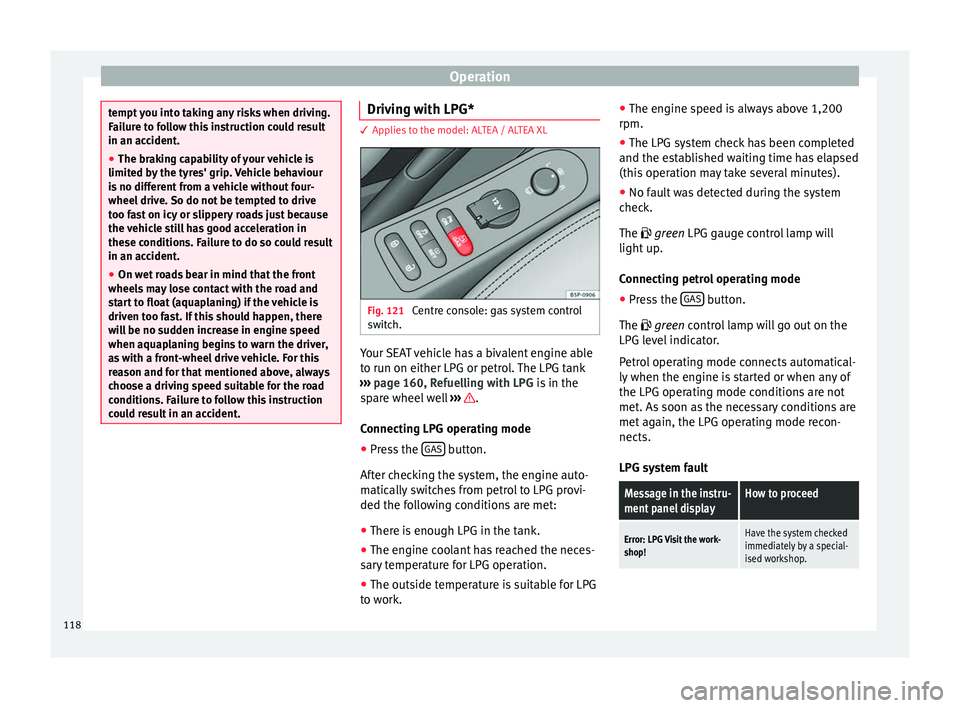
Fig. 121
Centre console: gas system control
switch. Your SEAT vehicle has a bivalent engine able
to run on either LPG or petrol. The LPG tank
››› page 160, Refuelling with LPG is in the
spare wheel well ››› .
Connecting LPG operating mode
● Press the GAS button.
After checking the system, the engine auto-
matically switches from petrol to LPG provi-
ded the following conditions are met:
● There is enough LPG in the tank.
● The engine coolant has reached the neces-
sary temperature for LPG operation.
● The outside temperature is suitable for LPG
to work. ●
The engine speed is always above 1,200
rpm.
● The LPG system check has been completed
and the established waiting time has elapsed
(this operation may take several minutes).
● No fault was detected during the system
check.
The
green LPG gauge control lamp will
light up.
Connecting petrol operating mode
● Press the GAS button.
The green
control lamp will go out on the
LPG l
evel indicator.
Petrol operating mode connects automatical-
ly when the engine is started or when any of
the LPG operating mode conditions are not
met. As soon as the necessary conditions are
met again, the LPG operating mode recon-
nects.
LPG system fault
Message in the instru-
ment panel displayHow to proceed
Error: LPG Visit the work-
shop!Have the system checked
immediately by a special-
ised workshop. 118