lock Seat Altea 2015 User Guide
[x] Cancel search | Manufacturer: SEAT, Model Year: 2015, Model line: Altea, Model: Seat Altea 2015Pages: 236, PDF Size: 4.23 MB
Page 42 of 236
OperationMessages
a)Description
CHECK SAFE-
LOCKNotification of central locking function
activated.
a)These messages may vary according the version of the vehi-
cle model.
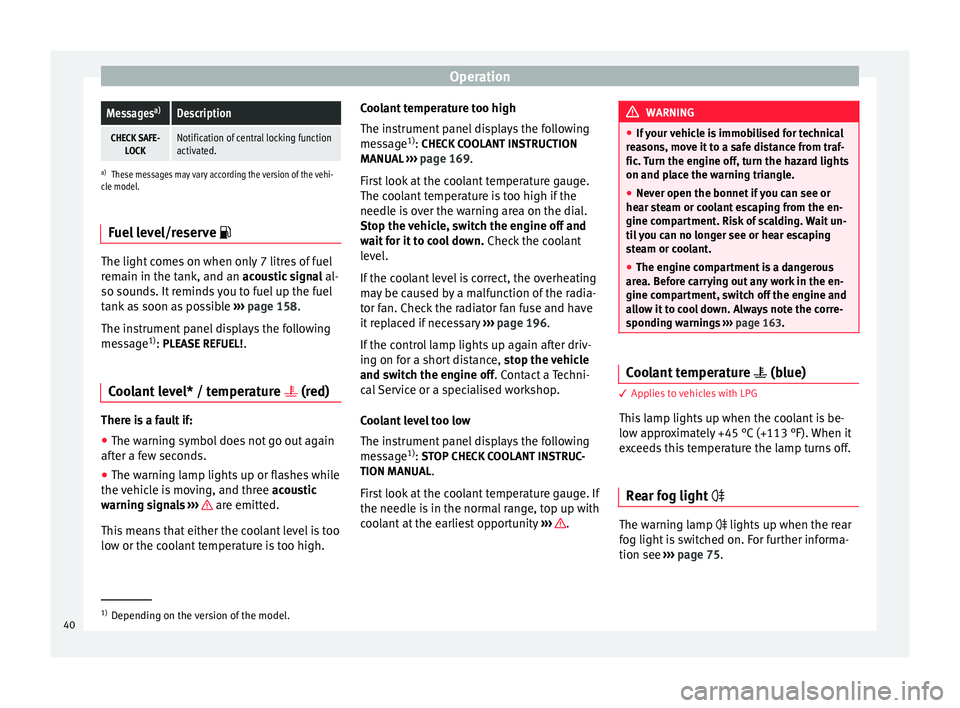
Fuel level/reserve The light comes on when only 7 litres of fuel
remain in the tank, and an acoustic signal
al-
so sou nd
s. It reminds you to fuel up the fuel
tank as soon as possible ›››
page 158.
The instrument panel displays the following
message 1)
: PLEASE REFUEL!
.
Coolant level* / temperature (red) There is a fault if:
● The warning symbol does not go out again
after a few seconds.
● The warning lamp lights up or flashes while
the vehicle is moving, and three acoustic
warning signals ›
›
› are emitted.
This means that either the coolant level is too
low or the coolant temperature is too high. Coolant temperature too high
The instrument panel displays the following
message
1)
: CHECK COOLANT INSTRUCTION
MANU AL
››› page 169.
Firs
t look at the coolant temperature gauge.
The coolant temperature is too high if the
needle is over the warning area on the dial.
Stop the vehicle, switch the engine off and
wait for it to cool down. Check the coolant
level.
If the coolant level is correct, the overheating
may be caused by a malfunction of the radia-
tor fan. Check the radiator fan fuse and have
it replaced if necessary ››› page 196.
If the control lamp lights up again after driv-
ing on for a short distance, stop the vehicle
and switch the engine off. Contact a Techni-
cal
Service or a specialised workshop.
Coolant level too low
The instrument panel displays the following
message 1)
: STOP CHECK COOLANT INSTRUC-
TION MANUAL.
First look at the coolant temperature gauge. If
the needle is in the normal range, top up with
coolant at the earliest opportunity ››› . WARNING
● If your vehicle is immobilised for technical
reasons, move it to a safe distance from traf-
fic. Turn the engine off, turn the hazard lights
on and place the warning triangle.
● Never open the bonnet if you can see or
hear steam or coolant escaping from the en-
gine compartment. Risk of scalding. Wait un-
til you can no longer see or hear escaping
steam or coolant.
● The engine compartment is a dangerous
area. Before carrying out any work in the en-
gine compartment, switch off the engine and
allow it to cool down. Always note the corre-
sponding warnings ››› page 163. Coolant temperature
(blue) 3 Applies to vehicles with LPG
This lamp lights up when the coolant is be-
low approximately +45 °C (+113 °F). When it
exceeds this temperature the lamp turns off.
Rear fog light The warning lamp lights up when the rear
fog light is switched on. For further informa-
tion see
›››
page 75 . 1)
Depending on the version of the model.
40
Page 43 of 236
Dash panel
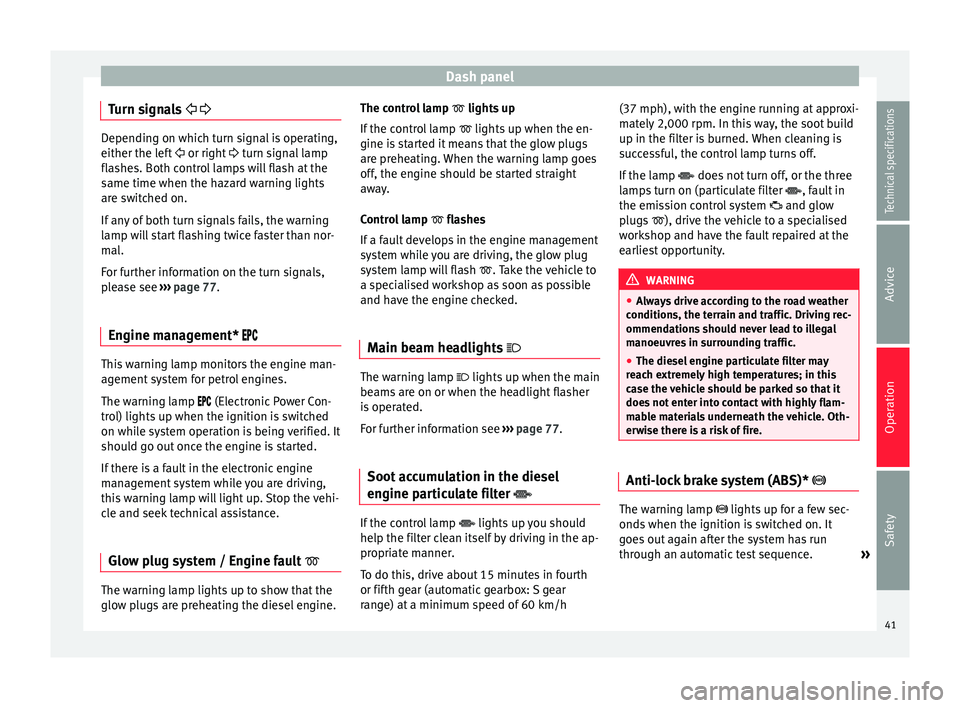
Turn signals
Depending on which turn signal is operating,
either the left
or right turn signal lamp
fl a
shes. Both control lamps will flash at the
same time when the hazard warning lights
are switched on.
If any of both turn signals fails, the warning
lamp will start flashing twice faster than nor-
mal.
For further information on the turn signals,
please see ››› page 77.
Engine management* This warning lamp monitors the engine man-
agement system for petrol engines.
The warning lamp (Electronic Power Con-
trol) lights up when the ignition is switched
on while system operation is being verified. It
should go out once the engine is started.
If there is a fault in the electronic engine
management system while you are driving,
this warning lamp will light up. Stop the vehi-
cle and seek technical assistance.
Glow plug system / Engine fault The warning lamp lights up to show that the
glow plugs are preheating the diesel engine. The control lamp
lights up
If the c
ontrol lamp lights up when the en-
gine is
started it means that the glow plugs
are preheating. When the warning lamp goes
off, the engine should be started straight
away.
Control lamp flashes
If a f
ault develops in the engine management
system while you are driving, the glow plug
system lamp will flash
. Take the vehicle to
a specialised workshop as soon as possible
and have the engine checked.
Main beam headlights The warning lamp lights up when the main
beams are on or when the headlight flasher
is operated.
For further information see
›››
page 77.
Soot accumulation in the diesel
engine particulate filter If the control lamp
lights up you should
help the filter clean itself by driving in the ap-
propriate manner.
To do this, drive about 15 minutes in fourth
or fifth gear (automatic gearbox: S gear
range) at a minimum speed of 60 km/h (37 mph), with the engine running at approxi-
mately 2,000 rpm. In this way, the soot build
up in the filter is burned. When cleaning is
successful, the control lamp turns off.
If the lamp
does not turn off, or the three
l amp
s turn on (particulate filter , fault in
the emission control system and glow
plugs ), drive the vehicle to a specialised
workshop and have the fault repaired at the
earliest opportunity. WARNING
● Always drive according to the road weather
conditions, the terrain and traffic. Driving rec-
ommendations should never lead to illegal
manoeuvres in surrounding traffic.
● The diesel engine particulate filter may
reach extremely high temperatures; in this
case the vehicle should be parked so that it
does not enter into contact with highly flam-
mable materials underneath the vehicle. Oth-
erwise there is a risk of fire. Anti-lock brake system (ABS)*
The warning lamp lights up for a few sec-
onds when the ignition is switched on. It
goes out again after the system has run
through an automatic test sequence.
»
41Technical specifications
Advice
Operation
Safety
Page 44 of 236
Operation
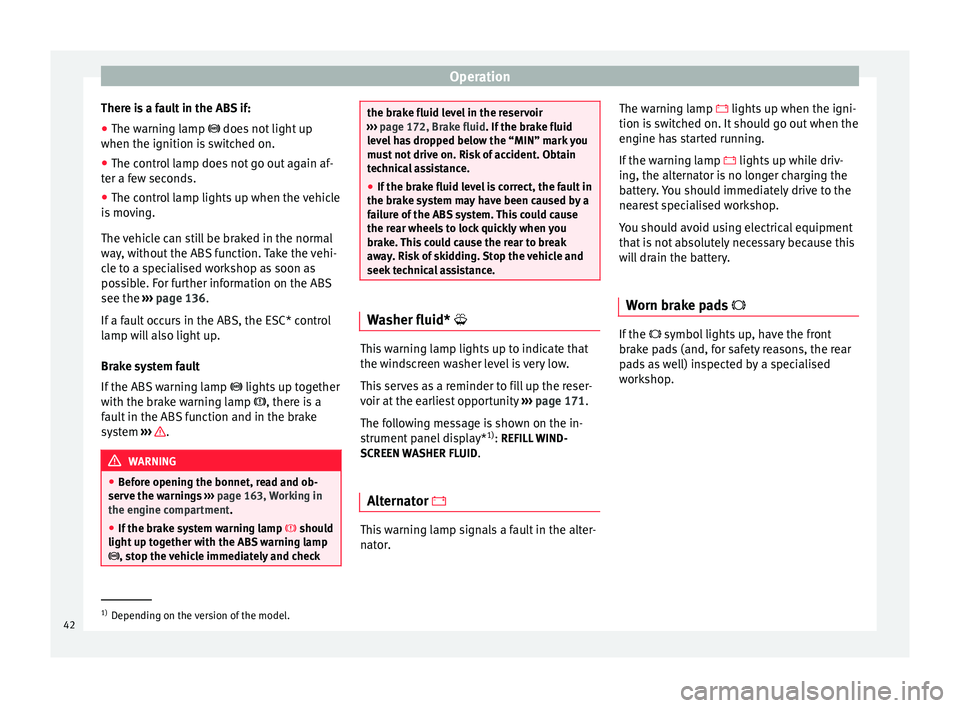
There is a fault in the ABS if:
● The warning lamp
does not light up
when the ignition i
s switched on.
● The control lamp does not go out again af-
ter a few seconds.
● The control lamp lights up when the vehicle
is moving.
The vehicle can still be braked in the normal
way, without the ABS function. Take the vehi-
cle to a specialised workshop as soon as
possible. For further information on the ABS
see the ››› page 136
.
If a fault occurs in the ABS, the ESC* control
lamp will also light up.
Brake system fault
If the ABS warning lamp lights up together
with the brake warning lamp , there is a
fault in the ABS function and in the brake
system ››› .
WARNING
● Before opening the bonnet, read and ob-
serve the warnings ››› page 163, Working in
the engine compartment.
● If the br
ake system warning lamp should
light up together with the ABS warning lamp
, stop the vehicle immediately and check the brake fluid level in the reservoir
››› page 172, Brake fluid. If the brake fluid
l ev
el has dropped below the “MIN” mark you
must not drive on. Risk of accident. Obtain
technical assistance.
● If the brake fluid level is correct, the fault in
the brake system may have been caused by a
failure of the ABS system. This could cause
the rear wheels to lock quickly when you
brake. This could cause the rear to break
away. Risk of skidding. Stop the vehicle and
seek technical assistance. Washer fluid*
This warning lamp lights up to indicate that
the windscreen washer level is very low.
This serves as a reminder to fill up the reser-
voir at the earliest opportunity
››› page 171.
The following message is shown on the in-
strument panel display* 1)
: REFILL WIND-
SCREEN WASHER FLUID .
Alternator This warning lamp signals a fault in the alter-
nator.The warning lamp
lights up when the igni-
tion i
s switched on. It should go out when the
engine has started running.
If the warning lamp
lights up while driv-
ing, the alternator is no longer charging the
battery. You should immediately drive to the
nearest specialised workshop.
You should avoid using electrical equipment
that is not absolutely necessary because this
will drain the battery.
Worn brake pads If the
symbol lights up, have the front
brake pads (and, for safety reasons, the rear
pads as well) inspected by a specialised
workshop. 1)
Depending on the version of the model.
42
Page 46 of 236
Operation
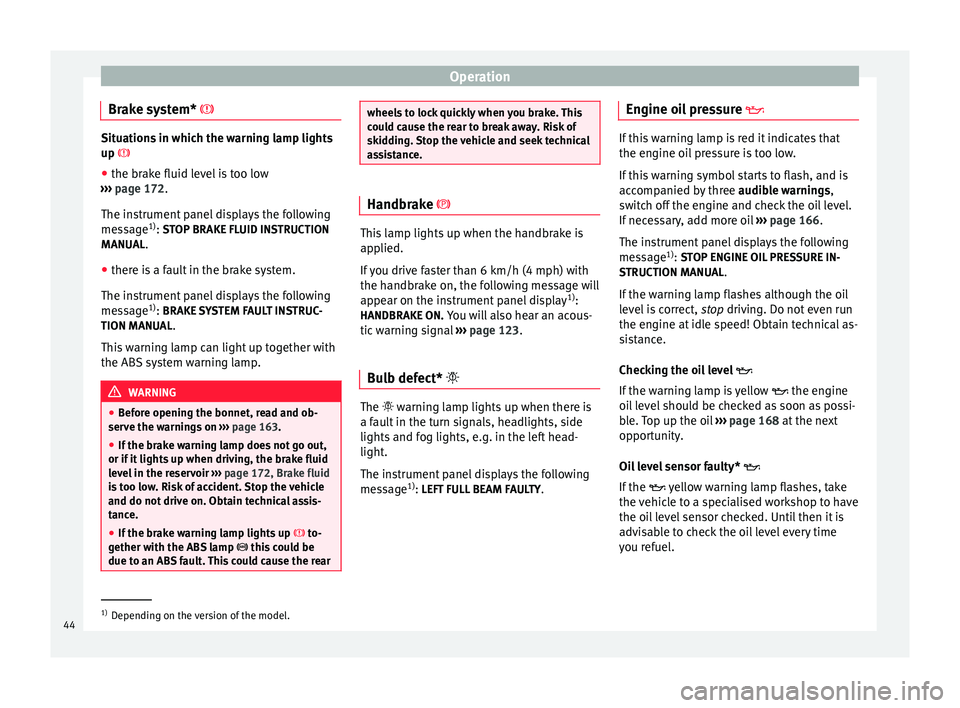
Brake system* Situations in which the warning lamp lights
up
● the br ak
e fluid level is too low
››› page 172.
The ins
trument panel displays the following
message 1)
: STOP BRAKE FLUID INSTRUCTION
MANUAL
.
● there is a fault in the brake system.
The instrument panel displays the following
message 1)
: BRAKE SYSTEM FAULT INSTRUC-
TION MANUAL .
This warning lamp can light up together with
the ABS system warning lamp. WARNING
● Before opening the bonnet, read and ob-
serve the warnings on ››› page 163.
● If the brake warning lamp does not go out,
or if it lights up when driving, the brake fluid
level in the reservoir ››› page 172, Brake fluid
is too low. Risk of accident. Stop the vehicle
and do not drive on. Obtain technical assis-
tance.
● If the brake warning lamp lights up to-
gether with the ABS lamp this could be
due to an ABS fault. This could cause the rear wheels to lock quickly when you brake. This
could cause the rear to break away. Risk of
skidding. Stop the vehicle and seek technical
assistance.
Handbrake
This lamp lights up when the handbrake is
applied.
If you drive faster than 6 km/h (4 mph) with
the handbrake on, the following message will
appear on the instrument panel display
1)
:
HANDBRAKE ON. You will also hear an acous-
tic warning signal ››› page 123.
Bulb defect* The warning lamp lights up when there is
a fault in the turn signals, headlights, side
lights and fog lights, e.g. in the left head-
light.
The instrument panel displays the following
message
1)
: LEFT FULL BEAM FAULTY .Engine oil pressure
If this warning lamp is red it indicates that
the engine oil pressure is too low.
If this warning symbol starts to flash, and is
accompanied by three
audible warnings,
switch off the engine and check the oil level.
If necessary, add more oil ››› page 166.
The instrument panel displays the following
message 1)
: STOP ENGINE OIL PRESSURE IN-
S TRUCTION MANU
AL.
If the warning lamp flashes although the oil
level is correct, stop driving. Do not even run
the en gine at
idle speed! Obtain technical as-
sistance.
Checking the oil level
If the warning lamp is yellow the engine
oil level should be checked as soon as possi-
ble. Top up the oil ›››
page 168 at the next
opportunity.
Oil level sensor faulty*
If the yellow warning lamp flashes, take
the vehicle to a specialised workshop to have
the oil level sensor checked. Until then it is
advisable to check the oil level every time
you refuel. 1)
Depending on the version of the model.
44
Page 47 of 236
Dash panel
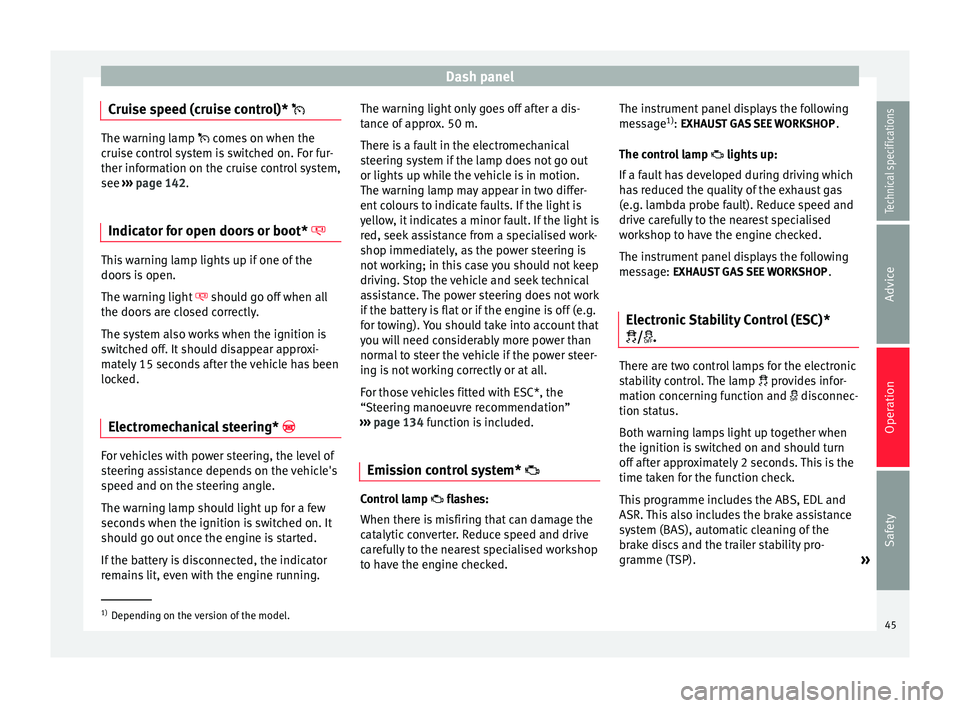
Cruise speed (cruise control)* The warning lamp
comes on when the
c
ruise control system is switched on. For fur-
ther information on the cruise control system,
see ››› page 142
.
Indicator for open doors or boot* This warning lamp lights up if one of the
doors is open.
The warning light
should go off when all
the doors are closed correctly.
The system also works when the ignition is
switched off. It should disappear approxi-
mately 15 seconds after the vehicle has been
locked.
Electromechanical steering* For vehicles with power steering, the level of
steering assistance depends on the vehicle's
speed and on the steering angle.
The warning lamp should light up for a few
seconds when the ignition is switched on. It
should go out once the engine is started.
If the battery is disconnected, the indicator
remains lit, even with the engine running. The warning light only goes off after a dis-
tance of approx. 50 m.
There is a fault in the electromechanical
steering system if the lamp does not go out
or lights up while the vehicle is in motion.
The warning lamp may appear in two differ-
ent colours to indicate faults. If the light is
yellow, it indicates a minor fault. If the light is
red, seek assistance from a specialised work-
shop immediately, as the power steering is
not working; in this case you should not keep
driving. Stop the vehicle and seek technical
assistance. The power steering does not work
if the battery is flat or if the engine is off (e.g.
for towing). You should take into account that
you will need considerably more power than
normal to steer the vehicle if the power steer-
ing is not working correctly or at all.
For those vehicles fitted with ESC*, the
“Steering manoeuvre recommendation”
››› page 134 function is included.
Emi s
sion control system* Control lamp
flashes:
When there is misfiring that can damage the
catalytic converter. Reduce speed and drive
carefully to the nearest specialised workshop
to have the engine checked. The instrument panel displays the following
message
1)
: EXHAUST GAS SEE WORKSHOP
.
The c ontr
ol lamp
lights up:
If a fault has developed during driving which
has reduced the quality of the exhaust gas
(e.g. lambda probe fault). Reduce speed and
drive carefully to the nearest specialised
workshop to have the engine checked.
The instrument panel displays the following
message:
EXHAUST GAS SEE WORKSHOP .
Electronic Stability Control (ESC)*
/. There are two control lamps for the electronic
stability control. The lamp
provides infor-
mation concerning function and disconnec-
tion status.
Both warning lamps light up together when
the ignition is switched on and should turn
off after approximately 2 seconds. This is the
time taken for the function check.
This programme includes the ABS, EDL and
ASR. This also includes the brake assistance
system (BAS), automatic cleaning of the
brake discs and the trailer stability pro-
gramme (TSP). »1)
Depending on the version of the model.
45
Technical specifications
Advice
Operation
Safety
Page 48 of 236
Operation
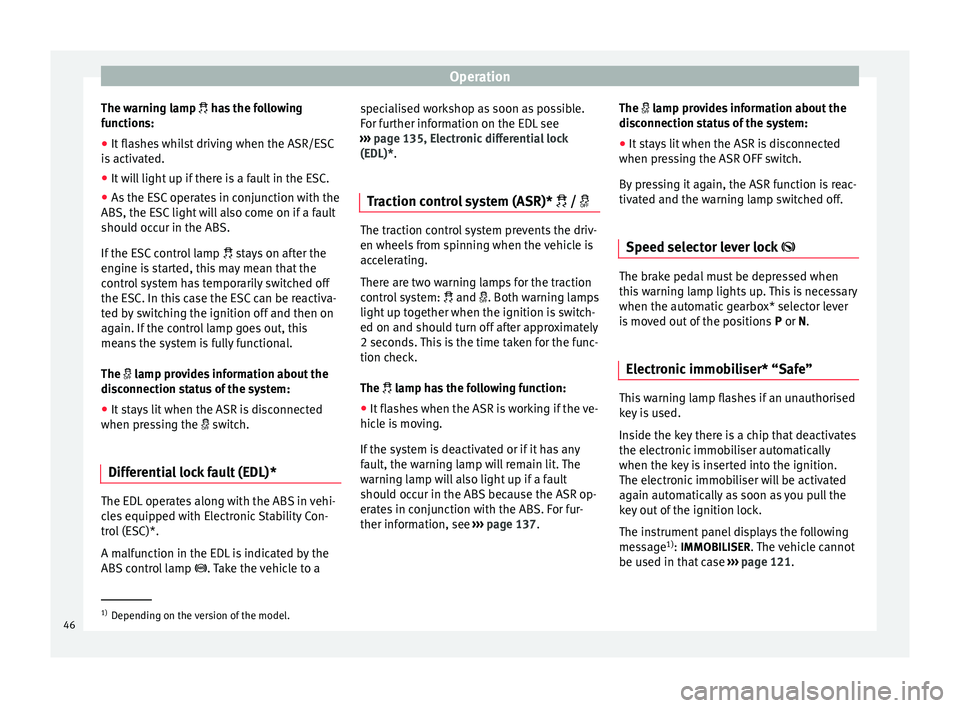
The warning lamp
has the following
f
unctions:
● It flashes whilst driving when the ASR/ESC
is activated.
● It will light up if there is a fault in the ESC.
● As the ESC operates in conjunction with the
ABS, the ESC light will also come on if a fault
should occur in the ABS.
If the ESC control lamp
stays on after the
engine is started, this may mean that the
control system has temporarily switched off
the ESC. In this case the ESC can be reactiva-
ted by switching the ignition off and then on
again. If the control lamp goes out, this
means the system is fully functional.
The lamp provides information about the
disconnection status of the system:
● It stays lit when the ASR is disconnected
when pressing the switch.
Differential lock fault (EDL)* The EDL operates along with the ABS in vehi-
cles equipped with Electronic Stability Con-
trol (ESC)*.
A malfunction in the EDL is indicated by the
ABS control lamp
. Take the vehicle to a specialised workshop as soon as possible.
For further information on the EDL see
››› page 135, Electronic differential lock
(EDL)* .
T r
action control system (ASR)* / The traction control system prevents the driv-
en wheels from spinning when the vehicle is
accelerating.
There are two warning lamps for the traction
control system:
and . Both warning lamps
light up together when the ignition is switch-
ed on and should turn off after approximately
2 seconds. This is the time taken for the func-
tion check.
The lamp has the following function:
● It flashes when the ASR is working if the ve-
hicle is moving.
If the system is deactivated or if it has any
fault, the warning lamp will remain lit. The
warning lamp will also light up if a fault
should occur in the ABS because the ASR op-
erates in conjunction with the ABS. For fur-
ther information, see ›››
page 137. The
lamp provides information about the
di
sconnection status of the system:
● It stays lit when the ASR is disconnected
when pressing the ASR OFF switch.
By pressing it again, the ASR function is reac-
tivated and the warning lamp switched off.
Speed selector lever lock The brake pedal must be depressed when
this warning lamp lights up. This is necessary
when the automatic gearbox* selector lever
is moved out of the positions
P
or N
.
Electronic immobiliser* “Safe” This warning lamp flashes if an unauthorised
key is used.
Inside the key there is a chip that deactivates
the electronic immobiliser automatically
when the key is inserted into the ignition.
The electronic immobiliser will be activated
again automatically as soon as you pull the
key out of the ignition lock.
The instrument panel displays the following
message
1)
: IMMOBILISER
. The vehicle cannot
be used in that case ›››
page 121. 1)
Depending on the version of the model.
46
Page 49 of 236
Dash panel
The engine can, however, be started if the
appropriate coded SEAT genuine key is used. Note
A perfect operation of the vehicle is ensured
if genuine SEAT keys are used. Digital instrument panel
display
Display (without warning or
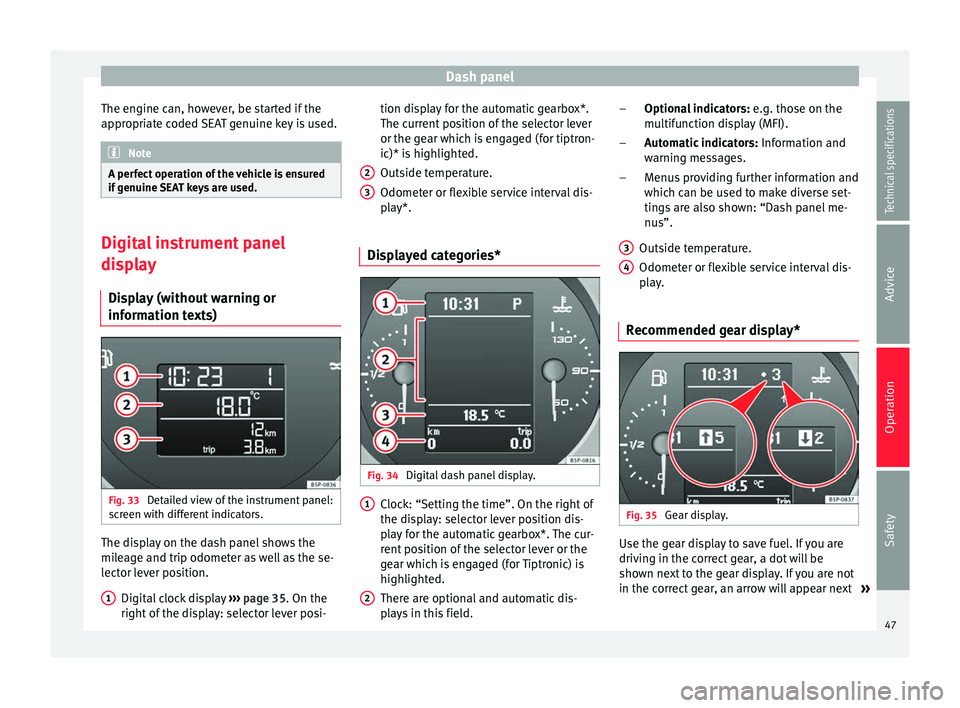
information texts) Fig. 33
Detailed view of the instrument panel:
screen with different indicators. The display on the dash panel shows the
mileage and trip odometer as well as the se-
lector lever position.
Digital clock display ››› page 35. On the
right of the display: selector lever posi-
1 tion display for the automatic gearbox*.
The current position of the selector lever
or the gear which is engaged (for tiptron-
ic)* is highlighted.
Outside temperature.
Odometer or flexible service interval dis-
play*.
Displayed categories* Fig. 34
Digital dash panel display. Clock: “Setting the time”. On the right of
the display: selector lever position dis-
play for the automatic gearbox*. The cur-
rent position of the selector lever or the
gear which is engaged (for Tiptronic) is
highlighted.
There are optional and automatic dis-
plays in this field.
2 3
1
2 Optional indicators:
e.g. those on the
multifunction display (MFI).
Automatic indicators: Information and
warning messages.
Menus providing further information and
which can be used to make diverse set-
tings are also shown: “Dash panel me-
nus”.
Outside temperature.
Odometer or flexible service interval dis-
play.
Recommended gear display* Fig. 35
Gear display. Use the gear display to save fuel. If you are
driving in the correct gear, a dot will be
shown next to the gear display. If you are not
in the correct gear, an arrow will appear next
»
–
–
–
3 4
47Technical specifications
Advice
Operation
Safety
Page 50 of 236
Operation
to the gear display indicating whether you
should change up or down. Note
The gear change indication should not be tak-
en into account when quick acceleration is re-
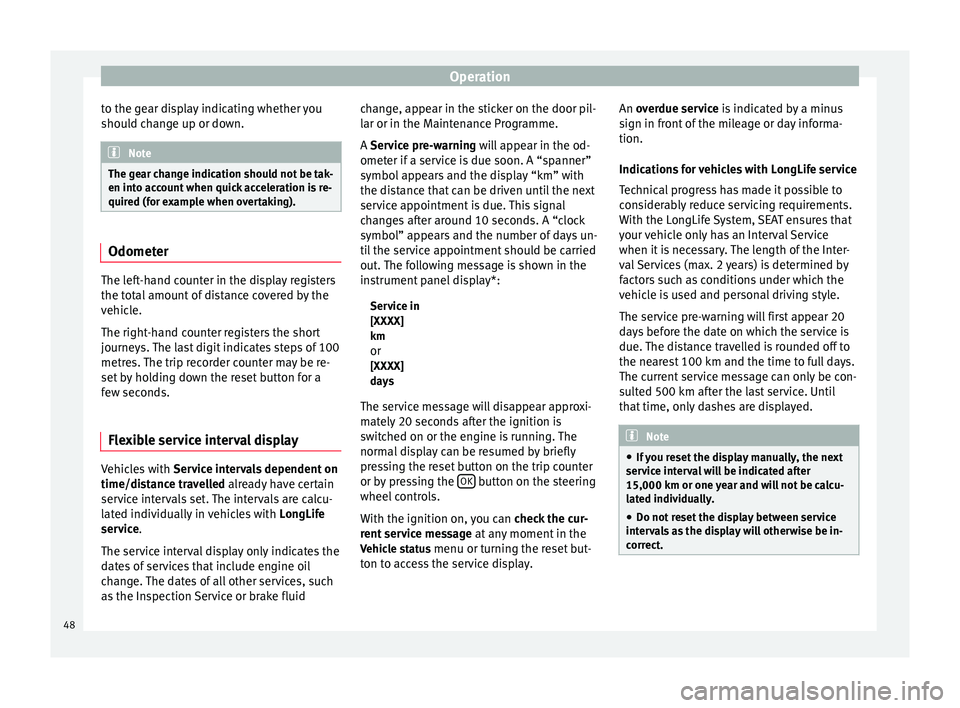
quired (for example when overtaking). Odometer
The left-hand counter in the display registers
the total amount of distance covered by the
vehicle.
The right-hand counter registers the short
journeys. The last digit indicates steps of 100
metres. The trip recorder counter may be re-
set by holding down the reset button for a
few seconds.
Flexible service interval display Vehicles with
Service intervals dependent on
time/distance travelled already have certain
service intervals set. The intervals are calcu-
lated individually in vehicles with LongLife
service .
The ser v
ice interval display only indicates the
dates of services that include engine oil
change. The dates of all other services, such
as the Inspection Service or brake fluid change, appear in the sticker on the door pil-
lar or in the Maintenance Programme.
A
Service pre-warning will appear in the od-
ometer if a service is due soon. A “spanner”
symbol appears and the display “km” with
the distance that can be driven until the next
service appointment is due. This signal
changes after around 10 seconds. A “clock
symbol” appears and the number of days un-
til the service appointment should be carried
out. The following message is shown in the
instrument panel display*:
Service in
[XXXX]
kmor
[XXXX]
days
The service message will disappear approxi-
mately 20 seconds after the ignition is
switched on or the engine is running. The
normal display can be resumed by briefly
pressing the reset button on the trip counter
or by pressing the OK button on the steering
wheel controls.
With the ignition on, you can check the cur-
rent service message at any moment in the
Vehicle status menu or turning the reset but-
ton to access the service display. An
overdue service
is indicated by a minus
s
ign in front of the mileage or day informa-
tion.
Indications for vehicles with LongLife service
Technical progress has made it possible to
considerably reduce servicing requirements.
With the LongLife System, SEAT ensures that
your vehicle only has an Interval Service
when it is necessary. The length of the Inter-
val Services (max. 2 years) is determined by
factors such as conditions under which the
vehicle is used and personal driving style.
The service pre-warning will first appear 20
days before the date on which the service is
due. The distance travelled is rounded off to
the nearest 100 km and the time to full days.
The current service message can only be con-
sulted 500 km after the last service. Until
that time, only dashes are displayed. Note
● If you reset the display manually, the next
service interval will be indicated after
15,000 km or one year and will not be calcu-
lated individually.
● Do not reset the display between service
intervals as the display will otherwise be in-
correct. 48
Page 57 of 236
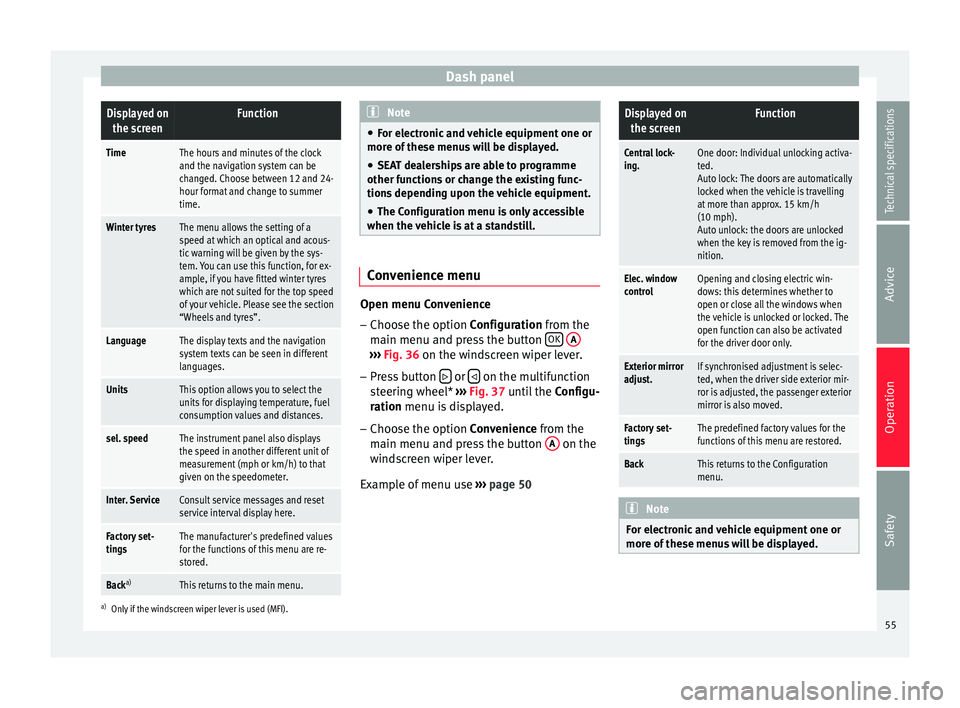
Dash panelDisplayed on
the screenFunction
TimeThe hours and minutes of the clock
and the navigation system can be
changed. Choose between 12 and 24-
hour format and change to summer
time.
Winter tyresThe menu allows the setting of a
speed at which an optical and acous-
tic warning will be given by the sys-
tem. You can use this function, for ex-
ample, if you have fitted winter tyres
which are not suited for the top speed
of your vehicle. Please see the section
“Wheels and tyres”.
LanguageThe display texts and the navigation
system texts can be seen in different
languages.
UnitsThis option allows you to select the
units for displaying temperature, fuel
consumption values and distances.
sel. speedThe instrument panel also displays
the speed in another different unit of
measurement (mph or km/h) to that
given on the speedometer.
Inter. ServiceConsult service messages and reset
service interval display here.
Factory set-
tingsThe manufacturer's predefined values
for the functions of this menu are re-
stored.
Back a)This returns to the main menu.
a)
Only if the windscreen wiper lever is used (MFI). Note
● For electronic and vehicle equipment one or
more of these menus will be displayed.
● SEAT dealerships are able to programme
other functions or change the existing func-
tions depending upon the vehicle equipment.
● The Configuration menu is only accessible
when the vehicle is at a standstill. Convenience menu
Open menu Convenience
– Choose the option Configuration
from the
m
ain menu and press the button OK
A ›››
Fig. 36 on the windscreen wiper lever.
– Pr e
ss button or
on the multifunction
steering wheel* ›››
Fig. 37 until the
C
onfigu-
r
ation menu is displayed.
– Choose the option
Convenience from the
main menu and press the button A on the
windscreen wiper lever.
Example of menu use ›››
page 50
Displayed on
the screenFunction
Central lock-
ing.One door: Individual unlocking activa-
ted.
Auto lock: The doors are automatically
locked when the vehicle is travelling
at more than approx. 15 km/h
(10 mph).
Auto unlock: the doors are unlocked
when the key is removed from the ig-
nition.
Elec. window
controlOpening and closing electric win-
dows: this determines whether to
open or close all the windows when
the vehicle is unlocked or locked. The
open function can also be activated
for the driver door only.
Exterior mirror
adjust.If synchronised adjustment is selec-
ted, when the driver side exterior mir-
ror is adjusted, the passenger exterior
mirror is also moved.
Factory set-
tingsThe predefined factory values for the
functions of this menu are restored.
BackThis returns to the Configuration
menu. Note
For electronic and vehicle equipment one or
more of these menus will be displayed. 55
Technical specifications
Advice
Operation
Safety
Page 58 of 236
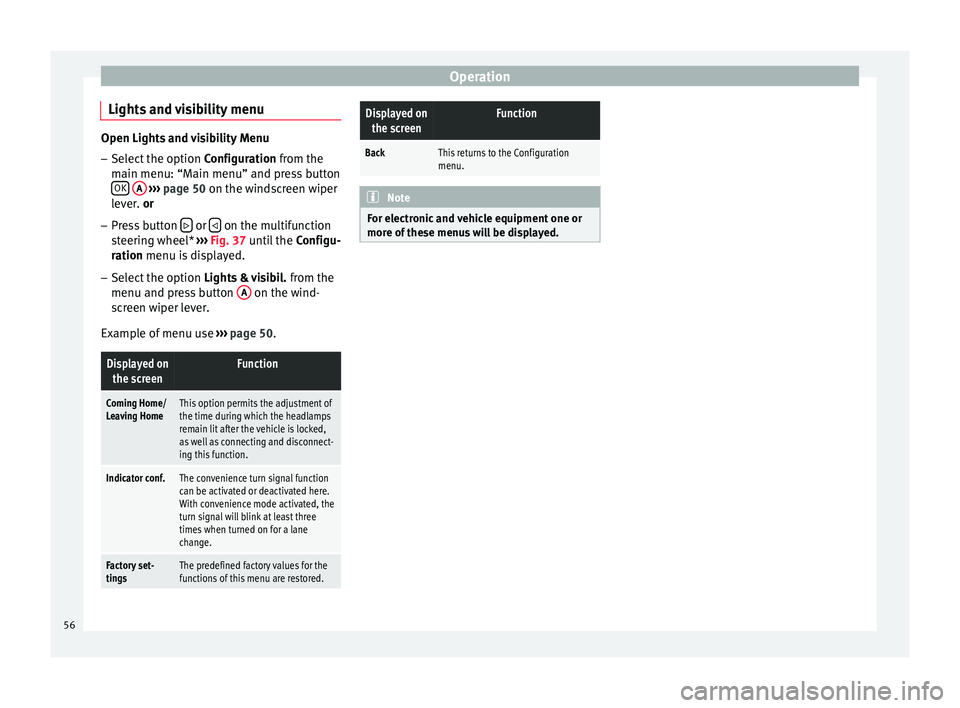
Operation
Lights and visibility menu Open Lights and visibility Menu
– Select the option Configuration from the
m ain menu: “M
ain menu” and press button
OK
A
››› page 50 on the windscreen wiper
l ev
er. or
– Press button or
on the multifunction
steering wheel* ››› Fig. 37 until the Configu-
r
ation menu is displayed.
– Select the option Lights & visibil. from the
menu and press button A on the wind-
screen wiper lever.
Example of menu use ›››
page 50.
Displayed on
the screenFunction
Coming Home/
Leaving HomeThis option permits the adjustment of
the time during which the headlamps
remain lit after the vehicle is locked,
as well as connecting and disconnect-
ing this function.
Indicator conf.The convenience turn signal function
can be activated or deactivated here.
With convenience mode activated, the
turn signal will blink at least three
times when turned on for a lane
change.
Factory set-
tingsThe predefined factory values for the
functions of this menu are restored.
Displayed onthe screenFunction
BackThis returns to the Configuration
menu. Note
For electronic and vehicle equipment one or
more of these menus will be displayed. 56