buttons Seat Arona 2017 Owner's Manual
[x] Cancel search | Manufacturer: SEAT, Model Year: 2017, Model line: Arona, Model: Seat Arona 2017Pages: 308, PDF Size: 6.66 MB
Page 17 of 308
The essentials
How it works
Openin g and c
lo
sing
Related video Fig. 1
Opening and clos-
ing Doors
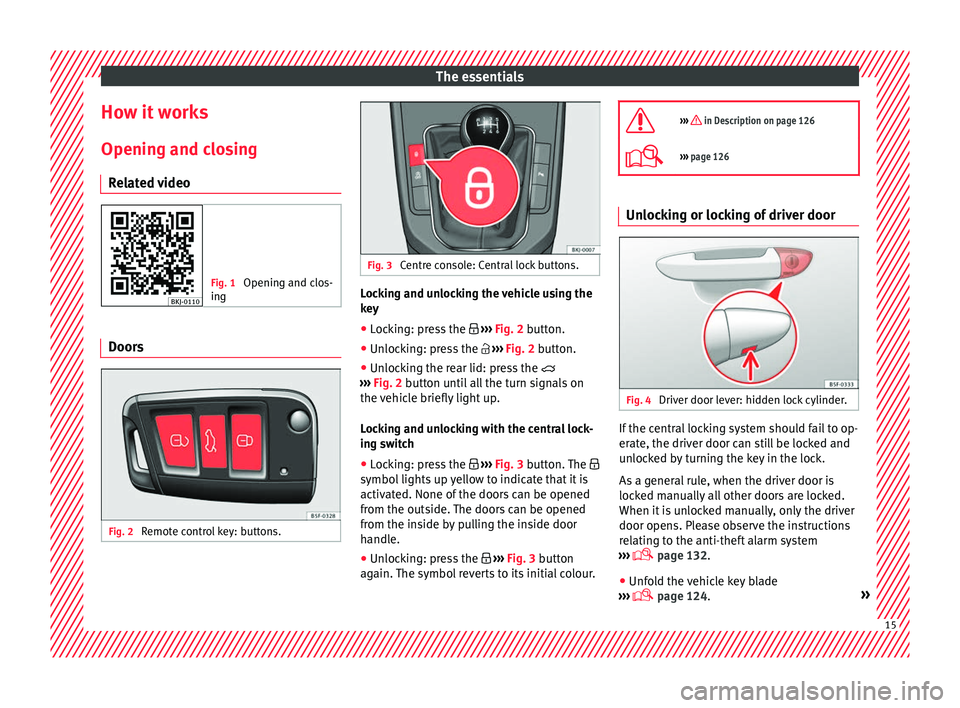
Fig. 2
Remote control key: buttons. Fig. 3
Centre console: Central lock buttons. Locking and unlocking the vehicle using the
k
ey
● Loc
king: press the ›››
Fig. 2 button.
● Unlocking: press the ›››
Fig. 2 button.
● Unlocking the rear lid: press the
›››
Fig. 2 button until all the turn signals on
the vehicle briefly light up.
Locking and unlocking with the central lock-
ing switch
● Locking: press the ›››
Fig. 3 button. The
symbol lights up yellow to indicate that it is
activated. None of the doors can be opened
from the outside. The doors can be opened
from the inside by pulling the inside door
handle.
● Unlocking: press the ›››
Fig. 3 button
again. The symbol reverts to its initial colour.
››› in Description on page 126
›››
page 126 Unlocking or locking of driver door
Fig. 4
Driver door lever: hidden lock cylinder. If the central locking system should fail to op-
er
at
e, the driv
er door can still be locked and
unlocked by turning the key in the lock.
As a general rule, when the driver door is
locked manually all other doors are locked.
When it is unlocked manually, only the driver
door opens. Please observe the instructions
relating to the anti-theft alarm system
››› page 132.
● Unfold the vehicle key blade
›› ›
page 124. » 15
Page 20 of 308
The essentials
● To lif
t
the bonnet, press towards the left on
the lever located under the bonnet, in the
centre ››› Fig. 10 2 . The arrester hooks are
r el
e
ased.
● Release the bonnet stay and secure it in
the fixtur
e designed for this in the bonnet.
››› in safety notes for work in the en-
gine compartment on page 267
››› page 267 Electric windows*
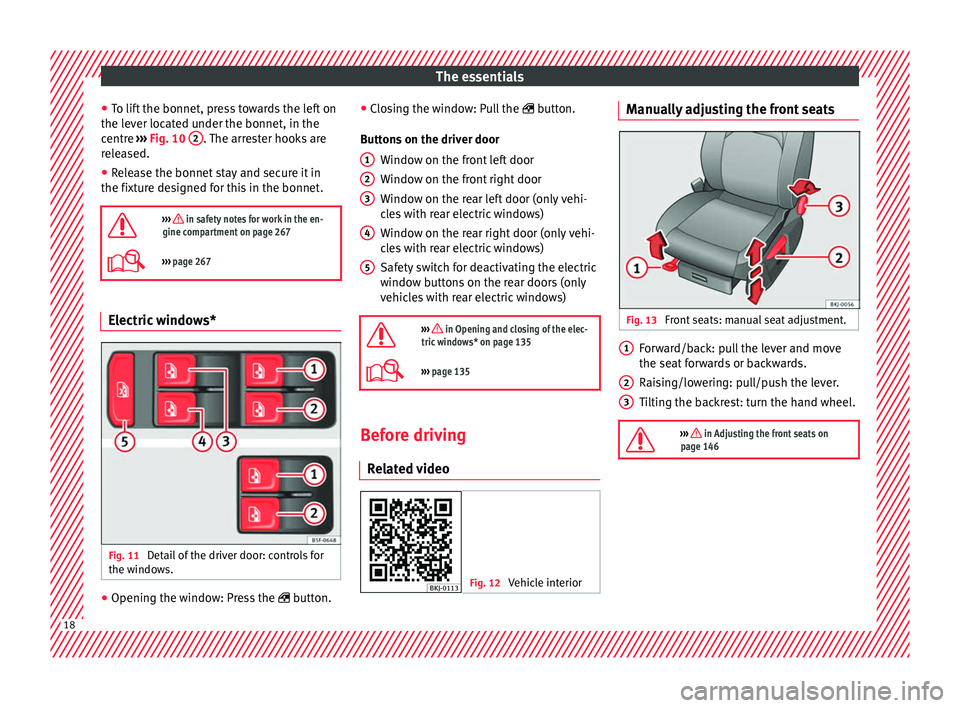
Fig. 11
Detail of the driver door: controls for
the w indo
w
s. ●
Opening the window: Press the butt
on. ●
C
los
ing the window: Pull the button.
Buttons on the driver door Window on the front left door
Window on the front right door
Window on the rear left door (only vehi-
cles with rear electric windows)
Window on the rear right door (only vehi-
cles with rear electric windows)
Safety switch for deactivating the electric
window buttons on the rear doors (only
vehicles with rear electric windows)
››› in Opening and closing of the elec-
tric windows* on page 135
››› page 135 Before driving
R el
at
ed video Fig. 12
Vehicle interior 1
2
3
4
5 Manually adjusting the front seats
Fig. 13
Front seats: manual seat adjustment. Forward/back: pull the lever and move
the se
at
f
orwards or backwards.
Raising/lowering: pull/push the lever.
Tilting the backrest: turn the hand wheel.
››› in Adjusting the front seats on
page 146 1
2
3
18
Page 37 of 308
The essentials
››› in CAR menu on page 118
››› page 118 Driver information system
Intr oduction With the ignition switched on, it is possible
to r
e
ad the different functions of the display
by scrolling through the menus.
In vehicles with multifunction steering wheel,
the multifunction display can only be operat-
ed with the steering wheel buttons.
The number of menus displayed on the in-
strument panel will vary according to the ve-
hicle electronics and equipment.
A specialised workshop will be able to pro-
gramme or modify additional functions, ac-
cording to the vehicle equipment. SEAT rec-
ommends visiting a SEAT Official Service.
Some menu options can only be read when
the vehicle is at a standstill.
As long as a priority 1 warning is displayed, it
will not be possible to read the menus
››› page 39. Some warning messages can
be confirmed and made to disappear with the windscreen wiper lever button or the multi-
fu
nction s
teering wheel button.
The information system also provides the fol-
lowing information and displays (depending
on the vehicle's equipment):
Driving data ››› page 36
■ MFD from departure
■ MFD from refuelling
■ MFD total calculation
Assist systems ››› page 38
Navigation ››› Booklet Navigation system
Audio ››› Booklet Radio or ››› Booklet Naviga-
tion system
Telephone ››› Booklet Radio or ››› Book-
let Navigation system
Vehicle status ››› page 33 WARNING
Any distraction may lead to an accident, with
the risk of
injury.
● Do not operate the instrument panel con-
trol
s when driving. Operating the instrument panel me-
nu
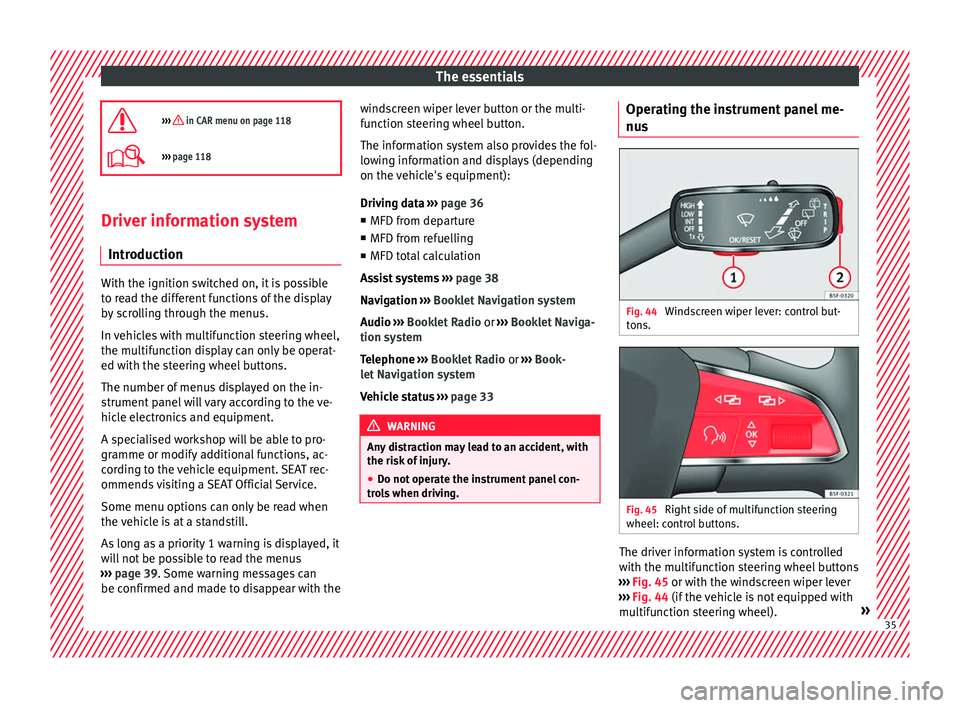
s Fig. 44
Windscreen wiper lever: control but-
t on
s. Fig. 45
Right side of multifunction steering
wheel: c ontr
o
l buttons. The driver information system is controlled
w
ith the mu
ltif
unction steering wheel buttons
››› Fig. 45 or with the windscreen wiper lever
››› Fig. 44 (if the vehicle is not equipped with
multifunction steering wheel). » 35
Page 42 of 308
The essentials
outside temperature as a result of the heat
pr oduc
ed b
y the engine.
The temperatures measured range from
-40°C to +50°C (-40°F to +122°F).
Engine oil temperature display The engine reaches its operating temperature
when in normal
driv
ing conditions the oil
temperature is between 80°C (178°F) and
120°C (248°F). If the engine is required to
work hard and the outside temperature is
high, the engine oil temperature can in-
crease. This does not present any problem as
long as the warning lamps ››› table on
page 46 or ››› table on page 46 do not
appear on the display.
Vehicles without multifunction steering
wheel
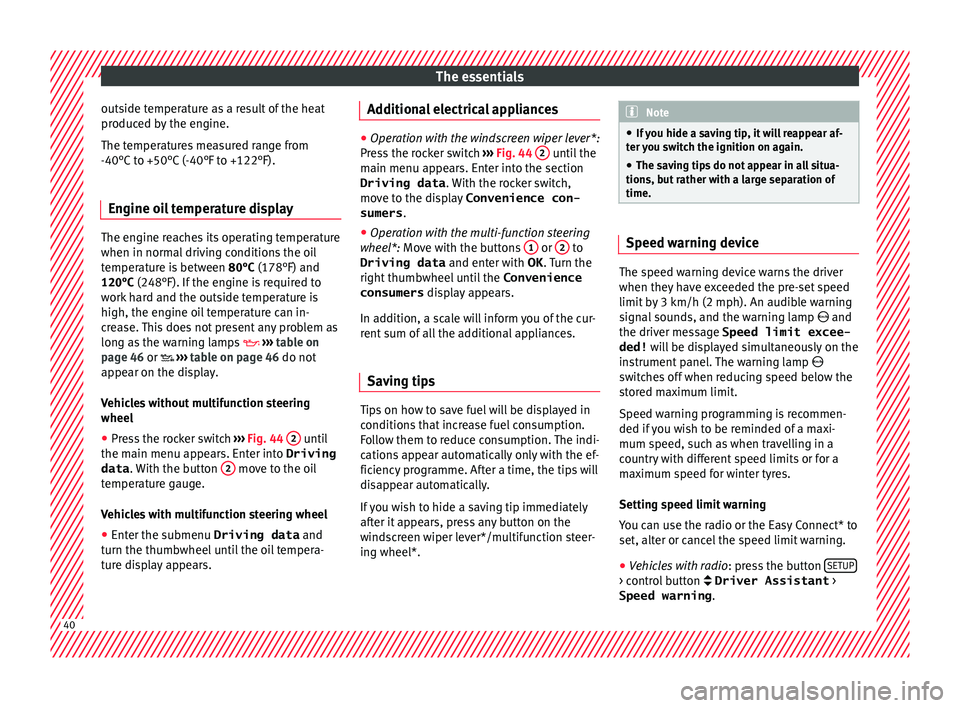
● Press the rocker switch ››
›
Fig. 44 2 until
the m ain menu ap
pe
ars. Enter into Driving
data . With the button 2 move to the oil
t emper
at
ure gauge.
Vehicles with multifunction steering wheel
● Enter the submenu Driving data and
turn the thumbwheel
until the oil tempera-
ture display appears. Additional electrical appliances ●
Operation with the windscreen wiper lever*:
Pre s
s the rocker switch ››› Fig. 44 2 until the
main menu ap pe
ars. Enter into the section
Driving data . With the rocker switch,
move to the display Convenience con-
sumers .
● Operation with the multi-function steering
wheel*:
Move with the buttons 1 or
2 to
Driving data and enter with
OK . Turn the
right thumbwheel until the Convenience
consumers display appears.
In addition, a scale will inform you of the cur-
rent sum of all the additional appliances.
Saving tips Tips on how to save fuel will be displayed in
c
ondition
s
that increase fuel consumption.
Follow them to reduce consumption. The indi-
cations appear automatically only with the ef-
ficiency programme. After a time, the tips will
disappear automatically.
If you wish to hide a saving tip immediately
after it appears, press any button on the
windscreen wiper lever*/multifunction steer-
ing wheel*. Note
● If y
ou hide a saving tip, it will reappear af-
ter you switch the ignition on again.
● The saving tips do not appear in all situa-
tions, but
rather with a large separation of
time. Speed warning device
The speed warning device warns the driver
when they h
av
e exceeded the pre-set speed
limit by 3 km/h (2 mph). An audible warning
signal sounds, and the warning lamp and
the driver message Speed limit excee-
ded! will be displayed simultaneously on the
instrument panel. The warning lamp
switches off when reducing speed below the
stored maximum limit.
Speed warning programming is recommen-
ded if you wish to be reminded of a maxi-
mum speed, such as when travelling in a
country with different speed limits or for a
maximum speed for winter tyres.
Setting speed limit warning
You can use the radio or the Easy Connect* to
set, alter or cancel the speed limit warning.
● Vehicles with radio : pres
s the button SETUP > control button Driver Assistant
>
Speed warning .40
Page 45 of 308
The essentials
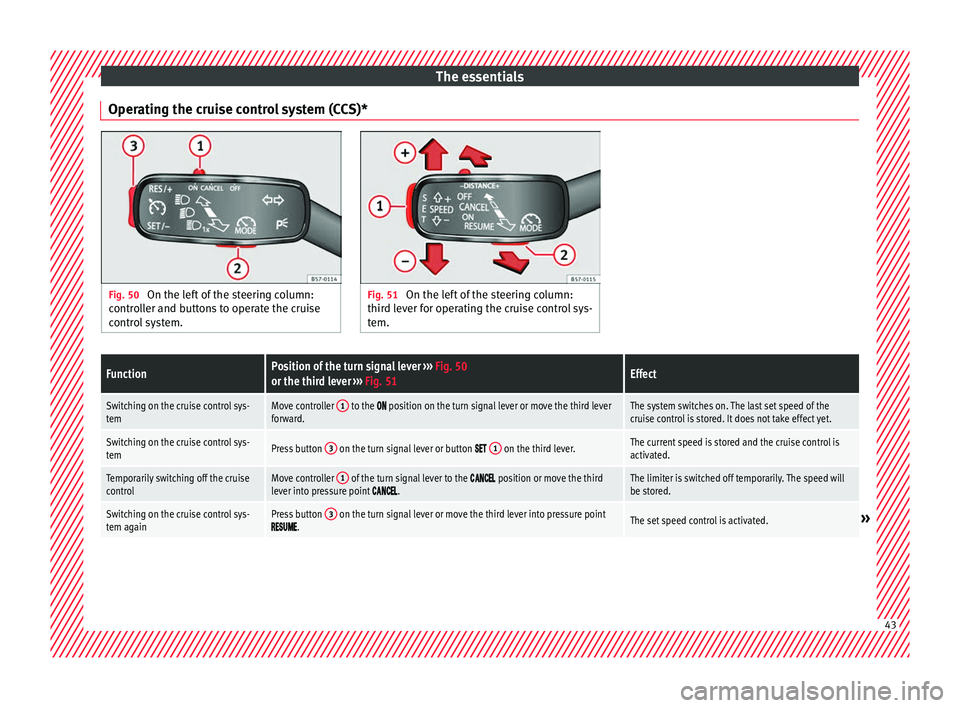
Operating the cruise control system (CCS)* Fig. 50
On the left of the steering column:
contr o
ller and buttons to operate the cruise
control system. Fig. 51
On the left of the steering column:
third l ev
er for operating the cruise control sys-
tem.
FunctionPosition of the turn signal lever ››› Fig. 50
or the third lever ››› Fig. 51Effect
Switching on the cruise control sys-
temMove controller 1 to the position on the turn signal lever or move the third lever
forward.The system switches on. The last set speed of the
cruise control is stored. It does not take effect yet.
Switching on the cruise control sys-
temPress button 3 on the turn signal lever or button 1 on the third lever.The current speed is stored and the cruise control is
activated.
Temporarily switching off the cruise
controlMove controller 1 of the turn signal lever to the position or move the third
lever into pressure point .The limiter is switched off temporarily. The speed will
be stored.
Switching on the cruise control sys-
tem againPress button 3 on the turn signal lever or move the third lever into pressure point.The set speed control is activated.» 43
Page 51 of 308
The essentials
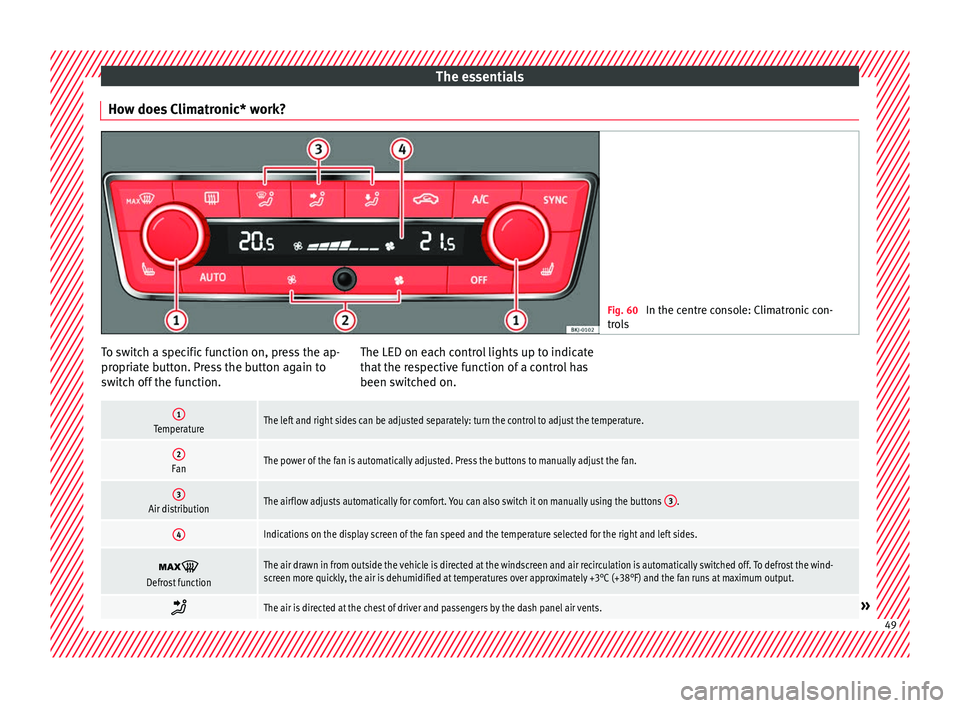
How does Climatronic* work? Fig. 60
In the centre console: Climatronic con-
tro l
s To switch a specific function on, press the ap-
pr
opri
at
e button. Press the button again to
switch off the function. The LED on each control lights up to indicate
that the r
espective function of a control has
been switched on.
1TemperatureThe left and right sides can be adjusted separately: turn the control to adjust the temperature.
2FanThe power of the fan is automatically adjusted. Press the buttons to manually adjust the fan.
3Air distributionThe airflow adjusts automatically for comfort. You can also switch it on manually using the buttons 3.
4Indications on the display screen of the fan speed and the temperature selected for the right and left sides.
Defrost functionThe air drawn in from outside the vehicle is directed at the windscreen and air recirculation is automatically switched off. To defrost the wind-
screen more quickly, the air is dehumidified at temperatures over approximately +3°C (+38°F) and the fan runs at maximum output.
The air is directed at the chest of driver and passengers by the dash panel air vents.»
49
Page 52 of 308
The essentials
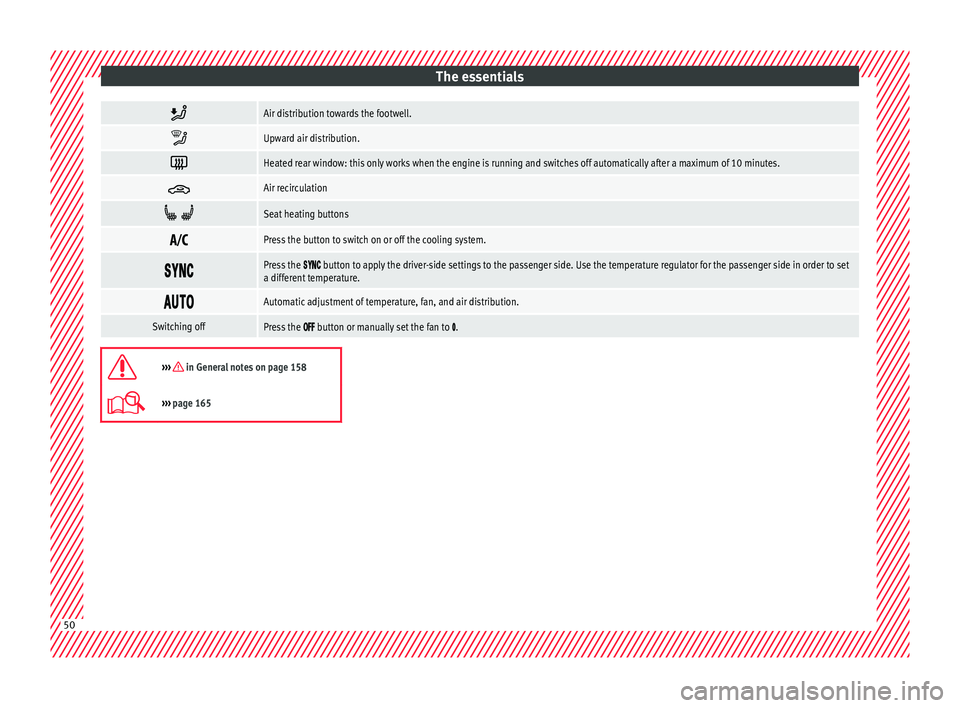
Air distribution towards the footwell.
Upward air distribution.
Heated rear window: this only works when the engine is running and switches off automatically after a maximum of 10 minutes.
Air recirculation
Seat heating buttons
Press the button to switch on or off the cooling system.
Press the button to apply the driver-side settings to the passenger side. Use the temperature regulator for the passenger side in order to set
a different temperature.
Automatic adjustment of temperature, fan, and air distribution.
Switching offPress the button or manually set the fan to .
››› in General notes on page 158
›››
page 165 50
Page 54 of 308
The essentials
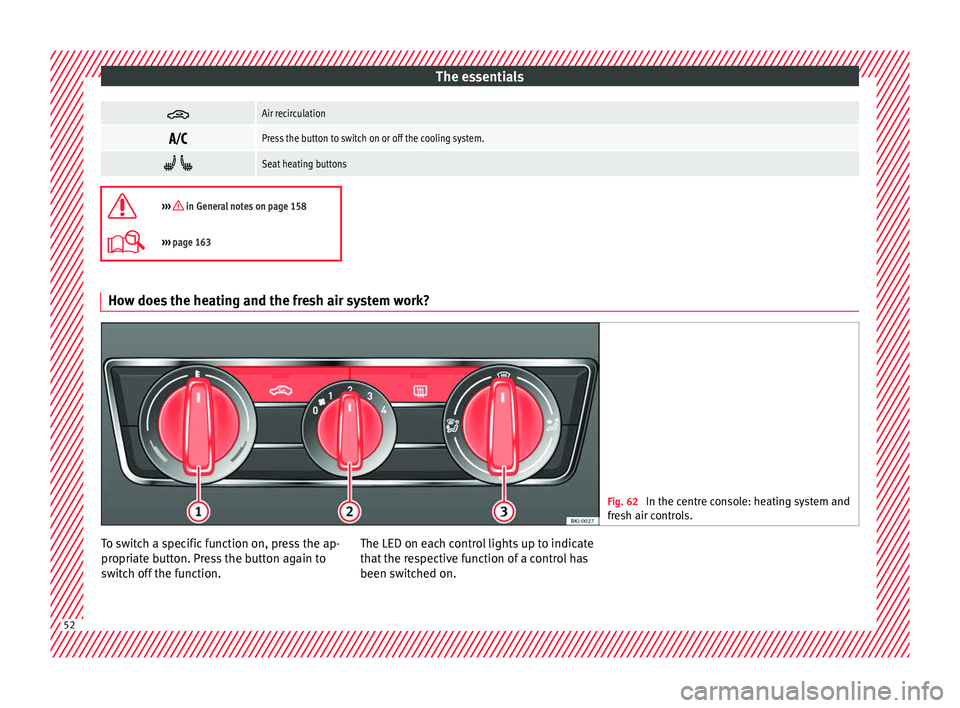
Air recirculation
Press the button to switch on or off the cooling system.
Seat heating buttons
››› in General notes on page 158
›››
page 163 How does the heating and the fresh air system work?
Fig. 62
In the centre console: heating system and
fresh air c
ontrols. To switch a specific function on, press the ap-
pr
opri
at
e button. Press the button again to
switch off the function. The LED on each control lights up to indicate
that the r
espective function of a control has
been switched on. 52
Page 120 of 308
Operation
●
Stop the v
ehicle safely as soon as possible.
● Park the vehicle away from traffic and en-
sure th
at there are no highly flammable ma-
terials under the vehicle that could come into
contact with the exhaust system (e.g. dry
grass, fuel).
● A faulty vehicle represents a risk of acci-
dent for the driv
er and for other road users. If
necessary, switch on the hazard warning
lamps and put out the warning triangle to ad-
vise other drivers.
● Before opening the bonnet, switch off the
engine and al
low it to cool.
● In any vehicle, the engine compartment is a
hazar
dous area and could cause severe inju-
ries ››› page 267. CAUTION
Failure to heed the control lamps and text
mes s
ages when they appear may result in
faults in the vehicle. Introduction to the Easy
C
onnect
sy
stem*
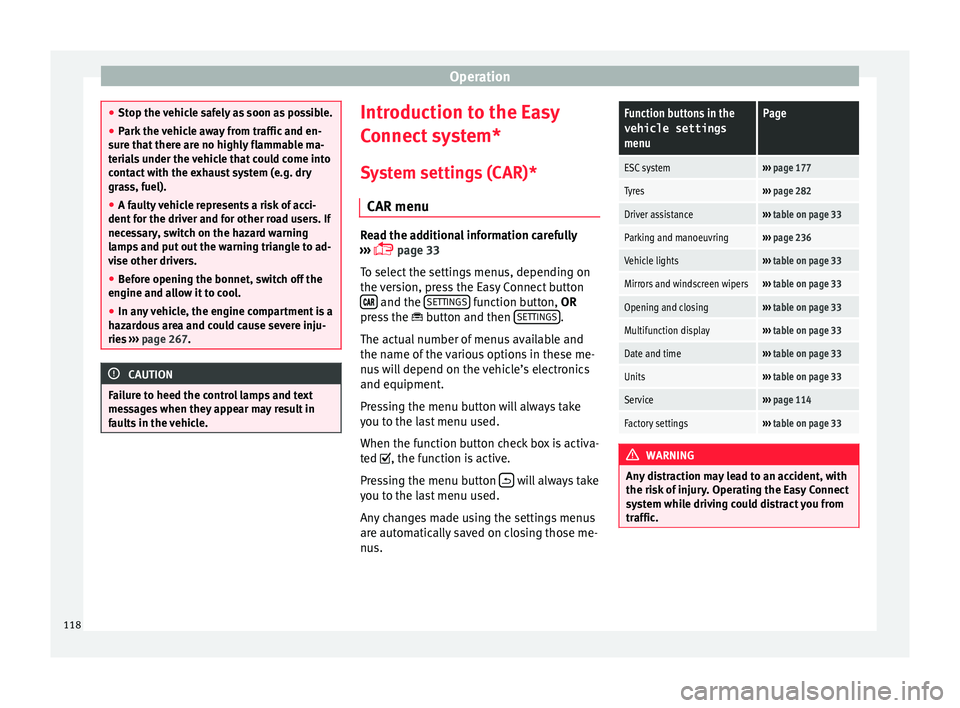
System settings (CAR)* CAR menu Read the additional information carefully
›› ›
page 33
To select the settings menus, depending on
the version, press the Easy Connect button and the
S
ET
TINGS function button, OR
pr e
s
s the button and then SETTINGS .
The act ual
number of
menus available and
the name of the various options in these me-
nus will depend on the vehicle’s electronics
and equipment.
Pressing the menu button will always take
you to the last menu used.
When the function button check box is activa-
ted , the function is active.
Pressing the menu button will always take
y ou t
o the l
ast menu used.
Any changes made using the settings menus
are automatically saved on closing those me-
nus.
Function buttons in the vehicle settings
menuPage
ESC system››› page 177
Tyres››› page 282
Driver assistance››› table on page 33
Parking and manoeuvring››› page 236
Vehicle lights››› table on page 33
Mirrors and windscreen wipers››› table on page 33
Opening and closing››› table on page 33
Multifunction display››› table on page 33
Date and time››› table on page 33
Units››› table on page 33
Service››› page 114
Factory settings››› table on page 33 WARNING
Any distraction may lead to an accident, with
the risk of
injury. Operating the Easy Connect
system while driving could distract you from
traffic. 118
Page 126 of 308
Operation
Opening and closing K ey
s
Set
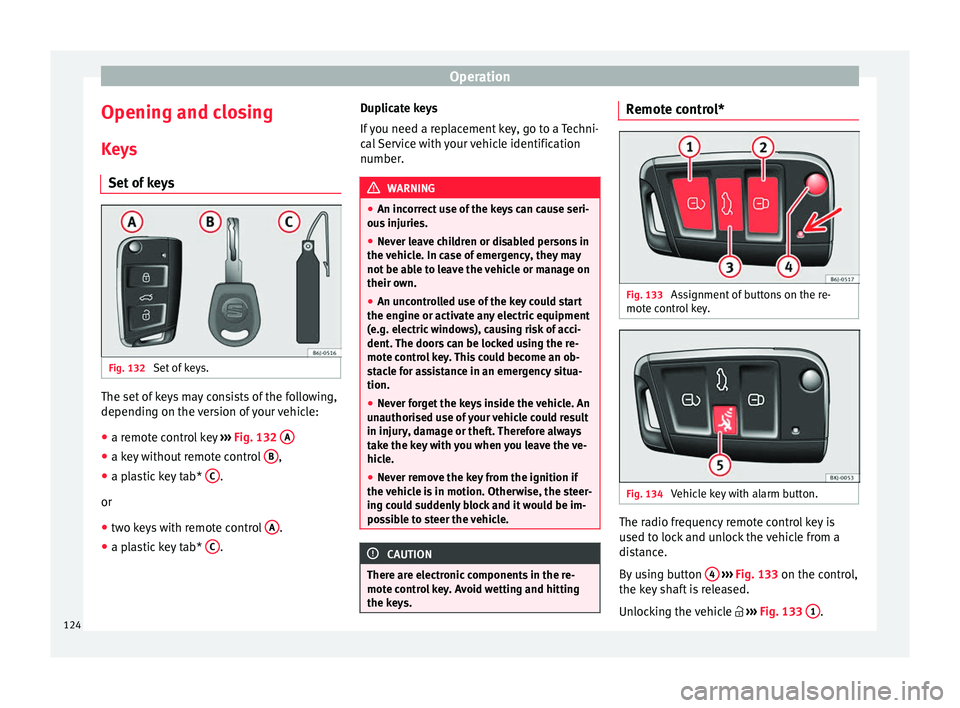
of keys Fig. 132
Set of keys. The set of keys may consists of the following,
dependin
g on the
v
ersion of your vehicle:
● a remote control key ›››
Fig. 132 A ●
a key without remote control B ,
● a plastic key tab* C .
or
● two keys with remote control A .
● a plastic key tab* C .Duplicate keys
If
y
ou need a replacement key, go to a Techni-
cal Service with your vehicle identification
number. WARNING
● An incorr ect
use of the keys can cause seri-
ous injuries.
● Never leave children or disabled persons in
the vehic
le. In case of emergency, they may
not be able to leave the vehicle or manage on
their own.
● An uncontrolled use of the key could start
the engine or activat
e any electric equipment
(e.g. electric windows), causing risk of acci-
dent. The doors can be locked using the re-
mote control key. This could become an ob-
stacle for assistance in an emergency situa-
tion.
● Never forget the keys inside the vehicle. An
unauthori
sed use of your vehicle could result
in injury, damage or theft. Therefore always
take the key with you when you leave the ve-
hicle.
● Never remove the key from the ignition if
the vehic
le is in motion. Otherwise, the steer-
ing could suddenly block and it would be im-
possible to steer the vehicle. CAUTION
There are electronic components in the re-
mote c ontr
ol key. Avoid wetting and hitting
the keys. Remote control*
Fig. 133
Assignment of buttons on the re-
mot e c
ontr
ol key. Fig. 134
Vehicle key with alarm button. The radio frequency remote control key is
u
sed t
o loc
k and unlock the vehicle from a
distance.
By using button 4
› ›
› Fig. 133
on the control,
the key shaft is released.
Unlocking the vehicle ››› Fig. 133 1 .
124