engine oil Seat Arona 2018 Owner's Manual
[x] Cancel search | Manufacturer: SEAT, Model Year: 2018, Model line: Arona, Model: Seat Arona 2018Pages: 316, PDF Size: 6.77 MB
Page 6 of 316
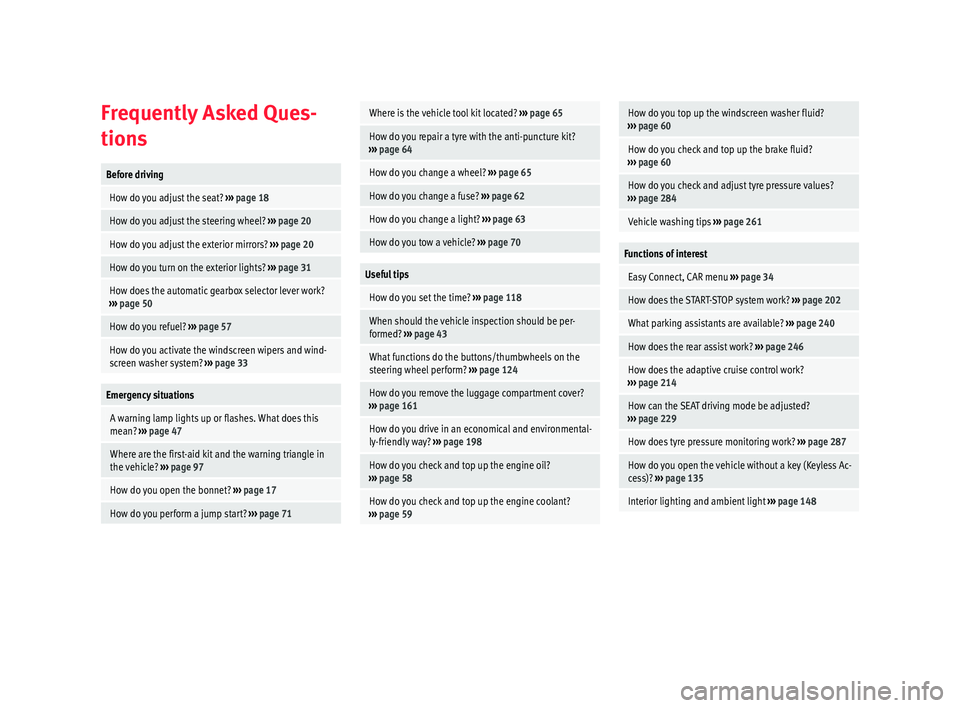
Frequently Asked Ques-
tion
sBefore driving
How do you adjust the seat?
››› page 18
How do you adjust the steering wheel? ››› page 20
How do you adjust the exterior mirrors? ››› page 20
How do you turn on the exterior lights? ››› page 31
How does the automatic gearbox selector lever work?
››› page 50
How do you refuel? ››› page 57
How do you activate the windscreen wipers and wind-
screen washer system? ››› page 33
Emergency situations
A warning lamp lights up or flashes. What does this
mean? ››› page 47
Where are the first-aid kit and the warning triangle in
the vehicle? ››› page 97
How do you open the bonnet? ››› page 17
How do you perform a jump start? ››› page 71
Where is the vehicle tool kit located? ››› page 65
How do you repair a tyre with the anti-puncture kit?
››› page 64
How do you change a wheel? ››› page 65
How do you change a fuse? ››› page 62
How do you change a light? ››› page 63
How do you tow a vehicle? ››› page 70
Useful tips
How do you set the time? ››› page 118
When should the vehicle inspection should be per-
formed? ››› page 43
What functions do the buttons/thumbwheels on the
steering wheel perform? ››› page 124
How do you remove the luggage compartment cover?
››› page 161
How do you drive in an economical and environmental-
ly-friendly way? ››› page 198
How do you check and top up the engine oil?
››› page 58
How do you check and top up the engine coolant?
››› page 59
How do you top up the windscreen washer fluid?
››› page 60
How do you check and top up the brake fluid?
››› page 60
How do you check and adjust tyre pressure values?
››› page 284
Vehicle washing tips ››› page 261
Functions of interest
Easy Connect, CAR menu ››› page 34
How does the START-STOP system work? ››› page 202
What parking assistants are available? ››› page 240
How does the rear assist work? ››› page 246
How does the adaptive cruise control work?
››› page 214
How can the SEAT driving mode be adjusted?
››› page 229
How does tyre pressure monitoring work? ››› page 287
How do you open the vehicle without a key (Keyless Ac-
cess)? ››› page 135
Interior lighting and ambient light ››› page 148
Page 8 of 316
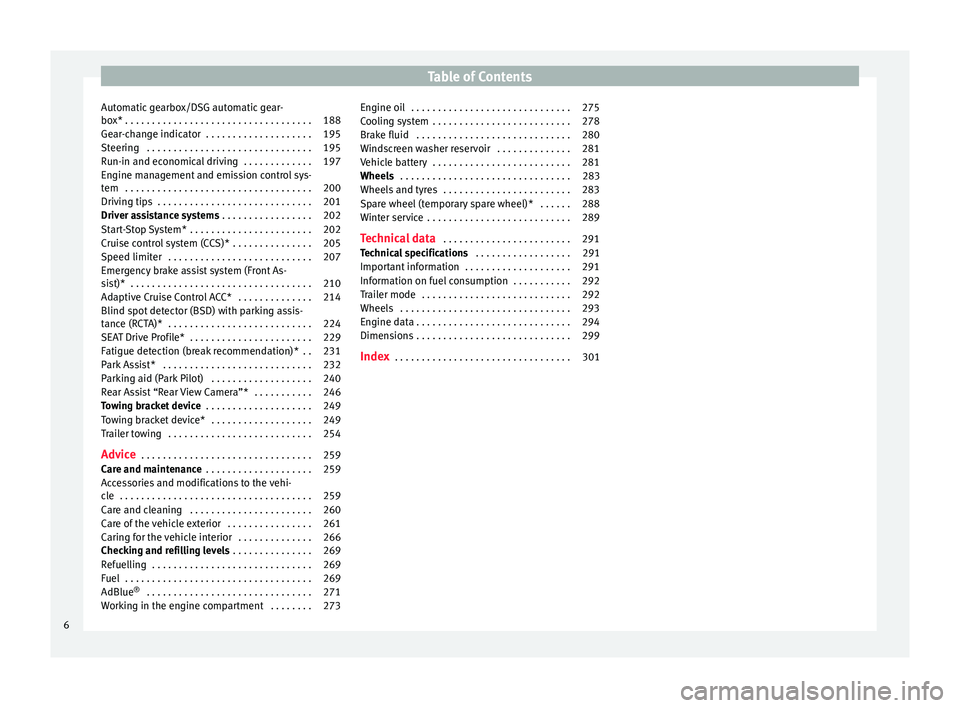
Table of Contents
Automatic gearbox/DSG automatic gear-
bo x*
. . . . . . . . . . . . . . . . . . . . . . . . . . . . . . . . . . . 188
Ge
ar-change indicator . . . . . . . . . . . . . . . . . . . . 195
Steering . . . . . . . . . . . . . . . . . . . . . . . . . . . . . . . 195
Run-in and economical driving . . . . . . . . . . . . . 197
Engine management and emission control sys-
tem . . . . . . . . . . . . . . . . . . . . . . . . . . . . . . . . . . . 200
Driv
ing tips . . . . . . . . . . . . . . . . . . . . . . . . . . . . . 201
Driver assistance systems . . . . . . . . . . . . . . . . . 202
Start-Stop System* . . . . . . . . . . . . . . . . . . . . . . . 202
Cruise control system (CCS)* . . . . . . . . . . . . . . . 205
Speed limiter . . . . . . . . . . . . . . . . . . . . . . . . . . . 207
Emergency brake assist system (Front As-
sis
t)* . . . . . . . . . . . . . . . . . . . . . . . . . . . . . . . . . . 210
Adaptive Cruise Control ACC* . . . . . . . . . . . . . . 214
Blind spot detector (BSD) with parking assis-
tance (RCT
A)* . . . . . . . . . . . . . . . . . . . . . . . . . . . 224
SEAT Drive Profile* . . . . . . . . . . . . . . . . . . . . . . . 229
Fatigue detection (break recommendation)* . . 231
Park Assist* . . . . . . . . . . . . . . . . . . . . . . . . . . . . 232
Parking aid (Park Pilot) . . . . . . . . . . . . . . . . . . . 240
Rear Assist “Rear View Camera”* . . . . . . . . . . . 246
Towing bracket device . . . . . . . . . . . . . . . . . . . . 249
Towing bracket device* . . . . . . . . . . . . . . . . . . . 249
Trailer towing . . . . . . . . . . . . . . . . . . . . . . . . . . . 254
Advice . . . . . . . . . . . . . . . . . . . . . . . . . . . . . . . . 259
Care and maintenance . . . . . . . . . . . . . . . . . . . . 259
Accessories and modifications to the vehi-
cle
. . . . . . . . . . . . . . . . . . . . . . . . . . . . . . . . . . . . 259
Care and cleaning . . . . . . . . . . . . . . . . . . . . . . . 260
Care of the vehicle exterior . . . . . . . . . . . . . . . . 261
Caring for the vehicle interior . . . . . . . . . . . . . . 266
Checking and refilling levels . . . . . . . . . . . . . . . 269
Refuelling . . . . . . . . . . . . . . . . . . . . . . . . . . . . . . 269
Fuel . . . . . . . . . . . . . . . . . . . . . . . . . . . . . . . . . . . 269
AdBlue ®
. . . . . . . . . . . . . . . . . . . . . . . . . . . . . . . 271
Working in the engine compartment . . . . . . . . 273 Engine oil . . . . . . . . . . . . . . . . . . . . . . . . . . . . . . 275
Cooling system . . . . . . . . . . . . . . . . . . . . . . . . . . 278
Brake fluid . . . . . . . . . . . . . . . . . . . . . . . . . . . . . 280
Windscreen washer reservoir . . . . . . . . . . . . . . 281
Vehicle battery . . . . . . . . . . . . . . . . . . . . . . . . . . 281
Wheels . . . . . . . . . . . . . . . . . . . . . . . . . . . . . . . . 283
Wheels and tyres . . . . . . . . . . . . . . . . . . . . . . . . 283
Spare wheel (temporary spare wheel)* . . . . . . 288
Winter service . . . . . . . . . . . . . . . . . . . . . . . . . . . 289
Technical data . . . . . . . . . . . . . . . . . . . . . . . . 291
Technical specifications . . . . . . . . . . . . . . . . . . 291
Important information . . . . . . . . . . . . . . . . . . . . 291
Information on fuel consumption . . . . . . . . . . . 292
Trailer mode . . . . . . . . . . . . . . . . . . . . . . . . . . . . 292
Wheels . . . . . . . . . . . . . . . . . . . . . . . . . . . . . . . . 293
Engine data . . . . . . . . . . . . . . . . . . . . . . . . . . . . . 294
Dimensions . . . . . . . . . . . . . . . . . . . . . . . . . . . . . 299
Index . . . . . . . . . . . . . . . . . . . . . . . . . . . . . . . . . 301
6
Page 41 of 316
The essentials
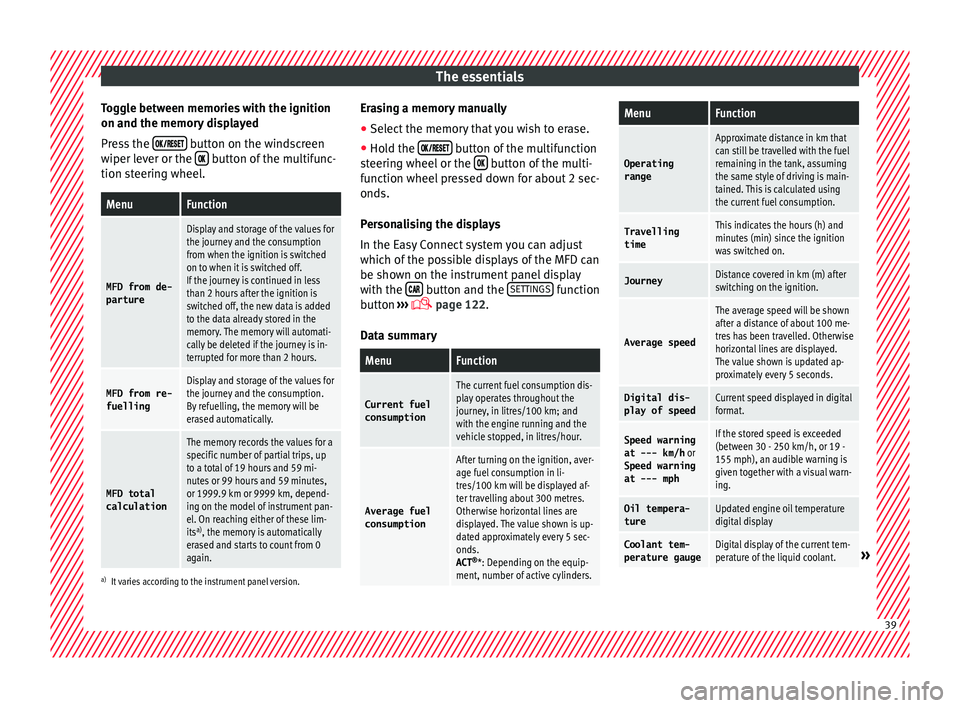
Toggle between memories with the ignition
on and the memor y
di
splayed
Press the button on the windscreen
w iper l
ev
er or the button of the multifunc-
tion s t
eerin
g wheel.
MenuFunction
MFD from de-
parture
Display and storage of the values for
the journey and the consumption
from when the ignition is switched
on to when it is switched off.
If the journey is continued in less
than 2 hours after the ignition is
switched off, the new data is added
to the data already stored in the
memory. The memory will automati-
cally be deleted if the journey is in-
terrupted for more than 2 hours.
MFD from re- fuellingDisplay and storage of the values for
the journey and the consumption.
By refuelling, the memory will be
erased automatically.
MFD total
calculation
The memory records the values for a
specific number of partial trips, up
to a total of 19 hours and 59 mi-
nutes or 99 hours and 59 minutes,
or 1999.9 km or 9999 km, depend-
ing on the model of instrument pan-
el. On reaching either of these lim-
its a)
, the memory is automatically
erased and starts to count from 0
again.
a) It varies according to the instrument panel version.
Erasing a memory manually
● Select the memory that you wish to erase.
● Hold the button of the multifunction
s t
eerin
g wheel or the button of the multi-
f u
nction wheel
pressed down for about 2 sec-
onds.
Personalising the displays
In the Easy Connect system you can adjust
which of the possible displays of the MFD can
be shown on the instrument panel display
with the button and the
S
ET
TINGS function
b utt
on ›
›› page 122.
Data summary
MenuFunction
Current fuel
consumption
The current fuel consumption dis-
play operates throughout the
journey, in litres/100 km; and
with the engine running and the
vehicle stopped, in litres/hour.
Average fuel consumption
After turning on the ignition, aver-
age fuel consumption in li-
tres/100 km will be displayed af-
ter travelling about 300 metres.
Otherwise horizontal lines are
displayed. The value shown is up-
dated approximately every 5 sec-
onds.
ACT ®
*: Depending on the equip-
ment, number of active cylinders.
MenuFunction
Operating
range
Approximate distance in km that
can still be travelled with the fuel
remaining in the tank, assuming
the same style of driving is main-
tained. This is calculated using
the current fuel consumption.
Travelling
timeThis indicates the hours (h) and
minutes (min) since the ignition
was switched on.
JourneyDistance covered in km (m) after
switching on the ignition.
Average speed
The average speed will be shown
after a distance of about 100 me-
tres has been travelled. Otherwise
horizontal lines are displayed.
The value shown is updated ap-
proximately every 5 seconds.
Digital dis- play of speedCurrent speed displayed in digital
format.
Speed warning
at --- km/h or
Speed warning
at --- mphIf the stored speed is exceeded
(between 30 - 250 km/h, or 19 -
155 mph), an audible warning is
given together with a visual warn-
ing.
Oil tempera-
tureUpdated engine oil temperature
digital display
Coolant tem-
perature gaugeDigital display of the current tem-
perature of the liquid coolant.» 39
Page 44 of 316
The essentials
outside temperature as a result of the heat
pr oduc
ed b
y the engine.
The temperatures measured range from
-40°C to +50°C (-40°F to +122°F).
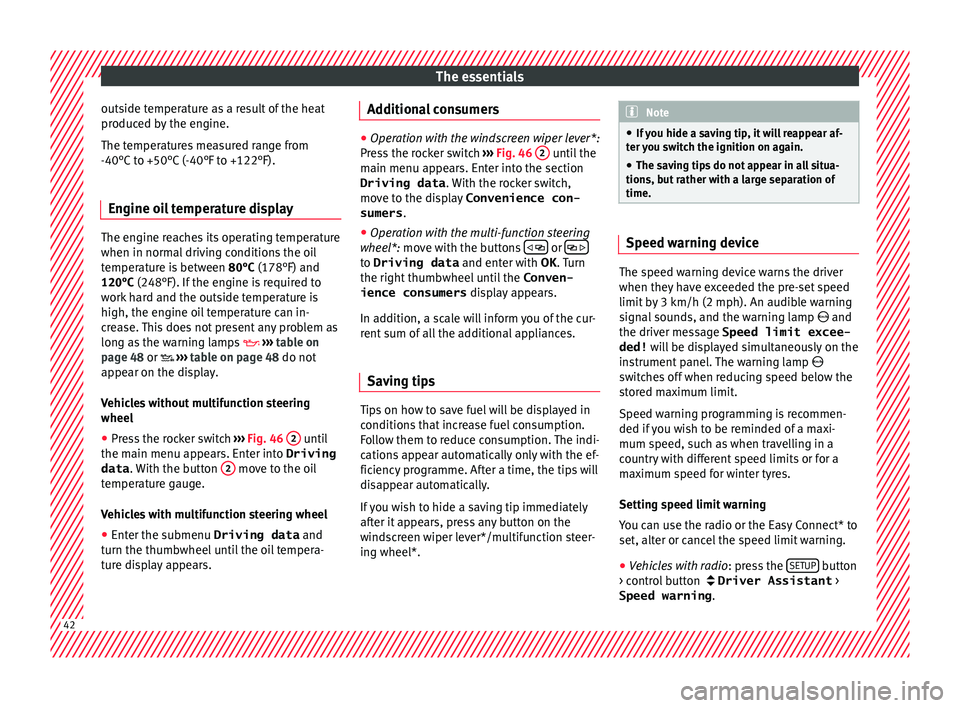
Engine oil temperature display The engine reaches its operating temperature
when in normal
driv
ing conditions the oil
temperature is between 80°C (178°F) and
120°C (248°F). If the engine is required to
work hard and the outside temperature is
high, the engine oil temperature can in-
crease. This does not present any problem as
long as the warning lamps ››› table on
page 48 or ››› table on page 48 do not
appear on the display.
Vehicles without multifunction steering
wheel
● Press the rocker switch ››
›
Fig. 46 2 until
the m ain menu ap
pe
ars. Enter into Driving
data . With the button 2 move to the oil
t emper
at
ure gauge.
Vehicles with multifunction steering wheel
● Enter the submenu Driving data and
turn the thumbwheel
until the oil tempera-
ture display appears. Additional consumers ●
Operation with the windscreen wiper lever*:
Pre s
s the rocker switch ››› Fig. 46 2 until the
main menu ap pe
ars. Enter into the section
Driving data . With the rocker switch,
move to the display Convenience con-
sumers .
● Operation with the multi-function steering
wheel*:
move with the buttons
or
to Driving data
and enter with
OK. Turn
the right thumbwheel until the Conven-
ience consumers display appears.
In addition, a scale will inform you of the cur-
rent sum of all the additional appliances.
Saving tips Tips on how to save fuel will be displayed in
c
ondition
s
that increase fuel consumption.
Follow them to reduce consumption. The indi-
cations appear automatically only with the ef-
ficiency programme. After a time, the tips will
disappear automatically.
If you wish to hide a saving tip immediately
after it appears, press any button on the
windscreen wiper lever*/multifunction steer-
ing wheel*. Note
● If y
ou hide a saving tip, it will reappear af-
ter you switch the ignition on again.
● The saving tips do not appear in all situa-
tions, but
rather with a large separation of
time. Speed warning device
The speed warning device warns the driver
when they h
av
e exceeded the pre-set speed
limit by 3 km/h (2 mph). An audible warning
signal sounds, and the warning lamp and
the driver message Speed limit excee-
ded! will be displayed simultaneously on the
instrument panel. The warning lamp
switches off when reducing speed below the
stored maximum limit.
Speed warning programming is recommen-
ded if you wish to be reminded of a maxi-
mum speed, such as when travelling in a
country with different speed limits or for a
maximum speed for winter tyres.
Setting speed limit warning
You can use the radio or the Easy Connect* to
set, alter or cancel the speed limit warning.
● Vehicles with radio : pres
s the SETUP button
> c ontr
o
l button Driver Assistant >
Speed warning .42
Page 45 of 316
The essentials
● Vehicle
s
with Easy Connect : Press the button and the function button SETTINGS >
Driver assistance > ACC > Dis-
tance .
The w arnin
g limit
can be set from 30 to
210 km/h (18 to 150 mph) ›››
page 207.
The adjustment is made at 10 km/h (6 mph)
intervals. Note
● Ple a
se bear in mind that, even with the
speed warning function, it is still important
to keep an eye on the vehicle speed with the
speedometer and to observe the legal speed
limits.
● The speed limit warning function in the ver-
sion for some c
ountries warns you at a speed
of 120 km/h (75 mph). This is a factory-set
speed limit. Service intervals
Fig. 50
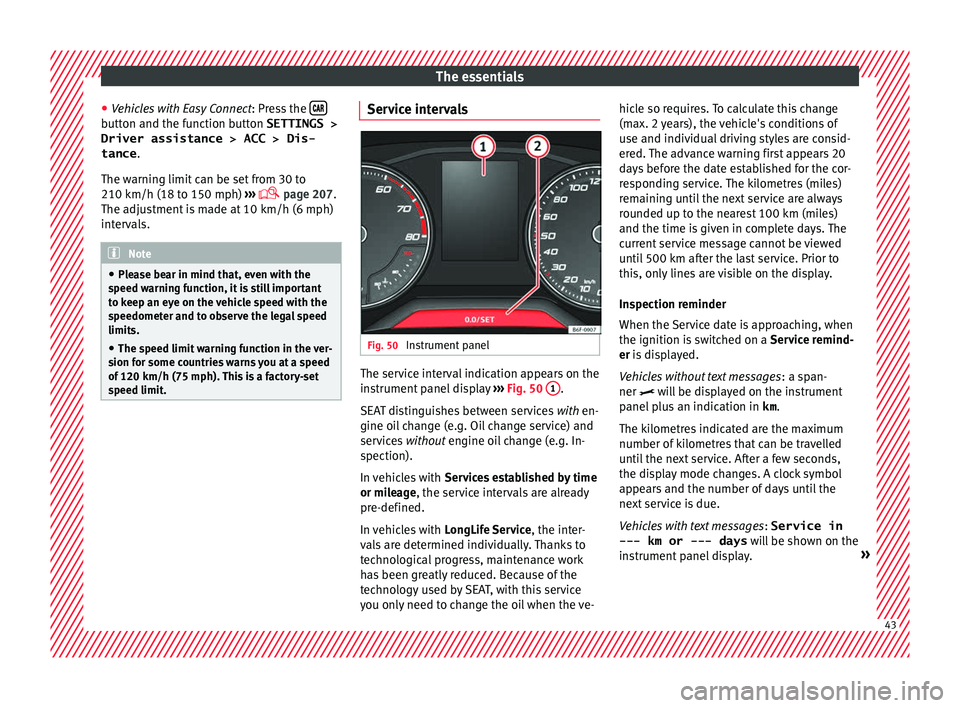
Instrument panel The service interval indication appears on the
in
s
trument
panel display ››› Fig. 50 1 .
S EA
T di
stinguishes between services with en-
gine oil change (e.g. Oil change service) and
services without engine oil change (e.g. In-
spection).
In vehicles with Services established by time
or mileage, the service intervals are already
pre-defined.
In vehicles with LongLife Service , the inter-
vals are determined individually. Thanks to
technological progress, maintenance work
has been greatly reduced. Because of the
technology used by SEAT, with this service
you only need to change the oil when the ve- hicle so requires. To calculate this change
(max. 2 y
ears), the vehicle's conditions of
use and individual driving styles are consid-
ered. The advance warning first appears 20
days before the date established for the cor-
responding service. The kilometres (miles)
remaining until the next service are always
rounded up to the nearest 100 km (miles)
and the time is given in complete days. The
current service message cannot be viewed
until 500 km after the last service. Prior to
this, only lines are visible on the display.
Inspection reminder
When the Service date is approaching, when
the ignition is switched on a Service remind-
er is displayed.
Vehicles without text messages : a span-
ner will be displayed on the instrument
panel plus an indication in km.
The kilometres indicated are the maximum
number of kilometres that can be travelled
until the next service. After a few seconds,
the display mode changes. A clock symbol
appears and the number of days until the
next service is due.
Vehicles with text messages : Service in
--- km or --- days will be shown on the
instrument panel display. » 43
Page 51 of 316
The essentials
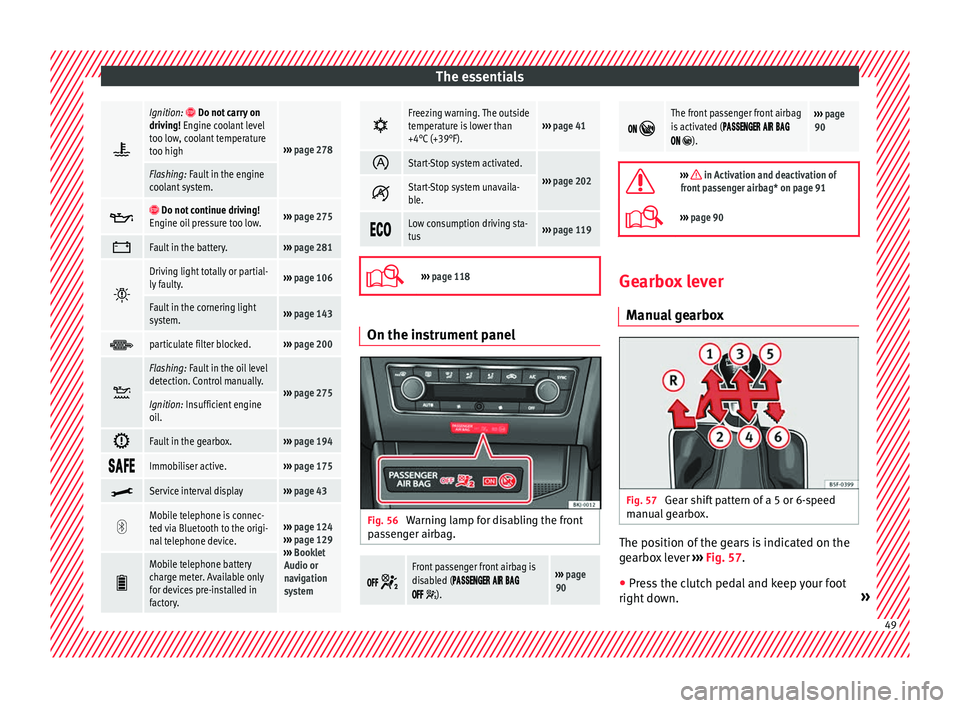
Ignition: Do not carry on
driving! Engine coolant level
too low, coolant temperature
too high
››› page 278
Flashing: Fault in the engine
coolant system.
Do not continue driving!
Engine oil pressure too low.››› page 275
Fault in the battery.›››
page 281
Driving light totally or partial-
ly faulty.›››
page 106
Fault in the cornering light
system.››› page 143
particulate filter blocked.›››
page 200
Flashing: Fault in the oil level
detection. Control manually.
›››
page 275Ignition: Insufficient engine
oil.
Fault in the gearbox.›››
page 194
Immobiliser active.›››
page 175
Service interval display›››
page 43
Mobile telephone is connec-
ted via Bluetooth to the origi-
nal telephone device.›››
page 124
››› page 129
››› Booklet
Audio or
navigation
system
Mobile telephone battery
charge meter. Available only
for devices pre-installed in
factory.
Freezing warning. The outside
temperature is lower than
+4°C (+39°F).›››
page 41
Start-Stop system activated.
›››
page 202 Start-Stop system unavaila-
ble.
Low consumption driving sta-
tus›››
page 119
›››
page 118 On the instrument panel
Fig. 56
Warning lamp for disabling the front
p as
senger airbag.
Front passenger front airbag is
disabled (
).
››› page
90
The front passenger front airbag
is activated (
).
››› page
90
››› in Activation and deactivation of
front passenger airbag* on page 91
››› page 90 Gearbox lever
Manual
gearbox Fig. 57
Gear shift pattern of a 5 or 6-speed
m anual
g
earbox. The position of the gears is indicated on the
g
e
arbo
x lever ›››
Fig. 57.
● Press the clutch pedal and keep your foot
right do wn. » 49
Page 60 of 316
The essentials
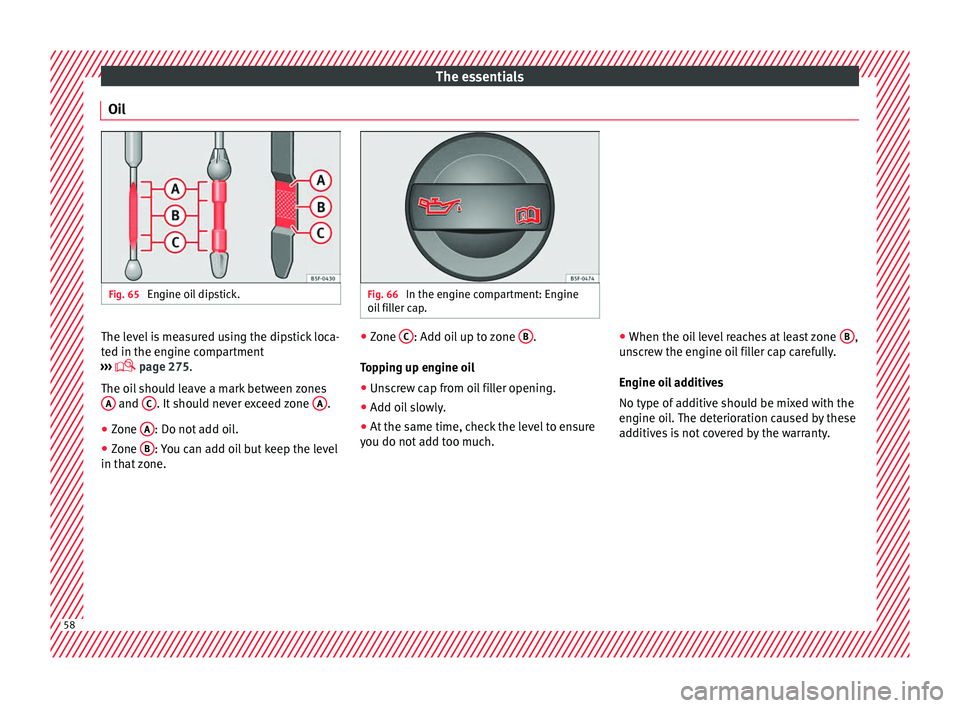
Oil Fig. 65
Engine oil dipstick. Fig. 66
In the engine compartment: Engine
oil fi
ller cap. The level is measured using the dipstick loca-
t
ed in the en
gine c
ompartment
››› page 275.
The oil should leave a mark between zones A and
C . It should never exceed zone
A .
● Zone A : Do not add oil.
● Zone B : You can add oil but keep the level
in th at
zone. ●
Zone C : Add oil up to zone
B .
T op
pin
g up engine oil
● Unscrew cap from oil filler opening.
● Add oil slowly.
● At the same time, check the level to ensure
you do not a
dd too much. ●
When the oil l
evel reaches at least zone B ,
u n
s
crew the engine oil filler cap carefully.
Engine oil additives
No type of additive should be mixed with the
engine oil. The deterioration caused by these
additives is not covered by the warranty. 58
Page 61 of 316
The essentials
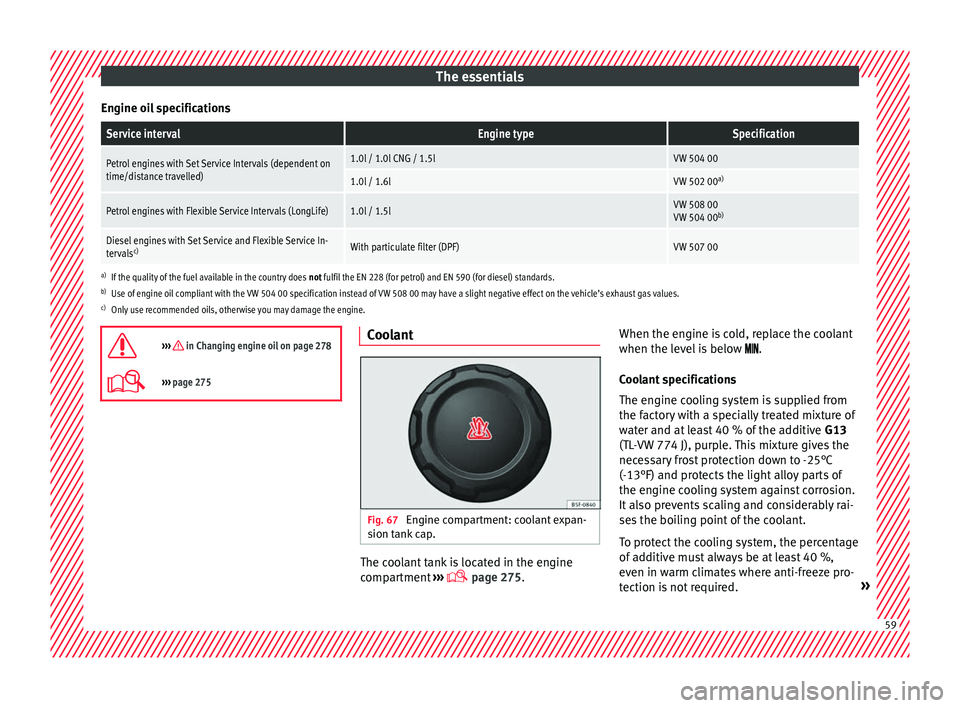
Engine oil specificationsService intervalEngine typeSpecification
Petrol engines with Set Service Intervals (dependent on
time/distance travelled)1.0l / 1.0l CNG / 1.5lVW 504 00
1.0l / 1.6lVW 502 00 a)
Petrol engines with Flexible Service Intervals (LongLife)1.0l / 1.5lVW 508 00
VW 504 00b)
Diesel engines with Set Service and Flexible Service In-
tervalsc)With particulate filter (DPF)VW 507 00
a)
If the quality of the fuel available in the country does not fulfil the EN 228 (for petrol) and EN 590 (for diesel) standards.
b) Use of engine oil compliant with the VW 504 00 specification instead of VW 508 00 may have a slight negative effect on the vehicle’s exhaust gas values.
c) Only use recommended oils, otherwise you may damage the engine.
››› in Changing engine oil on page 278
››› page 275 Coolant
Fig. 67
Engine compartment: coolant expan-
s ion t
ank
cap. The coolant tank is located in the engine
c
omp
ar
tment ›››
page 275. When the engine is cold, replace the coolant
when the level
is below .
Coolant specifications
The engine cooling system is supplied from
the factory with a specially treated mixture of
water and at least 40 % of the additive G13
(TL-VW 774 J), purple. This mixture gives the
necessary frost protection down to -25°C
(-13°F) and protects the light alloy parts of
the engine cooling system against corrosion.
It also prevents scaling and considerably rai-
ses the boiling point of the coolant.
To protect the cooling system, the percentage
of additive must always be at least 40 %,
even in warm climates where anti-freeze pro-
tection is not required. » 59
Page 103 of 316
Self-help
WARNING
The risk of accidents is high when tow-start-
ing, f or e
xample, the towed vehicle can easily
be driven into the towing vehicle. CAUTION
If there is no oil in the gearbox or no lubricant
in the autom atic
transmission the car may
only be towed with the driven wheels lifted
clear of the road, or transported on a special
car transporter or trailer. CAUTION
Do not tow a vehicle for more than 50 m in at-
tempt t
o start it. There is risk of damage to
the catalytic converter. Note
● Ple a
se observe related legal requirements.
● Switch on the hazard warning lights of both
vehicl
es. However, observe any regulations
to the contrary.
● The tow rope must not be twisted. Other-
wise the fr
ont tow line anchorage could be
pulled off the vehicle. Indications for tow-starting
Vehicle's should not generally be tow-star-
t
ed.
The jump s
tart should be used instead
››› page 71. For technical reasons, towing the following
vehicl
es is not allowed:
● Vehicles with an automatic gearbox.
● If the vehicle battery is discharged, be-
cause in
vehicles with the Keyless Access
locking and ignition system the steering re-
mains locked and the electronic parking
brake cannot be deactivated nor can the elec-
tronic lock of the steering column be re-
leased if they are activated.
● If the battery is flat, it is possible that the
engine contr
ol units may not operate correct-
ly.
However, if the vehicle must absolutely be
tow-started (in the case of manual gearbox-
es):
● Engage the 2nd or 3rd gear.
● Keep the clutch pressed down.
● Switch on the ignition and the hazard warn-
ing lights.
● Once both
vehicles are moving, release the
clutc
h.
● Once the engine starts, press the clutch
and diseng
age the gear to avoid colliding
with the towing vehicle. Note
The vehicle can only be tow-started if the
electr onic
parking brake and, if appropriate,
the electronic lock of the steering column are deactivated. If the vehicle has no power sup-
ply
or ther
e is an electric system fault, the
engine must be tow-started to deactivate the
electronic parking brake and the electronic
lock of the steering column. 101
Technical data
Advice
Operation
Emergencies
Safety
Page 105 of 316
Self-help
WARNING
● If the t o
wline anchorage is not screwed in
as far as the stop, there is a risk of the screw
connection shearing off during towing (acci-
dent risk).
● If your car has a towing bracket, only use
speci
al towing ropes. Risk of accident! CAUTION
In vehicles fitted with a towing bracket, only
use s pec
ial tow bars to prevent damage to
the ball joint. These tow bars have been spe-
cially approved for use with towing brackets. Towing vehicles with a manual gear-
bo
x Towing is relatively straightforward.
Pl
e
a
se observe the relevant instructions
››› page 100.
The vehicle can be towed using a tow bar or
tow rope in the normal way, with all four
wheels on the road; it can also be towed with
either the front or rear wheels lifted off the
road. The maximum towing speed is 50 km/h
(30 mph). Towing a vehicle equipped with auto-
matic g
earbox Certain restrictions must be observed when
to
w
ing your vehicle.
Please observe the relevant instructions
››› page 100.
The vehicle can be towed with a tow bar or
tow rope in the normal way, with all four
wheels on the ground. When doing so,
please note the following points:
● Make sure the select or l
ever is in the N po-
sition.
● The vehicle must not be towed faster than
50 km/h (30 mph).
● The vehicle must not be towed further than
50 km (30 mile
s). Reason: when the engine
is not running, the gearbox oil pump does
not work and the gearbox is not adequately
lubricated for higher speeds or longer distan-
ces.
If the vehicle has to be towed with a break-
down truck, it must only be suspended at the
front wheels. Reason: the drive shafts are lo-
cated on the front wheels. If the car is towed
with the rear wheels lifted off the road (I.e.
travelling backwards), the drive shafts also
turn backwards. The planetary gears in the
automatic gearbox then turn at such high
speeds that the gearbox will be severely
damaged in a short time. Note
● If it i
s not possible to tow the vehicle in the
normal way, or if it has to be towed further
than 50 km (30 miles), it must be transported
on a special car transporter or trailer.
● Should the power supply to the selector
lever be int
errupted in position P, the selector
lever will be locked. Before the vehicle can be
recovered/manoeuvred you must manually
release the selector lever. 103Technical data
Advice
Operation
Emergencies
Safety