light Seat Ateca 2016 Owners Manual
[x] Cancel search | Manufacturer: SEAT, Model Year: 2016, Model line: Ateca, Model: Seat Ateca 2016Pages: 328, PDF Size: 6.32 MB
Page 189 of 328
Driving
(automatic gearbox: gear S). Maintain the en-
gine s peed at
approximately 2,000 rpm. The
rise in temperature causes the soot on the fil-
ter to burn. On completion of the cleaning
the warning lamp will switch off. If the warn-
ing lamp does not switch off, go immediately
to a specialised workshop to rectify the prob-
lem.
Engine management* This warning lamp monitors the engine man-
ag
ement
system for petrol engines.
The warning lamp (Electronic Power Con-
trol) lights up when the ignition is switched
on while system operation is being verified. It
should go out once the engine is started.
If there is a fault in the electronic engine
management system while you are driving,
this warning lamp will light up. Take the vehi-
cle to a specialised workshop as soon as
possible and have the engine checked.
Emission control system* Control lamp
fla
shes:
When there is misfiring that can damage the
catalytic converter. Reduce speed and drive
carefully to the nearest specialised workshop
to have the engine checked. The control lamp
lights
up:
If a fault has developed during driving which
has reduced the quality of the exhaust gas
(e.g. lambda probe fault). Reduce speed and
drive carefully to the nearest specialised
workshop to have the engine checked.
Engine pre-heating/fault system* The warning lamp lights up to show that the
glo
w p
lugs are preheating the diesel engine.
The control lamp lights up
If the control lamp lights up when the en-
gine is started it means that the glow plugs
are preheating. The engine can be started
straight away when the lamp switches off.
Control lamp flashes
If a fault develops in the engine management
system while you are driving, the glow plug
system lamp will flash . Take the vehicle to
a specialised workshop as soon as possible
and have the engine checked. Driving tips
Driv in
g on flooded roads To prevent damage to the vehicle when driv-
in
g thr
ough water, for example, along a floo-
ded road, please observe the following:
● The water should never come above the
low
er edge of the bodywork.
● Drive at pedestrian speed. WARNING
After driving through water, mud, sludge,
et c
., the braking effect can be delayed slight-
ly due to moisture build-up on the discs and
brake pads. Applying the brakes carefully
several times will remove the moisture and
restore the full braking effect. CAUTION
● Driv in
g through flooded areas may severely
damage vehicle components such as the en-
gine, transmission, running gear or electrical
system.
● Whenever driving through water, the Start-
Stop sy
stem* must be switched off
››› page 188. Note
● Chec k
the depth of the water before enter-
ing the flooded zone. » 187
Technical data
Advice
Operation
Emergencies
Safety
Page 190 of 328
Operation
●
Do not s
top in the water, drive in reverse, or
stop the engine in any situation.
● Note that vehicles travelling in the opposite
direction m
ay splash water that could exceed
the maximum permitted water height for your
vehicle.
● Avoid driving through salt water (corro-
sion). Driver assistance systems
St ar
t-Stop System*
Description and operation The Start-Stop system helps save fuel and re-
duc
e C
O2 emissions.
In Start-Stop mode, the engine will automati-
cally switch off when the vehicle stops, when
stopping at traffic lights for example. The ig-
nition remains switched on during the stop-
ping phase. The engine automatically
switches back on when required. In this sit-
uation the light of the START ENGINE STOP but-
t on s
tays on.
As soon as the ignition is switched on, the
Start-Stop function is automatically activa-
ted.
Basic requirements for the Start-Stop mode
● The driver door must be closed.
● The driver must have their seat belt fas-
tened.
● The bonnet
must be closed.
● The engine must have reached a minimum
serv
ice temperature.
● The reverse gear must not be engaged.
● The vehicle must not be on a very steep
slope. WARNING
● Nev er sw
itch the engine off until the vehi-
cle is stationary. The brake servo and power
steering functions will not be completely cov-
ered under warranty. More force may also be
needed to turn the steering wheel or to brake.
As you cannot steer and brake in the normal
manner, there is a greater risk of accidents
and serious injury.
● Never remove the key from the ignition if
the v
ehicle is in motion. Otherwise, the steer-
ing could lock making it impossible to steer
the vehicle.
● To avoid injury, make sure that the Start-
Stop sy
stem is switched off when working in
the engine compartment ››› page 190. CAUTION
The Start-Stop system must always be
sw it
ched off when driving through flooded
areas ››› page 190. Stopping/Starting the engine
Vehicles with a manual gearbox
– When the vehicle is stopped, put it into
neutr al
and release the clutch pedal. The
engine will switch off. The warning lamp
will appear on the instrument panel dis-
play.
188
Page 191 of 328
Driver assistance systems
– When the c lut
ch pedal is pressed the en-
gine will start up again. The warning lamp
will switch off.
Vehicles with an automatic gearbox
– Use the foot brake to bring the vehicle to a
st
op and keep the brake pedal pressed
down with your foot. The engine will switch
off. The warning lamp will appear in the
display.
– When you take your foot off the brake pedal
the engine w
ill start up again. The warning
lamp will switch off.
Additional information related to the auto-
matic gearbox
The engine stops when the selector lever is in
the positions P, D, N and S, in addition to
when in manual mode. With the selector lev-
er in position P, the engine will also remain
switched off when you take your foot off the
brake pedal. In order to start the engine up
again the accelerator must be pressed, or an-
other gear engaged or the brake released.
If the selector lever is placed in position R
during the stopping phase, the engine will
start up again.
Change from position D to P to prevent the
engine from accidentally starting when
changing and passing by position R. Note
● You c
an control whether the engine should
switch off or not by reducing or increasing the
brake force applied. While the vehicle re-
mains stopped, the engine will not stop if the
brake pedal is slightly pressed, in traffic jams
with frequent stopping and starting for exam-
ple. As soon as strong pressure is applied to
the brake pedal, the engine will stop.
● In vehicles with manual gearbox, during
the st
opping phases the brake pedal must re-
main depressed to prevent the vehicle from
moving.
● If the engine “stalls” in vehicles with man-
ual
gearbox, it can be directly started up
again by immediately pressing the clutch
pedal. General notes
The system can interrupt the Start-Stop mode
fr
equently
for different reasons.
The engine does not switch off
Before the stopping phase, the system veri-
fies whether certain conditions are met. The
engine does not switch off, in the following
situations for example:
● The engine has not yet reached the mini-
mum requir
ed temperature for the Start-Stop
mode. ●
The interior t
emperature selected for the air
conditioner has not yet been reached.
● The interior temperature is very high/low.
● Defrost function button activated
››
› page 42.
● The parking aid* is switched on.
● The battery is very low.
● The steering wheel is overly turned or is be-
ing t
urned.
● If there is a danger of misting.
● After engaging reverse gear.
● In case of a very steep gradient.
The indication i
s shown on the instrument
panel display, and in addition, the driver in-
formation system* shows, .
The engine starts by itself
During a stopping phase the normal Start-
Stop mode can be interrupted in the follow-
ing situations: The engine restarts by itself
without involvement from the driver.
● The interior temperature differs from the
value sel
ected on the air conditioner.
● Defrost function button activated
››
› page 42.
● The brake has been pressed several times
con
secutively.
● The battery is too low.
● High power consumption. »
189
Technical data
Advice
Operation
Emergencies
Safety
Page 193 of 328
Driver assistance systems
● The s lope of
the descent is at least 10%
when driving forward and 9% when driving in
reverse.
● The brake and the accelerator are not
pre
ssed.
Hill Descent Control is deactivated on press-
ing the brake and the accelerator or if the
slope is below 5%. The function may be dis-
connected manually in the Easy Connect sys-
tem by pressing the button and the
HDCfunction button
››
›
Fig. 41.
Control lamps
››› in Warning and control lamps on
p ag
e 107.
It lights up white
Hill Descent Control is active.
It lights up grey
Hill Descent Control is not active. The system is switched
on, but is not adjusting.
Some warning and control lamps will light up
briefly
when the ignition i
s switched on to
check certain functions. They will switch off
after a few seconds. WARNING
Observe the safety warnings ››
› in Warning
and c ontr
ol lamps on page 107. WARNING
Always be ready to brake. Otherwise, an acci-
dent c
ould occur and cause injury.
● Hill Descent Control is only an auxiliary
sys
tem that in some situations may not suffi-
ciently brake the vehicle when going down a
slope.
● The speed of the vehicle may increase de-
spit
e the intervention of Hill Descent Control. Auto Hold Function
D e
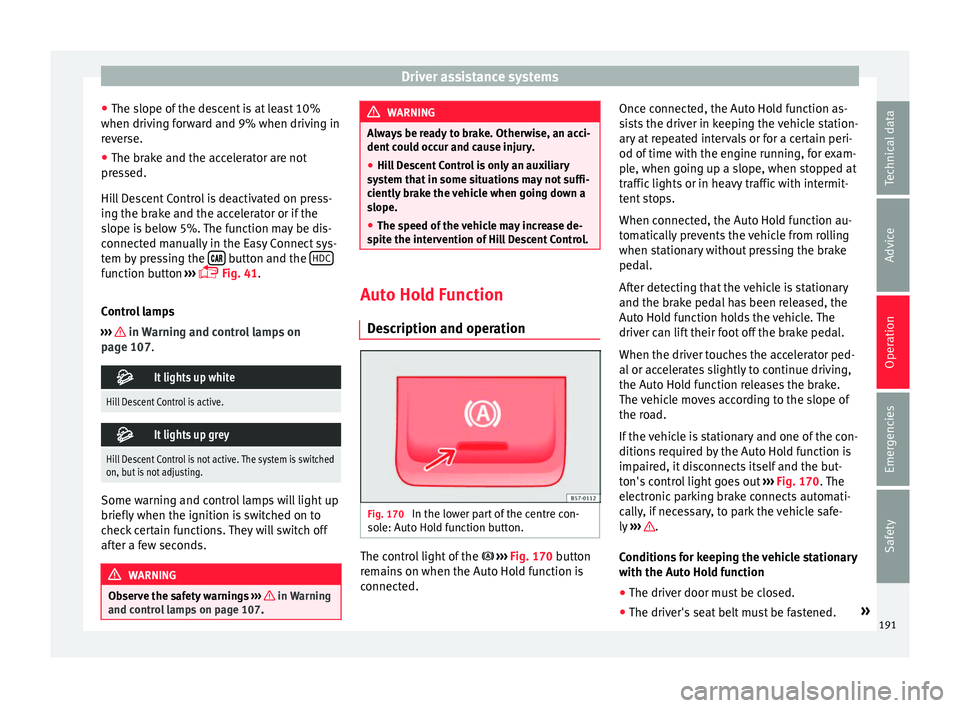
scription and operation Fig. 170
In the lower part of the centre con-
so l
e: Auto Hold function button. The control light of the
› ›
›
Fig. 170 button
remains on when the Auto Hold function is
connected. Once connected, the Auto Hold function as-
si
sts the driver in keeping the vehicle station-
ary at repeated intervals or for a certain peri-
od of time with the engine running, for exam-
ple, when going up a slope, when stopped at
traffic lights or in heavy traffic with intermit-
tent stops.
When connected, the Auto Hold function au-
tomatically prevents the vehicle from rolling
when stationary without pressing the brake
pedal.
After detecting that the vehicle is stationary
and the brake pedal has been released, the
Auto Hold function holds the vehicle. The
driver can lift their foot off the brake pedal.
When the driver touches the accelerator ped-
al or accelerates slightly to continue driving,
the Auto Hold function releases the brake.
The vehicle moves according to the slope of
the road.
If the vehicle is stationary and one of the con-
ditions required by the Auto Hold function is
impaired, it disconnects itself and the but-
ton's control light goes out ››› Fig. 170. The
electronic parking brake connects automati-
cally, if necessary, to park the vehicle safe-
ly ››› .
C ondition
s for keeping the vehicle stationary
with the Auto Hold function
● The driver door must be closed.
● The driver's seat belt must be fastened. »
191
Technical data
Advice
Operation
Emergencies
Safety
Page 195 of 328
Driver assistance systems
Cruise control system (CCS)* Oper ation Fig. 171
Instrument panel display: CCS status
indic ation
s Read the additional information carefully
› ›
› page 36
The cruise control system (CCS) is able to
maintain the set speed from 20 km/h (15
mph).
The CSS only reduces vehicle speed by ceas-
ing to accelerate, not by actively braking the
vehicle ››› .
C ontr
ol lamp
When the warning lamp is lit, cruise con-
trol is active. Several warning and control lamps light up
for a f
ew seconds when the ignition is switch-
ed on, signalling that the function is being
verified. They will switch off after a few sec-
onds.
Displayed on the CCS screen
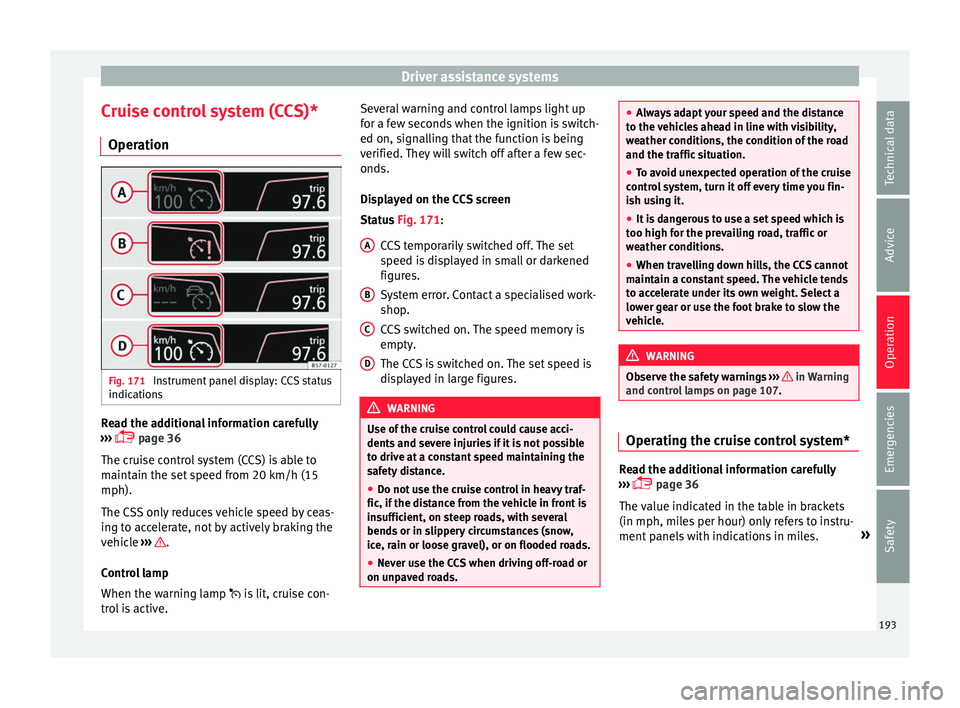
Status Fig. 171:
CCS temporarily switched off. The set
speed is displayed in small or darkened
figures.
System error. Contact a specialised work-
shop.
CCS switched on. The speed memory is
empty.
The CCS is switched on. The set speed is
displayed in large figures. WARNING
Use of the cruise control could cause acci-
dent s
and severe injuries if it is not possible
to drive at a constant speed maintaining the
safety distance.
● Do not use the cruise control in heavy traf-
fic, if the di
stance from the vehicle in front is
insufficient, on steep roads, with several
bends or in slippery circumstances (snow,
ice, rain or loose gravel), or on flooded roads.
● Never use the CCS when driving off-road or
on unp
aved roads. A
B
C
D ●
Alw
ays adapt your speed and the distance
to the vehicles ahead in line with visibility,
weather conditions, the condition of the road
and the traffic situation.
● To avoid unexpected operation of the cruise
contr
ol system, turn it off every time you fin-
ish using it.
● It is dangerous to use a set speed which is
too high f
or the prevailing road, traffic or
weather conditions.
● When travelling down hills, the CCS cannot
maint
ain a constant speed. The vehicle tends
to accelerate under its own weight. Select a
lower gear or use the foot brake to slow the
vehicle. WARNING
Observe the safety warnings ››
› in Warning
and c ontr
ol lamps on page 107. Operating the cruise control system*
Read the additional information carefully
› ›
› page 36
The value indicated in the table in brackets
(in mph, miles per hour) only refers to instru-
ment panels with indications in miles. »
193
Technical data
Advice
Operation
Emergencies
Safety
Page 196 of 328
Operation
Changing gear in CCS mode
The C C
S decelerates as soon as the clutch
pedal is pressed, intervening again automati-
cally after a gear is engaged.
Travelling down hills with the CCS
When travelling down hills the CCS cannot
maintain a constant speed. Slow the vehicle
down using the brake pedal and reduce
gears if required.
Automatic off
The cruise control system (CCS) is switched
off automatically or temporarily:
● If the system detects a fault that could af-
fect
the working order of the CCS.
● If you press and maintain the accelerator
pedal
for a certain time, driving faster than
the stored speed.
● If the dynamic driving control systems in-
ter
vene (e.g. ASR or ESC).
● If the airbag is triggered. Speed limiter
Dis
play messages and warning and
control lamp Fig. 172
On the instrument panel display:
me s
sages on the status of the speed limiter. The speed limiter helps avoid exceeding a
s peed indiv
idually programmed upwards of
approximately 30 km/h (19 mph) driving in
forwards gears ››› Display messages on the speed limiter
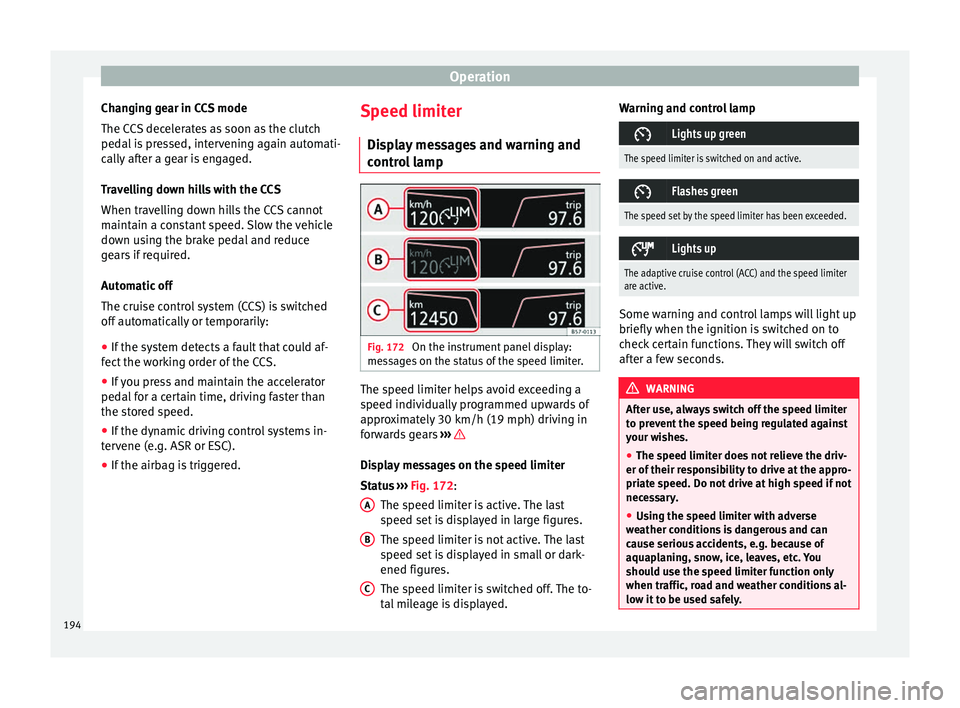
St
at
us ››› Fig. 172:
The speed limiter is active. The last
speed set is displayed in large figures.
The speed limiter is not active. The last
speed set is displayed in small or dark-
ened figures.
The speed limiter is switched off. The to-
tal mileage is displayed.
A B
C Warning and control lamp
Lights up green
The speed limiter is switched on and active.
Flashes green
The speed set by the speed limiter has been exceeded.
Lights up
The adaptive cruise control (ACC) and the speed limiter
are active.
Some warning and control lamps will light up
briefly
when the ignition i
s switched on to
check certain functions. They will switch off
after a few seconds. WARNING
After use, always switch off the speed limiter
t o pr
event the speed being regulated against
your wishes.
● The speed limiter does not relieve the driv-
er of their r
esponsibility to drive at the appro-
priate speed. Do not drive at high speed if not
necessary.
● Using the speed limiter with adverse
we
ather conditions is dangerous and can
cause serious accidents, e.g. because of
aquaplaning, snow, ice, leaves, etc. You
should use the speed limiter function only
when traffic, road and weather conditions al-
low it to be used safely. 194
Page 199 of 328
Driver assistance systemsFunctionPosition of the turn signal lever
››› Fig. 173 or the third lever
››› Fig. 174Effect
Switching off the speed limiterMove control 1 of the turn signal lever into position or the third lever
into position .The system switches off. The set speed will be stored. The values shown in the table in brackets, in
mph, ar
e di
splayed only in instrument panels
with indications in miles.
Going down slopes with the speed limiter
If the set speed of the speed limiter is excee-
ded while driving downhill, soon afterwards
the warning and control lamps flash
››› page 194 and an acoustic warning may
sound. In this case, use the foot brake to
slow the vehicle or, if necessary, select a low-
er gear.
Switching off temporarily
If you wish to temporarily switch off the
speed limiter, e.g. to overtake, move control
››› Fig. 173 1 of the turn signal lever into po-
s ition
or the third lever into pressure
point or press button 2 on any lever.
Af t
er overtaking, the speed limiter can be
switched on with the previously set speed by
pressing button 3 on the turn signal lever in
the ar e
a or by moving the third lever in-
to pressure point . Switch the speed limiter off temporarily by
pre
ssing down the accelerator (kick-down)
If the accelerator is pressed right down (kick-
down) and the set speed is exceeded be-
cause driver wishes to do so, the limiter is
temporarily disabled.
To confirm it being switched off an acoustic
signal sound once. While the limiter is off,
the warning and control lamp flashes.
When the accelerator is no longer pressed
down and the speed is reduced below the set
value, the limiter switches on again. The con-
trol lamp will light up and remain lit.
Automatic off
The speed limiter is automatically switched
off:
● If the system detects a fault that could neg-
atively
affect the working order of the limiter.
● If the airbag is triggered. CAUTION
For automatic switching off due to system
f ai
lures, for security reasons, the limiter is
only completely switched off when the driver stops pressing the accelerator at some point
or c
on
sciously switches off the system. Adaptive Cruise Control ACC*
Intr oduction Fig. 175
Detection area.
›
›
›
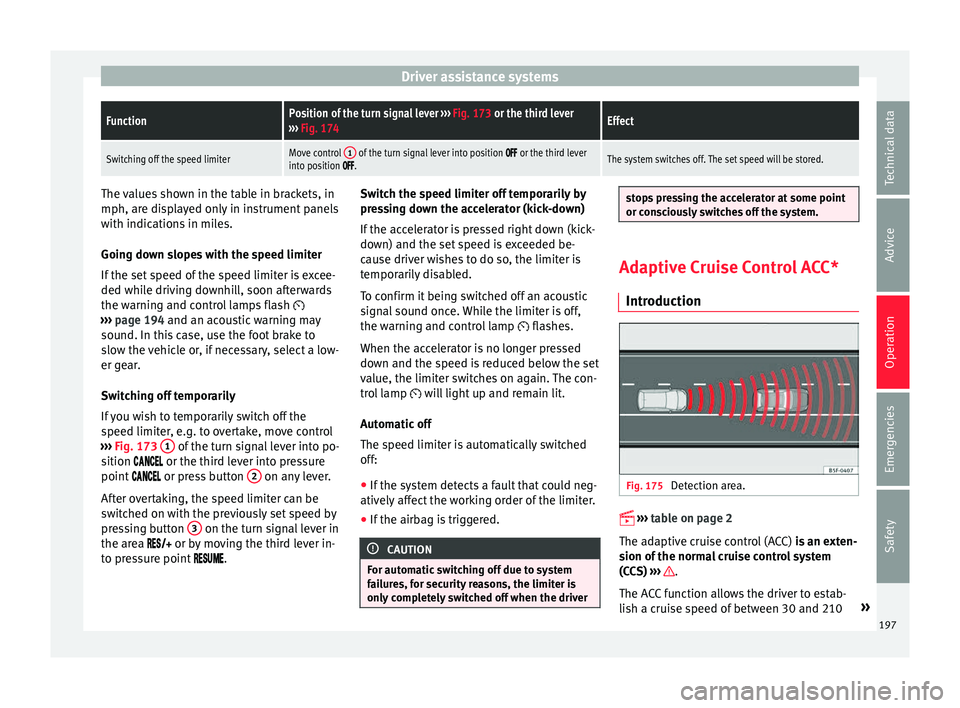
table on page 2
The adaptive cruise control (ACC) is an exten-
sion of the normal cruise control system
(CCS) ››› .
The A C
C function allows the driver to estab-
lish a cruise speed of between 30 and 210 »
197
Technical data
Advice
Operation
Emergencies
Safety
Page 200 of 328
Operation
km/h (18 and 150 mph), as well as the tem-
por ar
y distance required with regard to the
vehicle in front. The ACC function will adapt
the vehicle's cruise speed at all times, main-
taining a safe distance with the vehicle in
front.
The ACC function is based on a radar sensor
that can measure the distance to the vehicles
in front.
If the vehicle is equipped with automatic
gearbox, the ACC can brake the vehicle until
it stops completely if a vehicle in front of it
stops.
Driver intervention prompt
During driving, the ACC is subject to certain
limitations inherent in the system. In other
words, in certain circumstances the driver will
have to adjust speed him or herself, as well
as the distance from other vehicles.
In this case, the instrument panel screen will
warn you to intervene by applying the brake
and a warning tone will be heard
››› page 199. WARNING
The intelligent technology in the ACC cannot
o v
ercome the system's inherent limitations
or change the laws of physics. If used negli-
gently or involuntarily, it may cause serious
accidents and injuries. The system is not a re-
placement for driver awareness. ●
Ad apt
your speed and safe distance to the
vehicle in front of you at all times to suit visi-
bility, weather, road and traffic conditions.
● Do not use the ACC when visibility is bad,
on st
eep roads, with several bends or in slip-
pery circumstances such as snow, ice, rain or
loose gravel, or on flooded roads.
● Never use the ACC when driving off-road or
on unp
aved roads. The ACC has been de-
signed for use on paved roads only.
● The ACC does not react on approaching a
fix
ed obstacle, such as the tail of a traffic
jam, a damaged vehicle or a vehicle stopped
at the traffic lights.
● The ACC only reacts to people if a pedes-
trian monit
oring system is available. In addi-
tion, the system does not react to animals or
vehicles crossing your path or approaching
head-on down the same lane.
● If the ACC does not reduce speed sufficient-
ly, br
ake the vehicle immediately by applying
the pedal.
● If you are driving using the spare wheel,
the AC
C system could automatically switch
off during the journey. Switch off the system
when starting off.
● If the vehicle continues to move involuntar-
ily
after a driver intervention prompt, brake
the vehicle by applying the pedal.
● If the dash panel displays a dri
ver interven-
tion prompt, adjust the distance yourself.
● The driver should be ready to accelerate or
brak
e by him/herself at all times. CAUTION
If you have the sensation that the radar sen-
sor i s
damaged, disconnect the ACC. This will
avoid possible damage. If this occurs have it
adjusted.
● Repairs to the radar sensor require special-
is
t knowledge and special tools. SEAT recom-
mends visiting a SEAT dealership for this pur-
pose. Note
● If the A
CC system does not work as descri-
bed in this chapter, do not use it until it has
been checked by a specialised workshop.
SEAT recommends visiting a SEAT dealership
for this purpose.
● Maximum speed with the ACC activated is
limited t
o 210 km/h (150 mph).
● When the ACC is switched on, strange
noise
s may be heard during automatic brak-
ing cause by the braking system. 198
Page 201 of 328
Driver assistance systems
Indications on the display, warning
and c ontr
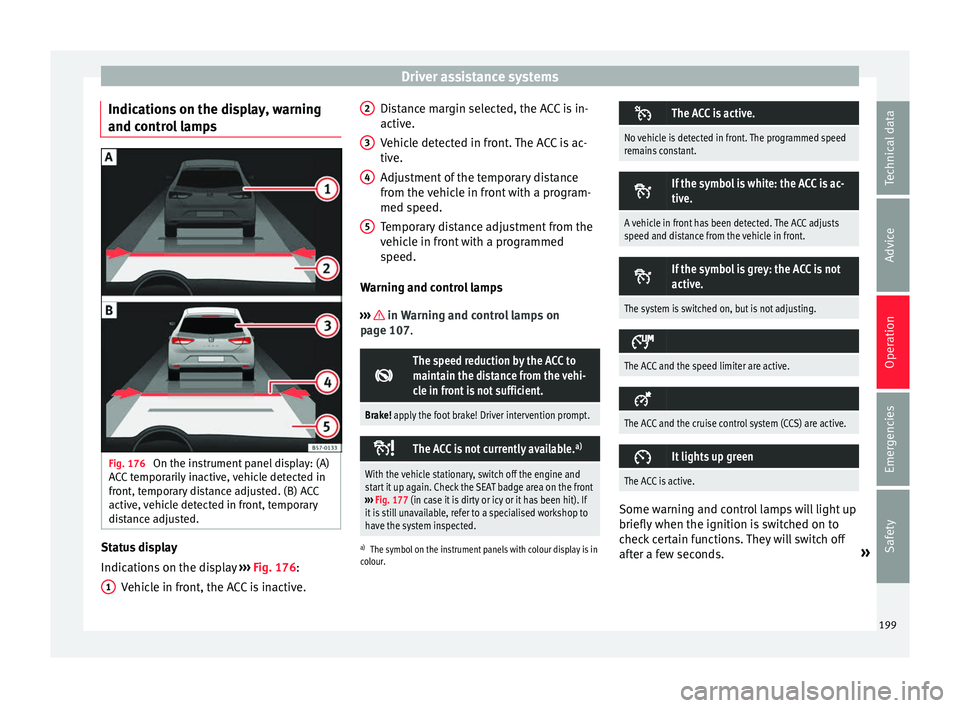
ol lamps Fig. 176
On the instrument panel display: (A)
A C
C temporarily inactive, vehicle detected in
front, temporary distance adjusted. (B) ACC
active, vehicle detected in front, temporary
distance adjusted. Status display
Indic
ation
s on the display ››› Fig. 176:
Vehicle in front, the ACC is inactive.
1 Distance margin selected, the ACC is in-
activ
e.
V
ehicle detected in front. The ACC is ac-
tive.
Adjustment of the temporary distance
from the vehicle in front with a program-
med speed.
Temporary distance adjustment from the
vehicle in front with a programmed
speed.
Warning and control lamps
››› in Warning and control lamps on
p ag
e 107.
The speed reduction by the ACC to
maintain the distance from the vehi-
cle in front is not sufficient.
Brake! apply the foot brake! Driver intervention prompt.
The ACC is not currently available.
a)
With the vehicle stationary, switch off the engine and
start it up again. Check the SEAT badge area on the front
››› Fig. 177 (in case it is dirty or icy or it has been hit). If
it is still unavailable, refer to a specialised workshop to
have the system inspected.
a) The symbol on the instrument panels with colour display is in
colour.
2 3
4
5 The ACC is active.
No vehicle is detected in front. The programmed speed
remains constant.
If the symbol is white: the ACC is ac-
tive.
A vehicle in front has been detected. The ACC adjusts
speed and distance from the vehicle in front.
If the symbol is grey: the ACC is not
active.
The system is switched on, but is not adjusting.
The ACC and the speed limiter are active.
The ACC and the cruise control system (CCS) are active.
It lights up green
The ACC is active.
Some warning and control lamps will light up
briefly
when the ignition i
s switched on to
check certain functions. They will switch off
after a few seconds. »
199
Technical data
Advice
Operation
Emergencies
Safety
Page 202 of 328
Operation
WARNING
Observe the safety warnings ›› › in Warning
and c ontr
ol lamps on page 107. Note
When the ACC is connected, the indications
on the in s
trument panel screen may be con-
cealed by warnings from other functions,
such as an incoming call. Radar sensor
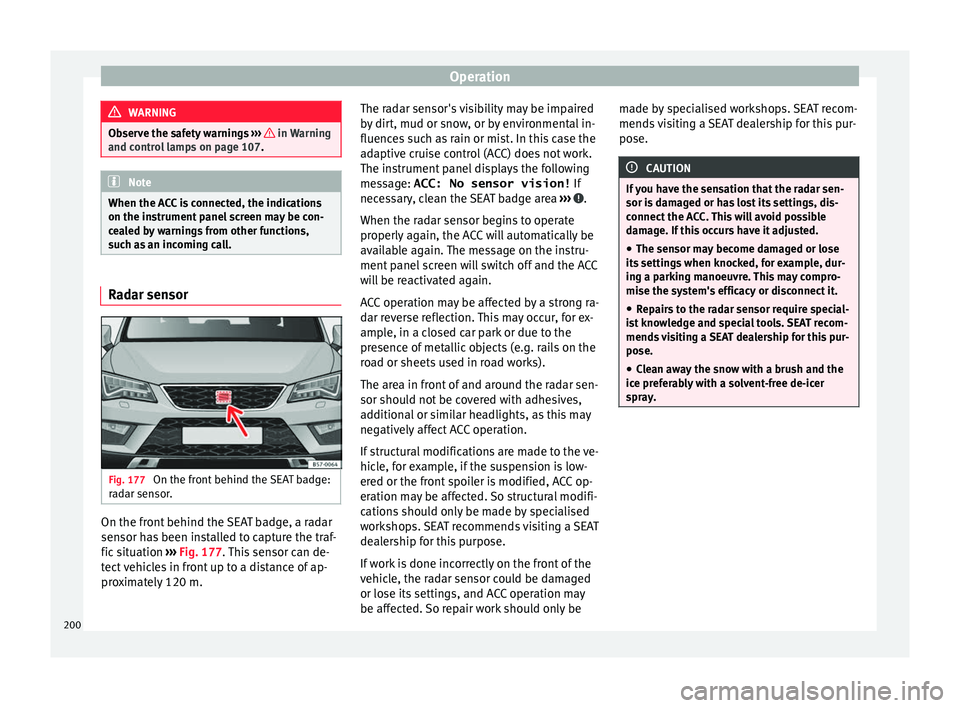
Fig. 177
On the front behind the SEAT badge:
r a
dar sensor. On the front behind the SEAT badge, a radar
sen
sor h
as been installed to capture the traf-
fic situation ›››
Fig. 177. This sensor can de-
tect vehicles in front up to a distance of ap-
proximately 120 m. The radar sensor's visibility may be impaired
by
dirt, mud or snow, or by environmental in-
fluences such as rain or mist. In this case the
adaptive cruise control (ACC) does not work.
The instrument panel displays the following
message: ACC: No sensor vision! If
necessary, clean the SEAT badge area ››› .
When the r a
dar sensor begins to operate
properly again, the ACC will automatically be
available again. The message on the instru-
ment panel screen will switch off and the ACC
will be reactivated again.
ACC operation may be affected by a strong ra-
dar reverse reflection. This may occur, for ex-
ample, in a closed car park or due to the
presence of metallic objects (e.g. rails on the
road or sheets used in road works).
The area in front of and around the radar sen-
sor should not be covered with adhesives,
additional or similar headlights, as this may
negatively affect ACC operation.
If structural modifications are made to the ve-
hicle, for example, if the suspension is low-
ered or the front spoiler is modified, ACC op-
eration may be affected. So structural modifi-
cations should only be made by specialised
workshops. SEAT recommends visiting a SEAT
dealership for this purpose.
If work is done incorrectly on the front of the
vehicle, the radar sensor could be damaged
or lose its settings, and ACC operation may
be affected. So repair work should only be made by specialised workshops. SEAT recom-
mends
visiting a SEAT dealership for this pur-
pose. CAUTION
If you have the sensation that the radar sen-
sor i s
damaged or has lost its settings, dis-
connect the ACC. This will avoid possible
damage. If this occurs have it adjusted.
● The sensor may become damaged or lose
its
settings when knocked, for example, dur-
ing a parking manoeuvre. This may compro-
mise the system's efficacy or disconnect it.
● Repairs to the radar sensor require special-
is
t knowledge and special tools. SEAT recom-
mends visiting a SEAT dealership for this pur-
pose.
● Clean away the snow with a brush and the
ice pr
eferably with a solvent-free de-icer
spray. 200