Reverse Seat Ateca 2017 User Guide
[x] Cancel search | Manufacturer: SEAT, Model Year: 2017, Model line: Ateca, Model: Seat Ateca 2017Pages: 328, PDF Size: 6.36 MB
Page 99 of 328
Fuses and bulbs
Remove the lid, levering it with the flat
s ide of
a screwdriver into the recess
››› Fig. 108 1 .
R emo
ve the bulb connector.
Unscrew the light securing bolt by hand
or using a screwdriver ››› Fig. 108 2 .
R emo
ve the light from the body, gently
pulling it toward you, and place on a
clean, smooth surface.
Disassemble the bulb holder unlocking
the securing tabs ››› Fig. 109 1 .
Ch an
ge the damaged bulb.
To refit follow the steps in reverse order,
taking special care when fitting the bulb
holder. The securing tabs must click into
place. CAUTION
Take care when removing the rear light unit to
m ak
e sure there is no damage to the paint-
work or any of its components. Note
● Mak
e sure you have a soft cloth ready to
place under the glass on the rear light unit, to
avoid any scratches.
● In the case of LED lights, change only the
turn s
ignal bulb. 3.
4.
5.
6.
7.
8.
9.
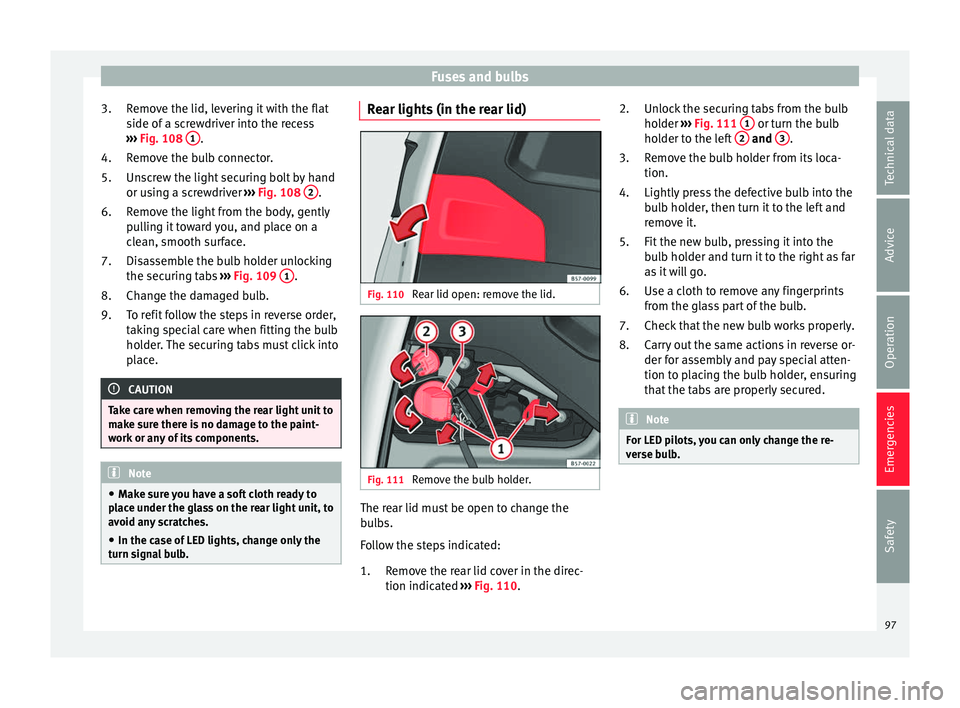
Rear lights (in the rear lid) Fig. 110
Rear lid open: remove the lid. Fig. 111
Remove the bulb holder. The rear lid must be open to change the
b
u
lbs.
Follow the steps indicated:
Remove the rear lid cover in the direc-
tion indicated ››› Fig. 110.
1. Unlock the securing tabs from the bulb
hol
der ››› Fig. 111 1 or turn the bulb
ho l
der to the left 2 and
3 .
R emo
ve the bulb holder from its loca-
tion.
Lightly press the defective bulb into the
bulb holder, then turn it to the left and
remove it.
Fit the new bulb, pressing it into the
bulb holder and turn it to the right as far
as it will go.
Use a cloth to remove any fingerprints
from the glass part of the bulb.
Check that the new bulb works properly.
Carry out the same actions in reverse or-
der for assembly and pay special atten-
tion to placing the bulb holder, ensuring
that the tabs are properly secured. Note
For LED pilots, you can only change the re-
v er
se bulb. 2.
3.
4.
5.
6.
7.
8.
97
Technical data
Advice
Operation
Emergencies
Safety
Page 136 of 328
Operation
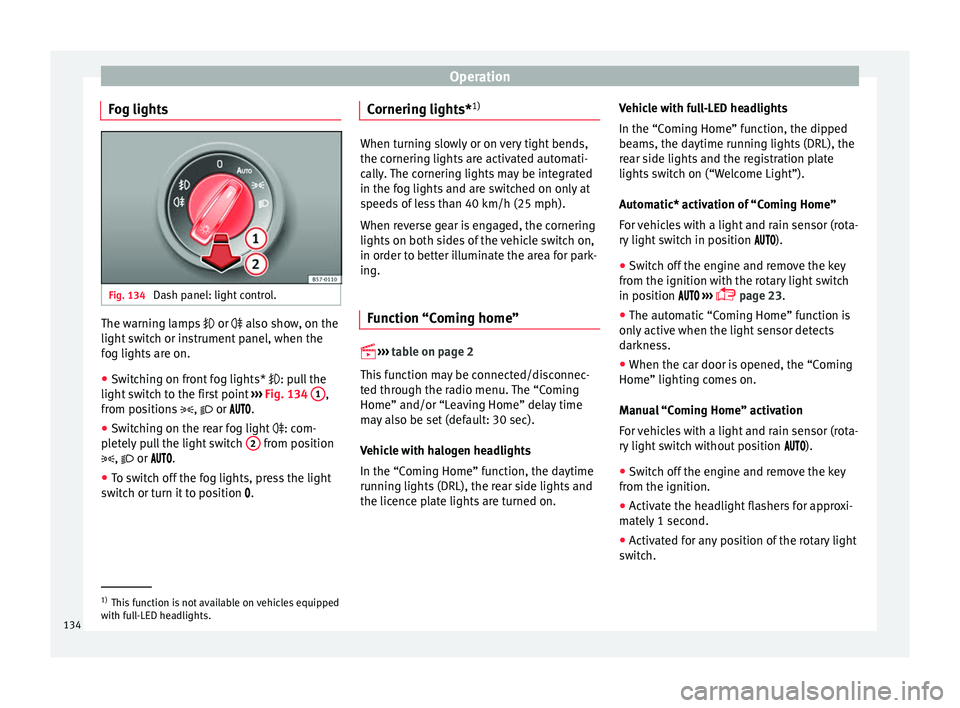
Fog lights Fig. 134
Dash panel: light control. The warning lamps
or also sho
w, on the
light switch or instrument panel, when the
fog lights are on.
● Switching on front fog lights* : pu
ll the
light switch to the first point ››› Fig. 134 1 ,
fr om po
sitions , or .
● Switching on the rear fog light : com-
p
letely pull the light switch 2 from position
, or .
● T
o switch off the fog lights, press the light
swit
ch or turn it to position .Cornering lights*
1) When turning slowly or on very tight bends,
the c
ornerin
g lights are activated automati-
cally. The cornering lights may be integrated
in the fog lights and are switched on only at
speeds of less than 40 km/h (25 mph).
When reverse gear is engaged, the cornering
lights on both sides of the vehicle switch on,
in order to better illuminate the area for park-
ing.
Function “Coming home”
› ›
›
table on page 2
This function may be connected/disconnec-
ted through the radio menu. The “Coming
Home” and/or “Leaving Home” delay time
may also be set (default: 30 sec).
Vehicle with halogen headlights
In the “Coming Home” function, the daytime
running lights (DRL), the rear side lights and
the licence plate lights are turned on. Vehicle with full-LED headlights
In the “C
omin
g Home” function, the dipped
beams, the daytime running lights (DRL), the
rear side lights and the registration plate
lights switch on (“Welcome Light”).
Automatic* activation of “Coming Home”
For vehicles with a light and rain sensor (rota-
ry light switch in position ).
● Switch off the engine and remove the key
from the ignition w
ith the rotary light switch
in position ›››
page 23.
● The automatic “Coming Home” function is
only
active when the light sensor detects
darkness.
● When the car door is opened, the “Coming
Home” lighting c
omes on.
Manual “Coming Home” activation
For vehicles with a light and rain sensor (rota-
ry light switch without position ).
● Switch off the engine and remove the key
from the ignition.
● A
ctivate the headlight flashers for approxi-
mat
ely 1 second.
● Activated for any position of the rotary light
swit
ch. 1)
This function is not available on vehicles equipped
w ith f
ull-LED headlights.
134
Page 141 of 328
Lights and visibility
Note
The light above the sun visor automatically
sw it
ches off after a few minutes in certain
conditions. This prevents the battery from
discharging. Windscreen wiper and window
w
iper sy
stems
Window wiper lever Read the additional information carefully
› ›
› page 25 CAUTION
If the ignition is switched off with the wind-
s c
reen wipers active, they complete their
wipe before returning to the rest position.
When switching the ignition back on, the
windscreen wiper will continue to operate at
the same wiping level. Ice, snow and other
obstacles on the windscreen may damage the
wiper and the windscreen wiper motor.
● If necessary, remove snow and ice from the
wind
screen wipers before starting your jour-
ney.
● Carefully lift the frozen windscreen wipers
from the gl
ass. SEAT recommends a de-icer
spray for this operation.
● Do not switch on the windscreen wipers if
the wind
screen is dry. Cleaning with the windscreen wipers while dry can cause dam-
ag
e.
● In icy
conditions, always check that the
wiper b
lades are not frozen to the glass be-
fore using the wipers. In cold weather, it may
help to leave the vehicle parked with the wip-
ers in service position ›››
page 60. Note
● The w ind
screen and window wipers only
function when the ignition is switched on and
the bonnet or rear lid, respectively, are
closed.
● The interval wipe speed varies according to
the v
ehicle speed. The faster the vehicle is
moving, the more often the windscreen is
cleaned.
● The rear wiper is automatically switched on
when the wind
screen wiper is on and the car
is in reverse gear. Windscreen wiper functions
Windscreen wiper performance in different sit-
uations
If the vehicle is at a
standstillThe activated position provision-
ally changes to the previous posi-
tion.
Windscreen wiper performance in different sit-
uations
During automatic
wipe
The air conditioner comes on for
approximately 30 seconds in air
recirculation mode to prevent the
smell of the windscreen washer
fluid entering the inside the vehi-
cle.
For the interval wipe
Intervals between wipes depend
on the vehicle's speed. The high-
er the vehicle speed the shorter
the intervals. Heated windscreen washer jets
The he
atin
g only thaws the frozen jets, it
does not thaw the water in the washer hoses.
When the ignition is switched on the heated
windscreen washer jets automatically adjust
the heat depending on the ambient tempera-
ture.
Headlight wash/wipe system
The headlight washers/wipers clean the
headlight lenses.
After the ignition is switched on, the first and
every fifth time the windscreen washer is
switched on, the headlights are also washed.
Therefore, the windscreen wiper lever should
be pulled towards the steering wheel when
the dipped beam or main beam are on. Any
incrusted dirt (such as insects) should be
cleaned regularly (e.g. when refuelling). »
139
Technical data
Advice
Operation
Emergencies
Safety
Page 143 of 328
Lights and visibility
Note
● Cl
ean the sensitive surface of the rain sen-
sor regularly and check the blades for dam-
age ››› Fig. 139 (arrow).
● To remove wax and coatings, we recom-
mend a windo
w cleaner containing alcohol.Mirror
Anti-d azz
le rear view mirrorIt is dangerous to drive if you cannot see
c
l
early through the rear window.
Rear view mirror with automatic anti-dazzle
function*
The anti-dazzle function is activated every
time the ignition is switched on.
When the anti-dazzle function is enabled, the
interior rear vision mirror will darken auto-
matically according to the amount of light it
receives. The anti-dazzle function is cancel-
led if reverse gear is engaged. WARNING
In the event that an automatic anti-dazzle
r e
ar vision mirror breaks, an electrolyte fluid may leak. This could cause irritation to the
sk
in, ey
es and respiratory organs. If you
come into contact with this liquid, it must be
rinsed with large quantities of water. If neces-
sary, get medial help. CAUTION
In the event that an automatic anti-dazzle
r e
ar vision mirror breaks, an electrolyte fluid
may leak. This liquid attacks plastic surfaces.
Clean it with a wet sponge as soon as possi-
ble. Note
● If the light
incident in the interior rear vi-
sion mirror is obstructed (e.g. with the sun
blind*), the anti-dazzle rear vision mirror with
automatic setting will not operate perfectly.
● When the interior lights are on or reverse
ge
ar engaged, the mirrors do not darken with
automatic adjustment for anti-dazzle posi-
tion. Adjusting the exterior rear view mir-
r
or
s Fig. 140
Driver door: control for the exterior
mirr or
. Read the additional information carefully
› ›
› page 14
Synchronized regulation of the exterior mir-
rors
● In the Settings - Convenience menu,
select
whether or not the exterior mirrors
should move in synchronisation.
● Turn the knob to position L 1)
.
● Adjust the left-hand exterior mirror. The
right e
xterior mirror will be adjusted at the
same time (synchronised). »1)
Regulation in right-hand drive vehicles is symmet-
ric al
. 141
Technical data
Advice
Operation
Emergencies
Safety
Page 144 of 328
Operation
● If nec
essary the right exterior mirror adjust-
ment may need correcting. turn the control to
position R 1)
.
● In the Easy Connect system the exterior mir-
ror
s can be adjusted using the CAR button
and the f u
nction button SETUP .
Ti lt
function for front passenger exterior mir-
ror*
When parking backwards, and in order to be
able to see the kerb, the passenger side mir-
ror can be automatically tilted towards the
passenger to provide a better view of the
kerb. The control must be in the position R1)
for this feature to be operational.
The mirror returns to its original position as
soon as you drive forward at over 15 km/h
(9 mph) or switch off the ignition. It also re-
turns to its original position if the position of
the control is adjusted.
Storing the rear view mirror settings for the
tilt function
● Switch the ignition on.
● Access the Easy Connect system, Menu
CAR , function “Rear view mirrors and wind-
s c
reen wipers” and select “lower while re-
versing” ›››
page 108. ●
Select
the R1)
position on the control.
● Select reverse gear.
● Adjust the front passenger exterior mirror
so that
you can see, for example, the kerb
area well.
● Release the reverse gear.
● The adjusted position for the rear view mir-
ror i
s stored.
Fold in the exterior mirrors after parking
(convenience function)*
The Easy Connect system, Menu CAR , func-
tion “R e
ar view mirrors and windscreen wip-
ers” can be used to have the exterior mirrors
fold in when the vehicle is parked
››› page 108.
When the vehicle is locked with the remote
control, by pressing for more than approxi-
mately 1 second the exterior mirrors are fol-
ded in automatically. When the vehicle is
opened with the remote control, the exterior
mirrors are deployed automatically. WARNING
Convex or wide-angle* exterior mirrors give a
l ar
ger field of vision. However, they make ob-
jects look smaller and further away than they
really are. If you use these mirrors to esti- mate the distance to vehicles behind you
when c
h
anging lane, you could misjudge the
distance. Risk of accident! CAUTION
● If one of
the mirror housings is knocked out
of position (e.g. when parking), the mirrors
must first be fully retracted with the electric
control. Do not readjust the mirror housing by
hand, as this will interfere with the mirror ad-
juster function.
● Before washing the vehicle in an automatic
car w
ash, please make sure to retract the ex-
terior mirrors to prevent them from being
damaged. Electrically retractable exterior
mirrors must not be folded in or out by hand.
Always use the electrical power control. Note
If the electrical adjustment should fail to op-
er at
e, both of the mirrors can be adjusted by
hand by lightly pressing the edge of the mir-
ror glass. 1)
Regulation in right-hand drive vehicles is symmet-
ric al
.
142
Page 162 of 328
Operation
Air recirculation mode Basic pointsAir recirculation:
Manual recirculation
Air recirculation mode prevents the ambient
air fr
om ent
ering the interior.
When the outside temperature is very high,
selecting manual air recirculation mode for a
short period refreshes the vehicle interior
more quickly.
For safety reasons, air recirculation mode is
switched off when the button is press-
ed or the air distributor turned to .
Switching the manual air recirculation mode
on and off
To switch system on: press the button un-
til the warning lamp lights up.
To switch system off: press the button un-
til the warning lamp goes off.
Functioning mode of automatic air recircula-
tion (air conditioning menu)
With the automatic air recirculation mode ac-
tivated, the entry of fresh air into the cabin
interior is enabled. If the system detects a
high concentration of hazardous substances
in the ambient air, air recirculation mode is
switched on automatically. When the level of impurities drops to within a normal range, re-
c
ir
culation mode is switched off.
The system is unable to detect unpleasant
smells.
The air recirculation will not connect auto-
matically in versions without humidity sensor
and in the following external conditions:
● The outside temperature is lower than +3°C
(+38°F).
● The cooling system is switched off and the
outside t
emperature is below +10°C (+50°F).
● The cooling system is switched off, the out-
side t
emperature is below +15°C (+59°F) and
the windscreen wipers are switched on.
Activation/deactivation of automatic air recir-
culation is done in the air conditioner menu,
under Configuration. WARNING
Observe the safety warnings ››
› in Intro-
duction on p ag
e 157.
● If the cooling system is switched off and air
rec
irculation mode switched on, the windows
can mist over very quickly, considerably limit-
ing visibility.
● Switch air recirculation mode off when it is
not r
equired. CAUTION
Do not smoke when air recirculation is
sw it
ched on in vehicles with an air condition-
er. The smoke taken in could lie on the cool-
ing system vaporiser and on the activated
charcoal cartridge of the dust and pollen fil-
ter, leading to a permanently unpleasant
smell. Note
Climatronic: air recirculation mode is activa-
t ed t
o prevent exhaust gas or unpleasant
odours from entering the vehicle interior
when it is in reverse and while the automatic
windscreen wiper is working. 160
Page 171 of 328
Driving
●
Electric
al components with a high power
consumption are switched off temporarily
when the engine starts.
● When starting with a cold engine, noise
lev
els may briefly increase. This is quite nor-
mal, and no cause for concern.
● When the outside temperature is below
+5°C (+41°F), if
the engine is diesel, some
smoke may appear under the vehicle when the fuel-operated auxiliary heater is on. Stopping the engine
3
V
alid for vehicles: with Keyless Access
StepSwitch off the engine with the starter
button ››› page 167.
1.Stop the vehicle completely ››› .
2.Press and hold the brake pedal until the step
4 is performed.
3.If you are driving an automatic vehicle, place
the selector lever in position P.
4.Connect the electronic parking brake
››› page 170.
5.
Briefly press the start-up button ››› Fig. 164.
The START ENGINE STOP button blinks again. If
the engine fails to switch off, perform an emer-
gency disconnect ››› page 167.
6.If the vehicle is equipped with a manual gear-
box, put it into 1st or reverse. WARNING
Never switch off the engine while the vehicle
i s
moving. This could cause loss of control of
the vehicle, accidents and serious injury.
● The airbags and belt tensioners do not
work
when the ignition is switched off.
● The brake servo does not work with the en-
gine off.
Therefore, you need to press the
break pedal harder to brake the vehicle.
● Power steering does not work when the en-
gine is
not running. You need more strength
to steer when the engine is switched off.
● If the ignition is switched off, the steering
co
lumn could be locked, making it impossible
to control the vehicle. CAUTION
If the engine is made to work hard for a long
time, it m
ay overheat after being switched
off. To prevent damage to the engine before
switching it off, leave it idle for approx. 2 mi-
nutes in neutral. Note
After switching off the engine, the cooling fan
m a
y continue to operate in the engine com-
partment for a few more minutes, even with
the ignition off. The radiator fan is automati-
cally switched off. “My Beat” Function
For vehicles with a convenience key there is
the “M
y
Beat” function. This feature provides
an additional indication of the vehicle igni-
tion system.
When accessing the vehicle, e.g. by opening
the doors with the remote control, the START ENGINE STOP button flashes, calling at-
t ention t
o the relevant starter system button.
Upon switching the ignition on/off, the light
of the START ENGINE STOP button flashes. With
the en gine sw
itched off, after a few seconds,
the STOP ENGINE START button stops flashing
and g oe
s out.
With the engine running, the START ENGINE STOP button light stays on, indi-
c atin
g that the engine is running. Upon
switching the ignition off with the START ENGINE STOP button, it starts flashing
ag ain.
In
vehicles with the Start-Stop system , the
“My Beat” function also offers additional in-
formation:
● When the engine stops during the Stop
pha
se, the light of the START ENGINE STOP but-
t on s
tays on, since, even though the engine
is off, the Start-Stop system is active.
● When the engine cannot be stated again
with the
Start-Stop system, ›››
page 188, and
needs to be started manually, the »
169
Technical data
Advice
Operation
Emergencies
Safety
Page 178 of 328
Operation
Disable the ESC “Snow” mode
T urn the Driv
ing Experience button to select a
different driving mode ››› page 226. WARNING
The ESC Sport mode should be activated only
when tr affic
conditions and the ability of the
driver allow it. Danger of skidding!
● With ESC in Sport mode, the stabilising
fu
nction will be limited to allow for a sportier
drive. The driving wheels could spin and the
vehicle could skid. WARNING
You should only activate the Offroad Mode or
di s
able the ASR if the experience of the driver
and traffic conditions allow it. Danger of skid-
ding!
● With the Offroad mode activated, the stabi-
lis
ation function is limited. In particular, if
the road is too smooth and slippery, the driv-
ing wheels could spin and the vehicle could
skid. Note
If the ASR is disconnected or the ESC’s Sport
mode i s
selected, cruise control* will be
switched off. Manual gearbox
Ch an
ging gear Read the additional information carefully
› ›
› page 40
In some countries the clutch pedal must be
fully pressed down for the engine to start.
Selecting reverse gear ● Engage reverse gear only when the vehicle
is
stopped.
Changing down gears
While driving, changing down a gear must al-
ways be done gradually, i.e. to the gear di-
rectly below and when the engine speed is
not too high ››› . Changing down while by-
p a
ssing one or various gears at high speeds
or at high engine speeds can damage the
clutch and the gearbox, even if the clutch
pedal remains depressed ››› .
WARNING
When the engine is running, the vehicle will
s t
art to move as soon as a gear is engaged
and the clutch released. This is also the case
with the electronic parking brake switched
on.
● Never engage reverse gear when the vehi-
cl
e is moving. WARNING
If the gear is changed down inappropriately
b y
selecting a gear that is too low, you may
lose control of the vehicle, causing an acci-
dent and serious injuries. CAUTION
When travelling at high speeds or at high en-
gine s peed
s, selecting a gear that is too low
can cause considerable damage to the clutch
and the gearbox. This can also occur if the
clutch pedal is pressed and held and it does
not engage. CAUTION
To prevent damage and avoid premature
w e
ar, please observe the following:
● Do not rest your hand on the gear lever
whil
e driving. The pressure applied by your
hand is transmitted to the gearbox selector
forks.
● Always ensure that the vehicle is complete-
ly s
topped before engaging the reverse gear.
● Always press the clutch to the floor when
ch
anging gears.
● Never hold the vehicle “on the clutch” on
hil
ls with the engine on. 176
Page 179 of 328
Driving
Automatic gearbox/DSG auto-
m atic
gearbox*
Introduction Your vehicle is equipped with an electronical-
ly
c
ontrolled manual gearbox. Torque be-
tween the engine and the gearbox is trans-
mitted via two independent clutches. They re-
place the torque converter found on conven-
tional automatic gearboxes and allow for
smooth, uninterrupted acceleration of the ve-
hicle.
The tiptronic system allows the driver to
change gears manually if desired
››› page 179, Changing gears in tiptronic
mode*.
Selector lever positions Read the additional information carefully
› ›
› page 41
The selector lever position engaged is high-
lighted on the display in the instrument clus-
ter. With the selector lever in the manual
gearbox positions G, D, E and S, the engaged
gear is also indicated on the display.
P – Parking lock
When the selector lever is in this position,
the driven wheels are locked mechanically. The parking lock must be engaged only when
the v
ehicle is stationary ››› .
The int erloc
k button (the button on the selec-
tor lever handle) must be pressed in and si-
multaneously the brake pedal must be de-
pressed before moving the selector lever ei-
ther in or out of position P.
R – Reverse gear
Reverse gear must be engaged only when the
vehicle is stationary and the engine is idling
››› .
T o mo
ve the selector lever to position R, the
interlock button must be pressed in and at
the same time the brake pedal must be de-
pressed. The reverse lights come on when
the selector lever is in the R position with the
ignition on.
N – Neutral (idling)
With the selector lever in this position, the
gear is in neutral.
D/S – Permanent drive (forward) position
The selector lever in the D/S position enables
the gears to be controlled in normal mode (D)
or Sport (S). To select Sport mode (S), move
the selector lever backwards. Moving the lev-
er again will select normal mode (D). The se-
lected driving mode is shown on the instru-
ment panel display. In normal mode
(D), the g
earbox automatical-
ly selects the best gear ratio. This depends
on the engine load, the road speed and the
dynamic gear control programme (DCP).
Sport mode (S) must be selected for a sporty
driving style. This setting makes use of the
engine's maximum power output. When ac-
celerating the gear shifts will be noticeable.
Press the brake pedal to move the selector
lever from N to D/S when the vehicle is sta-
tionary or at speeds below 3 km/h (2 mph)
››› .
Under c er
tain circumstances (e.g. when driv-
ing in mountains) it can be advantageous to
switch temporarily to tiptronic mode
››› page 179, in order to manually select gear
ratios to suit the driving conditions. WARNING
● Tak
e care not to accidentally press the ac-
celerator pedal when the vehicle is stopped.
The vehicle could otherwise start moving im-
mediately (in some cases even if the parking
brake is engaged) resulting in the risk of an
accident.
● Never move the selector lever to R or P
when drivin
g. Failure to follow this instruc-
tion could result in an accident.
● With selector lever in any position (except
P) the v
ehicle must always be held with the
foot brake when the engine is running. This is
because an automatic gearbox still transmits » 177
Technical data
Advice
Operation
Emergencies
Safety
Page 185 of 328
Driving
WARNING
● If the iner
tia mode has been switched on,
take into account, when approaching an ob-
stacle and releasing the accelerator pedal,
that the vehicle will not decelerate in the usu-
al manner: risk of accident!
● When using inertia mode while travelling
down hi
lls, the vehicle can increase speed:
risk of accident!
● If other users drive your vehicle, warn them
about iner
tia mode. Note
● Iner ti
a mode is only available in eco (SEAT
Drive Profile*) driving mode.
● The driver message Inertia is
only dis-
played with the current consumption. In iner-
tia mode the gear will no longer be displayed
(for example “E” will appear instead of “E7”).
● On downhill sections with gradients above
15 %, the inerti
a mode will automatically be
switched off temporarily. Backup programme
A backup programme is in place if a fault
shou
l
d occur in the control system.
If all the positions of the selector lever are
shown over a light background on the instru-
ment panel display, there is a system fault
and the automatic gearbox will operate in with the backup programme. When the back-
up progr
amme is activated, it is possible to
drive the vehicle, however, at low speeds and
within a selected range of gears. In some ca-
ses driving in reverse gear may not be possi-
ble. CAUTION
If the gearbox operates with the backup pro-
gr amme, t
ake the vehicle to a specialised
workshop and have the fault repaired without
delay. Clutch
Clutch overheating! Please
stop!
The c
lutch has overheated and could be dam-
aged. Stop the vehicle and wait for the gear-
box to cool with the engine at idling speed
and the selector lever in position P. When the
warning lamp and the driver message switch
off, have the fault corrected by a specialised
workshop without delay. If the warning lamp
and the driver message do not switch off, do
not continue driving. Seek specialist assis-
tance. Gearbox malfunctions Gearbox: Fault! Stop the ve-
hicle and place the lever in the
position P.
Ther e i
s a fault in the gearbox. Stop the vehi-
cle in a safe place and do not continue driv-
ing. Seek specialist assistance.
Gearbox: System fault! You
may continue driving.
Have the fault corrected by a specialised
workshop without delay. Gearbox: System fault! You
can continue driving with re-
strictions. Reverse gear disa‐
bled
Take the vehicle to a specialised workshop
and have the fault repaired without delay. Gearbox: System fault! You
can continue driving in D until
switching off the engine
Stop the vehicle in a safe place well away
from moving traffic. Seek specialist assis-
tance. Gearbox: too hot. Adapt your
driving accordingly
Continue driving at moderate speeds. When
the warning lamp switches off, you can con-
tinue driving in a normal manner. »
183
Technical data
Advice
Operation
Emergencies
Safety