wheel Seat Ateca 2017 Workshop Manual
[x] Cancel search | Manufacturer: SEAT, Model Year: 2017, Model line: Ateca, Model: Seat Ateca 2017Pages: 328, PDF Size: 6.36 MB
Page 200 of 328
Operation
km/h (18 and 150 mph), as well as the tem-
por ar
y distance required with regard to the
vehicle in front. The ACC function will adapt
the vehicle's cruise speed at all times, main-
taining a safe distance with the vehicle in
front.
The ACC function is based on a radar sensor
that can measure the distance to the vehicles
in front.
If the vehicle is equipped with automatic
gearbox, the ACC can brake the vehicle until
it stops completely if a vehicle in front of it
stops.
Driver intervention prompt
During driving, the ACC is subject to certain
limitations inherent in the system. In other
words, in certain circumstances the driver will
have to adjust speed him or herself, as well
as the distance from other vehicles.
In this case, the instrument panel screen will
warn you to intervene by applying the brake
and a warning tone will be heard
››› page 199. WARNING
The intelligent technology in the ACC cannot
o v
ercome the system's inherent limitations
or change the laws of physics. If used negli-
gently or involuntarily, it may cause serious
accidents and injuries. The system is not a re-
placement for driver awareness. ●
Ad apt
your speed and safe distance to the
vehicle in front of you at all times to suit visi-
bility, weather, road and traffic conditions.
● Do not use the ACC when visibility is bad,
on st
eep roads, with several bends or in slip-
pery circumstances such as snow, ice, rain or
loose gravel, or on flooded roads.
● Never use the ACC when driving off-road or
on unp
aved roads. The ACC has been de-
signed for use on paved roads only.
● The ACC does not react on approaching a
fix
ed obstacle, such as the tail of a traffic
jam, a damaged vehicle or a vehicle stopped
at the traffic lights.
● The ACC only reacts to people if a pedes-
trian monit
oring system is available. In addi-
tion, the system does not react to animals or
vehicles crossing your path or approaching
head-on down the same lane.
● If the ACC does not reduce speed sufficient-
ly, br
ake the vehicle immediately by applying
the pedal.
● If you are driving using the spare wheel,
the AC
C system could automatically switch
off during the journey. Switch off the system
when starting off.
● If the vehicle continues to move involuntar-
ily
after a driver intervention prompt, brake
the vehicle by applying the pedal.
● If the dash panel displays a dri
ver interven-
tion prompt, adjust the distance yourself.
● The driver should be ready to accelerate or
brak
e by him/herself at all times. CAUTION
If you have the sensation that the radar sen-
sor i s
damaged, disconnect the ACC. This will
avoid possible damage. If this occurs have it
adjusted.
● Repairs to the radar sensor require special-
is
t knowledge and special tools. SEAT recom-
mends visiting a SEAT dealership for this pur-
pose. Note
● If the A
CC system does not work as descri-
bed in this chapter, do not use it until it has
been checked by a specialised workshop.
SEAT recommends visiting a SEAT dealership
for this purpose.
● Maximum speed with the ACC activated is
limited t
o 210 km/h (150 mph).
● When the ACC is switched on, strange
noise
s may be heard during automatic brak-
ing cause by the braking system. 198
Page 210 of 328
Operation
Front assist
If the Fr
ont Assist notices that the driver is
not braking sufficiently in case of a collision
hazard, the system can increase braking ef-
fect and thus avert the collision when driving
at a speed of between approximately 4 km/h
(2.5 mph) and 250 km/h (156 mph). Front
assist only acts while the brake pedal is
pressed down hard. WARNING
The intelligent technology in the Front Assist
c annot
change the laws of physics. The driver
is always responsible for braking in time. If
the Front Assist issues a warning, then, de-
pending on the traffic circumstances, you
must brake immediately or dodge the obsta-
cle.
● Adapt your speed and safe distance to the
vehic
le in front of you at all times to suit visi-
bility, weather, road and traffic conditions.
● The Front Assist alone cannot avoid acci-
dents
and serious injuries.
● In complex driving situations, the Front As-
si
st may issue unnecessary warnings and in-
tervene unnecessarily in braking, such as in
traffic islands.
● If the operation of the Front Assist is im-
pair
ed, for example, by dirt or because the ra-
dar sensor has lost its settings, the system
may issue unnecessary warnings and inter-
vene inopportunely in the braking. ●
Front
Assist does not react to animals or ve-
hicles crossing your path or approaching
head-on down the same lane.
● The driver must always be ready to take
ov
er the control of the vehicle. Note
● When the Fr ont
Assist causes a braking,
the brake pedal is “harder”.
● Automatic interventions by the Front Assist
on the brak
es may be interrupted by pressing
the clutch, accelerator or moving the wheel.
● If the Front Assist does not work as descri-
bed in this
chapter (e.g. in intervenes several
times unnecessarily), switch it off. Have the
system checked by a specialised workshop.
SEAT recommends visiting a SEAT dealership. On-screen warning lamps and mes-
s
ag
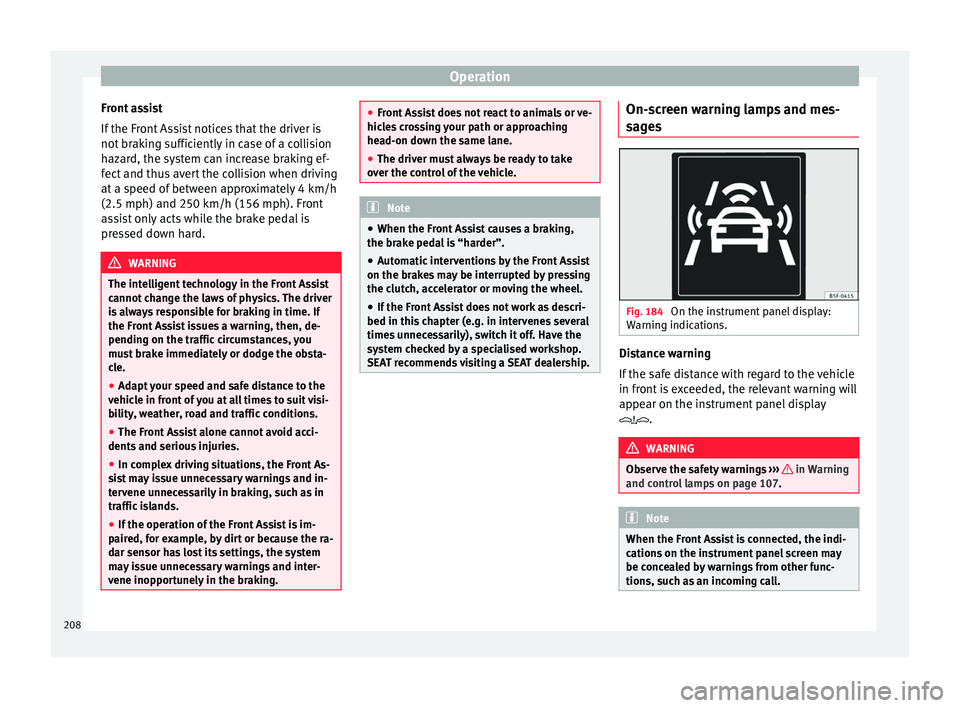
es Fig. 184
On the instrument panel display:
W arnin
g indications. Distance warning
If
the s
afe distance with regard to the vehicle
in front is exceeded, the relevant warning will
appear on the instrument panel display
. WARNING
Observe the safety warnings ››
› in Warning
and c ontr
ol lamps on page 107. Note
When the Front Assist is connected, the indi-
c ation
s on the instrument panel screen may
be concealed by warnings from other func-
tions, such as an incoming call. 208
Page 214 of 328
Operation
●
Ad apt
your speed and safe distance to the
vehicle in front of you at all times to suit visi-
bility, weather, road and traffic conditions.
● The City Emergency braking function alone
cannot
prevent accidents or serious injury.
● In complex driving situations, the City
Emerg
ency braking function may issue unnec-
essary warnings and intervene inopportunely
in braking, such as in work areas or if there
are metal rails.
● If the operation of the City Emergency brak-
ing f
unction is impaired, for example, by dirt
or because the radar sensor has lost its set-
tings, the system may issue unnecessary
warnings and intervene inopportunely in the
braking.
● The City emergency braking function only
re
acts to people if the vehicle has a pedes-
trian-monitoring system. The system does
not react to animals or vehicles crossing your
path or approaching head-on in the same
lane. Note
● When the C ity
Emergency braking function
causes a braking, the brake pedal is “hard-
er”.
● Automatic interventions on the brakes by
the City
Emergency braking function may be interrupted by pressing the clutch, accelera-
t
or or mo
ving the wheel.
● The City Emergency braking function can
brak
e the vehicle until it stops completely.
However, the brake system does not halt the
vehicle permanently. Use the foot brake!
● If several inopportune intervenes occur,
swit
ch off the Front Assist and with it the City
Emergency braking function. Take it to a spe-
cialised workshop, SEAT recommends visiting
a SEAT dealership.
● If numerous unnecessary interventions oc-
cur
, the City Emergency braking function may
switch off automatically. Pedestrian Monitoring*
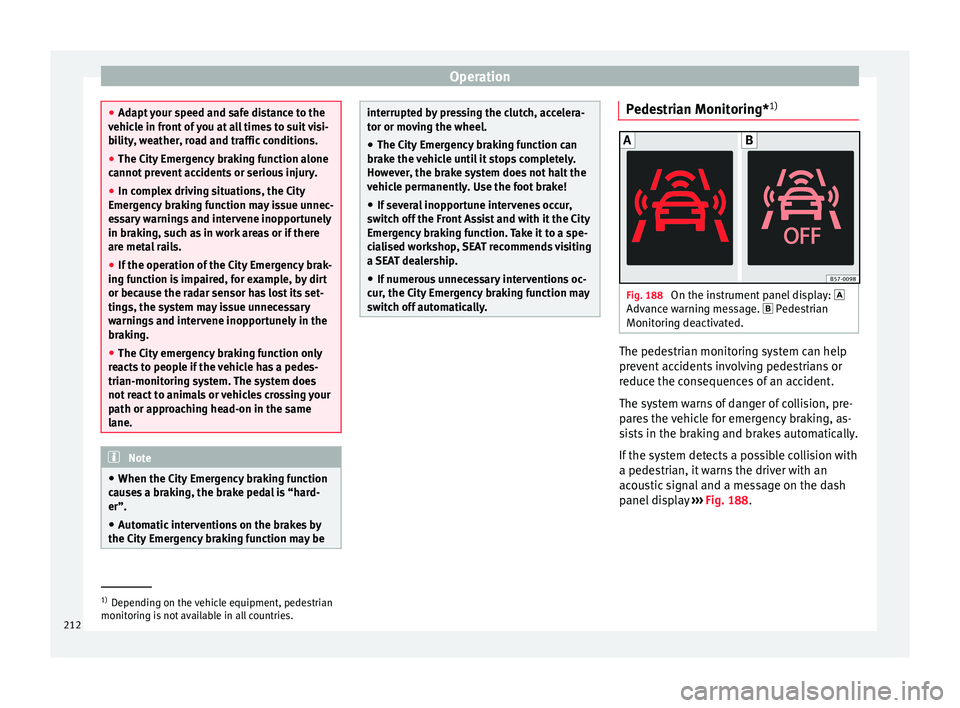
1) Fig. 188
On the instrument panel display:
Adv anc
e warning message. Pedestrian
Monitoring deactivated. The pedestrian monitoring system can help
pr
ev
ent accidents involving pedestrians or
reduce the consequences of an accident.
The system warns of danger of collision, pre-
pares the vehicle for emergency braking, as-
sists in the braking and brakes automatically.
If the system detects a possible collision with
a pedestrian, it warns the driver with an
acoustic signal and a message on the dash
panel display ››› Fig. 188. 1)
Depending on the vehicle equipment, pedestrian
monit orin
g is not available in all countries.
212
Page 215 of 328
Driver assistance systems
The pedestrian monitoring system, including
the a dv
ance warning, is automatically con-
nected when the ignition is switched on
››› page 165.
SEAT recommends always having the pedes-
trian monitoring system connected. The ex-
ceptions set out for the Front Assist system
are equally valid for the pedestrian monitor-
ing system ››› page 210.
Switching the pedestrian monitoring system
on and off
With the ignition on, the pedestrian monitor-
ing system can be switched on and off as fol-
lows:
● Switch the system on and off in the info-
tainment
system using the button and
the Set
up and
Driv
er a
ssistance function but-
t on
s ›››
page 26.
When the pedestrian protection system is
switched off, the dash panel display shows a
message indicating this ››› Fig. 188 . The
pedestrian monitoring system is switched off
with the Front Assist function. WARNING
The technology in the pedestrian monitoring
sy s
tem cannot defy the laws of physics and
only works within the system's limits. The
driver is always responsible for braking in
time. If the pedestrian monitoring system is- sues a warning, brake the vehicle immediate-
ly
w
ith the brake pedal or swerve to avoid the
pedestrian, depending on traffic conditions.
● The pedestrian monitoring system alone
cannot
avoid accidents or serious injury.
● In complex driving situations, the pedes-
trian monit
oring system may issue unneces-
sary warnings and intervene unnecessarily in
braking, such as in main roads with turnings.
● If the operation of the system is impaired,
for e
xample, because the radar sensor and
camera are covered or have lost their set-
tings, the system may issue unnecessary
warnings and intervene inopportunely in the
braking.
● The driver must always be ready to take
ov
er the control of the vehicle. Note
● When the v
ehicle is braked via the pedes-
trian monitoring system, the brake pedal be-
comes stiffer.
● Automatic interventions by the pedestrian
monitorin
g system on the brakes may be in-
terrupted by pressing the accelerator or mov-
ing the wheel.
● If the pedestrian monitoring system does
not w
ork as described in this chapter (e.g. if
it intervening unnecessarily several times),
switch if off, contact a specialist workshop
immediately and request to have the system
checked. SEAT recommends visiting a SEAT
dealership for this. Lane Assist system*
Intr oduction WARNING
The intelligent technology in the Lane Assist
sy s
tem cannot change the limits imposed by
the laws of physics and by the very nature of
the system. Careless or uncontrolled use of
the Lane Assist system may cause accidents
and injury. The system is not a replacement
for driver awareness.
● Always adapt your speed and the distance
to the
vehicles ahead in line with visibility,
weather conditions, the condition of the road
and the traffic situation.
● Always keep your hands on the steering
wheel so it
can be turned at any time.
● The Lane Assist system does not detect all
ro
ad markings. The road surfaces, road struc-
tures or objects in poor condition can be in-
correctly detected as road markings under
certain circumstances by the Lane Assist sys-
tem. In such situations, switch the Lane As-
sist system off immediately.
● Please observe the indications on the in-
strument
panel and act as is necessary.
● Always pay attention to the vehicle's sur-
rou
ndings.
● When the area of vision of the camera be-
come
s dirty, covered or is damaged, the Lane
Assist system function can be affected. » 213
Technical data
Advice
Operation
Emergencies
Safety
Page 217 of 328
Driver assistance systems
The system is operational, the highligh-
t ed line A indicates that there was a
ri sk
of involuntarily crossing the lane
line and that the steering is being adjus-
ted to correct the angle ››› Fig. 190 C.
The two lines A light up simultaneously
when both l ane line
s are recognised and
the Lane Assist function is active
››› Fig. 190 D.
Control lamps
Blinks or lights up yellow: Lane Assist
active but not available.
The system can not accurately recognise the lane.
Please see page 216, the Lane Assist system is not
available (the control lamp is lit up yellow).
Blinks or lights up green:
Lane Assist system active and available.
WARNING
Observe the safety warnings ››
› in Warning
and c ontr
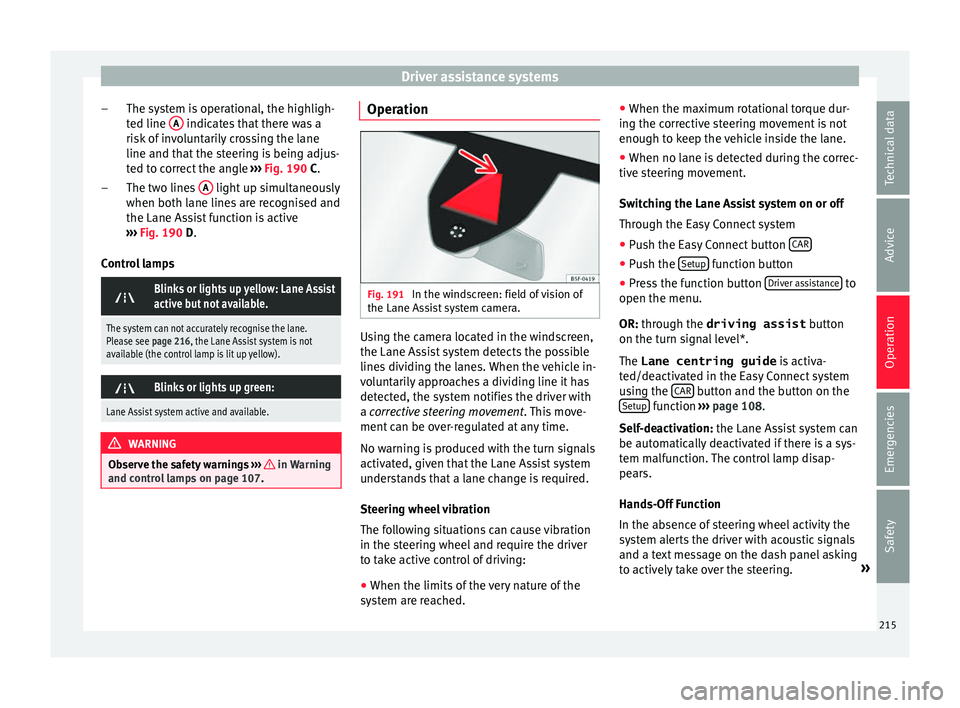
ol lamps on page 107. –
–
Operation Fig. 191
In the windscreen: field of vision of
the Lane As s
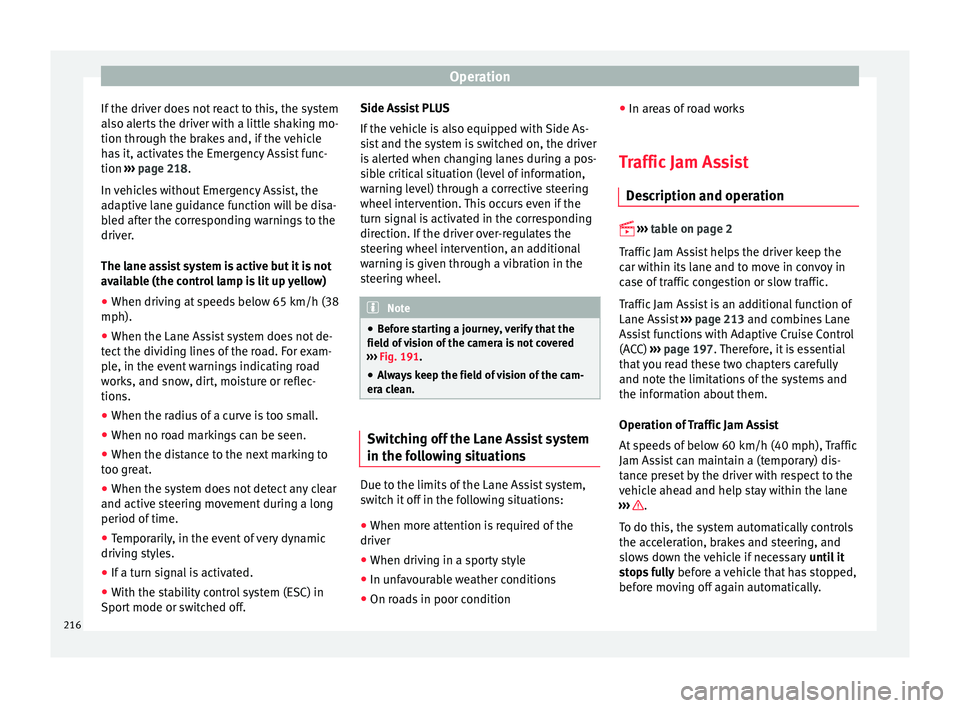
ist system camera. Using the camera located in the windscreen,
the Lane As
s
ist system detects the possible
lines dividing the lanes. When the vehicle in-
voluntarily approaches a dividing line it has
detected, the system notifies the driver with
a corrective steering movement . This move-
ment can be over-regulated at any time.
No warning is produced with the turn signals
activated, given that the Lane Assist system
understands that a lane change is required.
Steering wheel vibration
The following situations can cause vibration
in the steering wheel and require the driver
to take active control of driving:
● When the limits of the very nature of the
sys
tem are reached. ●
When the max
imum rotational torque dur-
ing the corrective steering movement is not
enough to keep the vehicle inside the lane.
● When no lane is detected during the correc-
tive s
teering movement.
Switching the Lane Assist system on or off
Through the Easy Connect system
● Push the Easy Connect button CAR ●
Push the Set
up function button
● Press the function button Driv
er a
ssistance to
open the menu.
OR: thr ough the driving assist
b
utton
on the turn signal level*.
The Lane centring guide is activa-
ted/deactivated in the Easy Connect system
using the CAR button and the button on the
Set up function
››
›
page 108.
Self-deactivation: the Lane Assist system can
be automatically deactivated if there is a sys-
tem malfunction. The control lamp disap-
pears.
Hands-Off Function
In the absence of steering wheel activity the
system alerts the driver with acoustic signals
and a text message on the dash panel asking
to actively take over the steering. »
215
Technical data
Advice
Operation
Emergencies
Safety
Page 218 of 328
Operation
If the driver does not react to this, the system
al so al
erts the driver with a little shaking mo-
tion through the brakes and, if the vehicle
has it, activates the Emergency Assist func-
tion ››› page 218.
In vehicles without Emergency Assist, the
adaptive lane guidance function will be disa-
bled after the corresponding warnings to the
driver.
The lane assist system is active but it is not
available (the control lamp is lit up yellow)
● When driving at speeds below 65 km/h (38
mph).
● When the Lane Assist system does not de-
tect
the dividing lines of the road. For exam-
ple, in the event warnings indicating road
works, and snow, dirt, moisture or reflec-
tions.
● When the radius of a curve is too small.
● When no road markings can be seen.
● When the distance to the next marking to
too gr
eat.
● When the system does not detect any clear
and active s
teering movement during a long
period of time.
● Temporarily, in the event of very dynamic
drivin
g styles.
● If a turn signal is activated.
● With the stability control system (ESC) in
Spor
t mode or switched off. Side Assist PLUS
If the
vehicle is also equipped with Side As-
sist and the system is switched on, the driver
is alerted when changing lanes during a pos-
sible critical situation (level of information,
warning level) through a corrective steering
wheel intervention. This occurs even if the
turn signal is activated in the corresponding
direction. If the driver over-regulates the
steering wheel intervention, an additional
warning is given through a vibration in the
steering wheel. Note
● Bef
ore starting a journey, verify that the
field of vision of the camera is not covered
››› Fig. 191.
● Always keep the field of vision of the cam-
era c
lean. Switching off the Lane Assist system
in the f
o
llowing situations Due to the limits of the Lane Assist system,
sw
it
ch it off in the following situations:
● When more attention is required of the
driver
● When driv
ing in a sporty style
● In unfavourable weather conditions
● On roads in poor condition ●
In are
as of road works
Traffic Jam Assist De
scription and operation
› ›
›
table on page 2
Traffic Jam Assist helps the driver keep the
car within its lane and to move in convoy in
case of traffic congestion or slow traffic.
Traffic Jam Assist is an additional function of
Lane Assist ›››
page 213 and combines Lane
Assist functions with Adaptive Cruise Control
(ACC) ›››
page 197. Therefore, it is essential
that you read these two chapters carefully
and note the limitations of the systems and
the information about them.
Operation of Traffic Jam Assist
At speeds of below 60 km/h (40 mph), Traffic
Jam Assist can maintain a (temporary) dis-
tance preset by the driver with respect to the
vehicle ahead and help stay within the lane
››› .
T o do thi
s, the system automatically controls
the acceleration, brakes and steering, and
slows down the vehicle if necessary until it
stops fully before a vehicle that has stopped,
before moving off again automatically.
216
Page 219 of 328
Driver assistance systems
Traffic Jam Assist is designed only for use on
mot or
ways and wide roads. Therefore, never
use it in city traffic.
Switching Traffic Jam Assist on and off
If Lane Assist is on, ››› page 213 Traffic Jam
Assist is switched on and off in the infotain-
ment system using the button and the
Set up and
Driv
er a
ssistance function buttons
› ›
› page 26.
It is activated by switching on Lane Assist
and the lane centring guide in the infotain-
ment system. If the lane centring guide is not
active, the Traffic Jam Assist system is not ac-
tive
Traffic Jam Assist may be disconnected using
the button for driver assistance systems to-
gether with Lane Assist ›››
page 30.
Technical requirements for using Traffic Jam
Assist
● Lane Assist must be activated ››
› page 213,
Lane Assist system*.
● Adaptive Cruise Control (ACC) must be con-
nected and activ
e ››› page 197.
● The selector lever must be in the D/S pos
i-
tion or in the Tiptronic selection track.
● The speed must be below 60 km/h
(38 mph).
● The lane centring guide must be active
››
› page 215. Traffic Jam Assist is not active (the Lane As-
si
st control light turns yellow)
● If any of the conditions mentioned on
pag
e 217, Technical requirements for using
Traffic Jam Assist are no longer met.
● If any of the conditions required for opera-
tion of the Lane As
sist are not met
››› page 213.
● If any of the conditions necessary for the
ad
aptive cruise control (ACC) to work are no
longer fulfilled ››› page 197.
Situations in which Traffic Jam Assist must
be switched off
Due to the limitations of the system, Traffic
Jam Assist must always be switched off in the
following situations:
● When more attention is required by the
driver
.
● When driving in a very sporty style.
● In adverse weather conditions, e.g. in case
of s
now or heavy rain.
● When driving on roads in poor condition.
● In sections with roadworks.
● In city journeys. WARNING
The smart technology incorporated into Traf-
fic Jam As
sist cannot defy the laws of phys-
ics; it only works within the limits of the sys- tem. Accidents and severe injury may occur if
T
r
affic Jam Assist is used negligently or invol-
untarily. The system is not a replacement for
driver awareness.
● Adapt your speed and safe distance to the
vehic
le in front of you at all times to suit the
visibility, weather, road and traffic condi-
tions.
● Do not use Traffic Jam Assist in city jour-
neys.
● Do not
use Traffic Jam Assist if there is poor
vi
sibility, for example, in case of snow, ice,
rain or loose gravel, or on steep or slippery
sections or flooded roads.
● Do not use Traffic Jam Assist offroad or on
ro
ads where the surface is not firm. Traffic
Jam Assist has been designed for use on
paved roads only.
● Traffic Jam Assist does not react to people
or anima
ls or vehicles crossing your path or
that approach you head-on down the same
lane.
● If Traffic Jam Assist does not reduce speed
suffic
iently, brake the vehicle immediately by
applying the pedal.
● If the vehicle continues to move when you
wi
sh it to stop after a driver intervention
prompt, brake the vehicle by applying the
pedal.
● If driver intervention is requested on the
d
ash panel display, immediately resume con-
trol of the vehicle.
● Keep your hands on the wheel at all times
to be r
eady to intervene in the steering at any » 217
Technical data
Advice
Operation
Emergencies
Safety
Page 220 of 328
Operation
time. The driver is always responsible for
k
eepin
g the vehicle in its own lane.
● Always be prepared to take charge of driv-
ing (ac
celerating or braking) yourself. Note
● If
Traffic Jam Assist does not work as de-
scribed in this chapter, stop using it and con-
tact a specialised workshop.
● If the system is faulty, take it to a special-
ised w
orkshop and have it checked. Emergency Assist
D e
scription and operation Emergency Assist detects whether there is in-
activ
ity
by the driver and can automatically
keep the car within the lane and stop it alto-
gether if necessary. This way the system can
actively help avoid an accident.
Emergency Assist is an additional function of
Lane Assist ››› page 213 and combines Lane
Assist functions with Adaptive Cruise Control
(ACC) ››› page 197. Therefore, it is essential
that you read these two chapters carefully
and note the limitations of the systems and
the information about them. Operation of Emergency Assist
Emerg
ency Assist detects when the driver
ceases to perform any activity and repeatedly
requests that he/she regain active control of
the vehicle, through the use of optical and
acoustic warnings and by applying the
brakes.
If the driver continues to do nothing, the sys-
tem automatically takes over the accelerator,
brakes and steering in order to brake the ve-
hicle and keep it in its lane ››› . If the re-
m ainin
g braking distance is sufficient, if nec-
essary the system slows down the vehicle un-
til it stops completely and automatically
switches on the electronic parking brake
››› page 170.
When the Emergency Assist is actively adjust-
ing, the hazard warning lights come on
››› page 135 and the vehicle makes slight zig-
zag movements in the lane in order to warn
other drivers.
Switching the Emergency Assist on and off
The Emergency Assist is switched on auto-
matically when the Lane Assist is switched on
››› page 213.
Technical requirements for using the Emer-
gency Assist ● The adaptive cruise control (ACC) must be
swit
ched on ››› page 197. ●
The Lane Ass
ist must be switched on
››› page 213.
● The selector lever must be at the D/S pos
i-
tion or in the Tiptronic selection track.
● The system must have detected a lane sep-
aration line on both s
ides of the vehicle
››› Fig. 190.
The following conditions may cause the
Emergency Assist not to react or to switch off
automatically:
● If the driver accelerates, brakes or moves
the st
eering wheel.
● If any of the conditions mentioned in
››
› page 218, Technical requirements for us-
ing the Emergency Assist are not fulfilled.
● If any of the conditions required for opera-
tion of the Lane As
sist are not met
››› page 213.
● If any of the conditions necessary for the
ad
aptive cruise control (ACC) to work are no
longer fulfilled ››› page 197. WARNING
The smart technology incorporated into the
Emer g
ency Assist cannot overcome the limits
imposed by the laws of physics; it only works
within the limits of the system. The driver is
responsible for driving the vehicle.
● Adapt your speed and safe distance to the
vehic
le in front of you at all times to suit the218
Page 221 of 328
Driver assistance systems
visibility, weather, road and traffic
c
ondition
s.
● Keep your hands on the wheel at all times
to be r
eady to intervene in the steering at any
time.
● The Emergency Assist alone cannot always
avoid ac
cidents or serious injuries.
● If the operation of the Emergency Assist is
impair
ed, for example if the radar sensor of
the adaptive cruise control (ACC) or the Lane
Assist camera are covered or have lost their
settings, the system may intervene inoppor-
tunely in braking or in steering.
● The Emergency Assist does not react to
peopl
e or animal or vehicles crossing your
path or which approach you head-on in the
same lane. WARNING
If the Emergency Assist Intervenes inoppor-
t u
nely, serious accidents and injuries may oc-
cur.
● If the Emergency Assist does not operate
properly
, switch off the Lane Assist
››› page 213. Doing so will also switch off the
Emergency Assist.
● Have the system checked by a specialised
work
shop. SEAT recommends visiting a SEAT
dealership for this. Note
● Aut om
atic interventions by the Emergency
Assist on the brakes may be interrupted by
pressing the accelerator or brake or by mov-
ing the wheel.
● Hazard warning lights that come on auto-
matic
ally can be switched off by pressing the
accelerator or the break, moving the steering
wheel or pressing the hazard warning light
switch.
● If this occurs, the Emergency Assist may
decel
erate the vehicle until it comes to a com-
plete stop.
● When the Emergency Assist is activated, it
is
only available again after the ignition has
been switched off and back on again. 219
Technical data
Advice
Operation
Emergencies
Safety
Page 222 of 328
Operation
Blind spot detector (BSD) with
p ark
ing assistance (RCTA)*
Introduction
› ›
›
table on page 2
The blind spot detector (BSD) helps to detect
the traffic situation behind the vehicle.
The integrated parking assistant (RTA) helps
the driver when backing out of a parallel
parking spot and in manoeuvring.
The blind spot detector has been developed
for driving on paved roads. WARNING
The smart technology incorporated into the
b lind s
pot detector (BSD) with parking assis-
tance (RCTA) included cannot overcome the
limits imposed by the laws of physics; it only
works within the limits of the system. Acci-
dents and severe injury may occur if the blind
spot detection system or the rear cross traffic
alert are used negligently or involuntarily.
The system is not a replacement for driver
awareness.
● Adapt your speed and safe distance to the
vehic
le in front of you at all times to suit visi-
bility, weather, road and traffic conditions.
● Keep your hands on the wheel at all times
to be r
eady to intervene in the steering at any
time. ●
Pa
y attention to the control lamps that may
come on in the external rear view mirrors and
on the instrument panel, and follow any in-
structions they may give.
● The blind spot assistant could react to any
spec
ial constructions that might be present
on the sides of the vehicle: e.g. high or irreg-
ular dividers. This may cause erroneous warn-
ings.
● Never use the blind spot detector with rear
cr
oss traffic alert on unpaved roads. The blind
spot detector with rear cross traffic alert has
been designed for use on paved roads.
● Always pay attention to the vehicle's sur-
rou
ndings.
● Never use the blind spot detector or the
park
ing assistant if the radar sensors are
dirty.
● The external rear view mirror control lamps
ma
y have limited functionality due to solar
radiation. CAUTION
● The r a
dar sensors on the rear bumper may
be damaged or shifted in the event of a colli-
sion, for example, when entering or exiting a
parking space. This may result in the system
disconnecting itself, or at least possibly hav-
ing its functionality diminished.
● In order to ensure that the radar sensors
work
properly, keep the rear bumper free of
snow and ice and do not cover it. ●
The r e
ar bumper should only be painted
with paint authorised by SEAT. The blind spot
detector's functions may be limited or work
incorrectly if other paints are used. Note
If the blind spot detector with parking assis-
t ant
does not work as described in this chap-
ter, do not use it and contact a specialised
workshop. Control lamps
Control lamp in external rear view mirrors:
Lights up
Lights up once briefly: the blind spot detector is activa-
ted and ready to operate.
Lights up: blind spot detector has detected a vehicle in
the blind spot.
Flashes
The blind spot detector has detected a vehicle in the
blind spot and the turn signal has been turned on in the
direction of the detected vehicle
›››
.
For vehicles that are also equipped with Lane Assist
››› page 213, a warning to switch lanes will also appear
even though the turn signal has not been engaged
(blind spot detector “Plus”). 220