fuel Seat Ateca 2017 Owner's Manual
[x] Cancel search | Manufacturer: SEAT, Model Year: 2017, Model line: Ateca, Model: Seat Ateca 2017Pages: 328, PDF Size: 6.36 MB
Page 6 of 328
Table of Contents
Adaptive Cruise Control ACC* . . . . . . . . . . . . . . 197
Front Assist system including City emergency
br ak
ing and pedestrian monitoring* . . . . . . . . 207
Lane Assist system* . . . . . . . . . . . . . . . . . . . . . . 213
Traffic Jam Assist . . . . . . . . . . . . . . . . . . . . . . . . 216
Emergency Assist . . . . . . . . . . . . . . . . . . . . . . . . 218
Blind spot detector (BSD) with parking assis-
tanc
e (RCTA)* . . . . . . . . . . . . . . . . . . . . . . . . . . . 220
SEAT Drive Profile* . . . . . . . . . . . . . . . . . . . . . . . 225
Traffic sign detection system* . . . . . . . . . . . . . . 228
Fatigue detection (break recommendation)* . . 231
Park Assist* . . . . . . . . . . . . . . . . . . . . . . . . . . . . 232
Parking System Plus (ParkPilot)* . . . . . . . . . . . 239
Parking aid (ParkPilot)* . . . . . . . . . . . . . . . . . . . 244
Area View* . . . . . . . . . . . . . . . . . . . . . . . . . . . . . 247
Rear Assist (Rear View Camera)* . . . . . . . . . . . . 252
Towing bracket device* . . . . . . . . . . . . . . . . . . . 255
Trailer mode . . . . . . . . . . . . . . . . . . . . . . . . . . . . 255
Advice . . . . . . . . . . . . . . . . . . . . . . . . . . . . . . . . 265
Care and maintenance . . . . . . . . . . . . . . . . . . . . 265
Accessories and modifications to the vehi-
cl
e . . . . . . . . . . . . . . . . . . . . . . . . . . . . . . . . . . . . 265
Care and cleaning . . . . . . . . . . . . . . . . . . . . . . . 266
Vehicle exterior care . . . . . . . . . . . . . . . . . . . . . . 266
Caring for the vehicle interior . . . . . . . . . . . . . . 270
Intelligent technology . . . . . . . . . . . . . . . . . . . . 273
Electromechanical steering . . . . . . . . . . . . . . . . 273
Four-wheel drive . . . . . . . . . . . . . . . . . . . . . . . . . 273
Power Management . . . . . . . . . . . . . . . . . . . . . . 274
Checking and refilling levels . . . . . . . . . . . . . . . 276
Filling the tank . . . . . . . . . . . . . . . . . . . . . . . . . . 276
Fuel . . . . . . . . . . . . . . . . . . . . . . . . . . . . . . . . . . . 277
Exhaust purification system for vehicles with
diesel
engines (AdBlue ®
) . . . . . . . . . . . . . . . . . 279
Engine compartment . . . . . . . . . . . . . . . . . . . . . 282
Engine oil . . . . . . . . . . . . . . . . . . . . . . . . . . . . . . 284
Cooling system . . . . . . . . . . . . . . . . . . . . . . . . . . 286 Brake fluid . . . . . . . . . . . . . . . . . . . . . . . . . . . . . 287
Windscreen washer reservoir . . . . . . . . . . . . . . 288
Battery . . . . . . . . . . . . . . . . . . . . . . . . . . . . . . . . . 289
Wheels
. . . . . . . . . . . . . . . . . . . . . . . . . . . . . . . . 291
Wheels and tyres . . . . . . . . . . . . . . . . . . . . . . . . 291
Tyre monitoring systems . . . . . . . . . . . . . . . . . . 295
Temporary spare wheel . . . . . . . . . . . . . . . . . . . 298
Winter service . . . . . . . . . . . . . . . . . . . . . . . . . . . 299
Technical data . . . . . . . . . . . . . . . . . . . . . . . . 301
Technical specifications . . . . . . . . . . . . . . . . . . 301
Important . . . . . . . . . . . . . . . . . . . . . . . . . . . . . . 301
Vehicle identification data . . . . . . . . . . . . . . . . . 301
Information on fuel consumption . . . . . . . . . . . 302
Trailer mode . . . . . . . . . . . . . . . . . . . . . . . . . . . . 303
Wheels . . . . . . . . . . . . . . . . . . . . . . . . . . . . . . . . 303
Engine data . . . . . . . . . . . . . . . . . . . . . . . . . . . . . 304
Dimensions . . . . . . . . . . . . . . . . . . . . . . . . . . . . . 307
Index . . . . . . . . . . . . . . . . . . . . . . . . . . . . . . . . . 309
4
Page 31 of 328
The essentials
Driver information system Intr oduction With the ignition switched on, it is possible
t
o r
ead the different functions of the display
by scrolling through the menus.
In vehicles with multifunction steering wheel,
the multifunction display can only be operat-
ed with the steering wheel buttons.
The number of menus displayed on the in-
strument panel will vary according to the ve-
hicle electronics and equipment.
A specialised workshop will be able to pro-
gramme or modify additional functions, ac-
cording to the vehicle equipment. SEAT rec-
ommends visiting a SEAT Official Service.
Some menu options can only be read when
the vehicle is at a standstill.
As long as a priority 1 warning is displayed, it
will not be possible to read the menus. Some
warning messages can be confirmed and
made to disappear with the windscreen wiper
lever button or the multifunction steering
wheel button.
The information system also provides the fol-
lowing information and displays (depending
on the vehicle's equipment):
Driving data ›››
page 33
■ Vehicle status ■
MFD fr om dep
arture
■ MFD from refuelling
■ MFD total calculation
Assist systems ››› table on page 30
■ Activate/deactivate Lane Assist
■ Reverse gear*
Navigation ››› Booklet Navigation system
Audio ››› Booklet Radio or ››› Booklet Naviga-
tion system
Telephone ››› Booklet Radio or ››› Book-
let Navigation system
Vehicle ››› table on page 30 WARNING
Any distraction may lead to an accident, with
the ri sk
of injury.
● Do not operate the instrument panel con-
tro
ls when driving. Using the menus on the instrument
p
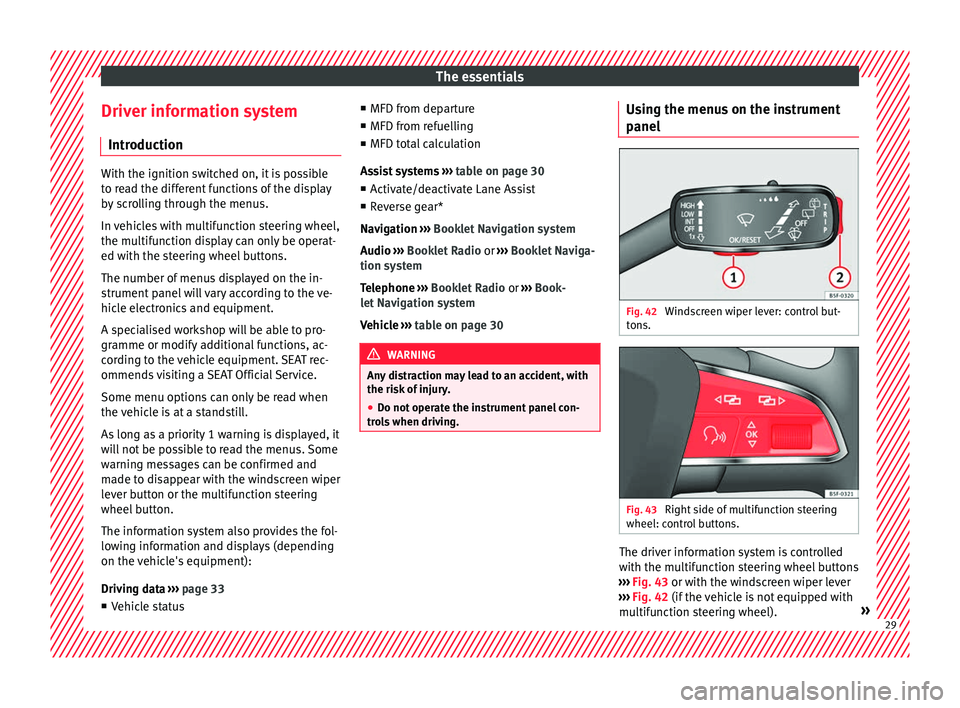
anel Fig. 42
Windscreen wiper lever: control but-
t on
s. Fig. 43
Right side of multifunction steering
wheel: c ontr
ol buttons. The driver information system is controlled
w
ith the mu
ltifunction steering wheel buttons
››› Fig. 43 or with the windscreen wiper lever
››› Fig. 42 (if the vehicle is not equipped with
multifunction steering wheel). » 29
Page 33 of 328

The essentialsMenuFunction
Audio
Station display on the radio.
Track name on the CD.
Track name in Media mode
››› Booklet Ra-
dio or ››› Booklet Navigation system.
Tele-
phoneInformation and possible configurations
of the mobile phone preinstallation
››› Booklet Radio or ››› Booklet Navigation
system.
Vehicle
statusDisplay of the current warning or informa-
tion texts and other system components,
depending on the equipment
››› page 108. Outside temperature display
When the outside temperature is below +4°C
(+39°F), the “ic
e c
rystal” symbol (warning of
risk of freezing) is also displayed. At first, this
symbol flashes and then it remains lit until
the outside temperature rises above +6°C
(+43°F) ››› in Indications on the display on
p ag
e 105.
When the vehicle is at a standstill or when
travelling at very low speeds, the tempera-
ture displayed may be higher than the true
outside temperature as a result of the heat
produced by the engine.
The temperatures measured range from
-40°C to +50°C (-40°F to +122°F). Gear-change indicator
Fig. 45
Instrument panel: gear-change indica-
t or (m
anual gearbox). A gear change will be recommended if the
g
e
ar you are in is not the most economical
choice. If no gear-change is recommended, it
means that you are already in the most eco-
nomical gear.
Vehicles with a manual gearbox
The following display symbols ››› Fig. 45
mean:
● Ch an
ge to a higher gear: the suggested
gear appears to the right of the current gear
when a higher gear is recommended .
● Chan
ge to a lower gear: the suggested
gear appears to the left of the current gear
when a lower gear is recommended .
The gear recommendation may occasionally
skip a gear (2nd 4th). Vehicles with an automatic gearbox*
The di
s
play is only visible in tiptronic mode
››› page 179.
The following display symbols mean:
● Shif tin
g up a gear
● Shiftin
g down a gear CAUTION
The gear-change indicator is intended to help
s av
e fuel, but it is not intended to recom-
mend the right gear for all driving situations.
In certain situations, only the driver can
choose the correct gear (for instance when
overtaking, driving up a steep gradient or
towing a trailer). Note
The display disappears from the instrument
p anel
when you press the clutch pedal. 31
Page 35 of 328
The essentials
Driving data M emor
y The MFD (multifunction display) shows differ-
ent
values for the journey and the consump-
tion.
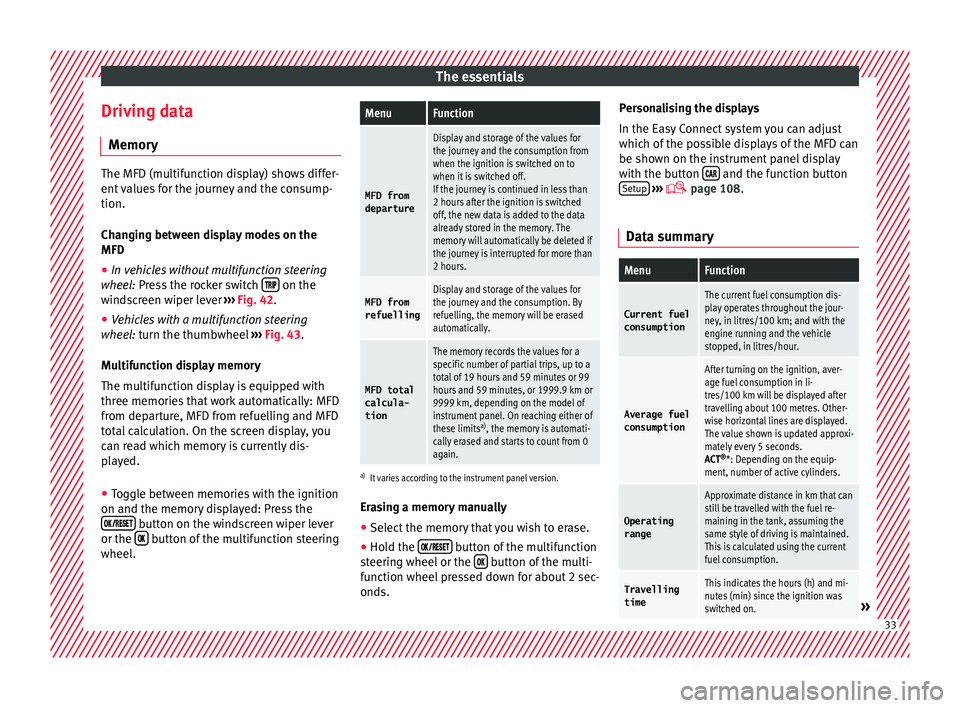
Changing between display modes on the
MFD
● In vehicles without multifunction steering
whee
l: Press the rocker switch on the
w ind
screen wiper lever ›››
Fig. 42.
● Vehicles with a multifunction steering
whe e
l: turn the thumbwheel ›››
Fig. 43.
Multifunction display memory
The multifunction display is equipped with
three memories that work automatically: MFD
from departure, MFD from refuelling and MFD
total calculation. On the screen display, you
can read which memory is currently dis-
played.
● Toggle between memories with the ignition
on and the memory
displayed: Press the
button on the windscreen wiper lever
or the button of the multifunction steering
wheel .
MenuFunction
MFD from
departure
Display and storage of the values for
the journey and the consumption from
when the ignition is switched on to
when it is switched off.
If the journey is continued in less than
2 hours after the ignition is switched
off, the new data is added to the data
already stored in the memory. The
memory will automatically be deleted if
the journey is interrupted for more than
2 hours.
MFD from refuellingDisplay and storage of the values for
the journey and the consumption. By
refuelling, the memory will be erased
automatically.
MFD total
calcula-
tion
The memory records the values for a
specific number of partial trips, up to a
total of 19 hours and 59 minutes or 99
hours and 59 minutes, or 1999.9 km or
9999 km, depending on the model of
instrument panel. On reaching either of
these limits a)
, the memory is automati-
cally erased and starts to count from 0
again.
a) It varies according to the instrument panel version.
Erasing a memory manually
● Select the memory that you wish to erase.
● Hold the button of the multifunction
s t
eering wheel or the button of the multi-
f u
nction wheel pressed down for about 2 sec-
onds. Personalising the displays
In the Ea
sy Connect system you can adjust
which of the possible displays of the MFD can
be shown on the instrument panel display
with the button and the function button
Set up
› ››
p
age 108.
Data summary
MenuFunction
Current fuel
consumption
The current fuel consumption dis-
play operates throughout the jour-
ney, in litres/100 km; and with the
engine running and the vehicle
stopped, in litres/hour.
Average fuel consumption
After turning on the ignition, aver-
age fuel consumption in li-
tres/100 km will be displayed after
travelling about 100 metres. Other-
wise horizontal lines are displayed.
The value shown is updated approxi-
mately every 5 seconds.
ACT ®
*: Depending on the equip-
ment, number of active cylinders.
Operating range
Approximate distance in km that can
still be travelled with the fuel re-
maining in the tank, assuming the
same style of driving is maintained.
This is calculated using the current
fuel consumption.
Travelling timeThis indicates the hours (h) and mi-
nutes (min) since the ignition was
switched on.
» 33
Page 36 of 328
The essentialsMenuFunction
Distance
coveredDistance covered in km (m) after
switching on the ignition.
Average
speed
The average speed will be shown af-
ter a distance of about 100 metres
has been travelled. Otherwise hori-
zontal lines are displayed. The value
shown is updated approximately ev-
ery 5 seconds.
Digital dis- play of
speedCurrent speed displayed in digital
format.
Speed warn-
ing at ---
km/h or Speed
warning at
--- mphIf the stored speed is exceeded (be-
tween 30 - 250 km/h, or 19 -
155 mph), an audible warning is
given together with a visual warn-
ing.
Detection of
traffic
signsThe traffic signs detected are dis-
played.
Oil tempera- tureUpdated engine oil temperature dig-
ital display
Coolant tem-
perature
gaugeDigital display of the current temper-
ature of the liquid coolant. Storing a speed with the speed warning
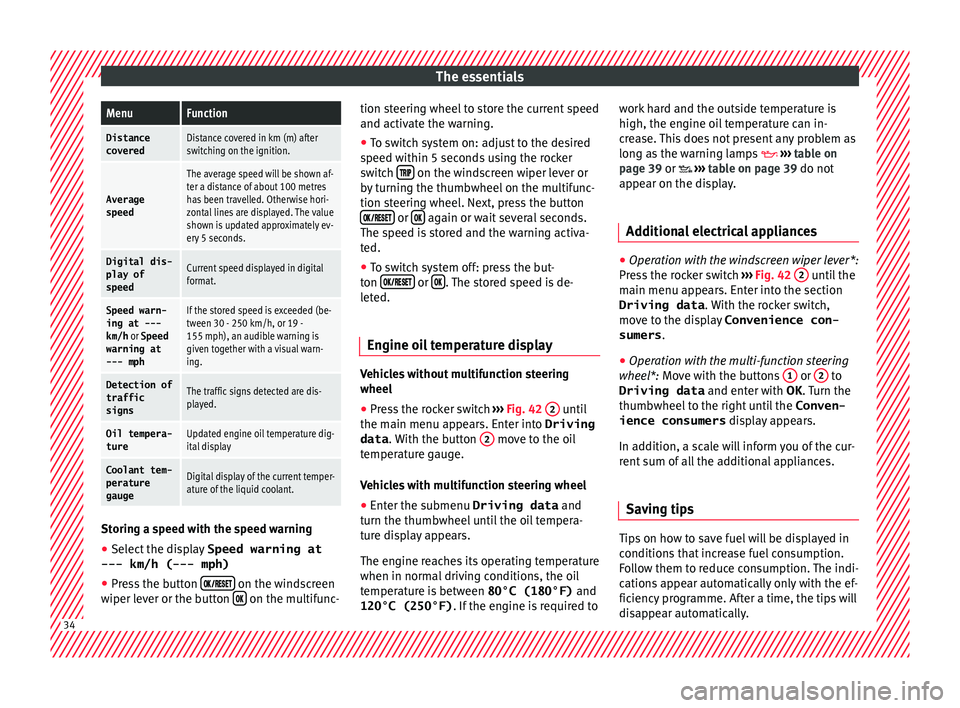
● Select the display Speed warning at
--- km/h (---
mph)
● Press the button
on the windscreen
w iper l
ever or the button on the multifunc-tion steering wheel to store the current speed
and activ
at
e the warning.
● To switch system on: adjust to the desired
speed w
ithin 5 seconds using the rocker
switch on the windscreen wiper lever or
b y
turning the thumbwheel on the multifunc-
tion steering wheel. Next, press the button or
again or wait several seconds.
The s peed i
s stored and the warning activa-
ted.
● To switch system off: press the but-
ton or
. The stored speed is de-
l et
ed.
Engine oil temperature display Vehicles without multifunction steering
wheel
● Press the rocker switch ››
› Fig. 42 2 until
the m ain menu ap
pears. Enter into Driving
data . With the button 2 move to the oil
t emper
ature gauge.
Vehicles with multifunction steering wheel
● Enter the submenu Driving data and
turn the thumb
wheel until the oil tempera-
ture display appears.
The engine reaches its operating temperature
when in normal driving conditions, the oil
temperature is between 80°C (180°F) and
120°C (250°F) . If the engine is required to work hard and the outside temperature is
high, the engine oi
l temperature can in-
crease. This does not present any problem as
long as the warning lamps ››› table on
page 39 or ››› table on page 39 do not
appear on the display.
Additional electrical appliances ●
Operation with the windscreen wiper lever*:
Pr e
ss the rocker switch ››› Fig. 42 2 until the
m ain menu ap
pears. Enter into the section
Driving data . With the rocker switch,
move to the display Convenience con-
sumers .
● Operation with the multi-function steering
whe e
l*: Move with the buttons 1 or
2 to
Driving data and enter w
ith OK . Turn the
thumbwheel to the right until the Conven-
ience consumers display appears.
In addition, a scale will inform you of the cur-
rent sum of all the additional appliances.
Saving tips Tips on how to save fuel will be displayed in
c
ondition
s that increase fuel consumption.
Follow them to reduce consumption. The indi-
cations appear automatically only with the ef-
ficiency programme. After a time, the tips will
disappear automatically. 34
Page 41 of 328
The essentials
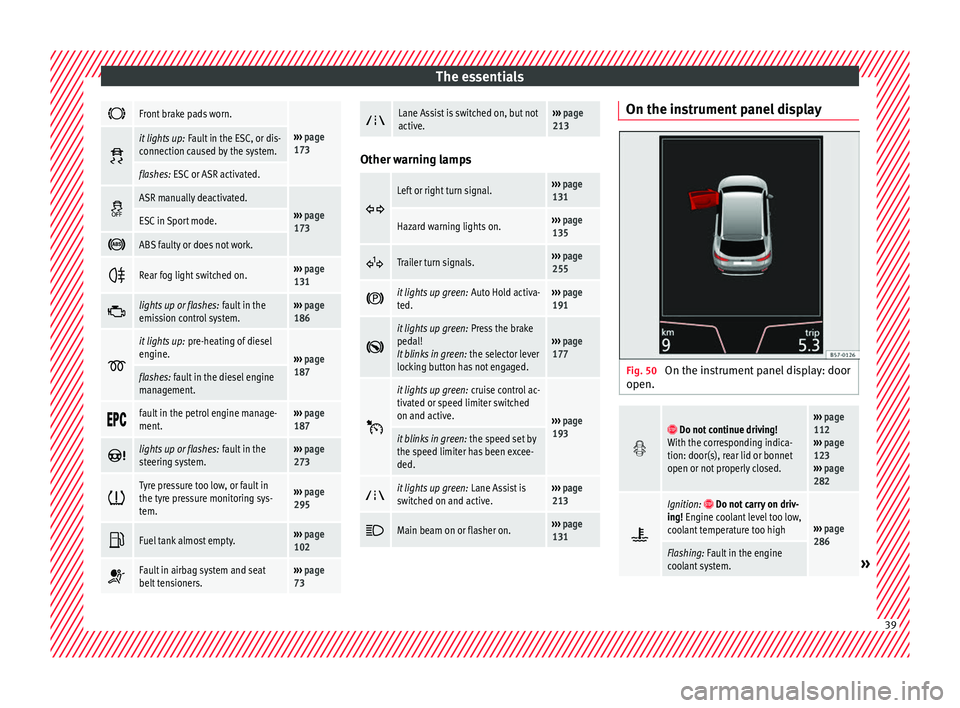
Front brake pads worn.
›››
page
173 it lights up:
Fault in the ESC, or dis-
connection caused by the system.
flashes: ESC or ASR activated.
ASR manually deactivated.›››
page
173ESC in Sport mode.
ABS faulty or does not work.
Rear fog light switched on.›››
page
131
lights up or flashes:
fault in the
emission control system.››› page
186
it lights up:
pre-heating of diesel
engine.
››› page
187
flashes: fault in the diesel engine
management.
fault in the petrol engine manage-
ment.›››
page
187
lights up or flashes:
fault in the
steering system.››› page
273
Tyre pressure too low, or fault in
the tyre pressure monitoring sys-
tem.›››
page
295
Fuel tank almost empty.›››
page
102
Fault in airbag system and seat
belt tensioners.›››
page
73
Lane Assist is switched on, but not
active.›››
page
213 Other warning lamps
Left or right turn signal.›››
page
131
Hazard warning lights on.››› page
135
Trailer turn signals.›››
page
255
it lights up green:
Auto Hold activa-
ted.››› page
191
it lights up green:
Press the brake
pedal!
It blinks in green: the selector lever
locking button has not engaged.››› page
177
it lights up green:
cruise control ac-
tivated or speed limiter switched
on and active.
››› page
193
it blinks in green: the speed set by
the speed limiter has been excee-
ded.
it lights up green:
Lane Assist is
switched on and active.››› page
213
Main beam on or flasher on.›››
page
131 On the instrument panel display
Fig. 50
On the instrument panel display: door
open.
Do not continue driving!
With the corresponding indica-
tion: door(s), rear lid or bonnet
open or not properly closed.››› page
112
››› page
123
››› page
282
Ignition: Do not carry on driv-
ing! Engine coolant level too low,
coolant temperature too high
››› page
286
Flashing: Fault in the engine
coolant system.» 39
Page 50 of 328
The essentials
Fluid Level control Fi l
ling capacities
Tank level
Petrol and diesel
engines50 l, of which, approx. 7 l reserve
Four-wheel drive vehicles :
55 l, of which approx. 8.5 l reserve
Capacity of the windscreen washer fluid container
Versions without
headlight washer
systemapprox. 3 litres
Versions with
headlight washer
systemapprox. 5 litres Fuel
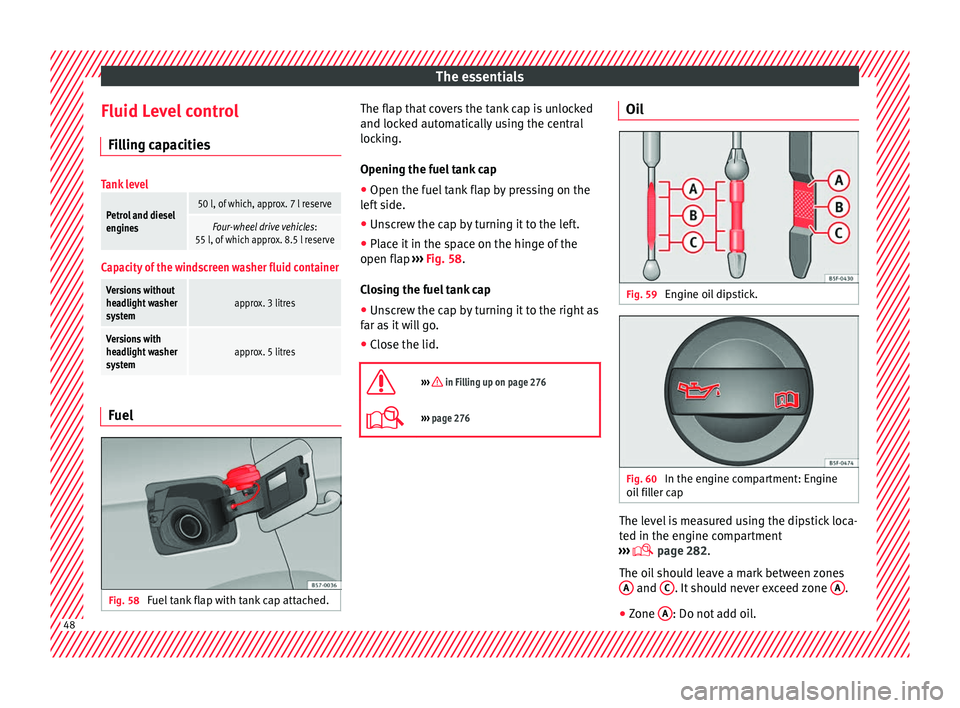
Fig. 58
Fuel tank flap with tank cap attached. The flap that covers the tank cap is unlocked
and loc
k
ed automatically using the central
locking.
Opening the fuel tank cap
● Open the fuel tank flap by pressing on the
lef
t side.
● Unscrew the cap by turning it to the left.
● Place it in the space on the hinge of the
open flap ›
›› Fig. 58.
Closing the fuel tank cap
● Unscrew the cap by turning it to the right as
far a
s it will go.
● Close the lid.
››› in Filling up on page 276
››› page 276 Oil
Fig. 59
Engine oil dipstick. Fig. 60
In the engine compartment: Engine
oi l
filler cap The level is measured using the dipstick loca-
t
ed in the en
gine compartment
››› page 282.
The oil should leave a mark between zones A and
C . It should never exceed zone
A .
● Zone A : Do not add oil.
48
Page 60 of 328
The essentials
Do not pull too hard with the towing vehicle
and t ak
e care to avoid jerking the tow rope.
When towing on an unpaved road, there is al-
ways a risk of overloading and damaging the
anchorage points.
Switch on the ignition so that the turn sig-
nals, windscreen wipers and windscreen
washer can work. Ensure that the steering
wheel is unlocked and moves freely.
Place the gear lever in neutral on vehicles
with a manual gearbox. With an automatic
gearbox, place the lever in N.
To brake, press the brake pedal firmly. The
brake servo does not work when the engine
is switched off.
The power steering only works when the igni-
tion is switched on and the vehicle is moving,
provided that the battery is sufficiently charg-
ed. Otherwise, it will need more force.
Ensure that the tow rope remains taut at all
times.
››› in Introduction on page 86
››› page 86 Tow-starting
If the engine will not start, first try starting it
u
s
ing the battery of another vehicle
››› page 58. You should only attempt to tow-
start a vehicle if charging the battery does
not work. This is done by leveraging wheel
movement.
When tow-starting a vehicle with a petrol en-
gine, do not tow it more than a short dis-
tance, otherwise unburned fuel can enter the
catalytic converter.
● Engage 2nd or 3rd gear before moving off.
● Press the clutch and hold the pedal down.
● Switch the ignition on.
● Once both vehicles are moving, release the
c lut
ch.
● As soon as the engine has started, press
the clut
ch and move the gear lever to neutral.
How to jump start Jump le
ads The jump lead must have a sufficient wire
c
r
oss section.
If the engine fails to start because of a dis-
charged battery, the battery can be connec-
ted to the battery of another vehicle to start
the engine. Jump leads must comply with standard
DIN
72553 (see cab
le manufacturer's instruc-
tions). The wire cross section must be at least
25 mm 2
for petrol engines and at least
35 mm 2
for diesel engines. Note
● The v
ehicles must not touch each other,
otherwise electricity could flow as soon as
the positive terminals are connected.
● The discharged battery must be properly
connect
ed to the on-board network.58
Page 62 of 328
The essentials
on battery). Failure to comply could result in
an e
xp
losion.
● Never use jump leads when one of the bat-
terie
s is frozen. Danger of explosion! Even af-
ter the battery has thawed, battery acid could
leak and cause chemical burns. If a battery
freezes, it should be replaced.
● Keep sparks, flames and lighted cigarettes
aw
ay from batteries, danger of explosion.
Failure to comply could result in an explo-
sion.
● Observe the instructions provided by the
manuf
acturer of the jump leads.
● Do not connect the negative cable from the
other v
ehicle directly to the negative terminal
of the flat battery. The gas emitted from the
battery could be ignited by sparks. Danger of
explosion.
● Do not attach the negative cable from the
other v
ehicle to parts of the fuel system or to
the brake line.
● The non-insulated parts of the battery
cl
amps must not be allowed to touch. The
jump lead attached to the positive battery
terminal must not touch metal parts of the ve-
hicle, this can cause a short circuit.
● Position the leads in such a way that they
cannot
come into contact with any moving
parts in the engine compartment.
● Do not lean on the batteries. This could re-
su
lt in chemical burns. Note
The vehicles must not touch each other, oth-
er w
ise electricity could flow as soon as the
positive terminals are connected. Changing the wiper blades
W ind
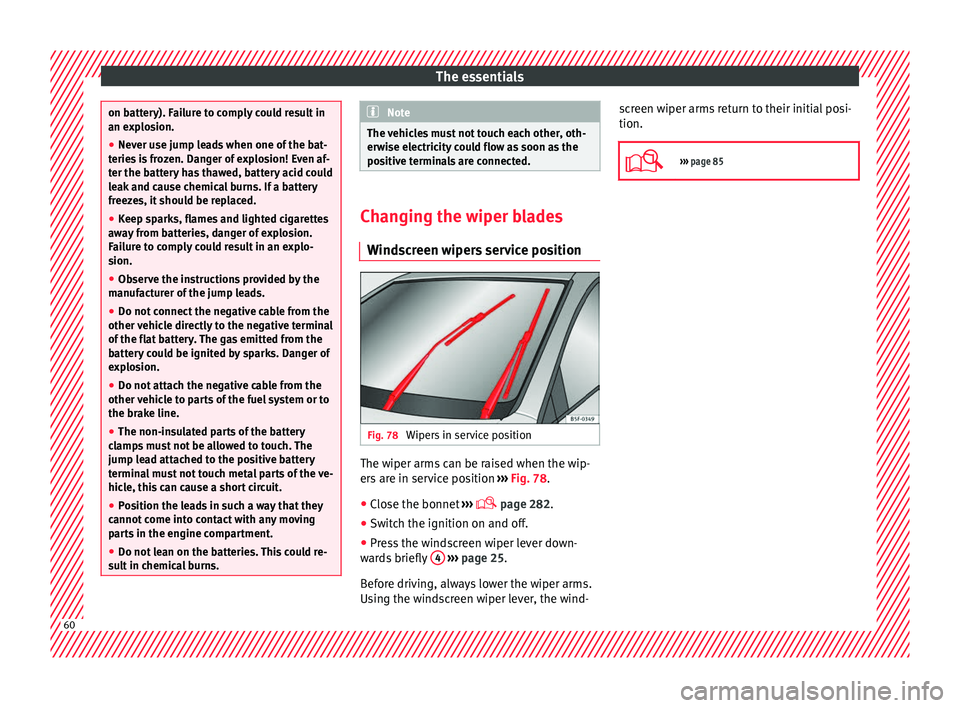
screen wipers service position Fig. 78
Wipers in service position The wiper arms can be raised when the wip-
er
s
are in service position ››› Fig. 78.
● Close the bonnet ››
›
page 282.
● Switch the ignition on and off.
● Press the windscreen wiper lever down-
war
ds briefly 4
› ››
page 25.
Before driving, always lower the wiper arms.
Using the windscreen wiper lever, the wind- screen wiper arms return to their initial posi-
tion.
››› page 85 60
Page 77 of 328
Airbag system
such as the properties of the object the vehi-
c l
e hits (hard/soft), angle of impact, vehicle
speed, etc.
Deceleration trajectory is key for airbag acti-
vation.
The control unit analyses the collision trajec-
tory and activates the respective restraint
system.
If the deceleration rate is below the prede-
fined reference value in the control unit the
airbags will not be triggered, even though
the accident may cause extensive damage to
the car.
The following airbags are triggered in seri-
ous head-on collisions
● Driver airbag.
● Front passenger front airbag
● Knee airbag for the driver.
The fo
llowing airbags are triggered in seri-
ous side-on collisions
● Front side airbag on the side of the acci-
dent.
● R
ear side airbag on the side of the acci-
dent.
● C
urtain (head) airbag on the side of the ac-
cident
. In an accident with airbag activation:
●
the interior lights switch on (if the interior
light sw
itch is in the courtesy light position);
● the hazard warning lights switch on;
● all doors are unlocked;
● the fuel supply to the engine is cut.
Airbag safety instructions Front
airbags Read the additional information carefully
› ›
› page 15. WARNING
● The dep lo
yment space between the front
passengers and the airbags must not in any
case be occupied by other passenger, pets
and objects.
● The airbags provide protection for just one
acc
ident; replace them once they have de-
ployed.
● It is also important not to attach any ob-
ject
s such as cup holders or telephone
mountings to the surfaces covering the air-
bag units.
● Do not attempt to modify components of
the airbag sy
stem in any way. Knee airbag*
Read the additional information carefully
› ›
› page 16. WARNING
● The knee airb ag i
s deployed in front of the
driver's knees. Always keep the deployment
areas of the knee airbags free.
● Never not fix objects to the cover or in the
deplo
yment area of the knee airbag.
● Adjust the driver's seat so that there is a
dis
tance of at least 10 cm (4 inches) between
your knees and the location of the this air-
bag. If your physical constitution prevents
you from meeting these requirements, make
sure you contact a specialised workshop. Side airbags*
Read the additional information carefully
› ›
› page 16. WARNING
● If
you do not wear a seat belt, if you lean
forward, or are not seated correctly while the
vehicle is in motion, you are at a greater risk
of injury if the side airbag system is triggered
in an accident.
● In order for the side airbags to provide their
max
imum protection, the prescribed sitting » 75
Technical data
Advice
Operation
Emergencies
Safety