lights Seat Ateca 2018 Repair Manual
[x] Cancel search | Manufacturer: SEAT, Model Year: 2018, Model line: Ateca, Model: Seat Ateca 2018Pages: 348, PDF Size: 7.32 MB
Page 199 of 348
Driving
Driving down hills: in some s it
uation s (on
mountain roads or when towing a trailer or
caravan) it can be advantageous to switch
temporarily to the manual gearbox pro-
gramme so that the gear ratios can be selec-
ted manually to suit the driving conditions
››› .
On l ev
el
ground it is sufficient to move the
selector lever to position P. On slopes, first
engage the parking brake and then put the
selection lever into the P position. This
avoids overloading the locking mechanism
and it will be easier to move the selector lev-
er from position P. WARNING
Observe the safety warnings ›››
in Selector
lev er po
sitions on page 194.
● Never allow the brake to rub and do not use
the brake ped
al too often or for long periods.
Constant braking causes overheating in the
brakes. This could significantly reduce brak-
ing power, increase braking distance or even
result in the total failure of the brake system.
● To avoid rolling back on gradients always
hold the
vehicle with the footbrake or hand-
brake if you have to stop. CAUTION
● If y
ou stop the vehicle on a gradient, do not
attempt to stop it from rolling by depressing
the accelerator when a gear has been selec-
ted. This could cause overheating and dam- age the automatic gearbox. Apply the hand-
brak
e firm
ly or press the brake pedal in order
to prevent the vehicle from rolling back.
● If you allow the car to roll with the selector
lever in po
sition N with the engine switched
off, the automatic gearbox will be damaged as it will not be lubricated.
● In certain driving situations or traffic condi-
tions, suc
h as frequently starting, prolonged
“creeping” of the vehicle or traffic jams with
continuous stoppages, the gearbox could
overheat causing damage! If the warning
lamp lights up, stop the vehicle as soon as
possible and wait for the gearbox to cool
››› page 200. Kick-down feature
The kick-down feature allows maximum ac-
c
el
er
ation to be reached.
When the accelerator pedal is pressed right
down past the point of resistance at full throt-
tle, the gearbox will shift down to a lower
gear, depending on road speed and engine
speed. The upshift to the next higher gear is
delayed until the engine reaches maximum
rpm. WARNING
Please note that if the road surface is slip-
pery or w
et, the kick-down feature could cause the driving wheels to spin, which could
re
s
ult in skidding. Launch control program
3 Valid for vehicles: with Launch-Control/6-Speed
D SG w
ith diesel engines superior to 125 kW and pet-
rol engines superior to 140 kW.
The Launch control programme enables maxi-
mum acceleration.
Important: the engine must have reached op-
erating temperature and the steering wheel
must not be turned.
The engine speed for launch-control is differ-
ent on petrol and diesel engines. To use the
launch-control you must disconnect the anti-
slip regulation (ASR) through the Easy Con-
nect system menu ››› page 120. The warning
lamp will stay switched on or will flash
slowly depending on whether or not the vehi-
cle has a driver information system*.
On vehicles with the driver information sys-
tem, the ESC lamp lights up permanently and
the corresponding text message Stability
control deactivated (temporary) ap-
pears on the instrument panel to indicate the
deactivation status. »
197Technical data
Advice
Operation
Emergencies
Safety
Page 202 of 348
Operation
Gearbox malfunctions Gearbox: Fault! Stop the ve-
hicle and place the lever in the
position P.
Ther e is
a fault in the gearbox. Stop the vehi-
cle in a safe place and do not continue driv-
ing. Seek specialist assistance.
Gearbox: System fault! You
may continue driving.
Have the fault corrected by a specialised
workshop without delay. Gearbox: System fault! You
can continue driving with re-
strictions. Reverse gear disa‐
bled
Take the vehicle to a specialised workshop
and have the fault repaired without delay. Gearbox: System fault! You
can continue driving in D until
switching off the engine
Stop the vehicle in a safe place well away
from moving traffic. Seek specialist assis-
tance. Gearbox: too hot. Adapt your
driving accordingly
Continue driving at moderate speeds. When
the warning lamp switches off, you can con-
tinue driving in a normal manner. Gearbox: press the brake and
engage a gear again.
If the fau
lt was caused by a gearbox with a
high temperature, this driver message will be
displayed when the gearbox has cooled
again.
Address Electromec
hanical steering Electro-mechanical power steering assists
the driv
er when s
t
eering.
Electro-mechanical power steering adapts
electronically to the speed of the car, torque
and turning angle.
If the power steering should fail at any time
or the engine is switched off (for instance
when being towed), the car can still be
steered. However, more effort than normal
will be required to turn the steering wheel.
Driver warning lamps and messages (in red) Faulty steering! To
park the vehicle
If the warning lamp remains on and the driver
indication appears, the power steering could
be faulty.
Do not continue driving. Seek specialist as-
sistance. (in yellow) Steering: System
fault! You may continue driving.
If the warnin
g lamp comes on, the steering
could react with more difficultly or more sen-
sitivity than normal. In addition, when driving
in a straight line the steering wheel may be
off-centre.
Drive slowly to a specialised workshop and
have the fault repaired.
(in yellow) Steering lock:
fault! Go to an Official Service
The electronic steering lock is malfunction-
ing.
Go to a specialised workshop as soon as
possible and have the fault repaired. WARNING
Take it immediately to a specialised work-
shop and hav e the f
ault repaired: risk of acci-
dent! Note
If the lamp (in red) or el se
(in yellow)
lights up briefly, you may continue driving. 200
Page 204 of 348
Operation
Active cylinder management (ACT ®
)*
D ependin
g on
vehicle equipment, the active
cylinder management (ACT ®
) may automati-
cally deactivate some of the engine cylinders
if the driving situation does not require too
much power. When it is switched off, no fuel
is injected into these cylinders, hence total
fuel consumption may be reduced. The num-
ber of active cylinders can be seen on the in-
strument panel display ›››
page 37.
Foresight when driving
Acceleration causes the vehicle to consume
more fuel. If you think ahead when driving,
you will need to brake less and thus acceler-
ate less. Wherever possible, let the car roll
slowly to a stop, with a gear engaged (for in-
stance when you can see that the next traffic
lights are red). This takes advantage of the
engine braking effect, reducing wear on the
brakes and tyres. Emissions and fuel con-
sumption will drop to zero due to the overrun
fuel cut-off.
Changing gear to save energy
An effective way of saving is to change in ad-
vance to a higher gear. Running the engine at
high rpm in the lower gears uses an unneces-
sary amount of fuel.
Manual gearbox : shift up from first to second
gear as soon as possible. In any case, we rec-
ommend that you change to a higher gear
upon reaching 2,000 rpm. Choosing the right gear enables fuel savings. Select the highest
poss
ible gear appropriate for the driving sit-
uation (the engine should continue function-
ing with cyclical regularity).
Automatic gearbox : accelerate gradually and
without reaching the “kick-down” position.
Avoid driving at high speed
Avoid travelling at top speed, whenever pos-
sible. Fuel consumption, emission of harmful
gases and noise pollution multiply dispropor-
tionately as speed is increased. Driving at
moderate speeds will help to save fuel.
Reduce idling time
In vehicles with the Start-Stop system idling
is automatically reduced. In vehicles without
the Start-Stop system it is worth switching off
the engine, for example, at level crossings
and at traffic lights that remain red for long
periods of time. When an engine has reached
operating temperature, and depending on
the cylinder capacity, keeping it switched off
for a minimum of about 5 seconds already
saves more than the amount of fuel necessa-
ry for restarting.
The engine takes a long time to warm up
when it is idling. Mechanical wear and pollu-
tant emissions are also especially high dur-
ing this initial warm-up phase. It is therefore
best to drive off immediately after starting the engine. Avoid running the engine at high
speed.
Re
gular maintenance
Regular servicing helps in saving fuel even
before the engine is started. A well-serviced
engine gives you the benefit of improved fuel
efficiency as well as maximum reliability and
an enhanced resale value. A badly serviced
engine can consume up to 10% more fuel
than necessary.
Avoid short journeys
The engine and catalytic converter need to
reach their optimal operating temperature in
order to minimise fuel consumption and
emissions.
A cold engine consumes a disproportionate
amount of fuel. The engine reaches its work-
ing temperature after about four kilometres
(2.5 miles), when fuel consumption will re-
turn to a normal level.
Check tyre pressure
Always make sure the tyres are inflated to the
correct pressures ››› page 308 to save fuel. If
the pressure is below half bar, fuel consump-
tion may increase by 5%. Due to the greater
rolling resistance, under-inflation also increa-
ses tyre wear and impairs handling.
Do not use winter tyres all year round as they
increase fuel consumption by up to 10%.
202
Page 207 of 348
Driving
Catalytic converter 3 Applies to vehicles with petrol engine
The v
ehicle must only be used with unleaded
petrol, otherwise the catalytic converter will
be irreparably damaged.
Never drive until the tank is empty; an irregu-
lar supply of fuel can cause faulty combus-
tion. In these cases, unburned fuel reaches
the exhaust system, which can overheat and
damage the catalytic converter.
Diesel particulate filter 3 App
lies to vehicles with diesel engine
The die
sel engine particulate filter eliminates
most of the soot from the exhaust gas sys-
tem. Under normal driving conditions, the fil-
ter cleans itself. The diesel particulate filter is
cleaned automatically without need for indi-
cation by the warning lamp . This may be
noticed because the engine idle speed in-
creases and an odour may be detected.
If automatic filter purification cannot be car-
ried out (because only short trips are taken,
for example), soot will accumulate on the fil-
ter and the Diesel particulate filter warning
lamp will switch on.
Facilitate the automatic filter cleaning proc-
ess by driving in the following manner: drive
for approximately 15 minutes at a minimum
speed of 60 km/h (37 mph) in 4th or 5th gear (automatic gearbox: gear S). Maintain the en-
gine speed at
ap
proximately 2,000 rpm. The
rise in temperature causes the soot on the fil-
ter to burn. On completion of the cleaning
the warning lamp will switch off. If the warn-
ing lamp does not switch off, go immediately
to a specialised workshop to rectify the prob-
lem.
Engine management* This warning lamp monitors the engine man-
ag
ement
sy
stem for petrol engines.
The warning lamp (Electronic Power Con-
trol) lights up when the ignition is switched
on while system operation is being verified. It
should go out once the engine is started.
If there is a fault in the electronic engine
management system while you are driving,
this warning lamp will light up. Take the vehi-
cle to a specialised workshop as soon as
possible and have the engine checked.
Emission control system* Control lamp
fla
she
s:
When there is misfiring that can damage the
catalytic converter. Reduce speed and drive
carefully to the nearest specialised workshop
to have the engine checked. The control lamp
lights up:
If
a fault has developed during driving which
has reduced the quality of the exhaust gas
(e.g. lambda probe fault). Reduce speed and
drive carefully to the nearest specialised
workshop to have the engine checked.
Engine pre-heating/fault system* The warning lamp lights up to show that the
glow p
lug
s are preheating the diesel engine.
The control lamp lights up
If the control lamp lights up when the en-
gine is started it means that the glow plugs
are preheating. The engine can be started
straight away when the lamp switches off.
Control lamp flashes
If a fault develops in the engine management
system while you are driving, the glow plug
system lamp will flash . Take the vehicle to
a specialised workshop as soon as possible
and have the engine checked.
205
Technical data
Advice
Operation
Emergencies
Safety
Page 210 of 348
Operation
Driver assistance systems
St ar
t
-Stop System*
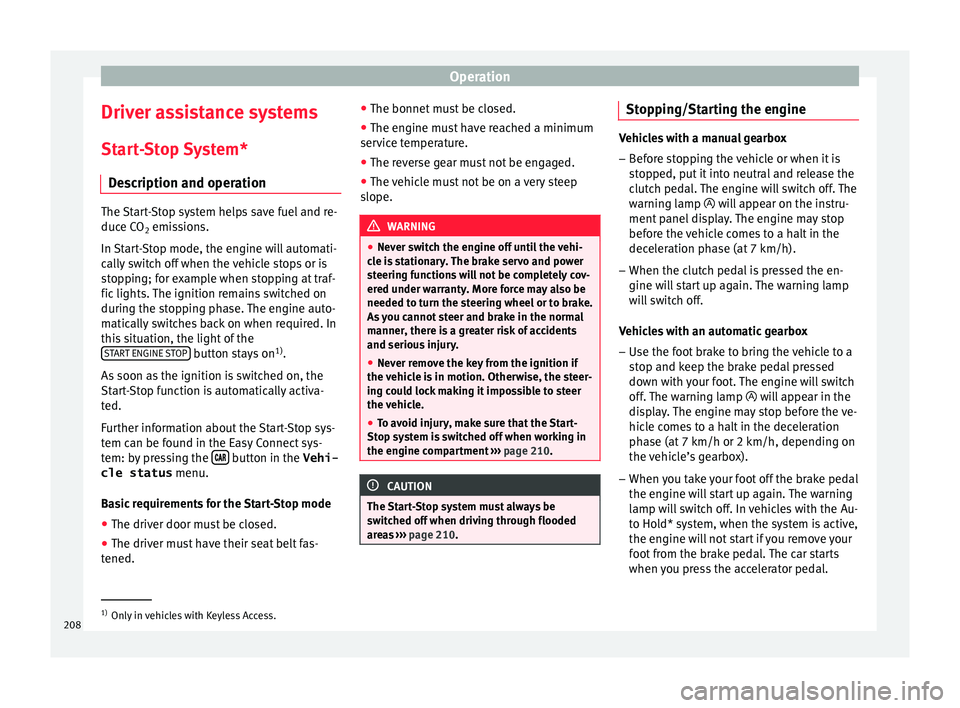
Description and operation The Start-Stop system helps save fuel and re-
duce C
O
2 emi
ssions.
In Start-Stop mode, the engine will automati-
cally switch off when the vehicle stops or is
stopping; for example when stopping at traf-
fic lights. The ignition remains switched on
during the stopping phase. The engine auto-
matically switches back on when required. In
this situation, the light of the START ENGINE STOP button stays on
1)
.
As soon a
s
the ignition is switched on, the
Start-Stop function is automatically activa-
ted.
Further information about the Start-Stop sys-
tem can be found in the Easy Connect sys-
tem: by pressing the button in the Vehi-
cle status menu.
B a
s
ic requirements for the Start-Stop mode
● The driver door must be closed.
● The driver must have their seat belt fas-
tened. ●
The bonnet mus
t be closed.
● The engine must have reached a minimum
servic
e temperature.
● The reverse gear must not be engaged.
● The vehicle must not be on a very steep
slope. WARNING
● Never sw it
ch the engine off until the vehi-
cle is stationary. The brake servo and power
steering functions will not be completely cov-
ered under warranty. More force may also be
needed to turn the steering wheel or to brake.
As you cannot steer and brake in the normal
manner, there is a greater risk of accidents
and serious injury.
● Never remove the key from the ignition if
the vehic
le is in motion. Otherwise, the steer-
ing could lock making it impossible to steer
the vehicle.
● To avoid injury, make sure that the Start-
Stop sys
tem is switched off when working in
the engine compartment ››› page 210. CAUTION
The Start-Stop system must always be
swit c
hed off when driving through flooded
areas ››› page 210. Stopping/Starting the engine
Vehicles with a manual gearbox
– Before stopping the vehicle or when it is
stop
ped, put it into neutral and release the
clutch pedal. The engine will switch off. The
warning lamp will appear on the instru-
ment panel display. The engine may stop
before the vehicle comes to a halt in the
deceleration phase (at 7 km/h).
– When the clutch pedal is pressed the en-
gine wil
l start up again. The warning lamp
will switch off.
Vehicles with an automatic gearbox – Use the foot brake to bring the vehicle to a
stop and k
eep the brake pedal pressed
down with your foot. The engine will switch
off. The warning lamp will appear in the
display. The engine may stop before the ve-
hicle comes to a halt in the deceleration
phase (at 7 km/h or 2 km/h, depending on
the vehicle’s gearbox).
– When you take your foot off the brake pedal
the engine wi
ll start up again. The warning
lamp will switch off. In vehicles with the Au-
to Hold* system, when the system is active,
the engine will not start if you remove your
foot from the brake pedal. The car starts
when you press the accelerator pedal. 1)
Only in vehicles with Keyless Access.
208
Page 213 of 348
Driver assistance systems
disconnected manually in the Easy Connect
sy s
t
em by pressing the button and the
HDC function button
››
›
Fig. 42.
Control lamps
››› in Warning and control lamps on
p ag
e 119
.
It lights up white
Hill Descent Control is active.
It lights up grey
Hill Descent Control is not active. The system is switched
on, but is not adjusting.
Some warning and control lamps will light up
briefly
when the ignition i
s
switched on to
check certain functions. They will switch off
after a few seconds. WARNING
Observe the safety warnings ›››
in Warning
and contr o
l lamps on page 119. WARNING
Always be ready to brake. Otherwise, an acci-
dent c ou
ld occur and cause injury.
● Hill Descent Control is only an auxiliary
syst
em that in some situations may not suffi-
ciently brake the vehicle when going down a
slope. ●
The speed of the
vehicle may increase de-
spite the intervention of Hill Descent Control. Auto Hold Function
De s
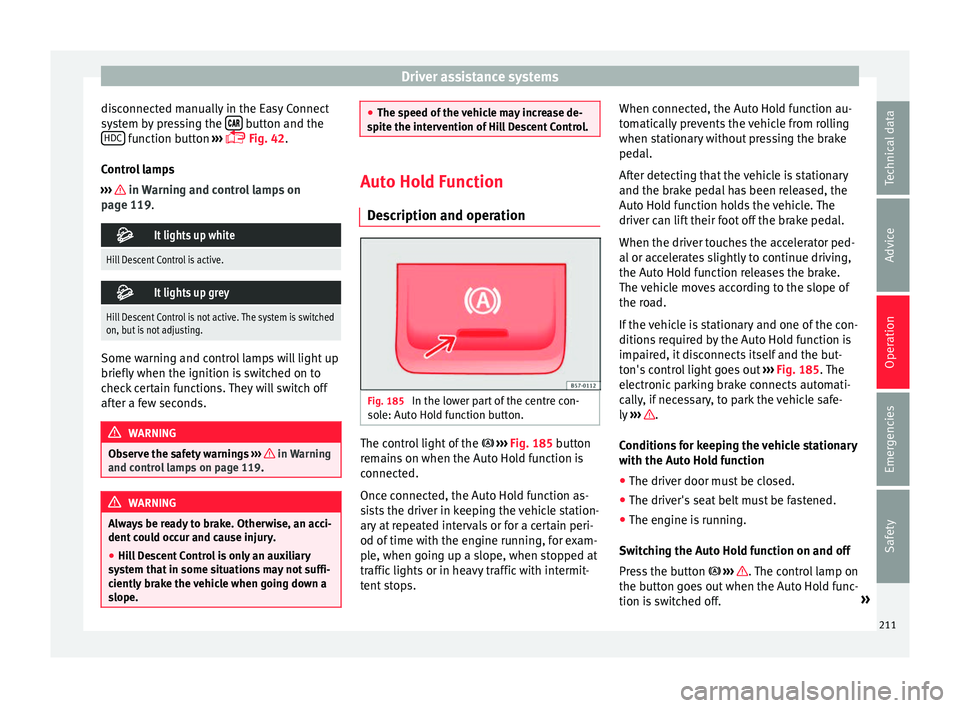
cription and operation Fig. 185
In the lower part of the centre con-
so l
e: Aut
o Hold function button. The control light of the
› ›
›
Fig. 185 button
remains on when the Auto Hold function is
connected.
Once connected, the Auto Hold function as-
sists the driver in keeping the vehicle station-
ary at repeated intervals or for a certain peri-
od of time with the engine running, for exam-
ple, when going up a slope, when stopped at
traffic lights or in heavy traffic with intermit-
tent stops. When connected, the Auto Hold function au-
tomatic
ally prevents the vehicle from rolling
when stationary without pressing the brake
pedal.
After detecting that the vehicle is stationary
and the brake pedal has been released, the
Auto Hold function holds the vehicle. The
driver can lift their foot off the brake pedal.
When the driver touches the accelerator ped-
al or accelerates slightly to continue driving,
the Auto Hold function releases the brake.
The vehicle moves according to the slope of
the road.
If the vehicle is stationary and one of the con-
ditions required by the Auto Hold function is
impaired, it disconnects itself and the but-
ton's control light goes out ››› Fig. 185. The
electronic parking brake connects automati-
cally, if necessary, to park the vehicle safe-
ly ››› .
C ondition
s
for keeping the vehicle stationary
with the Auto Hold function
● The driver door must be closed.
● The driver's seat belt must be fastened.
● The engine is running.
Switc
hing the Auto Hold function on and off
Press the button ››› . The control lamp on
the b utt
on g
oes out when the Auto Hold func-
tion is switched off. »
211
Technical data
Advice
Operation
Emergencies
Safety
Page 216 of 348
Operation
Speed limiter Di s
p
lay messages and warning and
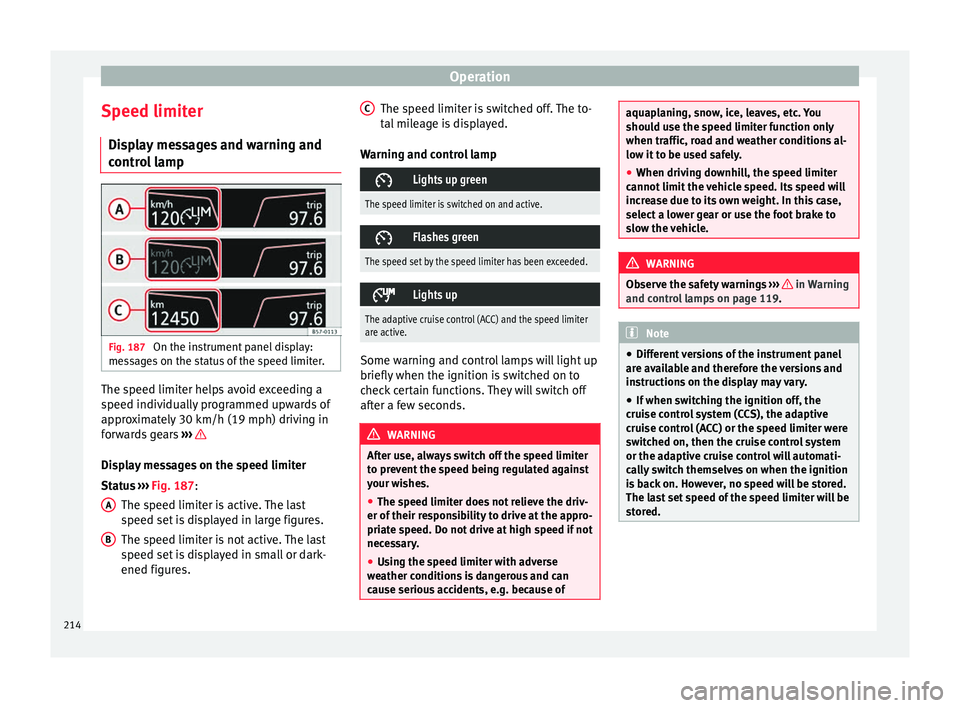
control lamp Fig. 187
On the instrument panel display:
me s
s
ages on the status of the speed limiter. The speed limiter helps avoid exceeding a
s peed indiv
idual
ly programmed upwards of
approximately 30 km/h (19 mph) driving in
forwards gears ››› Display messages on the speed limiter
St
at
u
s ››› Fig. 187:
The speed limiter is active. The last
speed set is displayed in large figures.
The speed limiter is not active. The last
speed set is displayed in small or dark-
ened figures.
A B The speed limiter is switched off. The to-
t
al
mi
leage is displayed.
Warning and control lamp
Lights up green
The speed limiter is switched on and active.
Flashes green
The speed set by the speed limiter has been exceeded.
Lights up
The adaptive cruise control (ACC) and the speed limiter
are active.
Some warning and control lamps will light up
briefly
when the ignition i
s
switched on to
check certain functions. They will switch off
after a few seconds. WARNING
After use, always switch off the speed limiter
to pr ev
ent the speed being regulated against
your wishes.
● The speed limiter does not relieve the driv-
er of their re
sponsibility to drive at the appro-
priate speed. Do not drive at high speed if not
necessary.
● Using the speed limiter with adverse
weather c
onditions is dangerous and can
cause serious accidents, e.g. because of C
aquaplaning, snow, ice, leaves, etc. You
shoul
d u
se the speed limiter function only
when traffic, road and weather conditions al-
low it to be used safely.
● When driving downhill, the speed limiter
cannot limit
the vehicle speed. Its speed will
increase due to its own weight. In this case,
select a lower gear or use the foot brake to
slow the vehicle. WARNING
Observe the safety warnings ›
››
in Warning
and contr o
l lamps on page 119. Note
● Differ ent
versions of the instrument panel
are available and therefore the versions and
instructions on the display may vary.
● If when switching the ignition off, the
cruise c
ontrol system (CCS), the adaptive
cruise control (ACC) or the speed limiter were
switched on, then the cruise control system
or the adaptive cruise control will automati-
cally switch themselves on when the ignition
is back on. However, no speed will be stored.
The last set speed of the speed limiter will be
stored. 214
Page 221 of 348
Driver assistance systems
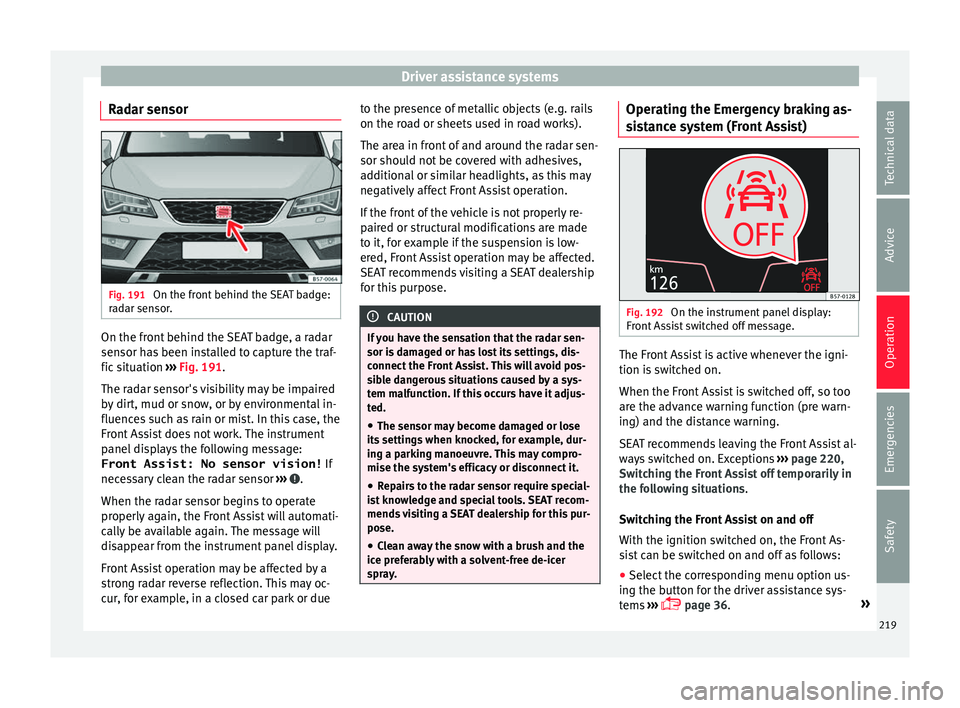
Radar sensor Fig. 191
On the front behind the SEAT badge:
r a
d
ar sensor. On the front behind the SEAT badge, a radar
sen
sor h
a
s been installed to capture the traf-
fic situation ››› Fig. 191.
The radar sensor's visibility may be impaired
by dirt, mud or snow, or by environmental in-
fluences such as rain or mist. In this case, the
Front Assist does not work. The instrument
panel displays the following message: Front Assist: No sensor vision! If
necessary clean the radar sensor ››› .
When the r a
d
ar sensor begins to operate
properly again, the Front Assist will automati-
cally be available again. The message will
disappear from the instrument panel display.
Front Assist operation may be affected by a
strong radar reverse reflection. This may oc-
cur, for example, in a closed car park or due to the presence of metallic objects (e.g. rails
on the roa
d or sheets used in road works).
The area in front of and around the radar sen-
sor should not be covered with adhesives,
additional or similar headlights, as this may
negatively affect Front Assist operation.
If the front of the vehicle is not properly re-
paired or structural modifications are made
to it, for example if the suspension is low-
ered, Front Assist operation may be affected.
SEAT recommends visiting a SEAT dealership
for this purpose. CAUTION
If you have the sensation that the radar sen-
sor is d
amaged or has lost its settings, dis-
connect the Front Assist. This will avoid pos-
sible dangerous situations caused by a sys-
tem malfunction. If this occurs have it adjus-
ted.
● The sensor may become damaged or lose
its settin
gs when knocked, for example, dur-
ing a parking manoeuvre. This may compro-
mise the system's efficacy or disconnect it.
● Repairs to the radar sensor require special-
ist
knowledge and special tools. SEAT recom-
mends visiting a SEAT dealership for this pur-
pose.
● Clean away the snow with a brush and the
ice pref
erably with a solvent-free de-icer
spray. Operating the Emergency braking as-
s
i
s
tance system (Front Assist) Fig. 192
On the instrument panel display:
Fr ont
As
sist switched off message. The Front Assist is active whenever the igni-
tion i
s
sw
itched on.
When the Front Assist is switched off, so too
are the advance warning function (pre warn-
ing) and the distance warning.
SEAT recommends leaving the Front Assist al-
ways switched on. Exceptions ››› page 220,
Switching the Front Assist off temporarily in
the following situations.
Switching the Front Assist on and off
With the ignition switched on, the Front As-
sist can be switched on and off as follows:
● Select the corresponding menu option us-
ing the b utt
on for the driver assistance sys-
tems ›››
page 36. »
219
Technical data
Advice
Operation
Emergencies
Safety
Page 222 of 348
Operation
● OR: sw it
c
h the system on and off in Easy
Connect using the button and the
S ET
TINGS and
Driv
er a
s
sistance function but-
t on
s
›››
page 33.
When Front Assist is switched off, the instru-
ment panel will inform that it has been
switched off with the following indicator
››› Fig. 192.
Activating or deactivating the pre-warning
(advance warning)
The pre-warning function (advance warning)
can be switched on or off in the Easy Connect
system with the button and the
S
ET
TINGS and
Driv
er a
s
sistance function buttons
› ›
›
page 33.
The system will store the setting for the next
time the ignition is switched on.
SEAT recommends keeping the pre-warning
function switched on at all times.
Depending on the infotainment system in-
stalled in the vehicle, the advance warning
function may be adjusted as follows:
● Advance
● Medium
● Delayed
● Deactivated
SEAT r
ecommends driving with the function
in “Medium” mode. Switching distance warning on and off
If the saf
e distance with regard to the vehicle
in front is exceeded, the relevant warning will
appear on the instrument panel display
. In this case, increase the safe dis-
tance.
The distance warning can be switched on and
off in the Easy Connect system using the button and the
S
ET
TINGS and
Driv er a
s
sistance function buttons
› ›
›
page 33.
The system will store the setting for the next
time the ignition is switched on.
SEAT recommends keeping the distance
warning switched on at all times.
Switching the Front Assist off tempo-
rarily
in the following situations In the following situations the Front Assist
shou
l
d be de
activated due to the system's
limitations:
● When the vehicle is to be towed.
● If the vehicle is on a test bed.
● When the radar sensor is damaged.
● If the radar sensor takes a heavy knock, for
examp
le in a rear collision.
● If it intervenes several times unnecessarily. ●
If the ra
dar sensor is covered temporarily
with some kind of accessory, such as an ad-
ditional headlight or the like.
● When the vehicle is to be loaded on a lorry,
ferry
or train.
System limitations The Front Assist has certain physical limita-
tions
inher
ent to the system. Thus, in certain
circumstances, some of the system's reac-
tions may be inopportune from the driver's
standpoint. So pay attention in order to inter-
vene if necessary.
The following conditions may cause the Front
Assist not to react or to do so too late:
● In the first few instants of driving after
swit c
hing on the ignition, due to the system’s
initial auto-calibration.
● On taking tight bends or complex paths.
● Pressing the accelerator all the way down.
● If the Front Assist is switched off or dam-
aged.
● If the ASR h
as been disconnected or the
ESC activ
ated in Sport mode manually
››› page 191.
● If the ESC is controlling.
● If several brake lights of the vehicle or elec-
trical ly
connected trailer are damaged.
220
Page 224 of 348
Operation
●
Never u se the A
CC when driving off-road or
on unpaved roads. The ACC has been de-
signed for use on paved roads only.
● The ACC does not react on approaching a
fixed o
bstacle, such as the tail of a traffic
jam, a damaged vehicle or a vehicle stopped
at the traffic lights.
● The ACC only reacts to people if a pedes-
trian monitorin
g system is available. In addi-
tion, the system does not react to animals or
vehicles crossing your path or approaching
head-on down the same lane.
● If the ACC does not reduce speed sufficient-
ly, brak
e the vehicle immediately by applying
the pedal.
● If you are driving using the spare wheel,
the ACC
system could automatically switch
off during the journey. Switch off the system
when starting off.
● If the vehicle continues to move involuntar-
ily af
ter a driver intervention prompt, brake
the vehicle by applying the pedal.
● If the dash panel displays a driv
er interven-
tion prompt, adjust the distance yourself.
● The driver should be ready to accelerate or
brake b
y him/herself at all times. CAUTION
If you have the sensation that the radar sen-
sor is d
amaged, disconnect the ACC. This will
avoid possible damage. If this occurs have it
adjusted. ●
Rep air
s to the radar sensor require special-
ist knowledge and special tools. SEAT recom-
mends visiting a SEAT dealership for this pur-
pose. Note
● If the A C
C system does not work as descri-
bed in this chapter, do not use it until it has
been checked by a specialised workshop.
SEAT recommends visiting a SEAT dealership
for this purpose.
● Maximum speed with the ACC activated is
limited to 210 km/h (150 mph).
● When the A
CC is switched on, strange
noises
may be heard during automatic brak-
ing cause by the braking system. Indications on the display, warning
and c
ontr
o
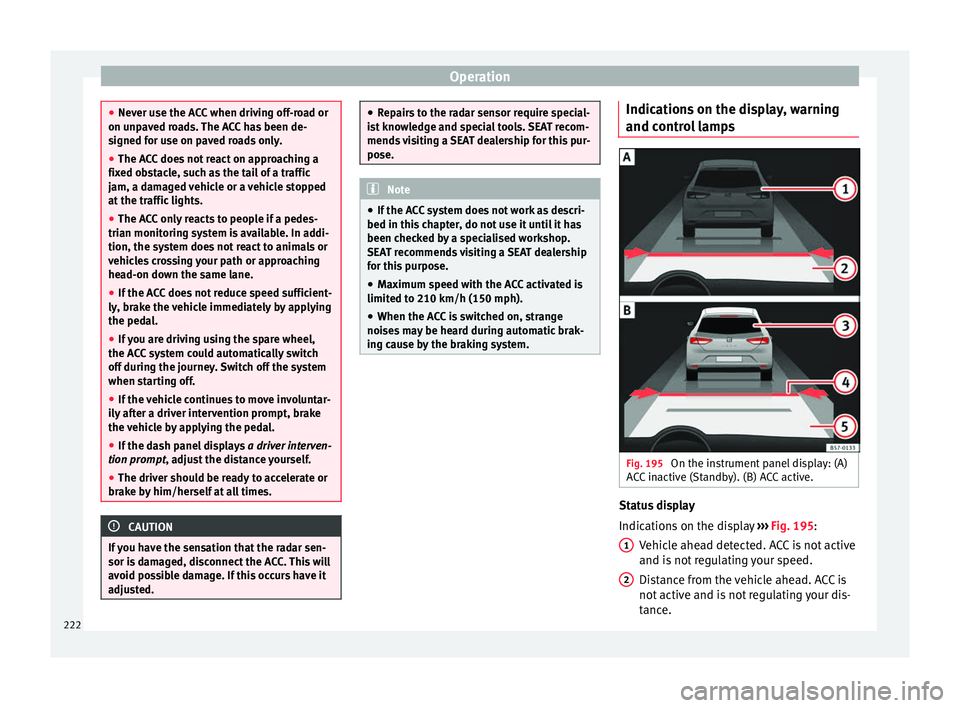
l lamps Fig. 195
On the instrument panel display: (A)
A C
C
inactive (Standby). (B) ACC active. Status display
Indic
ation
s
on the display ››› Fig. 195:
Vehicle ahead detected. ACC is not active
and is not regulating your speed.
Distance from the vehicle ahead. ACC is
not active and is not regulating your dis-
tance.
1 2
222