key Seat Cordoba 2007 Owner's Guide
[x] Cancel search | Manufacturer: SEAT, Model Year: 2007, Model line: Cordoba, Model: Seat Cordoba 2007Pages: 256, PDF Size: 7.75 MB
Page 85 of 256

Unlocking and locking83
Safety First
Operating instructions
Tips and Maintenance
Te c h n i c a l D a t a
Buttons in the driver door
Button for window in front left door
Button for window in front right door
Buttons for rear windows* Safety switch for deactivating the electric window buttons in the rear
doors
Button for window in rear right door
Button for window in rear left door
Safety switch
*
Safety switch in the driver door can be used to disable the electric window
buttons in the rear doors.
Safety switch not pushed in: the buttons in the rear doors are enabled.
Safety switch pushed in: the buttons in the rear doors are disabled.
WARNING
•
Incorrect use of the electric windows can result in injury.
•
Never close the tailgate without observing and ensuring it is clear, to do
otherwise could cause serious injury to you and others. Make sure that no
one is in the path of a window.
•
Always take the vehicle key with you when you leave the vehicle.
•
Never leave children or disabled persons in the vehicle, particularly if
they have access to the keys. Unsupervised use of a key could mean that
the engine is started or that electrical equipment is used (e.g. electric
windows). Risk of accident. The door s can be locked using the remote
control key. This could result in people being trapped in the vehicle in an
emergency.
•
The electric windows will work until the key has been removed from the
ignition and one of the front doors has been opened.
•
If necessary, use the safety switch to disable the rear electric windows.
Make sure that they have been disabled.Note
If the window is not able to close becau se it is stiff or because of an obstruc-
tion, the window will automatically open again ⇒ page 84. If this happens,
check why the window could not be closed before attempting to close it
again.One-touch opening and closing*
The one-touch opening and closing function is only possible
on the front doors and can only be activated from the driver’s
door.One-touch closing
– Pull up the button for the window briefly to the second position. The window closes fully.
One-touch opening
– Push down the button for the window briefly to the second posi- tion. The window opens fully.
Restoring one-touch opening and closing
– Close all windows.
A1A2A3A4A5
A3
WARNING (continued)
cordoba_ingles_0706 Seite 83 Montag, 28. August 2006 1:18 13
Page 86 of 256
Unlocking and locking
84
– Use the key to lock the vehicle from outside and hold the key in
the lock position for at least one second. The one-touch function
is now ready for operation.The buttons ⇒page 82, fig. 51 and have two levels for opening the
window and two for closing it. This makes it easier to open or close windows
to the desired position.
One-touch closing does not work when the ignition has been switched off,
even if the key is in the ignition.
The automatic open and close function will not work if the battery has been
temporarily disconnected, or if the batter y is flat. The function then has to be
reactivated.
The one-touch function and roll-back fu nction will not work if there is a
malfunction in the electric windows. Contact an Authorised Service Centre.Roll-back function
The windows have a roll-back function. This reduces the risk
of injuries when the windows are closing.•
If a window is obstructed when closing automatically, the window stops
at this point and lowers immediately ⇒.
•
If this happens, check immediately (within 10 seconds) why the window
could not be closed before attempting to close it again. After 10 seconds the
normal automatic function resumes.
•
If the window is still obstructed, the window stops at this point.
•
If there is no obvious reason why the window cannot be closed, try to
close it again within five seconds.
If you wait longer than 5 - 10 seconds, the window will open fully when you
operate one of the buttons. On e-touch closing is reactivated. The one-touch function and roll-back function will not work if there is a
malfunction in the electric windows.
Contact an Authorised Service Centre.
WARNING
•
Incorrect use of the electric windows can result in injury.
•
Always take the key with you when leaving the vehicle, even if you only
intend to be gone for a short time. Please ensure that children are never left
unsupervised in the vehicle.
•
The electric windows will work unti l the key has been removed from the
ignition and one of the front doors has been opened.
•
Never close the tailgate without observing and ensuring it is clear, to do
otherwise could cause serious injury to you and others. Make sure that no
one is in the path of a window.
•
Never allow people to remain in the vehicle when you close the vehicle
from the outside. The windows cannot be opened even in an emergency.Note
The roll-back function is deactivate d if the windows are closed from the
outside of the vehicle using the ignition key for convenience closing
⇒ page 84.Convenience opening and closing* Using the door lock
– Hold the key in the door lock of the driver door in either the
locking or the unlocking position until all windows are either
opened or closed.
– Release the key to interrupt this function.
A1
A2
cordoba_ingles_0706 Seite 84 Montag, 28. August 2006 1:18 13
Page 87 of 256
Unlocking and locking85
Safety First
Operating instructions
Tips and Maintenance
Te c h n i c a l D a t a
Sliding/tilting roof*Opening and closing the sliding/tilting roof
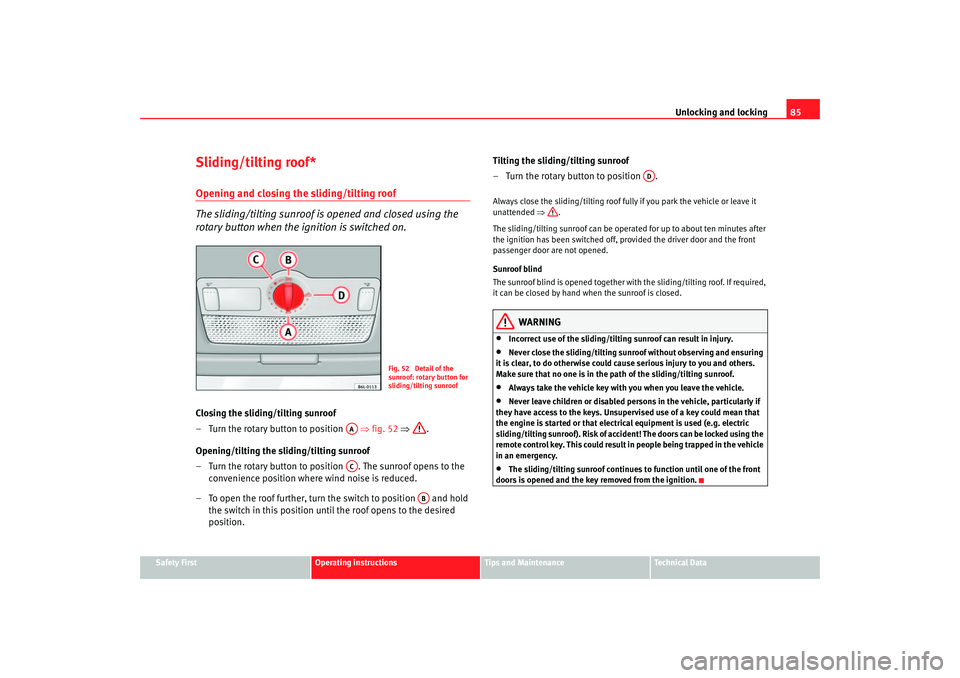
The sliding/tilting sunroof is opened and closed using the
rotary button when the ignition is switched on.Closing the sliding/tilting sunroof
– Turn the rotary button to position ⇒fig. 52 ⇒ .
Opening/tilting the sliding/tilting sunroof
– Turn the rotary button to position . The sunroof opens to the convenience position where wind noise is reduced.
– To open the roof further, turn the switch to position and hold the switch in this position until the roof opens to the desired
position. Tilting the sliding/tilting sunroof
– Turn the rotary button to position .
Always close the sliding/tilting roof fully if you park the vehicle or leave it
unattended
⇒.
The sliding/tilting sunroof can be operat ed for up to about ten minutes after
the ignition has been switched off, pr ovided the driver door and the front
passenger door are not opened.
Sunroof blind
The sunroof blind is opened together with the sliding/tilting roof. If required,
it can be closed by hand when the sunroof is closed.
WARNING
•
Incorrect use of the sliding/tilting sunroof can result in injury.
•
Never close the sliding/tilting sunr oof without observing and ensuring
it is clear, to do otherwise could cause serious injury to you and others.
Make sure that no one is in the path of the sliding/tilting sunroof.
•
Always take the vehicle key with you when you leave the vehicle.
•
Never leave children or disabled persons in the vehicle, particularly if
they have access to the keys. Unsupervised use of a key could mean that
the engine is started or that electrical equipment is used (e.g. electric
sliding/tilting sunroof). Risk of accide nt! The doors can be locked using the
remote control key. This could result in people being trapped in the vehicle
in an emergency.
•
The sliding/tilting sunroof continues to function until one of the front
doors is opened and the key removed from the ignition.
Fig. 52 Detail of the
sunroof: rotary button for
sliding/tilting sunroof
AAAC
AB
AD
cordoba_ingles_0706 Seite 85 Montag, 28. August 2006 1:18 13
Page 88 of 256
Unlocking and locking
86Convenience closing*Using the door lock
– Hold the key in the door lock of the driver’s door in the locking
position until the sliding/tilting sunroof is closed.
– Release the key to interrupt this function.
NoteThe sliding/tilting sunroof rotary button remains in the last position selected
if the roof is closed using convenience closing from outside the vehicle and
will have to be re-positioned the next time you drive.Roll-back function of the sliding/tilting roof*
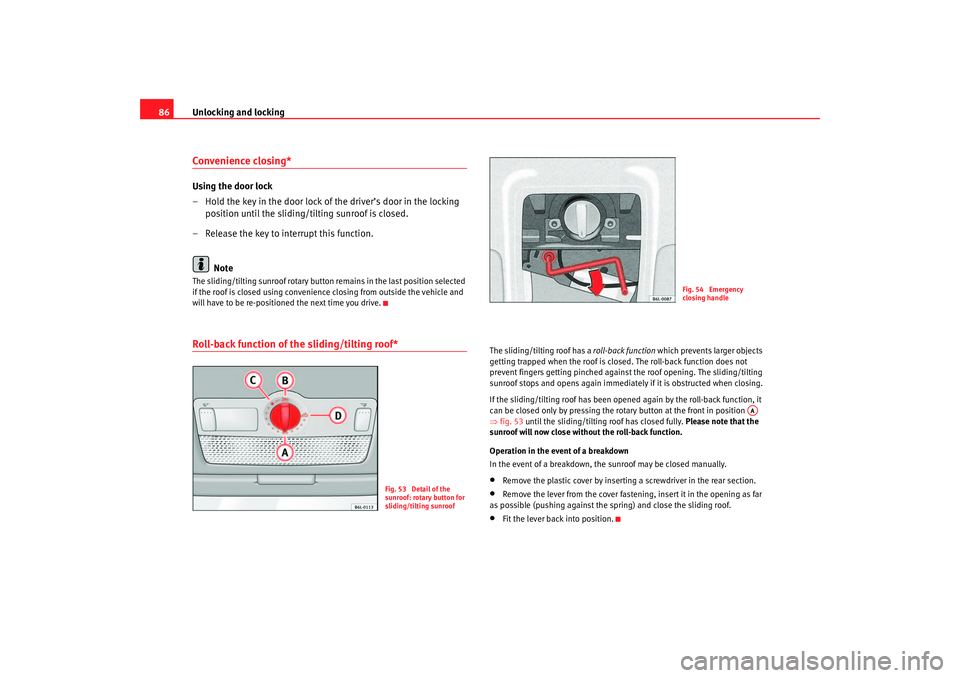
The sliding/tilting roof has a roll-back function which prevents larger objects
getting trapped when the roof is closed. The roll-back function does not
prevent fingers getting pinched against the roof opening. The sliding/tilting
sunroof stops and opens again immediately if it is obstructed when closing.
If the sliding/tilting roof has been opened again by the roll-back function, it
can be closed only by pressing the rotary button at the front in position
⇒ fig. 53 until the sliding/tilting roof has closed fully. Please note that the
sunroof will now close without the roll-back function.
Operation in the event of a breakdown
In the event of a breakdown, the sunroof may be closed manually.•
Remove the plastic cover by inserting a screwdriver in the rear section.
•
Remove the lever from the cover fastening, insert it in the opening as far
as possible (pushing against the spring) and close the sliding roof.
•
Fit the lever back into position.
Fig. 53 Detail of the
sunroof: rotary button for
sliding/tilting sunroof
Fig. 54 Emergency
closing handle
AA
cordoba_ingles_0706 Seite 86 Montag, 28. August 2006 1:18 13
Page 89 of 256
Lights and visibility87
Safety First
Operating instructions
Tips and Maintenance
Te c h n i c a l D a t a
Lights and visibilityLightsSwitching lights on and off
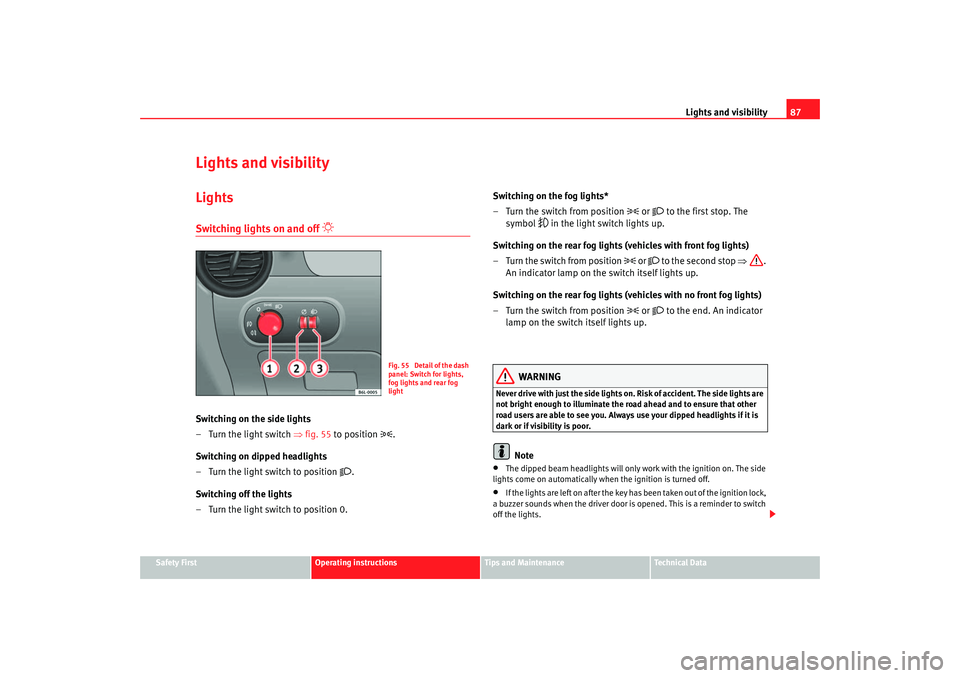
Switching on the side lights
– Turn the light switch ⇒ fig. 55 to position
.
Switching on dipped headlights
– Turn the light switch to position
.
Switching off the lights
– Turn the light switch to position 0. Switching on the fog lights*
– Turn the switch from position
or
to the first stop. The
symbol
in the light switch lights up.
Switching on the rear fog lights (vehicles with front fog lights)
– Turn the switch from position
or
to the second stop ⇒.
An indicator lamp on the switch itself lights up.
Switching on the rear fog lights (vehicles with no front fog lights)
– Turn the switch from position
or
to the end. An indicator
lamp on the switch itself lights up.
WARNING
Never drive with just the side lights on . Risk of accident. The side lights are
not bright enough to illuminate the road ahead and to ensure that other
road users are able to see you. Always use your dipped headlights if it is
dark or if visibility is poor.
Note
•
The dipped beam headlights will only work with the ignition on. The side
lights come on automatically when the ignition is turned off.
•
If the lights are left on after the key has been taken out of the ignition lock,
a buzzer sounds when the driver door is opened. This is a reminder to switch
off the lights.
Fig. 55 Detail of the dash
panel: Switch for lights,
fog lights and rear fog
light
cordoba_ingles_0706 Seite 87 Montag, 28. August 2006 1:18 13
Page 92 of 256
Lights and visibility
90
7. Always take the vehicle key with you when you leave the vehicle.You should switch on the hazard warning lights to warn other road users, for
instance when:•
reaching the tail end of a traffic jam
•
there is an emergency
•
your vehicle breaks down due to a technical defect
•
you are towing another vehicle or your vehicle is being towed.
All turn signals flash simultaneously when the hazard warning lights are
switched on. That is that the two turn signal indicator lamps
and the
indicator lamp in the switch
will flash at the same time. The hazard
warning lights also work when the ignition is switched off.
WARNING
•
The risk of an accident increases if your vehicle breaks down. Always
use the hazard warning lights and a warning triangle to draw the attention
of other road users to your stationary vehicle.
•
Never park where the catalytic converter could come into contact with
inflammable materials under the vehicle, for example dry grass or spilt
petrol. This could start a fire!Note
•
The battery will run down if the hazard warning lights are left on for a long
time, even if the ignition is switched off.
•
The use of the hazard warning lights de scribed here is subject to the rele-
vant statutory requirements.
Turn signal and main beam headlight lever
The turn signal and main beam lever also operates the
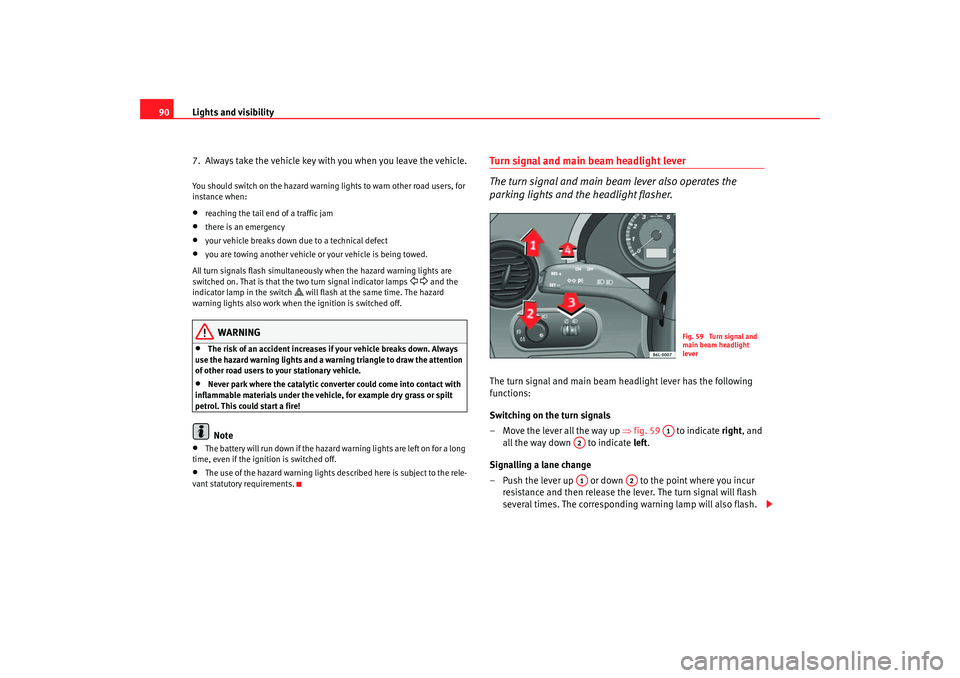
parking lights and the headlight flasher.The turn signal and main beam headlight lever has the following
functions:
Switching on the turn signals
– Move the lever all the way up ⇒fig. 59 to indicate right , and
all the way down to indicate left.
Signalling a lane change
– Push the lever up or down to the point where you incur resistance and then release the lever. The turn signal will flash
several times. The corresponding warning lamp will also flash.
Fig. 59 Turn signal and
main beam headlight
lever
A1
A2A1
A2
cordoba_ingles_0706 Seite 90 Montag, 28. August 2006 1:18 13
Page 93 of 256
Lights and visibility91
Safety First
Operating instructions
Tips and Maintenance
Te c h n i c a l D a t a
Switching main beam on and off
– Turn the light switch to position
.
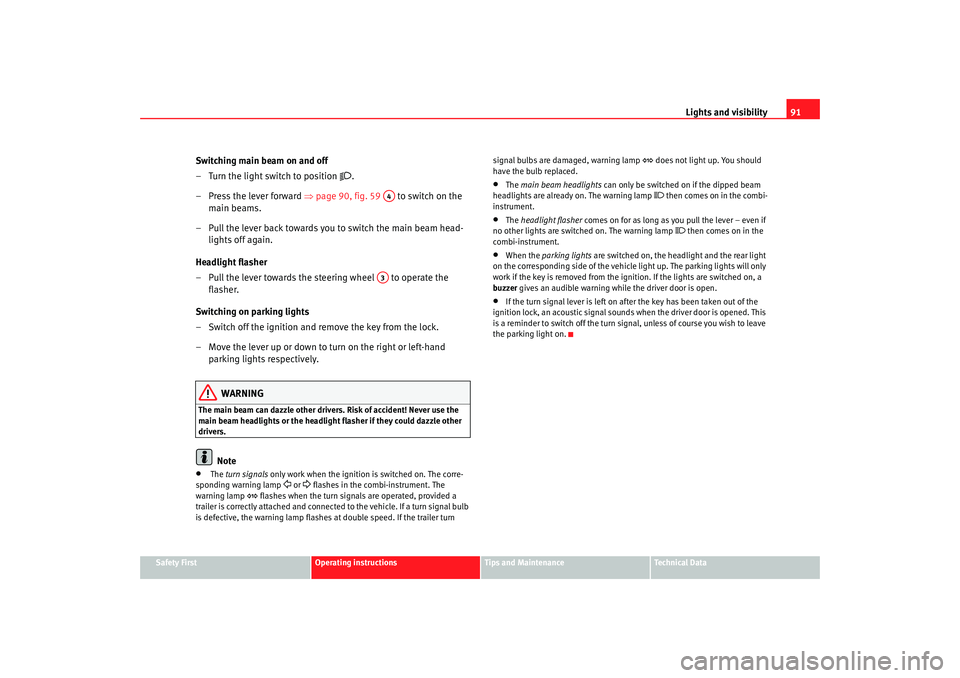
– Press the lever forward ⇒ page 90, fig. 59 to switch on the
main beams.
– Pull the lever back towards you to switch the main beam head- lights off again.
Headlight flasher
– Pull the lever towards the steering wheel to operate the flasher.
Switching on parking lights
– Switch off the ignition and remove the key from the lock.
– Move the lever up or down to turn on the right or left-hand parking lights respectively.
WARNING
The main beam can dazzle other driver s. Risk of accident! Never use the
main beam headlights or the headli ght flasher if they could dazzle other
drivers.
Note
•
The turn signals only work when the ignition is switched on. The corre-
sponding warning lamp
or flashes in the combi-instrument. The
warning lamp
flashes when the turn signals are operated, provided a
trailer is correctly attached and connected to the vehicle. If a turn signal bulb
is defective, the warning lamp flashes at double speed. If the trailer turn signal bulbs are damaged, warning lamp
does not light up. You should
have the bulb replaced.
•
The main beam headlights can only be switched on if the dipped beam
headlights are alrea dy on. The warning lamp
then comes on in the combi-
instrument.
•
The headlight flasher comes on for as long as you pull the lever – even if
no other lights are switched on. The warning lamp
then comes on in the
combi-instrument.
•
When the parking lights are switched on, the headlight and the rear light
on the corresponding side of the vehicle light up. The parking lights will only
work if the key is removed from the ignition. If the lights are switched on, a
buzzer gives an audible warning while the driver door is open.
•
If the turn signal lever is left on after the key has been taken out of the
ignition lock, an acoustic signal sounds when the driver door is opened. This
is a reminder to switch off the turn signal, unless of course you wish to leave
the parking light on.
A4A3
cordoba_ingles_0706 Seite 91 Montag, 28. August 2006 1:18 13
Page 94 of 256
Lights and visibility
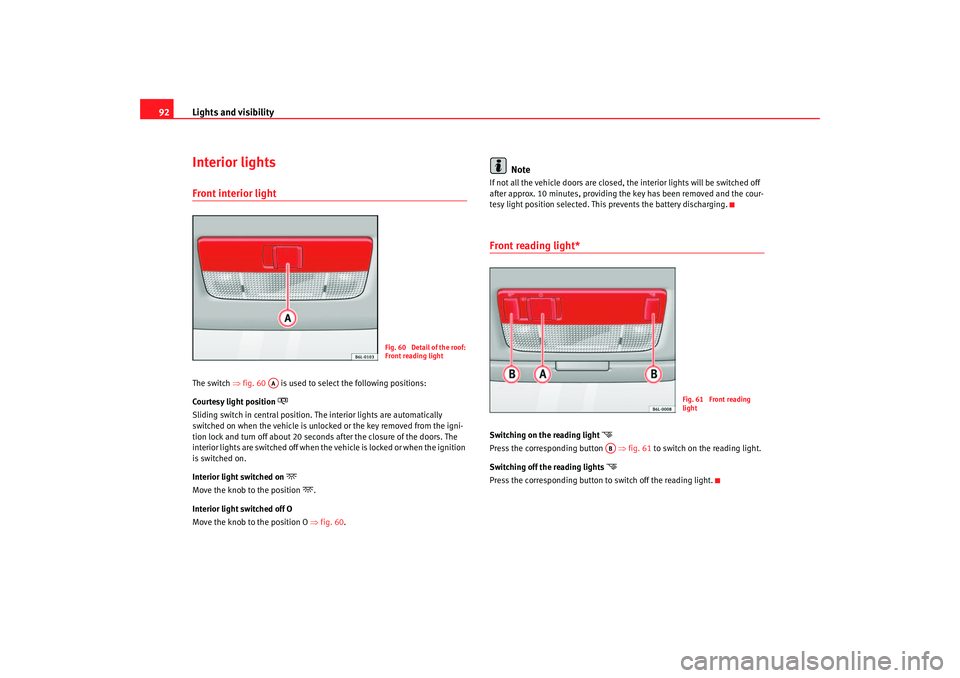
92Interior lightsFront interior light The switch ⇒fig. 60 is used to select the following positions:
Courtesy light position
Sliding switch in central position. The interior lights are automatica lly
switched on when the vehicle is unlocked or the key removed from the igni-
tion lock and turn off about 20 seconds after the closure of the doors. The
interior lights are switched off when the vehicle is locked or when the ignition
is switched on.
Interior light switched on
Move the knob to the position
.
Interior light switched off O
Move the knob to the position O ⇒fig. 60 .
Note
If not all the vehicle doors are closed, the interior lights will be switched off
after approx. 10 minutes, providing the key has been removed and the cour-
tesy light position selected. This prevents the battery discharging.Front reading light*Switching on the reading light
Press the corresponding button ⇒fig. 61 to switch on the reading light.
Switching off the reading lights
Press the corresponding button to switch off the reading light.
Fig. 60 Detail of the roof:
Front reading light
AA
Fig. 61 Front reading
light
AB
cordoba_ingles_0706 Seite 92 Montag, 28. August 2006 1:18 13
Page 112 of 256
Seats and stowage
110
WARNING
•
Improper use of the cigarette lighter can lead to serious injuries or start
a fire.
•
Take care when using the cigarette lighter. Carelessness or negligence
when using the cigarette lighter can cause burns, risk of injury.
•
The cigarette lighter also works when the ignition is off and when the
ignition key is removed. To avoid the risk of fire, never leave children unsu-
pervised in the vehicle.
Electrical sockets The 12 Volt cigarette lighter socket can also be used for other electrical
components with a power rating of up to 120 Watt. When the engine is
switched off, however, the vehicle battery will discharge. Further information
⇒ page 165.
WARNING
The electrical sockets and any appli ances connected to them are also func-
tional with the ignition switched off and the key removed. Improper use of
the sockets or electrical accessories can lead to serious injuries or cause a
fire. To avoid the risk of injury, never leave children unsupervised in the
vehicle.
Note
•
Using electrical appliances with the engine switched off will drain the
battery.
•
Before using any electrical accessories, see the instructions on
⇒ page 165.
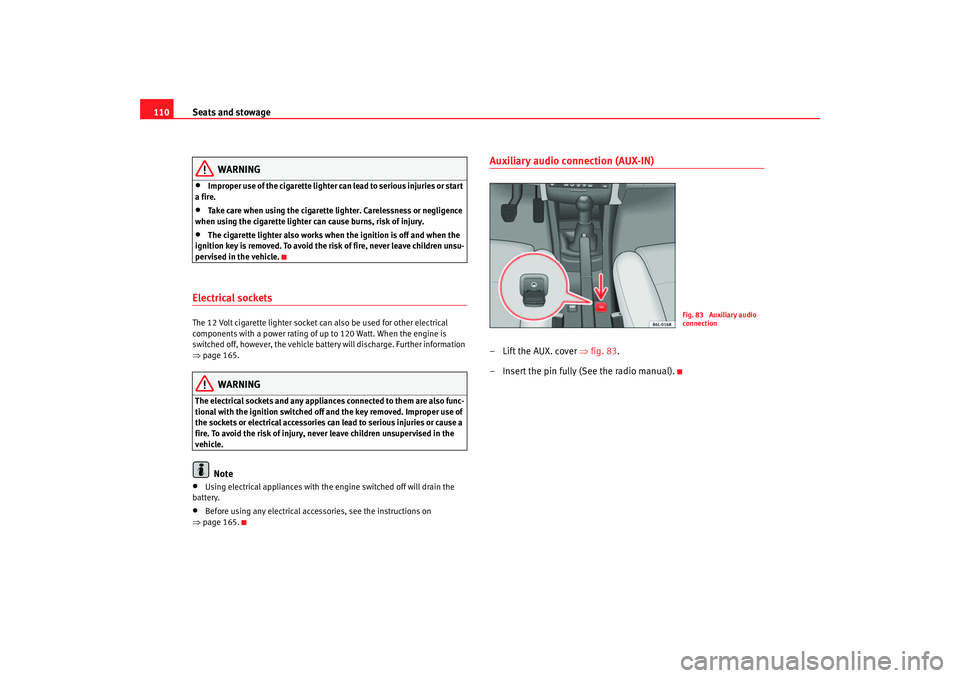
Auxiliary audio connection (AUX-IN)– Lift the AUX. cover ⇒fig. 83 .
– Insert the pin fully (See the radio manual).
Fig. 83 Auxiliary audio
connection
cordoba_ingles_0706 Seite 110 Montag, 28. August 2006 1:18 13
Page 129 of 256
Driving127
Safety First
Operating instructions
Tips and Maintenance
Te c h n i c a l D a t a
•
when rocking the vehicle backwards and forwards to free it from mud, for
example.
You should press the button to switch the ESP back on when you no longer
need wheel spin.
The TCS and EDL are also switched off if the ESP is switched off. That is to say,
these systems are not available while ESP is not activated.
When does the button light up or flash?
•
It lights up when the ignition is switched on and should go out again after
about 2 seconds.
•
It will start flashing to indicate that ESP is counteracting an unstable
driving condition.
•
It will light up continuously if there is a malfunction in the ESP.
•
It will light up continuously if the ESP is switched off.
WARNING
•
The electronic stabilisation programme (ESP) cannot defy the laws of
physics. This should be kept in mind, particularly on slippery and wet
roads and when towing a trailer.
•
Always adapt your driving style to suit the condition of the roads and
the traffic situation. Do not let the extra safety afforded by ESP tempt you
into taking any risks when driving, this can cause accidents.
•
Please refer to the corresponding warning notes on ESP in ⇒page 141,
“Intelligent technology”.
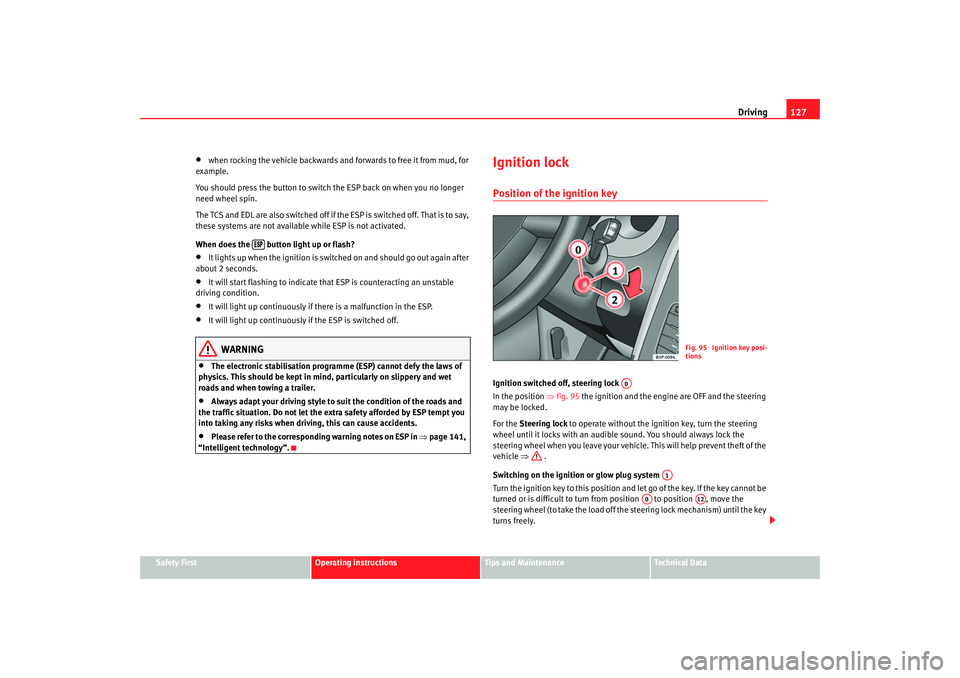
Ignition lockPosition of the ignition keyIgnition switched off, steering lock
In the position ⇒fig. 95 the ignition and the engine are OFF and the steering
may be locked.
For the Steering lock to operate without the ignition key, turn the steering
wheel until it locks with an audible sound. You should always lock the
steering wheel when you leave your vehicle. This will help prevent theft of the
vehicle ⇒ .
Switching on the ignition or glow plug system
Tu rn the ignition key to this position and let go of the key. If the key canno t b e
turned or is difficult to turn from position to position , move the
steering wheel (to take the load off the steering lock mechanism) until the key
turns freely.
Fig. 95 Ignition key posi-
tions
A0
A1
A0
A12
cordoba_ingles_0706 Seite 127 Montag, 28. August 2006 1:18 13