instrument panel Seat Exeo 2009 User Guide
[x] Cancel search | Manufacturer: SEAT, Model Year: 2009, Model line: Exeo, Model: Seat Exeo 2009Pages: 310, PDF Size: 8.54 MB
Page 62 of 310
Cockpit
60
− Driver information system . . . . . . . . . . . . . . . . . . . . . . . . . . .
CHECK button . . . . . . . . . . . . . . . . . . . . . . . . . . . . . . . . . . . . . . .
Call-up button for service indicator . . . . . . . . . . . . . . . . . . . . . .
Reset button for trip recorder . . . . . . . . . . . . . . . . . . . . . . . . . . .
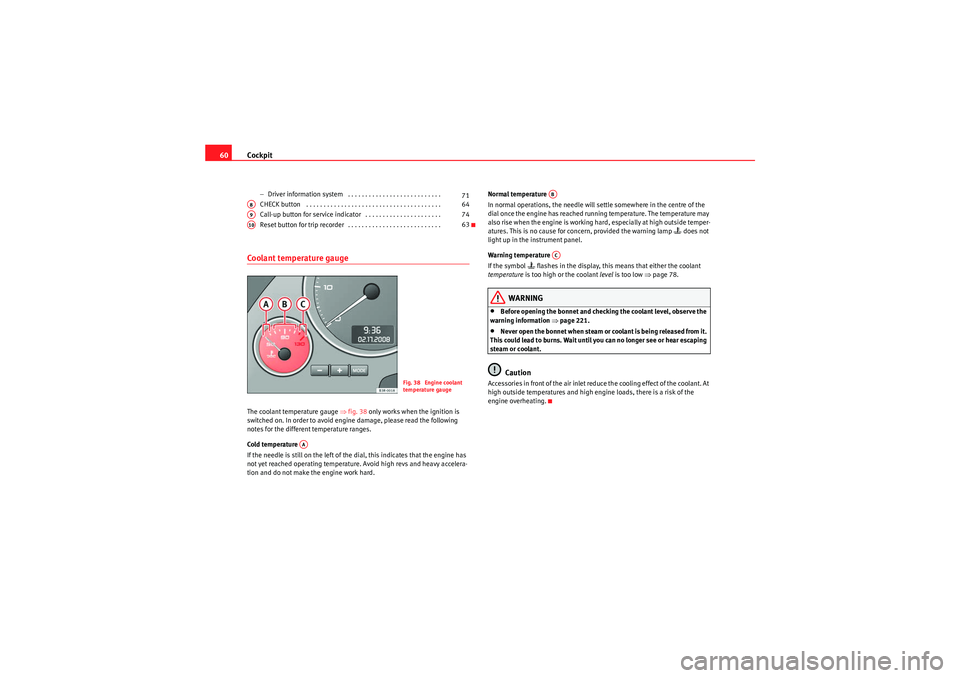
Coolant temperature gaugeThe coolant temperature gauge ⇒ fig. 38 only works when the ignition is
switched on. In order to avoid engine damage, please read the following
notes for the different temperature ranges.
Cold temperature
If the needle is still on the left of the dial, this indicates that the engine has
not yet reached operating temperature. Avoid high revs and heavy accelera-
tion and do not make the engine work hard. Normal temperature
In normal operations, the needle will settle somewhere in the centre of the
dial once the engine has reached running temperature. The temperature may
also rise when the engine is working hard, especially at high outside temper-
atures. This is no cause for concern, provided the warning lamp
does not
light up in the instrument panel.
Warning temperature
If the symbol
flashes in the display, this means that either the coolant
temperature is too high or the coolant level is too low ⇒page 78.
WARNING
•Before opening the bonnet and checking the coolant level, observe the
warning information ⇒page 221.•Never open the bonnet when steam or coolant is being released from it.
This could lead to burns. Wait until you can no longer see or hear escaping
steam or coolant.Caution
Accessories in front of the air inlet reduce the cooling effect of the coolant. At
high outside temperatures and high e ngine loads, there is a risk of the
engine overheating.
71
A8
64
A9
74
A10
63
Fig. 38 Engine coolant
temperature gauge
AA
ABAC
Exeo_EN.book Seite 60 Freitag, 28. August 2009 10:14 10
Page 64 of 310
Cockpit
62
Setting the minutes
– Keep pressing the button until the minutes display flashes.
– Use the and buttons to set the minutes.
Setting the date
– Keep pressing the button until the date display (day) flashes.
– Use the and buttons to set the day.
– Keep pressing the button until the month display flashes.
– Use the and buttons to set the month.
– Keep pressing the button until the year display flashes.
– Use the and buttons to set the year.
Disabling the date display
– Keep pressing the button until the complete date display flashes.
– Use the button to disable the date display.
Enabling the date display
– Keep pressing the button until the complete date display flashes.
– Use the button to enable the date display.When the display stops flashing, this means the setting you are performing
is completed and the time and date have been successfully stored. When the ignition is switched off, the mileage recorder and the digital clock
with date display can be switched on for a few seconds by pressing the CHECK
button
⇒page 59, fig. 37 .
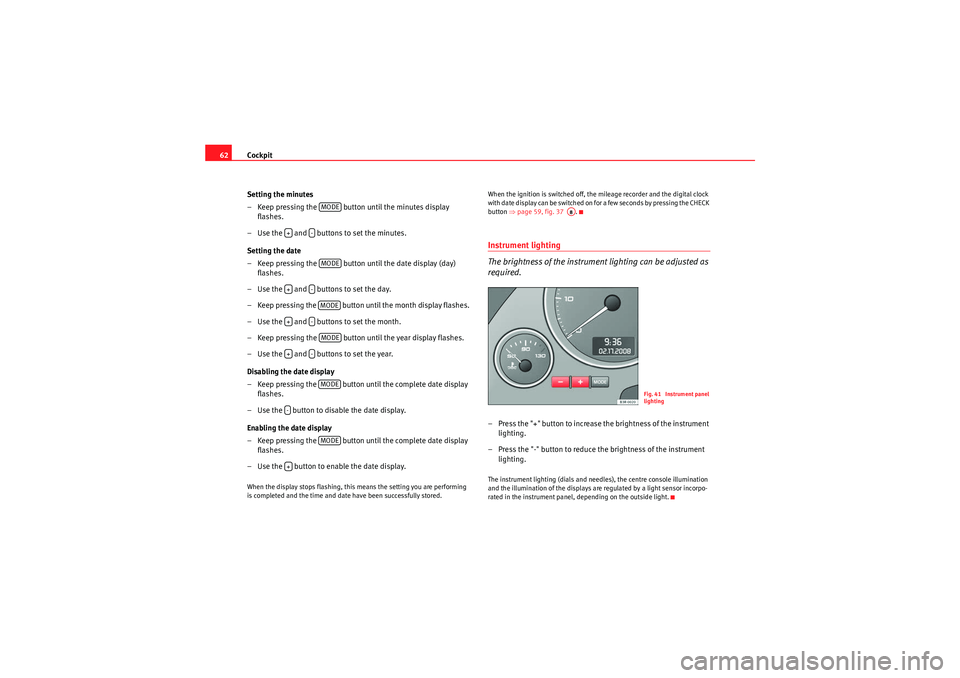
Instrument lighting
The brightness of the instrument lighting can be adjusted as
required.– Press the "+" button to increase the brightness of the instrument
lighting.
– Press the "-" button to reduce the brightness of the instrument lighting.The instrument lighting (dials and needles), the centre console illumination
and the illumination of the displays are regulated by a light sensor incorpo-
rated in the instrument panel, depending on the outside light.
MODE
+
-MODE
+
-MODE
+
-MODE
+
-MODE
-
MODE
+
A8
Fig. 41 Instrument panel
lighting
Exeo_EN.book Seite 62 Freitag, 28. August 2009 10:14 10
Page 65 of 310
Cockpit63
Safety First
Controls and equipment
Practical tips
Technical Data
Speedometer with distance display
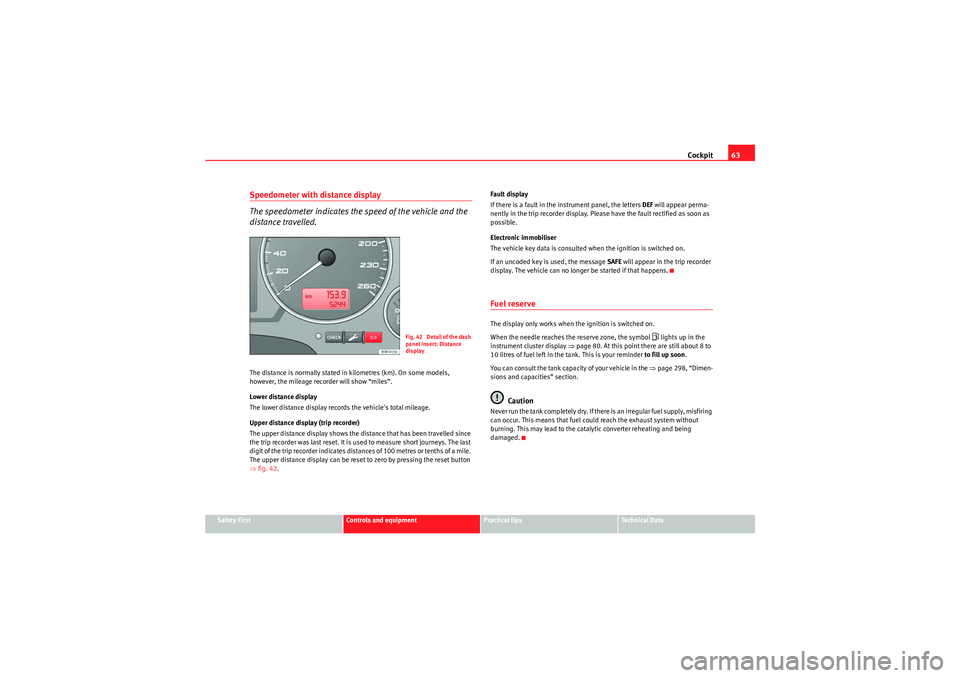
The speedometer indicates the speed of the vehicle and the
distance travelled.The distance is normally stated in kilometres (km). On some models,
however, the mileage recorder will show “miles”.
Lower distance display
The lower distance display records the vehicle's total mileage.
Upper distance display (trip recorder)
The upper distance display shows the distance that has been travelled since
the trip recorder was last reset. It is used to measure short journeys. The last
digit of the trip recorder indicates distances of 100 metres or tenths of a mile.
The upper distance display can be reset to zero by pressing the reset button
⇒fig. 42 . Fault display
If there is a fault in the instrument panel, the letters
DEF will appear perma-
nently in the trip recorder display. Please have the fault rectified as soon as
possible.
Electronic immobiliser
The vehicle key data is consulted when the ignition is switched on.
If an uncoded key is used, the message SAFE will appear in the trip recorder
display. The vehicle can no longer be started if that happens.
Fuel reserveThe display only works when the ignition is switched on.
When the needle reaches the reserve zone, the symbol
lights up in the
instrument cluster display ⇒page 80. At this point there are still about 8 to
10 litres of fuel left in the tank. This is your reminder to fill up soon.
You can consult the tank capacity of your vehicle in the ⇒page 298, “Dimen-
sions and capacities” section.
Caution
N e v e r r un t h e ta n k co m p le t e l y d r y. I f t h e r e i s a n i r r e g u la r f u e l s u p p l y, m i s f i r i ng
can occur. This means that fuel could reach the exhaust system without
burning. This may lead to the catalytic converter reheating and being
damaged.
F ig. 42 Detail of th e dash
panel insert: Distance
display
Exeo_EN.book Seite 63 Freitag, 28. August 2009 10:14 10
Page 67 of 310
Cockpit65
Safety First
Controls and equipment
Practical tips
Technical Data
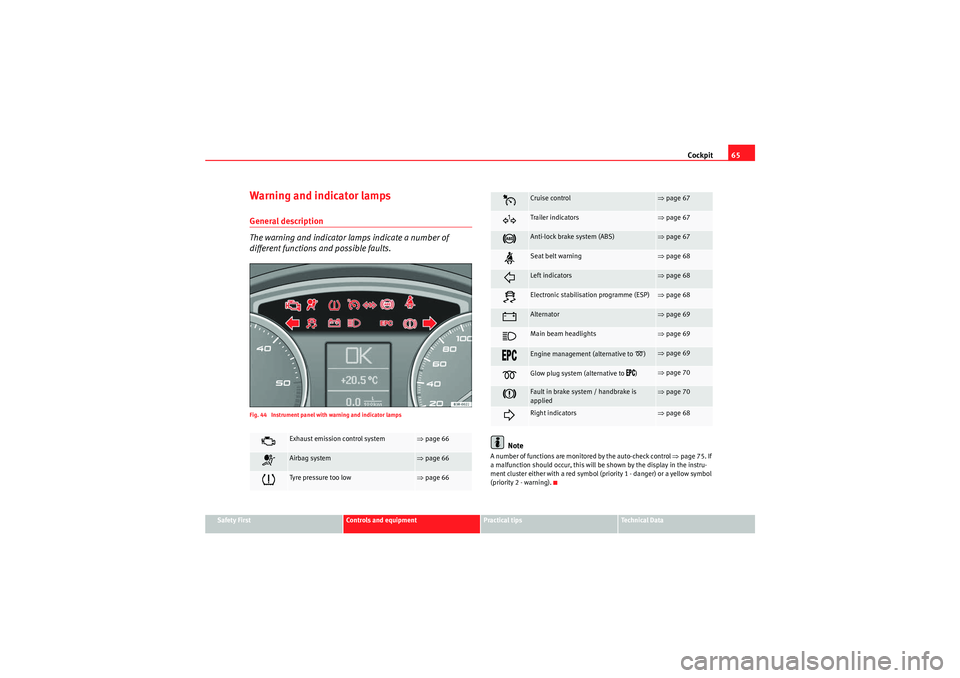
Warning and indicator lampsGeneral description
The warning and indicator lamps indicate a number of
different functions and possible faults.Fig. 44 Instrument panel with warning and indicator lamps
Note
A number of functions are monitored by the auto-check control ⇒page 75. If
a malfunction should occur, this will be shown by the display in the instru-
ment cluster either with a red symbol (priority 1 - danger) or a yellow symbol
(priority 2 - warning).
Exhaust emission control system
⇒ page 66
Airbag system
⇒page 66
Tyr e pre ssu re too low
⇒page 66
Cruise control
⇒page 67
Tra ile r in di cato rs
⇒page 67
Anti-lock brake system (ABS)
⇒page 67
Seat belt warning
⇒page 68
Left indicators
⇒page 68
Electronic stabilisation programme (ESP)
⇒page 68
Alternator
⇒page 69
Main beam headlights
⇒page 69
Engine management (alternative to
)
⇒page 69
Glow plug system (alternative to
)
⇒page 70
Fault in brake system / handbrake is
applied
⇒page 70
Right indicators
⇒page 68
Exeo_EN.book Seite 65 Freitag, 28. August 2009 10:14 10
Page 69 of 310
Cockpit67
Safety First
Controls and equipment
Practical tips
Technical Data
The yellow warning
lamp remains on if the system is faulty or if
the pressure is too low in at least one tyre. In the event of a system
fault, the letters TPMS are displayed in the centre of the instrument
panel ⇒page 66, fig. 45 . If the tyre pressure drops rapidly, the
message ⇒page 66, fig. 46 will be shown on the central display
of the instrument panel. If the pressure loss is more gradual, the
message ⇒page 66, fig. 46 will be shown on the central display
of the instrument panel. This message does not show the tyre
affected. Should any of these warnings be displayed:
– Stop the engine.
– Check the tyres. Although the warning corresponds to just one tyre, you should also check the others.
– Correct the tyre pressure ⇒page 236.
For more detailed information on the tyre pressure monitoring system, please
refer to ⇒page 235.Cruise control system*
The indicator lamp
on the instrument panel lights up when the cruise
control system is operating.
Trailer indicators*
This indicator lamp flashes when the indicators are operating
while towing a caravan or trailer.The indicator lamp
flashes when the indicators are operated if a trailer is
correctly coupled to the vehicle.
Where a turn signal lamp does not work, either on the trailer or on the towing
vehicle, the indicator lamp will not flash.
Anti-lock brake system (ABS)
The warning lamp monitors the ABS and the integrated elec-
tronic differential lock (EDL).The warning lamp
lights up for a few seconds when the ignition is
switched on and while the engine is being started. The lamp goes out again
after the system has run through an automatic test sequence.
There is a fault in the ABS if:
•the warning lamp does not light up when the ignition is switched on,•The warning lamp does not go out again after a few seconds.•The warning lamp lights up when the vehicle is moving.
The vehicle can still brake in the normal way (except that the ABS control func-
tion is out of action). Please take the vehicle to a specialist garage as soon as
possible. For further information on the ABS ⇒page 184.
If a malfunction should occur in the ABS, the ESP warning lamp will also light
up.
AAAB
Exeo_EN.book Seite 67 Freitag, 28. August 2009 10:14 10
Page 70 of 310
Cockpit
68Entire brake system fault
If the ABS warning lamp
lights up together with the brake warning lamp
⇒ page 70 (with the handbrake released), this indicates not only a fault
in the ABS function, but probably also a malfunction in the main brake system
as well ⇒.
The symbol
will light up in the instrument panel if a fault occurs in the
brake system . Please refer to ⇒page 77.
Electronic differential lock (EDL) fault
The EDL works in conjunction with the ABS. The ABS indicator lamp will light
up
to indicate an EDL fault. Please take the vehicle to a specialist garage
as soon as possible. For further information on the EDL ⇒page 185.WARNING
•Before opening the bonnet and checking the brake fluid level, observe
the warning information in ⇒page 221, “Work in the engine compart-
ment”.•If the brake warning lamp
should light up together with the ABS
warning lamp
, stop the vehicle immediately and check the brake fluid
level in the reservoir. If the fluid level has dropped below the "MIN" mark
you must not drive on otherwise there may be an increased accident risk.
Obtain technical assistance.
•If the brake fluid level is correct, the fault in the brake system may have
been caused by a fault in the ABS control function. As a result, the rear
wheels can lock relatively easily when braking. Under certain circum-
stances, the rear of the vehicle could suddenly sway from side to side, with
the subsequent danger of skidding. Drive carefully to the nearest specialist
garage and have the fault rectified.
Seat belt warning lamp*
The warning lamp acts as a reminder to the driver to fasten
the seat belt.After switching on the ignition, the warning lamp
will remain lit until the
driver and front passenger (if applicable) have fastened their seat belts.
When the vehicle has reached a certain speed, you will also hear a warning
signal and the warning light will flash.
For further information on the seat belts, see ⇒page 22.
Indicators and hazard warning lights
Depending on which turn signal is operated, either the left
or right
indi-
cator lamp flashes. Both indicator lamps will flash when the hazard warning
lights are switched on.
If one turn signal fails, the indicator lamp will start flashing twice as fast as
normal.
This does not apply when towing a trailer. Where a turn signal lamp does not
work, either on the trailer or on the towing vehicle, the indicator lamp will not
flash. For further information on the indicators, see ⇒page 122.
Electronic stabilisation programme
This warning lamp monitors the electronic stabilisation
program (ESP).The warning lamp
has the following functions:
Exeo_EN.book Seite 68 Freitag, 28. August 2009 10:14 10
Page 73 of 310
Cockpit71
Safety First
Controls and equipment
Practical tips
Technical Data
Driver information systemGeneral notes
The driver information system in the instrument panel shows
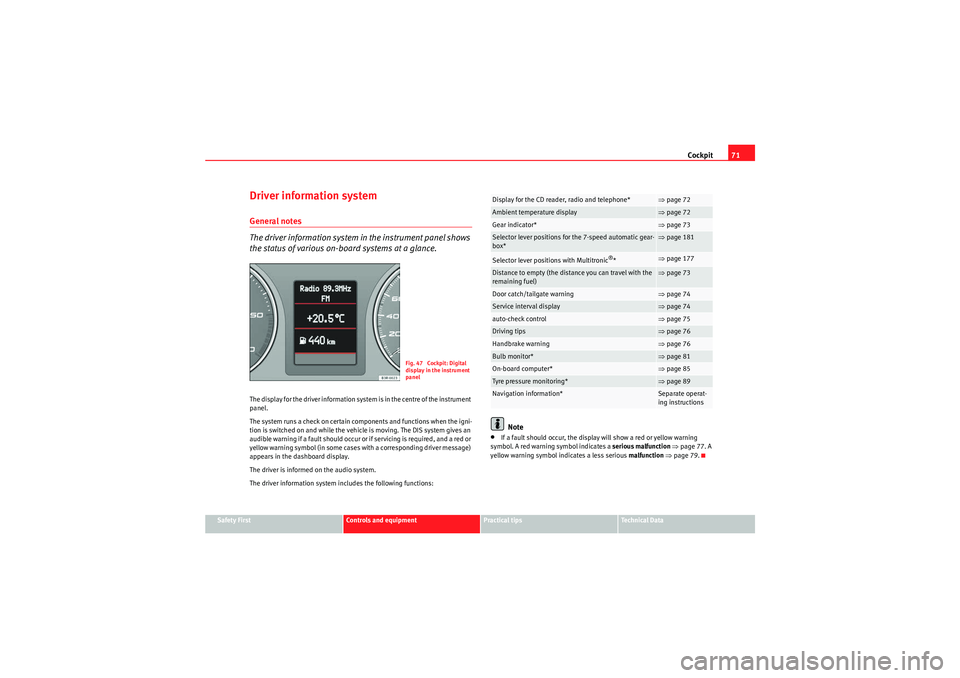
the status of various on-board systems at a glance.The display for the driver information system is in the centre of the instrument
panel.
The system runs a check on certain components and functions when the igni-
tion is switched on and while the vehicle is moving. The DIS system gives an
audible warning if a fault should occur or if servicing is required, and a red or
yellow warning symbol (in some cases with a corresponding driver message)
appears in the dashboard display.
The driver is informed on the audio system.
The driver information system includes the following functions:
Note
•If a fault should occur, the display will show a red or yellow warning
symbol. A red warning symbol indicates a serious malfunction ⇒ page 77. A
yellow warning symbol indicates a less serious malfunction ⇒ page 79.
Fig. 47 Cockpit: Digital
display in the instrument
panel
Display for the CD reader, radio and telephone*
⇒page 72
Ambient temperature display
⇒page 72
Gear indicator*
⇒page 73
Selector lever positions for the 7-speed automatic gear-
box*
⇒page 181
Selector lever positions with Multitronic
®*
⇒page 177
Distance to empty (the distance you can travel with the
remaining fuel)
⇒page 73
Door catch/tailgate warning
⇒page 74
Service interval display
⇒page 74
auto-check control
⇒page 75
Driving tips
⇒page 76
Handbrake warning
⇒page 76
Bulb monitor*
⇒page 81
On-board computer*
⇒page 85
Tyre pressure monitoring*
⇒page 89
Navigation information*
Separate operat-
ing instructions
Exeo_EN.book Seite 71 Freitag, 28. August 2009 10:14 10
Page 77 of 310
Cockpit75
Safety First
Controls and equipment
Practical tips
Technical Data
Service reminder
The instrument panel controls the distance travelled every day. Calculate the
average of these distances travelled and enable the service reminder suffi-
ciently in advance.
The display reverts back to the standard display after about 5 seconds. The
remaining distance to the next service is updated every time the ignition is
switched on, until the service becomes due.
Service due
When a service is due,
SERVICE! will appear in the display immediately after
you switch on the ignition. The display reverts back to the standard display
after about 5 seconds.
Resetting the display
The display is reset by the garage after the service has been carried out. If the
service indicator has not been reset by the specialist garage, please perform
the following steps:
•Switch the ignition off.•Press the service button ⇒page 74, fig. 52 and hold while switching
on the ignition. The display will show one of these messages:
Service in ----- km or Service!•Now press and hold the reset button until the display shows Service
in ----- km --- days or Service!
The display switches out of the reset mode if you do not press the reset button
within 5 seconds.Note
•Do not reset the service indicator between services, otherwise the display
will be incorrect.•The information in the service indicator remains intact if the battery is
disconnected.
•The distance to the next service cannot be called up if the system has
detected a Priority 1 fault (red symbol).Auto-check systemIntroductionThe auto-check system checks important components and vehicle systems.
These background checks are run constantly, as long as the ignition is
switched on.
A m e ssa ge is d i s p la y e d i n t h e i n s t r u m e n t p a n e l i f a f a u l t s h o u ld o cc u r o r i f a n y
maintenance or repairs are urgently required. This is accompanied by an
audible warning signal. Depending on the priority of the fault, a red or yellow
warning symbol lights up in the display.
The red symbols indicate a danger, whereas the yellow ones represent a
warning . Additional messages to assist the driver may be shown with the red
or yellow symbols.
A1
A2
Exeo_EN.book Seite 75 Freitag, 28. August 2009 10:14 10
Page 78 of 310
Cockpit
76Driver messages
Additional messages to assist the driver are displayed
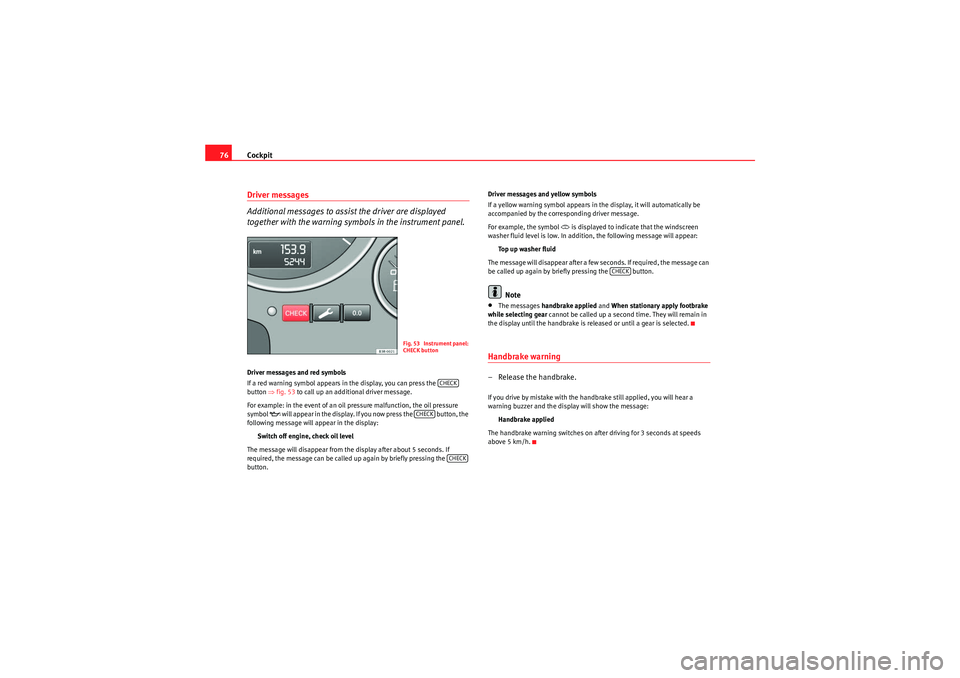
together with the warning symbols in the instrument panel.Driver messages and red symbols
If a red warning symbol appears in the display, you can press the
button ⇒fig. 53 to call up an additional driver message.
For example: in the event of an oil pressure malfunction, the oil pressure
symbol
w il l a p p e a r i n t h e d i s p la y. I f yo u n o w p r e ss t h e b u t t o n , t h e
following message will appear in the display:
Switch off engine, check oil level
The message will disappear from the display after about 5 seconds. If
required, the message can be called up again by briefly pressing the
button. Driver messages and yellow symbols
If a yellow warning symbol appears in the display, it will automatically be
accompanied by the corresponding driver message.
For example, the symbol
is displayed to indicate that the windscreen
washer fluid level is low. In addition, the following message will appear:
Top up washer fluid
The message will disappear after a few seconds. If required, the message can
be called up again by briefly pressing the button.
Note
•The messages handbrake applied and When stationary apply footbrake
while selecting gear cannot be called up a second time. They will remain in
the display until the handbrake is released or until a gear is selected.Handbrake warning– Release the handbrake.If you drive by mistake with the handbrake still applied, you will hear a
warning buzzer and the display will show the message:
Handbrake applied
The handbrake warning switches on after driving for 3 seconds at speeds
above 5 km/h.
Fig. 53 Instrument panel:
CHECK button
CHECK
CHECK
CHECK
CHECK
Exeo_EN.book Seite 76 Freitag, 28. August 2009 10:14 10
Page 84 of 310
Cockpit
82turn signal is not working, the display in the instrument panel will show the
following message:
Left rear turn signal
The message disappears after 5 seconds. Press the CHECK button briefly if
you wish to call up the message again.
If the display indicates that one of the lights is not working, this can have a
number of causes:•Bulb failure ⇒page 257.•A “blown” fuse ⇒ page 255, “Changing fuses”.•Faulty electrical wiring.
Have the components replaced or the wiring repaired as necessary by a
specialist garage.WARNING
•Bulbs are highly sensitive to pressure. The glass can break when you
touch the bulb, causing injury.•The high voltage element of gas discharge lamps* (xenon light) must
be handled correctly. Otherwise, there is a risk of death.
Speed warning
Introduction
The speed warning function can help prevent you exceeding
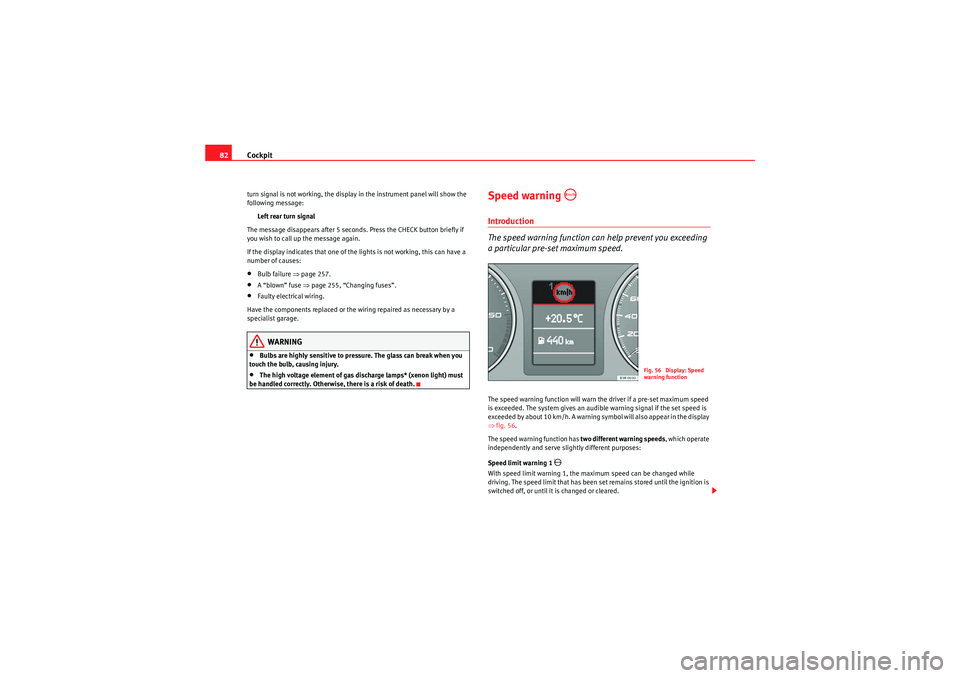
a particular pre-set maximum speed.The speed warning function will warn the driver if a pre-set maximum speed
is exceeded. The system gives an audible warning signal if the set speed is
exceeded by about 10 km/h. A warning symbol will also appear in the display
⇒ fig. 56.
The speed warning function has two different warning speeds, which operate
independently and serve slig htly different purposes:
Speed limit warning 1
With speed limit warning 1, the maximum speed can be changed while
driving. The speed limit that has been set remains stored until the ignition is
switched off, or until it is changed or cleared.
Fig. 56 Display: Speed
warning function
Exeo_EN.book Seite 82 Freitag, 28. August 2009 10:14 10