instrument panel Seat Exeo 2009 Owner's Guide
[x] Cancel search | Manufacturer: SEAT, Model Year: 2009, Model line: Exeo, Model: Seat Exeo 2009Pages: 310, PDF Size: 8.54 MB
Page 91 of 310
Cockpit89
Safety First
Controls and equipment
Practical tips
Technical Data
Use the rocker switch to select the menus and adjust various values. The
selected values are highlighted on a red background.
By pressing the button, you can confirm the option you have selected
or the value you have set. Selected functions are marked with a tick.
The following symbols are used:
Tyre pressure monitoring*Introduction
The tyre pressure monitoring system constantly checks the
pressure of the tyres.The system warns the driver in the event of a loss of pressure by means of
symbols and messages in the instrument panel display. The system works
with the help of the ABS sensors in the wheels.
Please bear in mind that the tyre inflation pressure is also influenced by the
temperature of the tyre. Tyre pressure increases about 0.1 bar for each 10°C
in tyre temperature increase. The tyre heats up while the vehicle is being
driven and the tyre pressure will rise accordingly. Therefore, you should only
adjust the tyre pressures when they are
cold (i.e. approximately at ambient
temperature).
To ensure that the tyre pressure monitoring system works reliably, you should
check and, if necessary, adjust the tyre pressures at regular intervals and
store the correct pressures (reference values) in the system.
A tyre pr essure i nfor ma ti on lab e l is a tta che d to t he insi de o f the fu el ta nk f lap.
WARNING
•Never adjust tyre pressure when the tyres are hot. This may damage or
even burst the tyres. Risk of accident!•An insufficiently inflated tyre flexes a lot more at high speeds and
causes significant heating of the tyre. Under these conditions, the tyre
bead may be released or the tyre may burst. Risk of accident!For the sake of the environment
Under-inflated tyres lead to increased fuel consumption and tyre wear.
Note
•Responsibility for ensuring that the tyres are correctly inflated remains
with the driver; the system can only provide assistance.•Pressure can only be adjusted when the tyres are at ambient
temperature.
Cursor
Function selected
Red background (active
function)
Tick
Selected
Box
Not selected
Triangle pointing upwards
Previous page
Triangle pointing down-
wards
Next page
Reset
Exeo_EN.book Seite 89 Freitag, 28. August 2009 10:14 10
Page 117 of 310
Lights and visibility115
Safety First
Controls and equipment
Practical tips
Technical Data
Lights and visibilityLightsLights: switching on and off
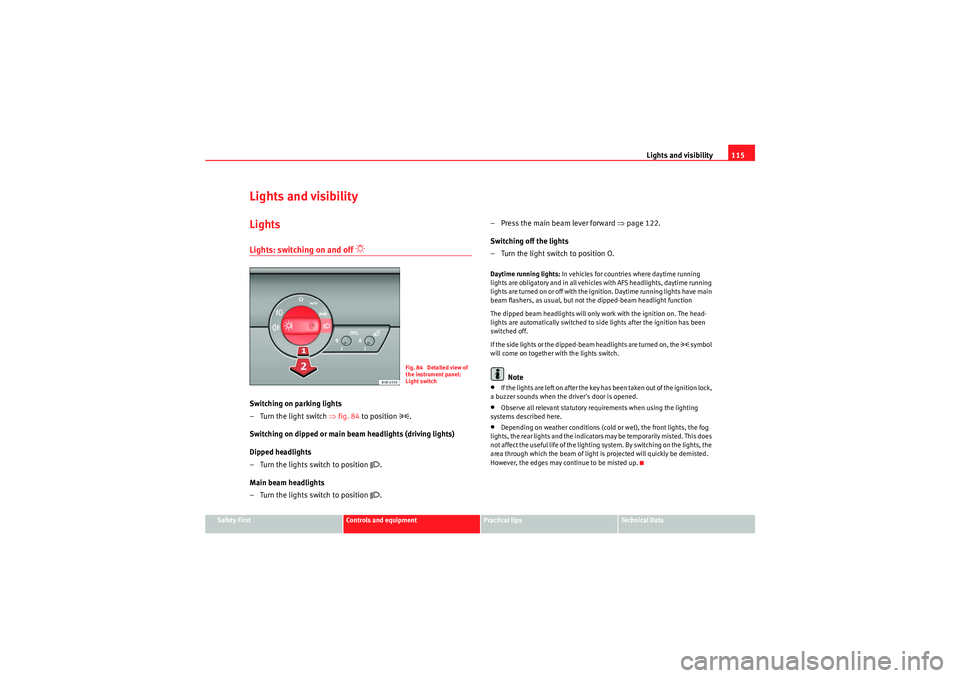
Switching on parking lights
– Turn the light switch ⇒fig. 84 to position
.
Switching on dipped or main beam headlights (driving lights)
Dipped headlights
– Turn the lights switch to position
.
Main beam headlights
– Turn the lights switch to position . – Press the main beam lever forward
⇒page 122.
Switching off the lights
– Turn the light switch to position O.
Daytime running lights: In vehicles for countries where daytime running
lights are obligatory and in all vehicles with AFS headlights, daytime running
lights are turned on or off with the ignition. Daytime running lights have main
beam flashers, as usual, but not the dipped-beam headlight function
The dipped beam headlights will only work with the ignition on. The head-
lights are automatically switched to side lights after the ignition has been
switched off.
If the side lights or the dipped-beam headlights are turned on, the
symbol
will come on together with the lights switch.
Note
•If the lights are left on after the key has been taken out of the ignition lock,
a buzzer sounds when the driver's door is opened.•Observe all relevant statutory requirements when using the lighting
systems described here.•Depending on weather conditions (cold or wet), the front lights, the fog
lights, the rear lights and the indicators may be temporarily misted. This does
not affect the useful life of the lighting system. By switching on the lights, the
area through which the beam of light is projected will quickly be demisted.
However, the edges may continue to be misted up.
Fig. 84 Detailed view of
the instrument panel:
Light switch
Exeo_EN.book Seite 115 Freitag, 28. August 2009 10:14 10
Page 118 of 310
Lights and visibility
116Automatic headlight switch* (sensor-controlled)
If you set the light switch to “AUTO”, the headlights will switch
on and switch off automatically according to the ambient light
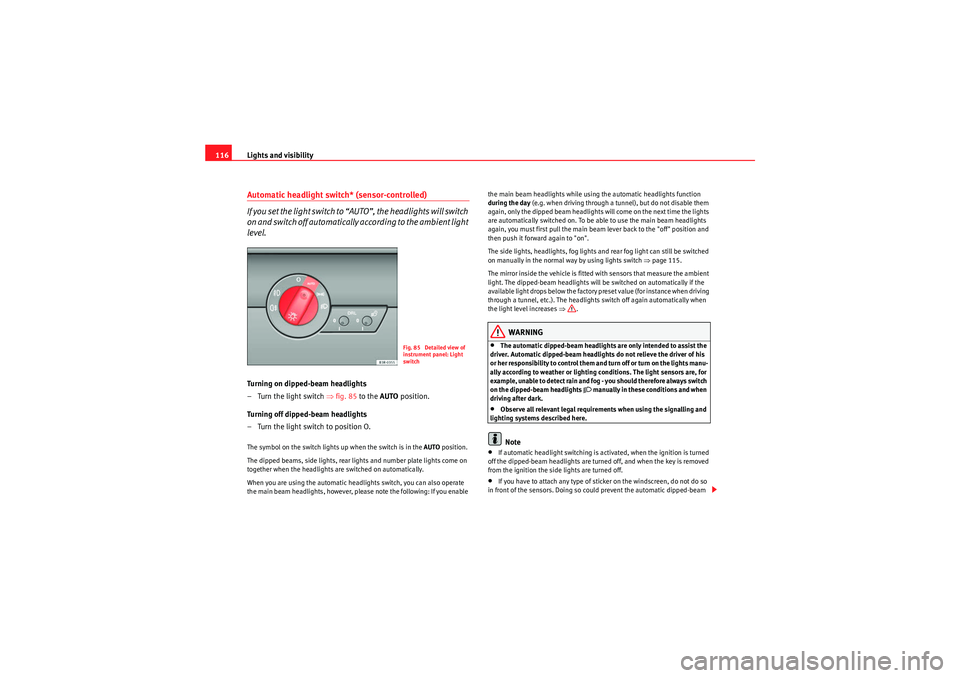
level.Turning on dipped-beam headlights
–Turn the light switch ⇒ fig. 85 to the AUTO position.
Turning off dipped-beam headlights
– Turn the light switch to position O.The symbol on the switch lights up when the switch is in the AUTO position.
The dipped beams, side lights, rear lights and number plate lights come on
together when the headlights are switched on automatically.
When you are using the automatic headlights switch, you can also operate
the main beam headlights, however, please note the following: If you enable the main beam headlights while using the automatic headlights function
during the day
(e.g. when driving through a tunnel), but do not disable them
again, only the dipped beam headlights will come on the next time the lights
are automatically switched on. To be able to use the main beam headlights
again, you must first pull the main beam lever back to the "off" position and
then push it forward again to "on".
The side lights, headlights, fog lights and rear fog light can still be switched
on manually in the normal way by using lights switch ⇒page 115.
The mirror inside the vehicle is fitted with sensors that measure the ambient
light. The dipped-beam headlights will be switched on automatically if the
available light drops below the factory preset value (for instance when driving
through a tunnel, etc.). The headlights switch off again automatically when
the light level increases ⇒.
WARNING
•The automatic dipped-beam headlights are only intended to assist the
driver. Automatic dipped-beam headlights do not relieve the driver of his
or her responsibility to control them and turn off or turn on the lights manu-
ally according to weather or lighting conditions. The light sensors are, for
example, unable to detect rain and fog - you should therefore always switch
on the dipped-beam headlights
manually in these conditions and when
driving after dark.
•Observe all relevant legal requirements when using the signalling and
lighting systems described here.Note
•If automatic headlight switching is activated, when the ignition is turned
off the dipped-beam headlights are turned off, and when the key is removed
from the ignition the side lights are turned off.•If you have to attach any type of sticker on the windscreen, do not do so
in front of the sensors. Doing so could prevent the automatic dipped-beam
Fig. 85 Detailed view of
instrument panel: Light
switch
Exeo_EN.book Seite 116 Freitag, 28. August 2009 10:14 10
Page 119 of 310
Lights and visibility117
Safety First
Controls and equipment
Practical tips
Technical Data
headlight or anti-dazzle function from
working correctly or even from working
at all.
•The warning symbol
will appear on the instrument panel if a malfunc-
tion occurs ⇒ page 80.
•Observe all relevant legal requirements when using the signalling and
lighting systems described here.Front fog lights
The light switch can also be used to turn on the front fog
lights.Switching on the front fog lights
– Do not turn the light switch
⇒ page 115, fig. 84 to symbol
.
– First turn the light switch to the position
or .
– Then pull the light switch out to the first stop .
The front fog light symbol
next to the switch will light up when the front fog
lights are on.
Rear fog light
The light switch can also be used to turn on the rear fog light.– Do not turn the light switch
⇒ page 115, fig. 84 to symbol
.
– First turn the light switch
⇒ page 115, fig. 84 to position
or
. – Then pull out the light switch to the second stop to switch on
the rear fog light.
The symbols
and
next to the switch will light up when the rear fog light
is switched on.
If you are towing a trailer or caravan equipped with a rear fog light on a vehicle
with a factory-fitted towing bracket*, only the rear fog light on the trailer or
caravan will light up.
Caution
To avoid dazzling the traffic behind you, the rear fog light should only be used
in accordance with legal regulations.
A1
A2
Exeo_EN.book Seite 117 Freitag, 28. August 2009 10:14 10
Page 120 of 310
Lights and visibility
118Coming home and leaving home functions*
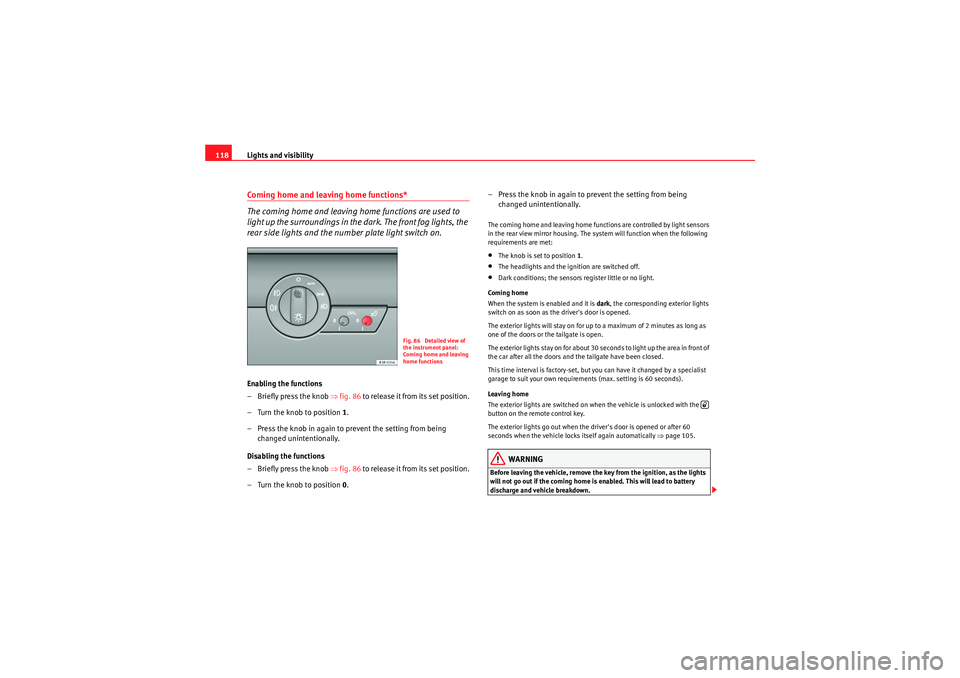
The coming home and leaving home functions are used to
light up the surroundings in the dark. The front fog lights, the
rear side lights and the number plate light switch on.Enabling the functions
– Briefly press the knob ⇒fig. 86 to release it from its set position.
– Turn the knob to position 1.
– Press the knob in again to prevent the setting from being changed unintentionally.
Disabling the functions
– Briefly press the knob ⇒fig. 86 to release it from its set position.
– Turn the knob to position 0. – Press the knob in again to prevent the setting from being
changed unintentionally.
The coming home and leaving home functions are controlled by light sensors
in the rear view mirror housing. The system will function when the following
requirements are met:•The knob is set to position 1.•The headlights and the ignition are switched off.•Dark conditions; the sensors register little or no light.
Coming home
When the system is enabled and it is dark, the corresponding exterior lights
switch on as soon as the driver's door is opened.
The exterior lights will stay on for up to a maximum of 2 minutes as long as
one of the doors or the tailgate is open.
The exterior lights stay on for about 30 seconds to light up the area in front of
the car after all the doors and the tailgate have been closed.
This time interval is factory-set, but you can have it changed by a specialist
garage to suit your own requirements (max. setting is 60 seconds).
Leaving home
The exterior lights are switched on when the vehicle is unlocked with the
button on the remote control key.
The exterior lights go out when the driver's door is opened or after 60
seconds when the vehicle locks itself again automatically ⇒page 105.WARNING
Before leaving the vehicle, remove the key from the ignition, as the lights
will not go out if the coming home is enabled. This will lead to battery
discharge and vehicle breakdown.
Fig. 86 Detailed view of
the instrument panel:
Coming home and leaving
home functions
Exeo_EN.book Seite 118 Freitag, 28. August 2009 10:14 10
Page 121 of 310
Lights and visibility119
Safety First
Controls and equipment
Practical tips
Technical Data
Note
•If you always wish to use the coming home and leaving home functions,
you can leave them permanently switched on. As the system is controlled via
a light sensor, it will only work in dark conditions.•Permanent use of the coming home and leaving home functions, particu-
larly on short journeys, will increase the load on the battery. To make sure the
battery is always sufficiently charged, occasionally drive longer distances.•If the fog lights have been switched on by the coming home and leaving
home functions, they will always be switched off when you switch on the igni-
tion.•Observe all relevant legal requirements when using the signalling and
lighting systems described here.Instrument lighting
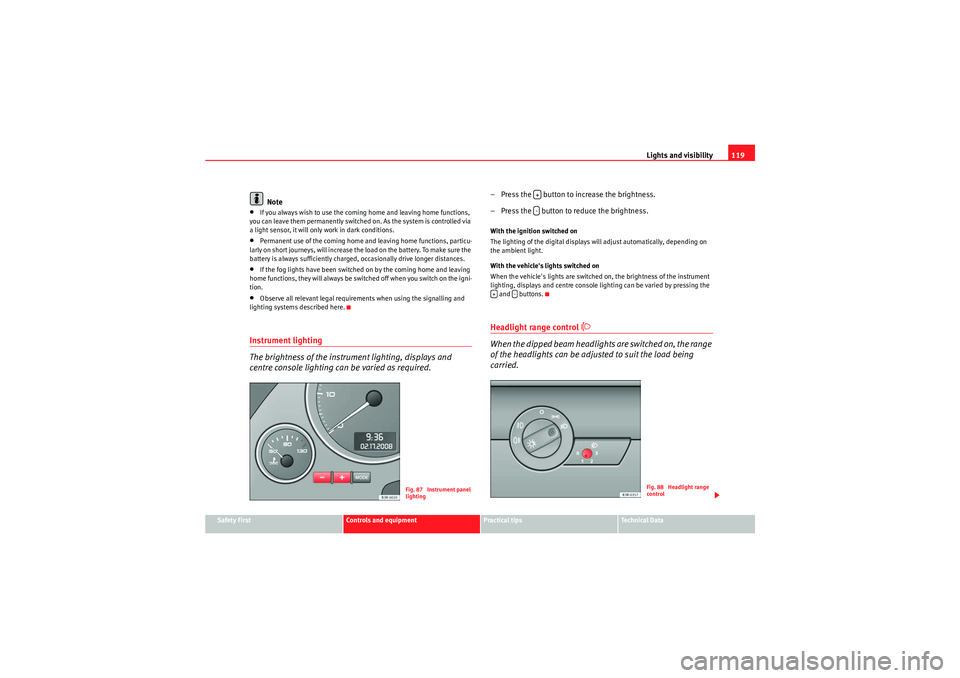
The brightness of the instrument lighting, displays and
centre console lighting can be varied as required.
– Press the button to increase the brightness.
– Press the button to reduce the brightness.With the ignition switched on
The lighting of the digital displays will adjust automatically, depending on
the ambient light.
With the vehicle's lights switched on
When the vehicle's lights are switched on, the brightness of the instrument
lighting, displays and centre console lighting can be varied by pressing the and buttons.Headlight range control
When the dipped beam headlights are switched on, the range
of the headlights can be adjusted to suit the load being
carried.
Fig. 87 Instrument panel
lighting
+-
+
-
Fig. 88 Headlight range
control
Exeo_EN.book Seite 119 Freitag, 28. August 2009 10:14 10
Page 125 of 310
Lights and visibility123
Safety First
Controls and equipment
Practical tips
Technical Data
Main beam headlights
– Press the lever forward to switch on the main beams.
– Pull the lever back towards you to switch the main beam head-
lights off again.
Headlight flasher
– Pull the lever towards the steering wheel to operate the flasher.
Parking light
– Switch the ignition off.
– Move the lever up or down to turn on the right or left-hand
parking lights respectively.Notes on these functions•The indicators only work when the ignition is switched on. The indicator
lamp or flashes in the instrument panel when the turns signals
⇒ page 65 are working.
•The indicators are cancelled automatically when the steering wheel is
returned to the straight-ahead position.•The main beam headlights can only be switched on if the dipped beam
headlights are already on. The main beam headlight indicator lamp
then
comes on in the instrument panel.
•The headlight flasher co m es on for as lo ng as yo u pull th e le ve r, e ve n if no
other lights are switched on. The main beam headlight indicator lamp
then comes on in the instrument panel.
•When the parking lights are switched on, the headlight and the rear light
on one side of the car light up with re duced intensity. The parking lights will
only work with the ignition off.
Caution
Never use the main beam headlights or the headlight flasher if this would
dazzle oncoming traffic.Interior lightsFront interior lights and glove compartment light
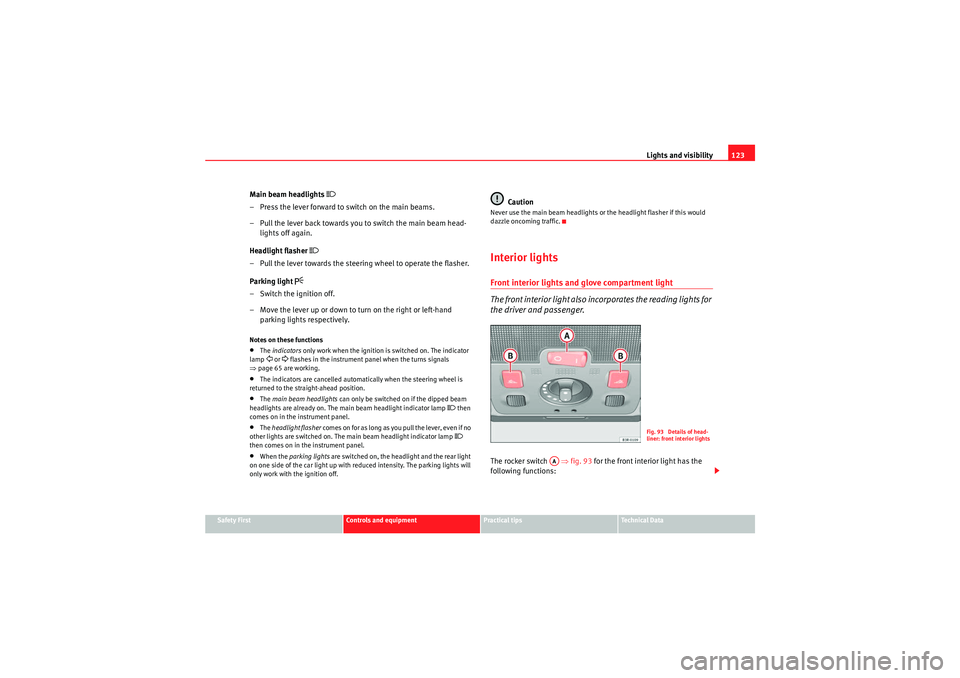
The front interior light also incorporates the reading lights for
the driver and passenger.The rocker switch ⇒fig. 93 for the front interior light has the
following functions:
Fig. 93 Details of head-
liner: front interior lights
AA
Exeo_EN.book Seite 123 Freitag, 28. August 2009 10:14 10
Page 149 of 310
Seats and stowage147
Safety First
Controls and equipment
Practical tips
Technical Data
only be loaded to the maximum weight permitted indicated in the assembly
instructions.
WARNING
•Loads carried on the roof must be securely attached. Failure to do so
could result in an accident.•Do not exceed the maximum roof load for the vehicle, the maximum
axle loads or the maximum gross vehicle weight. Failure to do so could
result in an accident.•When transporting heavy or bulky loads on the roof, bear in mind that
the car's handling is affected by the extra weight on the roof and a possible
susceptibility to cross winds. Adjust your speed and driving style accord-
ingly to avoid accidents.For the sake of the environment
Roof carriers are often left attached for convenience, even when they are not
being used. However, the increased air resistance means that the vehicle
uses more fuel. For this reason you should always take off the roof carrier
when it is not in use.
Drink holdersFront drink holders
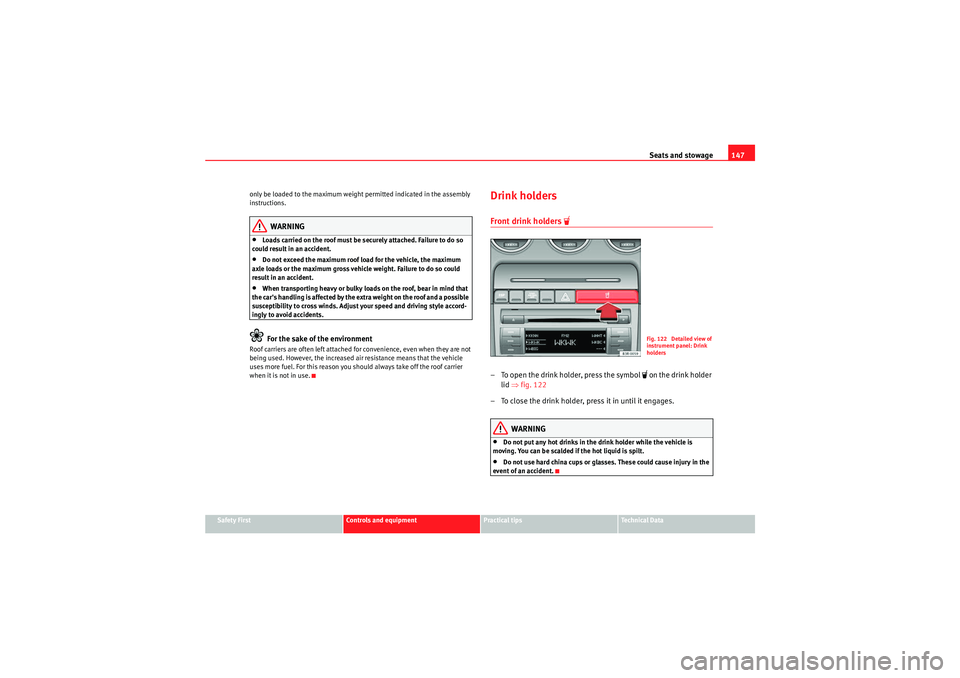
– To open the drink holder, press the symbol
on the drink holder
lid ⇒fig. 122
– To close the drink holder, press it in until it engages.
WARNING
•Do not put any hot drinks in the drink holder while the vehicle is
moving. You can be scalded if the hot liquid is spilt.•Do not use hard china cups or glasses. These could cause injury in the
event of an accident.
Fig. 122 Detailed view of
instrument panel: Drink
holders
Exeo_EN.book Seite 147 Freitag, 28. August 2009 10:14 10
Page 163 of 310
Heating, Ventilation and Air conditioning161
Safety First
Controls and equipment
Practical tips
Technical Data
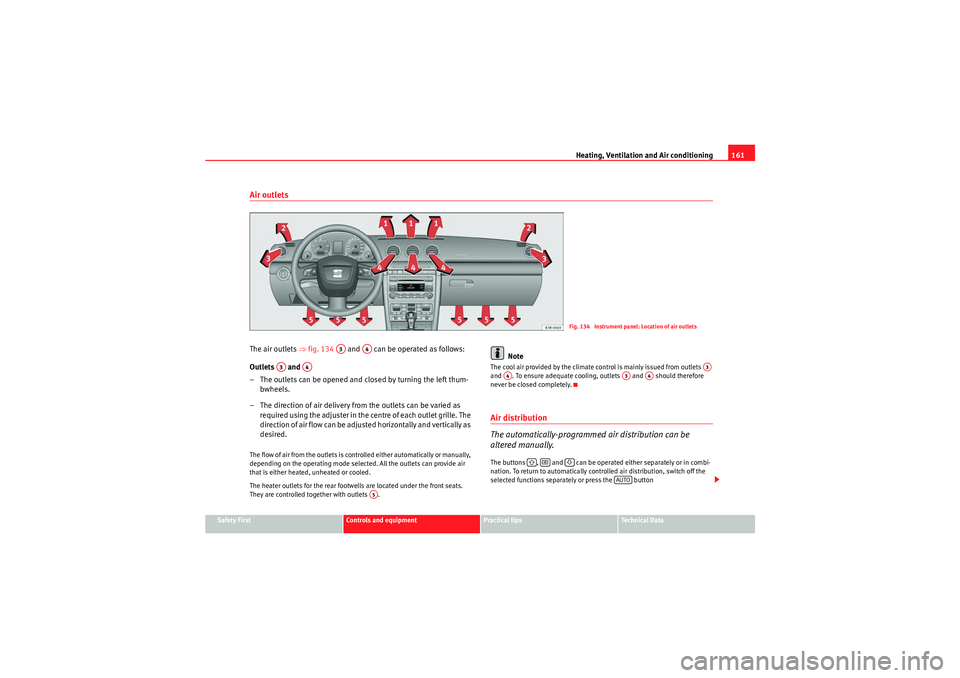
Air outletsThe air outlets ⇒fig. 134 and can be operated as follows:
Outlets and
– The outlets can be opened and closed by turning the left thum- bwheels.
– The direction of air delivery from the outlets can be varied as re quire d using the adjuster in the ce n tre o f ea ch o u t let g rille. The
direction of air flow can be adjusted horizontally and vertically as
desired.The flow of air from the outlets is controlled either automatically or manually,
depending on the operating mode selected. All the outlets can provide air
that is either heated, unheated or cooled.
The heater outlets for the rear footwells are located under the front seats.
They are controlled together with outlets .
Note
The cool air provided by the climate control is mainly issued from outlets
and . To ensure adequate cooling, outlets and should therefore
never be closed completely.Air distribution
The automatically-programmed air distribution can be
altered manually.The buttons , and can be operated either separately or in combi-
nation. To return to automatically controlled air distribution, switch off the
selected functions separately or press the button
Fig. 134 Instrument panel: Location of air outlets
A3
A4
A3
A4
A5
A3
A4
A3
A4
AUTO
Exeo_EN.book Seite 161 Freitag, 28. August 2009 10:14 10
Page 165 of 310
Heating, Ventilation and Air conditioning163
Safety First
Controls and equipment
Practical tips
Technical Data
Solar-powered blower/solar roof*
If the vehicle is parked in sufficiently strong sunlight, the
blower will operate in solar-powered mode when the ignition
is switched off.After the ignition is switched off, the blower is supplied with electrical power
from the solar roof. Please ensure that outlets 3 and 4 are open ⇒page 161,
fig. 134 to ensure the best possible ventilation.
The blower only works when the sun roof is closed or tilted open at the rear.
If the air recirculation mode is on when you switch off the engine, the climate
control will automatically switch to fresh air ventilation.Supplementary heating*Diesel vehicles are fitted with supplementary heating
2) to raise the tempera-
ture of the interior as quickly as possible. At outdoor temperatures below
+5°C and with the engine running, the supplementary heating will switch on
and off automatically depending on the temperature of the coolant.
In order to save fuel, the supplementary heating can be can be switched off
by briefly pressing the button on the climate control.
Seat heating*
The surface and backrest of the front seats can be electrically
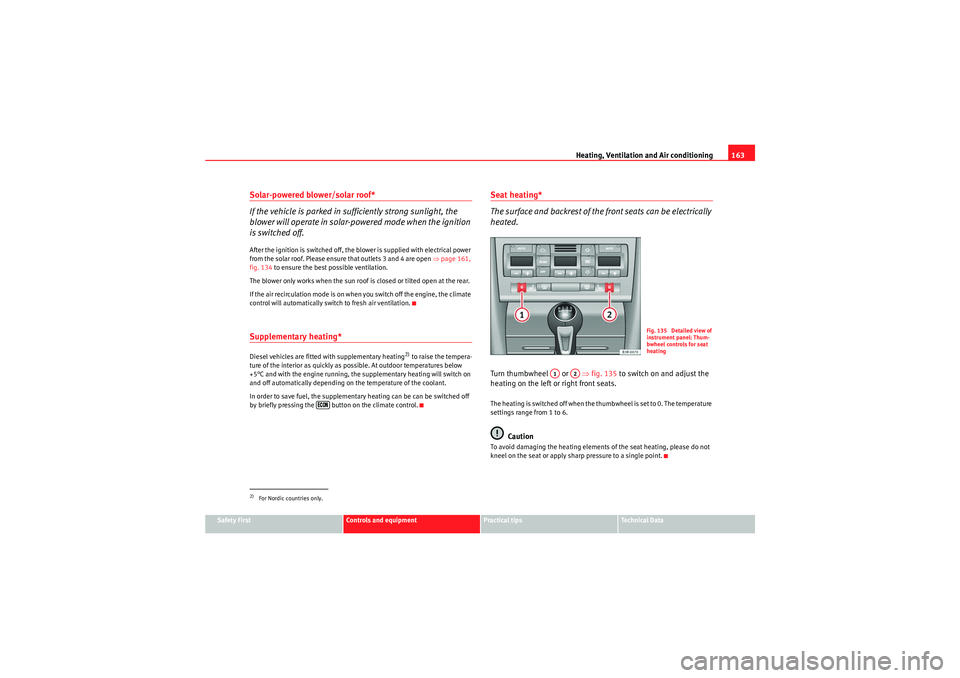
heated.Turn thumbwheel or ⇒fig. 135 to switch on and adjust the
heating on the left or right front seats.The heating is switched off when the thumbwheel is set to 0. The temperature
settings range from 1 to 6.
Caution
To avoid damaging the heating elements of the seat heating, please do not
kneel on the seat or apply sharp pressure to a single point.
2)For Nordic countries only.
Fig. 135 Detailed view of
instrument panel: Thum-
bwheel controls for seat
heating
A1
A2
Exeo_EN.book Seite 163 Freitag, 28. August 2009 10:14 10