service Seat Exeo 2009 User Guide
[x] Cancel search | Manufacturer: SEAT, Model Year: 2009, Model line: Exeo, Model: Seat Exeo 2009Pages: 310, PDF Size: 8.54 MB
Page 73 of 310
Cockpit71
Safety First
Controls and equipment
Practical tips
Technical Data
Driver information systemGeneral notes
The driver information system in the instrument panel shows
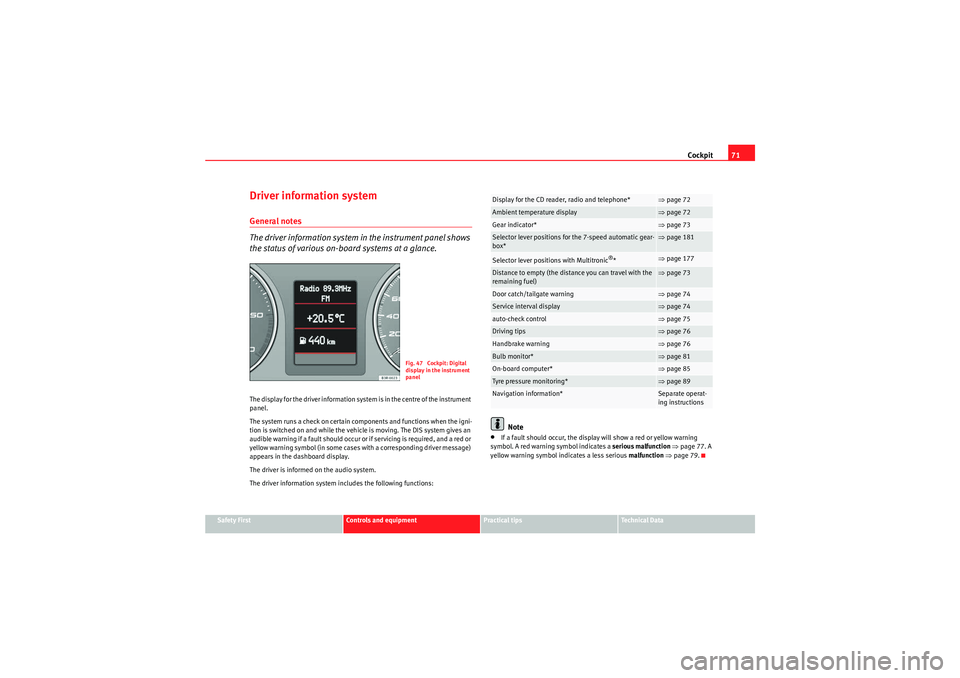
the status of various on-board systems at a glance.The display for the driver information system is in the centre of the instrument
panel.
The system runs a check on certain components and functions when the igni-
tion is switched on and while the vehicle is moving. The DIS system gives an
audible warning if a fault should occur or if servicing is required, and a red or
yellow warning symbol (in some cases with a corresponding driver message)
appears in the dashboard display.
The driver is informed on the audio system.
The driver information system includes the following functions:
Note
•If a fault should occur, the display will show a red or yellow warning
symbol. A red warning symbol indicates a serious malfunction ⇒ page 77. A
yellow warning symbol indicates a less serious malfunction ⇒ page 79.
Fig. 47 Cockpit: Digital
display in the instrument
panel
Display for the CD reader, radio and telephone*
⇒page 72
Ambient temperature display
⇒page 72
Gear indicator*
⇒page 73
Selector lever positions for the 7-speed automatic gear-
box*
⇒page 181
Selector lever positions with Multitronic
®*
⇒page 177
Distance to empty (the distance you can travel with the
remaining fuel)
⇒page 73
Door catch/tailgate warning
⇒page 74
Service interval display
⇒page 74
auto-check control
⇒page 75
Driving tips
⇒page 76
Handbrake warning
⇒page 76
Bulb monitor*
⇒page 81
On-board computer*
⇒page 85
Tyre pressure monitoring*
⇒page 89
Navigation information*
Separate operat-
ing instructions
Exeo_EN.book Seite 71 Freitag, 28. August 2009 10:14 10
Page 75 of 310
Cockpit73
Safety First
Controls and equipment
Practical tips
Technical Data
Note
When the display shows route guidance instructions from the navigation
system, the ambient temperature appears in the second line of the radio
display.Gear display*
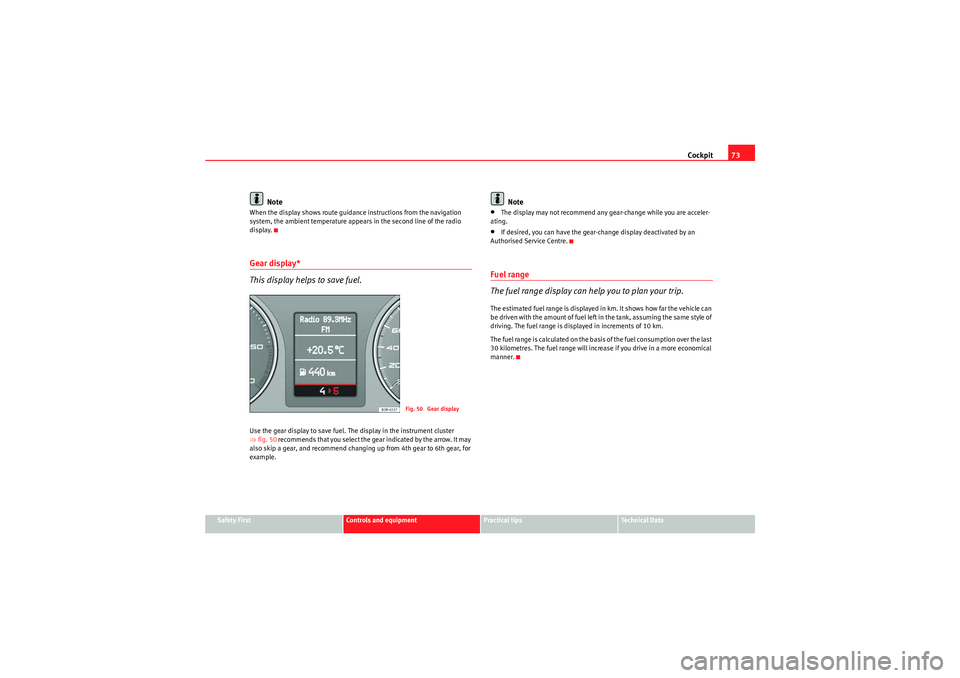
This display helps to save fuel.Use the gear display to save fuel. The display in the instrument cluster
⇒fig. 50 recommends that you select the gear indicated by the arrow. It may
also skip a gear, and recommend changing up from 4th gear to 6th gear, for
example.
Note
•The display may not recommend any gear-change while you are acceler-
ating.•If desired, you can have the gear-change display deactivated by an
Authorised Service Centre.Fuel range
The fuel range display can help you to plan your trip.The estimated fuel range is displayed in km. It shows how far the vehicle can
be driven with the amount of fuel left in the tank, assuming the same style of
driving. The fuel range is displayed in increments of 10 km.
The fuel range is calculated on the basis of the fuel consumption over the last
30 kilometres. The fuel range will increase if you drive in a more economical
manner.
Fig. 50 Gear display
Exeo_EN.book Seite 73 Freitag, 28. August 2009 10:14 10
Page 76 of 310
Cockpit
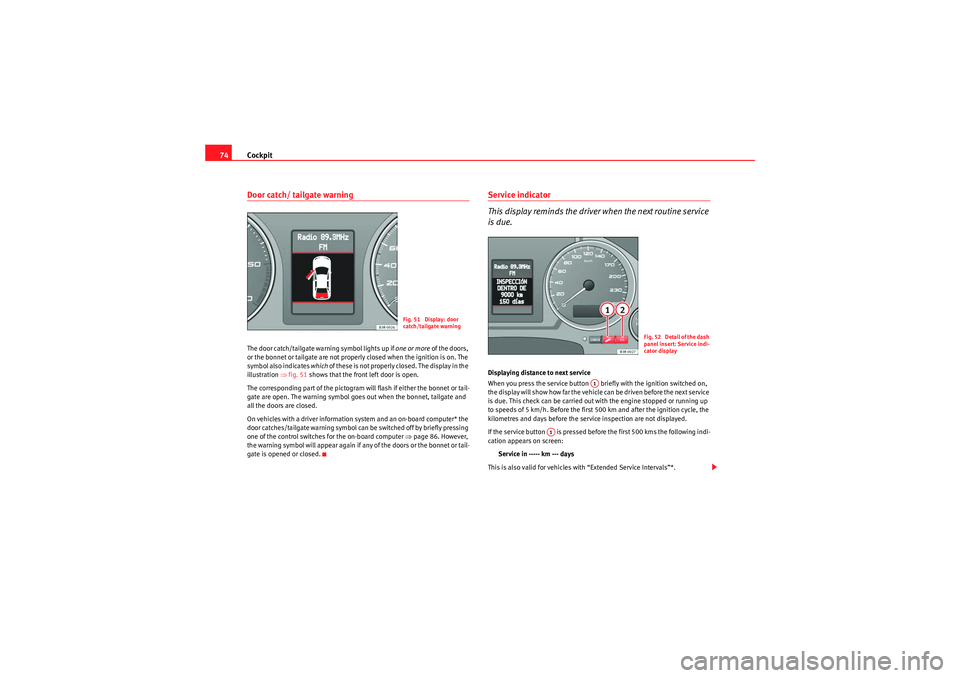
74Door catch/ tailgate warningThe door catch/tailgate warning symbol lights up if one or more of the doors,
or the bonnet or tailgate are not properly closed when the ignition is on. The
symbol also indicates which of these is not properly closed. The display in the
illustration ⇒fig. 51 shows that the front left door is open.
The corresponding part of the pictogram will flash if either the bonnet or tail-
gate are open. The warning symbol goes out when the bonnet, tailgate and
all the doors are closed.
On vehicles with a driver information system and an on-board computer* the
door catches/tailgate warning symbol can be switched off by briefly pressing
one of the control switches for the on-board computer ⇒page 86. However,
the warning symbol will appear again if any of the doors or the bonnet or tail-
gate is opened or closed.
Service indicator
This display reminds the driver when the next routine service
is due.Displaying distance to next service
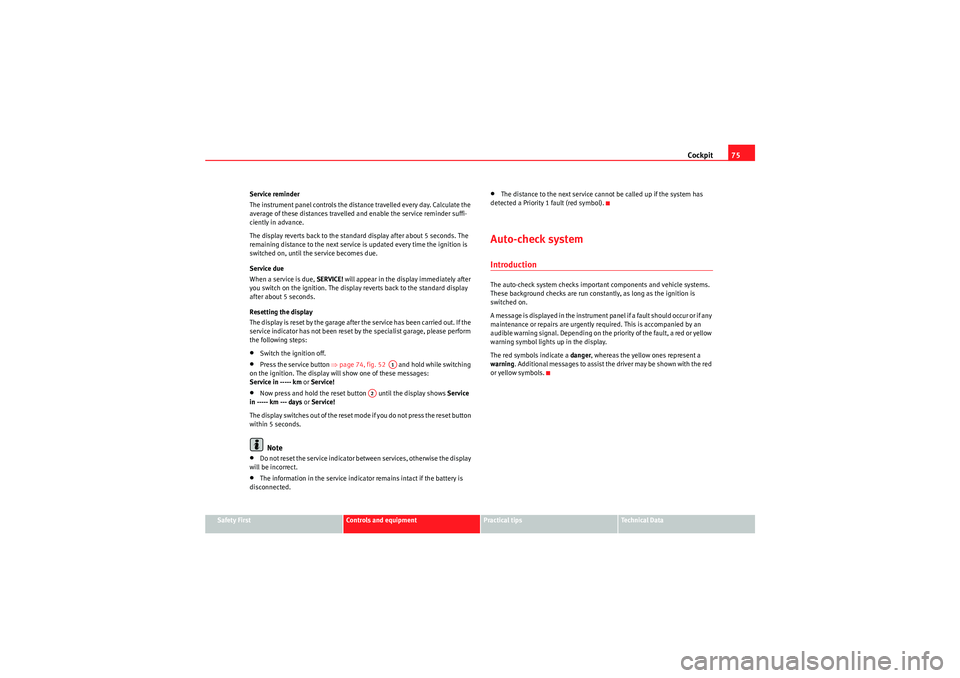
When you press the service button briefly with the ignition switched on,
the display will show how far the vehicle can be driven before the next service
is due. This check can be carried out with the engine stopped or running up
to speeds of 5 km/h. Before the first 500 km and after the ignition cycle, the
kilometres and days before the service inspection are not displayed.
If the service button is pressed before the first 500 kms the following indi-
cation appears on screen:
Service in ----- km --- days
This is also valid for vehicles with “Extended Service Intervals”*.
Fig. 51 Display: door
catch/tailgate warning
F ig. 52 Detail of th e dash
panel insert: Service indi-
cator display
A1
A1
Exeo_EN.book Seite 74 Freitag, 28. August 2009 10:14 10
Page 77 of 310
Cockpit75
Safety First
Controls and equipment
Practical tips
Technical Data
Service reminder
The instrument panel controls the distance travelled every day. Calculate the
average of these distances travelled and enable the service reminder suffi-
ciently in advance.
The display reverts back to the standard display after about 5 seconds. The
remaining distance to the next service is updated every time the ignition is
switched on, until the service becomes due.
Service due
When a service is due,
SERVICE! will appear in the display immediately after
you switch on the ignition. The display reverts back to the standard display
after about 5 seconds.
Resetting the display
The display is reset by the garage after the service has been carried out. If the
service indicator has not been reset by the specialist garage, please perform
the following steps:
•Switch the ignition off.•Press the service button ⇒page 74, fig. 52 and hold while switching
on the ignition. The display will show one of these messages:
Service in ----- km or Service!•Now press and hold the reset button until the display shows Service
in ----- km --- days or Service!
The display switches out of the reset mode if you do not press the reset button
within 5 seconds.Note
•Do not reset the service indicator between services, otherwise the display
will be incorrect.•The information in the service indicator remains intact if the battery is
disconnected.
•The distance to the next service cannot be called up if the system has
detected a Priority 1 fault (red symbol).Auto-check systemIntroductionThe auto-check system checks important components and vehicle systems.
These background checks are run constantly, as long as the ignition is
switched on.
A m e ssa ge is d i s p la y e d i n t h e i n s t r u m e n t p a n e l i f a f a u l t s h o u ld o cc u r o r i f a n y
maintenance or repairs are urgently required. This is accompanied by an
audible warning signal. Depending on the priority of the fault, a red or yellow
warning symbol lights up in the display.
The red symbols indicate a danger, whereas the yellow ones represent a
warning . Additional messages to assist the driver may be shown with the red
or yellow symbols.
A1
A2
Exeo_EN.book Seite 75 Freitag, 28. August 2009 10:14 10
Page 90 of 310
Cockpit
88Some of your vehicle's functions can be adjusted, activated and controlled by
menus . With the aid of the menus you can then also select the information
you wish to see displayed on the DIS display. This is only possible when the
ignition is on. The menu is enabled using the button on the wind-
screen wiper lever ⇒ page 87, fig. 61.
The main menu lists the different display types (or basic commands):
Programming
Check
Menu off
Help
The main menu options have the following submenus:
Controlling the menu
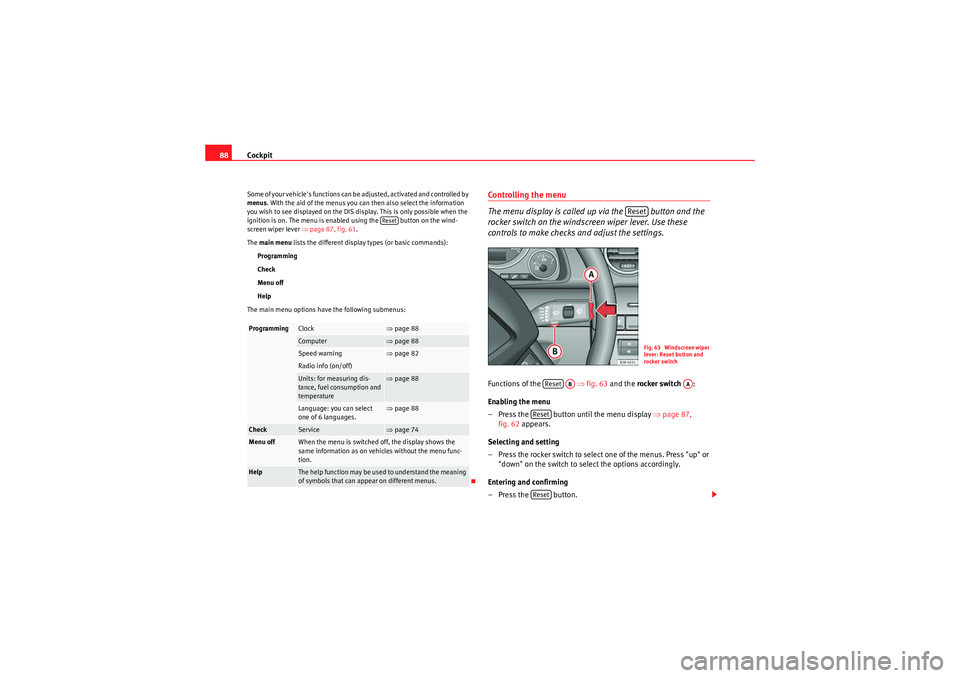
The menu display is called up via the button and the
rocker switch on the windscreen wiper lever. Use these
controls to make checks and adjust the settings.Functions of the ⇒fig. 63 and the rocker switch :
Enabling the menu
– Press the button until the menu display ⇒page 87,
fig. 62 appears.
Selecting and setting
– Press the rocker switch to select one of the menus. Press "up" or "down" on the switch to select the options accordingly.
Entering and confirming
–Press the button.
Programming
Clock
⇒ page 88
Computer
⇒page 88
Speed warning
⇒page 82
Radio info (on/off)Units: for measuring dis-
tance, fuel consumption and
temperature
⇒page 88
Language: you can select
one of 6 languages.
⇒page 88
Check
Service
⇒page 74
Menu off
When the menu is switched off, the display shows the
same information as on vehicles without the menu func-
tion.
Help
The help function may be used to understand the meaning
of symbols that can appear on different menus.
Reset
Reset
Fig. 63 Windscreen wiper
lever: Reset button and
rocker switch
Reset
AB
AA
ResetReset
Exeo_EN.book Seite 88 Freitag, 28. August 2009 10:14 10
Page 98 of 310
Unlocking and locking
96Unlocking and lockingRemote control keysSet of keys
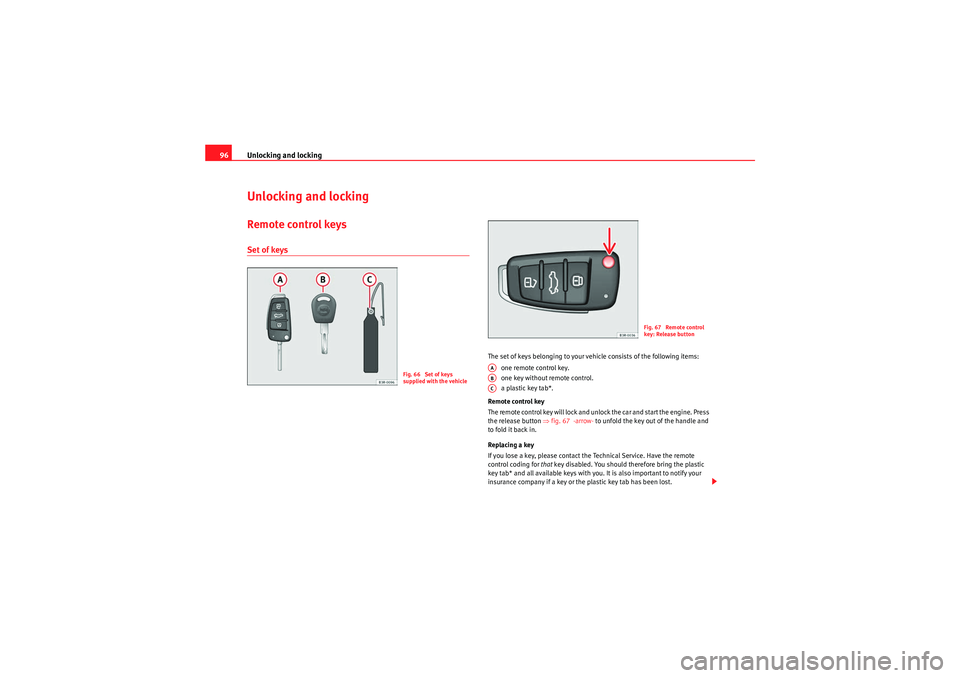
The set of keys belonging to your vehicle consists of the following items:
one remote control key.
one key without remote control.
a plastic key tab*.
Remote control key
The remote control key will lock and unlock the car and start the engine. Press
the release button ⇒fig. 67 -arrow- to unfold the key out of the handle and
to fold it back in.
Replacing a key
If you lose a key, please contact the Technical Service. Have the remote
control coding for that key disabled. You should therefore bring the plastic
key tab* and all available keys with you. It is also important to notify your
insurance company if a key or the plastic key tab has been lost.
Fig. 66 Set of keys
supplied with the vehicle
Fig. 67 Remote control
key: Release button
AAABAC
Exeo_EN.book Seite 96 Freitag, 28. August 2009 10:14 10
Page 156 of 310
Heating, Ventilation and Air conditioning
154Heating, Ventilation and Air conditioning2C-ClimatronicDescription
The climate control is designed to automatically keep the
passenger compartment at the temperature you find most
comfortable at all times of the year.Recommended settings:
– Set the temperature to 22°C (71°F).
–Press the ⇒page 156, fig. 132 button.The following setting quickly provides a comfortable temperature inside the
vehicle. We therefore recommend you do not modify the setting unless you
find this temperature uncomfortable or where circumstances require as such.
The climate control provides heating and ventilation and also cools and
dehumidifies the air inside the vehicle.
The climate control is fully automatic and will constantly maintain the temper-
ature which has been set. To achieve this, the temperature of the air supplied
to the interior, the blower speed (volume of air delivery) and the air distribu-
tion are regulated automatically. The system also takes solar radiation into
account and, therefore, no subsequent manual readjustments are required.
Therefore, automatic mode ⇒ page 157 should be used for the comfort of all
the passengers in virtually all conditions throughout the year.
Please note the following points:
The humidity of the air is automatically reduced when the system cools the
interior of the vehicle. This helps to prevent condensation on the windows. If the humidity and temperature outside the vehicle are high,
condensation
can drip off the evaporator in the air cooling system and form a pool under-
neath the vehicle. This is normal and does not indicate a leak.
If the outside temperature is low, the blower normally only switches to a
higher speed once the coolant has warmed up sufficiently (this does not
apply to the defrost setting).
In order to achieve maximum engine power, the air conditioning compressor
is tem po ra r ily s witche d o ff whe n pulli ng away f ro m s tan dstill wit h full th rot tle.
The compressor also switches off if the coolant temperature is excessively
high to ensure adequate engine cooling under extreme loads.
Pollution filter
The pollution filter (a combined particle filter and activated charcoal filter)
serves as a barrier against impurities in the outside air, including dust and
pollen.
For the climate control to work with maximum efficiency, the pollution filter
element must be replaced at the intervals specified in the Service Schedule.
If the vehicle is driven in areas with a high level of air pollution and the filter
is no longer fully effective, it may be necessary to change the filter element
more frequently.
Caution
•If you suspect that the climate control system is damaged, switch over to
ECON mode to prevent further damage and have the system checked by a
specialist garage.•Repairs to the climate control require specialist knowledge and special
tools. For this reason, please contact a specialist garage if the system is not
working properly.
AUTO
Exeo_EN.book Seite 154 Freitag, 28. August 2009 10:14 10
Page 184 of 310
Driving
182Back-up programme
A back-up system is in place if a fault should occur in the
control system.The automatic gearbox switches to the back-up programme if a fault should
occur in the control system. This is indicated by a gear-wheel symbol which
lights up on the dash panel display (the symbol represents a gear pinion).
It is still possible to move the selector lever to all positions. The manual shift
programme (Tiptronic) is not available when the back-up programme is
active.
Vehicles with tiptronic gearbox: When the selector lever is in position D or S
or in the manual shift programme, the gearbox will remain in 3rd gear if 1st,
2nd or 3rd gears were engaged when the fault occurred. The gearbox will
remain in 5th gear if 4th, 5th or 6th gears were engaged. The gearbox will
then engage 3rd gear when you drive away from a standstill or after the
engine is restarted.
It will still be possible to use reverse gear in the normal way. However, the
electronic lock for reverse gear will be switched off.
Caution
Should the gearbox ever switch into the back-up programme, you should take
the vehicle to a technical service or qualified workshop as soon as possible.
Steering wheel with paddle levers
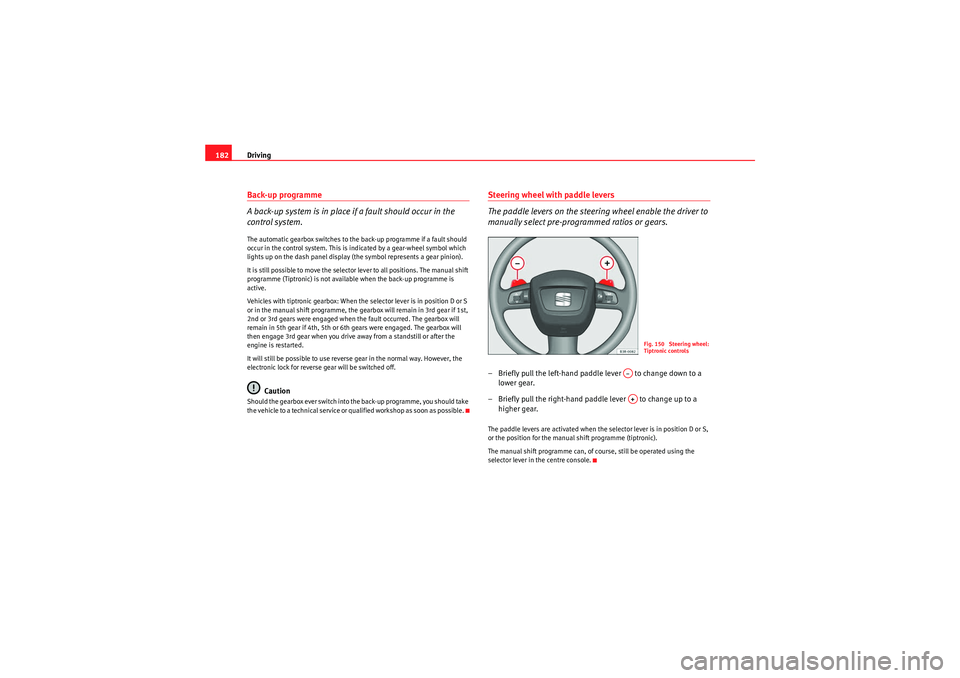
The paddle levers on the steering wheel enable the driver to
manually select pre-programmed ratios or gears.– Briefly pull the left-hand paddle lever to change down to a
lower gear.
– Briefly pull the right-hand paddle lever to change up to a higher gear.The paddle levers are activated when the selector lever is in position D or S,
or the position for the manual shift programme (tiptronic).
The manual shift programme can, of course, still be operated using the
selector lever in the centre console.
Fig. 150 Steering wheel:
Tiptronic controls
A–A+
Exeo_EN.book Seite 182 Freitag, 28. August 2009 10:14 10
Page 189 of 310
Intelligent technology187
Safety First
Controls and equipment
Practical tips
Technical Data
Corrosion
There may be a tendency for dirt to build up on the brake pads and corrosion
to form on the discs if the car is used infrequently, or if you only drive low
mileages without using the brakes very much.
If the brakes are not used frequently, or if rust has formed on the disks, it is
advisable to clean off the pads and disks by braking firmly a few times from a
moderately high speed
⇒.
Faults in the brake system
If the brake pedal travel should ever increase suddenly, this may mean that
one of the two brake circuits has failed. Drive immediately to the nearest qual-
ified workshop and have the fault rectified. On the way to the dealer, be
prepared to use more pressure on the brake pedal, and allow for longer stop-
ping distances.
Low brake fluid level
Malfunctions can occur in the brake system if the brake fluid level is too low.
The brake fluid level is monitored electronically.
WARNING
When applying the brakes to clean off deposits on the pads and discs,
select a clear, dry road. Be sure not to inconvenience or endanger other
road users. Risk of accident.
Caution
•Never let the brakes “drag” by leaving your foot on the pedal when you do
not really intend to brake. This overheats the brakes, resulting in longer stop-
ping distances and greater wear.•Before driving down a long, steep gradient, it is advisable to reduce speed
and change to a lower gear (or move the selector lever to a lower gear position
if your car has automatic transmission). This makes use of engine braking and prolongs the service life of the brakes. If you still have to use the brakes,
it is better to brake firmly at intervals than to apply the brakes continuously.
Note
If you wish to equip the car with accessories such as a front spoiler or wheel
covers, it is important that the flow of air to the front wheels is not obstructed,
otherwise the brakes can overheat.Brake servo
The brake servo assists the driver when brakingThe brake servo amplifies the pressure you apply to the brake pedal. The
brake servo works only when the engine is running.
WARNING
Ensure the vehicle does not move while in neutral, when the motor is
stopped. Failure to do so could result in an accident.
Note
If the brake servo is not working, e.g. because the vehicle has to be towed or
because it is broken, you will have to press the brake pedal considerably
harder to make up for the lack of servo assistance.
Exeo_EN.book Seite 187 Freitag, 28. August 2009 10:14 10
Page 190 of 310
Intelligent technology
188Power steeringThe power steering assists the driver when turning the
steering wheel (with the engine running).The power steering assists the driver by reducing the force needed to turn the
steering wheel.
The power steering does not work if the engine is off. In this case the steering
wheel is very hard to turn.
If the steering is held at its turning limit when the car is stationary, this will
place an excessive load on the power steering system. Turning the steering
wheel to its limit places a load on the system, which causes noise. It will also
reduce the idling speed of the engine.
Caution
When the engine is running, do not turn the steering wheel to its limit for
more than 15 seconds. Otherwise, there is a risk of damaging the power
steering.
Note
•If the power steering should fail at any time or the engine is switched off
(for instance when being towed), the car can still be steered. However, more
effort will be required to turn the steering wheel.•If the system is leaking or malfunctioning, please take the car to a quali-
fied workshop as soon as possible.•The power steering requires a special hydraulic fluid. The fluid reservoir is
located at the front of the engine compartment on the left ⇒ page 289. The
correct fluid level in the reservoir is important for the power steering to func-
tion properly. The hydraulic fluid level is checked at the Inspection Service.
ServotronicThe servotronic system electronically adjusts the degree of
power assistanceIn cars equipped with servotronic power steering the degree of power assist-
ance ⇒page 188 is adjusted electronically according to road speed.
If a fault should occur in the servotronic system, the power steering will still
operate. The degree of power assistance will, however, no longer adapt to
different speeds. If the electronic regulating system is not working properly,
this is most noticeable when turning the steering wheel at low speeds (for
instance when parking) – more effort will be required than usual. The fault
should be corrected by a qualified workshop as soon as possible.
Exeo_EN.book Seite 188 Freitag, 28. August 2009 10:14 10