steering Seat Exeo 2009 Owner's Guide
[x] Cancel search | Manufacturer: SEAT, Model Year: 2009, Model line: Exeo, Model: Seat Exeo 2009Pages: 310, PDF Size: 8.54 MB
Page 123 of 310
Lights and visibility121
Safety First
Controls and equipment
Practical tips
Technical Data
– Press the knob in again to prevent the setting from being
changed unintentionally.This button activates or deactivates the daytime running lights function. With
the function activated, when the ignition is switched on the daytime running
lights are turned on automatically.
Note
Please observe any relevant legal requirements which may apply in your
country.Adaptive headlights* (for cornering)
When driving around bends, the headlights will light the
most important areas of the road.
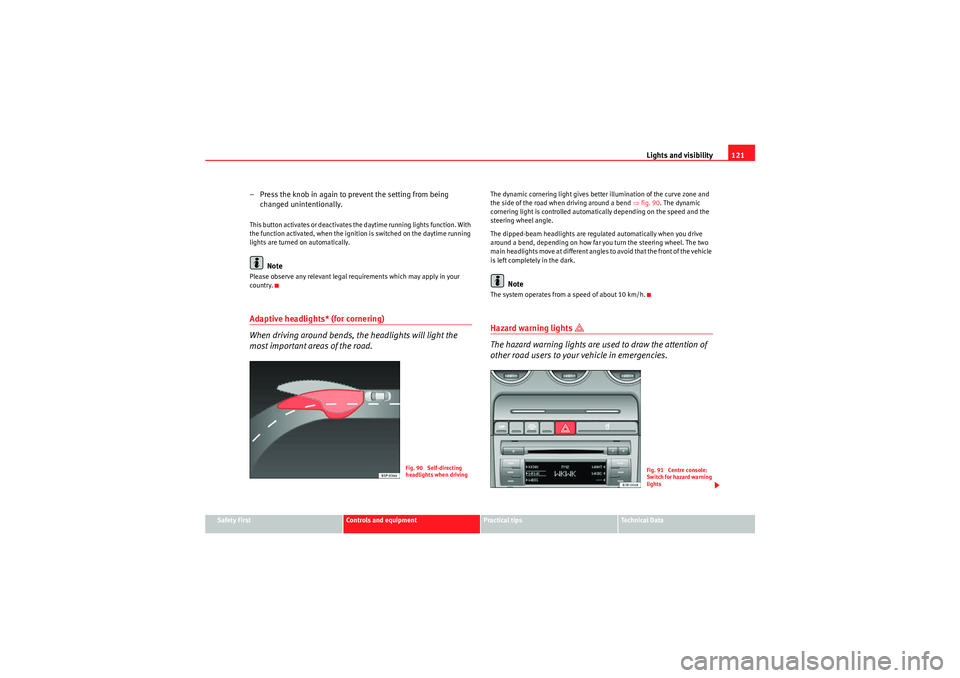
The dynamic cornering light gives better illumination of the curve zone and
the side of the road when driving around a bend ⇒fig. 90 . The dynamic
cornering light is controlled automatically depending on the speed and the
steering wheel angle.
The dipped-beam headlights are regulated automatically when you drive
around a bend, depending on how far you turn the steering wheel. The two
main headlights move at different angles to avoid that the front of the vehicle
is left completely in the dark.
Note
The system operates from a speed of about 10 km/h.Hazard warning lights
The hazard warning lights are used to draw the attention of
other road users to your vehicle in emergencies.
Fig. 90 Self-directing
headlights when driving
Fig. 91 Centre console:
Switch for hazard warning
lights
Exeo_EN.book Seite 121 Freitag, 28. August 2009 10:14 10
Page 125 of 310
Lights and visibility123
Safety First
Controls and equipment
Practical tips
Technical Data
Main beam headlights
– Press the lever forward to switch on the main beams.
– Pull the lever back towards you to switch the main beam head-
lights off again.
Headlight flasher
– Pull the lever towards the steering wheel to operate the flasher.
Parking light
– Switch the ignition off.
– Move the lever up or down to turn on the right or left-hand
parking lights respectively.Notes on these functions•The indicators only work when the ignition is switched on. The indicator
lamp or flashes in the instrument panel when the turns signals
⇒ page 65 are working.
•The indicators are cancelled automatically when the steering wheel is
returned to the straight-ahead position.•The main beam headlights can only be switched on if the dipped beam
headlights are already on. The main beam headlight indicator lamp
then
comes on in the instrument panel.
•The headlight flasher co m es on for as lo ng as yo u pull th e le ve r, e ve n if no
other lights are switched on. The main beam headlight indicator lamp
then comes on in the instrument panel.
•When the parking lights are switched on, the headlight and the rear light
on one side of the car light up with re duced intensity. The parking lights will
only work with the ignition off.
Caution
Never use the main beam headlights or the headlight flasher if this would
dazzle oncoming traffic.Interior lightsFront interior lights and glove compartment light
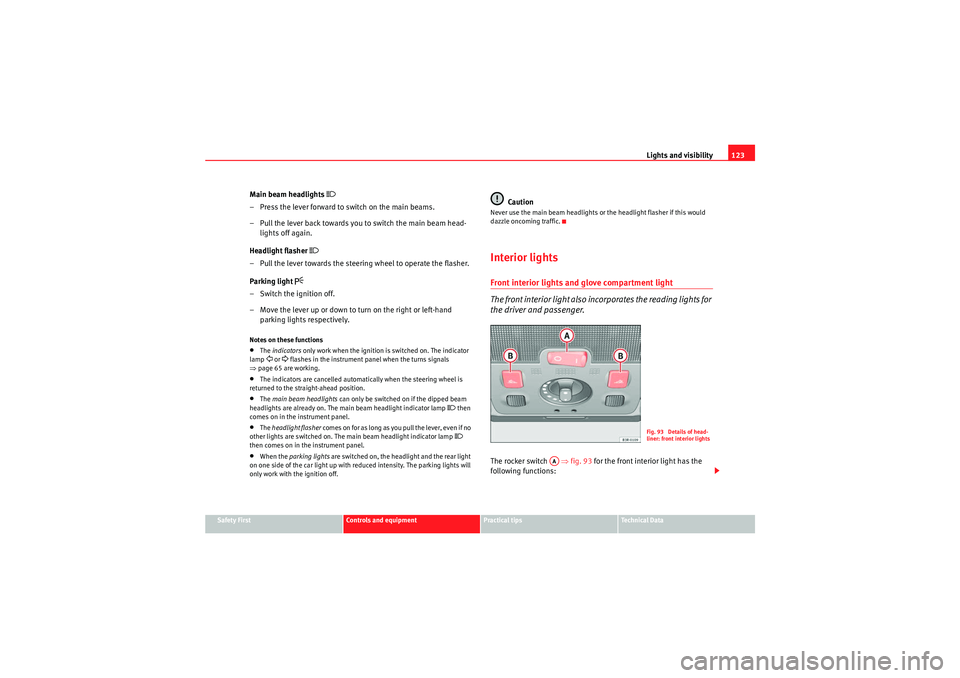
The front interior light also incorporates the reading lights for
the driver and passenger.The rocker switch ⇒fig. 93 for the front interior light has the
following functions:
Fig. 93 Details of head-
liner: front interior lights
AA
Exeo_EN.book Seite 123 Freitag, 28. August 2009 10:14 10
Page 130 of 310
Lights and visibility
128Windscreen wipersWindscreen wipers
The windscreen wiper lever controls the windscreen wipers
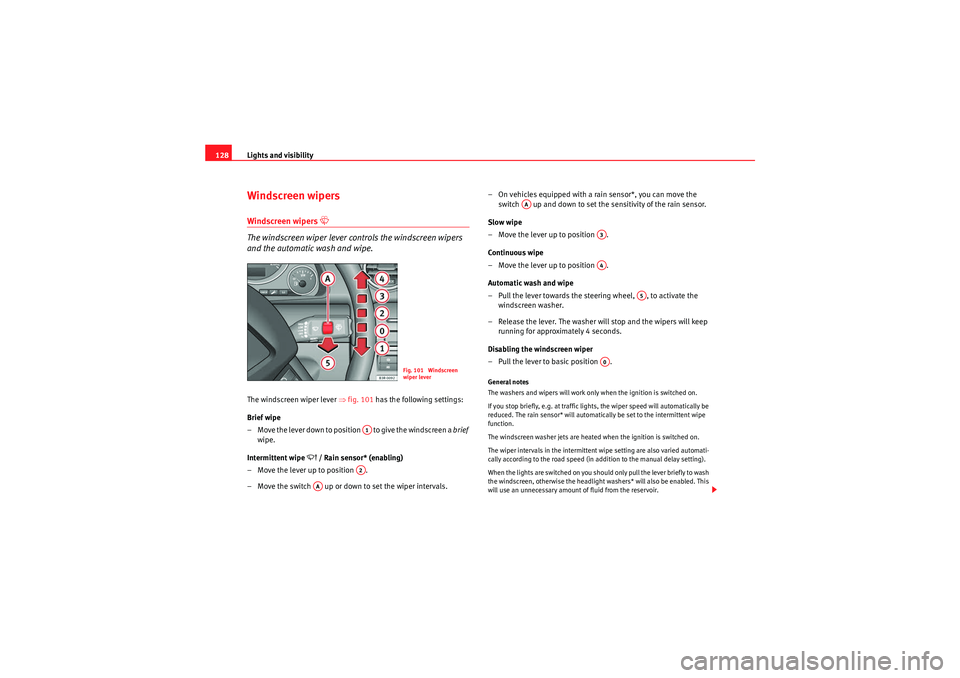
and the automatic wash and wipe.The windscreen wiper lever ⇒fig. 101 has the following settings:
Brief wipe
– Move the lever down to position to give the windscreen a brief
wipe.
Intermittent wipe
/ Rain sensor* (enabling)
– Move the lever up to position .
– Move the switch up or down to set the wiper intervals. – On vehicles equipped with a rain sensor*, you can move the
switch up and down to set the sensitivity of the rain sensor.
Slow wipe
– Move the lever up to position .
Continuous wipe
– Move the lever up to position .
Automatic wash and wipe
– Pull the lever towards the steering wheel, , to activate the windscreen washer.
– Release the lever. The washer will stop and the wipers will keep running for approximately 4 seconds.
Disabling the windscreen wiper
– Pull the lever to basic position .
General notes
The washers and wipers will work only when the ignition is switched on.
If you stop briefly, e.g. at traffic lights, the wiper speed will automatically be
reduced. The rain sensor* will automatically be set to the intermittent wipe
function.
The windscreen washer jets are heated when the ignition is switched on.
The wiper intervals in the intermittent wipe setting are also varied automati-
cally according to the road speed (in addition to the manual delay setting).
When the lights are switched on you should only pull the lever briefly to wash
the windscreen, otherwise the headlight washers* will also be enabled. This
will use an unnecessary amount of fluid from the reservoir.
Fig. 101 Windscreen
wiper lever
A1A2
AA
AA
A3A4
A5
A0
Exeo_EN.book Seite 128 Freitag, 28. August 2009 10:14 10
Page 166 of 310
Driving
164DrivingAddressAdjusting the steering wheel position
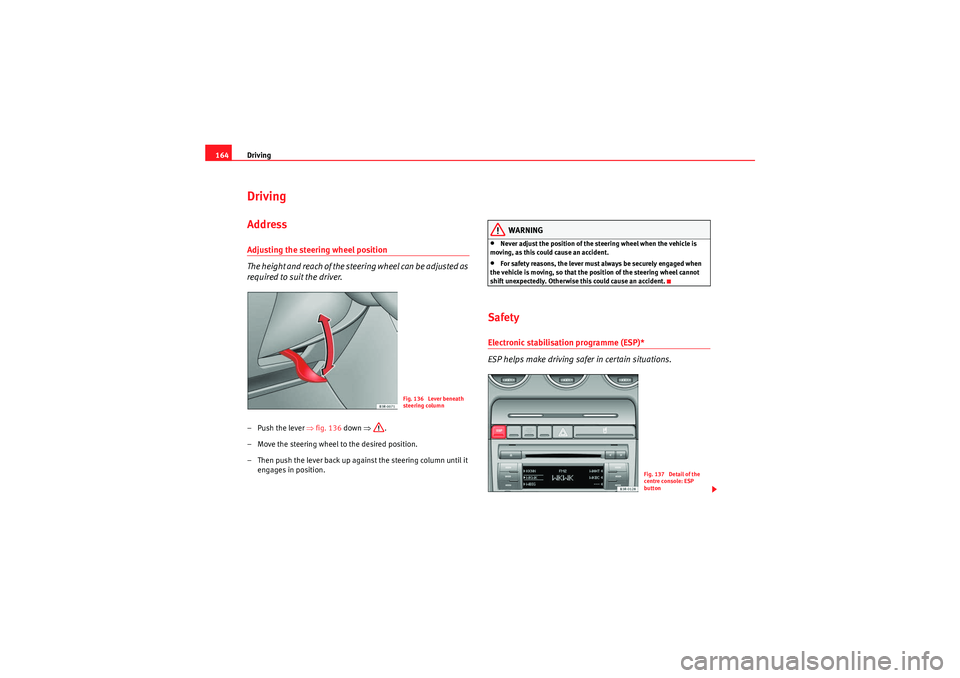
The height and reach of the stee ring wheel can be adjusted as
required to suit the driver.–Push the lever ⇒ fig. 136 down ⇒.
– Move the steering wheel to the desired position.
– Then push the lever back up against the steering column until it engages in position.
WARNING
•Never adjust the position of the steering wheel when the vehicle is
moving, as this could cause an accident.•For safety reasons, the lever must always be securely engaged when
the vehicle is moving, so that the position of the steering wheel cannot
shift unexpectedly. Otherwise this could cause an accident.
SafetyElectronic stabilisation programme (ESP)*
ESP helps make driving safer in certain situations.
Fig. 136 Lever beneath
steering column
Fig. 137 Detail of the
centre console: ESP
button
Exeo_EN.book Seite 164 Freitag, 28. August 2009 10:14 10
Page 167 of 310
Driving165
Safety First
Controls and equipment
Practical tips
Technical Data
The Electronic Stabilisation Program (ESP) contains the electronic differential
lock (EDL) and the traction control system (TCS). The ESP function works
together with the ABS. If a fault in the ABS occurs, both warning lamps light
up, but if the ESP fails, only the ESP warning lamp lights up.
The ESP is started automatically when the engine is started.
The ESP switch deactivates both TCS and ESP functions. The ESP, in spite of
being deactivated, will always self-connect when necessary if brakes are
being used.
The TCS can be deactivated when in cases where wheel sliding is desirable.
For example:
•When driving with snow chains,•when driving in deep snow or on loose surfaces,•when rocking the vehicle backwards and forwards to free it from mud, for
example.
Next, the button should be pressed to reactivate the TCS.
When does the warning light switch on or flash ?•On switching the ignition on, it lights up for about two seconds to carry
out a function control.•The warning lamp will start flashing when the vehicle is moving if the ESP
or the TCS is activated.•It will light up continuously if there is a malfunction in the ESP.WARNING
•The electronic stabilisation programme (ESP) cannot defy the laws of
physics. This should be kept in mind, particularly on slippery and wet
roads and when towing a trailer.•Always adapt your driving style to suit the condition of the roads and
the traffic situation. Do not let the extra safety afforded by ESP tempt you
into taking any risks when driving, this can cause accidents.
•Please refer to the corresponding warning notes on ESP in ⇒page 183,
“Intelligent technology”.
Ignition lockIgnition key positions
The ignition key is used to start and stop the engine.Position
The ignition key is inserted in this position. To engage the steering wheel
lock , take out the key and turn the wheel until you hear the pin engage. You
should always engage the steering lock when you leave the vehicle. This will
help to deter thefts ⇒.
WARNING (continued)
Fig. 138 Ignition key
positions
A1
Exeo_EN.book Seite 165 Freitag, 28. August 2009 10:14 10
Page 168 of 310
Driving
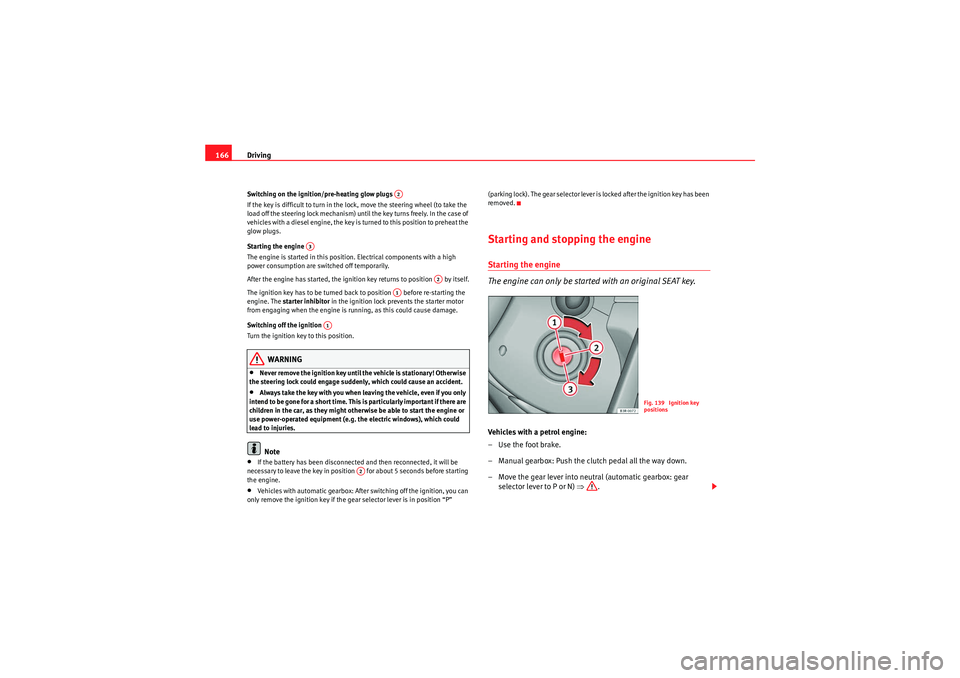
166Switching on the ignition/pre-heating glow plugs
If the key is difficult to turn in the lock, move the steering wheel (to take the
load off the steering lock mechanism) until the key turns freely. In the case of
vehicles with a diesel engine, the key is turned to this position to preheat the
glow plugs.
Starting the engine
The engine is started in this position. Electrical components with a high
power consumption are switched off temporarily.
After the engine has started, the ignition key returns to position by itself.
The ignition key has to be turned back to position before re-starting the
engine. The starter inhibitor in the ignition lock prevents the starter motor
from engaging when the engine is running, as this could cause damage.
Switching off the ignition
Turn the ignition key to this position.
WARNING
•Never remove the ignition key until the vehicle is stationary! Otherwise
the steering lock could engage suddenly, which could cause an accident.•Always take the key with you when leaving the vehicle, even if you only
intend to be gone for a short time. This is particularly important if there are
children in the car, as they might otherwise be able to start the engine or
use power-operated equipment (e.g. the electric windows), which could
lead to injuries.Note
•If the battery has been disconnected and then reconnected, it will be
necessary to leave the key in position for about 5 seconds before starting
the engine.•Vehicles with automatic gearbox: After switching off the ignition, you can
only remove the ignition key if the gear selector lever is in position “P” (parking lock). The gear selector lever is locked after the ignition key has been
removed.
Starting and stopping the engineStarting the engine
The engine can only be started with an original SEAT key.Vehicles with a petrol engine:
– Use the foot brake.
– Manual gearbox: Push the clutch pedal all the way down.
– Move the gear lever into neutral (automatic gearbox: gear
selector lever to P or N) ⇒.
A2
A3
A2
A1
A1
A2
Fig. 139 Ignition key
positions
Exeo_EN.book Seite 166 Freitag, 28. August 2009 10:14 10
Page 170 of 310
Driving
168•The brake servo and the power steering system work only when the
engine is running. You need more strength to steer and brake the vehicle
when the engine is switched off. Given that you will be unable to steer and
brake as usual, this could lead to a risk of accidents and injuries.Caution
If the engine has been running hard for a long time, there is a risk of heat
building up in the engine compartment after the engine has been switched
off; this could cause engine damage. Therefore, you should idle the engine
for approx. 2 minutes before you switch it off.
Note
After the engine is switched off the radiator fan may run on for up to 10
minutes, even if the ignition is switched off. It may also start running again
after some time if the coolant temperature rises due to a build-up of heat
under the bonnet, or if the engine is already warm and the engine compart-
ment is heated up further by direct sunlight.
HandbrakeHandbrake
The handbrake should be applied firmly to prevent the
vehicle from accidentally rolling away.Applying the handbrake
– Pull the handbrake lever up all the way.
Releasing the handbrake
– Pull the lever up slightly and at the same time press in the release
button ⇒fig. 140 -arrow-.
– Keep the release button pressed and push the lever all the way down ⇒ .
WARNING (continued)
Fig. 140 Detail of the
centre console: Hand-
brake applied
Exeo_EN.book Seite 168 Freitag, 28. August 2009 10:14 10
Page 171 of 310
Driving169
Safety First
Controls and equipment
Practical tips
Technical Data
If you drive by mistake with the handbrake still applied, you will hear a
warning buzzer and the display will show the message:
Handbrake applied
The handbrake warning is enabled after driving for 3 seconds at a speed
above 5 km/h.
The handbrake warning lamp
lights up when the handbrake is applied
with the ignition on.
WARNING
Please note that the handbrake should be released all the way. If it is only
partially released, this will cause rear brakes overheating, which can
impair the function of the brake system and could lead to an accident.
Caution
Once the vehicle has come to a standstill, always apply the handbrake firmly
and then, on a manual gearbox, engage a gear, or select P on an automatic.Parking
The following points will ensure there is no risk of the car
rolling away accidentally after it is parked.– Use the foot brake to stop the vehicle.
– Apply handbrake firmly.
– Switch the engine off.
– On a manual gearbox engage 1st gear or on an automatic move the selector lever to P ⇒ .
When parking on slopes:
Turn the steering wheel so that the, if the vehicle moves, it will do so towards
the curb.
WARNING
•Do not leave anyone (especially children) in the vehicle when it is
locked. Locked doors could delay assistance in an emergency, potentially
putting lives at risk.•Never leave children unsupervised in the vehicle. They could release
e.g. the handbrake or gear lever, moving the vehicle and causing an
accident.
Parking aid acoustic systemGeneral notesVarious systems are available to help you when parking or manoeuvring in
tight spaces, depending on the equipment fitted on your vehicle.
The SEAT parking system gives an acoustic warning if there are any obstacles
behind your car ⇒ page 170.
When you are parking, SEAT parking system plus warns you acoustically and
optically about obstacles in front of and behind the vehicle ⇒page 170.
Note
To ensure the acoustic parking aid works properly, the sensors must be kept
clean and free of snow and ice.
Exeo_EN.book Seite 169 Freitag, 28. August 2009 10:14 10
Page 184 of 310
Driving
182Back-up programme
A back-up system is in place if a fault should occur in the
control system.The automatic gearbox switches to the back-up programme if a fault should
occur in the control system. This is indicated by a gear-wheel symbol which
lights up on the dash panel display (the symbol represents a gear pinion).
It is still possible to move the selector lever to all positions. The manual shift
programme (Tiptronic) is not available when the back-up programme is
active.
Vehicles with tiptronic gearbox: When the selector lever is in position D or S
or in the manual shift programme, the gearbox will remain in 3rd gear if 1st,
2nd or 3rd gears were engaged when the fault occurred. The gearbox will
remain in 5th gear if 4th, 5th or 6th gears were engaged. The gearbox will
then engage 3rd gear when you drive away from a standstill or after the
engine is restarted.
It will still be possible to use reverse gear in the normal way. However, the
electronic lock for reverse gear will be switched off.
Caution
Should the gearbox ever switch into the back-up programme, you should take
the vehicle to a technical service or qualified workshop as soon as possible.
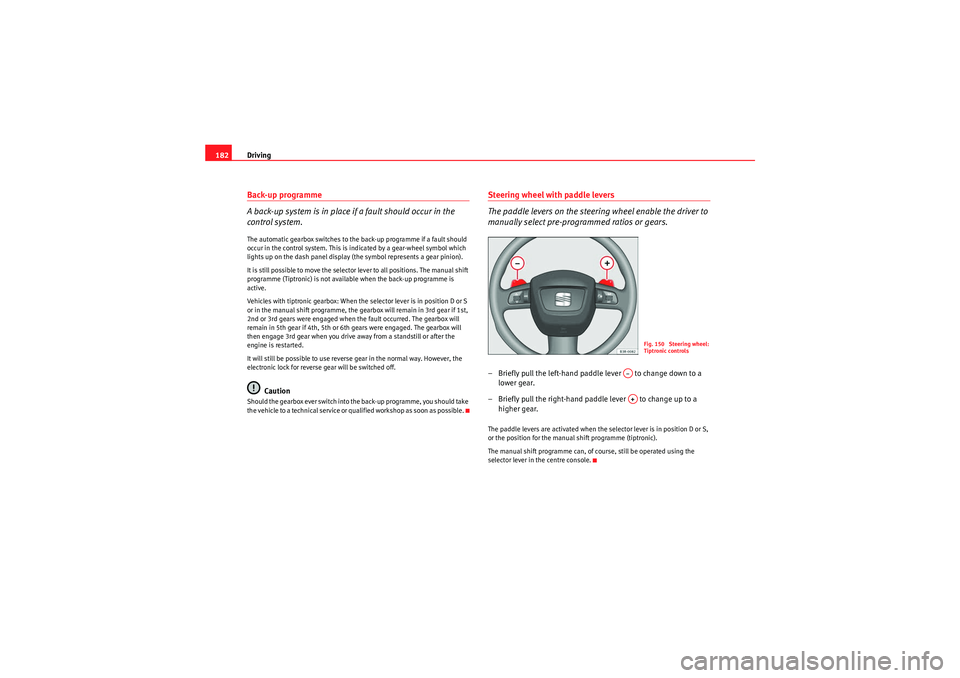
Steering wheel with paddle levers
The paddle levers on the steering wheel enable the driver to
manually select pre-programmed ratios or gears.– Briefly pull the left-hand paddle lever to change down to a
lower gear.
– Briefly pull the right-hand paddle lever to change up to a higher gear.The paddle levers are activated when the selector lever is in position D or S,
or the position for the manual shift programme (tiptronic).
The manual shift programme can, of course, still be operated using the
selector lever in the centre console.
Fig. 150 Steering wheel:
Tiptronic controls
A–A+
Exeo_EN.book Seite 182 Freitag, 28. August 2009 10:14 10
Page 185 of 310
Intelligent technology183
Safety First
Controls and equipment
Practical tips
Technical Data
Practical tipsIntelligent technologyElectronic stabilisation programme (ESP)General notes
The electronic stabilisation programme increases the
vehicle's stability on the road.The ESP is designed to increase the degree of control in situations where the
car approaches the limits of adhesion, especially when accelerating and
cornering. It reduces the risk of skidding and improves stability in all road
conditions. The system is active across the entire speed range. The anti-lock brake system (ABS), the electronic differential lock (EDL) and
the traction control system (TCS) are all integrated into the electronic stabili-
sation programme.
How it works
The ESP control unit processes data from the three integrated systems. It also
processes additional inputs provided by other high-precision sensors. These
register the vehicle's rotation about the vertical axis (yaw rate), lateral accel-
eration, brake pressure and steering wheel angle.
The system uses the steering wheel angle and road speed to calculate the
changes of direction desired by the driver, and constantly compares them
with the actual behaviour of the vehicle. If the desired course is not being
maintained (for instance, if the car is starting to skid), then the ESP compen-
sates automatically by braking the appropriate wheel.
The forces acting on the braked wheel bring the car back to a stable condi-
tion. If the vehicle
over swerves (tendency of the rear to leave the road), the
brakes will act on the front wheel facing the outside of the bend. If the vehicle
under swerves (tendency to leave the bend), the braking force is applied to
the rear wheel facing the inside of the bend.
The ESP works in conjunction with the ABS ⇒page 184. If a malfunction
should occur in the ABS, the ESP will also be out of action.
Disabling
The ESP is enabled automatically when the engine is started and performs a
self-test routine.
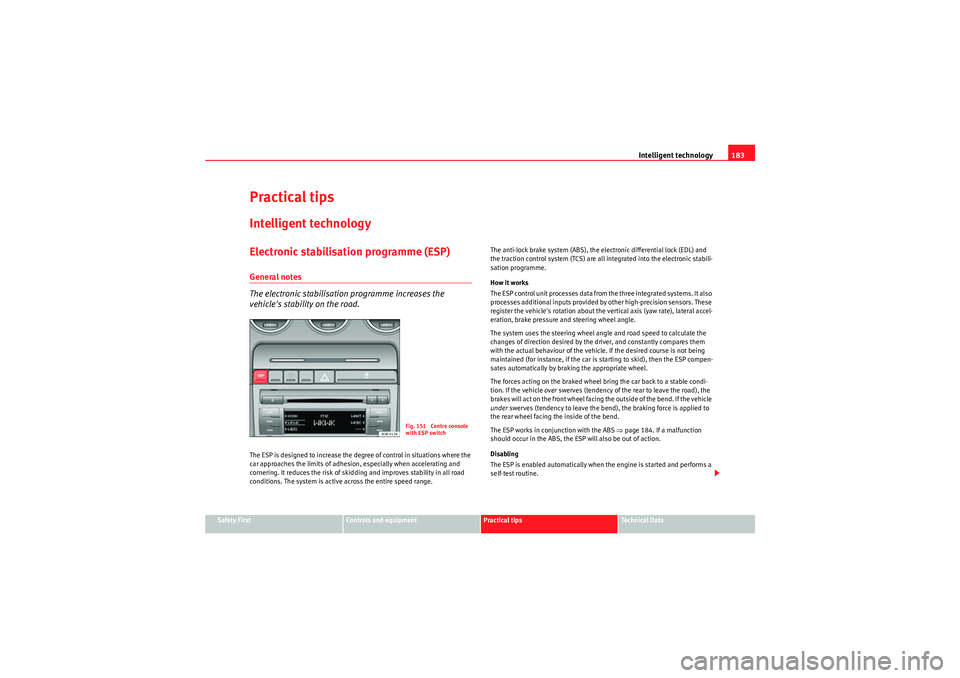
Fig. 151 Centre console
with ESP switch
Exeo_EN.book Seite 183 Freitag, 28. August 2009 10:14 10