tow Seat Exeo 2009 Owner's Guide
[x] Cancel search | Manufacturer: SEAT, Model Year: 2009, Model line: Exeo, Model: Seat Exeo 2009Pages: 310, PDF Size: 8.54 MB
Page 139 of 310

Seats and stowage137
Safety First
Controls and equipment
Practical tips
Technical Data
Adjusting the contour of lumbar support
– Press the front part of the adjuster switch ⇒page 136, fig. 109
to increase the contour of the lumbar support.
– Press the rear part of the adjuster switch to decrease the contour of the lumbar support.
Adjusting the height of lumbar support
– Press the top part of the adjuster switch to move the lumbar support upwards.
– Press the bottom part of the adjuster switch to move the lumbar support down.The lumbar support provides effective support for the natural curvature of the
spine to give a more relaxed seating position, especially on long journeys.
Memory for driver's seat*Description
The recall buttons in the driver's door can be used to store
and recall up to four different positions for the driver's seat
and exterior mirrors.Memory buttons
Using the recall buttons 1, 2, 3 and 4 ⇒fig. 110 , you can store and recall the
seat and exterior mirror positions for up to four different drivers.
button
The seat memory will be disabled if the button is in the up position
(press and release). The word
will light up next to the button (only
visible when the lights are switched on).
The stored settings will all remain in the memory. However, the seat and the
exterior mirrors can now only be adjusted using the conventional electrical
Fig. 110 Driver's door:
Memory system
STOP
STOP
STOP
Exeo_EN.book Seite 137 Freitag, 28. August 2009 10:14 10
Page 140 of 310
Seats and stowage
138adjustment. Use of the button is recommended to disable the memory
system when the vehicle is being driven temporarily by a different driver
whose settings do not need to be stored in the memory.
Note
You can also use the remote control to call up the stored settings
⇒ page 139.Storing settingsThe button must be in its down position (pressed in) before
you can store the desired settings.
– Adjust the driver's seat as required ⇒page 135.
– Adjust both exterior mirrors ⇒page 131.
– Press and hold the button. At the same time, press one of the memory buttons for at least a second.
– Release both buttons. The setting is now stored on the selected memory button.Any new setting selected automatically cancels the existing setting stored on
the memory button. It is best to begin with memory button No. 1 for the first
driver and then assign the other memory buttons to each subsequent driver.
The seat and mirror positions are stored when the car is locked with the
remote control and are assigned to the remote control key. The exterior
mirrors adjust automatically to the previous position when you unlock the
car; the driver's seat adjusts automatically when you open the driver's door. However, this does not delete the settings stored in memory buttons 1 to 4.
These settings can be enabled at any time.
Enabling settings
Stored settings can be recalled using either the memory
buttons or the remote control (remote control key).Using the memory buttons
– If the driver's door is open, press the desired memory button
briefly.
– If the driver's door is closed, press and hold down the appro- priate memory button until the seat and exterior mirrors reach
their programmed positions.
Using the remote control
– Unlock the vehicle using the remote control and open the driver's door within the next ten minutes.The seat adjustment will have to be called up using the memory buttons if the
driver's door is not opened within 10 minutes after unlocking the vehicle with
the remote control.
WARNING
•For safety reasons, the seat must only be adjusted when the vehicle is
at a standstill. Failure to do so could result in an accident.•In an emergency, the memory function can be stopped at any time by
pressing the STOP button or by br iefly pressing any of the memory
buttons.
STOP
STOP
MEMO
Exeo_EN.book Seite 138 Freitag, 28. August 2009 10:14 10
Page 141 of 310
Seats and stowage139
Safety First
Controls and equipment
Practical tips
Technical Data
Assigning remote control keys
The key must be assigned to a memory button so that the
positions stored in the memory can also be recalled using the
remote control key.Assigning the remote control key to a memory button
– Using the memory button, recall the settings that are to be
programmed onto the key.
– Keeping the memory button pressed down, press the unlock button on the remote control key within 10 seconds.
– Wait for about 2 seconds before releasing the memory button.
Deleting assignment of the remote control key to the memory
button
– Press and hold the button and press the unlock button on the remote control key within 10 seconds.
– Wait for about 2 seconds before releasing the button.The previous settings are automatically cancelled when the keys are re-
assigned to different memory buttons.
Head restraintsFront head restraints
In combination with properly worn seat belts, the head
restraints offer effective protection, provided they are prop-
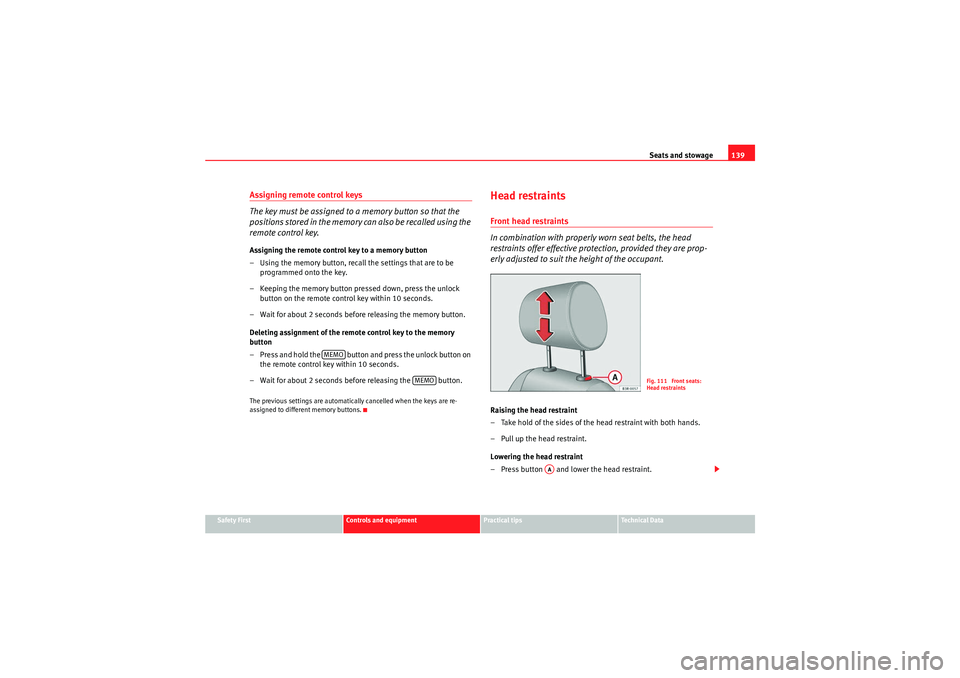
erly adjusted to suit the height of the occupant.Raising the head restraint
– Take hold of the sides of the head restraint with both hands.
– Pull up the head restraint.
Lowering the head restraint
– Press button and lower the head restraint.
MEMO
MEMO
Fig. 111 Front seats:
Head restraints
AA
Exeo_EN.book Seite 139 Freitag, 28. August 2009 10:14 10
Page 142 of 310
Seats and stowage
140
Removing the head restraints
– Pull up the head restraint as far as it will go.
– Press button and pull out the head restraint.
Fitting the head restraint
– Insert the head restraint in its guides until it clicks into place. Press button and lower the head restraint.The height of the head restraints is adjustable. They should be set to suit the
height of the occupant. In combination with the seat belts, the head
restraints offer effective protection, provided they are properly adjusted.
For best protection, the top of the head restraint should be at least at eye level
or higher.Head restraints on the side rear seats
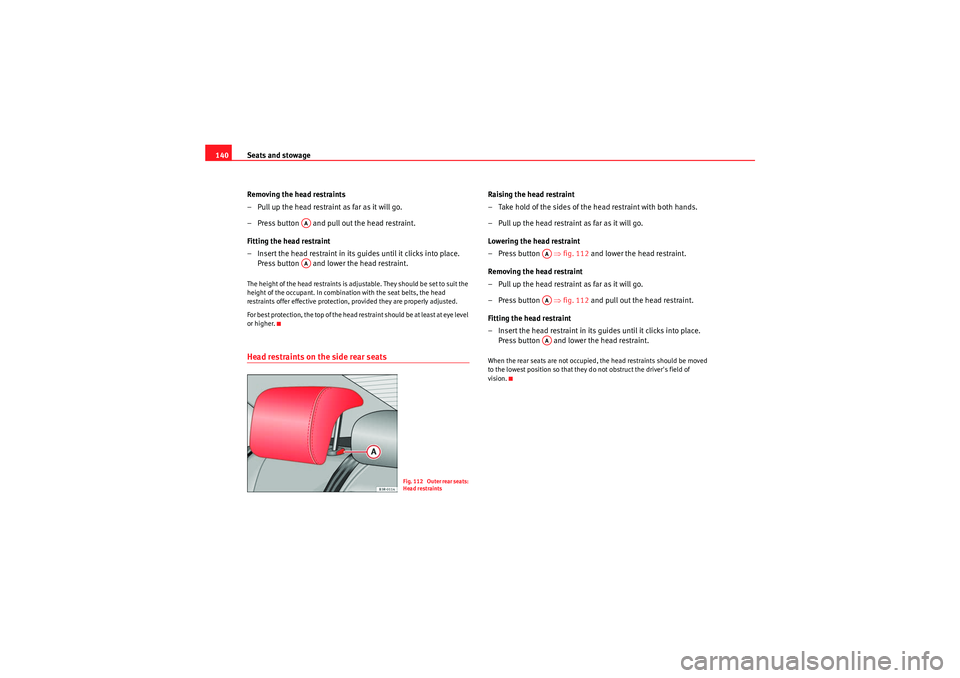
Raising the head restraint
– Take hold of the sides of the head restraint with both hands.
– Pull up the head restraint as far as it will go.
Lowering the head restraint
–Press button ⇒ fig. 112 and lower the head restraint.
Removing the head restraint
– Pull up the head restraint as far as it will go.
–Press button ⇒ fig. 112 and pull out the head restraint.
Fitting the head restraint
– Insert the head restraint in its guides until it clicks into place. Press button and lower the head restraint.When the rear seats are not occupied, the head restraints should be moved
to the lowest position so that they do not obstruct the driver's field of
vision.
AAAA
Fig. 112 Outer rear seats:
Head restraints
AAAAAA
Exeo_EN.book Seite 140 Freitag, 28. August 2009 10:14 10
Page 143 of 310
Seats and stowage141
Safety First
Controls and equipment
Practical tips
Technical Data
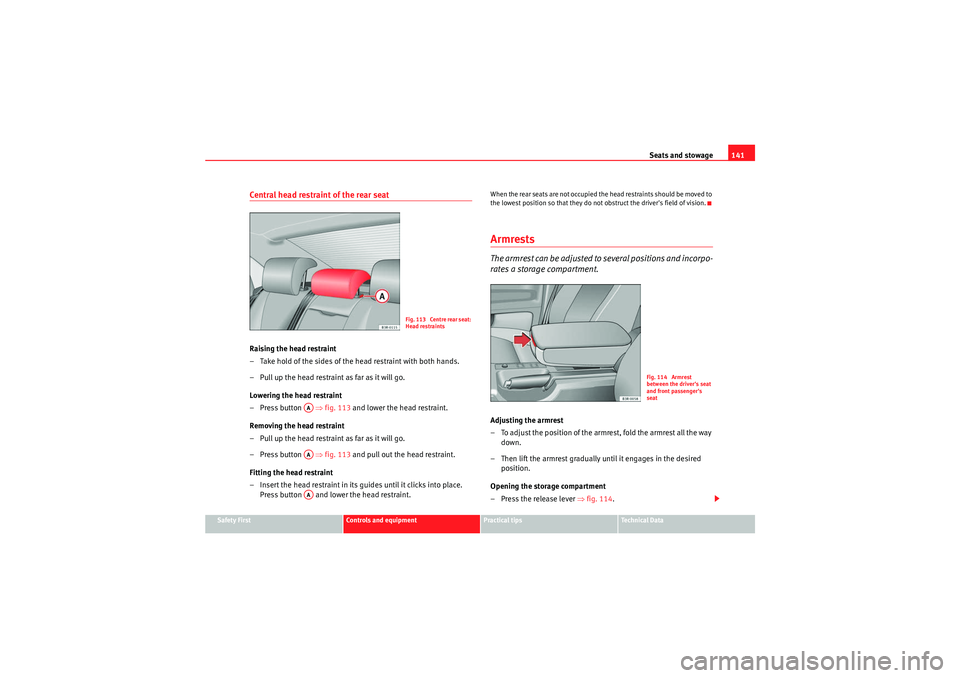
Central head restraint of the rear seatRaising the head restraint
– Take hold of the sides of the head restraint with both hands.
– Pull up the head restraint as far as it will go.
Lowering the head restraint
– Press button ⇒fig. 113 and lower the head restraint.
Removing the head restraint
– Pull up the head restraint as far as it will go.
– Press button ⇒fig. 113 and pull out the head restraint.
Fitting the head restraint
– Insert the head restraint in its gu ides until it clicks into place.
Press button and lower the head restraint.
When the rear seats are not occupied the head restraints should be moved to
the lowest position so that they do not obstruct the driver's field of vision.ArmrestsThe armrest can be adjusted to several positions and incorpo-
rates a storage compartment.Adjusting the armrest
– To adjust the position of the armrest, fold the armrest all the way down.
– Then lift the armrest gradually until it engages in the desired position.
Opening the storage compartment
– Press the release lever ⇒fig. 114 .
Fig. 113 Centre rear seat:
Head restraints
AAAAAA
Fig. 114 Armrest
between the driver's seat
and front passenger's
seat
Exeo_EN.book Seite 141 Freitag, 28. August 2009 10:14 10
Page 144 of 310
Seats and stowage
142Please note that the armrest can restrict the driver's movements when it is
lowered. The armrest should therefore be raised when driving in city traffic.Luggage compartmentLoading the luggage compartment
Loads in the luggage compartment should be safely secured.To ma intain sa fe ha nd l in g o n th e ro ad , please o bse r ve t h e fo ll owin g
points:
– Distribute the load evenly.
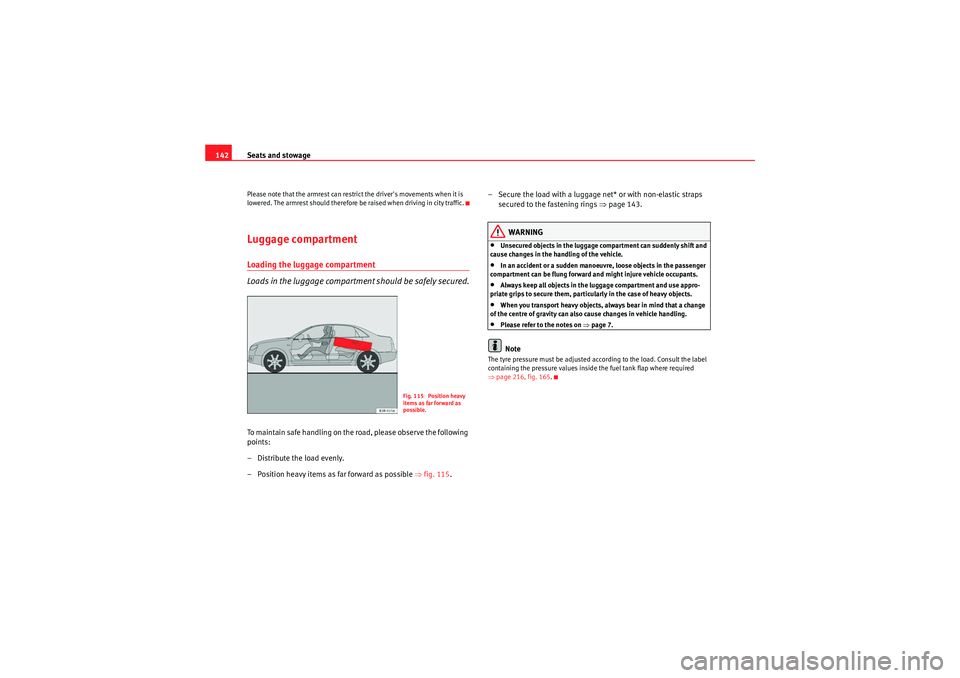
– Position heavy items as far forward as possible ⇒fig. 115 . – Secure the load with a luggage net* or with non-elastic straps
secured to the fastening rings ⇒page 143.
WARNING
•Unsecured objects in the luggage compartment can suddenly shift and
cause changes in the handling of the vehicle.•In an accident or a sudden manoeuvre, loose objects in the passenger
compartment can be flung forward and might injure vehicle occupants.•Always keep all objects in the luggage compartment and use appro-
priate grips to secure them, particularly in the case of heavy objects.•When you transport heavy objects, always bear in mind that a change
of the centre of gravity can also cause changes in vehicle handling.•Please refer to the notes on ⇒page 7.Note
The tyre pressure must be adjusted according to the load. Consult the label
containing the pressure values inside the fuel tank flap where required
⇒ page 216, fig. 165.
Fig. 115 Position heavy
items as far forward as
possible.
Exeo_EN.book Seite 142 Freitag, 28. August 2009 10:14 10
Page 145 of 310
Seats and stowage143
Safety First
Controls and equipment
Practical tips
Technical Data
Fastening rings*
There are four fastening rings in the luggage compartment,
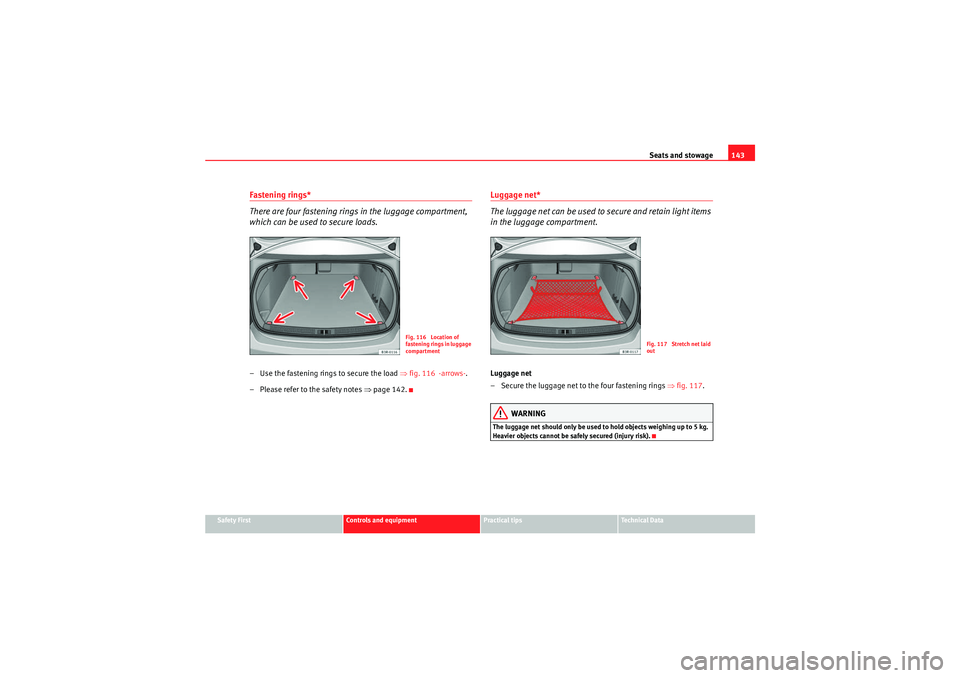
which can be used to secure loads.– Use the fastening rings to secure the load ⇒fig. 116 -arrows- .
– Please refer to the safety notes ⇒page 142.
Luggage net*
The luggage net can be used to secure and retain light items
in the luggage compartment.Luggage net
– Secure the luggage net to the four fastening rings ⇒fig. 117 .
WARNING
The luggage net should only be used to hold objects weighing up to 5 kg.
Heavier objects cannot be safely secured (injury risk).
Fig. 116 Location of
fastening rings in luggage
compartment
Fig. 117 Stretch net laid
out
Exeo_EN.book Seite 143 Freitag, 28. August 2009 10:14 10
Page 146 of 310
Seats and stowage
144Extending the luggage compartment
The two sections of the backrest can be folded forwards either
together or separately to increase the capacity of the luggage
compartment.Folding the backrest forwards
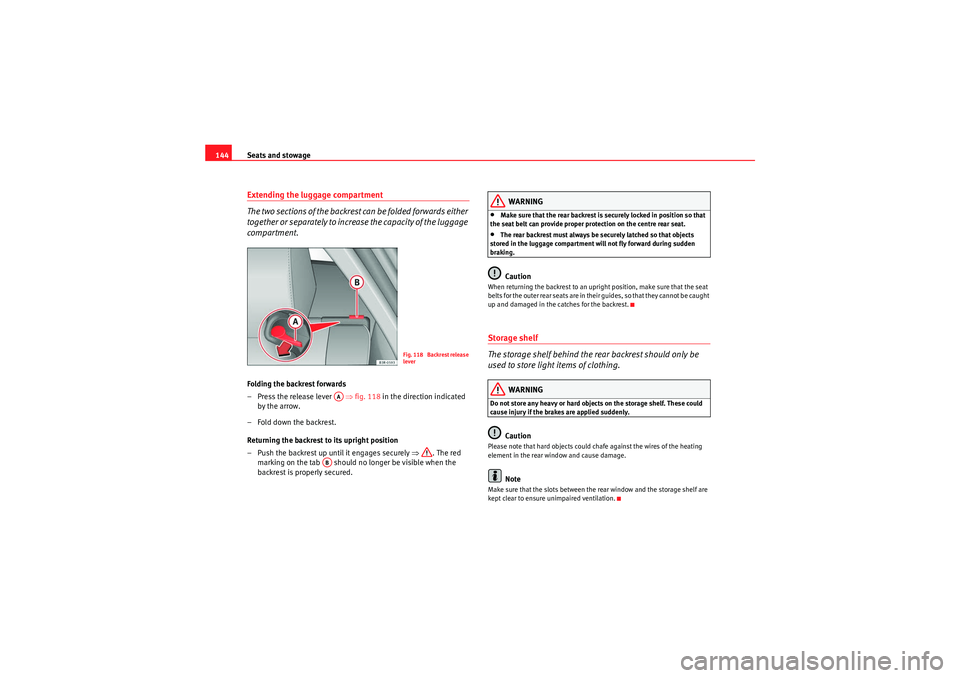
– Press the release lever ⇒fig. 118 in the direction indicated
by the arrow.
– Fold down the backrest.
Returning the backrest to its upright position
– Push the backrest up until it engages securely ⇒ . The red
marking on the tab should no longer be visible when the
backrest is properly secured.
WARNING
•Make sure that the rear backrest is securely locked in position so that
the seat belt can provide proper protection on the centre rear seat.•The rear backrest must always be securely latched so that objects
stored in the luggage compartment will not fly forward during sudden
braking.Caution
When returning the backrest to an upright position, make sure that the seat
b e l t s f o r t h e o u t e r r e a r s e a t s a r e i n t h e i r g u i d e s , s o t ha t t h e y ca n n o t b e ca u g h t
up and damaged in the catches for the backrest.Storage shelf
The storage shelf behind the rear backrest should only be
used to store light items of clothing.
WARNING
Do not store any heavy or hard objects on the storage shelf. These could
cause injury if the brakes are applied suddenly.
Caution
Please note that hard objects could chafe against the wires of the heating
element in the rear window and cause damage.
Note
Make sure that the slots between the rear window and the storage shelf are
kept clear to ensure unimpaired ventilation.
Fig. 118 Backrest release
lever
AA
AB
Exeo_EN.book Seite 144 Freitag, 28. August 2009 10:14 10
Page 147 of 310
Seats and stowage145
Safety First
Controls and equipment
Practical tips
Technical Data
Ski bag*
You can use the "ski bag" to transport skis or other extra-long
objects safely inside the vehicle without soiling or damaging
the upholstery.
Loading
–Open the tailgate.
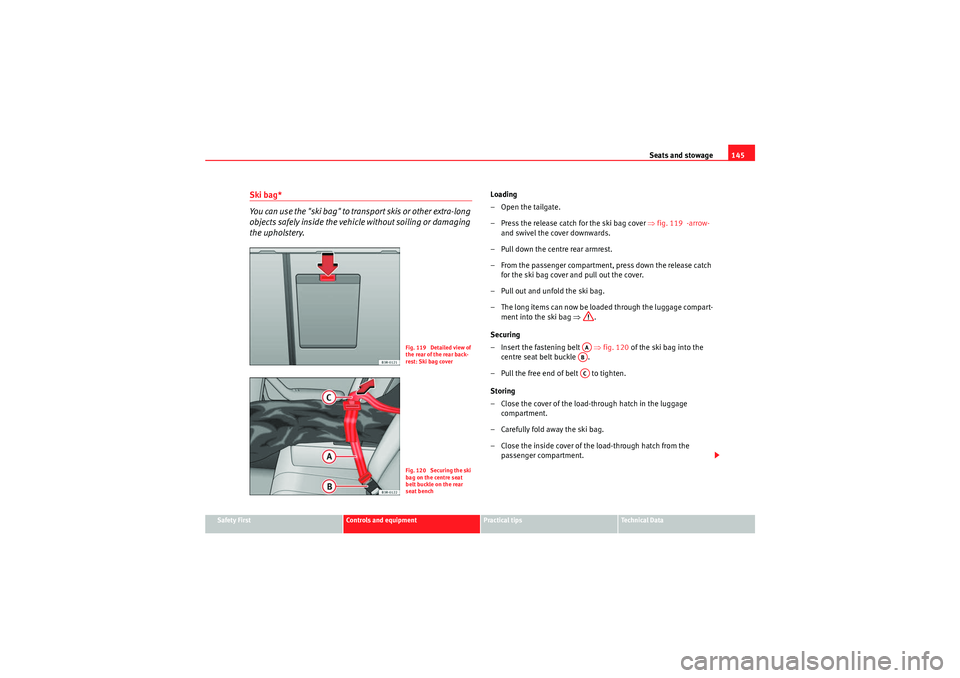
– Press the release catch for the ski bag cover ⇒fig. 119 -arrow-
and swivel the cover downwards.
– Pull down the centre rear armrest.
– From the passenger compartment, press down the release catch for the ski bag cover and pull out the cover.
– Pull out and unfold the ski bag.
– The long items can now be loaded through the luggage compart- ment into the ski bag ⇒.
Securing
– Insert the fastening belt ⇒fig. 120 of the ski bag into the
centre seat belt buckle .
– Pull the free end of belt to tighten.
Storing
– Close the cover of the load-through hatch in the luggage compartment.
– Carefully fold away the ski bag.
– Close the inside cover of the load-through hatch from the passenger compartment.
Fig. 119 Detailed view of
the rear of the rear back-
rest: Ski bag coverFig. 120 Securing the ski
bag on the centre seat
belt buckle on the rear
seat bench
AAABAC
Exeo_EN.book Seite 145 Freitag, 28. August 2009 10:14 10
Page 148 of 310
Seats and stowage
146
WARNING
The ski bag must be secured in place with the fastening belt after it has
been loaded.
Note
Do not fold away the ski bag after use if it is still damp.Roof carrierDescription
Additional luggage can be carried on the roof carrier.Note the following points if you intend to carry loads on the roof:•There are aerodynamic drainage channels on the roof of the vehicle and,
therefore, normal roof racks cannot be used. We recommend using the carrier
units from the range of original SEAT accessories.•These carrier units are the basis of a complete roof carrier system. For
safety reasons, however, the corresponding additional fastenings must be
fitted to carry luggage, bicycles, surfboards, skis and boats. All the parts of
this system are available from SEAT Dealers.Caution
Any damage to the vehicle caused by the use of other types of roof rack or
incorrect installation will not be covered by the factory warranty. The roof
carrier system must therefore be installed exactly according to the instruc-
tions provided.
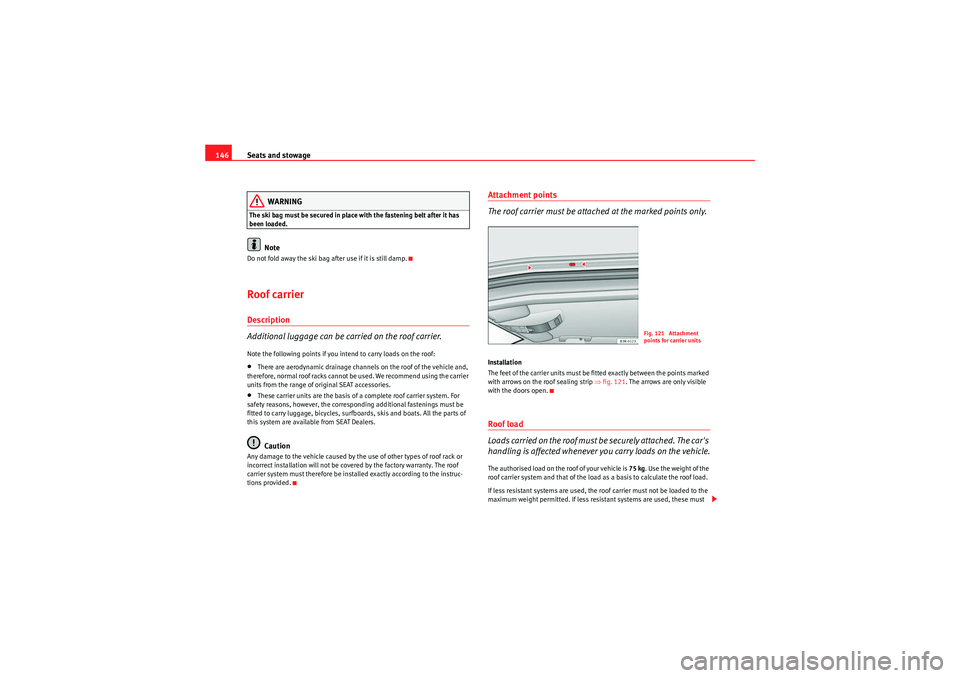
Attachment points
The roof carrier must be attached at the marked points only.Installation
The feet of the carrier units must be fitted exactly between the points marked
with arrows on the roof sealing strip ⇒fig. 121 . The arrows are only visible
with the doors open.Roof load
Loads carried on the roof must be securely attached. The car's
handling is affected whenever you carry loads on the vehicle.The authorised load on the roof of your vehicle is 75 kg. Use the weight of the
roof carrier system and that of the load as a basis to calculate the roof load.
If less resistant systems are used, the roof carrier must not be loaded to the
maximum weight permitted. If less resistant systems are used, these must
Fig. 121 Attachment
points for carrier units
Exeo_EN.book Seite 146 Freitag, 28. August 2009 10:14 10