tow Seat Exeo 2009 User Guide
[x] Cancel search | Manufacturer: SEAT, Model Year: 2009, Model line: Exeo, Model: Seat Exeo 2009Pages: 310, PDF Size: 8.54 MB
Page 119 of 310
Lights and visibility117
Safety First
Controls and equipment
Practical tips
Technical Data
headlight or anti-dazzle function from
working correctly or even from working
at all.
•The warning symbol
will appear on the instrument panel if a malfunc-
tion occurs ⇒ page 80.
•Observe all relevant legal requirements when using the signalling and
lighting systems described here.Front fog lights
The light switch can also be used to turn on the front fog
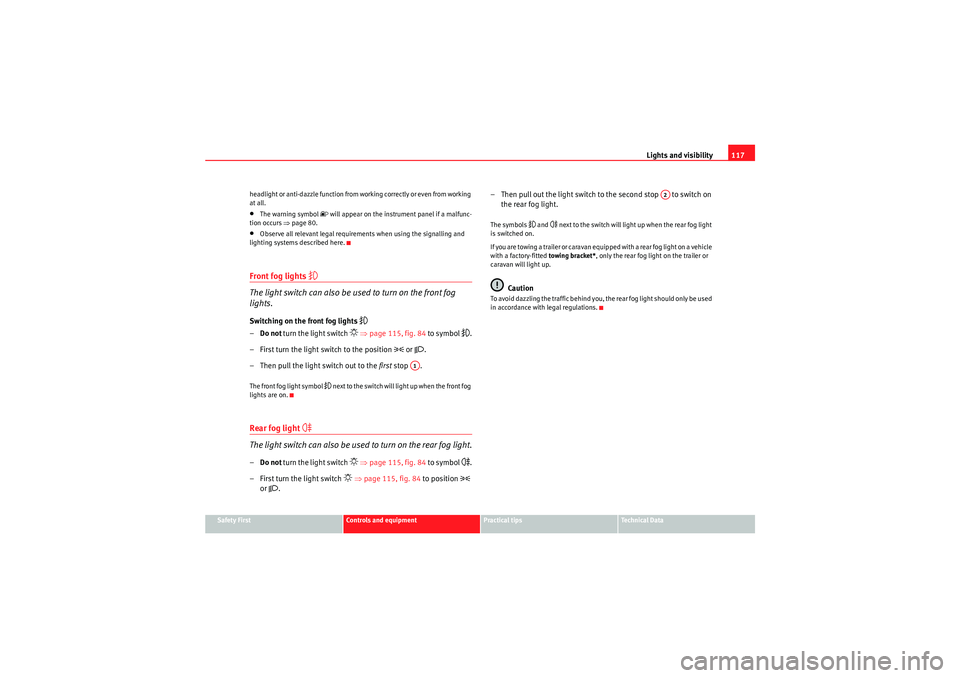
lights.Switching on the front fog lights
– Do not turn the light switch
⇒ page 115, fig. 84 to symbol
.
– First turn the light switch to the position
or .
– Then pull the light switch out to the first stop .
The front fog light symbol
next to the switch will light up when the front fog
lights are on.
Rear fog light
The light switch can also be used to turn on the rear fog light.– Do not turn the light switch
⇒ page 115, fig. 84 to symbol
.
– First turn the light switch
⇒ page 115, fig. 84 to position
or
. – Then pull out the light switch to the second stop to switch on
the rear fog light.
The symbols
and
next to the switch will light up when the rear fog light
is switched on.
If you are towing a trailer or caravan equipped with a rear fog light on a vehicle
with a factory-fitted towing bracket*, only the rear fog light on the trailer or
caravan will light up.
Caution
To avoid dazzling the traffic behind you, the rear fog light should only be used
in accordance with legal regulations.
A1
A2
Exeo_EN.book Seite 117 Freitag, 28. August 2009 10:14 10
Page 124 of 310
Lights and visibility
122
–Press the switch
⇒ page 121, fig. 91 to switch the hazard
warning lights on or off.
All four indicators flash simultaneously when the hazard warning lights are
switched on. The hazard warning light indication lamps
and the turn
signal indication lamp itself
flash at the same time. The hazard warning
lights also work when the ignition is switched off.
In an accident in which the airbags are triggered, the hazard warning lights
are switched on automatically.
Note
You should switch on the hazard warning lights to warn other road users, e.g.•When reaching the tail end of a traffic jam•If your vehicle breaks down or there is an emergency•If your vehicle is being towed away or if you are towing another vehicle
Indicator
and main beam headlight lever
The turn signal and main beam headlight lever also operates
the parking lights and the headlight flasher.The turn signal and main beam headlight lever has the following
functions:
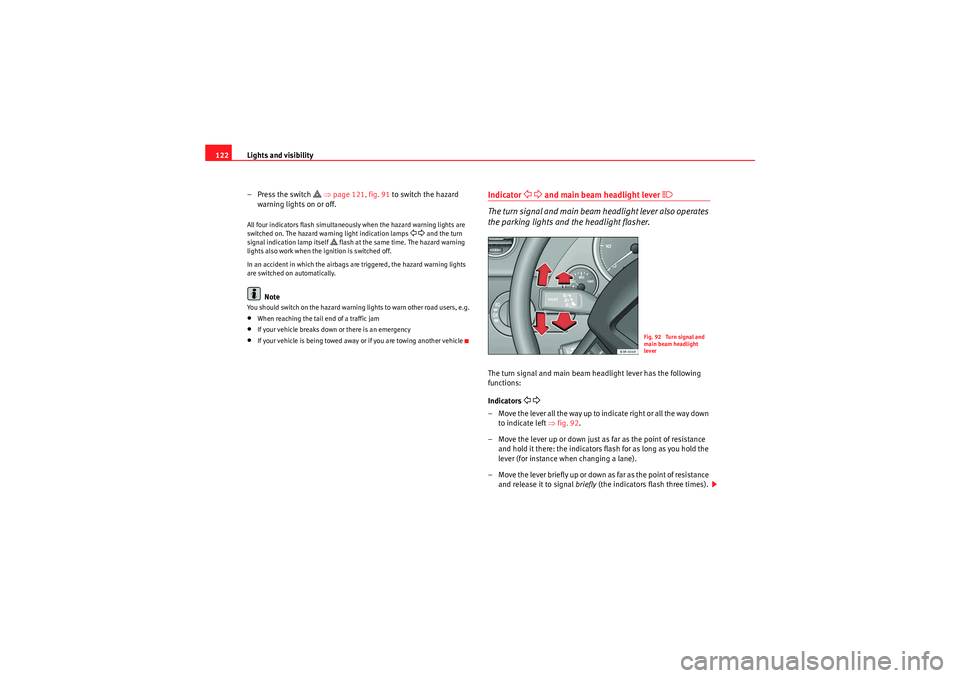
Indicators
– Move the lever all the way up to indicate right or all the way down to indicate left ⇒fig. 92 .
– Move the lever up or down just as far as the point of resistance and hold it there: the indicators flash for as long as you hold the
lever (for instance when changing a lane).
– Move the lever briefly up or down as far as the point of resistance and release it to signal briefly (the indicators flash three times).
Fig. 92 Turn signal and
main beam headlight
lever
Exeo_EN.book Seite 122 Freitag, 28. August 2009 10:14 10
Page 125 of 310
Lights and visibility123
Safety First
Controls and equipment
Practical tips
Technical Data
Main beam headlights
– Press the lever forward to switch on the main beams.
– Pull the lever back towards you to switch the main beam head-
lights off again.
Headlight flasher
– Pull the lever towards the steering wheel to operate the flasher.
Parking light
– Switch the ignition off.
– Move the lever up or down to turn on the right or left-hand
parking lights respectively.Notes on these functions•The indicators only work when the ignition is switched on. The indicator
lamp or flashes in the instrument panel when the turns signals
⇒ page 65 are working.
•The indicators are cancelled automatically when the steering wheel is
returned to the straight-ahead position.•The main beam headlights can only be switched on if the dipped beam
headlights are already on. The main beam headlight indicator lamp
then
comes on in the instrument panel.
•The headlight flasher co m es on for as lo ng as yo u pull th e le ve r, e ve n if no
other lights are switched on. The main beam headlight indicator lamp
then comes on in the instrument panel.
•When the parking lights are switched on, the headlight and the rear light
on one side of the car light up with re duced intensity. The parking lights will
only work with the ignition off.
Caution
Never use the main beam headlights or the headlight flasher if this would
dazzle oncoming traffic.Interior lightsFront interior lights and glove compartment light
The front interior light also incorporates the reading lights for
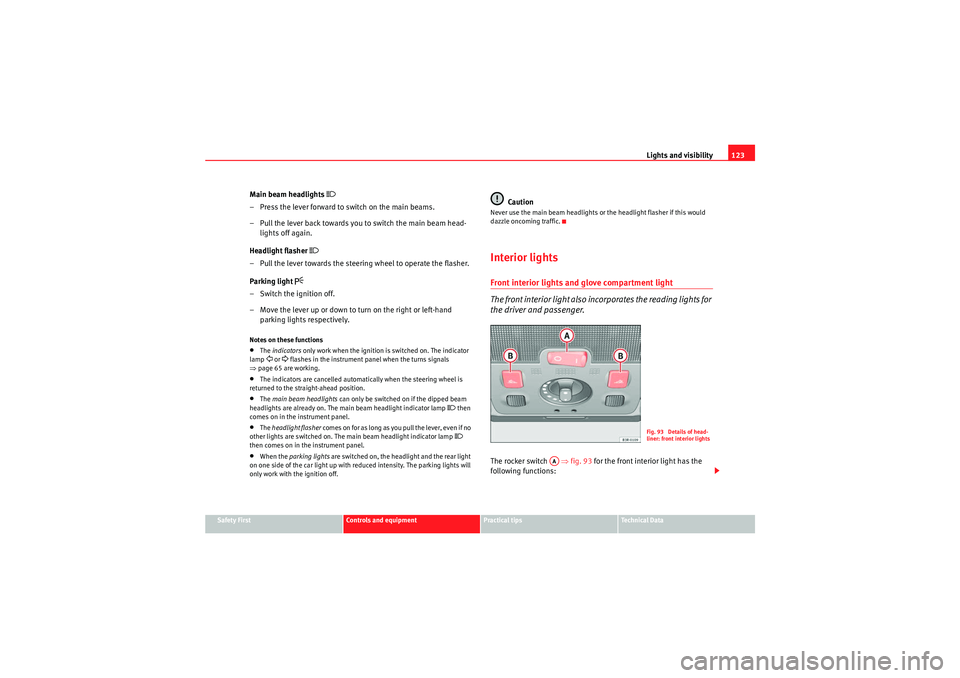
the driver and passenger.The rocker switch ⇒fig. 93 for the front interior light has the
following functions:
Fig. 93 Details of head-
liner: front interior lights
AA
Exeo_EN.book Seite 123 Freitag, 28. August 2009 10:14 10
Page 128 of 310
Lights and visibility
126VisibilityHeated rear window
The rear window heating clears the rear window of condensa-
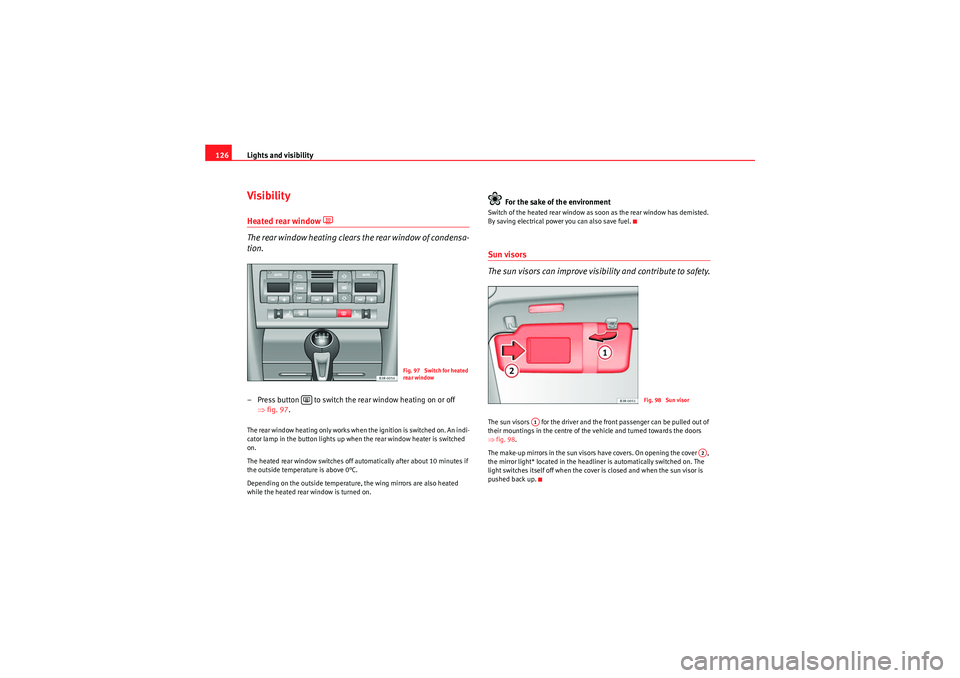
tion.– Press button to switch the rear window heating on or off
⇒fig. 97 .The rear window heating only works when the ignition is switched on. An indi-
cator lamp in the button lights up when the rear window heater is switched
on.
The heated rear window switches off automatically after about 10 minutes if
the outside temperature is above 0°C.
Depending on the outside temperature, the wing mirrors are also heated
while the heated rear window is turned on.
For the sake of the environment
Switch of the heated rear window as soon as the rear window has demisted.
By saving electrical power you can also save fuel.Sun visors
The sun visors can improve visibility and contribute to safety.The sun visors for the driver and the front passenger can be pulled out of
their mountings in the centre of the vehicle and turned towards the doors
⇒ fig. 98.
The make-up mirrors in the sun visors have covers. On opening the cover ,
the mirror light* located in the headliner is automatically switched on. The
light switches itself off when the cover is closed and when the sun visor is
pushed back up.
Fig. 97 Switch for heated
rear window
Fig. 98 Sun visor
A1
A2
Exeo_EN.book Seite 126 Freitag, 28. August 2009 10:14 10
Page 130 of 310
Lights and visibility
128Windscreen wipersWindscreen wipers
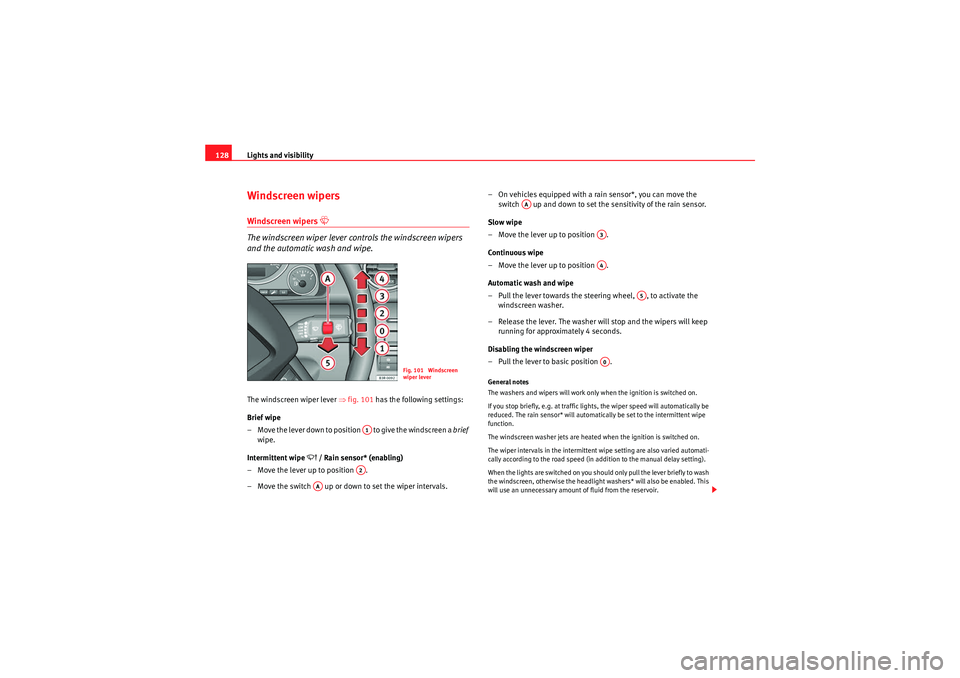
The windscreen wiper lever controls the windscreen wipers
and the automatic wash and wipe.The windscreen wiper lever ⇒fig. 101 has the following settings:
Brief wipe
– Move the lever down to position to give the windscreen a brief
wipe.
Intermittent wipe
/ Rain sensor* (enabling)
– Move the lever up to position .
– Move the switch up or down to set the wiper intervals. – On vehicles equipped with a rain sensor*, you can move the
switch up and down to set the sensitivity of the rain sensor.
Slow wipe
– Move the lever up to position .
Continuous wipe
– Move the lever up to position .
Automatic wash and wipe
– Pull the lever towards the steering wheel, , to activate the windscreen washer.
– Release the lever. The washer will stop and the wipers will keep running for approximately 4 seconds.
Disabling the windscreen wiper
– Pull the lever to basic position .
General notes
The washers and wipers will work only when the ignition is switched on.
If you stop briefly, e.g. at traffic lights, the wiper speed will automatically be
reduced. The rain sensor* will automatically be set to the intermittent wipe
function.
The windscreen washer jets are heated when the ignition is switched on.
The wiper intervals in the intermittent wipe setting are also varied automati-
cally according to the road speed (in addition to the manual delay setting).
When the lights are switched on you should only pull the lever briefly to wash
the windscreen, otherwise the headlight washers* will also be enabled. This
will use an unnecessary amount of fluid from the reservoir.
Fig. 101 Windscreen
wiper lever
A1A2
AA
AA
A3A4
A5
A0
Exeo_EN.book Seite 128 Freitag, 28. August 2009 10:14 10
Page 131 of 310
Lights and visibility129
Safety First
Controls and equipment
Practical tips
Technical Data
Rain sensor
The rain sensor* will only function in the intermittent wipe position. The inter-
mittent wipe function is enabled automatically when it starts to rain.
Before you reach a road speed of 6 km/h ,you will have to enable the rain
sensor manually by switching it off and back on again.
Use control to set the sensitivity of the rain sensor*.
If you have selected a high sensitivity level for the rain sensor the windscreen
wipers will react sooner to any moisture on the windscreen.
The wiper intervals in the intermittent wipe setting are also varied automati-
cally according to the road speed (in addition to the sensitivity setting).
WARNING
•For correct visibility and safe driving, the wiper must be in perfect
condition ⇒page 209. Failure to do so could result in an accident.•The rain sensor* is only intended to assist the driver. The driver is still
obliged to manually operate the windscreen wipers as required depending
on visibility.•Do not use water-repellent coatings on the windscreen. In bad visibility
conditions such as light rain, low sun or when driving at night, these coat-
ings can cause increased dazzle, which is a serious safety hazard. Such
coatings can also cause the wiper blades to judder.Caution
•In the event of frost, check that the wiper blade has not frozen before
enabling the windscreen wipers. Should the windscreen wiper system be
enabled when the blade is frozen, this could damage it or even the wind-
screen wiper system motor.•Make sure you switch off the windscreen wiper system (lever in position
0) before you use an automatic car wash. This will avoid inadvertent trig-
gering of the wipers and possible damage to the wiper system.
Note
•Check that the washer fluid reservoir is full before starting a long journey.
Fill the reservoir ⇒page 228.•Worn or dirty wiper blades can cause smearing on the glass which can
also impair the effectiveness of the rain sensor*. Check the condition of wind-
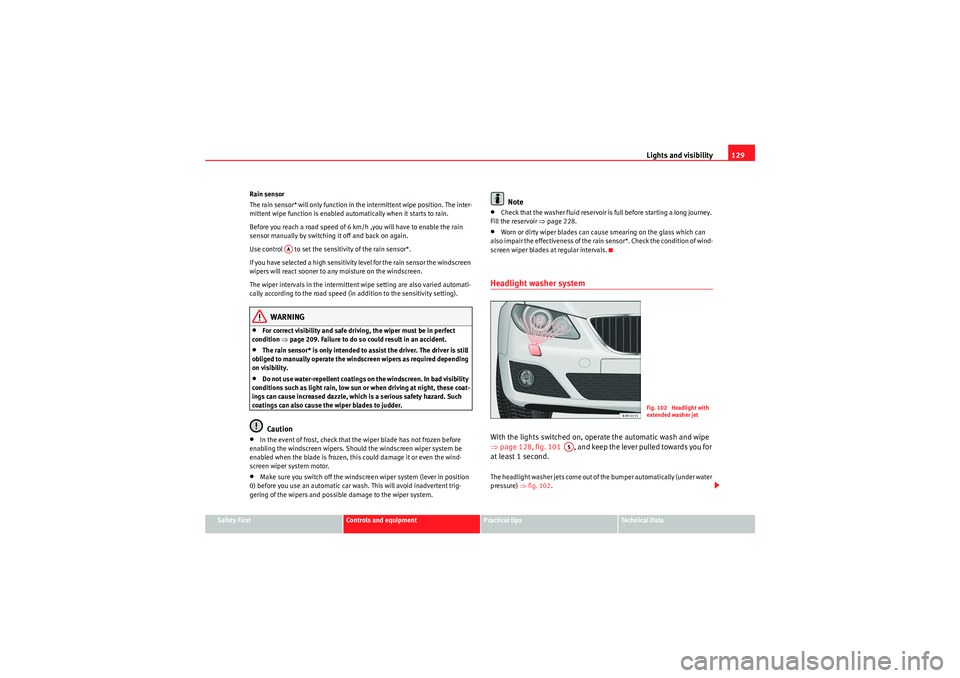
screen wiper blades at regular intervals.Headlight washer systemWith the lights switched on, operate the automatic wash and wipe
⇒ page 128, fig. 101 , and keep the lever pulled towards you for
at least 1 second.The headlight washer jets come out of the bumper automatically (under water
pressure) ⇒fig. 102 .
AA
Fig. 102 Headlight with
extended washer jet
A5
Exeo_EN.book Seite 129 Freitag, 28. August 2009 10:14 10
Page 135 of 310

Seats and stowage133
Safety First
Controls and equipment
Practical tips
Technical Data
Seats and stowageManual adjustment of the front seatsSeat adjuster controls
There are several seat adjustment functions for your conven-
ienceS o m e o f t h e e q u i p m e n t l i s t e d i s o nl y f i t t e d o n ce r ta i n m o d e l s o r i s a n o p t i o n a l
extra.
Control switches
Moving the seat backwards or forwards
Raising/lowering the seat
Adjusting the backrest angle
Adjusting lumbar support
Moving the seats forwards and backwards– Lift the lever ⇒fig. 105 and move the seat to the desired
position.
– Then release the lever and move the seat further until the catch engages.
WARNING
The driver's seat must only be moved forwards and backwards when the
vehicle is at a standstill. Failure to do so could result in an accident.Adjusting the seat height*Raising the seat
–Pull the lever ⇒ fig. 105 up repeatedly until the seat is in the
desired position.
Lowering the seat
– Press the lever down repeatedly until the seat is in the desired position.
WARNING
•The height of the driver's seat mu st not be adjusted while driving.
Failure to do so could result in an accident.
Fig. 105 Adjuster
controls on driver's seat
A1A2A3A4
A1
A1
A2A2
Exeo_EN.book Seite 133 Freitag, 28. August 2009 10:14 10
Page 136 of 310

Seats and stowage
134•Be careful when adjusting the seat height. Injuries can be caused if the
height is adjusted without due care and attention.
Adjusting the backrest angle– Lean forwards to take your weight off the backrest.
– Turn the adjuster wheel ⇒ page 133, fig. 105 to set the angle
of the backrest as required.
WARNING
The front backrests must not be reclined for driving. Otherwise, safety
belts and the airbag system might not protect as they should, with the
subsequent danger of injury.Adjusting lumbar support*– Do not exert any pressure on the backrest and turn adjuster wheel ⇒page 133, fig. 105 to adjust lumbar support.As you make the adjustments, the curvature of the cushioned area of the
lumbar region becomes more or less acute. In this way, it adapts to the
natural curvature of the spine.
WARNING (continued)
A3
A4
Exeo_EN.book Seite 134 Freitag, 28. August 2009 10:14 10
Page 137 of 310
Seats and stowage135
Safety First
Controls and equipment
Practical tips
Technical Data
Electric adjustment of front seats*Adjusting the seat
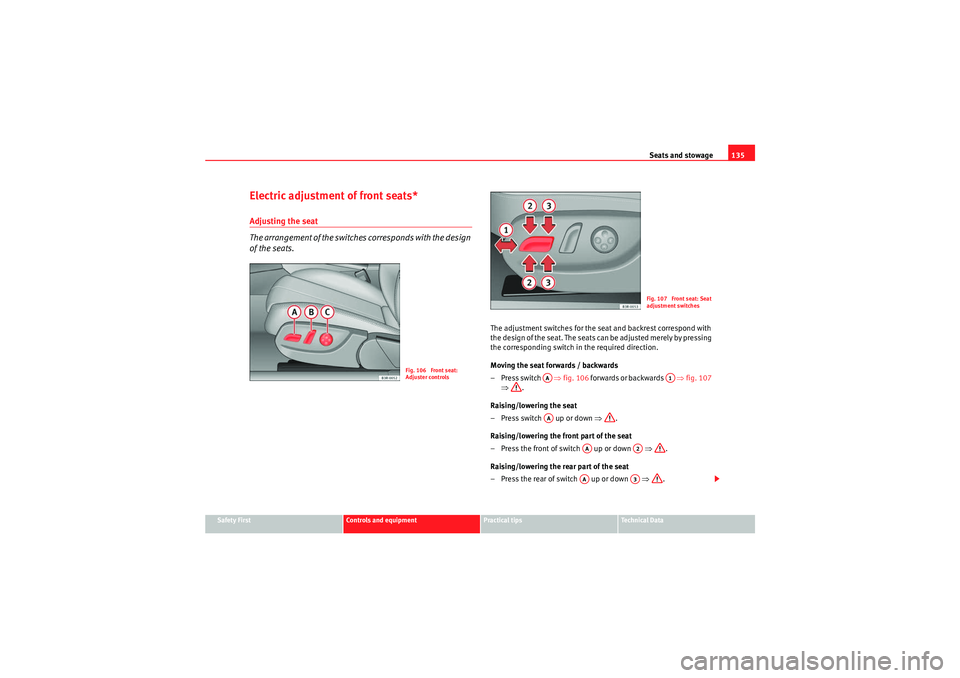
The arrangement of the switches corresponds with the design
of the seats.
The adjustment switches for the seat and backrest correspond with
the design of the seat. The seats can be adjusted merely by pressing
the corresponding switch in the required direction.
Moving the seat forwards / backwards
–Press switch ⇒fig. 106 forwards or backwards ⇒fig. 107
⇒ .
Raising/lowering the seat
– Press switch up or down ⇒.
Raising/lowering the front part of the seat
– Press the front of switch up or down ⇒.
Raising/lowering the rear part of the seat
– Press the rear of switch up or down ⇒.
Fig. 106 Front seat:
Adjuster controls
Fig. 107 Front seat: Seat
adjustment switches
AA
A1
AA
AA
A2
AA
A3
Exeo_EN.book Seite 135 Freitag, 28. August 2009 10:14 10
Page 138 of 310

Seats and stowage
136Control switches
Seat adjustment
Backrest adjustment
Lumbar support*
WARNING
•The electrical seat adjustment also works when the ignition is off or
when the key is not in the ignition. To avoid accidental injuries, never leave
children unattended in the vehicle.•For safety reasons, the seat must only be adjusted when the vehicle is
at a standstill. Failure to do so could result in an accident.•Be careful when adjusting the seat height. Injuries can be caused if the
seat height is adjusted without due care and attention.
Adjusting the backrest angle
– Press the button in the appropriate direction of the arrow ⇒fig. 108 to adjust the backrest ⇒.
WARNING
The front backrests must not be reclined for driving. Otherwise, safety
belts and the airbag system might not protect as they should, with the
subsequent danger of injury.Lumbar support*The lumbar support can be adjusted to fit the natural curve of
the spine.
AAABAC
Fig. 108 Front seat: Back-
rest adjuster switch
Fig. 109 Front seat:
Adjuster switch for lumbar
support
Exeo_EN.book Seite 136 Freitag, 28. August 2009 10:14 10