warning Seat Exeo 2009 Manual Online
[x] Cancel search | Manufacturer: SEAT, Model Year: 2009, Model line: Exeo, Model: Seat Exeo 2009Pages: 310, PDF Size: 8.54 MB
Page 118 of 310
Lights and visibility
116Automatic headlight switch* (sensor-controlled)
If you set the light switch to “AUTO”, the headlights will switch
on and switch off automatically according to the ambient light
level.Turning on dipped-beam headlights
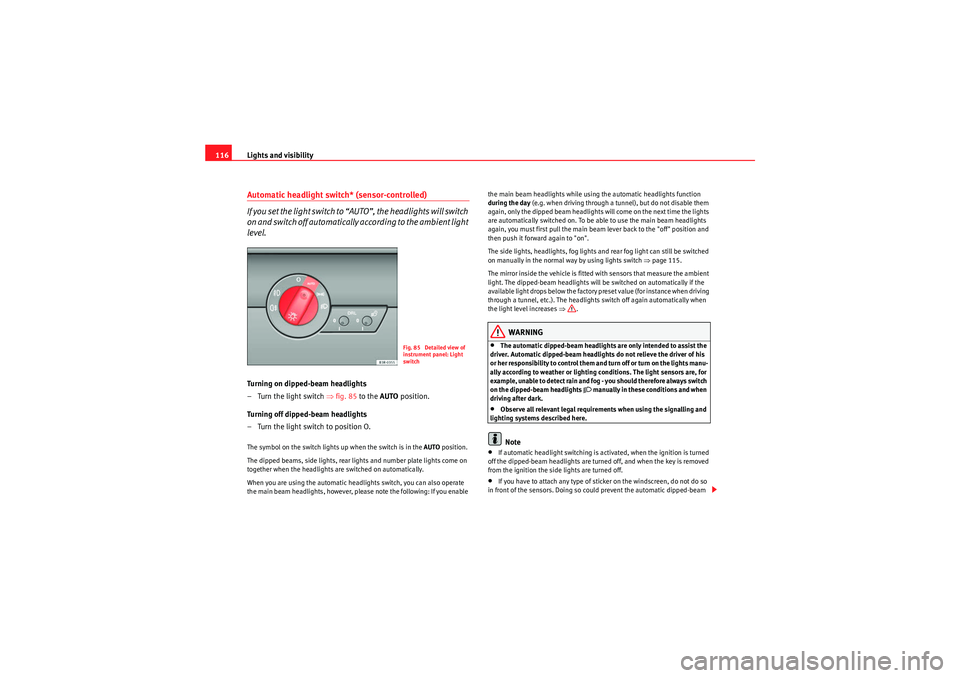
–Turn the light switch ⇒ fig. 85 to the AUTO position.
Turning off dipped-beam headlights
– Turn the light switch to position O.The symbol on the switch lights up when the switch is in the AUTO position.
The dipped beams, side lights, rear lights and number plate lights come on
together when the headlights are switched on automatically.
When you are using the automatic headlights switch, you can also operate
the main beam headlights, however, please note the following: If you enable the main beam headlights while using the automatic headlights function
during the day
(e.g. when driving through a tunnel), but do not disable them
again, only the dipped beam headlights will come on the next time the lights
are automatically switched on. To be able to use the main beam headlights
again, you must first pull the main beam lever back to the "off" position and
then push it forward again to "on".
The side lights, headlights, fog lights and rear fog light can still be switched
on manually in the normal way by using lights switch ⇒page 115.
The mirror inside the vehicle is fitted with sensors that measure the ambient
light. The dipped-beam headlights will be switched on automatically if the
available light drops below the factory preset value (for instance when driving
through a tunnel, etc.). The headlights switch off again automatically when
the light level increases ⇒.
WARNING
•The automatic dipped-beam headlights are only intended to assist the
driver. Automatic dipped-beam headlights do not relieve the driver of his
or her responsibility to control them and turn off or turn on the lights manu-
ally according to weather or lighting conditions. The light sensors are, for
example, unable to detect rain and fog - you should therefore always switch
on the dipped-beam headlights
manually in these conditions and when
driving after dark.
•Observe all relevant legal requirements when using the signalling and
lighting systems described here.Note
•If automatic headlight switching is activated, when the ignition is turned
off the dipped-beam headlights are turned off, and when the key is removed
from the ignition the side lights are turned off.•If you have to attach any type of sticker on the windscreen, do not do so
in front of the sensors. Doing so could prevent the automatic dipped-beam
Fig. 85 Detailed view of
instrument panel: Light
switch
Exeo_EN.book Seite 116 Freitag, 28. August 2009 10:14 10
Page 119 of 310
Lights and visibility117
Safety First
Controls and equipment
Practical tips
Technical Data
headlight or anti-dazzle function from
working correctly or even from working
at all.
•The warning symbol
will appear on the instrument panel if a malfunc-
tion occurs ⇒ page 80.
•Observe all relevant legal requirements when using the signalling and
lighting systems described here.Front fog lights
The light switch can also be used to turn on the front fog
lights.Switching on the front fog lights
– Do not turn the light switch
⇒ page 115, fig. 84 to symbol
.
– First turn the light switch to the position
or .
– Then pull the light switch out to the first stop .
The front fog light symbol
next to the switch will light up when the front fog
lights are on.
Rear fog light
The light switch can also be used to turn on the rear fog light.– Do not turn the light switch
⇒ page 115, fig. 84 to symbol
.
– First turn the light switch
⇒ page 115, fig. 84 to position
or
. – Then pull out the light switch to the second stop to switch on
the rear fog light.
The symbols
and
next to the switch will light up when the rear fog light
is switched on.
If you are towing a trailer or caravan equipped with a rear fog light on a vehicle
with a factory-fitted towing bracket*, only the rear fog light on the trailer or
caravan will light up.
Caution
To avoid dazzling the traffic behind you, the rear fog light should only be used
in accordance with legal regulations.
A1
A2
Exeo_EN.book Seite 117 Freitag, 28. August 2009 10:14 10
Page 120 of 310
Lights and visibility
118Coming home and leaving home functions*
The coming home and leaving home functions are used to
light up the surroundings in the dark. The front fog lights, the
rear side lights and the number plate light switch on.Enabling the functions
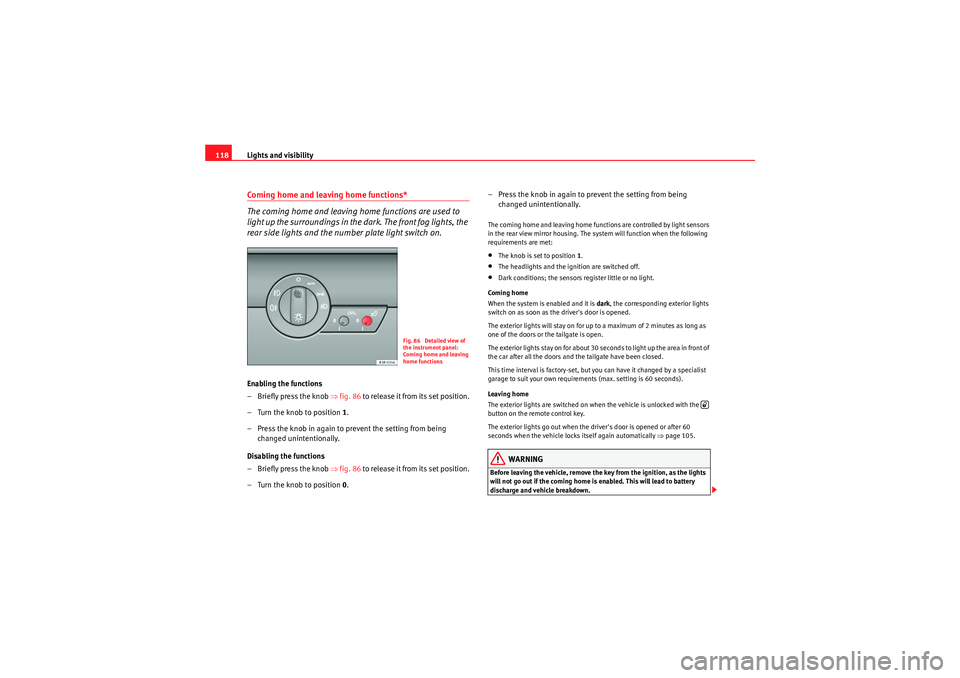
– Briefly press the knob ⇒fig. 86 to release it from its set position.
– Turn the knob to position 1.
– Press the knob in again to prevent the setting from being changed unintentionally.
Disabling the functions
– Briefly press the knob ⇒fig. 86 to release it from its set position.
– Turn the knob to position 0. – Press the knob in again to prevent the setting from being
changed unintentionally.
The coming home and leaving home functions are controlled by light sensors
in the rear view mirror housing. The system will function when the following
requirements are met:•The knob is set to position 1.•The headlights and the ignition are switched off.•Dark conditions; the sensors register little or no light.
Coming home
When the system is enabled and it is dark, the corresponding exterior lights
switch on as soon as the driver's door is opened.
The exterior lights will stay on for up to a maximum of 2 minutes as long as
one of the doors or the tailgate is open.
The exterior lights stay on for about 30 seconds to light up the area in front of
the car after all the doors and the tailgate have been closed.
This time interval is factory-set, but you can have it changed by a specialist
garage to suit your own requirements (max. setting is 60 seconds).
Leaving home
The exterior lights are switched on when the vehicle is unlocked with the
button on the remote control key.
The exterior lights go out when the driver's door is opened or after 60
seconds when the vehicle locks itself again automatically ⇒page 105.WARNING
Before leaving the vehicle, remove the key from the ignition, as the lights
will not go out if the coming home is enabled. This will lead to battery
discharge and vehicle breakdown.
Fig. 86 Detailed view of
the instrument panel:
Coming home and leaving
home functions
Exeo_EN.book Seite 118 Freitag, 28. August 2009 10:14 10
Page 123 of 310
Lights and visibility121
Safety First
Controls and equipment
Practical tips
Technical Data
– Press the knob in again to prevent the setting from being
changed unintentionally.This button activates or deactivates the daytime running lights function. With
the function activated, when the ignition is switched on the daytime running
lights are turned on automatically.
Note
Please observe any relevant legal requirements which may apply in your
country.Adaptive headlights* (for cornering)
When driving around bends, the headlights will light the
most important areas of the road.
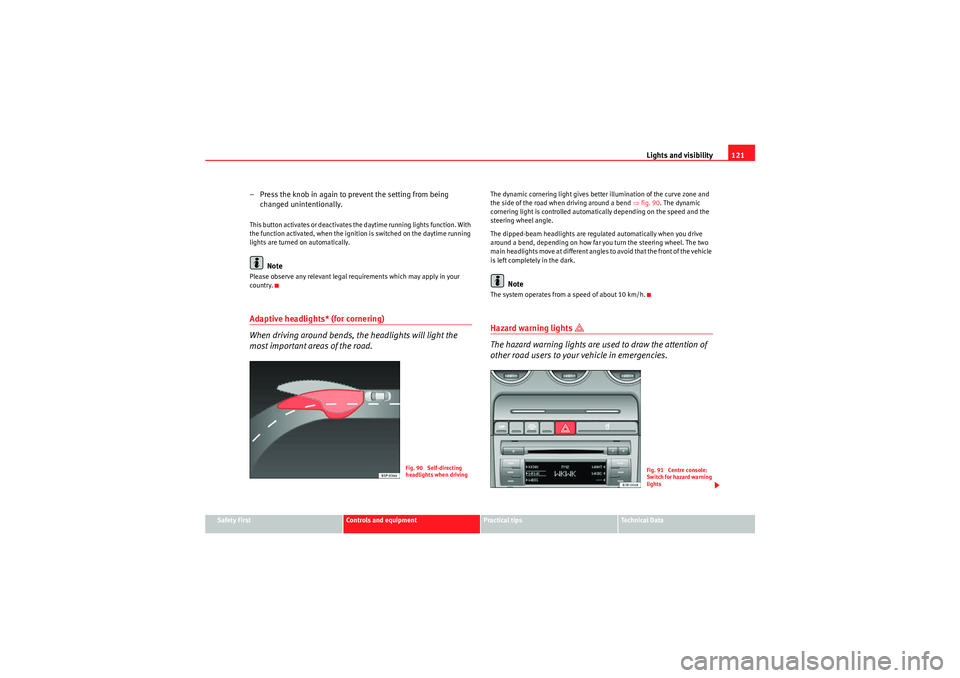
The dynamic cornering light gives better illumination of the curve zone and
the side of the road when driving around a bend ⇒fig. 90 . The dynamic
cornering light is controlled automatically depending on the speed and the
steering wheel angle.
The dipped-beam headlights are regulated automatically when you drive
around a bend, depending on how far you turn the steering wheel. The two
main headlights move at different angles to avoid that the front of the vehicle
is left completely in the dark.
Note
The system operates from a speed of about 10 km/h.Hazard warning lights
The hazard warning lights are used to draw the attention of
other road users to your vehicle in emergencies.
Fig. 90 Self-directing
headlights when driving
Fig. 91 Centre console:
Switch for hazard warning
lights
Exeo_EN.book Seite 121 Freitag, 28. August 2009 10:14 10
Page 124 of 310
Lights and visibility
122
–Press the switch
⇒ page 121, fig. 91 to switch the hazard
warning lights on or off.
All four indicators flash simultaneously when the hazard warning lights are
switched on. The hazard warning light indication lamps
and the turn
signal indication lamp itself
flash at the same time. The hazard warning
lights also work when the ignition is switched off.
In an accident in which the airbags are triggered, the hazard warning lights
are switched on automatically.
Note
You should switch on the hazard warning lights to warn other road users, e.g.•When reaching the tail end of a traffic jam•If your vehicle breaks down or there is an emergency•If your vehicle is being towed away or if you are towing another vehicle
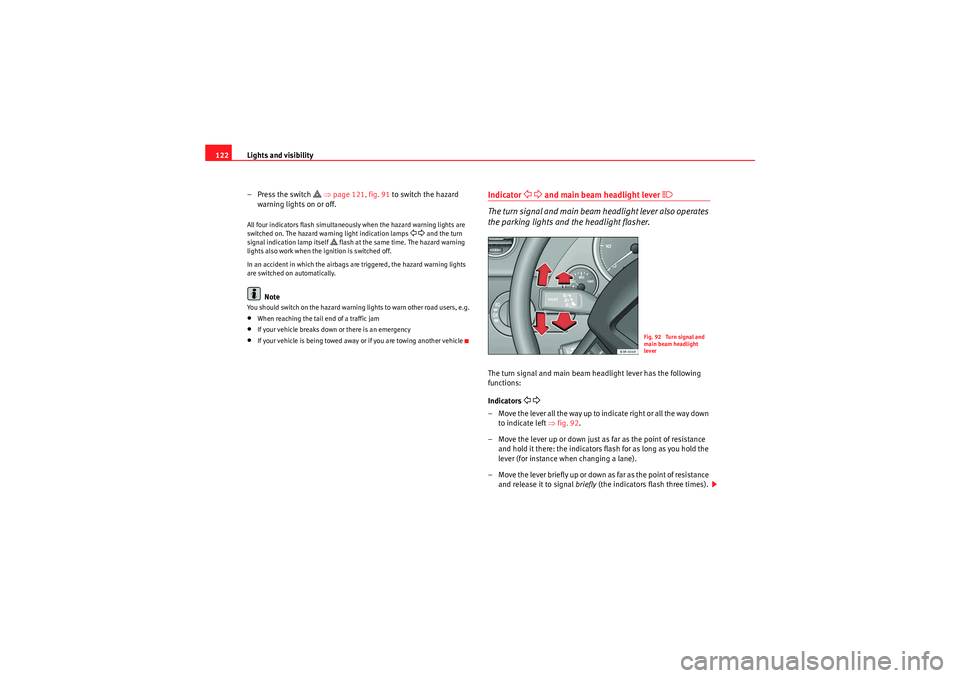
Indicator
and main beam headlight lever
The turn signal and main beam headlight lever also operates
the parking lights and the headlight flasher.The turn signal and main beam headlight lever has the following
functions:
Indicators
– Move the lever all the way up to indicate right or all the way down to indicate left ⇒fig. 92 .
– Move the lever up or down just as far as the point of resistance and hold it there: the indicators flash for as long as you hold the
lever (for instance when changing a lane).
– Move the lever briefly up or down as far as the point of resistance and release it to signal briefly (the indicators flash three times).
Fig. 92 Turn signal and
main beam headlight
lever
Exeo_EN.book Seite 122 Freitag, 28. August 2009 10:14 10
Page 131 of 310
Lights and visibility129
Safety First
Controls and equipment
Practical tips
Technical Data
Rain sensor
The rain sensor* will only function in the intermittent wipe position. The inter-
mittent wipe function is enabled automatically when it starts to rain.
Before you reach a road speed of 6 km/h ,you will have to enable the rain
sensor manually by switching it off and back on again.
Use control to set the sensitivity of the rain sensor*.
If you have selected a high sensitivity level for the rain sensor the windscreen
wipers will react sooner to any moisture on the windscreen.
The wiper intervals in the intermittent wipe setting are also varied automati-
cally according to the road speed (in addition to the sensitivity setting).
WARNING
•For correct visibility and safe driving, the wiper must be in perfect
condition ⇒page 209. Failure to do so could result in an accident.•The rain sensor* is only intended to assist the driver. The driver is still
obliged to manually operate the windscreen wipers as required depending
on visibility.•Do not use water-repellent coatings on the windscreen. In bad visibility
conditions such as light rain, low sun or when driving at night, these coat-
ings can cause increased dazzle, which is a serious safety hazard. Such
coatings can also cause the wiper blades to judder.Caution
•In the event of frost, check that the wiper blade has not frozen before
enabling the windscreen wipers. Should the windscreen wiper system be
enabled when the blade is frozen, this could damage it or even the wind-
screen wiper system motor.•Make sure you switch off the windscreen wiper system (lever in position
0) before you use an automatic car wash. This will avoid inadvertent trig-
gering of the wipers and possible damage to the wiper system.
Note
•Check that the washer fluid reservoir is full before starting a long journey.
Fill the reservoir ⇒page 228.•Worn or dirty wiper blades can cause smearing on the glass which can
also impair the effectiveness of the rain sensor*. Check the condition of wind-
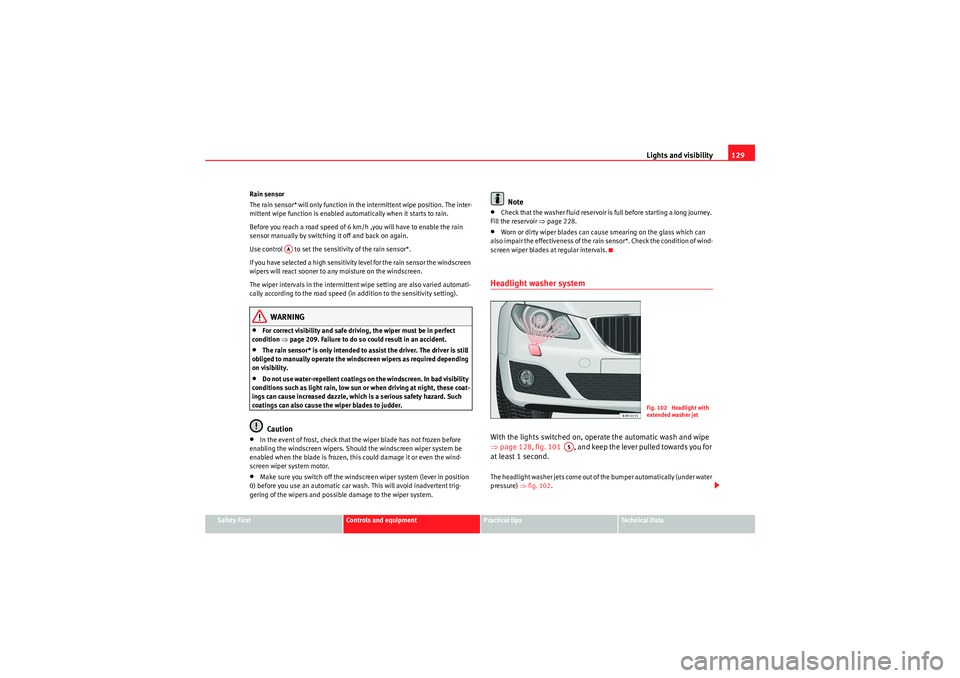
screen wiper blades at regular intervals.Headlight washer systemWith the lights switched on, operate the automatic wash and wipe
⇒ page 128, fig. 101 , and keep the lever pulled towards you for
at least 1 second.The headlight washer jets come out of the bumper automatically (under water
pressure) ⇒fig. 102 .
AA
Fig. 102 Headlight with
extended washer jet
A5
Exeo_EN.book Seite 129 Freitag, 28. August 2009 10:14 10
Page 132 of 310
Lights and visibility
130Clean off stubborn dirt (insects, etc.) from the lenses at regular intervals, for
instance when filling the tank.
To ensure that the system works properly in winter, keep the nozzle holders
free of snow and remove any ice with a de-icer spray.Rear-view mirrorsInterior rear view mirror with manual anti-dazzle settingNormal setting
– Point the lever at the bottom of the mirror forwards.
Anti-dazzle setting for the rear view mirror
– Point the lever at the bottom of the mirror to the rear.
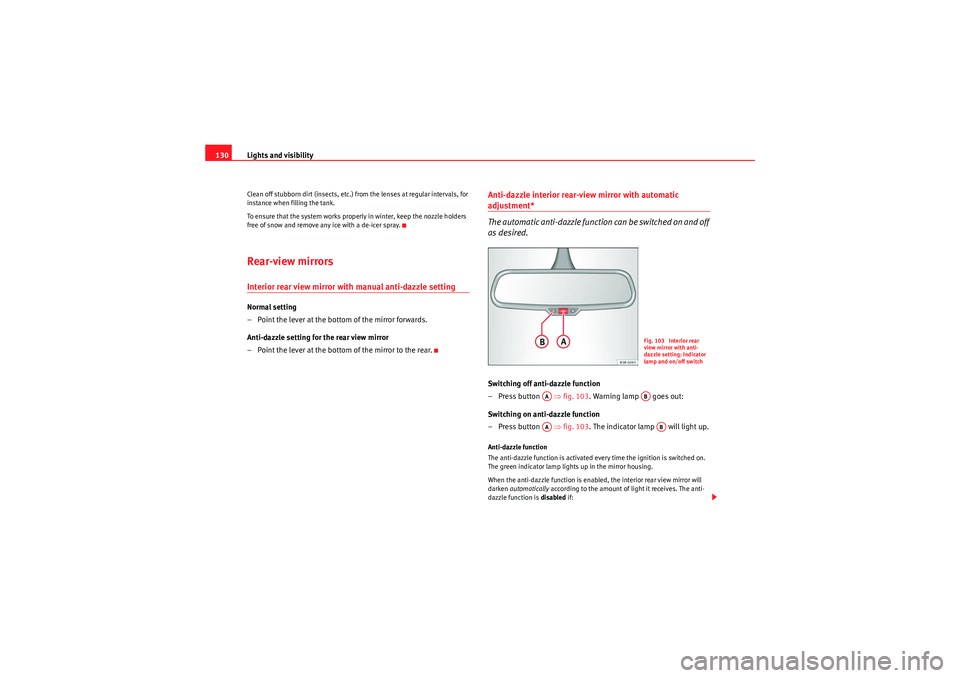
Anti-dazzle interior rear-view mirror with automatic adjustment*
The automatic anti-dazzle function can be switched on and off
as desired.Switching off anti-dazzle function
–Press button ⇒ fig. 103. Warning lamp goes out:
Switching on anti-dazzle function
–Press button ⇒ fig. 103. The indicator lamp will light up.Anti-dazzle function
The anti-dazzle function is activated every time the ignition is switched on.
The green indicator lamp lights up in the mirror housing.
When the anti-dazzle function is enabled, the interior rear view mirror will
darken automatically according to the amount of light it receives. The anti-
dazzle function is disabled if:
Fig. 103 Interior rear
view mirror with anti-
dazzle setting: Indicator
lamp and on/off switch
AA
AB
AA
AB
Exeo_EN.book Seite 130 Freitag, 28. August 2009 10:14 10
Page 133 of 310
Lights and visibility131
Safety First
Controls and equipment
Practical tips
Technical Data
•the interior lighting is switched on•reverse gear is engaged
Sensors for automatic headlights*
When the light switch is set to the AUTO position, the dipped beam head-
lights are switched on and off automatically according to the ambient light
level with the aid of the sensors located in the interior rear view mirror
⇒ page 116.WARNING
Electrolyte fluid can leak from a broken mirror. This fluid can cause irrita-
tion to the skin, eyes and respiratory organs. Wash thoroughly with clean
water should you come into contact with this fluid. Seek medical assist-
ance if needed!
Caution
Electrolyte fluid leaking from a broken mirror can cause damage to plastic
surfaces. Use a sponge or similar to remove the fluid as soon as possible.
Note
•The rear-view mirror's automatic anti-dazzle function* will only work prop-
erly if the sun blind* for the rear window is retracted and if there are no other
objects preventing light from reaching the interior mirror.•If you have to stick any type of sticker on the windscreen, do not do so in
front of the sensors. Doing so could prevent the automatic headlight or anti-
dazzle function from working correctly or even from working at all.
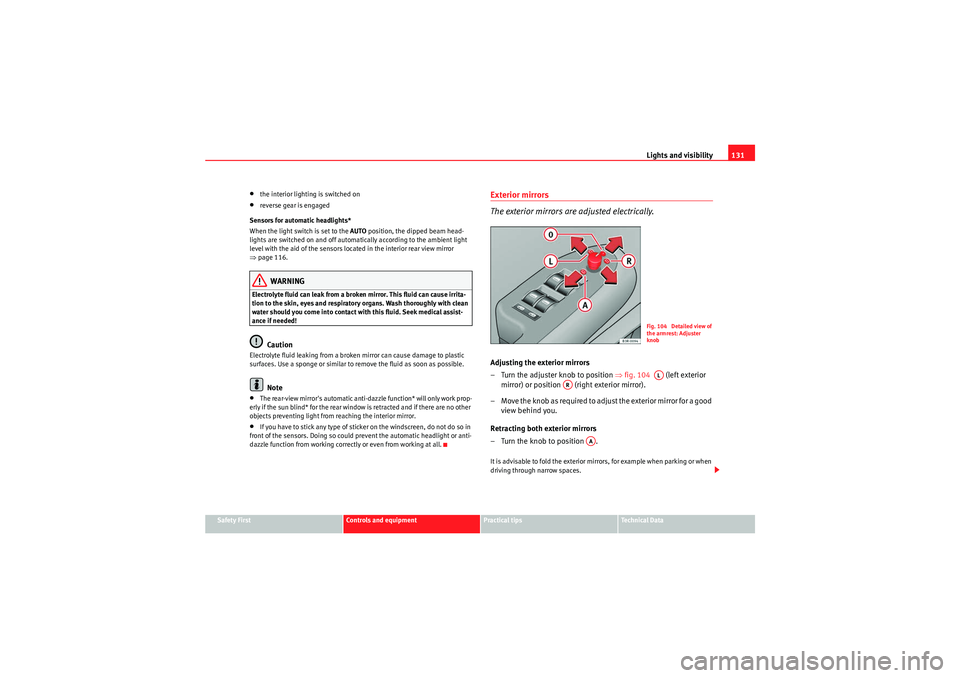
Exterior mirrors
The exterior mirrors are adjusted electrically.Adjusting the exterior mirrors
– Turn the adjuster knob to position ⇒ fig. 104 (left exterior
mirror) or position (right exterior mirror).
– Move the knob as required to adjust the exterior mirror for a good view behind you.
Retracting both exterior mirrors
– Turn the knob to position .It is advisable to fold the exterior mirrors, for example when parking or when
driving through narrow spaces.
Fig. 104 Detailed view of
the armrest: Adjuster
knobAL
AR
AA
Exeo_EN.book Seite 131 Freitag, 28. August 2009 10:14 10
Page 135 of 310

Seats and stowage133
Safety First
Controls and equipment
Practical tips
Technical Data
Seats and stowageManual adjustment of the front seatsSeat adjuster controls
There are several seat adjustment functions for your conven-
ienceS o m e o f t h e e q u i p m e n t l i s t e d i s o nl y f i t t e d o n ce r ta i n m o d e l s o r i s a n o p t i o n a l
extra.
Control switches
Moving the seat backwards or forwards
Raising/lowering the seat
Adjusting the backrest angle
Adjusting lumbar support
Moving the seats forwards and backwards– Lift the lever ⇒fig. 105 and move the seat to the desired
position.
– Then release the lever and move the seat further until the catch engages.
WARNING
The driver's seat must only be moved forwards and backwards when the
vehicle is at a standstill. Failure to do so could result in an accident.Adjusting the seat height*Raising the seat
–Pull the lever ⇒ fig. 105 up repeatedly until the seat is in the
desired position.
Lowering the seat
– Press the lever down repeatedly until the seat is in the desired position.
WARNING
•The height of the driver's seat mu st not be adjusted while driving.
Failure to do so could result in an accident.
Fig. 105 Adjuster
controls on driver's seat
A1A2A3A4
A1
A1
A2A2
Exeo_EN.book Seite 133 Freitag, 28. August 2009 10:14 10
Page 136 of 310

Seats and stowage
134•Be careful when adjusting the seat height. Injuries can be caused if the
height is adjusted without due care and attention.
Adjusting the backrest angle– Lean forwards to take your weight off the backrest.
– Turn the adjuster wheel ⇒ page 133, fig. 105 to set the angle
of the backrest as required.
WARNING
The front backrests must not be reclined for driving. Otherwise, safety
belts and the airbag system might not protect as they should, with the
subsequent danger of injury.Adjusting lumbar support*– Do not exert any pressure on the backrest and turn adjuster wheel ⇒page 133, fig. 105 to adjust lumbar support.As you make the adjustments, the curvature of the cushioned area of the
lumbar region becomes more or less acute. In this way, it adapts to the
natural curvature of the spine.
WARNING (continued)
A3
A4
Exeo_EN.book Seite 134 Freitag, 28. August 2009 10:14 10