wiper Seat Exeo 2011 Owner's manual
[x] Cancel search | Manufacturer: SEAT, Model Year: 2011, Model line: Exeo, Model: Seat Exeo 2011Pages: 313, PDF Size: 5.02 MB
Page 5 of 313
Table of Contents
Manual structure . . . . . . . . . . . . . . . . . . . . 5
Content . . . . . . . . . . . . . . . . . . . . . . . . . . . . . . . . 6
Safety First . . . . . . . . . . . . . . . . . . . . . . . . . . . . 7
Safe driving . . . . . . . . . . . . . . . . . . . . . . . . . . . . . . . 7
Brief introduction . . . . . . . . . . . . . . . . . . . . . . . . . 7
Proper sitting position for occupants . . . . . . . . . 10
Pedal area . . . . . . . . . . . . . . . . . . . . . . . . . . . . . . . 16
Storing objects . . . . . . . . . . . . . . . . . . . . . . . . . . . 16
Seat belts . . . . . . . . . . . . . . . . . . . . . . . . . . . . . . . . . 18
Brief introduction . . . . . . . . . . . . . . . . . . . . . . . . . 18
Why wear seat belts? . . . . . . . . . . . . . . . . . . . . . . 19
Seat belts . . . . . . . . . . . . . . . . . . . . . . . . . . . . . . . 23
Seat belt tensioners . . . . . . . . . . . . . . . . . . . . . . . 27
Airbag system . . . . . . . . . . . . . . . . . . . . . . . . . . . . . 28
Brief introduction . . . . . . . . . . . . . . . . . . . . . . . . . 28
Front airbags . . . . . . . . . . . . . . . . . . . . . . . . . . . . . 32
Knee airbag* . . . . . . . . . . . . . . . . . . . . . . . . . . . . . 35
Side airbags* . . . . . . . . . . . . . . . . . . . . . . . . . . . . 38
Curtain airbags . . . . . . . . . . . . . . . . . . . . . . . . . . . 41
Deactivating airbags . . . . . . . . . . . . . . . . . . . . . . . 44
Child safety . . . . . . . . . . . . . . . . . . . . . . . . . . . . . . . 46
Brief introduction . . . . . . . . . . . . . . . . . . . . . . . . . 46
Child seats . . . . . . . . . . . . . . . . . . . . . . . . . . . . . . . 48
Securing child seats . . . . . . . . . . . . . . . . . . . . . . . 51 Operating Instructions
. . . . . . . . . . . . . 57
Cockpit . . . . . . . . . . . . . . . . . . . . . . . . . . . . . . . . . . . 57
Overview . . . . . . . . . . . . . . . . . . . . . . . . . . . . . . . . 57
Instruments . . . . . . . . . . . . . . . . . . . . . . . . . . . . . . 59
Warning and indicator lamps . . . . . . . . . . . . . . . . 65
Driver information system . . . . . . . . . . . . . . . . . . 71
Auto-check system . . . . . . . . . . . . . . . . . . . . . . . . 75
Speed warning* . . . . . . . . . . . . . . . . . . . . . . . . 82
Onboard computer . . . . . . . . . . . . . . . . . . . . . . . . 85
Menu display . . . . . . . . . . . . . . . . . . . . . . . . . . . . . 88
Tyre pressure monitoring* . . . . . . . . . . . . . . . . . . 89
Steering wheel controls . . . . . . . . . . . . . . . . . . . . 91
Multifunction steering wheel* . . . . . . . . . . . . . . . 91
Unlocking and locking . . . . . . . . . . . . . . . . . . . . . 96
Remote control keys . . . . . . . . . . . . . . . . . . . . . . . 96
Central locking . . . . . . . . . . . . . . . . . . . . . . . . . . . 99
Tailgate . . . . . . . . . . . . . . . . . . . . . . . . . . . . . . . . . 103
Childproof lock . . . . . . . . . . . . . . . . . . . . . . . . . . . 104
Remote control key . . . . . . . . . . . . . . . . . . . . . . . . 104
Anti-theft alarm system* . . . . . . . . . . . . . . . . . . . 106
Electric windows . . . . . . . . . . . . . . . . . . . . . . . . . . 108
Sliding/tilting sunroof* . . . . . . . . . . . . . . . . . . . . 111
Lights and visibility . . . . . . . . . . . . . . . . . . . . . . . . 115
Lights . . . . . . . . . . . . . . . . . . . . . . . . . . . . . . . . . . . 115
Interior lights . . . . . . . . . . . . . . . . . . . . . . . . . . . . . 123
Visibility . . . . . . . . . . . . . . . . . . . . . . . . . . . . . . . . . 126
Windscreen wipers . . . . . . . . . . . . . . . . . . . . . . . . 128
Rear view mirrors . . . . . . . . . . . . . . . . . . . . . . . . . . 130
Seats and storage compartments . . . . . . . . . . 133
Manual adjustment of the front seats . . . . . . . . . 133
Electric adjustment of front seats* . . . . . . . . . . . 135
Lumbar support* . . . . . . . . . . . . . . . . . . . . . . . . . . 136
Driver seat memory* . . . . . . . . . . . . . . . . . . . . . . . 137 Head restraints . . . . . . . . . . . . . . . . . . . . . . . . . . . 139
Armrests . . . . . . . . . . . . . . . . . . . . . . . . . . . . . . . . 141
Luggage compartment . . . . . . . . . . . . . . . . . . . . . 142
Roof rack . . . . . . . . . . . . . . . . . . . . . . . . . . . . . . . . 145
Drink holder . . . . . . . . . . . . . . . . . . . . . . . . . . . . . . 146
Ashtray*, cigarette lighter* and electric sockets* . .147
Compartments . . . . . . . . . . . . . . . . . . . . . . . . . . . . 152
Air conditioning . . . . . . . . . . . . . . . . . . . . . . . . . . . 155
2C-Climatronic . . . . . . . . . . . . . . . . . . . . . . . . . . . . 155
Driving . . . . . . . . . . . . . . . . . . . . . . . . . . . . . . . . . . . . 165
Steering . . . . . . . . . . . . . . . . . . . . . . . . . . . . . . . . . 165
Safety . . . . . . . . . . . . . . . . . . . . . . . . . . . . . . . . . . . 165
Ignition lock . . . . . . . . . . . . . . . . . . . . . . . . . . . . . . 166
Starting and stopping the engine . . . . . . . . . . . . 167
Handbrake . . . . . . . . . . . . . . . . . . . . . . . . . . . . . . . 169
Parking aid acoustic system . . . . . . . . . . . . . . . . . 170
Cruise speed* (Cruise control system) . . . . . . . . 173
Manual gearbox . . . . . . . . . . . . . . . . . . . . . . . . . . 176
Automatic gearbox* . . . . . . . . . . . . . . . . . . . . . . . 176
Practical Tips . . . . . . . . . . . . . . . . . . . . . . . . . 184
Intelligent technology . . . . . . . . . . . . . . . . . . . . . 184
Electronic Stability Programme (ESP) . . . . . . . . . 184
Brakes . . . . . . . . . . . . . . . . . . . . . . . . . . . . . . . . . . 188
Power steering . . . . . . . . . . . . . . . . . . . . . . . . . . . 189
Servotronic* . . . . . . . . . . . . . . . . . . . . . . . . . . . . . 189
Driving and the environment . . . . . . . . . . . . . . . 191
Running-in . . . . . . . . . . . . . . . . . . . . . . . . . . . . . . . 191
Exhaust gas purification system . . . . . . . . . . . . . 192
Economical and environmentally friendly driving 193
Driving abroad . . . . . . . . . . . . . . . . . . . . . . . . . . . . 195
3
Table of Contents
Page 6 of 313
Trailer towing . . . . . . . . . . . . . . . . . . . . . . . . . . . . . . 196
Trailer towing . . . . . . . . . . . . . . . . . . . . . . . . . . . . . 196
Removable towing bracket . . . . . . . . . . . . . . . . . . 199
Vehicle maintenance and cleaning . . . . . . . . . 206
General notes . . . . . . . . . . . . . . . . . . . . . . . . . . . . 206
Care of the vehicle exterior . . . . . . . . . . . . . . . . . . 207
Vehicle interior maintenance . . . . . . . . . . . . . . . . 212
Accessories, parts replacement and
modifications . . . . . . . . . . . . . . . . . . . . . . . . . . . . . 215
Accessories and spare parts . . . . . . . . . . . . . . . . 215
Technical modifications . . . . . . . . . . . . . . . . . . . . 215
Mobile phones and two-way radios . . . . . . . . . . . 216
Athermic windscreen* . . . . . . . . . . . . . . . . . . . . . 216
Checking and refilling levels . . . . . . . . . . . . . . . 217
Refuelling . . . . . . . . . . . . . . . . . . . . . . . . . . . . . . . 217
Petrol . . . . . . . . . . . . . . . . . . . . . . . . . . . . . . . . . . . 218
Diesel . . . . . . . . . . . . . . . . . . . . . . . . . . . . . . . . . . . 219
Bonnet . . . . . . . . . . . . . . . . . . . . . . . . . . . . . . . . . . 220
Engine oil . . . . . . . . . . . . . . . . . . . . . . . . . . . . . . . . 222
Cooling system . . . . . . . . . . . . . . . . . . . . . . . . . . . 225
Washer fluid and windscreen wiper blades . . . . 228
Brake fluid . . . . . . . . . . . . . . . . . . . . . . . . . . . . . . . 230
Vehicle battery . . . . . . . . . . . . . . . . . . . . . . . . . . . 231
Wheels and tyres . . . . . . . . . . . . . . . . . . . . . . . . . . 235
Wheels . . . . . . . . . . . . . . . . . . . . . . . . . . . . . . . . . . 235
If and when . . . . . . . . . . . . . . . . . . . . . . . . . . . . . . . 245
Tools, tyre repair kit and spare wheel . . . . . . . . . 245
Changing a wheel . . . . . . . . . . . . . . . . . . . . . . . . . 247
Tyre repair* (Tyre-Mobility-System) . . . . . . . . . . . 252
Fuses . . . . . . . . . . . . . . . . . . . . . . . . . . . . . . . . . . . 256
Bulbs . . . . . . . . . . . . . . . . . . . . . . . . . . . . . . . . . . . 258
Changing bulbs. Halogen headlights . . . . . . . . . 259
Changing bulbs. Bi-Xenon AFS headlights . . . . . 265
Changing tail light bulbs (on side panel) . . . . . . 269
Changing tail light bulbs (on tailgate) . . . . . . . . . 274
Side turn signals . . . . . . . . . . . . . . . . . . . . . . . . . . 277 Luggage compartment lights . . . . . . . . . . . . . . . . 278
Registration light . . . . . . . . . . . . . . . . . . . . . . . . . . 279
Sun visor light . . . . . . . . . . . . . . . . . . . . . . . . . . . . 280
Jump-starting . . . . . . . . . . . . . . . . . . . . . . . . . . . . . 280
Towing and tow-starting . . . . . . . . . . . . . . . . . . . . 283
Technical Specifications . . . . . . . . . . . 286
Description of specifications . . . . . . . . . . . . . . . 286
Important information . . . . . . . . . . . . . . . . . . . . . 286
Information on fuel consumption . . . . . . . . . . . . 288
Towing a trailer . . . . . . . . . . . . . . . . . . . . . . . . . . . 288
Wheels . . . . . . . . . . . . . . . . . . . . . . . . . . . . . . . . . . 289
Technical specifications . . . . . . . . . . . . . . . . . . . . 290
Engine specifications . . . . . . . . . . . . . . . . . . . . . . 290
Dimensions and capacities . . . . . . . . . . . . . . . . . 299
Index . . . . . . . . . . . . . . . . . . . . . . . . . . . . . . . . . . . 301
4Table of Contents
Page 59 of 313
57
Cockpit
Operating Instructions Cockpit
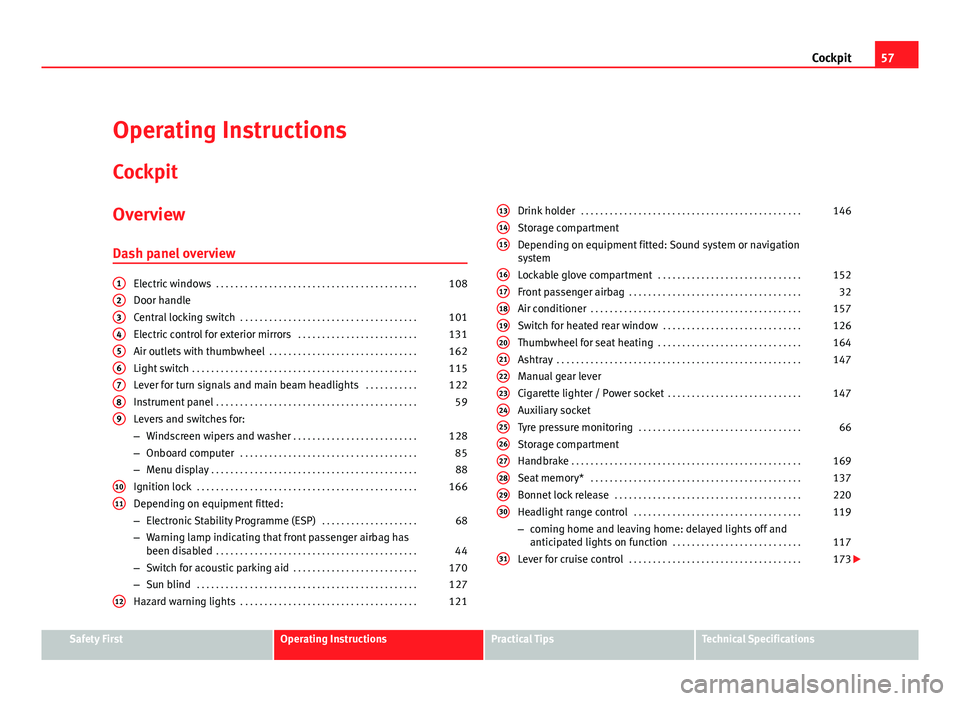
Overview Dash panel overview
Electric windows . . . . . . . . . . . . . . . . . . . . . . . . . . . . . . . . . . . . . . . . . . 108
Door handle
Central locking switch . . . . . . . . . . . . . . . . . . . . . . . . . . . . . . . . . . . . . 101
Electric control for exterior mirrors . . . . . . . . . . . . . . . . . . . . . . . . .131
Air outlets with thumbwheel . . . . . . . . . . . . . . . . . . . . . . . . . . . . . . . 162
Light switch . . . . . . . . . . . . . . . . . . . . . . . . . . . . . . . . . . . . . . . . . . . . . . . 115
Lever for turn signals and main beam headlights . . . . . . . . . . .122
Instrument panel . . . . . . . . . . . . . . . . . . . . . . . . . . . . . . . . . . . . . . . . . . 59
Levers and switches for:
– Windscreen wipers and washer . . . . . . . . . . . . . . . . . . . . . . . . . . 128
– Onboard computer . . . . . . . . . . . . . . . . . . . . . . . . . . . . . . . . . . . . . 85
– Menu display . . . . . . . . . . . . . . . . . . . . . . . . . . . . . . . . . . . . . . . . . . . 88
Ignition lock . . . . . . . . . . . . . . . . . . . . . . . . . . . . . . . . . . . . . . . . . . . . . . 166
Depending on equipment fitted:
– Electronic Stability Programme (ESP) . . . . . . . . . . . . . . . . . . . .68
– Warning lamp indicating that front passenger airbag has
been disabled . . . . . . . . . . . . . . . . . . . . . . . . . . . . . . . . . . . . . . . . . . 44
– Switch for acoustic parking aid . . . . . . . . . . . . . . . . . . . . . . . . . . 170
– Sun blind . . . . . . . . . . . . . . . . . . . . . . . . . . . . . . . . . . . . . . . . . . . . . . 127
Hazard warning lights . . . . . . . . . . . . . . . . . . . . . . . . . . . . . . . . . . . . . 121
123456789
1011
12
Drink holder
. . . . . . . . . . . . . . . . . . . . . . . . . . . . . . . . . . . . . . . . . . . . . . 146
Storage compartment
Depending on equipment fitted: Sound system or navigation
system
Lockable glove compartment . . . . . . . . . . . . . . . . . . . . . . . . . . . . . . 152
Front passenger airbag . . . . . . . . . . . . . . . . . . . . . . . . . . . . . . . . . . . . 32
Air conditioner . . . . . . . . . . . . . . . . . . . . . . . . . . . . . . . . . . . . . . . . . . . . 157
Switch for heated rear window . . . . . . . . . . . . . . . . . . . . . . . . . . . . . 126
Thumbwheel for seat heating . . . . . . . . . . . . . . . . . . . . . . . . . . . . . . 164
Ashtray . . . . . . . . . . . . . . . . . . . . . . . . . . . . . . . . . . . . . . . . . . . . . . . . . . . 147
Manual gear lever
Cigarette lighter / Power socket . . . . . . . . . . . . . . . . . . . . . . . . . . . . 147
Auxiliary socket
Tyre pressure monitoring . . . . . . . . . . . . . . . . . . . . . . . . . . . . . . . . . . 66
Storage compartment
Handbrake . . . . . . . . . . . . . . . . . . . . . . . . . . . . . . . . . . . . . . . . . . . . . . . . 169
Seat memory* . . . . . . . . . . . . . . . . . . . . . . . . . . . . . . . . . . . . . . . . . . . . 137
Bonnet lock release . . . . . . . . . . . . . . . . . . . . . . . . . . . . . . . . . . . . . . . 220
Headlight range control . . . . . . . . . . . . . . . . . . . . . . . . . . . . . . . . . . . 119
– coming home and leaving home: delayed lights off and
anticipated lights on function . . . . . . . . . . . . . . . . . . . . . . . . . . . 117
Lever for cruise control . . . . . . . . . . . . . . . . . . . . . . . . . . . . . . . . . . . . 173
131415
161718192021222324252627282930
31
Safety FirstOperating InstructionsPractical TipsTechnical Specifications
Page 83 of 313
81
Cockpit
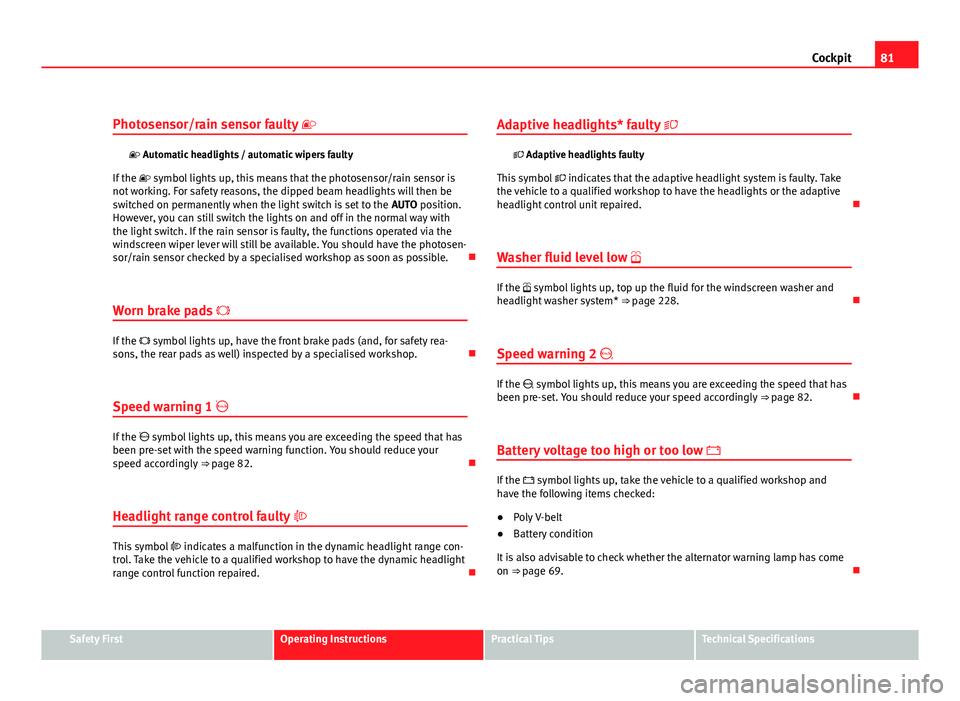
Photosensor/rain sensor faulty
Automatic headlights / automatic wipers faulty
If the symbol lights up, this means that the photosensor/rain sensor is
not working. For safety reasons, the dipped beam headlights will then be
switched on permanently when the light switch is set to the AUTO position.
However, you can still switch the lights on and off in the normal way with
the light switch. If the rain sensor is faulty, the functions operated via the
windscreen wiper lever will still be available. You should have the photosen-
sor/rain sensor checked by a specialised workshop as soon as possible.
Worn brake pads
If the symbol lights up, have the front brake pads (and, for safety rea-
sons, the rear pads as well) inspected by a specialised workshop.
Speed warning 1
If the symbol lights up, this means you are exceeding the speed that has
been pre-set with the speed warning function. You should reduce your
speed accordingly ⇒ page 82.
Headlight range control faulty
This symbol indicates a malfunction in the dynamic headlight range con-
trol. Take the vehicle to a qualified workshop to have the dynamic headlight
range control function repaired. Adaptive headlights* faulty
Adaptive headlights faulty
This symbol indicates that the adaptive headlight system is faulty. Take
the vehicle to a qualified workshop to have the headlights or the adaptive
headlight control unit repaired.
Washer fluid level low
If the symbol lights up, top up the fluid for the windscreen washer and
headlight washer system* ⇒ page 228.
Speed warning 2
If the symbol lights up, this means you are exceeding the speed that has
been pre-set. You should reduce your speed accordingly ⇒ page 82.
Battery voltage too high or too low
If the symbol lights up, take the vehicle to a qualified workshop and
have the following items checked:
● Poly V-belt
● Battery condition
It is also advisable to check whether the alternator warning lamp has come
on ⇒ page 69.
Safety FirstOperating InstructionsPractical TipsTechnical Specifications
Page 86 of 313
84Cockpit
–Press the CHECK button for at least two seconds.
The speed warning symbol lights up briefly in the display when the but-
ton is released to confirm that the selected speed has been stored. The
speed limit that has been selected remains stored until another speed is se-
lected with a brief push of the button, or until the memory is cleared with a
long push of the button.
Setting speed limit warning 2
Speed limit warning 2 is set using the switches on the wind-
screen wiper lever.
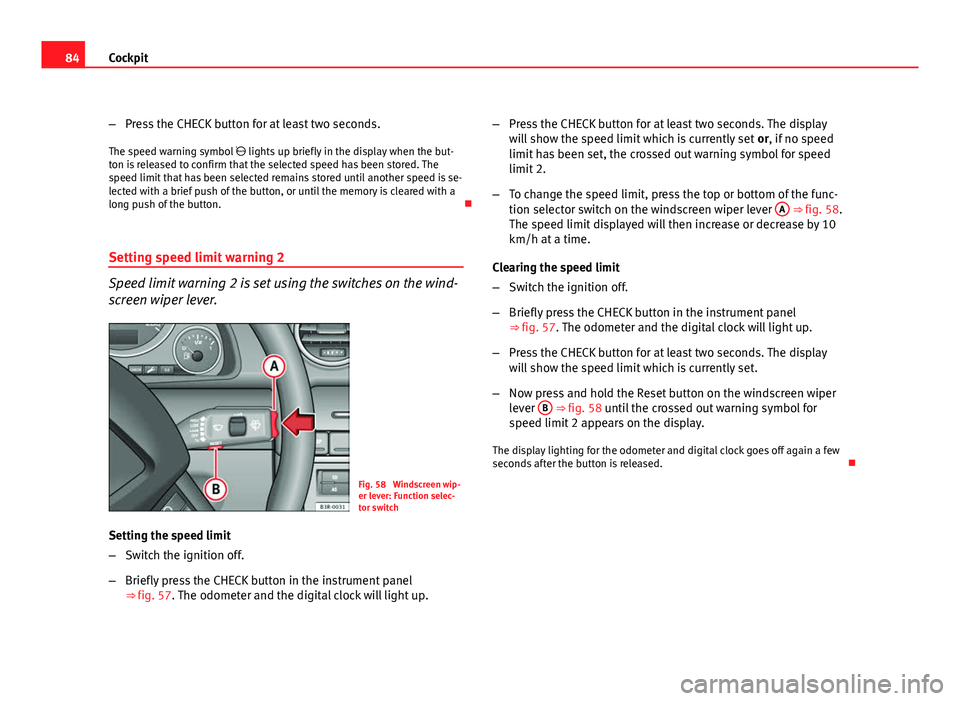
Fig. 58 Windscreen wip-
er lever: Function selec-
tor switch
Setting the speed limit
– Switch the ignition off.
– Briefly press the CHECK button in the instrument panel
⇒ fig. 57. The odometer and the digital clock will light up. –
Press the CHECK button for at least two seconds. The display
will show the speed limit which is currently set or, if no speed
limit has been set, the crossed out warning symbol for speed
limit 2.
– To change the speed limit, press the top or bottom of the func-
tion selector switch on the windscreen wiper lever A
⇒ fig. 58.
The speed limit displayed will then increase or decrease by 10
km/h at a time.
Clearing the speed limit
– Switch the ignition off.
– Briefly press the CHECK button in the instrument panel
⇒ fig. 57. The odometer and the digital clock will light up.
– Press the CHECK button for at least two seconds. The display
will show the speed limit which is currently set.
– Now press and hold the Reset button on the windscreen wiper
lever B
⇒ fig. 58 until the crossed out warning symbol for
speed limit 2 appears on the display.
The display lighting for the odometer and digital clock goes off again a few
seconds after the button is released.
Page 88 of 313

86Cockpit
Driving time warning
After 2 hours of continuous driving, the display automatically switches over
to the driving time display of 2:00. At the same time the driving time display
starts flashing. This is to remind the driver to take a break.
The driving time warning can be switched off by briefly pressing the func-
tion selector switch or the Reset
button ⇒ fig. 60.
If you continue driving or take a break for less than 10 minutes, the driving
time warning will switch on once again when the total driving time is 4:00
hours, 6:00 hours, etc. However, if you take a break for more than 10 mi- nutes, the driving time warning clock will be erased.
Distance covered
This display shows the distance you have covered since the memory was
last cancelled. The longest possible distance which can be recorded is
9999.9 km.
Note
● The displays for fuel consumption (average and instantaneous), dis-
tance to empty and speed are shown in metric units.
● The information in the memory is lost if the battery is disconnected. Operation
The onboard computer is controlled by means of two
switches on the windscreen wiper lever.
Fig. 60 Windscreen wip-
er lever: Onboard com-
puter controls
Activating the onboard computer
– Press the reset button B
repeatedly until the onboard comput-
er (memory 1 or 2) ⇒ fig. 59 is displayed.
Selecting the function
– Press the top or bottom of the function selector switch A
⇒ fig. 60. This displays the functions of the onboard computer
in sequence.
Resetting to zero
– Press and hold the Reset button B
for at least two seconds.
The following values can be reset to zero using the Reset button:
Page 90 of 313
88Cockpit
Menu display
Introduction
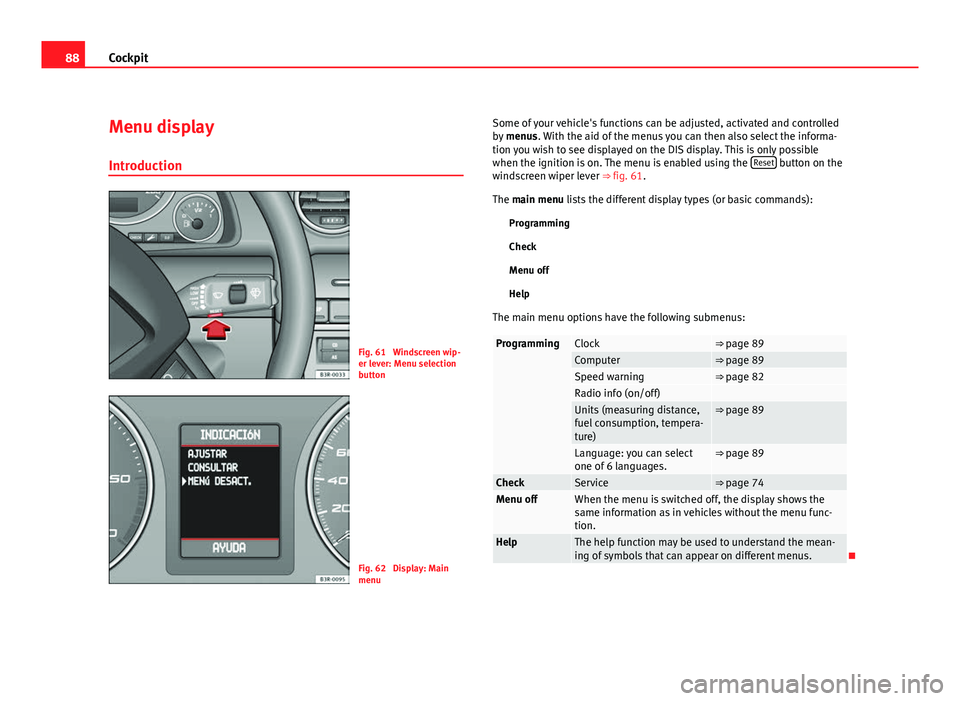
Fig. 61 Windscreen wip-
er lever: Menu selection
button
Fig. 62 Display: Main
menu Some of your vehicle's functions can be adjusted, activated and controlled
by
menus. With the aid of the menus you can then also select the informa-
tion you wish to see displayed on the DIS display. This is only possible
when the ignition is on. The menu is enabled using the Reset
button on the
windscreen wiper lever ⇒ fig. 61.
The main menu lists the different display types (or basic commands):
Programming
Check
Menu off
Help
The main menu options have the following submenus:
ProgrammingClock⇒ page 89Computer⇒ page 89Speed warning⇒ page 82Radio info (on/off) Units (measuring distance,
fuel consumption, tempera-
ture)⇒ page 89
Language: you can select
one of 6 languages.⇒ page 89
CheckService⇒ page 74Menu offWhen the menu is switched off, the display shows the
same information as in vehicles without the menu func-
tion.
HelpThe help function may be used to understand the mean-
ing of symbols that can appear on different menus.
Page 91 of 313
89
Cockpit
Controlling the menu
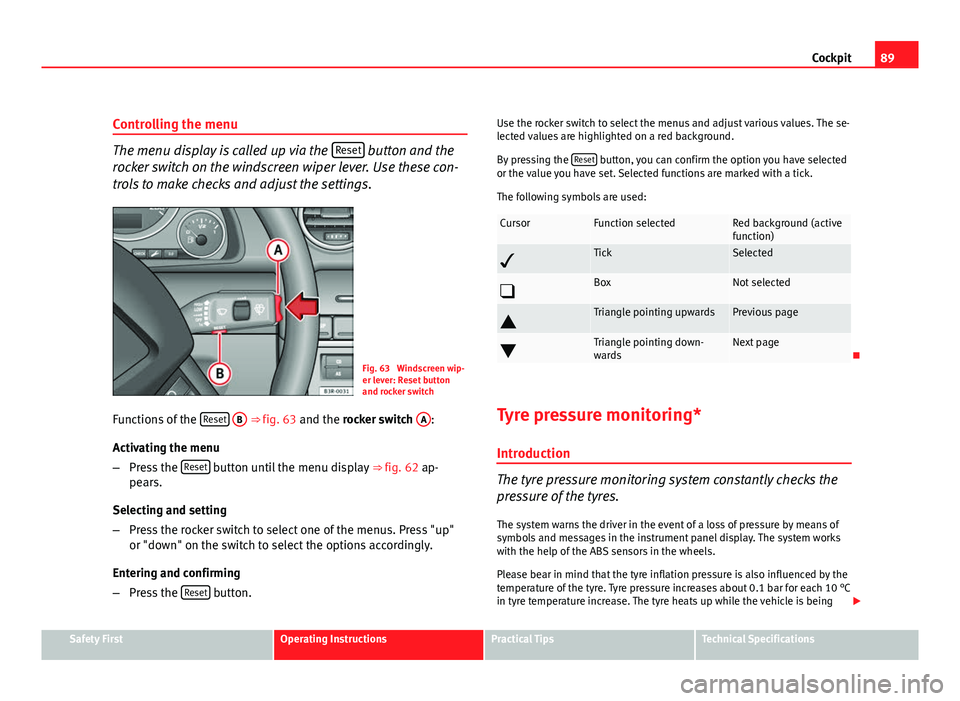
The menu display is called up via the Reset button and the
rocker switch on the windscreen wiper lever. Use these con-
trols to make checks and adjust the settings.
Fig. 63 Windscreen wip-
er lever: Reset button
and rocker switch
Functions of the Reset
B ⇒
fig. 63 and the rocker switch A:
Activating the menu
– Press the Reset
button until the menu display
⇒ fig. 62 ap-
pears.
Selecting and setting
– Press the rocker switch to select one of the menus. Press "up"
or "down" on the switch to select the options accordingly.
Entering and confirming
– Press the Reset
button. Use the rocker switch to select the menus and adjust various values. The se-
lected values are highlighted on a red background.
By pressing the
Reset
button, you can confirm the option you have selected
or the value you have set. Selected functions are marked with a tick.
The following symbols are used:
CursorFunction selectedRed background (active
function)
TickSelected
BoxNot selected
Triangle pointing upwardsPrevious page
Triangle pointing down-
wardsNext page
Tyre pressure monitoring* Introduction
The tyre pressure monitoring system constantly checks the
pressure of the tyres.
The system warns the driver in the event of a loss of pressure by means of
symbols and messages in the instrument panel display. The system works
with the help of the ABS sensors in the wheels.
Please bear in mind that the tyre inflation pressure is also influenced by the
temperature of the tyre. Tyre pressure increases about 0.1 bar for each 10 °C
in tyre temperature increase. The tyre heats up while the vehicle is being
Safety FirstOperating InstructionsPractical TipsTechnical Specifications
Page 130 of 313
128Lights and visibility
Note
● An overload cut-out may be triggered if the sun blind for the rear window
is operated repeatedly. There will then be a short delay before the blind can
be operated again.
● As the material of the sun blind is less flexible at low temperatures, the
electric actuator is switched off when the outside temperature is below
-5 °C. The sun blind can only be operated when the temperature inside the
car rises above this level.
Windscreen wipers
Windscreen wipers
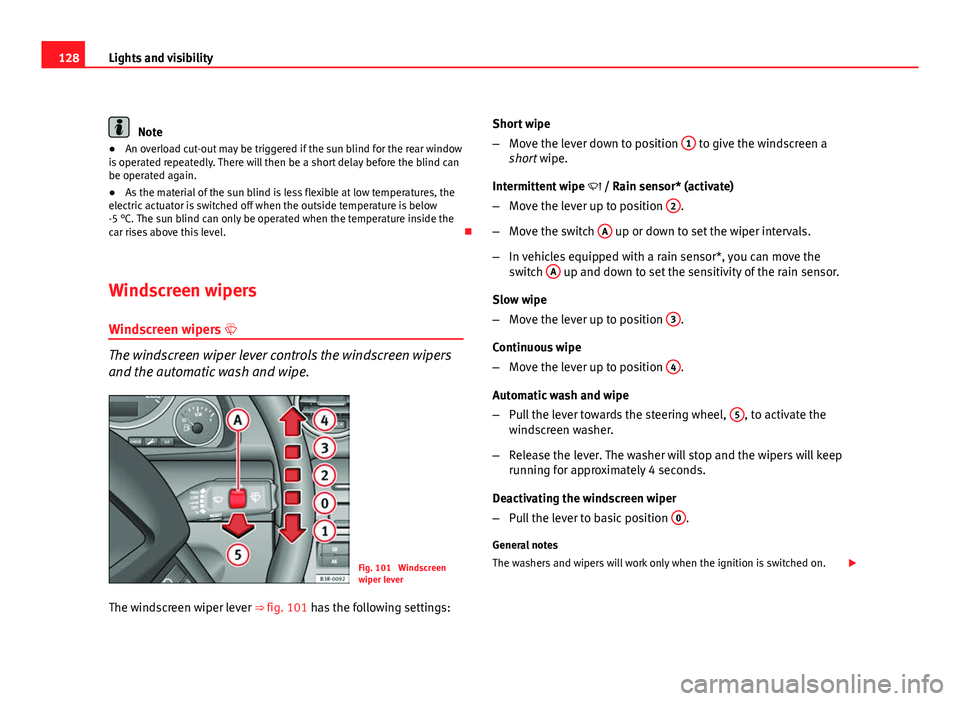
The windscreen wiper lever controls the windscreen wipers
and the automatic wash and wipe.
Fig. 101 Windscreen
wiper lever
The windscreen wiper lever ⇒ fig. 101 has the following settings: Short wipe
–
Move the lever down to position 1
to give the windscreen a
short wipe.
Intermittent wipe / Rain sensor* (activate)
– Move the lever up to position 2
.
– Move the switch A
up or down to set the wiper intervals.
– In vehicles equipped with a rain sensor*, you can move the
switch A
up and down to set the sensitivity of the rain sensor.
Slow wipe
– Move the lever up to position 3
.
Continuous wipe
– Move the lever up to position 4
.
Automatic wash and wipe
– Pull the lever towards the steering wheel, 5
, to activate the
windscreen washer.
– Release the lever. The washer will stop and the wipers will keep
running for approximately 4 seconds.
Deactivating the windscreen wiper
– Pull the lever to basic position 0
.
General notes
The washers and wipers will work only when the ignition is switched on.
Page 131 of 313
129
Lights and visibility
If you stop briefly, e.g. at traffic lights, the wiper speed will automatically be
reduced. The rain sensor* will automatically be set to the intermittent wipe
function.
The windscreen washer jets are heated when the ignition is switched on.
The wiper intervals in the intermittent wipe setting are also varied automati-
cally according to the road speed (in addition to the manual delay setting).
When the lights are switched on you should only pull the lever briefly to
wash the windscreen, otherwise the headlight washers* will also be ena-
bled. This will use an unnecessary amount of fluid from the reservoir.
Rain sensor
The rain sensor* will only function in the intermittent wipe position. The in-
termittent wipe function is enabled automatically when it starts to rain.
If the windscreen wiper lever was in the intermittent wipe position when the
ignition was off, the rain sensor will not activate until you reach a speed of 6
km/h.
Use switch A
to set the sensitivity of the rain sensor*.
If you have selected a high sensitivity level for the rain sensor the wind-
screen wipers will react sooner to any moisture on the windscreen.
The wiper intervals in the intermittent wipe setting are also varied automati-
cally according to the road speed (in addition to the sensitivity setting).
WARNING
● For correct visibility and safe driving, the wiper must be in perfect
condition ⇒ page 210. Failure to do so could result in an accident.
● The rain sensor* is only intended to assist the driver. The driver is
still obliged to manually operate the windscreen wipers as required de-
pending on visibility.
● Do not use water-repellent coatings on the windscreen. In bad visibili-
ty conditions such as light rain, low sun or when driving at night, these
coatings can cause increased dazzle, which is a serious safety hazard.
Such coatings can also cause the wiper blades to make noise.
CAUTION
● In the event of frost, check that the wiper blade has not frozen before
activating the windscreen wipers. Should the windscreen wiper system be
enabled when the blade is frozen, this could damage it or even the wind-
screen wiper system motor.
● Make sure you switch off the windscreen wiper system (lever in position
0) before you use an automatic car wash. This will avoid inadvertent trigger-
ing of the wipers and possible damage to the wiper system.
Note
● Check that the washer fluid reservoir is full before starting a long jour-
ney. Fill the reservoir ⇒ page 228.
● Worn or dirty wiper blades can cause smearing on the glass which can
also impair the effectiveness of the rain sensor*. Check the condition of
windscreen wiper blades at regular intervals.
Safety FirstOperating InstructionsPractical TipsTechnical Specifications