brake light Seat Exeo 2011 User Guide
[x] Cancel search | Manufacturer: SEAT, Model Year: 2011, Model line: Exeo, Model: Seat Exeo 2011Pages: 313, PDF Size: 5.02 MB
Page 81 of 313
79
Cockpit
Engine oil level correct
If the symbol flashes and the engine oil level is correct, obtain profes-
sional assistance. Do not drive on! Do not continue to run the engine, even
at idle speed .
Note
The oil pressure warning lamp is not an indicator for the oil level. The oil
level should therefore be checked regularly, preferably every time you fill
the tank.
Yellow symbols
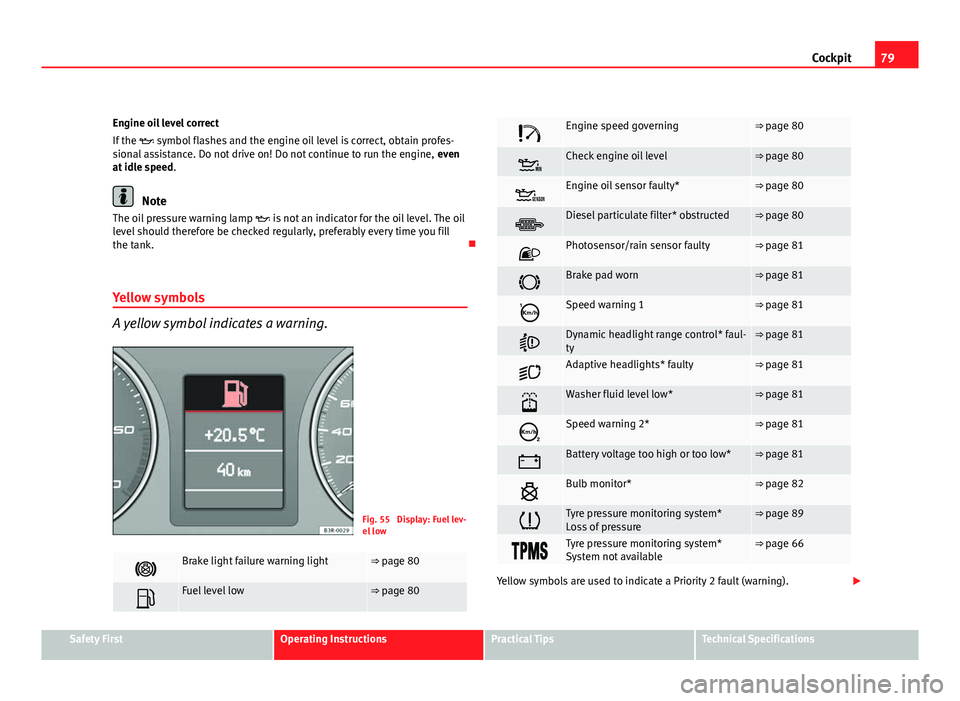
A yellow symbol indicates a warning.
Fig. 55 Display: Fuel lev-
el low
Brake light failure warning light⇒ page 80
Fuel level low⇒ page 80
Engine speed governing⇒ page 80
Check engine oil level⇒ page 80
Engine oil sensor faulty*⇒ page 80
Diesel particulate filter* obstructed⇒ page 80
Photosensor/rain sensor faulty⇒ page 81
Brake pad worn⇒ page 81
Speed warning 1⇒ page 81
Dynamic headlight range control* faul-
ty⇒ page 81
Adaptive headlights* faulty⇒ page 81
Washer fluid level low*⇒ page 81
Speed warning 2*⇒ page 81
Battery voltage too high or too low*⇒ page 81
Bulb monitor*⇒ page 82
Tyre pressure monitoring system*
Loss of pressure⇒ page 89
Tyre pressure monitoring system*
System not available⇒ page 66
Yellow symbols are used to indicate a Priority 2 fault (warning).
Safety FirstOperating InstructionsPractical TipsTechnical Specifications
Page 82 of 313
80Cockpit
Yellow symbols are accompanied by one warning buzzer. The function indi-
cated should be checked as soon as possible. If several Priority 2 faults are
detected at the same time, the symbols are displayed one after the other for
about 2 seconds at a time.
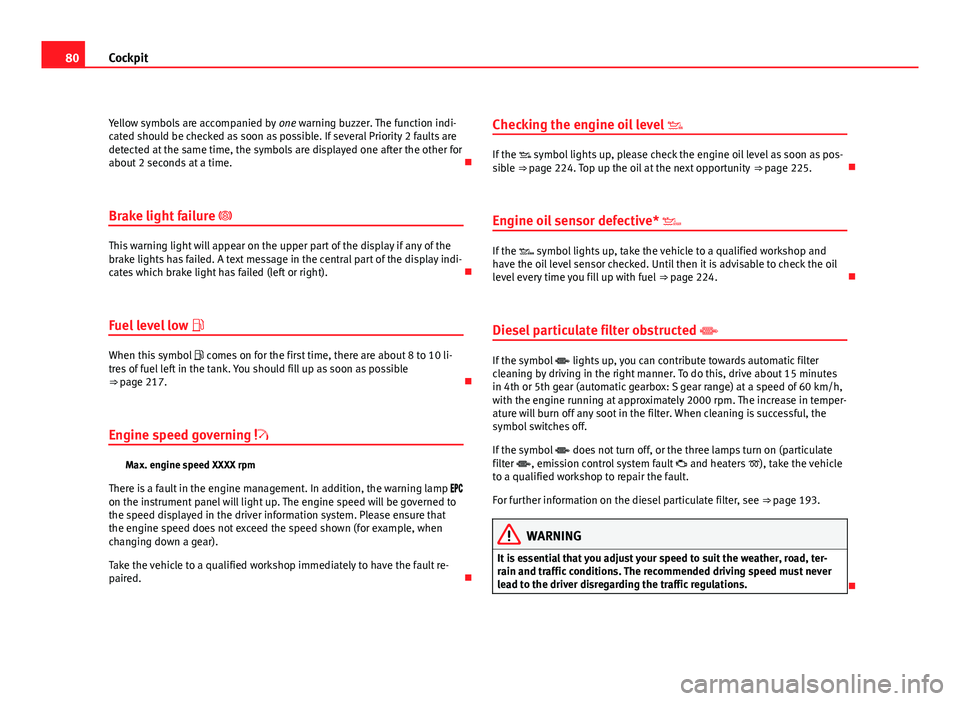
Brake light failure
This warning light will appear on the upper part of the display if any of the
brake lights has failed. A text message in the central part of the display indi-
cates which brake light has failed (left or right).
Fuel level low
When this symbol comes on for the first time, there are about 8 to 10 li-
tres of fuel left in the tank. You should fill up as soon as possible
⇒ page 217.
Engine speed governing
Max. engine speed XXXX rpm
There is a fault in the engine management. In addition, the warning lamp
on the instrument panel will light up. The engine speed will be governed to
the speed displayed in the driver information system. Please ensure that
the engine speed does not exceed the speed shown (for example, when
changing down a gear).
Take the vehicle to a qualified workshop immediately to have the fault re-
paired. Checking the engine oil level
If the symbol lights up, please check the engine oil level as soon as pos-
sible ⇒ page 224. Top up the oil at the next opportunity ⇒ page 225.
Engine oil sensor defective*
If the symbol lights up, take the vehicle to a qualified workshop and
have the oil level sensor checked. Until then it is advisable to check the oil
level every time you fill up with fuel ⇒ page 224.
Diesel particulate filter obstructed
If the symbol lights up, you can contribute towards automatic filter
cleaning by driving in the right manner. To do this, drive about 15 minutes
in 4th or 5th gear (automatic gearbox: S gear range) at a speed of 60 km/h,
with the engine running at approximately 2000 rpm. The increase in temper-
ature will burn off any soot in the filter. When cleaning is successful, the
symbol switches off.
If the symbol does not turn off, or the three lamps turn on (particulate
filter , emission control system fault and heaters ), take the vehicle
to a qualified workshop to repair the fault.
For further information on the diesel particulate filter, see ⇒ page 193.
WARNING
It is essential that you adjust your speed to suit the weather, road, ter-
rain and traffic conditions. The recommended driving speed must never
lead to the driver disregarding the traffic regulations.
Page 83 of 313
81
Cockpit
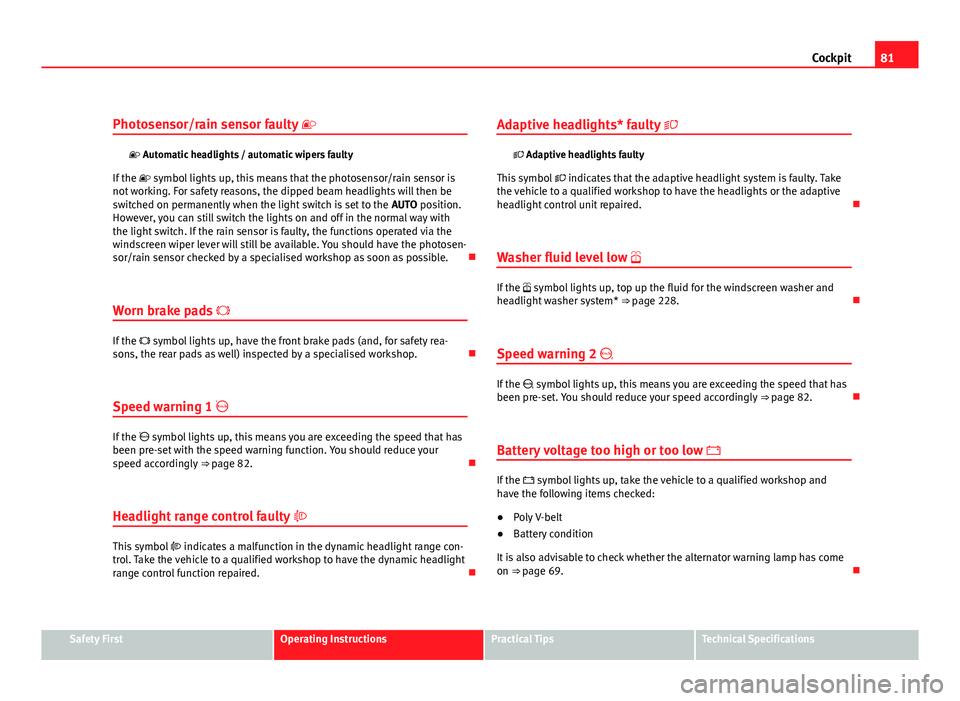
Photosensor/rain sensor faulty
Automatic headlights / automatic wipers faulty
If the symbol lights up, this means that the photosensor/rain sensor is
not working. For safety reasons, the dipped beam headlights will then be
switched on permanently when the light switch is set to the AUTO position.
However, you can still switch the lights on and off in the normal way with
the light switch. If the rain sensor is faulty, the functions operated via the
windscreen wiper lever will still be available. You should have the photosen-
sor/rain sensor checked by a specialised workshop as soon as possible.
Worn brake pads
If the symbol lights up, have the front brake pads (and, for safety rea-
sons, the rear pads as well) inspected by a specialised workshop.
Speed warning 1
If the symbol lights up, this means you are exceeding the speed that has
been pre-set with the speed warning function. You should reduce your
speed accordingly ⇒ page 82.
Headlight range control faulty
This symbol indicates a malfunction in the dynamic headlight range con-
trol. Take the vehicle to a qualified workshop to have the dynamic headlight
range control function repaired. Adaptive headlights* faulty
Adaptive headlights faulty
This symbol indicates that the adaptive headlight system is faulty. Take
the vehicle to a qualified workshop to have the headlights or the adaptive
headlight control unit repaired.
Washer fluid level low
If the symbol lights up, top up the fluid for the windscreen washer and
headlight washer system* ⇒ page 228.
Speed warning 2
If the symbol lights up, this means you are exceeding the speed that has
been pre-set. You should reduce your speed accordingly ⇒ page 82.
Battery voltage too high or too low
If the symbol lights up, take the vehicle to a qualified workshop and
have the following items checked:
● Poly V-belt
● Battery condition
It is also advisable to check whether the alternator warning lamp has come
on ⇒ page 69.
Safety FirstOperating InstructionsPractical TipsTechnical Specifications
Page 145 of 313
143
Seats and storage compartments
Extending the luggage compartment
The two sections of the backrest can be folded forwards ei-
ther together or separately to increase the capacity of the
luggage compartment.
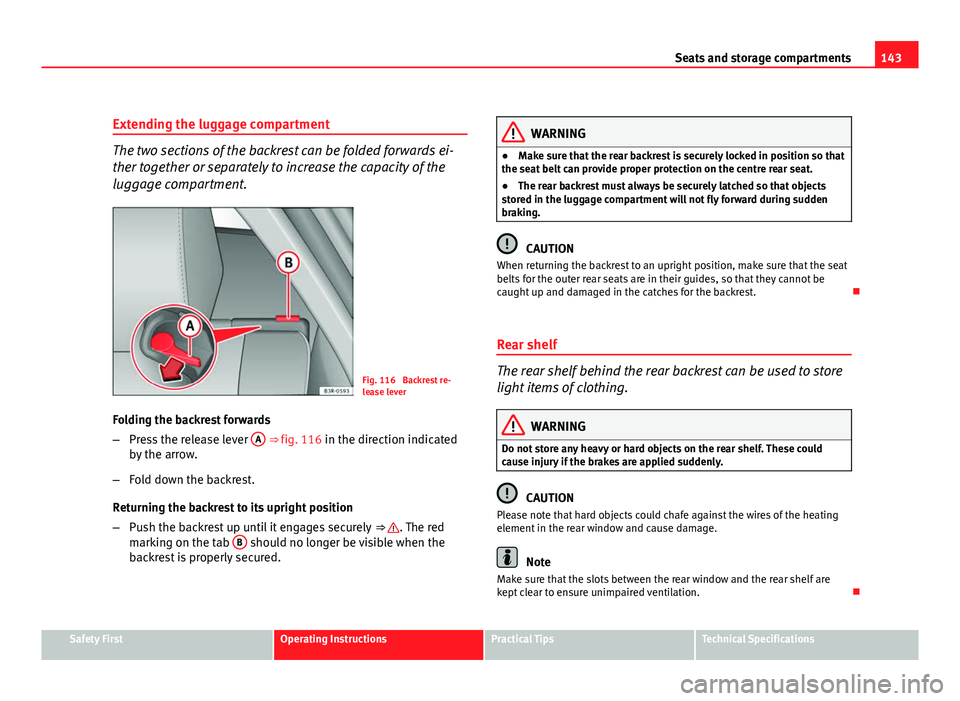
Fig. 116 Backrest re-
lease lever
Folding the backrest forwards
– Press the release lever A
⇒ fig. 116 in the direction indicated
by the arrow.
– Fold down the backrest.
Returning the backrest to its upright position
– Push the backrest up until it engages securely ⇒
. The red
marking on the tab B should no longer be visible when the
backrest is properly secured.
WARNING
● Make sure that the rear backrest is securely locked in position so that
the seat belt can provide proper protection on the centre rear seat.
● The rear backrest must always be securely latched so that objects
stored in the luggage compartment will not fly forward during sudden
braking.
CAUTION
When returning the backrest to an upright position, make sure that the seat
belts for the outer rear seats are in their guides, so that they cannot be
caught up and damaged in the catches for the backrest.
Rear shelf
The rear shelf behind the rear backrest can be used to store
light items of clothing.
WARNING
Do not store any heavy or hard objects on the rear shelf. These could
cause injury if the brakes are applied suddenly.
CAUTION
Please note that hard objects could chafe against the wires of the heating
element in the rear window and cause damage.
Note
Make sure that the slots between the rear window and the rear shelf are
kept clear to ensure unimpaired ventilation.
Safety FirstOperating InstructionsPractical TipsTechnical Specifications
Page 168 of 313
166Driving
The Electronic Stability Programme (ESP) contains the electronic differential
lock (EDL) and the traction control system (TCS). The ESP function works to-
gether with the ABS. If a fault in the ABS occurs, both warning lamps light
up, but if the ESP fails, only the ESP warning lamp lights up.
The ESP is started automatically when the engine is started.
The ESP switch deactivates both TCS and ESP functions. The ESP, in spite of
being deactivated, will always self-connect when necessary if brakes are be-
ing used.
The TCS can be deactivated when in cases where wheel sliding is desirable.
For example:
● When driving with snow chains.
● When driving in deep snow or on loose surfaces.
● When the vehicle is stuck, to rock it backwards and forwards.
Next, the button should be pressed to reactivate the TCS.
When does the lamp light up or flash
●
On switching the ignition on, it lights up for about two seconds to carry
out a function control.
● The warning lamp will start flashing when the vehicle is moving if the
ESP or the TCS is activated.
● It will light up continuously if there is a malfunction in the ESP.
WARNING
● The Electronic Stability Programme (ESP) cannot defy the laws of
physics. This should be kept in mind, particularly on slippery and wet
roads and when towing a trailer.
● Always adapt your driving style to suit the condition of the roads and
the traffic situation. Do not let the extra safety afforded by ESP tempt you
into taking any risks when driving, as this can cause accidents.
● Please refer to the corresponding warning notes on ESP in
⇒ page 184, Intelligent technology.
Ignition lock Ignition key positions
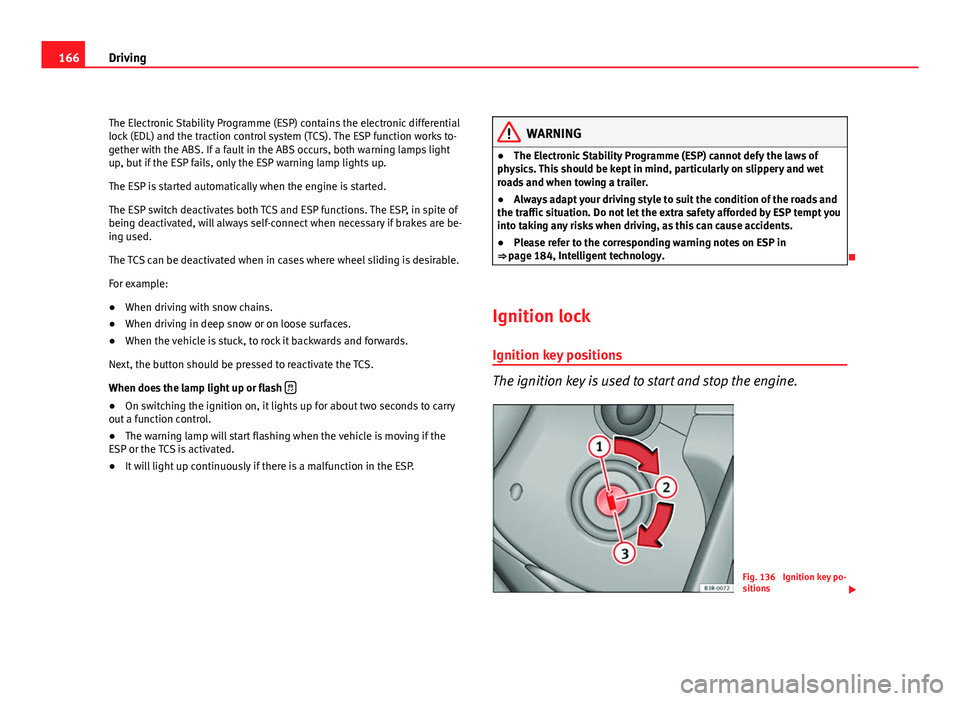
The ignition key is used to start and stop the engine.
Fig. 136 Ignition key po-
sitions
Page 170 of 313
168Driving
Vehicles with a petrol engine:
–Use the foot brake.
– Manual gearbox: Push the clutch pedal all the way down.
– Move the gear lever into neutral (automatic gearbox: selector
lever to P or N) ⇒
.
– Turn the ignition key to position 3
without pressing the accel-
erator.
– Release the ignition key as soon as the engine starts (the start-
er motor must not be allowed to run on with the engine).
Vehicles with a diesel engine:
– Use the foot brake.
– Manual gearbox: Push the clutch pedal all the way down. Other-
wise, the engine will not start.
– Move the gear lever into neutral (automatic gearbox: selector
lever to P or N) ⇒
.
– Turn the ignition key to position 2
. The pre-heating indicator
light comes on while the glow plugs are preheating.
– When the indicator light
goes out, turn the ignition key to
position 3
. Do not press the accelerator.
– Having completed the previous action the key can be released
immediately, it will return to position 2
and the engine will
have started.
When starting a very cold engine, it may be a little noisy for the first few sec-
onds until oil pressure has built up in the hydraulic valve compensators.
This is quite normal, and no cause for concern. If the engine fails to start straight away, stop after 10 seconds and try again
after about half a minute.
Glow plug system*
To assist starting at low temperatures,
diesel engines are equipped with a
glow plug preheating system. The preheating time depends on the coolant
temperature and the outside temperature. Start the engine as soon as the
glow plug indicator light goes out.
When the engine is warm or at outside temperatures above +8 °C, the glow
plug indicator light will only come on for about one second. This means that
the engine can be started immediately.
If the engine will not start...
● ⇒ page 280
● ⇒ page 283
● ⇒ page 217, Refuelling
WARNING
Never run the engine in confined spaces, as the exhaust gases are poi-
sonous.
CAUTION
Avoid high engine speeds, full throttle and extreme load conditions until
the engine has reached its normal operating temperature, otherwise this
can damage the engine.
For the sake of the environment
Do not warm up the engine by running the engine with the vehicle station-
ary. Start immediately. This will help avoid unnecessary exhaust emissions.
Page 171 of 313

169
Driving
Stopping the engine
– Turn the ignition key to position 1 ⇒ fig. 137.
WARNING
● Never switch the engine off until the vehicle is stationary.
● The brake servo and the power steering system work only when the
engine is running. You need more strength to steer and brake the vehicle
when the engine is switched off. Given that you will be unable to steer
and brake as usual, this could lead to a risk of accidents and injuries.
CAUTION
If the engine has been running under high load for a long time, there is a
risk of heat building up in the engine compartment after the engine has
been switched off; this could cause engine damage. Therefore, you should
let the engine idle for approximately 2 minutes before you switch it off.
Note
After the engine is switched off the radiator fan may run on for up to 10 mi-
nutes, even if the ignition is switched off. It may also start running again af-
ter some time if the coolant temperature rises due to a build-up of heat un-
der the bonnet, or if the engine is already warm and the engine compart-
ment is heated up further by direct sunlight. Handbrake
Handbrake
The handbrake should be applied firmly to prevent the vehi-
cle from accidentally rolling away.
Fig. 138 Detailed view of
the centre console: Hand-
brake on
Applying the handbrake
– Pull the handbrake lever up all the way.
Releasing the handbrake
– Pull the lever up slightly and at the same time press in the re-
lease button ⇒ fig. 138 -arrow-.
– Keep the release button pressed and push the lever all the way
down ⇒
.
If you drive by mistake with the handbrake still applied, you will hear a
warning buzzer and the display will show the message:
Safety FirstOperating InstructionsPractical TipsTechnical Specifications
Page 172 of 313
170Driving
Handbrake on
The handbrake warning switches on after driving for 3 seconds at speeds
above 5 km/h.
The handbrake warning lamp lights up when the handbrake is applied
with the ignition on.
WARNING
Please note that the handbrake should be released all the way. If it is on-
ly partially released, this will cause rear brakes overheating, which can
impair the function of the brake system and could lead to an accident.
CAUTION
Once the vehicle has come to a standstill, always apply the handbrake firm-
ly and then, on a manual gearbox, engage a gear, or select P on an auto-
matic.
Parking
The following points will ensure there is no risk of the vehi-
cle rolling away accidentally after it is parked:
– Use the foot brake to stop the vehicle.
– Apply the handbrake firmly.
– Switch the engine off.
– On a manual gearbox engage 1st gear or on an automatic move
the selector lever to P ⇒
. When parking on slopes:
Turn the steering wheel so that the, if the vehicle moves, it will do so to-
wards the curb.
WARNING
● Do not leave anyone (especially children) in the vehicle when it is
locked. Locked doors could delay assistance in an emergency, potentially
putting lives at risk.
● Never leave children unsupervised in the vehicle. They could release
e.g. the handbrake or gear lever, moving the vehicle and causing an acci-
dent.
Parking aid acoustic system General notes
Various systems are available to help you when parking or manoeuvring in
tight spaces, depending on the equipment fitted on your vehicle.
The SEAT Parking System gives an acoustic warning if there are any obsta-
cles behind your vehicle ⇒ page 171.
When you are parking, SEAT Parking System Plus warns you acoustically
and optically about obstacles in front of and behind the vehicle
⇒ page 171.
Note
To ensure the acoustic parking aid works properly, the sensors must be kept
clean and free of snow and ice.
Page 175 of 313
173
Driving
SEAT Parking System Plus*
There is no rear distance warning. The system will still give a warning when
obstacles are detected while driving forward.
Fault messages*
If you hear a long beep for a few seconds and the LED on the button*
starts flashing when you switch on the parking aid, a system fault has oc-
curred. Please have the fault corrected by a Dealer or qualified workshop.
Note
If the fault is not corrected before you switch off the ignition, it will only be
indicated by the flashing LED on the switch * the next time you switch on
the parking aid.
Cruise speed* (Cruise control system)
Introduction
The cruise control system allows you to maintain a constant
speed. Using this system, any speed over 30 km/h can be kept constant, as long as
the engine power allows it. This is subject to power output and braking abil-
ity of the engine. This helps to reduce fatigue, especially on long journeys.
The indicator lamp on the instrument panel lights up when the cruise
control system is operating.
WARNING
For safety reasons, the cruise control system should not be used in dense
traffic or poor road conditions (with ice, slippery surfaces, loose grit or
gravel), as this could cause an accident.
CAUTION
In vehicles with a manual gearbox: do not go into neutral if the device is en-
abled without previously releasing the clutch, as the engine will increase its
revs and, under certain conditions, could break down.
Note
The cruise control cannot maintain a constant speed when travelling down
steep hills. The vehicle tends to accelerate under its own weight. Change
down to a lower gear or use the foot brake to slow the vehicle.
Safety FirstOperating InstructionsPractical TipsTechnical Specifications
Page 179 of 313

177
Driving
The gearbox selects the gear ratio and shifts up or down automatically ac-
cording to the gear change programmes stored in the control unit
⇒ page 181.
If desired, you can also select the gears manually (tiptronic mode)
⇒ page 182.
Please note that in vehicles with a multitronic® gearbox, torque is transmit-
ted via a multi-plate clutch, and not via a torque converter as on convention-
al automatics. This means that the vehicle will not “creep” as much as con-
ventional automatics when the engine is idling if you stop temporarily with
the selector lever in position D, S or R.
Vehicles with tiptronic gearbox
The vehicle is equipped with an electronically controlled 7-speed automatic
gearbox. The gearbox changes up and down automatically.
If desired, you can also select the gears manually (tiptronic mode)
⇒ page 182. Driving instructions
The gears are changed automatically.
Fig. 143 Detailed view of
the centre console: Se-
lector lever with lock but-
ton
Starting the vehicle
– Press and hold the brake pedal.
– Press and hold the interlock button (the button on the selector
lever handle), move the selector lever to the required position,
for instance D, and release the interlock button.
– Wait for the gearbox to engage the gear (a slight movement can
be felt).
– Release the brake and press the accelerator ⇒
.
Stopping briefly
– Apply the foot brake to hold the vehicle when stationary (for in-
stance at traffic lights).
Safety FirstOperating InstructionsPractical TipsTechnical Specifications