light Seat Exeo ST 2009 Manual PDF
[x] Cancel search | Manufacturer: SEAT, Model Year: 2009, Model line: Exeo ST, Model: Seat Exeo ST 2009Pages: 316, PDF Size: 8.83 MB
Page 156 of 316
Seats and stowage
154•Do not use hard china cups or glasses. These could cause injury in the
event of an accident.
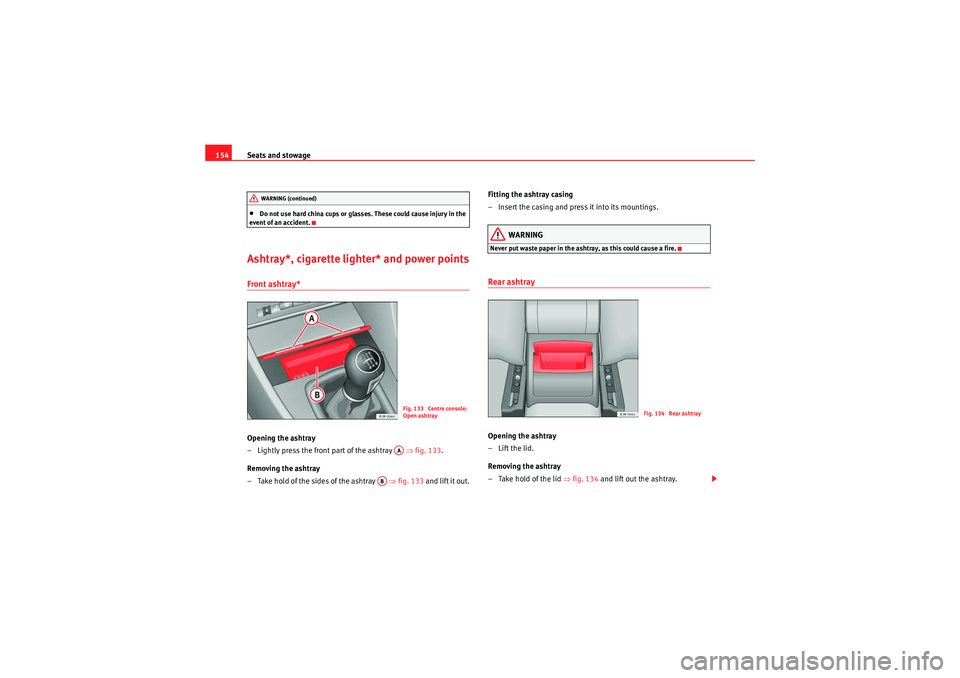
Ashtray*, cigarette lighter* and power pointsFront ashtray*Opening the ashtray
– Lightly press the front part of the ashtray ⇒fig. 133 .
Removing the ashtray
– Take hold of the sides of the ashtray ⇒fig. 133 and lift it out. Fitting the ashtray casing
– Insert the casing and press it into its mountings.
WARNING
Never put waste paper in the ashtray, as this could cause a fire.Rear ashtrayOpening the ashtray
– Lift the lid.
Removing the ashtray
–Take hold of the lid ⇒
fig. 134 and lift out the ashtray.
WARNING (continued)
Fig. 133 Centre console:
Open ashtrayAA
AB
Fig. 134 Rear ashtray
ExeoST_EN.book Seite 154 Donnerstag, 3. September 2009 12:24 12
Page 157 of 316
Seats and stowage155
Safety First
Controls and equipment
Practical tips
Technical Data
Fitting the ashtray casing
– Open the lid on the ashtray and press the casing into the
mounting as far as it will go.
WARNING
Never put waste paper in the ashtray, as this could cause a fire.Cigarette lighter*
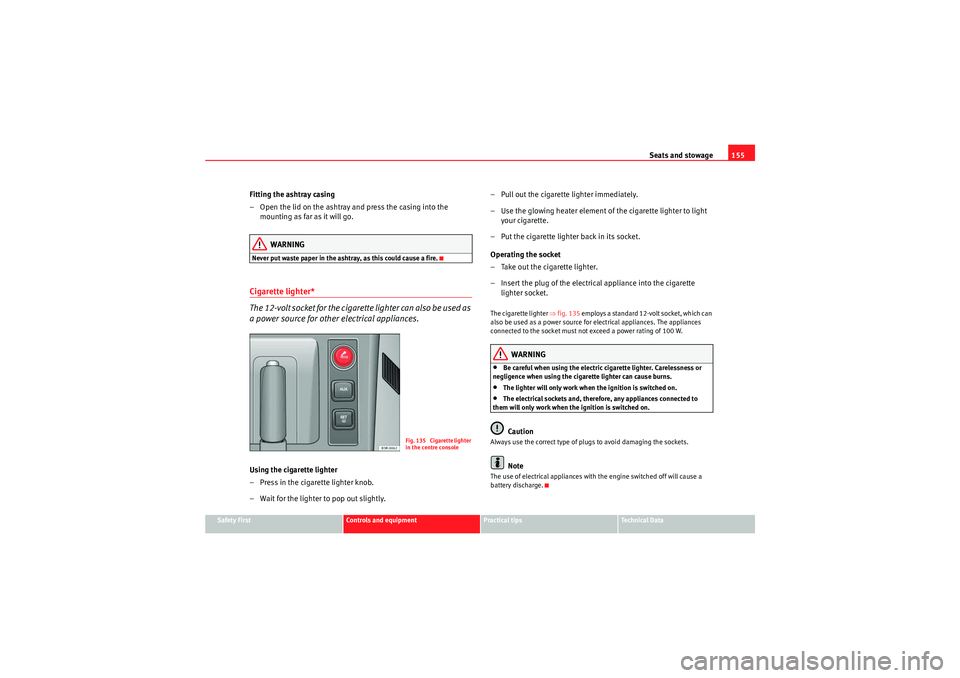
The 12-volt socket for the cigarette lighter can also be used as
a power source for other electrical appliances.Using the cigarette lighter
–Press in the ciga rette lighter knob.
– Wait for the lighter to pop out slightly. – Pull out the cigarette lighter immediately.
– Use the glowing heater element of the cigarette lighter to light
your cigarette.
– Put the cigarette lighter back in its socket.
Operating the socket
– Take out the cigarette lighter.
– Insert the plug of the electrical appliance into the cigarette lighter socket.
The cigarette lighter ⇒fig. 135 employs a standard 12-volt socket, which can
also be used as a power source for electrical appliances. The appliances
connected to the socket must not exceed a power rating of 100 W.
WARNING
•Be careful when using the electric cigarette lighter. Carelessness or
negligence when using the cigarette lighter can cause burns.•The lighter will only work when the ignition is switched on.•The electrical sockets and, therefore, any appliances connected to
them will only work when the ignition is switched on.Caution
Always use the correct type of plugs to avoid damaging the sockets.
Note
The use of electrical appliances with the engine switched off will cause a
battery discharge.
Fig. 135 Cigarette lighter
in the centre console
ExeoST_EN.book Seite 155 Donnerstag, 3. September 2009 12:24 12
Page 159 of 316
Seats and stowage157
Safety First
Controls and equipment
Practical tips
Technical Data
Glove compartment
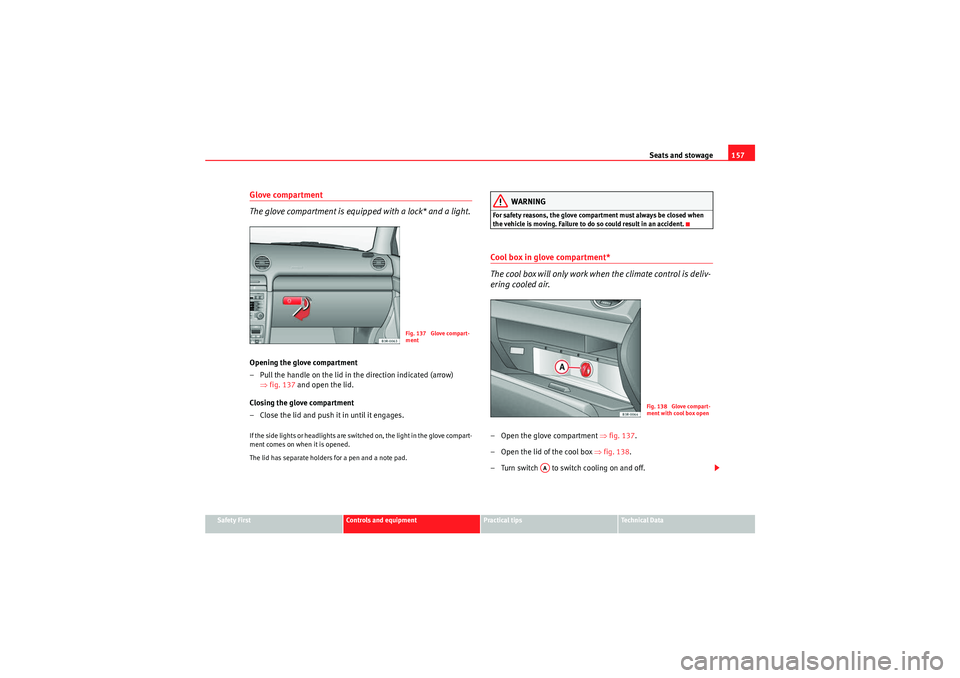
The glove compartment is equipped with a lock* and a light.Opening the glove compartment
– Pull the handle on the lid in the direction indicated (arrow)
⇒fig. 137 and open the lid.
Closing the glove compartment
– Close the lid and push it in until it engages.If the side lights or headlights are switched on, the light in the glove compart-
ment comes on when it is opened.
The lid has separate holders for a pen and a note pad.
WARNING
For safety reasons, the glove compartment must always be closed when
the vehicle is moving. Failure to do so could result in an accident.Cool box in glove compartment*
The cool box will only work when the climate control is deliv-
ering cooled air.– Open the glove compartment ⇒fig. 137 .
– Open the lid of the cool box ⇒fig. 138 .
– Turn switch to switch cooling on and off.
Fig. 137 Glove compart-
ment
Fig. 138 Glove compart-
ment with cool box open
AA
ExeoST_EN.book Seite 157 Donnerstag, 3. September 2009 12:24 12
Page 160 of 316
Seats and stowage
158The cool box will only work when the climate control is delivering cooled air.
We recommend you switch off the cool box if the climate control is delivering
warm air to heat the interior.
Note
The “non-slip” mat in the cool box can be removed for cleaning.Compartments in the door trim
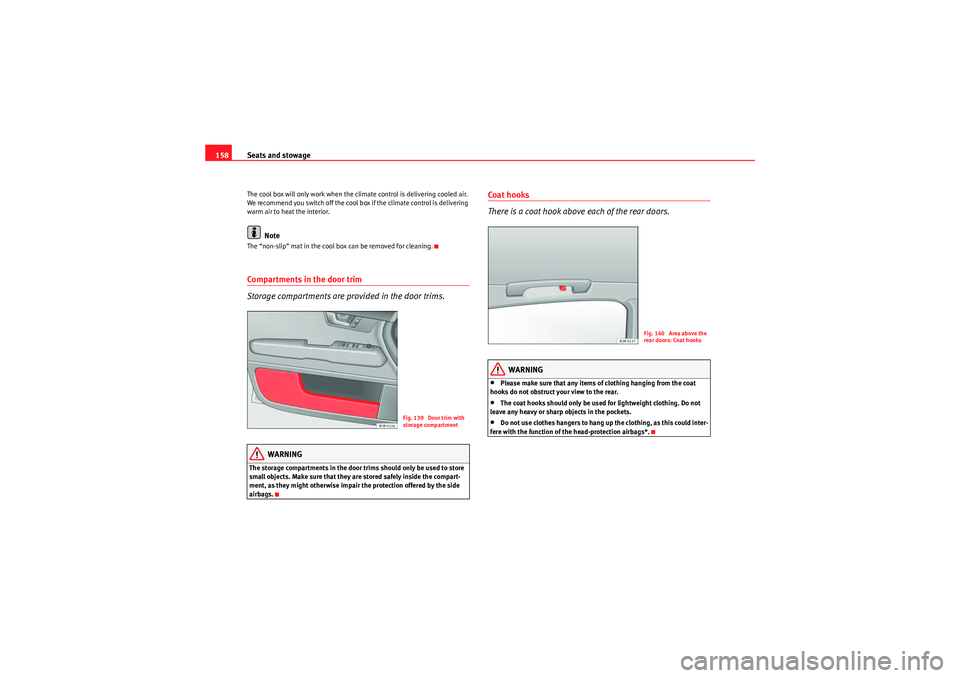
Storage compartments are provided in the door trims.
WARNING
The storage compartments in the door trims should only be used to store
small objects. Make sure that they are stored safely inside the compart-
ment, as they might otherwise impair the protection offered by the side
airbags.
Coat hooks
There is a coat hook above each of the rear doors.
WARNING
•Please make sure that any items of clothing hanging from the coat
hooks do not obstruct your view to the rear.•The coat hooks should only be used for lightweight clothing. Do not
leave any heavy or sharp objects in the pockets.•Do not use clothes hangers to hang up the clothing, as this could inter-
fere with the function of the head-protection airbags*.
Fig. 139 Door trim with
storage compartment
Fig. 140 Area above the
rear doors: Coat hooks
ExeoST_EN.book Seite 158 Donnerstag, 3. September 2009 12:24 12
Page 164 of 316

Heating, Ventilation and Air conditioning
162Controls
This overview will help you become quickly familiar with the controls for the climate control.The left-hand display shows the temperature selected for the left-hand side
and the right-hand display the temperature for the right-hand side.
The functions can be switched on or off by briefly pressing the buttons. The
diode on the buttons lights up when the function is enabled.
The grille between buttons and must be kept clear, as the tempera-
ture sensors are located behind the grille.•Do not cover the grille.•Do not clean the grille with a vacuum cleaner, as this could damage the
temperature sensors located behind the grille.
Fig. 141 Climate control controls
Button(s)
MeaningAutomatic mode
(left and right
sides)
Temperature selection for the left
and right sidesDefrostManual air recirculation modeSwitches off air coolingSwitches off climate control (instead of )Automatic air recirculation mode (instead of )
AUTO-+ECONOFF
OFF
ExeoST_EN.book Seite 162 Donnerstag, 3. September 2009 12:24 12
Page 165 of 316

Heating, Ventilation and Air conditioning163
Safety First
Controls and equipment
Practical tips
Technical Data
The , and buttons (which regulate air distribution) can either be
selected individually or in combination.
Automatic mode
Standard setting for all seasons.Switching on automatic mode
– Select a temperature between +18°C (64°F) and +29°C (86°F).
– Press the button
⇒page 162, fig. 141 .The automatic mode maintains a constant temperature inside the vehicle and
dehumidifies the air. Air temperature, air delivery and air distribution are
regulated automatically to reach the desired interior temperature as quickly
as possible, and then to maintain this temperature. The system automatically
compensates for any variations in the outside temperature and for the effect
of direct sunlight.
The automatic temperature regulation only operates at temperature settings
between +18°C and +29°C. If a temperature below +18°C is selected, LO
appears on the display. If a temperature is selected which is higher than
+29°C, the display will show HI. In the two extreme settings, the climate
control operates continuously with maximum cooling or heating output and the temperature is not regulated automatically. The temperature is not regu-
lated.
Note
By keeping the button on the driver's side pressed for several seconds,
the temperature of the passenger's side can be set to the temperature of the
driver's side or vice versa. The display indicates the new temperature value.Selecting the temperature
Separate temperatures can be selected for the driver's and
front passenger's side.– Press the or buttons below the displays
⇒page 162,
fig. 141 until the desired temperature is selected for the driver's
side or front passenger's side.The currently selected temperature setting is shown in the display above the
buttons.
By keeping the button on the driver's side pressed for several seconds,
the temperature of the passenger's side can be set to the temperature of the
driver's side or vice versa. The display indicates the new temperature value.
The previous temperature setting can be restored by resetting the display on
the driver's or passenger's side as required.
(centre buttons)
Adjusts blower speedAir to the windowsAir from the dashboard outletsAir to the footwells
Button(s)
Meaning
-+
AUTO
AUTO
AUTO
-+
-
+
AUTO
ExeoST_EN.book Seite 163 Donnerstag, 3. September 2009 12:24 12
Page 166 of 316
Heating, Ventilation and Air conditioning
164Defrosting
The windscreen and side windows are defrosted or demisted
as quickly as possible.– To enable this mode, press the ⇒page 162, fig. 141 button.
– To disable, press the button again or select the button.The temperature is regulated automatically. The air output is increased to
maximum and most of the air comes out of outlets 1 and 2 ⇒page 167.
The air recirculation and ECON modes are switched off when the button is
pressed.Air recirculation: manual enabling
The air recirculation setting prevents fumes etc. from entering
the interior.Enabling air recirculation mode
–Press the ⇒page 162, fig. 141 ⇒ button.
Disabling air recirculation mode
– Press the button again or
– Press the button or
–Press the button.In this setting, the air in the vehicle is constantly recirculated. We recommend
using the air recirculation mode in the following circumstances:
•When driving through a tunnel or in queues of traffic, to prevent fumes
entering the interior of the vehicle.WARNING
Do not drive for too long with the air recirculation mode enabled because,
if the compressor is disconnected, the windscreen may mist up because no
fresh air is entering the interior of the vehicle, with the subsequent risk of
accidents.ECON Mode (economy)
ECON mode helps save fuel.– To enable, press the button ⇒page 162, fig. 141.
– To disable, press the button again or select the button.Air cooling is disconnected in ECON mode. The heating and the blower are
adjusted automatically. “ECON” stands for “Economy”. Disconnecting air
cooling (compressor) saves on fuel.
Please note that the interior temperature must not be lower than the outside
temperature in ECON mode. The blower does not cool or dehumidify the air in
the interior. The windows could therefore mist up.
On diesel vehicles, the supplementary heater is switched off in ECON mode
to save fuel.
Note
If the diode on the ECON button continues to light up when the ECON mode
has been switched off (i.e. the climate control has been switched on) this is
AUTO
AUTO
ECONECONECON
AUTO
ExeoST_EN.book Seite 164 Donnerstag, 3. September 2009 12:24 12
Page 171 of 316
Heating, Ventilation and Air conditioning169
Safety First
Controls and equipment
Practical tips
Technical Data
Solar-powered blower/solar roof*
If the vehicle is parked in sufficiently strong sunlight, the
blower will operate in solar-powered mode when the ignition
is switched off.After the ignition is switched off, the blower is supplied with electrical power
from the solar roof. Please ensure that outlets 3 and 4 are open ⇒page 167,
fig. 143 to ensure the best possible ventilation.
The blower only works when the sun roof is closed or tilted open at the rear.
If the air recirculation mode is on when you switch off the engine, the climate
control will automatically switch to fresh air ventilation.Supplementary heating*Diesel vehicles are fitted with supplementary heating
2) to raise the tempera-
ture of the interior as quickly as possible. At outdoor temperatures below
+5°C and with the engine running, the supplementary heating will switch on
and off automatically depending on the temperature of the coolant.
In order to save fuel, the supplementary heating can be can be switched off
by briefly pressing the button on the climate control.
Seat heating*
The surface and backrest of the front seats can be electrically
heated.Turn thumbwheel or ⇒fig. 144 to switch on and adjust the
heating on the left or right front seats.The heating is switched off when the thumbwheel is set to 0. The temperature
settings range from 1 to 6.
Caution
To avoid damaging the heating elements of the seat heating, please do not
kneel on the seat or apply sharp pressure to a single point.
2)For Nordic countries only.
Fig. 144 Detailed view of
instrument panel: Thum-
bwheel controls for seat
heating
A1
A2
ExeoST_EN.book Seite 169 Donnerstag, 3. September 2009 12:24 12
Page 173 of 316
Driving171
Safety First
Controls and equipment
Practical tips
Technical Data
The Electronic Stabilisation Program (ESP) contains the electronic differential
lock (EDL) and the traction control system (TCS). The ESP function works
together with the ABS. If a fault in the ABS occurs, both warning lamps light
up, but if the ESP fails, only the ESP warning lamp lights up.
The ESP is started automatically when the engine is started.
The ESP switch deactivates both TCS and ESP functions. The ESP, in spite of
being deactivated, will always self-connect when necessary if brakes are
being used.
The TCS can be deactivated when in cases where wheel sliding is desirable.
For example:
•When driving with snow chains,•when driving in deep snow or on loose surfaces,•when rocking the vehicle backwards and forwards to free it from mud, for
example.
Next, the button should be pressed to reactivate the TCS.
When does the warning light switch on or flash ?•On switching the ignition on, it lights up for about two seconds to carry
out a function control.•The warning lamp will start flashing when the vehicle is moving if the ESP
or the TCS is activated.•It will light up continuously if there is a malfunction in the ESP.WARNING
•The electronic stabilisation programme (ESP) cannot defy the laws of
physics. This should be kept in mind, particularly on slippery and wet
roads and when towing a trailer.•Always adapt your driving style to suit the condition of the roads and
the traffic situation. Do not let the extra safety afforded by ESP tempt you
into taking any risks when driving, this can cause accidents.
•Please refer to the corresponding warning notes on ESP in ⇒page 189,
“Intelligent technology”.
Ignition lockIgnition key positions
The ignition key is used to start and stop the engine.Position
The ignition key is inserted in this position. To engage the steering wheel
lock , take out the key and turn the wheel until you hear the pin engage. You
should always engage the steering lock when you leave the vehicle. This will
help to deter thefts ⇒.
WARNING (continued)
Fig. 147 Ignition key
positions
A1
ExeoST_EN.book Seite 171 Donnerstag, 3. September 2009 12:24 12
Page 175 of 316
Driving173
Safety First
Controls and equipment
Practical tips
Technical Data
– Turn the ignition key to position without pressing the acceler-
ator.
– Release the ignition key as soon as the engine starts (the starter motor must not be allowed to run on with the engine).
Vehicles with a diesel engine:
– Use the foot brake.
– Manual gearbox: Push the clutch pedal all the way down.
– Move the gear lever into neutral (automatic gearbox: gear selector lever to P or N) ⇒.
– Turn the ignition key to position . The pre-heating indicator light
comes on while the glow plugs are preheating.
– When the indicator light
goes out, turn the ignition key to
position . Do not press the accelerator.
– Release the ignition key as soon as the engine starts (the starter motor must not be allowed to run on with the engine).
When starting a very cold engine, it may be a little noisy for the first few
seconds until oil pressure has built up in the hydraulic valve compensators.
This is quite normal, and no cause for concern.
If the engine fails to start straight-away, switch off the starter after about 10
seconds and try again after about half a minute.
Glow plug system*
To assist starting at low temperatures, diesel engines are equipped with a
glow plug preheating system. The preheating time depends on the coolant
temperature and the outside temperature. Start the engine as soon as the
glow plug indicator light
goes out. When the engine is warm or at outside temperatures above +8°C, the glow
plug indicator light will only come on for about one second. This means that
the engine can be started
immediately.
If the engine will not start...
•⇒ page 285•⇒page 288•⇒page 222, “Refuelling”WARNING
Never run the engine in confined spaces, as the exhaust gases are
poisonous.
Caution
Avoid high engine speeds, full throttle and extreme load conditions until the
engine has reached its normal operating temperature, otherwise this can
damage the engine.
For the sake of the environment
Do not warm up the engine by running the engine with the vehicle stationary.
Start immediately. This will help avoid unnecessary exhaust emissions.Stopping the engine– Turn the ignition key to position ⇒page 172, fig. 148 .
WARNING
•Never switch the engine off until the vehicle is stationary.
A3A2
A3
A1
ExeoST_EN.book Seite 173 Donnerstag, 3. September 2009 12:24 12