climate control Seat Exeo ST 2009 Owner's manual
[x] Cancel search | Manufacturer: SEAT, Model Year: 2009, Model line: Exeo ST, Model: Seat Exeo ST 2009Pages: 316, PDF Size: 8.83 MB
Page 8 of 316
Content
6ContentThis manual is structured to provide the information you need in an organised
way. The content of this Manual is divided into sections which belong to
chapters (e.g. “Air conditioning”). The entire manual is divided into five main
sections which are:1. Safety FirstInformation on the vehicle equipment relating to passive safety such as seat
belts, airbags, seats, etc.2. Controls and equipmentInformation about the distribution of controls in the driver position of your
vehicle, about the seat adjustment possibilities, about how to create a suit-
able climate in the passenger compartment, etc.3. Practical tipsAdvice relating to the driving, caring and maintenance of your vehicle and
certain problems you can solve yourself.4. Technical DataFigures, values and the dimensions of your vehicle.5. Alphabetic indexAt the end of this manual there is a detailed alphabetical index, this will help
you to rapidly find the information you require.
ExeoST_EN.book Seite 6 Donnerstag, 3. September 2009 12:24 12
Page 59 of 316

Cockpit57
Safety First
Controls and equipment
Practical tips
Technical Data
Controls and equipmentCockpitOverviewInstrument panel overview
Electric windows . . . . . . . . . . . . . . . . . . . . . . . . . . . . . . . . . . . . .
Door handle
Central locking switch . . . . . . . . . . . . . . . . . . . . . . . . . . . . . . . . .
Electric adjuster for exterior mirrors . . . . . . . . . . . . . . . . . . . . . .
Air outlets with thumbwheel . . . . . . . . . . . . . . . . . . . . . . . . . . .
Light switch . . . . . . . . . . . . . . . . . . . . . . . . . . . . . . . . . . . . . . . . .
Lever for indicators and main beam headlights . . . . . . . . . . . .
Instrument panel . . . . . . . . . . . . . . . . . . . . . . . . . . . . . . . . . . . . .
Levers and switches for:
−Windscreen wipers and washer . . . . . . . . . . . . . . . . . . . . . . .
− On-board computer . . . . . . . . . . . . . . . . . . . . . . . . . . . . . . . .
− Menu display . . . . . . . . . . . . . . . . . . . . . . . . . . . . . . . . . . . . .
Ignition lock . . . . . . . . . . . . . . . . . . . . . . . . . . . . . . . . . . . . . . . . .
Depending on equipment fitted:
− Electronic stabilisation programme (ESP) . . . . . . . . . . . . . . .
− Warning lamp indicating that front passenger's airbag has
been disabled . . . . . . . . . . . . . . . . . . . . . . . . . . . . . . . . . . . . .
− Switch for acoustic parking aid . . . . . . . . . . . . . . . . . . . . . . .
Hazard warning lights . . . . . . . . . . . . . . . . . . . . . . . . . . . . . . . . .
Drink holder . . . . . . . . . . . . . . . . . . . . . . . . . . . . . . . . . . . . . . . . . Stowage compartments
Depending on equipment fitted: Sound system or navigation
system
Lockable glove compartment . . . . . . . . . . . . . . . . . . . . . . . . . . .
Front passenger's airbag . . . . . . . . . . . . . . . . . . . . . . . . . . . . . .
Climate control . . . . . . . . . . . . . . . . . . . . . . . . . . . . . . . . . . . . . .
Switch for heated rear window . . . . . . . . . . . . . . . . . . . . . . . . . .
Thumbwheel for seat heating . . . . . . . . . . . . . . . . . . . . . . . . . . .
Ashtray . . . . . . . . . . . . . . . . . . . . . . . . . . . . . . . . . . . . . . . . . . . . .
Manual gear lever
Cigarette lighter / Socket . . . . . . . . . . . . . . . . . . . . . . . . . . . . . .
Auxiliary socket
Tyre pressure monitoring . . . . . . . . . . . . . . . . . . . . . . . . . . . . . .
Stowage compartment
Handbrake . . . . . . . . . . . . . . . . . . . . . . . . . . . . . . . . . . . . . . . . . .
Seat memory* . . . . . . . . . . . . . . . . . . . . . . . . . . . . . . . . . . . . . . .
Bonnet lock release . . . . . . . . . . . . . . . . . . . . . . . . . . . . . . . . . .
Headlight range control . . . . . . . . . . . . . . . . . . . . . . . . . . . . . . .
−
coming home and leaving home: delayed lights off and
anticipated lights on function . . . . . . . . . . . . . . . . . . . . . . . .
Lever for cruise control . . . . . . . . . . . . . . . . . . . . . . . . . . . . . . . .
Steering wheel with:
− Horn
− Driver's airbag . . . . . . . . . . . . . . . . . . . . . . . . . . . . . . . . . . . .
− Controls for radio and telephone*
A1
109
A2A3
100
A4
132
A5
167
A6
116
A7
123
A8
59
A9
128
85
87
A10
171
A11
68
44
175
A12
122
A13
153
A14A15A16
157
A17
31
A18
162
A19
127
A20
169
A21
154
A22A23
154
A24A25
66
A26A27
174
A28
138
A29
226
A30
120
119
A31
178
A32
31
ExeoST_EN.book Seite 57 Donnerstag, 3. September 2009 12:24 12
Page 115 of 316
Unlocking and locking113
Safety First
Controls and equipment
Practical tips
Technical Data
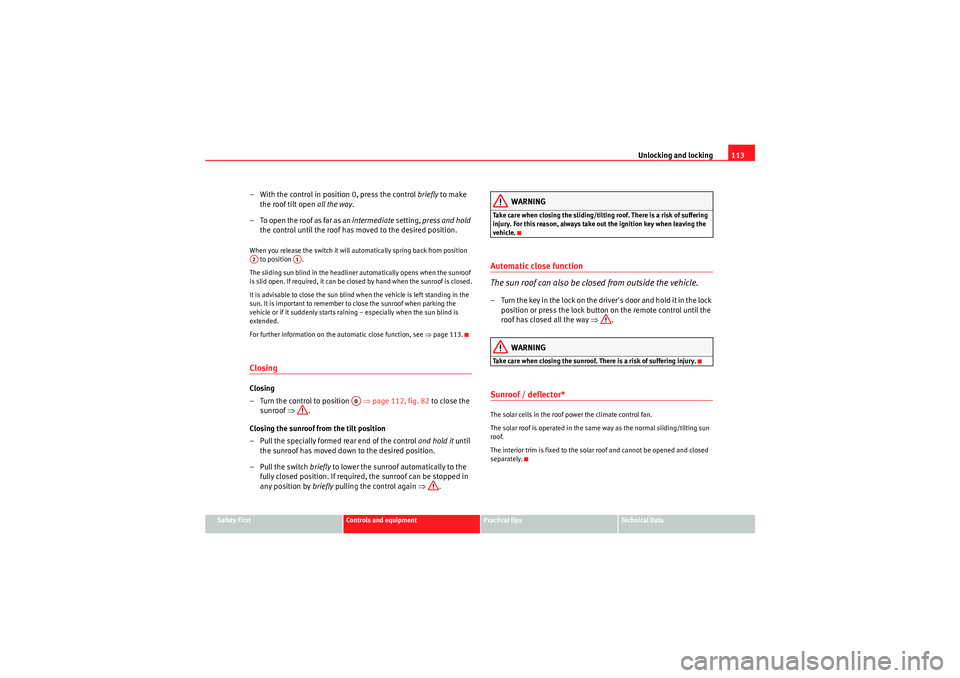
– With the control in position 0, press the control briefly to make
the roof tilt open all the way.
– To open the roof as far as an intermediate setting, press and hold
the control until the roof has moved to the desired position.When you release the switch it will automatically spring back from position
to position .
The sliding sun blind in the headliner automatically opens when the sunroof
is slid open. If required, it can be closed by hand when the sunroof is closed.
It is advisable to close the sun blind when the vehicle is left standing in the
sun. It is important to remember to close the sunroof when parking the
vehicle or if it suddenly starts raining – especially when the sun blind is
extended.
For further information on the automatic close function, see ⇒page 113.ClosingClosing
– Turn the control to position ⇒page 112, fig. 82 to close the
sunroof ⇒.
Closing the sunroof from the tilt position
– Pull the specially formed rear end of the control and hold it until
the sunroof has moved down to the desired position.
–Pull the switch briefly to lower the sunroof automatically to the
fully closed position. If required, the sunroof can be stopped in
any position by briefly pulling the control again ⇒.
WARNING
Take care when closing the sliding/tilting roof. There is a risk of suffering
injury. For this reason, always take out the ignition key when leaving the
vehicle.Automatic close function
The sun roof can also be closed from outside the vehicle.– Turn the key in the lock on the driver's door and hold it in the lock
position or press the lock button on the remote control until the
roof has closed all the way ⇒.
WARNING
Take care when closing the sunroof. There is a risk of suffering injury.Sunroof / deflector*The solar cells in the roof power the climate control fan.
The solar roof is operated in the same way as the normal sliding/tilting sun
roof.
The interior trim is fixed to the solar roof and cannot be opened and closed
separately.
A2
A1
A0
ExeoST_EN.book Seite 113 Donnerstag, 3. September 2009 12:24 12
Page 159 of 316
Seats and stowage157
Safety First
Controls and equipment
Practical tips
Technical Data
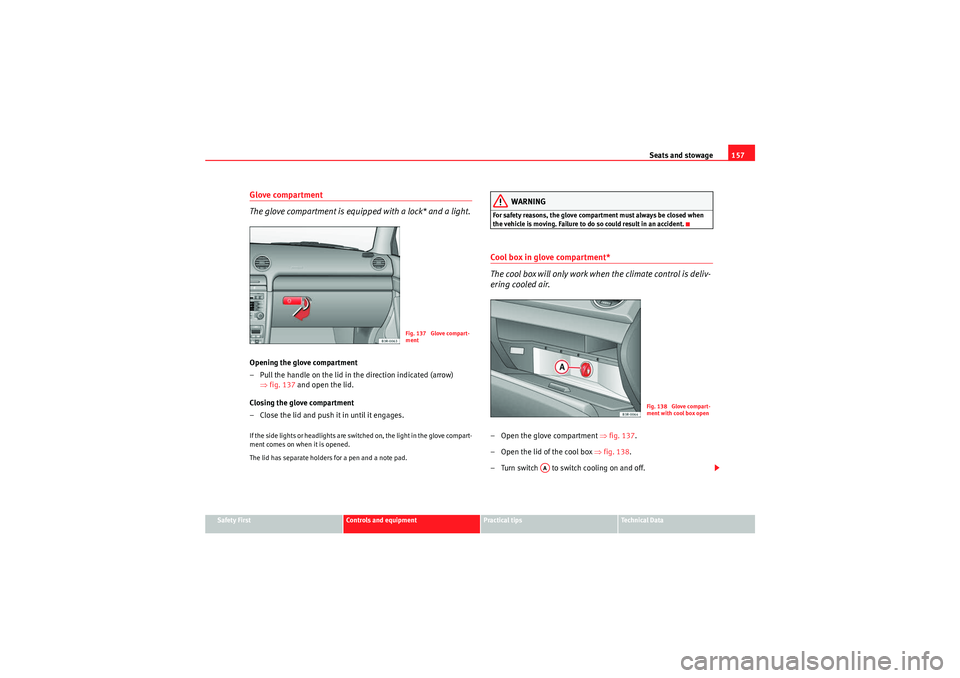
Glove compartment
The glove compartment is equipped with a lock* and a light.Opening the glove compartment
– Pull the handle on the lid in the direction indicated (arrow)
⇒fig. 137 and open the lid.
Closing the glove compartment
– Close the lid and push it in until it engages.If the side lights or headlights are switched on, the light in the glove compart-
ment comes on when it is opened.
The lid has separate holders for a pen and a note pad.
WARNING
For safety reasons, the glove compartment must always be closed when
the vehicle is moving. Failure to do so could result in an accident.Cool box in glove compartment*
The cool box will only work when the climate control is deliv-
ering cooled air.– Open the glove compartment ⇒fig. 137 .
– Open the lid of the cool box ⇒fig. 138 .
– Turn switch to switch cooling on and off.
Fig. 137 Glove compart-
ment
Fig. 138 Glove compart-
ment with cool box open
AA
ExeoST_EN.book Seite 157 Donnerstag, 3. September 2009 12:24 12
Page 160 of 316
Seats and stowage
158The cool box will only work when the climate control is delivering cooled air.
We recommend you switch off the cool box if the climate control is delivering
warm air to heat the interior.
Note
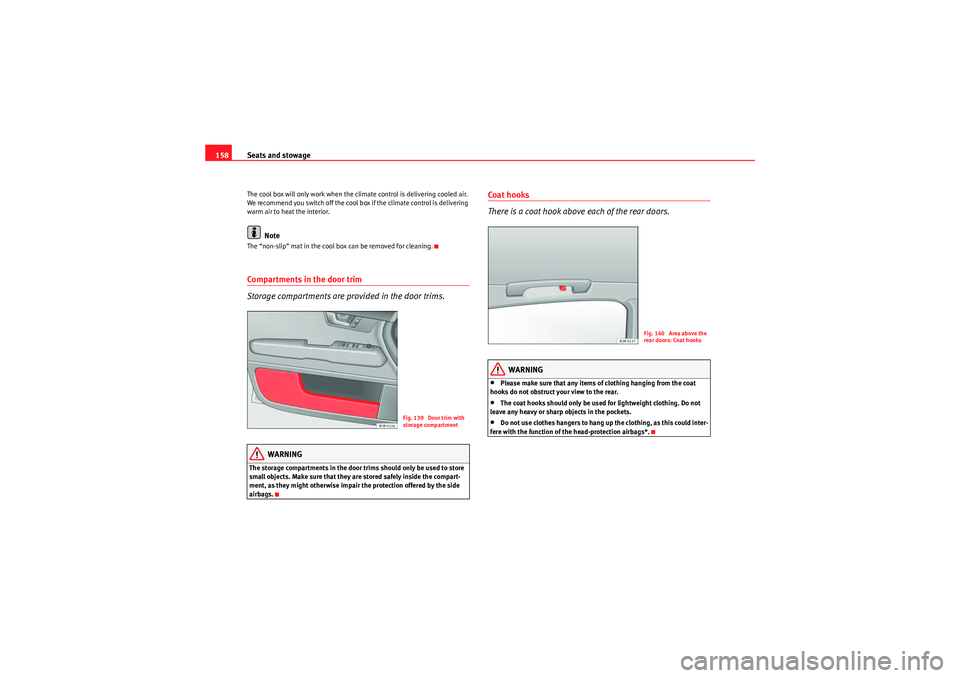
The “non-slip” mat in the cool box can be removed for cleaning.Compartments in the door trim
Storage compartments are provided in the door trims.
WARNING
The storage compartments in the door trims should only be used to store
small objects. Make sure that they are stored safely inside the compart-
ment, as they might otherwise impair the protection offered by the side
airbags.
Coat hooks
There is a coat hook above each of the rear doors.
WARNING
•Please make sure that any items of clothing hanging from the coat
hooks do not obstruct your view to the rear.•The coat hooks should only be used for lightweight clothing. Do not
leave any heavy or sharp objects in the pockets.•Do not use clothes hangers to hang up the clothing, as this could inter-
fere with the function of the head-protection airbags*.
Fig. 139 Door trim with
storage compartment
Fig. 140 Area above the
rear doors: Coat hooks
ExeoST_EN.book Seite 158 Donnerstag, 3. September 2009 12:24 12
Page 162 of 316
Heating, Ventilation and Air conditioning
160Heating, Ventilation and Air conditioning2C-ClimatronicDescription
The climate control is designed to automatically keep the
passenger compartment at the temperature you find most
comfortable at all times of the year.Recommended settings:
– Set the temperature to 22°C (71°F).
–Press the ⇒page 162, fig. 141 button.The following setting quickly provides a comfortable temperature inside the
vehicle. We therefore recommend you do not modify the setting unless you
find this temperature uncomfortable or where circumstances require as such.
The climate control provides heating and ventilation and also cools and
dehumidifies the air inside the vehicle.
The climate control is fully automatic and will constantly maintain the temper-
ature which has been set. To achieve this, the temperature of the air supplied
to the interior, the blower speed (volume of air delivery) and the air distribu-
tion are regulated automatically. The system also takes solar radiation into
account and, therefore, no subsequent manual readjustments are required.
Therefore, automatic mode ⇒ page 163 should be used for the comfort of all
the passengers in virtually all conditions throughout the year.
Please note the following points:
The humidity of the air is automatically reduced when the system cools the
interior of the vehicle. This helps to prevent condensation on the windows. If the humidity and temperature outside the vehicle are high,
condensation
can drip off the evaporator in the air cooling system and form a pool under-
neath the vehicle. This is normal and does not indicate a leak.
If the outside temperature is low, the blower normally only switches to a
higher speed once the coolant has warmed up sufficiently (this does not
apply to the defrost setting).
In order to achieve maximum engine power, the air conditioning compressor
is tem po ra r ily s witche d o ff whe n pulli ng away f ro m s tan dstill wit h full th rot tle.
The compressor also switches off if the coolant temperature is excessively
high to ensure adequate engine cooling under extreme loads.
Pollution filter
The pollution filter (a combined particle filter and activated charcoal filter)
serves as a barrier against impurities in the outside air, including dust and
pollen.
For the climate control to work with maximum efficiency, the pollution filter
element must be replaced at the intervals specified in the Service Schedule.
If the vehicle is driven in areas with a high level of air pollution and the filter
is no longer fully effective, it may be necessary to change the filter element
more frequently.
Caution
•If you suspect that the climate control system is damaged, switch over to
ECON mode to prevent further damage and have the system checked by a
specialist garage.•Repairs to the climate control require specialist knowledge and special
tools. For this reason, please contact a specialist garage if the system is not
working properly.
AUTO
ExeoST_EN.book Seite 160 Donnerstag, 3. September 2009 12:24 12
Page 164 of 316

Heating, Ventilation and Air conditioning
162Controls
This overview will help you become quickly familiar with the controls for the climate control.The left-hand display shows the temperature selected for the left-hand side
and the right-hand display the temperature for the right-hand side.
The functions can be switched on or off by briefly pressing the buttons. The
diode on the buttons lights up when the function is enabled.
The grille between buttons and must be kept clear, as the tempera-
ture sensors are located behind the grille.•Do not cover the grille.•Do not clean the grille with a vacuum cleaner, as this could damage the
temperature sensors located behind the grille.
Fig. 141 Climate control controls
Button(s)
MeaningAutomatic mode
(left and right
sides)
Temperature selection for the left
and right sidesDefrostManual air recirculation modeSwitches off air coolingSwitches off climate control (instead of )Automatic air recirculation mode (instead of )
AUTO-+ECONOFF
OFF
ExeoST_EN.book Seite 162 Donnerstag, 3. September 2009 12:24 12
Page 165 of 316

Heating, Ventilation and Air conditioning163
Safety First
Controls and equipment
Practical tips
Technical Data
The , and buttons (which regulate air distribution) can either be
selected individually or in combination.
Automatic mode
Standard setting for all seasons.Switching on automatic mode
– Select a temperature between +18°C (64°F) and +29°C (86°F).
– Press the button
⇒page 162, fig. 141 .The automatic mode maintains a constant temperature inside the vehicle and
dehumidifies the air. Air temperature, air delivery and air distribution are
regulated automatically to reach the desired interior temperature as quickly
as possible, and then to maintain this temperature. The system automatically
compensates for any variations in the outside temperature and for the effect
of direct sunlight.
The automatic temperature regulation only operates at temperature settings
between +18°C and +29°C. If a temperature below +18°C is selected, LO
appears on the display. If a temperature is selected which is higher than
+29°C, the display will show HI. In the two extreme settings, the climate
control operates continuously with maximum cooling or heating output and the temperature is not regulated automatically. The temperature is not regu-
lated.
Note
By keeping the button on the driver's side pressed for several seconds,
the temperature of the passenger's side can be set to the temperature of the
driver's side or vice versa. The display indicates the new temperature value.Selecting the temperature
Separate temperatures can be selected for the driver's and
front passenger's side.– Press the or buttons below the displays
⇒page 162,
fig. 141 until the desired temperature is selected for the driver's
side or front passenger's side.The currently selected temperature setting is shown in the display above the
buttons.
By keeping the button on the driver's side pressed for several seconds,
the temperature of the passenger's side can be set to the temperature of the
driver's side or vice versa. The display indicates the new temperature value.
The previous temperature setting can be restored by resetting the display on
the driver's or passenger's side as required.
(centre buttons)
Adjusts blower speedAir to the windowsAir from the dashboard outletsAir to the footwells
Button(s)
Meaning
-+
AUTO
AUTO
AUTO
-+
-
+
AUTO
ExeoST_EN.book Seite 163 Donnerstag, 3. September 2009 12:24 12
Page 166 of 316
Heating, Ventilation and Air conditioning
164Defrosting
The windscreen and side windows are defrosted or demisted
as quickly as possible.– To enable this mode, press the ⇒page 162, fig. 141 button.
– To disable, press the button again or select the button.The temperature is regulated automatically. The air output is increased to
maximum and most of the air comes out of outlets 1 and 2 ⇒page 167.
The air recirculation and ECON modes are switched off when the button is
pressed.Air recirculation: manual enabling
The air recirculation setting prevents fumes etc. from entering
the interior.Enabling air recirculation mode
–Press the ⇒page 162, fig. 141 ⇒ button.
Disabling air recirculation mode
– Press the button again or
– Press the button or
–Press the button.In this setting, the air in the vehicle is constantly recirculated. We recommend
using the air recirculation mode in the following circumstances:
•When driving through a tunnel or in queues of traffic, to prevent fumes
entering the interior of the vehicle.WARNING
Do not drive for too long with the air recirculation mode enabled because,
if the compressor is disconnected, the windscreen may mist up because no
fresh air is entering the interior of the vehicle, with the subsequent risk of
accidents.ECON Mode (economy)
ECON mode helps save fuel.– To enable, press the button ⇒page 162, fig. 141.
– To disable, press the button again or select the button.Air cooling is disconnected in ECON mode. The heating and the blower are
adjusted automatically. “ECON” stands for “Economy”. Disconnecting air
cooling (compressor) saves on fuel.
Please note that the interior temperature must not be lower than the outside
temperature in ECON mode. The blower does not cool or dehumidify the air in
the interior. The windows could therefore mist up.
On diesel vehicles, the supplementary heater is switched off in ECON mode
to save fuel.
Note
If the diode on the ECON button continues to light up when the ECON mode
has been switched off (i.e. the climate control has been switched on) this is
AUTO
AUTO
ECONECONECON
AUTO
ExeoST_EN.book Seite 164 Donnerstag, 3. September 2009 12:24 12
Page 167 of 316

Heating, Ventilation and Air conditioning165
Safety First
Controls and equipment
Practical tips
Technical Data
due to a defect in one of the climate control components. If a malfunction
should occur, please contact a specialist garage.
Air recirculation: automatic activation*
If the outside air is polluted by diesel and petrol emissions,
an air purity sensor in the vehicle will automatically switch on
the air recirculation.Enabling air recirculation mode
– Press the button
⇒fig. 142 .
Disabling air recirculation mode
– Press the button again or
– Press the button or – Press button .
The automatic air recirculation mode should normally be left switched on at
all times.
The system is ready to operate approx. 30 seconds after the engine ignition
key has been turned. During this initial period, fresh air is fed into the car.
If the
air purity sensor in the air conditioning system detects a certain
concentration of fumes in the outside air, the control unit will either pass the
incoming air through the pollution filter or automatically switch on the air
recirculation. If there is a high concentration of pollution in the outside air,
the climate control automatically switches to air recirculation and the supply
of air from the outside is cut off. As soon as the level of pollution decreases,
air is fed into the vehicle from the outside again.
The automatic air recirculation operates for a maximum period of 12 minutes.
If the windows mist up when the automatic air recirculation is on, press the button immediately.
The automatic air recirculation switches itself off under certain circumstances
(for instance if or is selected). In “ECON” and at temperature of below
approx. 8°C below zero, the automatic air recirculation mode is limited to 12
seconds.Switching the temperature displa y from °C to °F and vice versa
The temperature display can be switched from °C (degrees
Celsius) to °F (degrees Fahrenheit) and vice versa.– Press and hold the button for recirculation mode and briefly
press the plus button of the left-hand temperature selector
⇒ page 162, fig. 141 .
Fig. 142 Button for auto-
matic air recirculation
AUTO
ExeoST_EN.book Seite 165 Donnerstag, 3. September 2009 12:24 12