lock Seat Exeo ST 2012 Owner's Guide
[x] Cancel search | Manufacturer: SEAT, Model Year: 2012, Model line: Exeo ST, Model: Seat Exeo ST 2012Pages: 325, PDF Size: 5.56 MB
Page 93 of 325
91
Cockpit
Menu display
Introduction
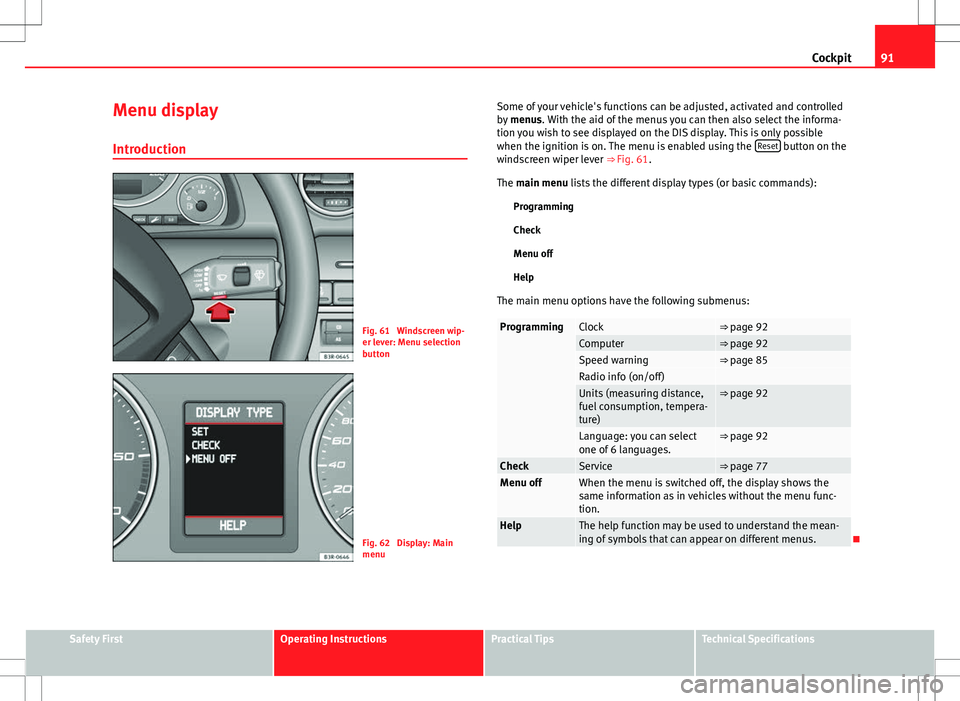
Fig. 61 Windscreen wip-
er lever: Menu selection
button
Fig. 62 Display: Main
menu Some of your vehicle's functions can be adjusted, activated and controlled
by
menus. With the aid of the menus you can then also select the informa-
tion you wish to see displayed on the DIS display. This is only possible
when the ignition is on. The menu is enabled using the Reset
button on the
windscreen wiper lever ⇒ Fig. 61.
The main menu lists the different display types (or basic commands):
Programming
Check
Menu off
Help
The main menu options have the following submenus:
ProgrammingClock⇒ page 92Computer⇒ page 92Speed warning⇒ page 85Radio info (on/off) Units (measuring distance,
fuel consumption, tempera-
ture)⇒ page 92
Language: you can select
one of 6 languages.⇒ page 92
CheckService⇒ page 77Menu offWhen the menu is switched off, the display shows the
same information as in vehicles without the menu func-
tion.
HelpThe help function may be used to understand the mean-
ing of symbols that can appear on different menus.
Safety FirstOperating InstructionsPractical TipsTechnical Specifications
Page 97 of 325

95
Steering wheel controls
Steering wheel audio version controls
AB(Mode)C(PTT)D+-Press+-Press
Radio modeStation search.
Increase frequen- cyStation search.Decrease fre- quencyPress once: starts the search.
Press twice: can- cels the searchLong press:
block the steering wheel controls
Short press:
activates the steering wheel controls (if
they are blocked /
without specific func- tion (if they are not blocked)
No functionspecified
Volume upVolume downMUTE
CD/
iPod-USB ModeCD mode: next track.
iPod/USB Mode: next trackCD mode: previ-ous track.
iPod/USB Mode: previous trackCD mode: fast for- ward.
iPod/USB Mode: fast forward
Volume upVolume downMUTE
MP3
modeNext trackPrevious trackFast forwardVolume upVolume downMUTE
Safety FirstOperating InstructionsPractical TipsTechnical Specifications
Page 101 of 325
99
Unlocking and locking
Unlocking and locking
Remote control keys Set of keys
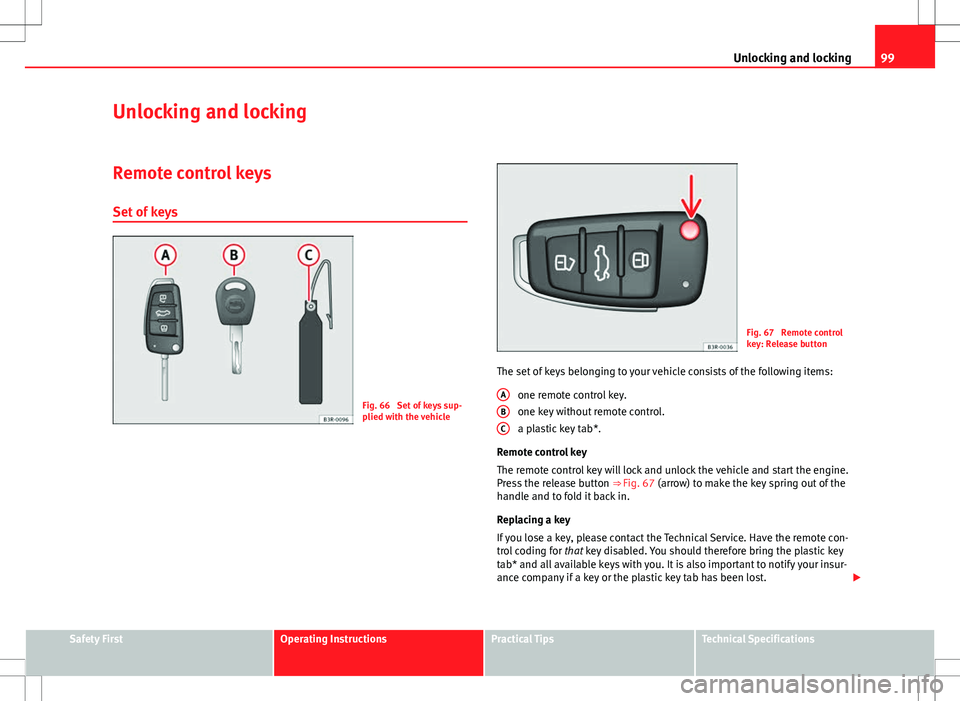
Fig. 66 Set of keys sup-
plied with the vehicle
Fig. 67 Remote control
key: Release button
The set of keys belonging to your vehicle consists of the following items: one remote control key.
one key without remote control.
a plastic key tab*.
Remote control key
The remote control key will lock and unlock the vehicle and start the engine.
Press the release button ⇒ Fig. 67 (arrow) to make the key spring out of the
handle and to fold it back in.
Replacing a key
If you lose a key, please contact the Technical Service. Have the remote con-
trol coding for that key disabled. You should therefore bring the plastic key
tab* and all available keys with you. It is also important to notify your insur-
ance company if a key or the plastic key tab has been lost.
A
BC
Safety FirstOperating InstructionsPractical TipsTechnical Specifications
Page 102 of 325
100Unlocking and locking
2 remote control keys
In certain European markets, vehicles with alarm are equipped with 2 re-
mote control keys.
WARNING
● Always take the key with you when leaving the vehicle, even if you
only intend to be gone for a short time. This is particularly important if
there are children in the vehicle, as they might otherwise be able to start
the engine or use power-operated equipment (e.g. the electric windows),
which could cause injuries.
● Wait for the vehicle to come to a standstill before removing the igni-
tion key from the lock! Otherwise, the steering lock could engage sud-
denly, causing an accident.
Indicator light on the remote control key
The condition of the battery in the remote control key is
monitored by the indicator light.
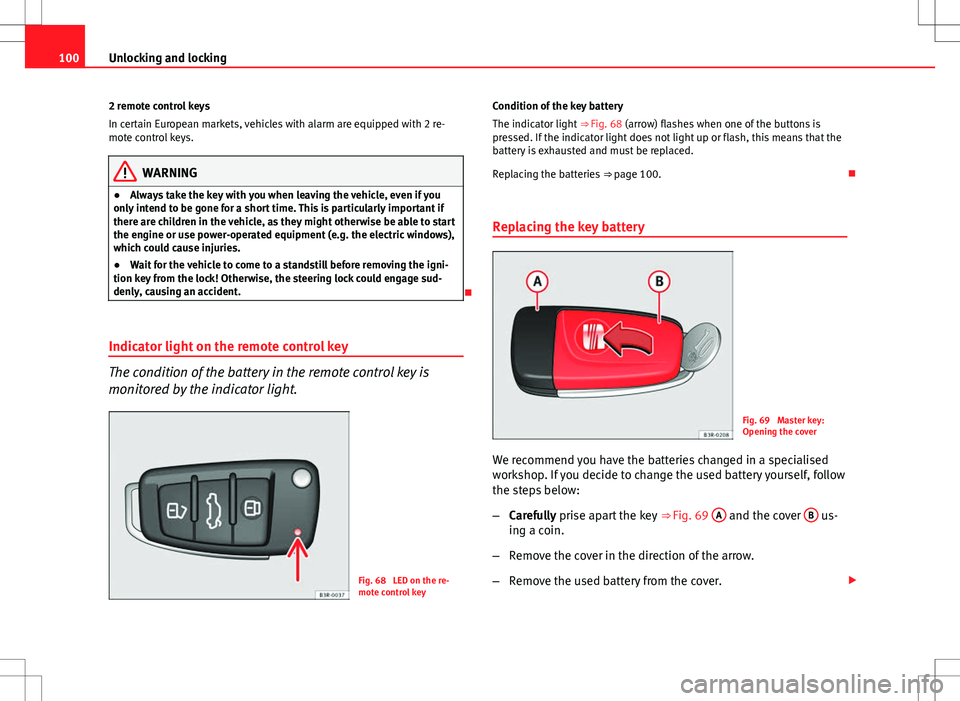
Fig. 68 LED on the re-
mote control key Condition of the key battery
The indicator light
⇒ Fig. 68 (arrow) flashes when one of the buttons is
pressed. If the indicator light does not light up or flash, this means that the
battery is exhausted and must be replaced.
Replacing the batteries ⇒ page 100.
Replacing the key battery
Fig. 69 Master key:
Opening the cover
We recommend you have the batteries changed in a specialised
workshop. If you decide to change the used battery yourself, follow
the steps below:
– Carefully prise apart the key ⇒ Fig. 69 A
and the cover B us-
ing a coin.
– Remove the cover in the direction of the arrow.
– Remove the used battery from the cover.
Page 103 of 325
101
Unlocking and locking
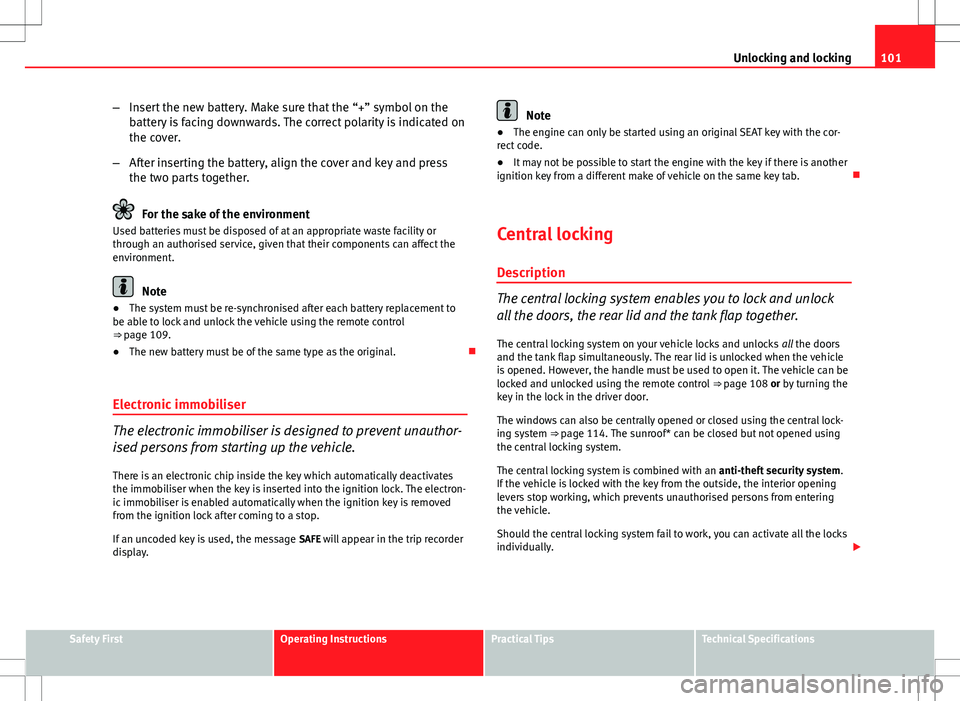
– Insert the new battery. Make sure that the “+” symbol on the
battery is facing downwards. The correct polarity is indicated on
the cover.
– After inserting the battery, align the cover and key and press
the two parts together.
For the sake of the environment
Used batteries must be disposed of at an appropriate waste facility or
through an authorised service, given that their components can affect the
environment.
Note
● The system must be re-synchronised after each battery replacement to
be able to lock and unlock the vehicle using the remote control
⇒ page 109.
● The new battery must be of the same type as the original.
Electronic immobiliser
The electronic immobiliser is designed to prevent unauthor-
ised persons from starting up the vehicle.
There is an electronic chip inside the key which automatically deactivates
the immobiliser when the key is inserted into the ignition lock. The electron-
ic immobiliser is enabled automatically when the ignition key is removed
from the ignition lock after coming to a stop.
If an uncoded key is used, the message SAFE will appear in the trip recorder
display.
Note
● The engine can only be started using an original SEAT key with the cor-
rect code.
● It may not be possible to start the engine with the key if there is another
ignition key from a different make of vehicle on the same key tab.
Central locking Description
The central locking system enables you to lock and unlock
all the doors, the rear lid and the tank flap together.The central locking system on your vehicle locks and unlocks all the doors
and the tank flap simultaneously. The rear lid is unlocked when the vehicle
is opened. However, the handle must be used to open it. The vehicle can be
locked and unlocked using the remote control ⇒ page 108 or by turning the
key in the lock in the driver door.
The windows can also be centrally opened or closed using the central lock-
ing system ⇒ page 114. The sunroof* can be closed but not opened using
the central locking system.
The central locking system is combined with an anti-theft security system.
If the vehicle is locked with the key from the outside, the interior opening
levers stop working, which prevents unauthorised persons from entering
the vehicle.
Should the central locking system fail to work, you can activate all the locks
individually.
Safety FirstOperating InstructionsPractical TipsTechnical Specifications
Page 104 of 325
102Unlocking and locking
Automatic locking function (Auto Lock)*
The Auto Lock* function automatically locks all doors and the rear lid when
the vehicle exceeds a speed of about 15 km/h.
The vehicle is unlocked again automatically when the ignition key is re-
moved. Alternatively, the driver can also unlock the vehicle using the central
locking switch or by opening one of the doors.
WARNING
Do not leave anyone (especially children) in the vehicle if it is locked from
the outside and the anti-theft security system is enabled, as the doors
and windows cannot then be opened from the inside. Locked doors could
delay assistance in an emergency, potentially putting lives at risk.
Note
● Should the central locking system fail to work, you can still lock and un-
lock the driver door and the rear lid using the key. Locking the doors man-
ually if central locking fails to work ⇒ page 105.
● The anti-theft mechanism and the anti-theft alarm* cannot be enabled if
the central locking is not working.
● Never leave any valuable items in the vehicle unattended. Even a locked
vehicle is not a safe. Unlocking the vehicle with the key
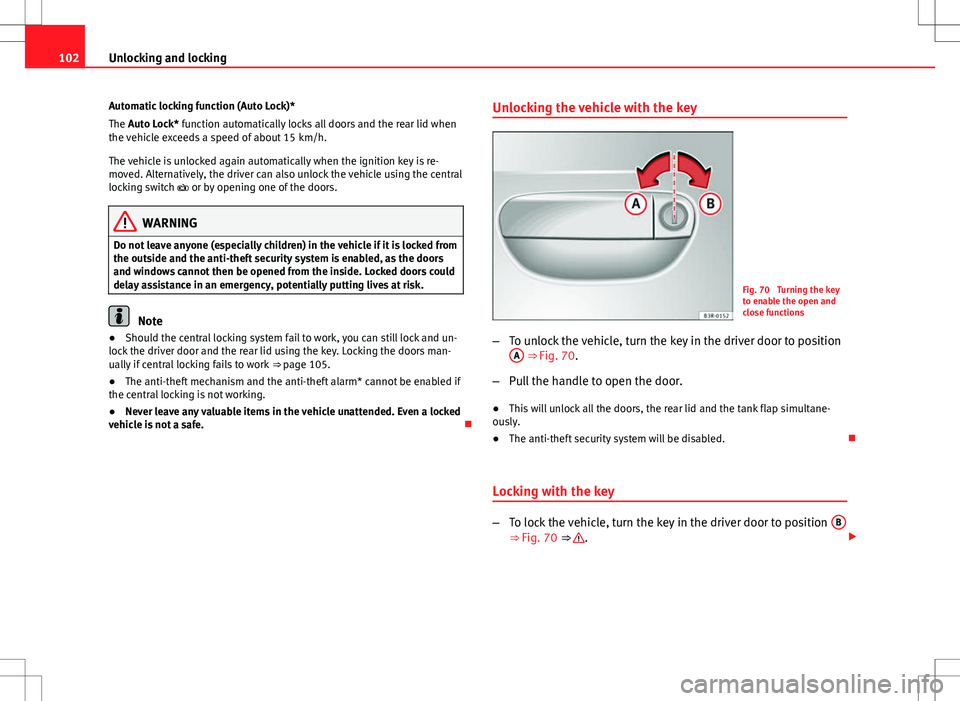
Fig. 70 Turning the key
to enable the open and
close functions
– To unlock the vehicle, turn the key in the driver door to position
A
⇒ Fig. 70.
– Pull the handle to open the door.
● This will unlock all the doors, the rear lid and the tank flap simultane-
ously.
● The anti-theft security system will be disabled.
Locking with the key
– To lock the vehicle, turn the key in the driver door to position B⇒ Fig. 70 ⇒ .
Page 105 of 325
103
Unlocking and locking
● This will lock all the doors and the rear lid.
● The interior lights are switched off, provided the light switch is in the
courtesy light position.
● The windows and the sunroof* will close as the key is held in the locking
position.
● The anti-theft security system will be enabled immediately.
Locking the vehicle without activating the anti-theft security system
With the anti-theft security system enabled, it is more difficult to break into
the vehicle. If the anti-theft security system has been enabled, the inside
door handles and the central locking switch will not work ⇒
.
If you are leaving passengers in the vehicle while it is parked, it is possible
to lock the vehicle without activating the anti-theft security system.
To do so, turn the key in the driver door twice in quick succession to posi-
tion B
⇒ Fig. 70.
WARNING
Do not leave anyone (especially children) in the vehicle if it is locked from
the outside and the anti-theft security system is enabled, as the doors
and windows cannot then be opened from the inside. Locked doors could
delay assistance in an emergency, potentially putting lives at risk.
CAUTION
If the driver door is locked using the key while open, the vehicle will be au-
tomatically immobilised and the alarm triggered.
Note
● Please note that when the vehicle is locked without activating the anti-
theft mechanism, the anti-theft alarm* remains operative. You should there-
fore switch off the interior monitoring* before locking the vehicle, as other-
wise the alarm* could be triggered unintentionally.
● The driver door cannot be locked using the central locking system when
it is still open. The door must be locked separately after it has been closed.
This helps to prevent you from being locked out of the vehicle.
Central locking switch
The central locking system can be enabled from inside the
vehicle using the central locking switch on the driver door.
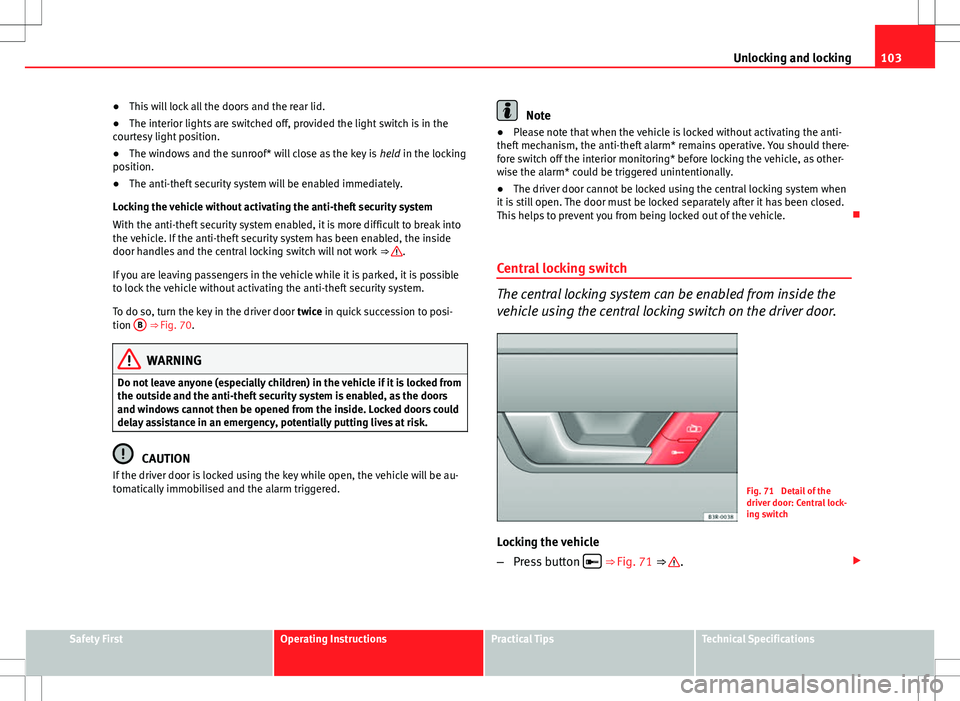
Fig. 71 Detail of the
driver door: Central lock-
ing switch
Locking the vehicle
– Press button
⇒
Fig. 71 ⇒ .
Safety FirstOperating InstructionsPractical TipsTechnical Specifications
Page 106 of 325
104Unlocking and locking
Unlocking the vehicle
–Press button
.
Please note the following when using the central locking switch to lock your
vehicle:
● The doors and the rear lid cannot be opened from the outside (for secur-
ity reasons, e.g. when stopped at traffic lights).
● You can open the doors individually from the inside by pulling the inside
door handle.
● When the driver door is open, it cannot be locked by pressing the central
locking switch and then closing the door. This helps to prevent you from be-
ing locked out of the vehicle. The door has to be locked separately after it
has been closed.
● In the event of an accident in which the airbags inflate, doors locked
from the inside will be automatically unlocked to facilitate access and assis-
tance.
WARNING
The central locking switch is still operative when the ignition is switched
off. This switch can be used to automatically lock all the doors and the
rear lid. However, since this makes it difficult to enter the vehicle from
the outside, you should never leave children unattended in the vehicle.
Locked doors could delay assistance in an emergency, potentially putting
lives at risk.
Note
The central locking switch inside the vehicle will not be operative if the anti-
theft mechanism has been enabled. Security central locking*
The security central locking feature allows you to only unlock
the driver door and the tank flap. All other doors and the
rear lid remain locked.
Unlocking the driver door and tank flap
– Turn the key once to the unlock position, or press the unlock
button on the remote control once.
Unlocking all the doors, the rear lid and the tank flap
simultaneously.
– Turn the key twice within five seconds, or press the unlock but-
ton on the remote control twice within five seconds.
The security system and the anti-theft alarm* are immediately disabled if
you unlock only the driver door, without unlocking the other doors
⇒ page 110.
Page 107 of 325
105
Unlocking and locking
Locking the doors manually if the central locking fails to
work
Should the central locking system fail to work at any time
(for instance if there is no electrical power supply), each
door will have to be locked separately.
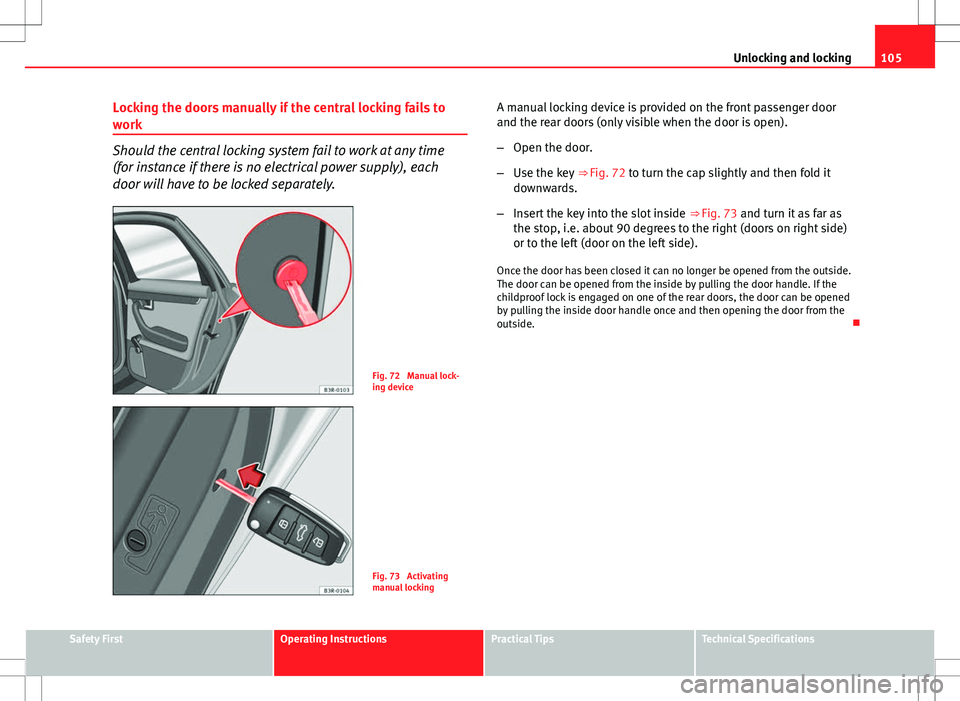
Fig. 72 Manual lock-
ing device
Fig. 73 Activating
manual locking A manual locking device is provided on the front passenger door
and the rear doors (only visible when the door is open).
–
Open the door.
– Use the key ⇒ Fig. 72 to turn the cap slightly and then fold it
downwards.
– Insert the key into the slot inside ⇒ Fig. 73 and turn it as far as
the stop, i.e. about 90 degrees to the right (doors on right side)
or to the left (door on the left side).
Once the door has been closed it can no longer be opened from the outside.
The door can be opened from the inside by pulling the door handle. If the
childproof lock is engaged on one of the rear doors, the door can be opened
by pulling the inside door handle once and then opening the door from the
outside.
Safety FirstOperating InstructionsPractical TipsTechnical Specifications
Page 108 of 325
106Unlocking and locking
Rear lid
Rear lid: opening and closing
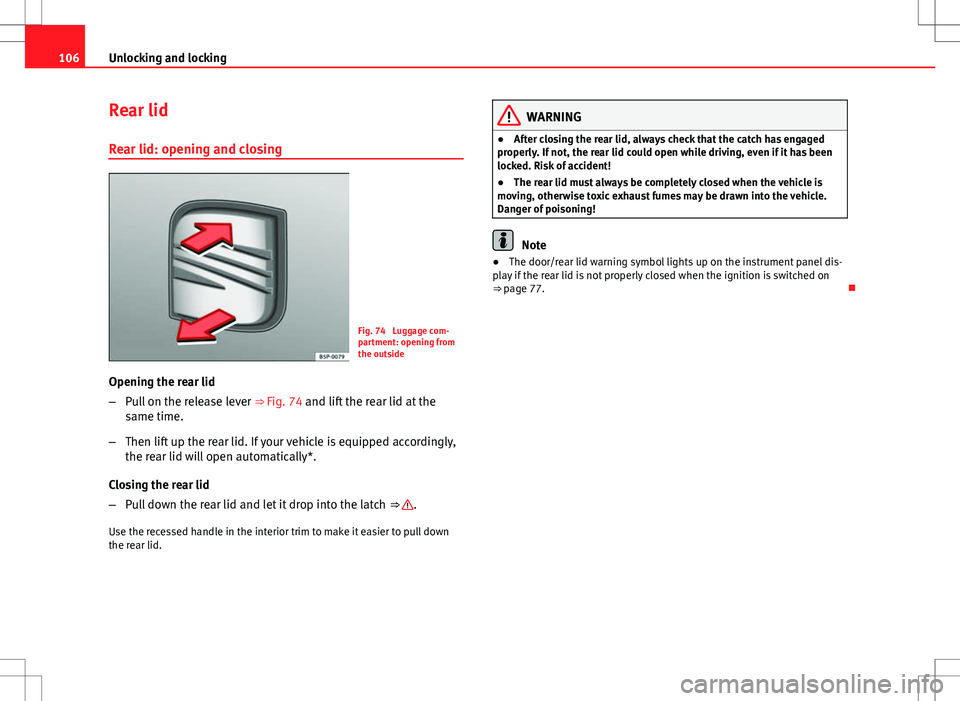
Fig. 74 Luggage com-
partment: opening from
the outside
Opening the rear lid
– Pull on the release lever ⇒ Fig. 74 and lift the rear lid at the
same time.
– Then lift up the rear lid. If your vehicle is equipped accordingly,
the rear lid will open automatically*.
Closing the rear lid
– Pull down the rear lid and let it drop into the latch ⇒
.
Use the recessed handle in the interior trim to make it easier to pull down
the rear lid.
WARNING
● After closing the rear lid, always check that the catch has engaged
properly. If not, the rear lid could open while driving, even if it has been
locked. Risk of accident!
● The rear lid must always be completely closed when the vehicle is
moving, otherwise toxic exhaust fumes may be drawn into the vehicle.
Danger of poisoning!
Note
● The door/rear lid warning symbol lights up on the instrument panel dis-
play if the rear lid is not properly closed when the ignition is switched on
⇒ page 77.