buttons Seat Ibiza 2017 MEDIA SYSTEM PLUS - NAVI SYSTEM
[x] Cancel search | Manufacturer: SEAT, Model Year: 2017, Model line: Ibiza, Model: Seat Ibiza 2017Pages: 88, PDF Size: 2.34 MB
Page 22 of 88
Audio and Media Mode
DAB signal indicates the corresponding other
D AB s
t
ation.
● Automatic DAB - FM switching: The radio
att
empts to tune into the same station on the
FM frequency band. Automatic station track-
ing only works if the DAB station and the FM
station transmit the same station identifier or
the DAB signal indicates the corresponding
FM station. Once the corresponding FM sta-
tion has been found, “FM” is displayed after
the station name. When reception for the cor-
responding DAB station returns, after a short
time the unit will switch back to DAB mode
and “FM” will no longer be displayed.
● Switch to a similar station: This al
lows
service providers to indicate alternative sta-
tions with similar content. This way, if the ra-
dio loses reception of a DAB station and can-
not find an alternative frequency for it on FM
or DAB, there is a possibility of tuning in to a
station with similar content.
Radio text
Some stations also broadcast additional text
information known as radio text.
Radio text is displayed in the upper half of
the screen above the memory buttons
››› Fig. 14 or on the Station information or Ra-
dio text screens of the Screen view menu
››› page 20.
The radio text display can be deactivated in
DAB settings ››› page 24. Slideshow
Some station
s broadcast images for addi-
tional visual information.
These images are displayed as a slideshow
on the Station information or
Slide
sho
w screens
of the
Screen view menu ›
›
› page 20.
The slideshow can be viewed in full screen by
pressing on the current image.
Screen view menu
The function buttons refer to the menu that
appears when the View button is pressed
› ›
›
Fig. 14.
Function button: function
Preset list: Memory buttons display ››› Fig. 14.
Station information: Simultaneous display of radio text and
slideshows instead of the memory buttons ››› Fig. 15.
Radio text: Radio text is displayed instead of memory
buttons.
Slideshow: The slideshows are displayed in full screen. Note
● Not a l
l DAB stations broadcast radio text
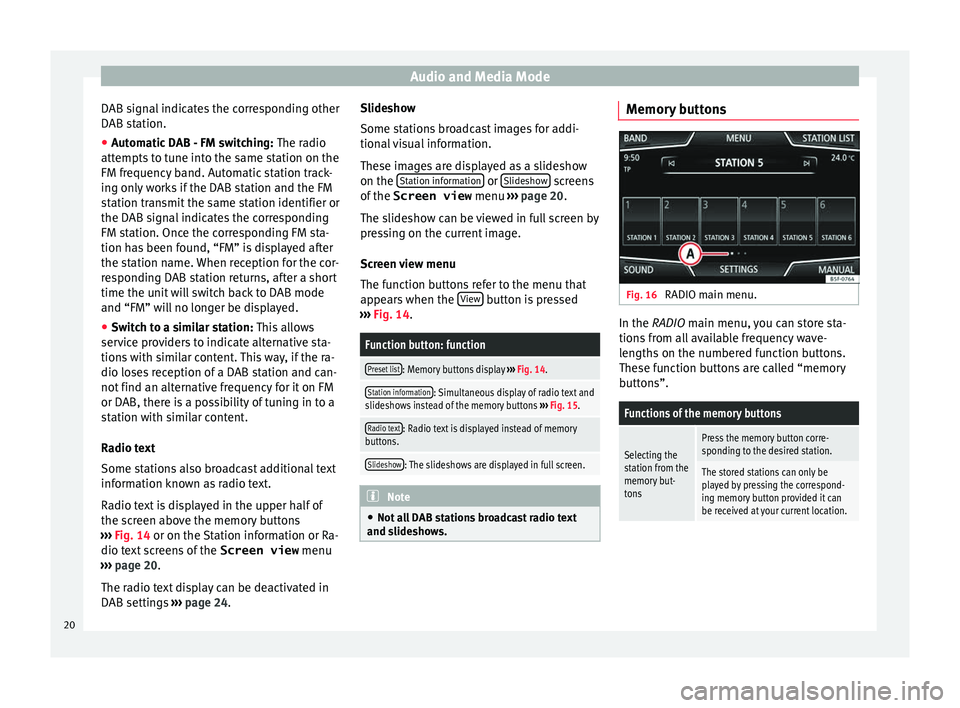
and slideshows. Memory buttons
Fig. 16
RADIO main menu. In the RADIO m
ain menu,
y
ou can store sta-
tions from all available frequency wave-
lengths on the numbered function buttons.
These function buttons are called “memory
buttons”.
Functions of the memory buttons
Selecting the
station from the
memory but-
tonsPress the memory button corre-
sponding to the desired station.
The stored stations can only be
played by pressing the correspond-
ing memory button provided it can
be received at your current location. 20
Page 23 of 88
Audio and Media ModeFunctions of the memory buttons
Switching be-
tween memory
banks
Move your finger over the screen
from left to right or vice-versa.
OR: Press one of the function buttons
››› Fig. 16 A
The memory buttons are displayed in
three memory banks.
Storing the sta-
tion on the
memory but-
tonsSee: Storing stations
››› page 22.
Storing the sta-
tion logo on the
memory but-
tonsA station logo can be assigned to the
stations stored on the memory but-
tons ››› page 21. Storing station logos
Store automatically (only in FM and DAB
mode)
When a s
t
ation i
s stored the station logo is
automatically assigned.
If there are 2 or more logos in the database,
it gives the option to choose the correct one.
Store manually
The station logos can be imported from a
compatible data medium (for example, mem-
ory card or memories with USB port). ●
Pres
s the function button SETTINGS and
then St
ation log
o
s .
● Press the station button where you wish to
s t
or
e the logo of a station.
● Select the source where the logo is stored
(for ex
ample, SD card 1 ). We recommend sav-
in g log
o
s in the memory unit’s root directory.
● Select the station logo.
● Repeat the process to assign other logos;
pres
s the infotainment button ››› Fig. 1 1 to return to the RADIO main menu.
●
If you wish to change the logo of a memory
b utt
on th
at already has one assigned to it, it
must first be deleted from the button in ques-
tion. Note
Not all stations are stored in the database
and theref or
e it is not always possible to as-
sign logos automatically. Select, tune and store stations
Selecting stations
Select stations
with the arrow
buttonsPress either the function button or
››› Fig. 11.
This will change between available
stations ››› page 23.
Selecting stations
Selecting sta-
tions from the
station list
Press the STATION LIST
››› Fig. 11 func-
tion button to open the station list.
Search through the list and press the
required station to select it.
To close the station list, press the BACK function button ››› Fig. 12.
The station list closes automatically
after a period of inactivity.
Manually tuning in a station frequency.
Viewing the fre-
quency dialPress the MANUAL function button
››› Fig. 11.
Changing the
frequency in
stepsTurn the adjustment knob.
OR: Press the + or – keys on the di-
al that appears on the screen.
Browsing the
frequency band
quickly
Press and hold one of the arrow but-
tons on the left of the multifunction
steering wheel. After releasing the ar-
row button, the unit automatically
tunes to the next available radio sta-
tion.
OR: Place your finger on the slider in
the frequency range and drag it to
move the button.
» 21
Page 24 of 88
Audio and Media ModeManually tuning in a station frequency.
Hiding the fre-
quency band
Briefly press the adjustment knob
››› Fig. 1 7.
Manual frequency selection is also
closed if you select a station with a
memory button. If no operation is
performed, the frequency range will
disappear after a period of inactivity.
Storing stations
Storing the sta-
tion that is cur-
rently being lis-
tened to.Press and hold
the desired memory
button ››› Fig. 11 until an audible sig-
nal is heard.
The station tuned in will be stored on
this memory button.
Storing a sta-
tion on the list
of stations
Press the STATION LIST
››› Fig. 11 func-
tion button to open the station list.
The stations that are already stored
on a memory button are marked on
the station list with the symbol
››› Fig. 12.
Select the desired station by press-
ing and holding it on the screen. A
screen will appear to store the sta-
tion on the memory buttons.
Press the memory button where the
station is to be stored.
An audible signal is heard and the
station is stored on the memory but-
ton. To continue storing other sta-
tions from the list, repeat the proc-
ess.
Storing stations
Deleting stored
stationsAll the stored stations can be deleted
together or separately from the FM,
AM, DAB Setup menu
››› page 23. SCAN function
When the scan function is active, all availa-
bl
e s
tations on the current frequency band
are played in sequence for approximately 5
seconds each.
Starting and stopping the scan function
Starting the scan
functionPress the SETTINGS function button
and then select SCAN.
Stopping the
scan function
Press the function button to
stop the scan function at the station
that is currently playing.
Manually selecting a station with
the memory buttons or changing the
screen also stops the scan function. Traffic news (TP)
Traffic information tracking with the TP func-
tion i
s
on
ly possible if the station is availa-
ble. The stations with the traffic information
function are indicated in the RADIO main menu and in the list of stations by the
TP
symbol ›
›› Fig. 11 and ››› Fig. 12.
Some stations that do not broadcast their
own traffic information support the TP func-
tion by broadcasting traffic warnings from
other stations (EON).
Switching the TP function on and off
● Using the Setup (FM, AM, DAB) menu,
activate
or deactivate the
Traffic programme (TP) by pressing it
› ›
›
page 23.
Active TP function and station selection
Traffic warnings are played in Audio mode.
If a station is selected without the TP func-
tion in FM mode, the radio tries to find sta-
tions with this function in the background. If
no station is found, this will be indicated half
way up the left of the screen .
In AM mode or media mode, the unit will al-
ways automatically tune to a traffic news sta-
tion in the background, provided that one is
available. This procedure may take some
time, depending on the situation.
Incoming traffic announcement
In active Audio mode, an incoming traffic an-
nouncement will play automatically.
During the traffic announcement, a pop-up
window is displayed and the radio changes,
22
Page 25 of 88
Audio and Media Mode
depending on the case, to the traffic news
s t
ation (E
ON).
The media mode is paused and the volume is
adjusted to the preset level ››› page 76.
The volume of the traffic announcement can
be modified with the volume control . The
adjusted volume setting will be applied to
subsequent announcements.
● Press the Cancel function button to end the
c urr
ent
traffic announcement. The TP function
remains switched on.
● OR: Press the De
activate function button to
end the c urr
ent
traffic warning and perma-
nently deactivate the TP function. This can be
reactivated in the Settings menu.
Setup (FM, AM, DAB) FM setup
Sel
ect
the FM
frequency band by pressing
the Infotainment button .
OR:Press the BAND function button and se-
l ect
the FM
frequency band.
Press the SETTINGS function button to open
the FM Settings menu.
Function button: function
Sound: Sound settings ››› page 76.
Function button: function
Scan: Scan function. When the scan function is active,
all available stations on the current frequency band are
played in sequence for approximately 5 seconds each
››› page 22.
Seek mode: To adjust settings for the buttons with the ar-
rows and . This setting applies to all frequency
bands (FM, AM and DAB).
Preset list: All stored stations on the selected fre-
quency band can be browsed with the arrow but-
tons.
Station list: All available stations on the selected fre-
quency band can be browsed with the arrow but-
tons.
Traffic programme (TP): The TP function (traffic news sta-
tion tracking) is active ››› page 22.
Delete presets: To delete all or some of the stored sta-
tions.
Station logos: To manually assign or delete the stored
station logos to and from the memory buttons
››› page 21.
Radio text: Radio Text is active
››› page 18, Radio text.
Advanced settingsa)
: Setup of the RDS (radio data system).
Autostore station logosa)
: Logos can be automatically
assigned to the stations stored on the memory but-
tons if they are available in the Infotainment sys-
tem. Also see ››› page 21.
Region for station logoa)
: Allows you to select the re-
gion (country) in which the vehicle is located. This
optimises the automatic assignment of station
logos. The option also allows the system to select
the region automatically.
Function button: function
Alternative frequency (AF)a)
: The automatic station
tracking is active. With the checkbox deactiva-
ted, the RDS regional function button remains inac-
tive (grey).
Radio Data System (RDS)a)
: The Radio Data System
(RDS) is deactivated ››› page 18. If the checkbox
is deactivated, the traffic news station functions
(TP), Radio Text, station name and programme type
will not be available.
RDS Regionala) : Setting automatic station tracking by
RDS ››› page 18.
Fixed: The unit only switches to alternative fre-
quencies for the selected station if the same re-
gional service is being broadcast.
Automatic: the unit always switches to the sta-
tion's frequency that currently offers the best
reception. As a result, regional programmes
may be interrupted.
a) This depends on the country and unit in question.
AM Setup
Select the AM frequency band by pressing
the Infotainment button .
OR: Press the BAND function button and se-
l ect
the AM
frequency band.
Press the SETTINGS function button to open
the AM Settings menu.
Function button: function
Sound: Sound settings ››› page 76.» 23
Page 26 of 88
Audio and Media ModeFunction button: function
Scan: Scan function. When the scan function is active,
all available stations on the current frequency band are
played in sequence for approximately 5 seconds each
››› page 22.
Seek mode: To adjust settings for the buttons with the ar-
rows and . This setting applies to all frequency
bands (FM, AM and DAB).
Preset list: All stored stations on the selected fre-
quency band can be browsed with the arrow but-
tons.
Station list: All available stations on the selected fre-
quency band can be browsed with the arrow but-
tons.
Traffic programme (TP): The TP function (traffic news sta-
tion tracking) is active ››› page 22.
Delete presets: To delete all or some of the stored sta-
tions.
Station logos: To assign the logos to the stations stored
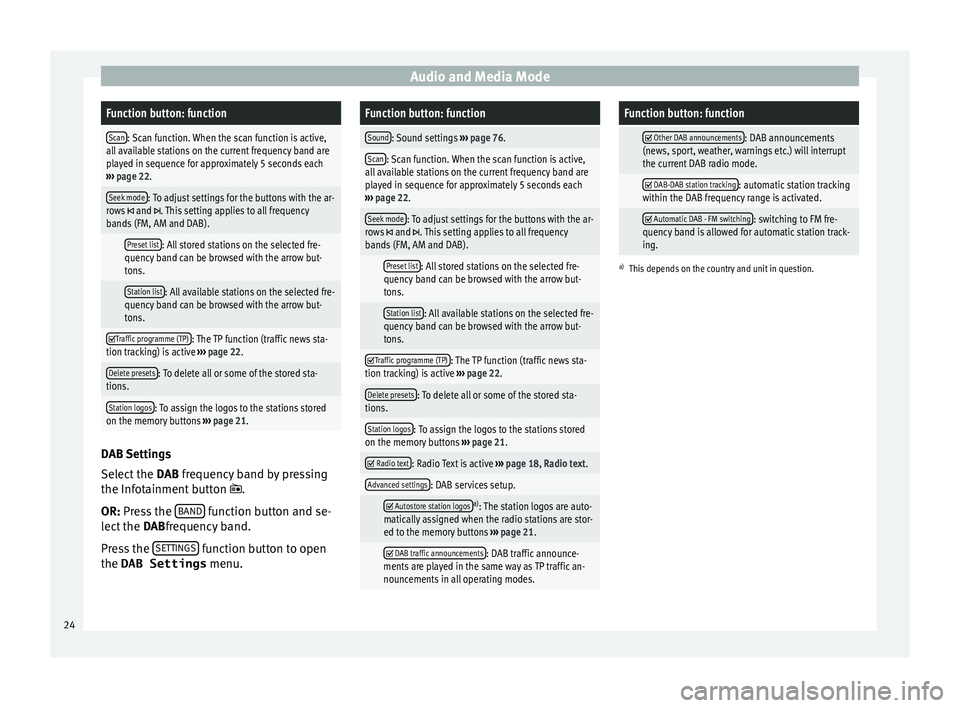
on the memory buttons ››› page 21. DAB Settings
Sel
ect
the D
AB frequency band by pressing
the Infotainment button .
OR: Press the BAND function button and se-
l ect
the D
ABfrequency band.
Press the SETTINGS function button to open
the DAB Settings menu.
Function button: function
Sound: Sound settings ››› page 76.
Scan: Scan function. When the scan function is active,
all available stations on the current frequency band are
played in sequence for approximately 5 seconds each
››› page 22.
Seek mode: To adjust settings for the buttons with the ar-
rows and . This setting applies to all frequency
bands (FM, AM and DAB).
Preset list: All stored stations on the selected fre-
quency band can be browsed with the arrow but-
tons.
Station list: All available stations on the selected fre-
quency band can be browsed with the arrow but-
tons.
Traffic programme (TP): The TP function (traffic news sta-
tion tracking) is active ››› page 22.
Delete presets: To delete all or some of the stored sta-
tions.
Station logos: To assign the logos to the stations stored
on the memory buttons ››› page 21.
Radio text: Radio Text is active
››› page 18, Radio text.
Advanced settings: DAB services setup.
Autostore station logosa)
: The station logos are auto-
matically assigned when the radio stations are stor-
ed to the memory buttons ››› page 21.
DAB traffic announcements: DAB traffic announce-
ments are played in the same way as TP traffic an-
nouncements in all operating modes.
Function button: function
Other DAB announcements: DAB announcements
(news, sport, weather, warnings etc.) will interrupt
the current DAB radio mode.
DAB-DAB station tracking: automatic station tracking
within the DAB frequency range is activated.
Automatic DAB - FM switching: switching to FM fre-
quency band is allowed for automatic station track-
ing.
a) This depends on the country and unit in question. 24
Page 30 of 88
Audio and Media Mode
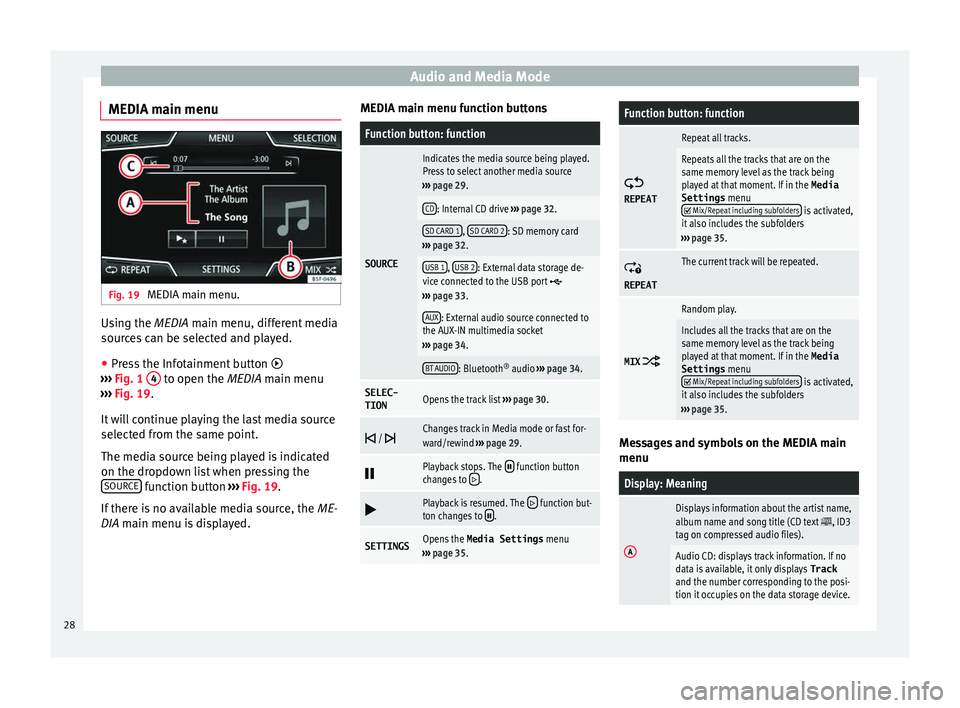
MEDIA main menu Fig. 19
MEDIA main menu. Using the MEDIA m
ain menu, diff
er ent media
sources can be selected and played.
● Press the Infotainment button
›››
Fig. 1 4 to open the MEDIA m
ain menu
› ›
› Fig. 19.
It will continue playing the last media source
selected from the same point.
The media source being played is indicated
on the dropdown list when pressing the SOURCE function button
››
›
Fig. 19.
If there is no available media source, the ME-
DIA main menu is displayed. MEDIA main menu function buttons
Function button: function
SOURCE
Indicates the media source being played.
Press to select another media source
››› page 29.
CD: Internal CD drive ››› page 32.
SD CARD 1, SD CARD 2: SD memory card
››› page 32.
USB 1, USB 2: External data storage de-
vice connected to the USB port ››› page 33.
AUX: External audio source connected to
the AUX-IN multimedia socket
››› page 34.
BT AUDIO: Bluetooth ®
audio ››› page 34.
SELEC-
TIONOpens the track list ››› page 30.
/ Changes track in Media mode or fast for-
ward/rewind
››› page 29.
Playback stops. The function button
changes to .
Playback is resumed. The function but-
ton changes to .
SETTINGSOpens the Media Settings menu
››› page 35.
Function button: function
REPEAT
Repeat all tracks.
Repeats all the tracks that are on the
same memory level as the track being
played at that moment. If in the
Media
Settings menu
Mix/Repeat including subfolders is activated,
it also includes the subfolders
››› page 35.
REPEAT
The current track will be repeated.
MIX
Random play.
Includes all the tracks that are on the
same memory level as the track being
played at that moment. If in the Media
Settings menu
Mix/Repeat including subfolders is activated,
it also includes the subfolders
››› page 35. Messages and symbols on the MEDIA main
menu
Display: Meaning
A
Displays information about the artist name,
album name and song title (CD text , ID3
tag on compressed audio files).
Audio CD: displays track information. If no
data is available, it only displays Track
and the number corresponding to the posi-
tion it occupies on the data storage device. 28
Page 32 of 88
Audio and Media Mode
It is possible to browse through the tracks of
the M edi
a sour
ce that is currently playing us-
ing the arrow buttons.
It is not possible to exit a playlist or start the
playback of a playlist using the arrow but-
tons. Both actions must be performed man-
ually from the track selection menu
››› page 31.
Controlling playback via the MEDIA main
menu
ActionFunction
Briefly press the func-
tion button once.
Goes to the start of the cur-
rent track. If the track has
been playing for less than 3
seconds, it skips to the be-
ginning of the previous
track.
Quickly press the func-
tion button twice.If the track has been play-
ing for more than 3 sec-
onds, it skips to the begin-
ning of the previous track;
from the first track it skips
to the last track on the data
storage device being
played.
Briefly press the func-
tion button once.Goes to the next track. It
changes from the previous
track to the first track of the
data storage device being
played.
Press and hold the function button.Fast rewind.
ActionFunction
Press and hold the function button.Fast forward.
Slide your finger horizon-
tally across the screen.
Changes to the previ-
ous/next track, respecting
the same playing times as
when changing tracks with
the
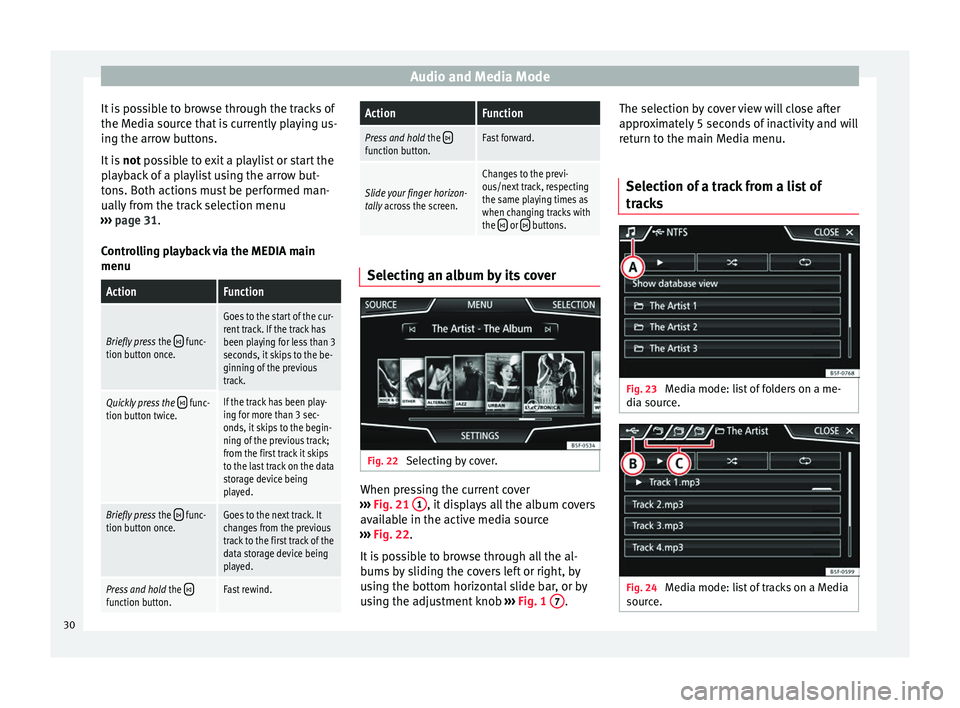
or buttons. Selecting an album by its cover
Fig. 22
Selecting by cover. When pressing the current cover
› ›
›
Fig. 21 1 , it displays all the album covers
av ai
l
able in the active media source
››› Fig. 22.
It is possible to browse through all the al-
bums by sliding the covers left or right, by
using the bottom horizontal slide bar, or by
using the adjustment knob ›››
Fig. 1 7 .The selection by cover view will close after
ap
pr
o
ximately 5 seconds of inactivity and will
return to the main Media menu.
Selection of a track from a list of
track
s Fig. 23
Media mode: list of folders on a me-
di a sour
c
e. Fig. 24
Media mode: list of tracks on a Media
sour c
e. 30
Page 33 of 88
Audio and Media Mode
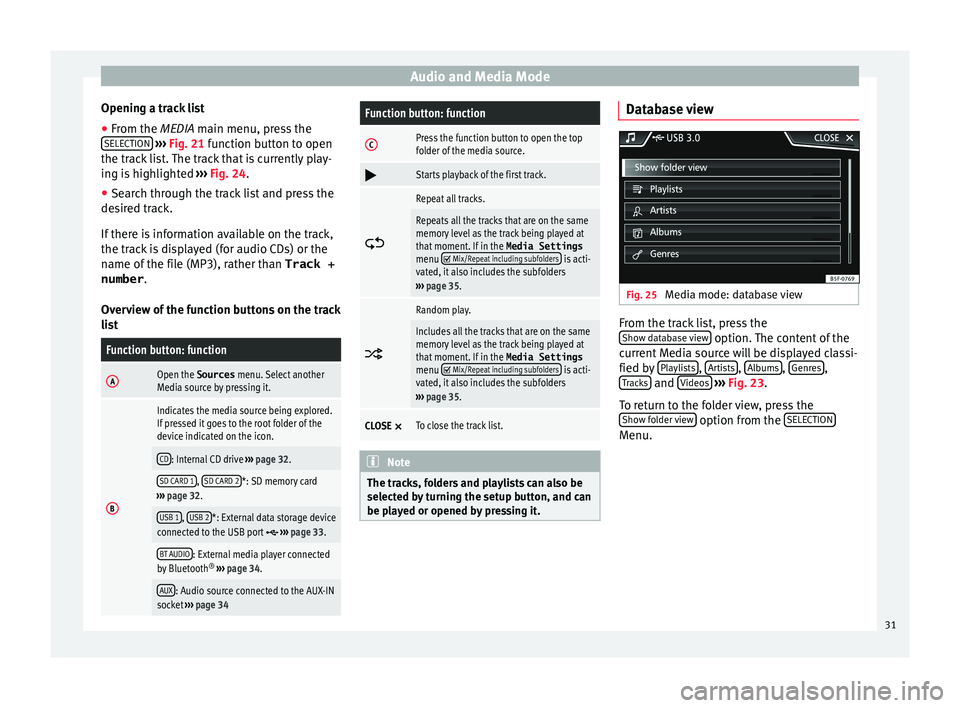
Opening a track list
● From the MEDIA m ain menu, pr
e ss the
SELECTION
› ››
Fig. 21
function button to open
the track list. The track that is currently play-
ing is highlighted ››› Fig. 24.
● Search through the track list and press the
desir
ed track.
If there is information available on the track,
the track is displayed (for audio CDs) or the
name of the file (MP3), rather than Track +
number .
Overview of the function buttons on the track
list
Function button: function
AOpen the Sources menu. Select another
Media source by pressing it.
B
Indicates the media source being explored.
If pressed it goes to the root folder of the
device indicated on the icon.
CD: Internal CD drive ››› page 32.
SD CARD 1, SD CARD 2*: SD memory card
››› page 32.
USB 1, USB 2*: External data storage device
connected to the USB port ››› page 33.
BT AUDIO: External media player connected
by Bluetooth ®
››› page 34.
AUX: Audio source connected to the AUX-IN
socket ››› page 34
Function button: function
CPress the function button to open the top
folder of the media source.
Starts playback of the first track.
Repeat all tracks.
Repeats all the tracks that are on the same
memory level as the track being played at
that moment. If in the
Media Settings
menu
Mix/Repeat including subfolders is acti-
vated, it also includes the subfolders
››› page 35.
Random play.
Includes all the tracks that are on the same
memory level as the track being played at
that moment. If in the
Media Settings
menu
Mix/Repeat including subfolders is acti-
vated, it also includes the subfolders
››› page 35.
CLOSE ×To close the track list. Note
The tracks, folders and playlists can also be
select ed b
y turning the setup button, and can
be played or opened by pressing it. Database view
Fig. 25
Media mode: database view From the track list, press the
Sho w d
at
abase view option. The content of the
c urr
ent
Media source will be displayed classi-
fied by Playlists ,
Ar
ti
s
ts ,
A
l
b ums ,
Genr
e
s ,
T r
ac
ks and
V
ideo
s
› ›
› Fig. 23 .
To return to the folder view, press the Show folder view option from the
S
ELE
CTION Menu.
31
Page 38 of 88
Audio and Media Mode
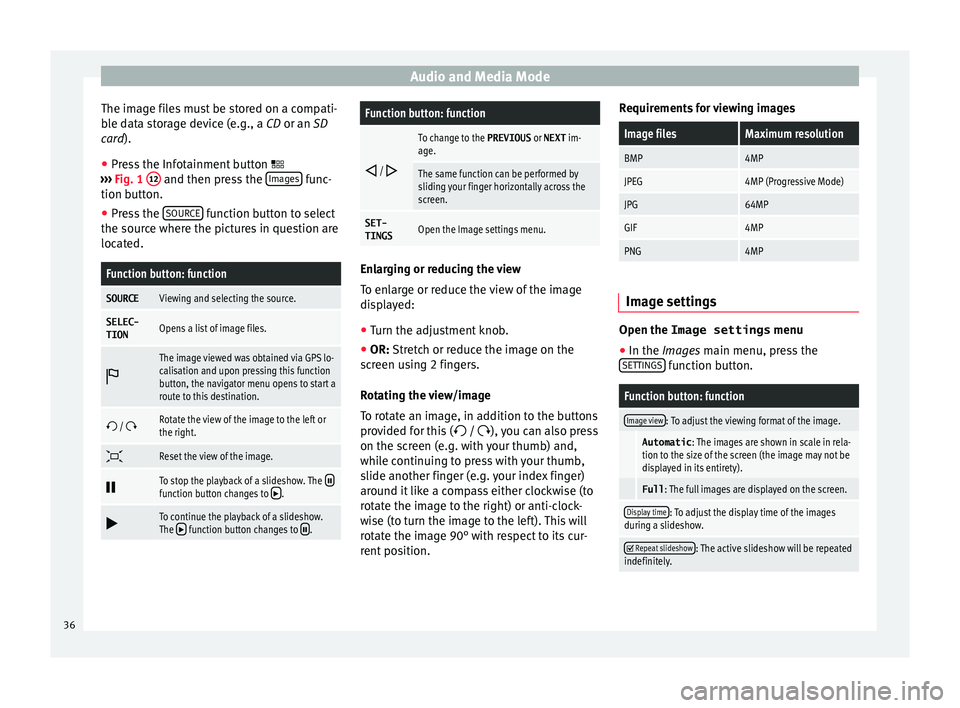
The image files must be stored on a compati-
b l
e d
ata storage device (e.g., a CD or an SD
card).
● Press the Infotainment button
›››
Fig. 1 12 and then press the
Im
ag
e s func-
tion b utt
on.
● Pr
ess the SOURCE function button to select
the sour c
e wher
e the pictures in question are
located.
Function button: function
SOURCEViewing and selecting the source.
SELEC-
TIONOpens a list of image files.
The image viewed was obtained via GPS lo-
calisation and upon pressing this function
button, the navigator menu opens to start a
route to this destination.
/ Rotate the view of the image to the left or
the right.
Reset the view of the image.
To stop the playback of a slideshow. The function button changes to .
To continue the playback of a slideshow.
The function button changes to .
Function button: function
/
To change to the PREVIOUS
or NEXT im-
age.
The same function can be performed by
sliding your finger horizontally across the
screen.
SET- TINGSOpen the Image settings menu. Enlarging or reducing the view
To en
l
arge or reduce the view of the image
displayed:
● Turn the adjustment knob.
● OR: Stretch or reduce the image on the
s c
reen using 2 fingers.
Rotating the view/image
To rotate an image, in addition to the buttons
provided for this ( / ), you can also press
on the screen (e.g. with your thumb) and,
while continuing to press with your thumb,
slide another finger (e.g. your index finger)
around it like a compass either clockwise (to
rotate the image to the right) or anti-clock-
wise (to turn the image to the left). This will
rotate the image 90° with respect to its cur-
rent position. Requirements for viewing images
Image filesMaximum resolution
BMP4MP
JPEG4MP (Progressive Mode)
JPG64MP
GIF4MP
PNG4MP
Image settings
Open the Image settings
menu
● In the Ima ges main menu, press the
S ET
TINGS function button.
Function button: function
Image view: To adjust the viewing format of the image.
Automatic
: The images are shown in scale in rela-
tion to the size of the screen (the image may not be
displayed in its entirety).
Full : The full images are displayed on the screen.
Display time: To adjust the display time of the images
during a slideshow.
Repeat slideshow: The active slideshow will be repeated
indefinitely. 36
Page 40 of 88
Navigation*
●
Pre s
s the Infotainment button
››› Fig. 1 12 ; then press
Settings to open
the System settings menu.
● Nav
igation is not possible without the SD
card.
● Do not
remove the memory card while the
navig
ation data is in use. This could damage
the memory card!
● The navigation memory card may not be
used as
memory for other files. The infotain-
ment system will not recognise the files
saved.
● SEAT recommends only using original SEAT
memory c
ards to use navigation data. The
use of other memory cards could limit its op-
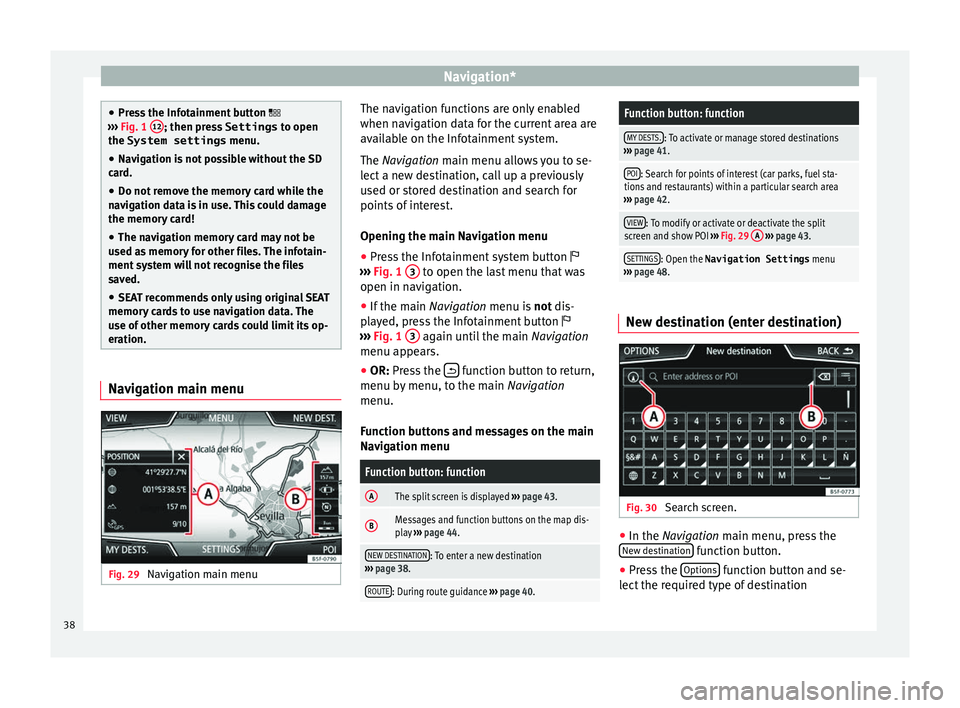
eration. Navigation main menu
Fig. 29
Navigation main menu The navigation functions are only enabled
when n
av
ig
ation data for the current area are
available on the Infotainment system.
The Navigation main menu allows you to se-
lect a new destination, call up a previously
used or stored destination and search for
points of interest.
Opening the main Navigation menu
● Press the Infotainment system button
›››
Fig. 1 3 to open the last menu that was
open in n av
ig
ation.
● If the main Navigation menu i
s not dis-
played, press the Infotainment button
››› Fig. 1 3 again until the main
Navigation
menu ap pe
ars.
● OR: Press the function button to return,
menu b y
menu, t
o the main Navigation
menu.
Function buttons and messages on the main
Navigation menu
Function button: function
AThe split screen is displayed ››› page 43.
BMessages and function buttons on the map dis-
play ››› page 44.
NEW DESTINATION: To enter a new destination
››› page 38.
ROUTE: During route guidance ››› page 40.
Function button: function
MY DESTS.: To activate or manage stored destinations
››› page 41.
POI: Search for points of interest (car parks, fuel sta-
tions and restaurants) within a particular search area
››› page 42.
VIEW: To modify or activate or deactivate the split
screen and show POI ››› Fig. 29 A
››› page 43.
SETTINGS: Open the Navigation Settings menu
››› page 48. New destination (enter destination)
Fig. 30
Search screen. ●
In the Na vigation main menu, press the
New de s
tination function button.
● Press the Option
s function button and se-
l ect
the r
equired type of destination
38