fuel Seat Ibiza 5D 2014 User Guide
[x] Cancel search | Manufacturer: SEAT, Model Year: 2014, Model line: Ibiza 5D, Model: Seat Ibiza 5D 2014Pages: 240, PDF Size: 4.89 MB
Page 64 of 240
Operation
Tyre pressure adjustment
On adjusting tyre pressure or changing one
or more wheels, the ››› Fig. 71 button must be
k ept
pressed down, with the ignition on, until
an acoustic signal is heard.
If the wheels are under excessive load (for ex-
ample, driving with a trailer or heavy load),
the tyre pressure must be increased to the
recommended value for a full load (see the
sticker on the inside of the fuel flap). If the
tyre monitor system button is pressed down,
the new tyre pressures are confirmed.
The tyre pressure control lamp lights up
If the tyre pressure of a wheel is much lower
than the value set by the driver, then the tyre
pressure control lamp ››› will light up.
WARNING
● When the tyre pressure control lamp lights
up, reduce speed immediately and avoid any
sudden turning or braking manoeuvre. Stop
when possible, and check the tyre pressure
and status.
● The driver is responsible for maintaining
correct tyre pressures. For this reason, tyre
pressure must be regularly checked.
● Under certain circumstances (e.g. when
driving in a sporty manner, in winter condi-
tions or on a dirt track) the tyre control lamp
may light up belatedly or may function incor-
rectly. Note
If the battery is disconnected, the yellow
warning lamp lights up after turning the
ignition on.
This should turn off after a brief
journey. Speed selector lever lock*
The brake pedal must be depressed when
this warning lamp lights up. This is necessary
when the automatic gearbox* selector lever
is moved out of the positions
P
or N
.
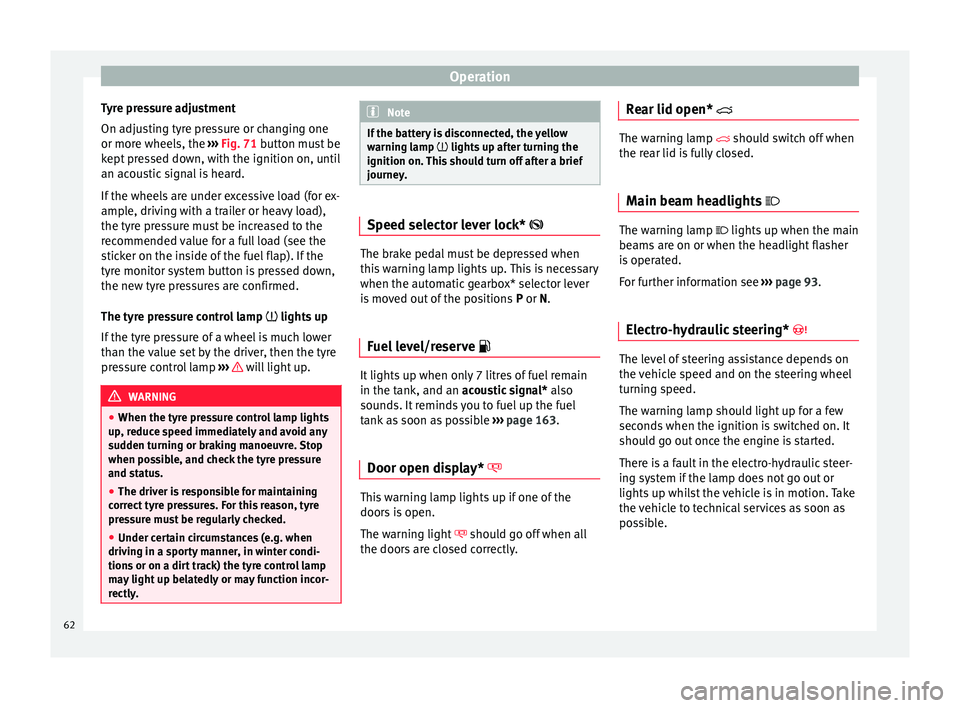
Fuel level/reserve It lights up when only 7 litres of fuel remain
in the tank, and an
acoustic signal*
al
so
sou
nds. It reminds you to fuel up the fuel
tank as soon as possible ›››
page 163.
Door open display* This warning lamp lights up if one of the
doors is open.
The warning light
should go off when all
the doors are closed correctly. Rear lid open* The warning lamp
should switch off when
the r
ear lid is fully closed.
Main beam headlights The warning lamp lights up when the main
beams are on or when the headlight flasher
is operated.
For further information see
››› page 93.
Electro-hydraulic steering* The level of steering assistance depends on
the vehicle speed and on the steering wheel
turning speed.
The warning lamp should light up for a few
seconds when the ignition is switched on. It
should go out once the engine is started.
There is a fault in the electro-hydraulic steer-
ing system if the lamp does not go out or
lights up whilst the vehicle is in motion. Take
the vehicle to technical services as soon as
possible.
62
Page 66 of 240
Operation
If any of both turn signals fails, the warning
lamp will start flashing twice faster than nor-
mal.
For further information on the turn signals,
please see ››› page 93.
“SAFE” Electronic immobiliser* This warning lamp flashes if an unauthorised
key is used.
Inside the key there is a chip that deactivates
the electronic immobiliser automatically
when the key is inserted into the ignition.
The electronic immobiliser will be activated
again automatically as soon as you pull the
key out of the ignition lock.
If the following message* is shown on the in-
strument panel display:
SAFE
, the vehicle
c annot
be started.
The engine can, however, be started if the
appropriate coded SEAT genuine key is used. Note
The vehicle cannot operate properly if you do
not have a genuine SEAT key. Digital instrument panel
display
Fuel gauge and reserve indicator Fig. 72
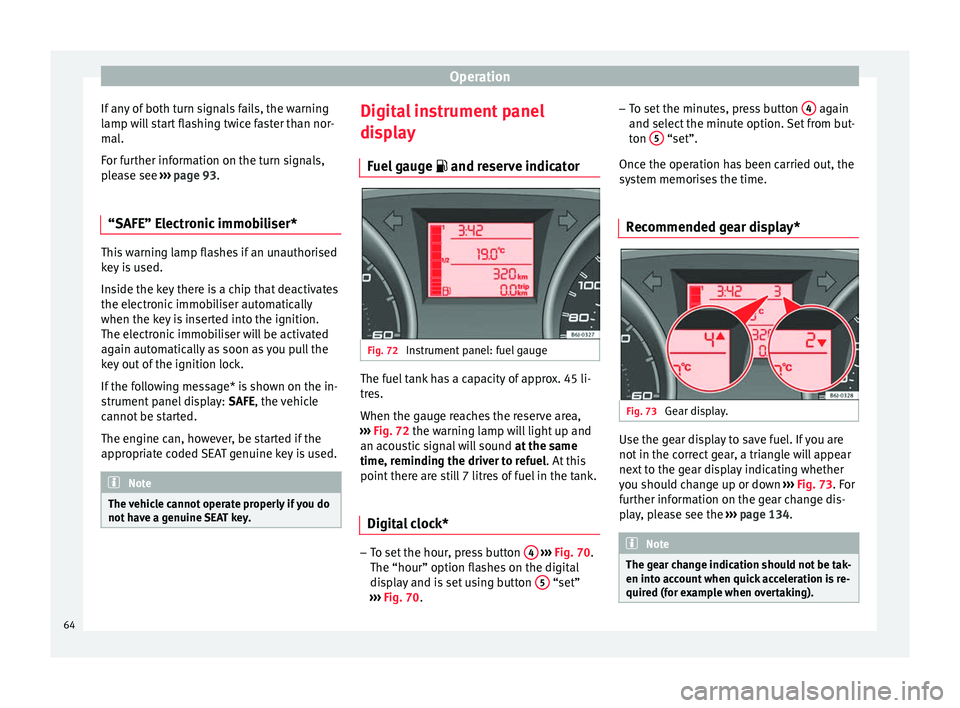
Instrument panel: fuel gauge The fuel tank has a capacity of approx. 45 li-
tres.
When the gauge reaches the reserve area,
››› Fig. 72 the warning lamp will light up and
an ac ou
stic signal will sound at the same
time, reminding the driver to refuel. At this
point there are still 7 litres of fuel in the tank.
Digital clock* –
To set the hour, press button 4
››› Fig. 70.
The “hour” option flashes on the digital
display and is set using button 5 “set”
››› Fig. 70 . –
To set
the minutes, press button
4 again
and select the minute option. Set from but-
ton 5 “set”.
Once the operation has been carried out, the
system memorises the time.
Recommended gear display* Fig. 73
Gear display. Use the gear display to save fuel. If you are
not in the correct gear, a triangle will appear
next to the gear display indicating whether
you should change up or down
››› Fig. 73 . For
f ur
ther information on the gear change dis-
play, please see the ››› page 134. Note
The gear change indication should not be tak-
en into account when quick acceleration is re-
quired (for example when overtaking). 64
Page 67 of 240
Dash panel
Multi-function display (MFI)* Fig. 74
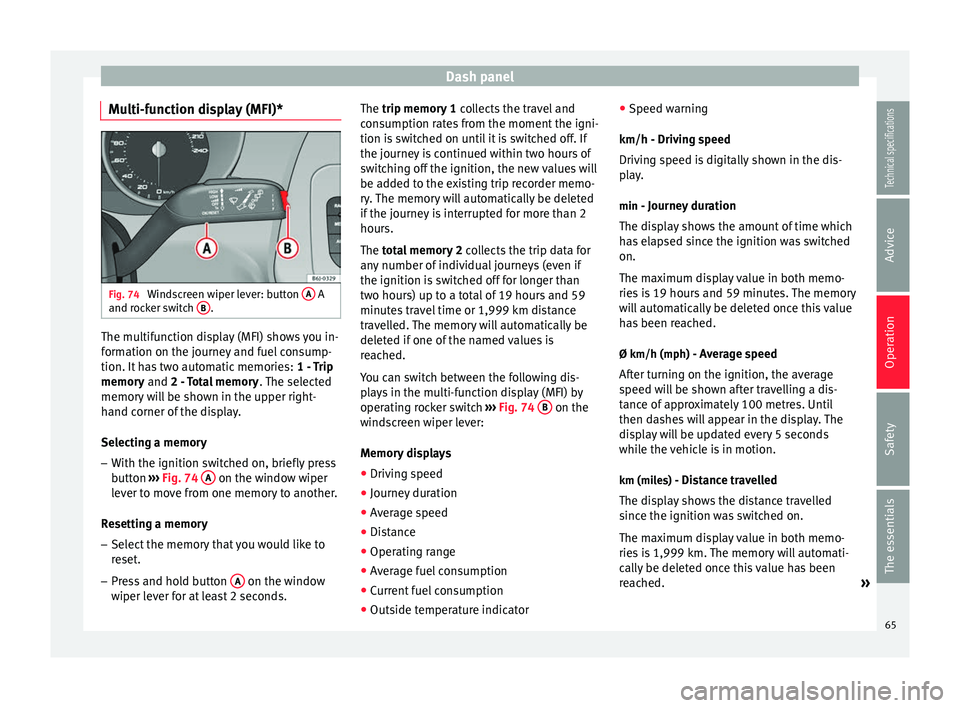
Windscreen wiper lever: button A A
and rocker switch B .
The multifunction display (MFI) shows you in-
formation on the journey and fuel consump-
tion. It has two automatic memories:
1 - Trip
memory and
2 - Total memory . The selected
memory will be shown in the upper right-
hand corner of the display.
Selecting a memory
– With the ignition switched on, briefly press
button ››› Fig. 74 A on the window wiper
lever to move from one memory to another.
Resetting a memory
– Select the memory that you would like to
reset.
– Press and hold button A on the window
wiper lever for at least 2 seconds. The trip memory 1
collects the travel and
consumption rates from the moment the igni-
tion is switched on until it is switched off. If
the journey is continued within two hours of
switching off the ignition, the new values will
be added to the existing trip recorder memo-
ry. The memory will automatically be deleted
if the journey is interrupted for more than 2
hours.
The total memory 2
c
o
llects the trip data for
any number of individual journeys (even if
the ignition is switched off for longer than
two hours) up to a total of 19 hours and 59
minutes travel time or 1,999 km distance
travelled. The memory will automatically be
deleted if one of the named values is
reached.
You can switch between the following dis-
plays in the multi-function display (MFI) by
operating rocker switch ››› Fig. 74
B on the
windscreen wiper lever:
Memory displays
● Driving speed
● Journey duration
● Average speed
● Distance
● Operating range
● Average fuel consumption
● Current fuel consumption
● Outside temperature indicator ●
Speed warning
km/h - Driving speed
Driving speed is digitally shown in the dis-
play. min - Journey duration
The display shows the amount of time which
has elapsed since the ignition was switched
on.
The maximum display value in both memo-
ries is 19 hours and 59 minutes. The memory
will automatically be deleted once this value
has been reached.
Ø km/h (mph) - Average speed After turning on the ignition, the average
speed will be shown after travelling a dis-
tance of approximately 100 metres. Until
then dashes will appear in the display. The
display will be updated every 5 seconds
while the vehicle is in motion.
km (miles) - Distance travelledThe display shows the distance travelled
since the ignition was switched on.
The maximum display value in both memo-
ries is 1,999 km. The memory will automati-
cally be deleted once this value has been
reached. »
65
Technical specifications
Advice
Operation
Safety
The essentials
Page 68 of 240
Operation
Km (miles) - Fuel range The fuel range is calculated using the figures
for tank content and current fuel consump-
tion. This shows how far the vehicle can trav-
el using the same conditions as a reference.
Ø l/100 km - Average fuel consumptionAfter turning on the ignition, average fuel
consumption will be shown after travelling
approximately 100 metres. Until then dashes
will appear in the display. The display will be
updated every 5 seconds while the vehicle is
in motion. The amount of fuel used will not
be shown.
l/100 km o l/h - Current fuel consumption
The display will show the current fuel con-
sumption in ltr/km whilst the vehicle is in
motion or in ltr/hour when the vehicle is at a
standstill with the engine running.
Using this display you can see how your driv-
ing style affects fuel consumption
››› page 134 .
Indic at
ed speed warning
When the required speed has been reached,
enter the “Speed warning” mode in the menu and press button
››› Fig. 74 A
RESET . The set
speed is memorised. If the indicated speed is
exceeded at any time, a warning message is
displayed on the screen and an audible warn-
ing sounds. 1)
This may be deactivated by pressing the RESET button. The speed may be altered us-
ing the rocker switch ››› Fig. 74 B in intervals
of 5 km/h within 5 seconds of the initial
memory value being stored.
Outside temperature display
The measurement margin ranges from -45 °C
(-49 °F) to +58 °C (+136 °F). At temperatures
lower than +4°C (+39 °F), an “ice crystal sym-
bol” is displayed and a “warning” is sounded
if the vehicle is moving at more than 10 km/h
(6 mph) (ice warning). This symbol will flash
for about 10 seconds and remains lit until
the outside temperature rises above +4°C
(+39°F), or if you are driving, the temperature
does not rise above +6°C (+43°F) if it was al-
ready lit.
The lighting of the ice crystal symbol is in-
tended to warn the driver of the risk of ice,
so that he/she proceeds with due care. WARNING
There could be black ice on the road surface
even if the “snowflake symbol” is not shown.
For this reason you should not rely exclusive-
ly on this display - Risk of accident! Note
When the vehicle is at a standstill or when
travelling at very low speeds, the tempera-
ture displayed may be higher than the true
outside temperature as a result of the heat
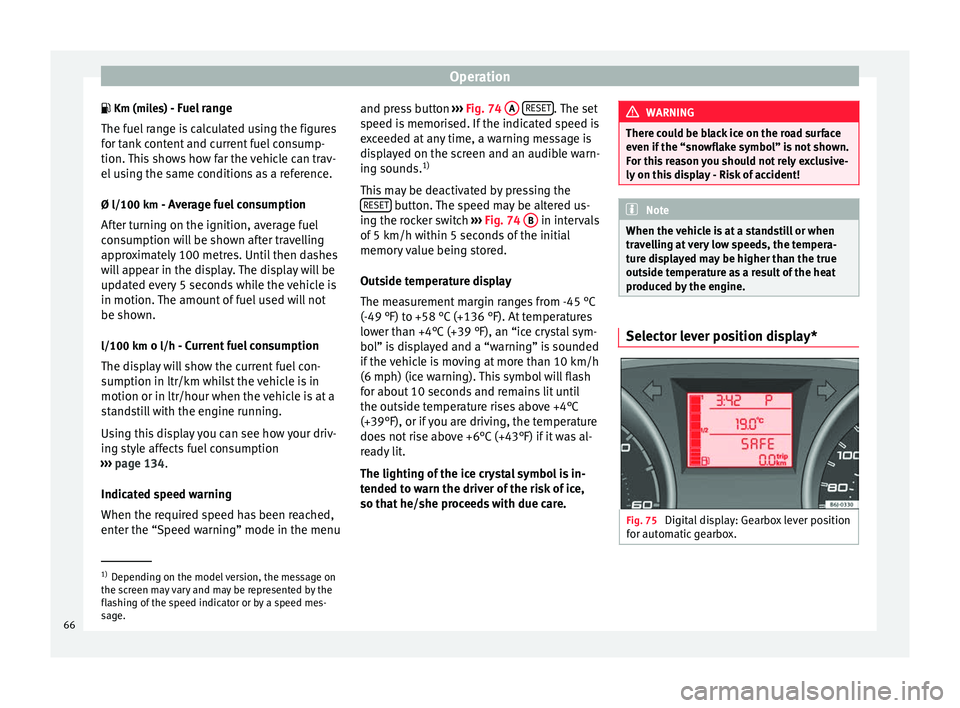
produced by the engine. Selector lever position display*
Fig. 75
Digital display: Gearbox lever position
for automatic gearbox. 1)
Depending on the model version, the message on
the screen may vary and may be represented by the
flashing of the speed indicator or by a speed mes-
sage.
66
Page 98 of 240
Operation
Interior lights Front interior light Read the additional information carefully
››› page 15 Note
If not all the vehicle doors are closed, the in-
terior lights will be switched off after approx.
10 minutes, providing the ignition key has
been removed and the courtesy light position
selected. This prevents the battery from dis-
charging. Front reading light*
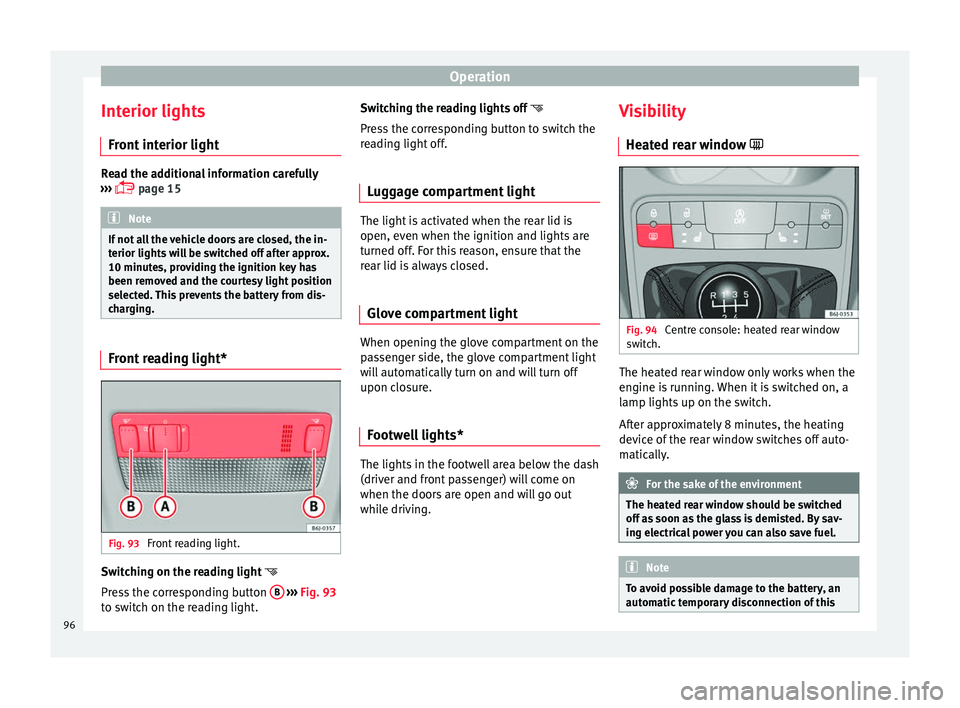
Fig. 93
Front reading light. Switching on the reading light
Press the corresponding button B
››› Fig. 93
to switch on the reading light. Switching the reading lights off
Press the corresponding button to switch the
reading light off.
Luggage compartment light The light is activated when the rear lid is
open, even when the ignition and lights are
turned off. For this reason, ensure that the
rear lid is always closed.
Glove compartment light When opening the glove compartment on the
passenger side, the glove compartment light
will automatically turn on and will turn off
upon closure.
Footwell lights* The lights in the footwell area below the dash
(driver and front passenger) will come on
when the doors are open and will go out
while driving.Visibility
Heated rear window Fig. 94
Centre console: heated rear window
switch. The heated rear window only works when the
engine is running. When it is switched on, a
lamp lights up on the switch.
After approximately 8 minutes, the heating
device of the rear window switches off auto-
matically.
For the sake of the environment
The heated rear window should be switched
off as soon as the glass is demisted. By sav-
ing electrical power you can also save fuel. Note
To avoid possible damage to the battery, an
automatic temporary disconnection of this 96
Page 100 of 240
Operation
again, you have to turn the ignition off and
then on again.
● Do not put stickers on the windscreen in
front of the rain sensor*. This may cause sen-
sor disruption or faults. Rear window wiper
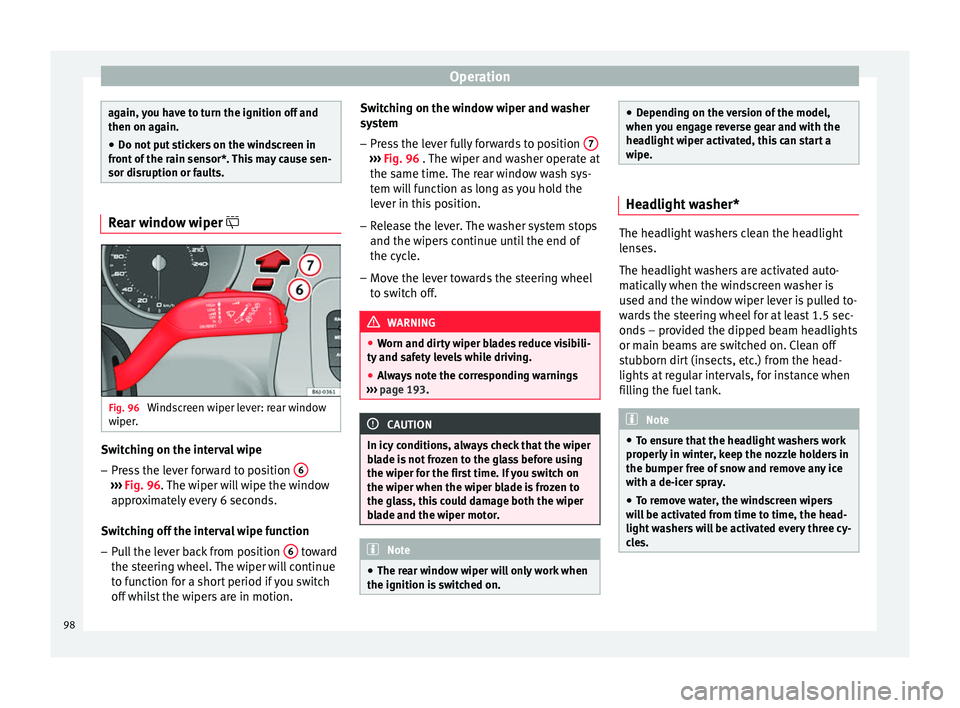
Fig. 96
Windscreen wiper lever: rear window
wiper. Switching on the interval wipe
– Press the lever forward to position 6›››
Fig. 96 . The wiper will wipe the window
ap pr
oximately every 6 seconds.
Switching off the interval wipe function
– Pull the lever back from position 6 toward
the steering wheel. The wiper will continue
to function for a short period if you switch
off whilst the wipers are in motion. Switching on the window wiper and washer
system
– Press the lever fully forwards to position 7 ›››
Fig. 96 . The wiper and washer operate at
the s ame time.
The rear window wash sys-
tem will function as long as you hold the
lever in this position.
– Release the lever. The washer system stops
and the wipers continue until the end of
the cycle.
– Move the lever towards the steering wheel
to switch off. WARNING
● Worn and dirty wiper blades reduce visibili-
ty and safety levels while driving.
● Always note the corresponding warnings
››› page 193. CAUTION
In icy conditions, always check that the wiper
blade is not frozen to the glass before using
the wiper for the first time. If you switch on
the wiper when the wiper blade is frozen to
the glass, this could damage both the wiper
blade and the wiper motor. Note
● The rear window wiper will only work when
the ignition is switched on. ●
Depending on the version of the model,
when you engage reverse gear and with the
headlight wiper activated, this can start a
wipe. Headlight washer*
The headlight washers clean the headlight
lenses.
The headlight washers are activated auto-
matically when the windscreen washer is
used and the window wiper lever is pulled to-
wards the steering wheel for at least 1.5 sec-
onds – provided the dipped beam headlights
or main beams are switched on. Clean off
stubborn dirt (insects, etc.) from the head-
lights at regular intervals, for instance when
filling the fuel tank.
Note
● To ensure that the headlight washers work
properly in winter, keep the nozzle holders in
the bumper free of snow and remove any ice
with a de-icer spray.
● To remove water, the windscreen wipers
will be activated from time to time, the head-
light washers will be activated every three cy-
cles. 98
Page 102 of 240
Operation
– The mirrors demist for some minutes to
prevent draining the battery unnecessarily.
– If necessary, press the button again to re-
peat the function.
– The exterior mirror heating is not activated
in temperatures above approximately
+20 °C (+68 °F).
Folding in exterior mirrors* – Turn the control ››› Fig. 97 to position
t
o
f
old in the exterior mirrors. You should al-
ways fold in the exterior mirrors if you are
driving through an automatic car wash.
This will help prevent damage.
Folding exterior mirrors back out to the
extended position*
– Turn the knob to position L or R to return
the exterior mirrors to their original posi-
tion ››› .
WARNING
● Convex or aspheric mirrors increase the
field of vision however the objects appear
smaller and further away in the mirrors. If you
use these mirrors to estimate the distance to
vehicles behind you when changing lane, you
could make a mistake. Risk of accident.
● If possible, use the rear vision mirror to es-
timate distances to vehicles behind you.
● Make sure that you do not get your finger
trapped between the mirror and the mirror base when folding back the mirrors. Risk of
injury!
For the sake of the environment
The exterior mirror heating should be switch-
ed off when it is no longer needed. Other-
wise, it is an unnecessary fuel waste. Note
● If the electrical adjustment ever fails to op-
erate, the mirrors can be adjusted by hand by
lightly pressing the edge of the mirror glass.
● In vehicles with electric exterior mirrors,
the following points should be observed: if, due to an external force (e.g. being knocked
while manoeuvring), the adjustment of the
mirror housing is altered, the mirror will have
to be fully folded electrically. Do not readjust
the rear vision mirror housing by hand, as
this will interfere with the mirror adjuster
function.
● The rear vision mirrors can be adjusted sep-
arately or simultaneously, as described
above.
● The fold-in function on the exterior mirrors
will not activate at speeds over 40 km/h
(25 mph). Seats and head restraints
Adjusting the seat and head
restraints
Adjusting the front seats Read the additional information carefully
››› page 11 WARNING
● Never adjust the driver or front passenger
seat while the vehicle is in motion. While ad-
justing your seat, you will assume an incor-
rect sitting position. Risk of fatal accidents.
Adjust the driver or front passenger seat only
when the vehicle is stationary.
● To reduce the risk of injury to the driver and
front passenger in case of a sudden braking
or an accident, never drive with the backrest
tilted towards the rear. The maximum protec-
tion of the seat belt can be achieved only
when the backrests are in an upright position
and the driver and front passenger have prop-
erly adjusted their seat belts. The further the
backrests are tilted to the rear, the greater
the risk of injury due to improper positioning
of the belt web!
● Exercise caution when securing the seat
height into forwards/backwards position. In-
juries can be caused if the seat height is ad-
justed without due care and attention. 100
Page 111 of 240
Transport and practical equipment
●
Never leave your vehicle unattended, espe-
cially when the rear lid is open. Children
could climb into the luggage compartment,
closing the door behind them; they will be
trapped and run the risk of death.
● Never allow children to play in or around
the vehicle. Close and lock all the doors and
rear lid when you leave the vehicle. Before
you lock the vehicle, make sure that there are
no adults or children in the vehicle.
● Please observe the notes on the ››› page 29. CAUTION
Hard objects on the rear shelf could chafe
against the wires of the heating element in
the heated rear window and cause damage. Note
● The tyre pressure must be adjusted accord-
ing to the load. When necessary check the
tyre pressures on the label located on the in-
side fuel tank flap ››› page 177.
● Air c ir
culation in the vehicle helps reduce
fogging of the windows. Used air escapes
through ventilation slits in the side trim of
the luggage compartment. Ensure that the
ventilation slots are never covered.
● Straps for securing the load to the fasten-
ing rings* are commercially available from ac-
cessory shops. Fastening rings*
3 Applies to the model: IBIZA ST
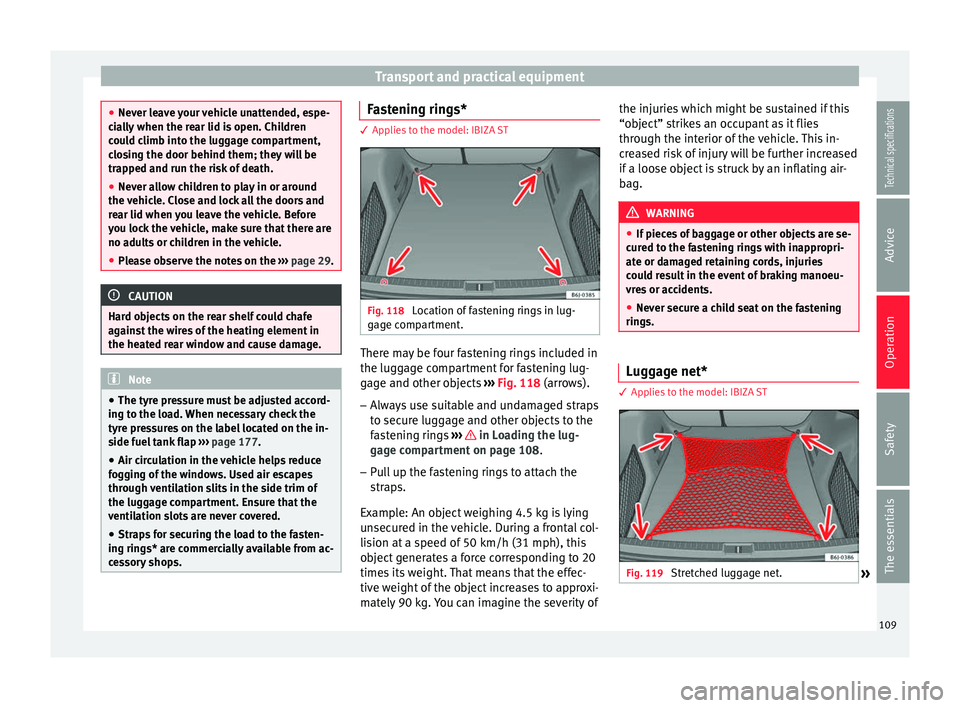
Fig. 118
Location of fastening rings in lug-
gage compartment. There may be four fastening rings included in
the luggage compartment for fastening lug-
gage and other objects
››› Fig. 118 (arrows).
– Alw
ays use suitable and undamaged straps
to secure luggage and other objects to the
fastening rings ››› in Loading the lug-
gage compartment on page 108.
– Pull up the fastening rings to attach the
straps.
Example: An object weighing 4.5 kg is lying
unsecured in the vehicle. During a frontal col-
lision at a speed of 50 km/h (31 mph), this
object generates a force corresponding to 20
times its weight. That means that the effec-
tive weight of the object increases to approxi-
mately 90 kg. You can imagine the severity of the injuries which might be sustained if this
“object” strikes an occupant as it flies
through the interior of the vehicle. This in-
creased risk of injury will be further increased
if a loose object is struck by an inflating air-
bag.
WARNING
● If pieces of baggage or other objects are se-
cured to the fastening rings with inappropri-
ate or damaged retaining cords, injuries
could result in the event of braking manoeu-
vres or accidents.
● Never secure a child seat on the fastening
rings. Luggage net*
3 Applies to the model: IBIZA ST
Fig. 119
Stretched luggage net.
» 109
Technical specifications
Advice
Operation
Safety
The essentials
Page 122 of 240
Operation
Coolant system
When the air conditioning is switched on, the
temperature and the air humidity go down.
This way, if the outside humidity is extreme,
the air conditioning prevents the misting of
the windows and therefore, comfort is im-
proved.
If the air conditioning does not work, this
may be due to the following reasons:
● The engine is stationary.
● The fan blower is switched off.
● The outside temperature is lower than ap-
proximately +3 °C (+37 °F).
● The air conditioning system compressor
has been temporarily switched off because of
an increased engine coolant temperature.
● The air conditioner fuse is faulty.
● Another fault in the vehicle. Have the air
conditioning checked by a specialised work-
shop.
Air recirculation Air recirculation mode on
›››
Fig. 129 (a
lamp lights up on the button) prevents strong
odours or contaminated air from the outside air from entering in the vehicle, for example
when passing through a tunnel or in a traffic
jam.
When the outside temperature is low, air re-
circulation mode improves heating perform-
ance by heating air from the interior instead
of cold air from the outside.
When the outside temperature is high, air re-
circulation mode improves cooling perform-
ance by cooling air from the interior instead
of warm air from outside.
For safety reasons, the air recirculation
should not be switched on
when the air dis-
tribution control is set to the windscreen set-
ting . WARNING
In air recirculation mode, no cold air from the
outside enters the vehicle interior. If the air
conditioner is switched off, the windows can
quickly mist over. Therefore, never leave the
air recirculation mode switched on for a long
time (risk of accident). Note
● When engaging reverse gear, the air recir-
culation is connected automatically to pre-
vent the entrance of exhaust gases in the ve-
hicle on travelling backwards. The control
lamp on the button does not light up.
● If the temperature control is turned to the
coldest setting (blue point) and the A/C but- ton is on, the “Air recirculation” function is
automatically activated in order to cool the
vehicle faster using less energy, and its func-
tion control lamp will light up.
● If the function is not deactivated by press-
ing the button, it will deactivate after approx-
imately 20 minutes. Economic use of the air conditioning
When the air conditioning is switched on, the
compressor consumes engine power and has
influence on fuel consumption. Consider the
following points in order to have the system
operating in the minimum possible time.
● If the vehicle interior has overheated due to
an excessive solar radiation, it is best to
open the windows or doors to allow the hot
air to escape.
● While in motion, the air conditioning
should not be switched on if the windows or
the sunroof* are open.
120
Page 124 of 240
Operation
A comfortable interior climate is quickly
reached when a temperature of +22 °C
(+72 °F) is set in automatic mode. Therefore,
we recommend you not to change this adjust-
ment, except as necessary to suit individual
preferences or particular circumstances. It is
possible to select interior temperatures from
+18 °C (+64 °F) to +29 °C (+86 °F). If a lower
or higher temperature is selected, LO or
HI
ar
e respectively displayed on the screen.
These are approximate temperatures which
may slightly vary depending on the outside
conditions.
Climatronic maintains an excellent, comforta-
ble temperature by automatically adjusting
the supplied air temperature, the blower
speed and the air distribution. The system al-
so considers the sunlight radiation, so there
is no need for manual readjustment. There-
fore, automatic mode alwa
ys provides the
best comfort for the vehicle occupants
throughout the year.
Automatic mode is switched off whenever an
adjustment is made using the buttons for air
distribution or blower. The temperature con-
tinues to self-regulate.
To switch off Climatronic, press the –
9 button repeatedly until the display switches
off. Manual mode In manual mode the air temperature, flow,
and the desired air distribution can be adjus-
ted.
Switching on manual mode
– Press one of the buttons ››› Fig. 130 14 to
16 or press the blower control
8 and
9 .
The indicator is switched off 3 .
Temperature
It is possible to select interior temperatures
from +18 °C (+64 °F) to +29 °C (+86 °F).
These are approximate temperatures which
may slightly vary depending on the outside
conditions.
If you select temperatures below +18 ℃
(+17.78 ℃), the indication: L O
will appear on
the screen. In this setting the system runs at
maximum cooling output and the tempera-
ture is not regulated.
If a temperature above +29 °C (+86 °F) is se-
lected, the screen will show HI
. In this setting
the system runs at maximum heating output
and the temperature is not controlled.
Blower
The blower can be adjusted using buttons
››› Fig. 130 8 and
9 . If the blower is off
(level 1 is not shown on the screen) andbutton
9 is pressed after 1 second, the Cli-
matronic switches off.
Air distribution
The air distribution is adjusted using the but-
tons ,
and
. It is also possible to
open and close some of the air outlets sepa-
rately.
Switching the air conditioning on and off
By pressing the A/C button, the air cooling
system can be switched off in order to save
fuel. The temperature continues to self-regu-
late. The set temperature can then only be
reached if it is higher than the outside tem-
perature.
In rain or high humidity, we recommend
switching the A/C on so that the evaporator
does not allow the windscreen to steam up.
Air recirculation mode –
Press the button to switch air recircula-
tion mode on or off. This is ON if the sym-
bol ›››
Fig. 130 is displayed on the
s c
reen.
Air recirculation mode prevents strong
odours or contaminated air from the outside
air from entering in the vehicle, for example
when passing through a tunnel or in a traffic
jam.
122