change time Seat Ibiza SC 2014 User Guide
[x] Cancel search | Manufacturer: SEAT, Model Year: 2014, Model line: Ibiza SC, Model: Seat Ibiza SC 2014Pages: 240, PDF Size: 4.89 MB
Page 79 of 240
Communications and multimedia
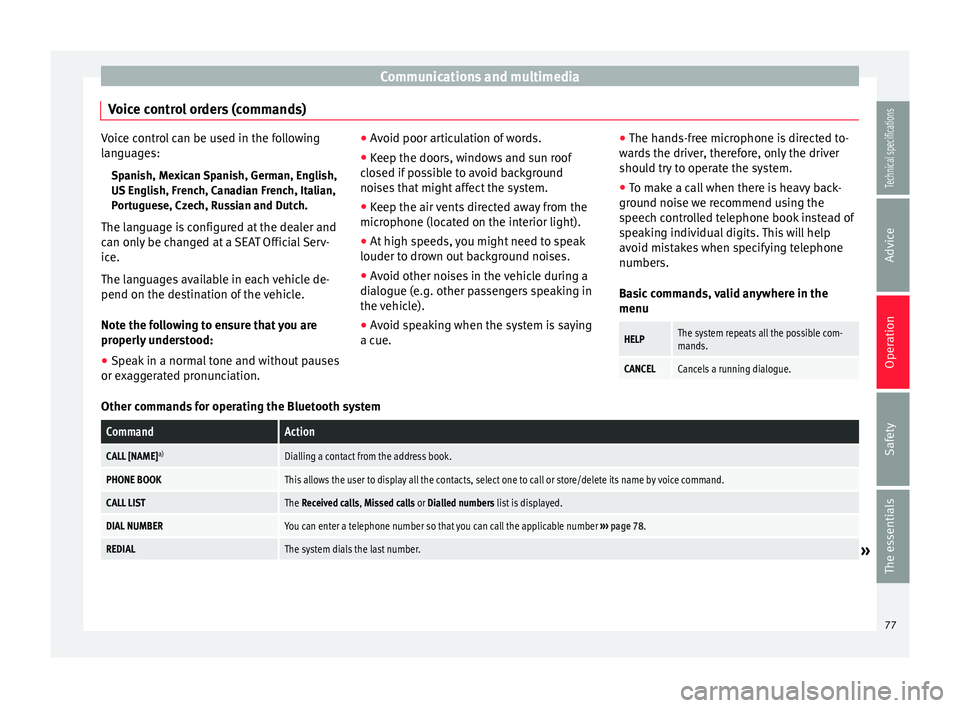
Voice control orders (commands) Voice control can be used in the following
languages:
Spanish, Mexican Spanish, German, English,
US English, French, Canadian French, Italian,
Portuguese, Czech, Russian and Dutch.
The language is configured at the dealer and
can only be changed at a SEAT Official Serv-
ice.
The languages available in each vehicle de-
pend on the destination of the vehicle.
Note the following to ensure that you are
properly understood: ● Speak in a normal tone and without pauses
or exaggerated pronunciation. ●
Avoid poor articulation of words.
● Keep the doors, windows and sun roof
closed if possible to avoid background
noises that might affect the system.
● Keep the air vents directed away from the
microphone (located on the interior light).
● At high speeds, you might need to speak
louder to drown out background noises.
● Avoid other noises in the vehicle during a
dialogue (e.g. other passengers speaking in
the vehicle).
● Avoid speaking when the system is saying
a cue. ●
The hands-free microphone is directed to-
wards the driver, therefore, only the driver
should try to operate the system.
● To make a call when there is heavy back-
ground noise we recommend using the
speech controlled telephone book instead of
speaking individual digits. This will help
avoid mistakes when specifying telephone
numbers.
Basic commands, valid anywhere in the
menuHELPThe system repeats all the possible com-
mands.
CANCELCancels a running dialogue. Other commands for operating the Bluetooth system
CommandAction
CALL [NAME]
a)Dialling a contact from the address book.
PHONE BOOKThis allows the user to display all the contacts, select one to call or store/delete its name by voice command.
CALL LISTThe Received calls, Missed calls or Dialled numbers list is displayed.
DIAL NUMBERYou can enter a telephone number so that you can call the applicable number
››› page 78.
REDIALThe system dials the last number.» 77
Technical specifications
Advice
Operation
Safety
The essentials
Page 88 of 240
Operation
The vehicle interior monitoring and the anti-
tow system are automatically switched on
again next time the vehicle is locked.
The vehicle interior monitoring and anti-tow
sensor (tilt sensor) are automatically switch-
ed on when the anti-theft alarm is switched
on. In order to activate it, all the doors and
the rear lid must be closed.
If you wish to switch off the vehicle interior
monitoring and the anti-tow system, it must
be done each time that the vehicle is locked;
if not, they will be automatically switched on.
The vehicle interior monitoring and the anti-
tow system should be switched off if animals
are left inside the locked vehicle (otherwise,
their movements will trigger the alarm) or
when, for example, the vehicle is transported
or has to be towed with only one axle on the
ground.
False alarms
Interior monitoring will only operate correctly
if the vehicle is completely closed. Please ob-
serve related legal requirements.
The following cases may cause a false alarm:
● Open windows (partially or fully),
● Panoramic/tilting sunroof open (partially or
completely), ●
Movement of objects inside the vehicle,
such as loose papers, items hanging from
the rear vision mirror (air fresheners), etc. Note
● If the vehicle is relocked and the alarm is
activated without the volumetric sensor func-
tion, relocking will activate the alarm with all
its functions, except the volumetric sensor.
This function is reactivated when the alarm is
switched on again, unless it is deliberately
switched off.
● If the alarm has been triggered by the volu-
metric sensor, this will be indicated by a
flashing of the warning lamp on the driver
door when the vehicle is opened. The flash is
different to the flash indicating the alarm is
activated.
● The vibration of a mobile phone left inside
the vehicle may cause the vehicle interior
monitoring alarm to trigger, as both sensors
react to movements and shakes inside the ve-
hicle.
● If on activating the alarm, any door or the
rear lid is open, only the alarm will be activa-
ted. The vehicle interior monitoring and the
anti-tow system will only be activated once
all the doors are closed (including the rear
lid). Boot hatch
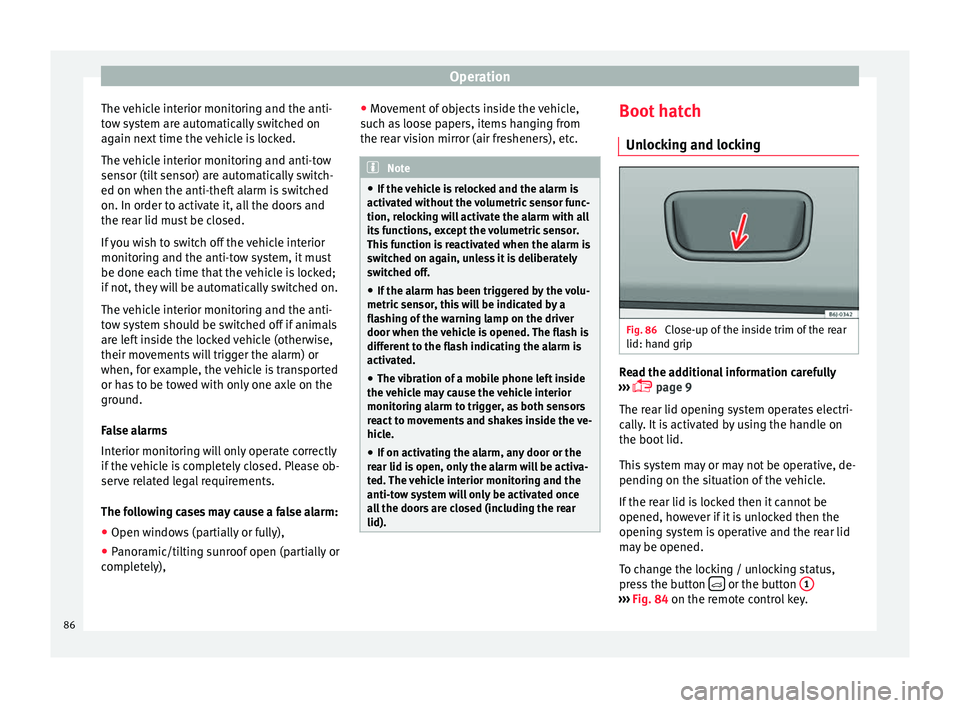
Unlocking and locking Fig. 86
Close-up of the inside trim of the rear
lid: hand grip Read the additional information carefully
››› page 9
The rear lid opening system operates electri-
cally. It is activated by using the handle on
the boot lid.
This system may or may not be operative, de-
pending on the situation of the vehicle.
If the rear lid is locked then it cannot be
opened, however if it is unlocked then the
opening system is operative and the rear lid
may be opened.
To change the locking / unlocking status,
press the button or the button
1 ›››
Fig. 84 on the remote control key.
86
Page 95 of 240
Lights and visibility
off . The instrument lighting is dimmed auto-
m atic
ally as the daylight starts to fade. It
goes out completely when ambient light is
very low. This function is intended to remind
the driver to switch on the dipped beam
headlights in good time when light condi-
tions become poor.
Headlight range control 2By using the electrical headlight range con-
trol,
2 you can adjust the headlight range to
the load level that is being carried in the ve-
hicle. This way, it is possible to avoid daz-
zling oncoming traffic more than necessary.
At the same time, by using the correct head-
light settings, the driver has the best possi-
ble lighting for the road ahead.
The headlights can only be adjusted when
the dipped beam is switched on. To lower the
beam, turn the thumb wheel down 2 from
the basic setting 0.
D y
namic headlight range control
Vehicles with gas discharge bulbs (xenon
bulbs)
are equipped with dynamic headlight
range control. When you switch on the lights,
their range regulates itself according to the
vehicle load.
Vehicles with gas discharge bulbs do not
have headlight range control. Turn signal and main beam headlight
lever
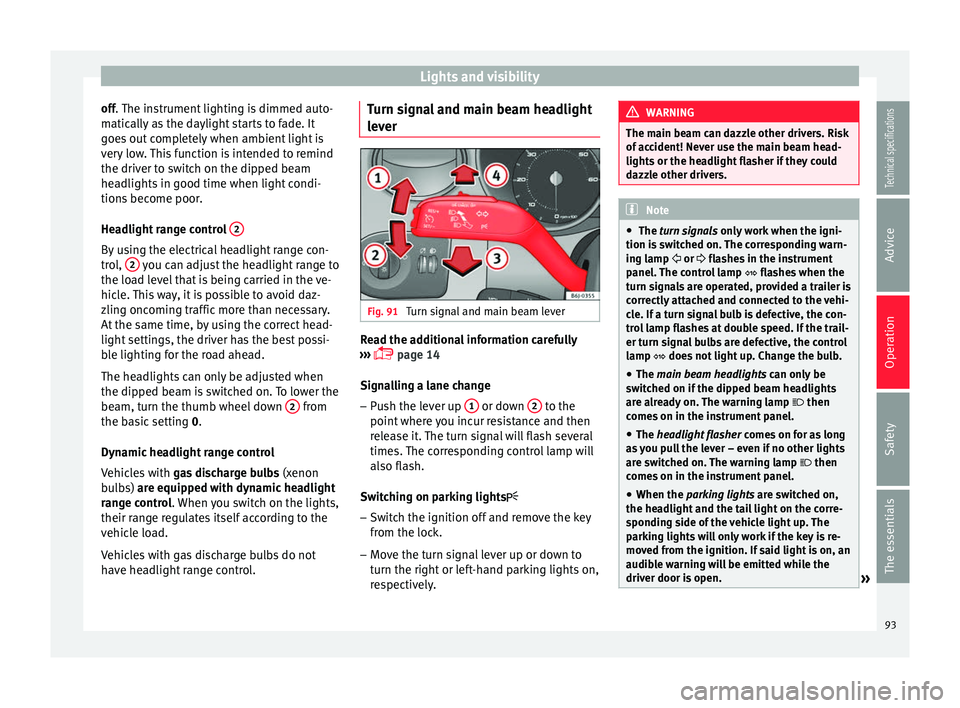
Fig. 91
Turn signal and main beam lever Read the additional information carefully
››› page 14
Signalling a lane change
– Push the lever up 1 or down
2 to the
point where you incur resistance and then
release it. The turn signal will flash several
times. The corresponding control lamp will
also flash.
Switching on parking lights – Switch the ignition off and remove the key
from the lock.
– Move the turn signal lever up or down to
turn the right or left-hand parking lights on,
respectively. WARNING
The main beam can dazzle other drivers. Risk
of accident! Never use the main beam head-
lights or the headlight flasher if they could
dazzle other drivers. Note
● The turn signals only
work when the igni-
tion is switched on. The corresponding warn-
ing lamp or flashes in the instrument
panel
. The control lamp flashes when the
turn signals are operated, provided a trailer is
correctly attached and connected to the vehi-
cle. If a turn signal bulb is defective, the con-
trol lamp flashes at double speed. If the trail-
er turn signal bulbs are defective, the control
lamp does not light up. Change the bulb.
● The main beam headlights
can only be
switched on if the dipped beam headlights
are already on. The warning lamp then
comes on in the instrument panel.
● The headlight flasher come
s on for as long
as you pull the lever – even if no other lights
are switched on. The warning lamp then
comes on in the instrument panel.
● When the parking lights are switched on,
the he
adlight and the tail light on the corre-
sponding side of the vehicle light up. The
parking lights will only work if the key is re-
moved from the ignition. If said light is on, an
audible warning will be emitted while the
driver door is open. » 93
Technical specifications
Advice
Operation
Safety
The essentials
Page 99 of 240
Lights and visibility
function is possible, coming back on when
normal operating conditions are re-establish-
ed.
Sun visors
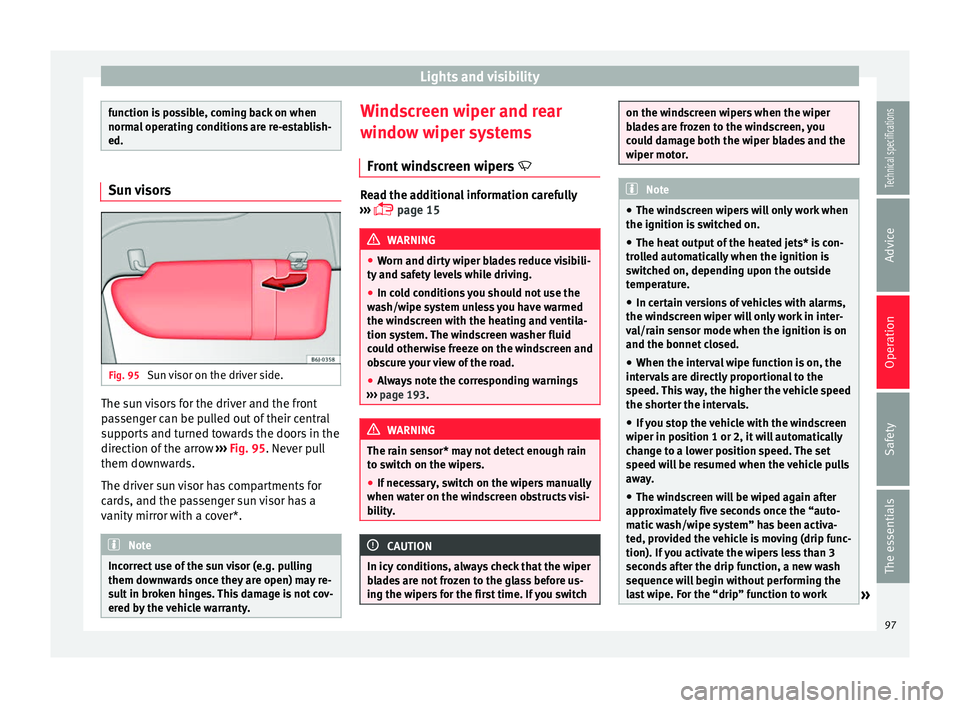
Fig. 95
Sun visor on the driver side. The sun visors for the driver and the front
passenger can be pulled out of their central
supports and turned towards the doors in the
direction of the arrow
››› Fig. 95 . Never pull
them do wn
wards.
The driver sun visor has compartments for
cards, and the passenger sun visor has a
vanity mirror with a cover*. Note
Incorrect use of the sun visor (e.g. pulling
them downwards once they are open) may re-
sult in broken hinges. This damage is not cov-
ered by the vehicle warranty. Windscreen wiper and rear
window wiper systems
Front windscreen wipers Read the additional information carefully
››› page 15 WARNING
● Worn and dirty wiper blades reduce visibili-
ty and safety levels while driving.
● In cold conditions you should not use the
wash/wipe system unless you have warmed
the windscreen with the heating and ventila-
tion system. The windscreen washer fluid
could otherwise freeze on the windscreen and
obscure your view of the road.
● Always note the corresponding warnings
››› page 193. WARNING
The rain sensor* may not detect enough rain
to switch on the wipers.
● If necessary, switch on the wipers manually
when water on the windscreen obstructs visi-
bility. CAUTION
In icy conditions, always check that the wiper
blades are not frozen to the glass before us-
ing the wipers for the first time. If you switch on the windscreen wipers when the wiper
blades are frozen to the windscreen, you
could damage both the wiper blades and the
wiper motor.
Note
● The windscreen wipers will only work when
the ignition is switched on.
● The heat output of the heated jets* is con-
trolled automatically when the ignition is
switched on, depending upon the outside
temperature.
● In certain versions of vehicles with alarms,
the windscreen wiper will only work in inter-
val/rain sensor mode when the ignition is on
and the bonnet closed.
● When the interval wipe function is on, the
intervals are directly proportional to the
speed. This way, the higher the vehicle speed
the shorter the intervals.
● If you stop the vehicle with the windscreen
wiper in position 1 or 2, it will automatically
change to a lower position speed. The set
speed will be resumed when the vehicle pulls
away.
● The windscreen will be wiped again after
approximately five seconds once the “auto-
matic wash/wipe system” has been activa-
ted, provided the vehicle is moving (drip func-
tion). If you activate the wipers less than 3
seconds after the drip function, a new wash
sequence will begin without performing the
last wipe. For the “drip” function to work » 97
Technical specifications
Advice
Operation
Safety
The essentials
Page 115 of 240
Air conditioning
Note
Always read the assembly instructions that
come with the crossbars and the roof carrier
system carefully and keep them in the vehi-
cle. Air conditioning
General notes The pollution filter
The pollution filter (a combined particulate
filter and active carbon filter) serves as a bar-
rier against impurities in the outside air, in-
cluding dust and pollen.
For the climate control system to work with
maximum efficiency, the pollution filter must
be replaced at the specified intervals in the
Maintenance Programme.
If the filter loses efficiency prematurely due
to use in areas reaching very high pollution
levels, the pollen filter must be changed
more frequently than stated in the Service
Schedule.
CAUTION
● If you suspect that the air conditioner is
damaged, switch it off with the A/C button to
prevent further damage and have it checked
by a specialised workshop.
● Repairs to the air conditioner require spe-
cialist knowledge and special tools. There-
fore, we recommend you to take the vehicle
to a specialised workshop. Note
● If the humidity and temperature outside the
vehicle are high, condensation can drip off
the evaporator in the cooling system and
form a pool underneath the vehicle. This is
normal and does not indicate a leak.
● Keep the air intake slots in front of the
windscreen free of snow, ice and leaves to en-
sure heating and cooling are not impaired,
and to prevent the windows from misting
over.
● The air from the vents flows through the ve-
hicle interior and is extracted by slots in the
luggage compartment designed for this pur-
pose. Therefore, you should avoid obstruct-
ing these slots with any kind of object.
● The air conditioner operates most effective-
ly with the windows and the sliding/tilting
sunroof* closed. However, if the temperature
inside the vehicle is excessive because of the
sun, the air inside can be cooled faster by
opening the windows for a short time.
● Do not smoke while air recirculation mode
is on, as smoke drawn into the air condition-
ing system leaves residue on the evaporator,
producing a permanent unpleasant odour.
● At low outside temperatures, the compres-
sor switches off automatically and cannot be
switched on even with the AUTO button.
● It is advisable to turn on the air condition-
ing at least once a month, to lubricate the
system gaskets and prevent leaks. If a de-
crease in the cooling capacity is detected, a » 113Technical specifications
Advice
Operation
Safety
The essentials
Page 128 of 240
Operation
CAUTION
When the engine has been running under a
heavy load for a long period, heat can accu-
mulate in the engine compartment and cause
engine damage. For this reason, idle the en-
gine for approximately 2 minutes before
switching it off. Braking and parking
Braking capacity and braking distance The efficiency of the brakes depends directly
on the
brake pad
wear. This wear depends to
a gr
eat extent on the conditions under which
the vehicle is operated and the way the vehi-
cle is driven. If you often drive in town, drive
short distances or have a sporty driving style,
we recommend that you have the thickness
of your brake pads checked by technical serv-
ices more frequently than recommended in
the Maintenance Programme.
If you drive with wet brakes, for example, af-
ter crossing areas of water, on days of heavy
rainfall or even after washing the car, the ef-
fect of the brakes is reduced as the brake
discs are wet or even frozen (in winter): in
this case, the brakes should be “dried” by
pressing the brake pedal several times. WARNING
Longer braking distances and faults in the
brake system increase the risk of accidents.
● New brake pads must be run in and do not
have the correct friction during the first
200 km. This reduced braking capacity may
be compensated for by pressing on the brake
pedal a little harder, which also applies when
the brake pads have to be changed further
on.
● If brakes are wet or frozen, or if you are
driving on roads which have been salted,
braking power may be lower than normal.
● On steep slopes, if brakes are excessively
used, they will overheat. Before driving down
a long steep slope, it is advisable to reduce
speed and change down into a lower gear or
range (depending on the type of transmis-
sion). Thus, make use of engine braking and
relieve the brakes.
● Never let the brakes “drag” by applying
light pressure. Continuous braking will cause
the brakes to overheat and the braking dis-
tance will increase. Apply and then release
the brakes alternately.
● Never let the vehicle run with the engine
switched off. The braking distance is in-
creased considerably when the brake servo is
not active.
● If the brake fluid loses its viscosity and is
subjected to heavy use, vapour bubbles can
form in the brake system. This reduces the ef-
ficiency of the brakes. ●
Non-standard or damaged front spoilers
could restrict the airflow to the brakes and
cause them to overheat. Before purchasing
accessories please observe the relevant in-
structions ››› page 155, Technical modifica-
tions.
● If a br
ake system circuit fails, the braking
distance will be increased considerably. Con-
tact a specialised workshop immediately and
avoid unnecessary journeys. Handbrake
Fig. 132
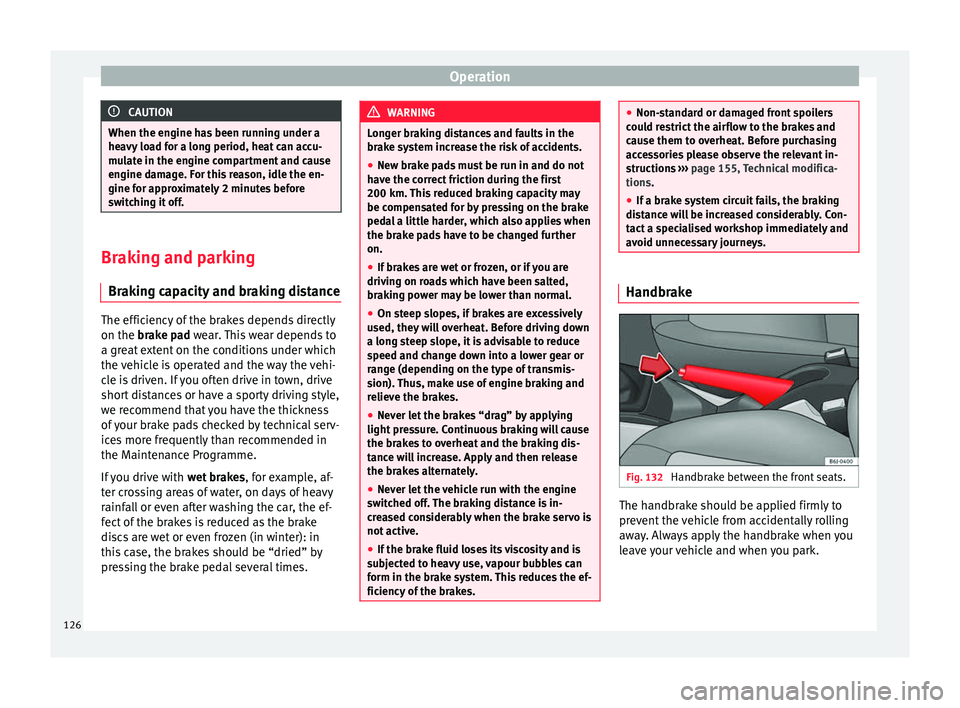
Handbrake between the front seats. The handbrake should be applied firmly to
prevent the vehicle from accidentally rolling
away. Always apply the handbrake when you
leave your vehicle and when you park.
126
Page 130 of 240
Operation
The hill driving assistant helps the driver to
move off and upward on a hill when the vehi-
cle is stationary.
The system maintains brake pressure for ap-
proximately two seconds after the driver
takes his foot off the brake pedal to prevent
the vehicle from lurching backward when it is
started. During these 2 seconds, the driver
has enough time to release the clutch pedal
and accelerate without the vehicle moving
and without having to use the handbrake,
making start-up easier, more comfortable
and safer.
These are the basic operation conditions:
● being on a ramp or hill/slope,
● doors closed,
● vehicle completely stationary,
● engine running and foot on the brake,
● besides having a gear engaged or being in
neutral for manual gear change and with the
selector lever at position S,
D or R for an au-
tomatic gearbox.
This system is also active when reversing up-
hill. WARNING
● If you do not start the vehicle immediately
after taking your foot off the brake pedal, the
vehicle may start to roll back under certain conditions. Depress the brake pedal or use
the hand brake immediately.
●
If the engine stalls, depress the brake ped-
al or use the hand brake immediately.
● When following a line of traffic uphill, if you
want to prevent the vehicle from rolling back
accidentally when starting off, hold the brake
pedal down for a few seconds before starting
off. Note
The Official Service or a specialist workshop
can tell you if your vehicle is equipped with
this system. Manual gearbox
Driving with a manual gearbox Read the additional information carefully
››› page 19
Certain versions of the model may include a
6-speed manual gearbox, and its diagram is
shown on the gearbox lever.
The reverse gear can only be engaged when
the car is stationary. When the engine is run-
ning and before engaging this gear, wait
about 6 seconds with the clutch pressed
down thoroughly in order to protect the gear-
box. The reverse lights switch on when the reverse
gear is selected and the ignition is on. WARNING
● When the engine is running, the vehicle
will start to move as soon as a gear is engag-
ed and the clutch released.
● Never select the reverse gear when the ve-
hicle is in motion. Risk of accident. Note
● Do not rest your hand on the gear lever
while driving. The pressure of your hand
could cause premature wear on the selector
forks in the gearbox.
● When changing gear, you should always
depress the clutch fully to avoid unnecessary
wear and damage.
● Do not “slip” the clutch to hold the vehicle
on a hill. This causes premature wear and
damage to the clutch.
● Do not leave your foot on the clutch pedal;
although the pressure may seem insignifi-
cant, it can cause the premature wear of the
clutch plate. Use the foot rest when you do
not need to change gear. 128
Page 131 of 240
Driving
Automatic gearbox* Gearbox programmes Read the additional information carefully
››› page 20
The automatic gearbox has got two gearbox
programmes.
Selecting the normal programme
– Put the selector lever into position D.
Selecting the sport programme – Put the selector lever into position S.
If you select the normal programme, D
, you
w i
ll drive in the economy mode, i.e. the pro-
gramme is designed to reduce fuel consump-
tion. The gearbox changes up into a higher
gear as soon as possible and down into a
lower gear as late as possible.
If you select the sport programme, S, you will
drive in a s
porty mode, i.e. a programme in
which shifts into high gears are postponed in
order to use the full power of the engine. Selector lever lock
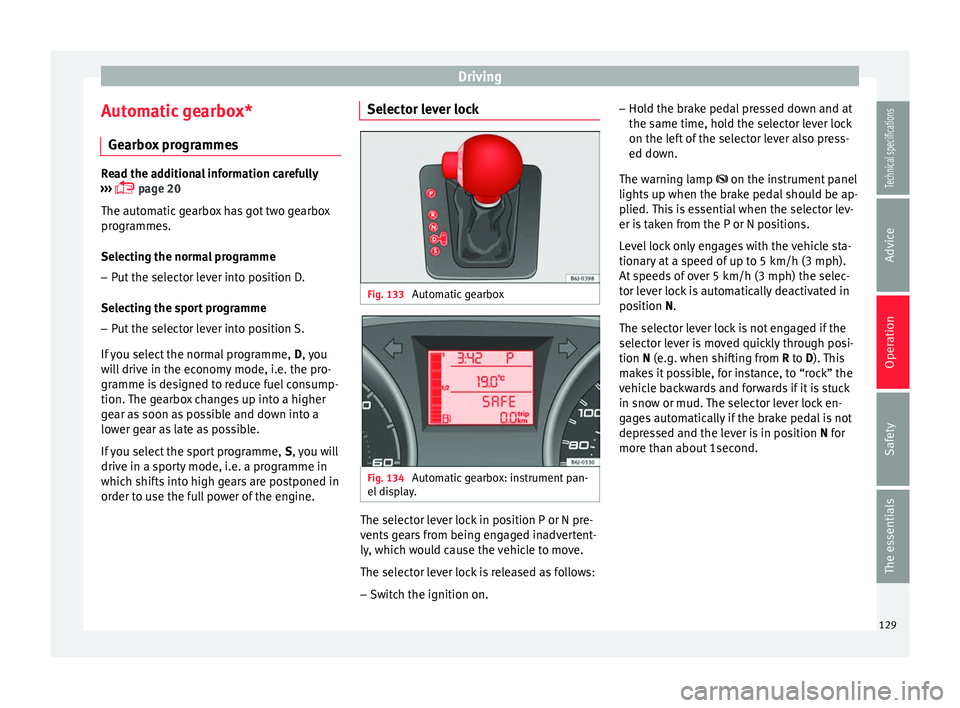
Fig. 133
Automatic gearbox Fig. 134
Automatic gearbox: instrument pan-
el display. The selector lever lock in position P or N pre-
vents gears from being engaged inadvertent-
ly, which would cause the vehicle to move.
The selector lever lock is released as follows:
– Switch the ignition on. –
Hold the brake pedal pressed down and at
the same time, hold the selector lever lock
on the left of the selector lever also press-
ed down.
The warning lamp
on the instrument panel
lights
up when the brake pedal should be ap-
plied. This is essential when the selector lev-
er is taken from the P or N positions.
Level lock only engages with the vehicle sta-
tionary at a speed of up to 5 km/h (3 mph).
At speeds of over 5 km/h (3 mph) the selec-
tor lever lock is automatically deactivated in
position
N.
The selector lever lock is not engaged if the
selector lever is moved quickly through posi-
tion
N (e.g. when shifting from R to D). This
makes it possible, for instance, to “rock” the
vehicle backwards and forwards if it is stuck
in snow or mud. The selector lever lock en-
gages automatically if the brake pedal is not
depressed and the lever is in position N for
more th
an about 1second.
129
Technical specifications
Advice
Operation
Safety
The essentials
Page 132 of 240
Operation
Driving a car with an automatic
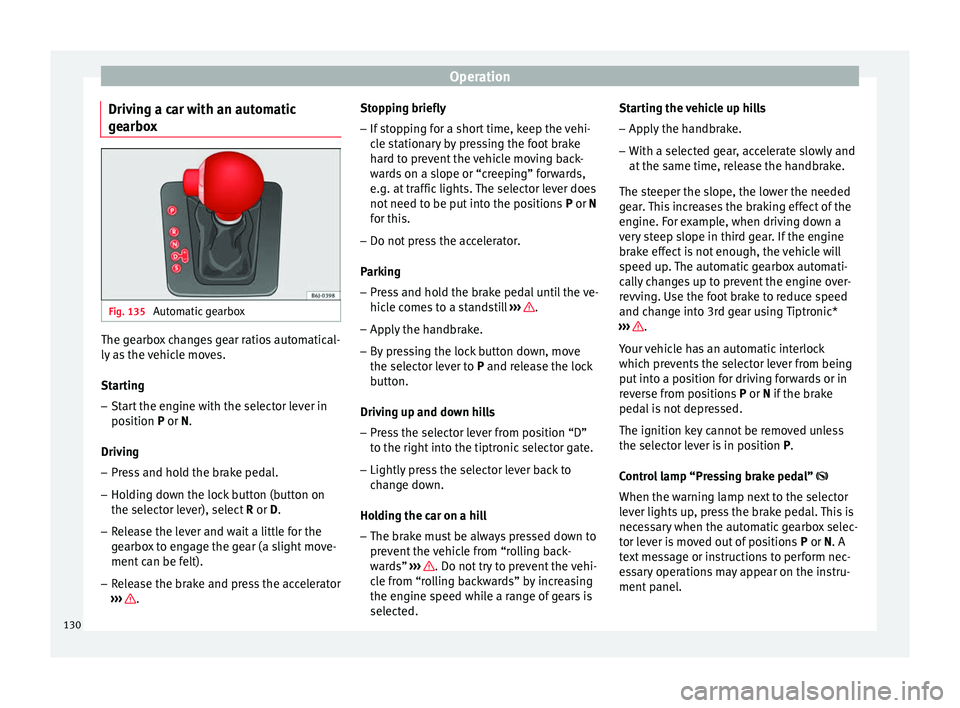
gearbox Fig. 135
Automatic gearbox The gearbox changes gear ratios automatical-
ly as the vehicle moves.
Starting
– Start the engine with the selector lever in
position P
or N.
Driving – Press and hold the brake pedal.
– Holding down the lock button (button on
the selector lever), select R or D
.
– Release the lever and wait a little for the
gearbox to engage the gear (a slight move-
ment can be felt).
– Release the brake and press the accelerator
››› . Stopping briefly
– If stopping for a short time, keep the vehi-
cle stationary by pressing the foot brake
hard to prevent the vehicle moving back-
wards on a slope or “creeping” forwards,
e.g. at traffic lights. The selector lever does
not need to be put into the positions P or N
f or thi
s.
– Do not press the accelerator.
Parking
– Press and hold the brake pedal until the ve-
hicle comes to a standstill ››› .
– Apply the handbrake.
– By pressing the lock button down, move
the selector lever to P
and release the lock
b
utton.
Driving up and down hills
– Press the selector lever from position “D”
to the right into the tiptronic selector gate.
– Lightly press the selector lever back to
change down.
Holding the car on a hill – The brake must be always pressed down to
prevent the vehicle from “rolling back-
wards” ››› . Do not try to prevent the vehi-
cle from “rolling backwards” by increasing
the engine speed while a range of gears is
selected. Starting the vehicle up hills
– Apply the handbrake.
– With a selected gear, accelerate slowly and
at the same time, release the handbrake.
The steeper the slope, the lower the needed
gear. This increases the braking effect of the
engine. For example, when driving down a
very steep slope in third gear. If the engine
brake effect is not enough, the vehicle will
speed up. The automatic gearbox automati-
cally changes up to prevent the engine over-
revving. Use the foot brake to reduce speed
and change into 3rd gear using Tiptronic*
››› .
Your vehicle has an automatic interlock
which prevents the selector lever from being
put into a position for driving forwards or in
reverse from positions P or N
if the brake
ped
al is not depressed.
The ignition key cannot be removed unless
the selector lever is in position P
.
Control lamp “Pressing brake pedal”
When the warning lamp next to the selector
lever lights up, press the brake pedal. This is
necessary when the automatic gearbox selec-
tor lever is moved out of positions P
or N. A
text message or instructions to perform nec-
essary operations may appear on the instru-
ment panel.
130
Page 134 of 240
Operation
– Press the left paddle lever - towards the
steering wheel to change down ››› Fig. 137.
Using the paddle levers on the steering
wheel, you can access manual driving mode
regardless of the pre-selected driving mode.
General information about driving in
tiptronic mode
When accelerating, the automatic gearbox /
DSG automatic gearbox goes into a higher
gear a little before the engine reaches its
maximum permitted revolutions.
If a lower gear is selected, the automatic
gearbox / DSG automatic gearbox will only
change down when the engine cannot go
over its maximum permitted revolutions.
If “tiptronic” is selected whilst the vehicle is
in motion and the automatic gearbox / DSG
automatic gearbox is in third gear and selec-
tor lever position D
, “tiptronic” mode will
then al
so be in third gear.
Changing gears in the normal or sport
programme using the steering wheel paddle
levers
If the paddle levers ››› Fig. 137 are used in
the normal
or sport programme, the system
switches temporarily to “tiptronic” mode. To
exit “Tiptronic” mode again, press the right
paddle lever + towards the steering wheel
for approximately one second. You will also leave “tiptronic” mode if the paddle levers
are not moved for a certain time. Note
● The gear paddle levers on the steering
wheel can be operated with the selector lever
in any position and with the vehicle in mo-
tion. Selector lever positions
Fig. 138
Automatic gearbox: instrument pan-
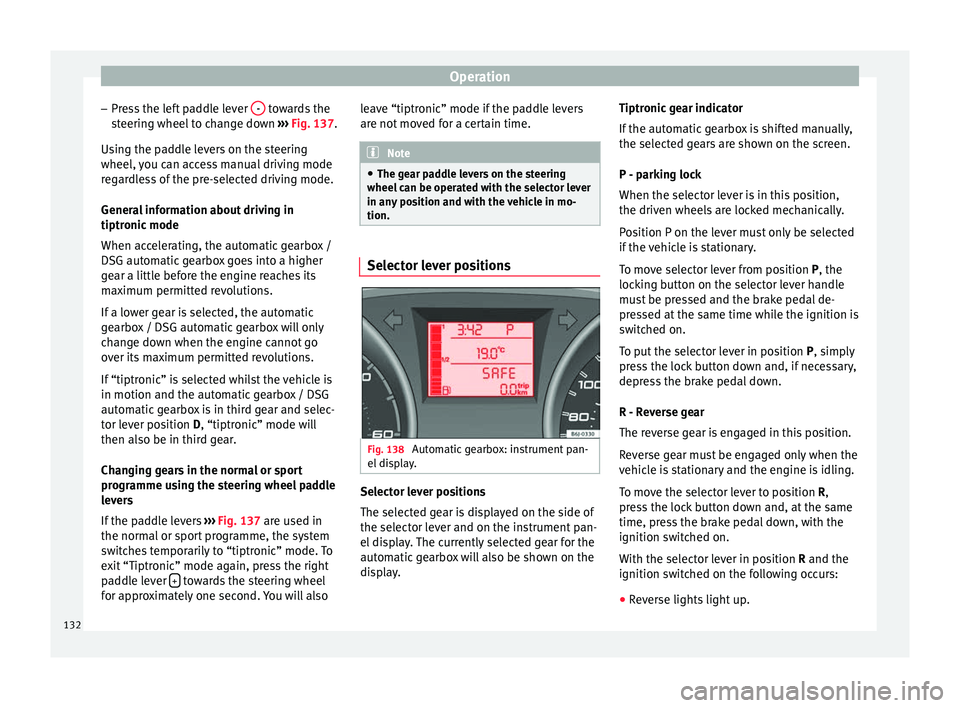
el display. Selector lever positions
The selected gear is displayed on the side of
the selector lever and on the instrument pan-
el display. The currently selected gear for the
automatic gearbox will also be shown on the
display.Tiptronic gear indicator
If the automatic gearbox is shifted manually,
the selected gears are shown on the screen.
P - parking lock
When the selector lever is in this position,
the driven wheels are locked mechanically.
Position P on the lever must only be selected
if the vehicle is stationary.
To move selector lever from position P, the
locking button on the selector lever handle
must be pressed and the brake pedal de-
pressed at the same time while the ignition is
switched on.
To put the selector lever in position
P, simply
pr e
ss the lock button down and, if necessary,
depress the brake pedal down.
R - Reverse gear
The reverse gear is engaged in this position.
Reverse gear must be engaged only when the
vehicle is stationary and the engine is idling.
To move the selector lever to position R,
press the lock button down and, at the same
time, press the brake pedal down, with the
ignition switched on.
With the selector lever in position R and the
ignition sw
itched on the following occurs:
● Reverse lights light up.
132