window Seat Ibiza ST 2016 User Guide
[x] Cancel search | Manufacturer: SEAT, Model Year: 2016, Model line: Ibiza ST, Model: Seat Ibiza ST 2016Pages: 252, PDF Size: 5.56 MB
Page 81 of 252
Self-help
Check the condition of the wiper blades regu-
l arly
. If
the wipers scrape across the glass ,
they should be changed if they are damaged,
or cleaned if they are dirty ››› .
If thi
s doe
s not produce the desired results,
the setting angle of the windscreen wiper
arms might be incorrect. They should be
checked by a specialised workshop and cor-
rected if necessary. WARNING
Do not drive unless you have good visibility
through al l
windows!
● Clean the windscreen wiper blades and all
windows
regularly.
● The wiper blades should be changed once
or twice a y
ear. CAUTION
● Damaged or dir ty
windscreen wipers could
scratch the glass.
● Never use fuel, nail varnish remover, paint
thinner or similar pr
oducts to clean the win-
dows. This could damage the windscreen
wiper blades.
● Never move any windscreen wiper by hand.
This cou
ld cause damage.
● To prevent damage to the bonnet and the
windsc
reen wiper arms, the latter should only
be lifted off the windscreen when in service
position. Note
● The winds c
reen wiper arms can be moved
to the service position only when the bonnet
is properly closed.
● You can also use the service position, for
exampl
e, if you want to fix a cover over the
windscreen in the winter to keep it clear of
ice. Towing or tow-starting
Notes Read the additional information carefully
› ›
›
p
age 51
Please observe the following points if you
use a tow rope:
Notes for the driver of the towing vehicle
– Move the vehicle slowly until the cable is
taut. Then ac
celerate gradually.
– Begin and change gears cautiously. If you
are driving an aut
omatic vehicle, accelerate
gently.
– Remember that the brake servo and power
steering ar
e not working in the vehicle you
are towing. Brake sooner than normal and
pressing the pedal gently. Notes for the driver of the towed vehicle
– Ensure that the tow rope remains taut at all
times when to
wing.
Towing vehicles with an automatic gearbox
● Put the selector lever into position “N”.
● Do not drive faster than 50 km/h (31 mph).
● Do not tow further than 50 km.
● If a breakdown vehicle is used, the vehicle
must be t
owed with the front wheels raised. WARNING
If the vehicle has no electrical power, the
brake light s, t
urn signals and all other lights
will no longer function. Do not have the vehi-
cle towed away. Failure to follow this instruc-
tion could result in an accident. WARNING
Vehicle handling and braking capacity
chan g
e considerably during towing. Please
observe the following instructions to mini-
mise the risk of serious accidents and injury:
● As the driver of the vehicle being towed:
– You should depr
ess the brake much hard-
er as the brake servo does not operate.
Pay the utmost attention to avoid crash-
ing into the towing vehicle.
– More strength is required at the steering
wheel as the power steering does not op-
erate when the engine is switched off. » 79
Technical data
Advice
Operation
Emergencies
Safety
Page 84 of 252
EmergenciesNo.Consumer/Amps
3Power C63 (30 Power)30
4PTC Relay (Engine glow)50
5Left pillar connector A pin 22 (motor
for closing window on driver's side)30
6For closing back left window (motor)30
7Horn20
9Panoramic roof30
10Active suspension7.5
11Headlight washer system relay30
12MIB display5
13(RL-15) SIDO Kl.15 supply (inputs 29
and 55)30
14
Removing ignition key, diagnostics,
headlight lever (flashers), switching
on dipped /side beams (rotating
lights)
7.5
15Air and heat control (supply)7.5Automatic gearbox lever
16Instrument panel5
17Dwa Sensor, Alarm horn7.5
23Dual windscreen cleaner pump7.5
24Engine heater, heating control box
(supply)30
2612V Relay socket20
No.Consumer/Amps
27Rear window wiper motor15
28Lighter20
29Airbag control unit, airbag deactiva-
tion warning lamp10
30
Reverse, Mirror joysticks, RKA, switch-
ing on heated seats, int. pressure A.C,
heating A.C. controls (supply), electro-
chromic mirror, PDC control, switching
on front and rear fog lights (rotating
lights).
7.5
31Petrol gauge5
32
AFS headlights, headlight regulator
(signal and adjustment), LWR Cent, di-
agnostics, front headlight lever
(switch on), Dimmer (headlight adjust-
ment)
7.5
33Start-Stop relay, clutch sensor5
34Heated jets5
35Soundaktor control feed, GRA feed,
Kühlerlüfter central feed5
36Heated seats10
37Additional diagnostics10
38Right hand lights A/66 feed40
39ABS Pump (rear battery)40
41Heated rear window30
42Passenger side window controls30
No.Consumer/Amps
43Rear right window control30
44Reversing camera10
45Windscreen wiper feed lever, diagnos-
tics10
46Additional electric socket for luggage
compartment20
47ABS Ventil (rear battery)25
49
EKP TDI relay (fuel pump feed)30
EKP MPI relay (fuel pump feed)20
TFSI pump gauge control15
50Multimedia Radio (power supply)20
51Heated mirrors10
53Rain sensor5
5430 ZAS (ignition switch)5
55Heated seats10
Control box 2
No.Consumer/Amps
1Lambda sensors15
2
Vacuum pump motor20
Pre-wired motor (coolant pump, varia-
ble valve distributor, active carbon
solenoid valve filter, pressure valve,
secondary air inlet valve)
10
82
Page 97 of 252
Controls and displays
Operation
C ontr
ol
s and displays
General instrument panel Door release lever
Light swit
c
h . . . . . . . . . . . . . . . . . . . . . . 119
Headlight range control* . . . . . . . . . .122
Air vents
Lever for:
– T
urn signals/main beam head-
lights . . . . . . . . . . . . . . . . . . . . . . . . . . 120
– Cruise c ontr
ol* . . . . . . . . . . . . . . . . . 183
Instrument panel and warning
lamps:
– Ins
truments . . . . . . . . . . . . . . . . . . . . 96
– Warning and indic ation l
amps . . . 35
Steering wheel with horn and – Driver airbag . . . . . . . . . . . . . . . . . . . 66
– On-board comp
uter controls . . . .25
– Control
s for radio, telephone,
navigation and speech dialogue
system ›››
Booklet Radio
– Paddle levers for tiptronic gear-
shift (automatic gearbox) . . . . . . .164
1 2
3
4
5
6
7 Steering and starter lock
. . . . . . . . . .150
Lever for: – Wind
sc
reen wipers and washer . .125
– Window wa
sher-wiper system* . .125
– Multi-fu
nction display control* . .25
Infotainment system:
Depending on the equipment,
glov
e compartment with: . . . . . . . . .131
– CD play
er* and/or SD card*
››› Booklet Radio
Passenger airbag* . . . . . . . . . . . . . . . . 14
Switches for:
– Heating and v
entilation . . . . . . . . . 142
– Air conditioning* . . . . . . . . . . . . . . . 144
– Clim
atronic* . . . . . . . . . . . . . . . . . . . . 146
D
epending on the equipment, but-
tons f
or:
– SEAT Drive Profile . . . . . . . . . . . . . . . 184
– Park a s
sist system . . . . . . . . . . . . . . 175
– Hazard warnin
g lights . . . . . . . . . . 123
– Airbag off warnin
g lamp* . . . . . . .68, 70
Depending on the equipment:
– USB/AUX-IN inp ut . . . . . . . . . . . . . . 107
– C
igar ett
e lighter/Power socket . .134
Drink holder/Ashtray . . . . . . . . . . . . .133
8 9
10
11
12
13
14
15
16 Controls in the centre console:
– St ar
t-
Stop operation button . . . . .172
– Tyre pr
essure monitoring* . . . . . . .216
– Heated re
ar window . . . . . . . . . . . . 124
– Heated seats* . . . . . . . . . . . . . . . . . . 130
– C
entral loc
king* . . . . . . . . . . . . . . . . 110
Handbrake lever . . . . . . . . . . . . . . . . . . 152
Gear lever – Automatic* . . . . . . . . . . . . . . . . . . . . . 161
– Manual . . . . . . . . . . . . . . . . . . . . . . . . . 161
St
orag
e space
Pedals . . . . . . . . . . . . . . . . . . . . . . . . . . . 61
St
eering column control lever* . . . .14
Bonnet release lever . . . . . . . . . . . . . .203
Fuse housing . . . . . . . . . . . . . . . . . . . . . 81
Control for adjusting electric exteri-
or mirrors* . . . . . . . . . . . . . . . . . . . . . . . 127
Electric
window controls* . . . . . . . . .115 Note
Some of the items of equipment listed here
are fitted on ly
on certain model versions or
are optional extras. 17
18
19
20
21
22
23
24
25
26
95
Technical data
Advice
Operation
Emergencies
Safety
Page 113 of 252
Opening and closing
and clockwise for the right-hand side
door s.
D eactiv
ating the childproof lock
– Unlock the vehicle and open the door
whose chil
dproof lock you want to deacti-
vate.
– With the door open, rotate the groove in
the door using the ignition k
ey, anti-clock-
wise for the right-hand side doors, and
clockwise for the left-hand side doors
››› Fig. 128.
Once the childproof lock is activated, the
door can only be opened from the outside.
The childproof lock can be activated or deac-
tivated by inserting the key in the groove
when the door is open, as described above. Keys
Set of key
s Fig. 129
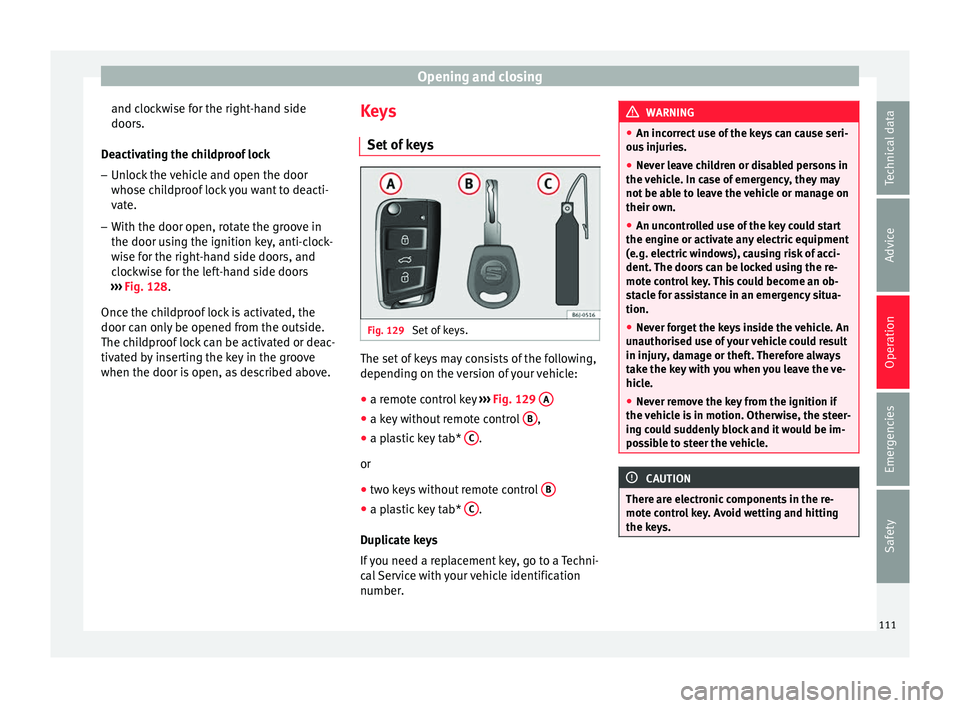
Set of keys. The set of keys may consists of the following,
dependin
g on the
ver
sion of your vehicle:
● a remote control key ››› Fig. 129
A ●
a key without remote control B ,
● a plastic key tab* C .
or
● two keys without remote control B ●
a plastic key tab* C .
D up
licat
e keys
If you need a replacement key, go to a Techni-
cal Service with your vehicle identification
number. WARNING
● An incorrect u
se of the keys can cause seri-
ous injuries.
● Never leave children or disabled persons in
the vehicl
e. In case of emergency, they may
not be able to leave the vehicle or manage on
their own.
● An uncontrolled use of the key could start
the engine or activate an
y electric equipment
(e.g. electric windows), causing risk of acci-
dent. The doors can be locked using the re-
mote control key. This could become an ob-
stacle for assistance in an emergency situa-
tion.
● Never forget the keys inside the vehicle. An
unauthorised u
se of your vehicle could result
in injury, damage or theft. Therefore always
take the key with you when you leave the ve-
hicle.
● Never remove the key from the ignition if
the vehicl
e is in motion. Otherwise, the steer-
ing could suddenly block and it would be im-
possible to steer the vehicle. CAUTION
There are electronic components in the re-
mote contr o
l key. Avoid wetting and hitting
the keys. 111
Technical data
Advice
Operation
Emergencies
Safety
Page 116 of 252
Operation
Opening all the doors in manual mode
In v
ehic l
es without an alarm, when opening
the driver door manually, all doors are
opened.
How to switch the alarm off
To deactivate the anti-theft alarm, turn the
key in the opening direction, open the door
and switch the ignition on, or press the un-
lock button on the remote control.
In v
ehic l
es equipped with an anti-theft alarm
system, you have 15 seconds to insert the
key in the ignition lock and activate the igni-
tion if the vehicle is opened using the driver
door key.
Otherwise, the alarm will trigger for 30 sec.
and the ignition will be blocked. Note
● After 28 d a
ys, the indicator light will be
switched off to prevent the battery from
draining if the vehicle has been left parked
for a long period of time. The alarm system
remains activated.
● The alarm will trigger again if attempts are
made to open another pr
otection zone.
● The alarm system can be activated or deac-
tivated us
ing the radio frequency remote con-
trol ››› page 112.
● The anti-theft alarm is not activated when
the vehicl
e is locked from within using the
central locking button . ●
If the v ehic
le battery is run down or flat
then the anti-theft alarm will not operate cor-
rectly.
● Vehicle monitoring remains active even if
the battery
is disconnected or not working for
any reason.
● The alarm is triggered immediately if one of
the battery
cables is disconnected while the
alarm system is active. Vehicle interior monitoring and anti-
tow sy
s
tem* Monitoring or control function incorporated
in the anti-thef
t
al arm* whic
h detects unau-
thorised vehicle entry by means of ultra-
sound.
Activation
– It is automatically switched on when the
anti-theft alarm i
s activated.
Deactivation – Open the vehicle with the key, either me-
chanical
ly or by pressing the button on
the r emot
e contr
ol. The time period from
when the door is opened until the key is in-
serted into the contact should not exceed
15 seconds, otherwise the alarm will be
triggered. –
Press
the button on the remote control
tw ic
e. The
volumetric sensor and tilt sen-
sors will be deactivated. The alarm system
remains activated.
The vehicle interior monitoring and the anti-
tow system are automatically switched on
again next time the vehicle is locked.
The vehicle interior monitoring and anti-tow
sensor (tilt sensor) are automatically switch-
ed on when the anti-theft alarm is switched
on. In order to activate it, all the doors and
the rear lid must be closed.
If you wish to switch off the vehicle interior
monitoring and the anti-tow system, it must
be done each time that the vehicle is locked;
if not, they will be automatically switched on.
The vehicle interior monitoring and the anti-
tow system should be switched off if animals
are left inside the locked vehicle (otherwise,
their movements will trigger the alarm) or
when, for example, the vehicle is transported
or has to be towed with only one axle on the
ground.
False alarms
Interior monitoring will only operate correctly
if the vehicle is completely closed. Please ob-
serve related legal requirements.
The following cases may cause a false alarm: ● Open windows (partially or fully),
114
Page 117 of 252
Opening and closing
● Tiltin
g panor
amic sunroof open (partially or
completely),
● Movement of objects inside the vehicle,
such as
loose papers, items hanging from
the rear vision mirror (air fresheners), etc. Note
● If the v ehic
le is relocked and the alarm is
activated without the volumetric sensor func-
tion, relocking will activate the alarm with all
its functions, except the volumetric sensor.
This function is reactivated when the alarm is
switched on again, unless it is deliberately
switched off.
● If the alarm has been triggered by the volu-
metric sensor, thi
s will be indicated by a
flashing of the warning lamp on the driver
door when the vehicle is opened. The flash is
different to the flash indicating the alarm is
activated.
● The vibration of a mobile phone left inside
the vehicl
e may cause the vehicle interior
monitoring alarm to trigger, as both sensors
react to movements and shakes inside the ve-
hicle.
● If on activating the alarm, any door or the
rear lid is
open, only the alarm will be activa-
ted. The vehicle interior monitoring and the
anti-tow system will only be activated once
all the doors are closed (including the rear
lid). Boot hatch
Openin g and c
los
ing Read the additional information carefully
›››
p
age 9 WARNING
● Alwa y
s close the rear lid properly. Risk of
accident or injury.
● The rear lid must not be opened when the
reverse or r
ear fog lights are lit. This may
damage the tail lights.
● Do not close the rear lid by pushing it down
with your h
and on the rear window. The glass
could smash. Risk of injury!
● Ensure the rear lid is locked after closing it.
If not, it ma
y open unexpectedly while driv-
ing.
● Never allow children to play in or around
the vehicl
e. A locked vehicle can be subjected
to extremely high and low temperatures, de-
pending on the time of year, thus causing se-
rious injuries/illness. It could even have fatal
consequences. Close and lock both the rear
lid and all the other doors when you are not
using the vehicle.
● Closing the rear lid without observing and
ensuring it
is clear could cause serious injury
to you and to third parties. Make sure that no
one is in the path of the rear lid. ●
Never drive w ith the r
ear lid open or half-
closed, exhaust gases may enter into the in-
terior of the vehicle. Danger of poisoning!
● If you only open the rear lid, do not leave
the key ins
ide. The vehicle cannot be opened
if the key is left inside. Electric windows
Opening and clo s
ing of the electric
windows* Fig. 132
Detail of the driver door: controls for
the fr ont
and r e
ar windows (5-door vehicles
with front and rear electric windows). Read the additional information carefully
› ›
›
p
age 11
The front and rear electric windows can be
operated by using the controls on the driver »
115
Technical data
Advice
Operation
Emergencies
Safety
Page 118 of 252
Operation
door. The other doors each have a switch for
their o wn w
indow
.
Always close the windows fully if you park
the vehicle or leave it unattended ››› .
Y ou c
an u se the el
ectric windows for approx.
10 minutes after switching off the ignition if
neither the driver door nor the front passen-
ger door has been opened and the key has
not been removed from the ignition.
Safety switch not pressed: buttons on rear
doors are activated.
Safety switch pressed: buttons on rear doors
are deactivated. WARNING
Observe the safety warnings ››› in Set of
keys on p ag
e 111.
● Incorrect use of the electric windows can
resu
lt in injury.
● Never close the rear lid without observing
and ensuring it
is clear, to do otherwise could
cause serious injury to you and third parties.
Make sure that no one is in the path of a win-
dow.
● If the ignition is switched on, the electric
equipment coul
d be activated with risk of in-
jury, for example, in the electric windows.
● The doors can be locked using the remote
control
key. This could become an obstacle
for assistance in an emergency situation. ●
Therefor e a
lways take the key with you
when you leave the vehicle.
● The electric windows will work until the ig-
nition has been sw
itched off and one of the
front doors has been opened.
● If necessary, use the safety switch to disa-
ble the re
ar electric windows. Make sure that
they have been disabled. Note
If the window is not able to close because it
i s s tiff
or because of an obstruction, the win-
dow will automatically open again
››› page 116. If this happens, check why the
window could not be closed before attempt-
ing to close it again. One-touch opening and closing*
One-touch opening and closing means you
do not
h
av e t
o hold down the button.
Buttons ››› Fig. 132 1 ,
2 ,
4 and
5 have
tw o po
sition
s for opening windows and two
for closing them. This makes it easier to open
and close windows to the desired position.
One-touch closing
– Pull up the window button briefly up to the
second position.
The window closes fully. One-touch opening
– Push down the window button briefly up to
the second position.
The window opens
fully.
Resetting one-touch opening and closing
– The automatic open and close function will
not work if
the battery has been temporari-
ly disconnected. The function can be re-
stored as follows:
– Close the window as far as it will go by lift-
ing and holdin
g the electric window switch.
– Release the switch and then lift it again for
1 second. This
will re-enable the automatic
function.
If you push (or pull) a button to the first
stage, the window will open (or close) until
you release the button. If you push or lift the
button briefly to the second stage, the win-
dow will open (one-touch opening) or close
(one-touch closing) automatically. If you op-
erate the button while the window is opening
or closing, it stops at this position.
Roll-back function The roll-back function reduces the risk of in-
jur
y
when the el ectric
windows close.
116
Page 119 of 252
Opening and closing
● If a w
indo w i
s obstructed when closing au-
tomatically, the window stops at this point
and lowers immediately ››› .
● Next, check why the window does not close
bef or
e att emptin
g it again.
● If you try within the following 10 seconds
and the window clo
ses again with difficulty
or there is an obstruction, the automatic clos-
ing will stop working for 10 seconds.
● If the window is still obstructed, the win-
dow wil
l stop at this point.
● If there is no obvious reason why the win-
dow cannot be c
losed, try to close it again by
pulling the tab within ten seconds. The win-
dow closes with maximum force. The roll-
back function is now deactivated.
If more than 10 seconds pass, the window
will open fully when you operate one of the
buttons. One-touch closing is reactivated. WARNING
● Incorrect u
se of the electric windows can
result in injury.
● Always take the ignition key with you when
leavin
g the vehicle, even if you only intend to
be gone for a short time. Please ensure that
children are never left alone inside the vehi-
cle.
● The electric windows will work until the ig-
nition has been sw
itched off and one of the
front doors has been opened. ●
Clos in
g the windows without observing and
ensuring it is clear could cause serious injury
to you and third parties. Make sure that no
one is in the path of a window.
● Never allow people to remain in the vehicle
when you clo
se the vehicle from the outside.
The windows cannot be opened even in an
emergency.
● The roll-back function does not prevent fin-
gers or other p
arts of the body getting
pinched against the window frame. Risk of
accident. Convenience opening/closing*
Using the door lock*
– Hold the key in the door lock of the driver
door in either the loc k
in g or the u
nlocking
position until all windows are either
opened or closed.
– Release the key to interrupt this function.
Using the r
emote control
– Keep the locking/unlocking button pressed
for the electric w
indow risers to
open/close; if you stop pressing the but-
ton, the window raising/lowering function
is stopped.
– If the automatic raising is stopped and im-
mediately af
ter, the opening button is kept
pressed, the window risers will lower. –
Once the window
s are completely closed,
the turn signals will flash.
Tilting panoramic roof* Opening or clos
ing of the tilting pan-
oramic roof Read the additional information carefully
›››
p
age 11
The panoramic/tilting sunroof is opened and
closed by using the switch when the ignition
is switched on.
Always close the panoramic/tilting sunroof
fully if you park the vehicle or leave it unat-
tended ››› .
The ti ltin
g su
nroof can be operated for up to
about ten minutes after the ignition has been
switched off, provided the driver door and
the front passenger door are not opened.
Sun visor
The sun visor is opened and closed manually
(independently of the panoramic/tilting sun-
roof). WARNING
● Incorrect u
se of the tilting sunroof can re-
sult in injury. » 117
Technical data
Advice
Operation
Emergencies
Safety
Page 126 of 252
Operation
turned off. For this reason, ensure that the
r e
ar lid i s
always closed.
Glove compartment light
When opening the glove compartment on the
passenger side, the glove compartment light
will automatically turn on and will turn off
upon closure.
Ambient light*
››› table on page 2
The ambient lighting lights up the central
console area and the footwell area.
They will switch on fully when the doors are
opened and will decrease in intensity while
driving when the dipped beam headlight is
on.
The intensity of the ambient light* can be ad-
justed using the Easy Connect menu (see
Adjusting Lights > Interior light-
ing ›››
page 24). Note
If not all the vehicle doors are closed, the in-
terior lights w
ill be switched off after approx.
10 minutes, providing the ignition key has
been removed and the courtesy light position
selected. This prevents the battery from dis-
charging. Visibility
He at
ed r e
ar window Fig. 136
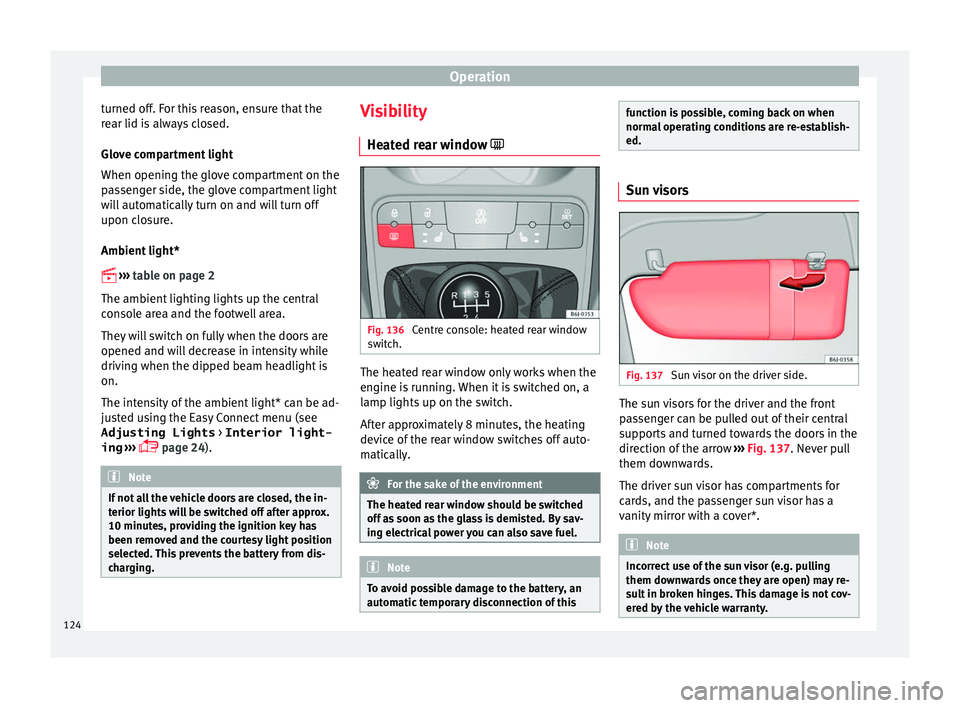
Centre console: heated rear window
sw it
ch. The heated rear window only works when the
en
gine i
s ru
nning. When it is switched on, a
lamp lights up on the switch.
After approximately 8 minutes, the heating
device of the rear window switches off auto-
matically. For the sake of the environment
The heated rear window should be switched
off as soon a
s the glass is demisted. By sav-
ing electrical power you can also save fuel. Note
To avoid possible damage to the battery, an
automatic t
emporary disconnection of this function is possible, coming back on when
normal
oper
ating conditions are re-establish-
ed. Sun visors
Fig. 137
Sun visor on the driver side. The sun visors for the driver and the front
p
a
ssen
ger can be pulled out of their central
supports and turned towards the doors in the
direction of the arrow ››› Fig. 137. Never pull
them downwards.
The driver sun visor has compartments for
cards, and the passenger sun visor has a
vanity mirror with a cover*. Note
Incorrect use of the sun visor (e.g. pulling
them downw ar
ds once they are open) may re-
sult in broken hinges. This damage is not cov-
ered by the vehicle warranty. 124
Page 127 of 252
Lights and visibility
Windscreen wiper and rear win-
do w w
iper sy s
tems
Control lamp*
It lights up
Windscreen wiper fluid level too low
This serves as a reminder to fill up the reser-
voir at the e
arlie
st opportunity ››› page 210.
Windscreen wipers Read the additional information carefully
› ›
›
p
age 23 WARNING
● Worn and dirty w
iper blades reduce visibili-
ty and safety levels while driving.
● In cold conditions you should not use the
wash/wipe sy
stem unless you have warmed
the windscreen with the heating and ventila-
tion system. The windscreen washer fluid
could otherwise freeze on the windscreen and
obscure your view of the road.
● Always note the corresponding warnings
››› p
age 54. WARNING
The rain sensor* may not detect enough rain
to swit c
h on the wipers.
● If necessary, switch on the wipers manually
when water on the wind
screen obstructs visi-
bility. CAUTION
In icy conditions, always check that the wiper
bla de
s are not frozen to the glass before us-
ing the wipers for the first time. If you switch
on the windscreen wipers when the wiper
blades are frozen to the windscreen, you
could damage both the wiper blades and the
wiper motor. Note
● The winds c
reen wipers will only work when
the ignition is switched on.
● The heat output of the heated jets* is con-
troll
ed automatically when the ignition is
switched on, depending upon the outside
temperature.
● In certain versions of vehicles with alarms,
the windsc
reen wiper will only work in inter-
val/rain sensor mode when the ignition is on
and the bonnet closed.
● When the interval wipe function is on, the
interva
ls are directly proportional to the
speed. This way, the higher the vehicle speed
the shorter the intervals. ●
If y ou s
top the vehicle with the windscreen
wiper in position 1 or 2, it will automatically
change to a lower position speed. The set
speed will be resumed when the vehicle pulls
away.
● The windscreen will be wiped again after
approx
imately five seconds once the “auto-
matic wash/wipe system” has been activa-
ted, provided the vehicle is moving (drip func-
tion). If you activate the wipers less than 3
seconds after the drip function, a new wash
sequence will begin without performing the
last wipe. For the “drip” function to work
again, you have to turn the ignition off and
then on again.
● Do not put stickers on the windscreen in
front of the
rain sensor*. This may cause sen-
sor disruption or faults. Rear window wiper
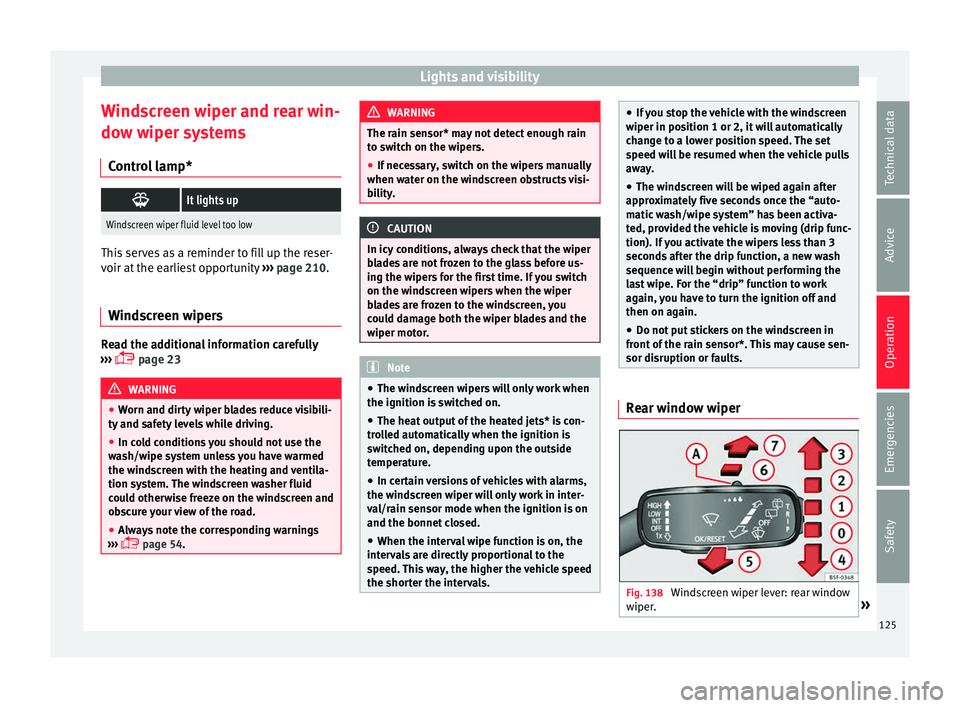
Fig. 138
Windscreen wiper lever: rear window
w iper
. » 125
Technical data
Advice
Operation
Emergencies
Safety