display Seat Ibiza ST 2016 Owner's Guide
[x] Cancel search | Manufacturer: SEAT, Model Year: 2016, Model line: Ibiza ST, Model: Seat Ibiza ST 2016Pages: 252, PDF Size: 5.56 MB
Page 152 of 252
Operation
Starting and stopping the en-
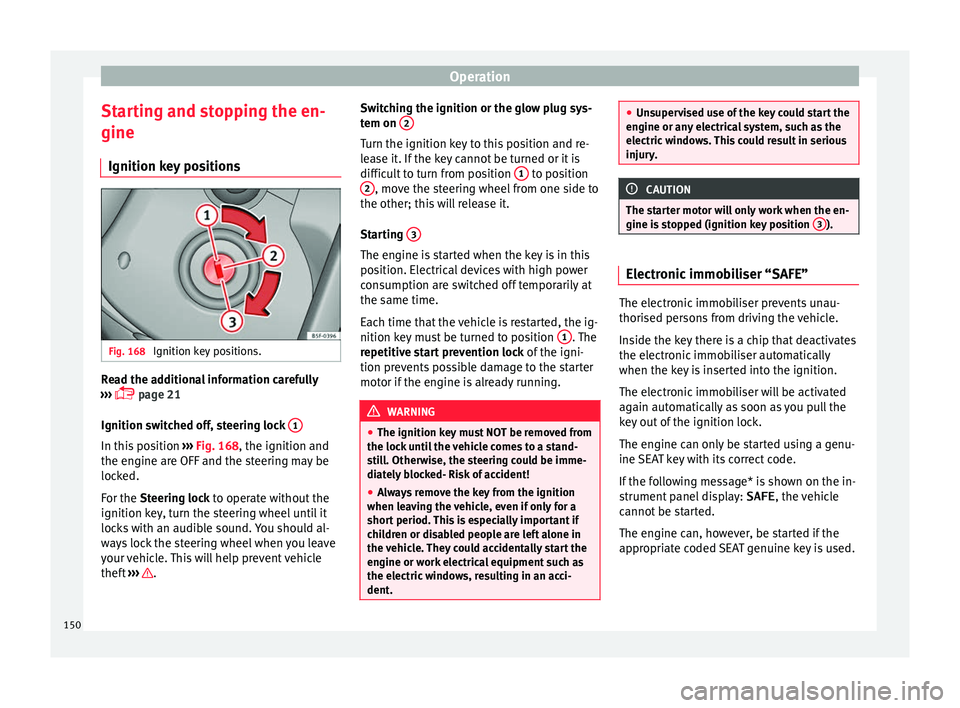
gine Ignition k ey
po s
itionsFig. 168
Ignition key positions. Read the additional information carefully
› ›
›
p
age 21
Ignition switched off, steering lock 1In this position
››
›
Fig. 168
, the ignition and
the engine are OFF and the steering may be
locked.
For the Steering lock to operate without the
ignition key, turn the steering wheel until it
locks with an audible sound. You should al-
ways lock the steering wheel when you leave
your vehicle. This will help prevent vehicle
theft ››› . Switching the ignition or the glow plug sys-
t
em on 2 Turn the ignition key to this position and re-
l
e
a se it
. If the key cannot be turned or it is
difficult to turn from position 1 to position
2 , move the steering wheel from one side to
the other; thi s
w i
ll release it.
Starting 3 The engine is started when the key is in this
po
s
ition. El ectric
al devices with high power
consumption are switched off temporarily at
the same time.
Each time that the vehicle is restarted, the ig-
nition key must be turned to position 1 . The
r epetitiv
e st
art prevention lock of the igni-
tion prevents possible damage to the starter
motor if the engine is already running. WARNING
● The ignition key mu s
t NOT be removed from
the lock until the vehicle comes to a stand-
still. Otherwise, the steering could be imme-
diately blocked- Risk of accident!
● Always remove the key from the ignition
when leavin
g the vehicle, even if only for a
short period. This is especially important if
children or disabled people are left alone in
the vehicle. They could accidentally start the
engine or work electrical equipment such as
the electric windows, resulting in an acci-
dent. ●
Unsuper v
ised use of the key could start the
engine or any electrical system, such as the
electric windows. This could result in serious
injury. CAUTION
The starter motor will only work when the en-
gine i s st
opped (ignition key position 3 ).
Electronic immobiliser “SAFE”
The electronic immobiliser prevents unau-
thori
sed per
sons
from driving the vehicle.
Inside the key there is a chip that deactivates
the electronic immobiliser automatically
when the key is inserted into the ignition.
The electronic immobiliser will be activated
again automatically as soon as you pull the
key out of the ignition lock.
The engine can only be started using a genu-
ine SEAT key with its correct code.
If the following message* is shown on the in-
strument panel display: SAFE, the vehicle
cannot be started.
The engine can, however, be started if the
appropriate coded SEAT genuine key is used.
150
Page 163 of 252
Driving
Manual gearbox Driv in
g w ith m
anual gearboxRead the additional information carefully
›››
p
age 37
Certain versions of the model may include a
6-speed manual gearbox, and its diagram is
shown on the gearbox lever.
The reverse gear can only be engaged when
the car is stationary. When the engine is run-
ning and before engaging this gear, wait
about 6 seconds with the clutch pressed
down thoroughly in order to protect the gear-
box.
The reverse lights switch on when the reverse
gear is selected and the ignition is on. WARNING
● When the engine is ru
nning, the vehicle
will start to move as soon as a gear is engag-
ed and the clutch released.
● Never select the reverse gear when the ve-
hicle is
in motion. Risk of accident. Note
● Do not re s
t your hand on the gear lever
while driving. The pressure of your hand
could cause premature wear on the selector
forks in the gearbox. ●
When chan gin
g gear, you should always
depress the clutch fully to avoid unnecessary
wear and damage.
● Do not “slip” the clutch to hold the vehicle
on a hill.
This causes premature wear and
damage to the clutch.
● Do not leave your foot on the clutch pedal;
although the pres
sure may seem insignifi-
cant, it can cause the premature wear of the
clutch plate. Use the foot rest when you do
not need to change gear. Gear-change indicator
3 Valid for vehicles: with a manual gearbox
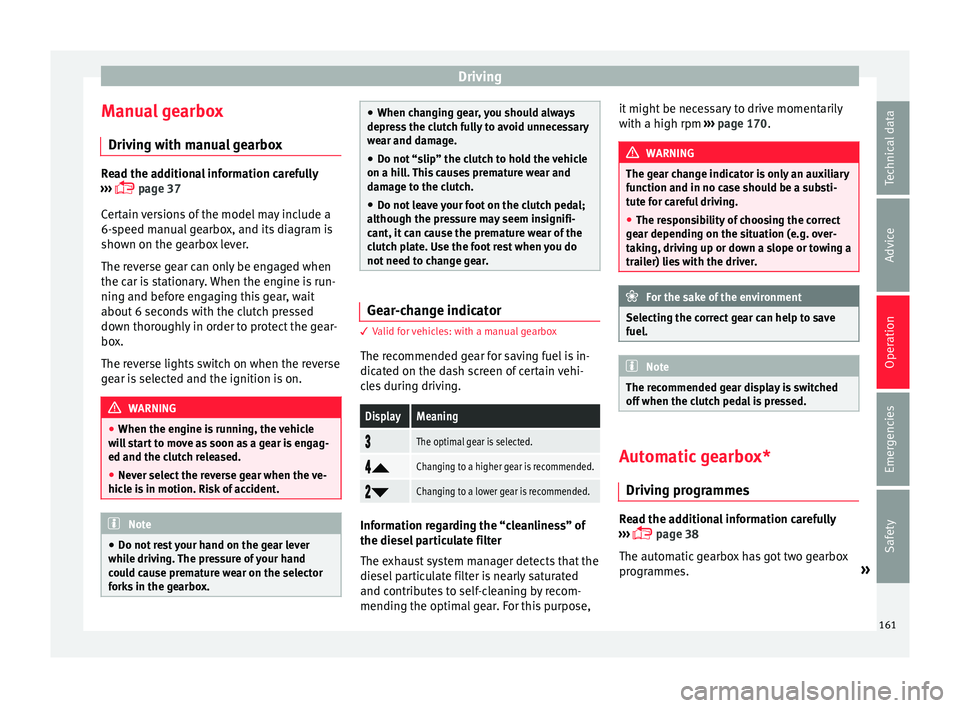
The r ec
ommended gear for saving fuel is in-
dicated on the dash screen of certain vehi-
cles during driving.
DisplayMeaning
The optimal gear is selected.
Changing to a higher gear is recommended.
Changing to a lower gear is recommended.
Information regarding the “cleanliness” of
the die
sel
par
ticulate filter
The exhaust system manager detects that the
diesel particulate filter is nearly saturated
and contributes to self-cleaning by recom-
mending the optimal gear. For this purpose, it might be necessary to drive momentarily
with a high rpm
›››
page 170. WARNING
The gear change indicator is only an auxiliary
function and in no c a
se should be a substi-
tute for careful driving.
● The responsibility of choosing the correct
gear depending on the s
ituation (e.g. over-
taking, driving up or down a slope or towing a
trailer) lies with the driver. For the sake of the environment
Selecting the correct gear can help to save
fuel. Note
The recommended gear display is switched
off when the clut c
h pedal is pressed. Automatic gearbox*
Driv ing pr
ogr
ammes Read the additional information carefully
› ›
›
p
age 38
The automatic gearbox has got two gearbox
programmes. »
161
Technical data
Advice
Operation
Emergencies
Safety
Page 164 of 252
Operation
Selecting the normal programme
– Put the selector lever into position D.
Sel ectin
g the s por
t programme
– Put the selector lever into position S.
If you sel
ect the normal programme, D, you
will drive in the economy mode, i.e. the pro-
gramme is designed to reduce fuel consump-
tion. The gearbox changes up into a higher
gear as soon as possible and down into a
lower gear as late as possible.
If you select the sport programme, S, you will
drive in a sporty mode, i.e. a programme in
which shifts into high gears are postponed in
order to use the full power of the engine.
Selector lever positions Read the additional information carefully
› ›
›
p
age 38
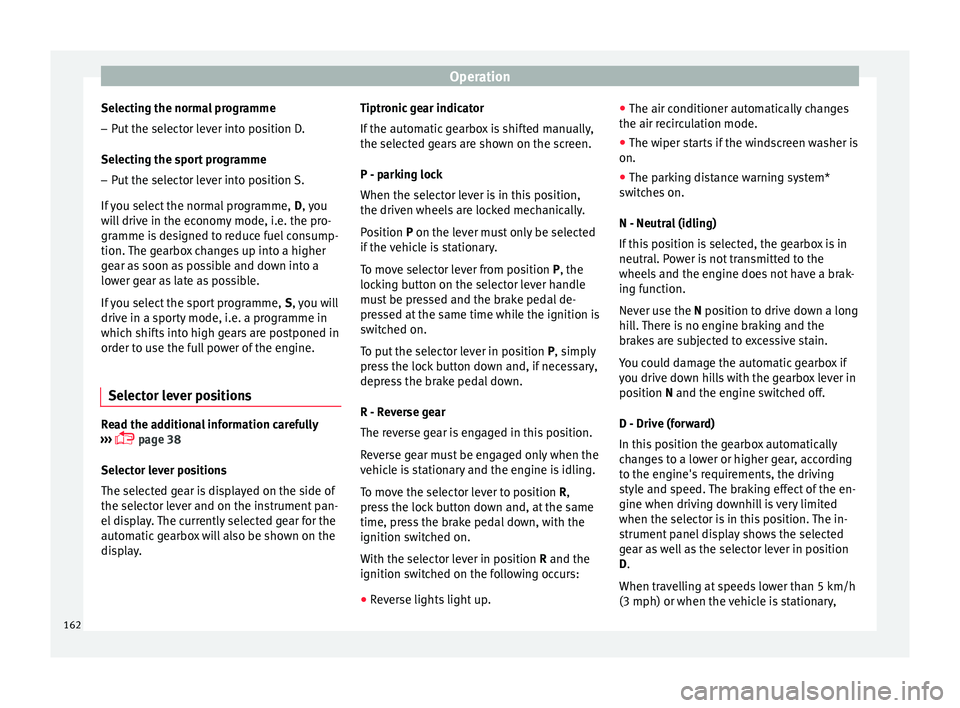
Selector lever positions
The selected gear is displayed on the side of
the selector lever and on the instrument pan-
el display. The currently selected gear for the
automatic gearbox will also be shown on the
display. Tiptronic gear indicator
If the automatic
gearbox is shifted manually,
the selected gears are shown on the screen.
P - parking lock
When the selector lever is in this position,
the driven wheels are locked mechanically.
Position P on the lever must only be selected
if the vehicle is stationary.
To move selector lever from position P, the
locking button on the selector lever handle
must be pressed and the brake pedal de-
pressed at the same time while the ignition is
switched on.
To put the selector lever in position P, simply
press the lock button down and, if necessary,
depress the brake pedal down.
R - Reverse gear
The reverse gear is engaged in this position.
Reverse gear must be engaged only when the
vehicle is stationary and the engine is idling.
To move the selector lever to position R,
press the lock button down and, at the same
time, press the brake pedal down, with the
ignition switched on.
With the selector lever in position R and the
ignition switched on the following occurs:
● Reverse lights light up. ●
The air conditioner automatic ally changes
the air recirculation mode.
● The wiper starts if the windscreen washer is
on.
● The parking distance warning system*
switche
s on.
N - Neutral (idling)
If this position is selected, the gearbox is in
neutral. Power is not transmitted to the
wheels and the engine does not have a brak-
ing function.
Never use the N position to drive down a long
hill. There is no engine braking and the
brakes are subjected to excessive stain.
You could damage the automatic gearbox if
you drive down hills with the gearbox lever in
position N and the engine switched off.
D - Drive (forward)
In this position the gearbox automatically
changes to a lower or higher gear, according
to the engine's requirements, the driving
style and speed. The braking effect of the en-
gine when driving downhill is very limited
when the selector is in this position. The in-
strument panel display shows the selected
gear as well as the selector lever in position
D.
When travelling at speeds lower than 5 km/h
(3 mph) or when the vehicle is stationary,
162
Page 165 of 252
Driving
press the brake pedal to change the selector
l ev
er fr om po
sition N to position D.
S - Standard driving position (Sport pro-
gramme)
When the selector lever is in position S, it will
automatically change up into a higher gear
later, and change down into a low gear, if
compared with position D. This way, it is pos-
sible to take full advantage of the engine re-
serve power, depending on the engine de-
mand, driving style and speed. The braking
effect of the engine when driving downhill is
very limited. On the instrument panel display
the selected gear is shown as well as the se-
lector lever to position S.
To select gear range S, press the lock button
on the selector lever. WARNING
● As a driver ,
you should never leave your ve-
hicle if the engine is running and a gear range
is engaged. If you have to leave your vehicle
while the engine is running, you must apply
the parking brake and put the selector lever
in position P.
● If the engine is running and if D or R is en-
gaged, y
ou will need to hold the car on the
foot brake. The car will creep forward as the
power transmission is not fully interrupted
even when the engine is idling.
● Never accelerate when moving the selector
lever or y
ou may cause an accident. ●
Never mov e the sel
ector lever to R or P
when driving. Risk of accident!
● Before driving down a long, steep slope, it
is adv
isable to reduce speed and change into
a lower gear.
● If you stop the vehicle up hill, always hold
the foot brak
e strongly depressed down to
stop it from rolling back.
● Never allow the brake to rub and do not use
the brake peda
l too often or for long periods.
Constant braking will cause the brakes to
overheat and will considerably reduce the
brake effect. This increases the braking dis-
tance and could cause the brake system to
fail.
● Never allow the car to roll down a gradient
with the gear in neutr
al N, or in selector lever
position D, even if the engine is not running.
● If the vehicle moves with no control, an ac-
cident and serious
injury may occur. WARNING
Never switch the engine off until the vehicle
is s t
ationary. You could lose control of your
vehicle. This could cause an accident and se-
rious injury.
● The airbags and belt tensioners do not
work when the ignition is
switched off.
● The brake servo does not work with the en-
gine off. You need mor
e force to stop the vehi-
cle. ●
Pow er s
teering does not work when the en-
gine is not running. That is why it is much
more difficult to turn the steering wheel.
● Never remove the key from the ignition if
the vehicl
e is in motion. The steering lock
could suddenly engage, and you would not be
able to steer the vehicle. CAUTION
If you allow the vehicle to move when the en-
gine i s swit
ched off or with the selector lever
in position “N”, take your foot off the acceler-
ator and wait until the engine starts idling
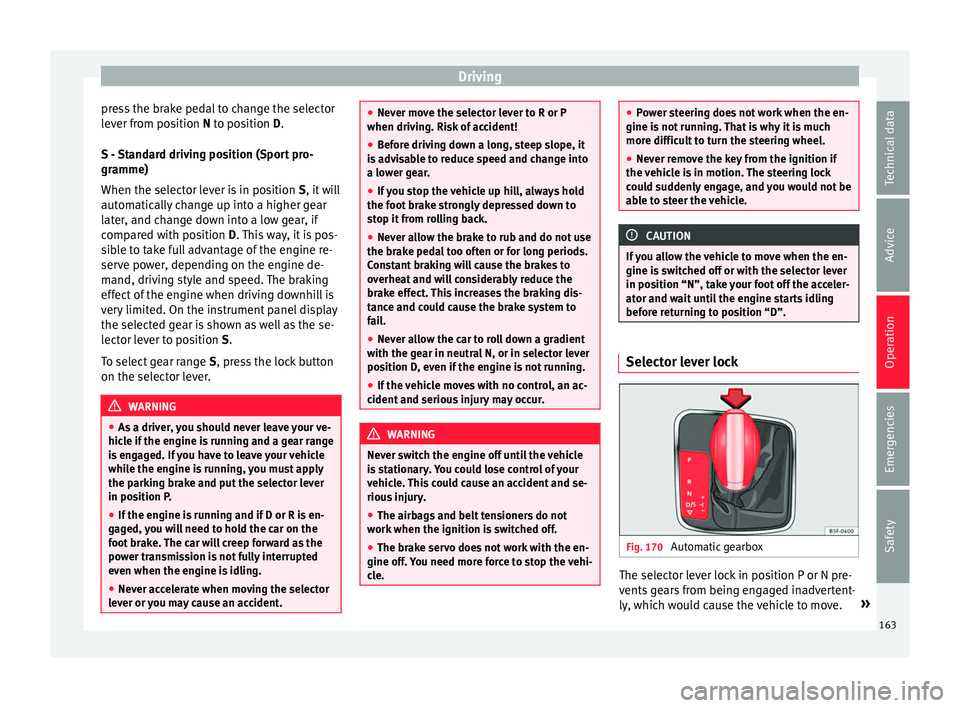
before returning to position “D”. Selector lever lock
Fig. 170
Automatic gearbox The selector lever lock in position P or N pre-
v
ents
ge
ars from being engaged inadvertent-
ly, which would cause the vehicle to move. »
163
Technical data
Advice
Operation
Emergencies
Safety
Page 168 of 252
Operation
put into a position for driving forwards or in
r ev
erse fr
om positions P or N if the brake
pedal is not depressed.
The ignition key cannot be removed unless
the selector lever is in position P.
Control lamp “Pressing brake pedal”
When the warning lamp next to the selector
lever lights up, press the brake pedal. This is
necessary when the automatic gearbox selec-
tor lever is moved out of positions P or N. A
text message or instructions to perform nec-
essary operations may appear on the instru-
ment panel. CAUTION
● If y ou s
top the vehicle up hills, do not at-
tempt to stop it from rolling back by depress-
ing the accelerator when a gear has been se-
lected. Otherwise, the automatic gearbox
may overheat causing damage. Pull the hand-
brake up or fully depress the brake pedal to
prevent the vehicle from rolling away.
● If you allow the vehicle to roll when the en-
gine is not ru
nning, or with the selector lever
in position N, a lack of lubrication in the auto-
matic gearbox will damage it. Kick-down feature
This feature allows maximum acceleration. If you press the accelerator down thoroughly,
the g
e
arbo x
automatically changes down, de-
pending on speed and engine speed, into a
lower gear to take full advantage of give the
vehicle maximum acceleration.
The gearbox does not change gear until the
engine reaches the maximum determined en-
gine speed for the gear. WARNING
You could lose control of the vehicle if you ac-
celer at
e on slippery road surfaces. Risk of se-
rious injury.
● Be particularly careful when using the kick-
down feat
ures on slippery road surfaces. With
a fast acceleration, the vehicle could lose
traction and skid.
● You should use the kick-down feature only
when traffic and we
ather conditions allow it
to be used safely. Gearbox malfunctions
Gearbox: Fault! Stop the ve-
hicle and place the lever in the
position P.
There is a f
ault in the gearbox. Stop the vehi-
cle in a safe place and do not continue driv-
ing. Seek specialist assistance.
Gearbox: System fault! You
may continue driving. Have the fault corrected by a specialised
workshop w
ithout
delay.
Gearbox: System fault! You
can continue driving with re-
strictions. Reverse gear disa‐
bled
Take the vehicle to a specialised workshop
and have the fault repaired without delay. Gearbox: System fault! You
can continue driving in D until
switching off the engine
Stop the vehicle in a safe place well away
from moving traffic. Seek specialist assis-
tance. Gearbox: too hot. Adapt your
driving accordingly
Continue driving at moderate speeds. When
the warning lamp switches off, you can con-
tinue driving in a normal manner. Gearbox: press the brake and
engage a gear again.
If the fault was caused by a gearbox with a
high temperature, this driver message will be
displayed when the gearbox has cooled
again.
166
Page 170 of 252
Operation
● Use of
solv
ent-free adhesives.
● Use of CFC-free coolants in cooling sys-
tems.
● Recyc
ling and energy recovery from resi-
dues (RDF).
● Impro
vement in the quality of waste water.
● Use of systems for the recovery of residual
heat (thermal
recovery, enthalpy wheels,
etc.).
● The use of water-soluble paints.
Economical and environmentally-
friendly driving Fuel consumption, environmental pollution
and w
e
ar t o the en
gine, brakes and tyres de-
pends in large part on your driving style. By
adopting an economical driving style and an-
ticipating the traffic situation ahead, you can
easily reduce fuel consumption by 10-15%.
Some tips on how to help you reduce pollu-
tion while saving money are listed below.
Active cylinder management (ACT ®
)
Depending on the equipment, the vehicle
may have active cylinder management
(ACT ®
).
The active cylinder management (ACT ®
) may
automatically deactivate some of the engine
cylinders if the driving situation does not re-
quire too much power. When it is switched off, no fuel is injected into these cylinders,
hence total
fuel consumption may be re-
duced. The number of active cylinders can be
seen on the instrument panel display
››› page 30.
Drive anticipating the traffic situation
A vehicle uses most fuel when accelerating.
When you anticipate situations, you have to
brake less often and, thus, accelerate less. If
it is possible, let the vehicle roll with a gear
engaged, for example, if you see a red light
ahead. The braking effect achieved in this
way helps to reduce the wear of brakes and
tyres; emissions and fuel consumption are
reduced to zero (disconnection due to iner-
tia).
Change gear early to save energy
An effective way of saving fuel is to change
up quickly through the gears. Running the
engine at high rpm in the lower gears uses
an unnecessary amount of fuel.
Manual gearbox: shift up from first to second
gear as soon as possible. We recommend
that, whenever possible, you change to a
higher gear upon reaching 2000 rpm. Follow
the “recommended gear” indication that ap-
pears on the instrument panel ››› page 161. Avoid driving at high speed
We advi
se you not to drive at the top speed
permitted by the vehicle. Fuel consumption,
exhaust emissions and noise levels all in-
crease very rapidly at higher speeds. Driving
at moderate speeds will help to save fuel.
Avoid idling
It is worthwhile switching off the engine
when waiting in a traffic jam, at level cross-
ings or at traffic lights with a long red phase.
The fuel saved after only 30 - 40 seconds is
greater than the amount of fuel needed to re-
start the engine.
The engine takes a long time to warm up
when it is idling. Mechanical wear and pollu-
tant emissions are also especially high dur-
ing this initial warm-up phase. It is therefore
best to drive off immediately after starting
the engine. Avoid running the engine at high
speed.
Periodic maintenance
Periodic maintenance work guarantees that,
before beginning a journey, you will not con-
sume more than the required amount of fuel.
A well-serviced engine gives you the benefit
of improved fuel efficiency as well as maxi-
mum reliability and an enhanced resale val-
ue.
A badly serviced engine can consume up to
10% more fuel than necessary.
168
Page 174 of 252
Operation
To prevent dazzling, you must apply stickers
t o c
ert
ain parts of the headlight lenses. Fur-
ther information is available at any Technical
Service.
In vehicles with adaptive headlights, the ro-
tation system must previously be disconnec-
ted. To do this, please go to a specialised
workshop.
Driving on flooded roads To prevent damage to the vehicle when driv-
in
g thr
ough w at
er, for example, along a floo-
ded road, please observe the following:
● The water should never come above the
lower edge of
the bodywork.
● Drive at pedestrian speed. WARNING
After driving through water, mud, sludge,
etc., the br ak
ing effect can be delayed slight-
ly due to moisture build-up on the discs and
brake pads. Applying the brakes carefully
several times will remove the moisture and
restore the full braking effect. CAUTION
● Driving thr ough flooded ar
eas may severely
damage vehicle components such as the en-
gine, transmission, running gear or electrical
system. ●
Whenever drivin g thr
ough water, the Start-
Stop system* must be switched off
››› page 172. Note
● Chec k the depth of the w
ater before enter-
ing the flooded zone.
● Do not stop in the water, drive in reverse, or
stop the engine in an
y situation.
● Note that vehicles travelling in the opposite
direction may
splash water that could exceed
the maximum permitted water height for your
vehicle.
● Avoid driving through salt water (corro-
sion). Driver assistance systems
St ar
t-
Stop System*
Description and operation The Start-Stop function stops the engine
when the vehic
l
e is stopped and starts it au-
tomatically when required.
Vehicles with a manual gearbox
– When the vehicle is stopped, put it into
neutral and r el
ease the clutch pedal. The
engine will switch off. The warning lamp
will appear on the instrument panel dis-
play.
– When the clutch pedal is pressed the en-
gine will
start up again. The warning lamp
will switch off.
Vehicles with an automatic gearbox
– Use the foot brake to bring the vehicle to a
stop and keep the br
ake pedal pressed
down with your foot. The engine will switch
off. The warning lamp will appear in the
display.
– When you take your foot off the brake pedal
the engine wil
l start up again. The warning
lamp will switch off.
172
Page 175 of 252
Driver assistance systems
Start-Stop function conditions
● The driver seat belt must be buckled.
● The bonnet must be closed.
● The engine must be at operating tempera-
t ur
e.
● The s t
eering wheel must be straight.
● The vehicle must be on flat ground.
● The vehicle must not be in reverse.
● A trailer must not be connected.
● The temperature of the interior must be
within the comfor
t limits (A/C button should
be sel ect
ed).
● The w ind
screen de-mist function must be
off.
● If in an incr
ease in airflow is not request
ed.
● The temperature must not be set to HI or
LO .
● The driver door must be closed.
● The diesel particulate filter must not be in
regener
ation mode, for diesel engines.
● The battery charge must not be low for the
next st
art.
● Battery temperature must be between -1 °C
(+30 °F) and +55 °C (+131 °F).
Star
t-Stop function interruption
In the following situations, the Start-Stop
function will be interrupted and the engine
will automatically start: ●
The vehicl
e starts moving.
● The brake pedal is pressed several times in
a row.
● The b
attery has been discharged excessive-
ly.
● The Star
t-Stop System is manually deacti-
vated.
● The wind
screen de-mist function is turned
on.
● The temperature of the interior exceeds the
comfort
limits ( A/C button).
● If the airflow is increased by more than 3
pr e
sse
s.
● Temperature setting HI or LO is select
ed.
● The engine coolant temperature is insuffi-
cient.
● The altern
ator is faulty, for example the V-
belt has
ruptured.
● If any of the conditions described in the
previous
section are not fulfilled.
When the engine is turned off by the Start-
Stop function, this is displayed on the instru-
ment panel.
If the Start-Stop system is not switched on,
the warning lamp will appear on the instru-
ment panel. WARNING
Never allow the vehicle to move with the en-
gine off for an y
reason. You could lose control
of your vehicle. This could cause an accident
and serious injury.
● The brake servo does not work with the en-
gine off. You need mor
e force to stop the vehi-
cle.
● Power steering does not work when the en-
gine is not ru
nning. That is why it is much
more difficult to turn the steering wheel.
● Turn off the Start-Stop system when driving
through water (f
ording streams, etc.). Note
● For v ehic
les with the Start-Stop function
and a manual gearbox, when the engine is
started, the clutch must be pressed.
● When the conditions for the Start-Stop
function are not
fulfilled, the instrument pan-
el displays the Start-Stop indicator dimmed.
● If the steering wheel is turned more than
270°, it wil
l not be possible to start the vehi-
cle again. To start the vehicle, straighten the
steering wheel so that it is turned less than
270°.
● There are different versions of the dash
panel; the disp
lay of indications on the
screen may differ. 173
Technical data
Advice
Operation
Emergencies
Safety
Page 176 of 252
Operation
Activating and deactivating the Start-
St op f
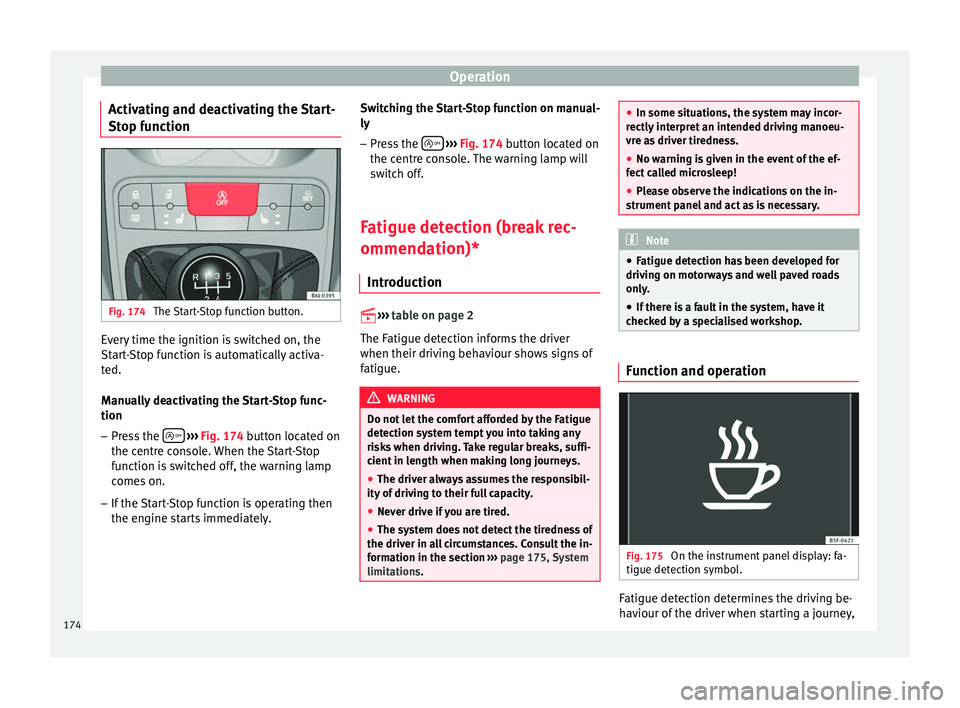
unction Fig. 174
The Start-Stop function button. Every time the ignition is switched on, the
St
ar
t-
Stop function is automatically activa-
ted.
Manually deactivating the Start-Stop func-
tion
– Press the
› ›
› Fig. 174 b
utton located on
the centre console. When the Start-Stop
function is switched off, the warning lamp
comes on.
– If the Start-Stop function is operating then
the engine star
ts immediately. Switching the Start-Stop function on manual-
ly
– Press the
› ››
Fig. 174
butt
on located on
the centre console. The warning lamp will
switch off.
Fatigue detection (break rec-
ommendation)* Introduction
››› t
able on page 2
The Fatigue detection informs the driver
when their driving behaviour shows signs of
fatigue. WARNING
Do not let the comfort afforded by the Fatigue
detection sys t
em tempt you into taking any
risks when driving. Take regular breaks, suffi-
cient in length when making long journeys.
● The driver always assumes the responsibil-
ity of drivin
g to their full capacity.
● Never drive if you are tired.
● The system does not detect the tiredness of
the driver in all
circumstances. Consult the in-
formation in the section ››› page 175, System
limitations. ●
In some situation s, the sy
stem may incor-
rectly interpret an intended driving manoeu-
vre as driver tiredness.
● No warning is given in the event of the ef-
fect ca
lled microsleep!
● Please observe the indications on the in-
strument panel
and act as is necessary. Note
● Fatigue detection h a
s been developed for
driving on motorways and well paved roads
only.
● If there is a fault in the system, have it
checked b
y a specialised workshop. Function and operation
Fig. 175
On the instrument panel display: fa-
tigue det ection symbo
l. Fatigue detection determines the driving be-
h
av
iour of the driv
er when starting a journey,
174
Page 177 of 252
Driver assistance systems
making a calculation of tiredness. This is
c on
st
antly compared with the current driving
behaviour. If the system detects that the driv-
er is tired, an audible warning is given with a
sound and an optic warning is shown with a
symbol and complementary message on the
instrument panel display ››› Fig. 175. The
message on the instrument panel display is
shown for approximately 5 seconds, and de-
pending on the case, is repeated. The system
stores the last message displayed.
The message on the instrument panel display
can be switched off by pressing the button on the windscreen wiper lever or the
b
utt
on on the multi function steering
wheel
›
››
page 25.
The message can be recalled to the instru-
ment panel display using the multifunction
display ›››
page 25.
Conditions of operation
Driving behaviour is only calculated on
speeds above about 65 km/h (40 mph) up to
around 200 km/h (125 mph).
Switching on and off
Fatigue detection can be activated or deacti-
vated in the Easy Connect system with the
button and the function button
›››
page 101. A mark indicates that the ad-
ju s
tment has been activated. System limitations
The Fatigue detection h
a
s certain limitations
inherent to the system. The following condi-
tions can limit the Fatigue detection or pre-
vent it from functioning.
● At speeds below 65 km/h (40 mph)
● At speeds above 200 km/h (125 mph)
● When cornering
● On roads in poor condition
● In unfavourable weather conditions
● When a sporty driving style is employed
● In the event of a serious distraction to the
driver
Fatigue detection w
ill be restored when the
vehicle is stopped for more than 15 minutes,
when the ignition is switched off or when the
driver has unbuckled their seat belt and
opened the door.
In the event of slow driving during a long pe-
riod of time (below 65 km/h, 40 mph) the
system automatically re-establishes the tired-
ness calculation. When driving at a faster
speed the driving behaviour will be recalcula-
ted. Parking aid
General inf
ormation Various systems are available to help you
when parkin
g or m
anoeuvring in tight
spaces, depending on the equipment fitted
on your vehicle.
The rear parking aid is an audible assistant
that warns about obstacles located behind
the vehicle ››› page 176.
During parking, Parking System Plus assists
the driver by visually and audibly warning
them about obstacles detected in front and
behind the vehicle ››› page 177. WARNING
● Alwa y
s pay attention, also when looking
straight ahead, to traffic and the vehicle sur-
roundings. The assistance systems are not a
replacement for driver awareness. When in-
serting or removing the vehicle from a park-
ing space, or when performing similar ma-
noeuvres the driver always assumes the re-
sponsibility.
● Adapt your speed and driving style at all
times to s
uit visibility, weather, road and traf-
fic conditions.
● The ultrasound sensors have blind spots in
which obs
tacles and people are not regis-
tered. Pay special attention to children and
animals. » 175
Technical data
Advice
Operation
Emergencies
Safety