door lock Seat Leon 5D 2006 Maintenance programme
[x] Cancel search | Manufacturer: SEAT, Model Year: 2006, Model line: Leon 5D, Model: Seat Leon 5D 2006Pages: 292, PDF Size: 8.86 MB
Page 111 of 292

Unlocking and locking109
Safety First
Operating instructions
Tips and Maintenance
Te c h n i c a l D a t a
Closing the sliding/tilting sunroof
– Turn the rotary button to position ⇒page 108, fig. 69 ⇒ .
Opening/tilting the sliding/tilting sunroof
– Turn the rotary button to position . The sunroof opens to the convenience position where wind noise is reduced.
– To open the roof further, turn the switch to position and hold the switch in this position until the roof opens to the desired
position.
Tilting the sliding/tilting sunroof
– Turn the rotary button to position .Always close the sliding/tilting roof fully if you park the vehicle or leave it
unattended ⇒.
The sliding/tilting sunroof can be operat ed for up to about ten minutes after
the ignition has been switched off, pr ovided the driver door and the front
passenger door are not opened.
Sunroof blind
The sunroof blind is opened together with the sliding/tilting roof. If required,
it can be closed by hand when the sunroof is closed.
WARNING
•
Incorrect use of the sliding/tilting sunroof can result in injury.
•
Never close the sliding/tilting sunr oof without observing and ensuring
it is clear, to do otherwise could cause serious injury to you and others.
Make sure that no one is in the path of the sliding/tilting sunroof.
•
Always take the vehicle key with you when you leave the vehicle.
•
Never leave children or disabled persons in the vehicle, particularly if
they have access to the keys. Unsupervised use of a key could mean that
the engine is started or that electrical equipment is used (e.g. electric
sliding/tilting sunroof). Risk of accide nt! The doors can be locked using the
remote control key. This could result in people being trapped in the vehicle
in an emergency.
•
The sliding/tilting sunroof continues to function until one of the front
doors is opened and the key removed from the ignition.
Convenience closing*Using the door lock
– Hold the key in the door lock of the driver's door in the locking position until the sliding/tilting sunroof is closed.
– Release the key to interrupt this function.
Using the remote control
– Push the lock button on the remo te control for about 3 seconds.
The sliding/tilting sunroof is closed.
– Press the unlock button to interrupt the function.
NoteThe sliding/tilting sunroof rotary button remains in the last position selected
if the roof is closed using convenience closing from outside the vehicle and
will have to be re-positioned the next time you drive.
AAAB
AC
AD
WARNING (continued)
leon_ingles Seite 109 Donnerstag, 24. August 2006 1:56 13
Page 113 of 292

Lights and visibility111
Safety First
Operating instructions
Tips and Maintenance
Te c h n i c a l D a t a
Lights and visibilityLightsSwitching lights on and off
Switching on the side lights
– Turn the light switch ⇒ fig. 72 to position
.
Switching on dipped headlights
– Turn the light switch to position
.
Switching off the lights
– Turn the light switch to position 0. Switching on the fog lights*
– Pull the switch out of position
or
to the first stop. The
symbol
in the light switch lights up.
Switching on the rear fog lights (vehicles with front fog lights)
– Pull the switch out of position
or
to the second stop
⇒ . A warning lamp lights up in the control panel.
Switching on the rear fog lights (vehicles with no front fog lights)
– Pull the switch out of position
to the last stop. A warning lamp
lights up in the instrument panel.
WARNING
Never drive with just the side lights on . Risk of accident. The side lights are
not bright enough to illuminate the road ahead and to ensure that other
road users are able to see you. Always use your dipped headlights if it is
dark or if visibility is poor.
Note
•
The dipped beam headlights will only work with the ignition on. The side
lights come on automatically when the ignition is turned off.
•
If the lights are left on after the key has been taken out of the ignition lock,
a buzzer sounds when the driver door is opened. This is a reminder to switch
off the lights.
Fig. 72 Detail of the dash
panel: Switch for lights,
fog lights and rear fog
light
leon_ingles Seite 111 Donnerstag, 24. August 2006 1:56 13
Page 115 of 292

Lights and visibility113
Safety First
Operating instructions
Tips and Maintenance
Te c h n i c a l D a t a
Coming home / leaving home function*
After dark the area around the car is lit up with the aid of the
coming home / leaving home function.Coming home function*
To activate the function
– Put the light switch into the position
or in the “Auto” position
for those vehicles fitted with the automatic lighting function.
– Remove key from ignition switch.
To deactivate the function
– Turn light switch to position 0
When the system is activated and it is dark, the coming home function will
illuminate the vehicle and its surroundings by switching on the dipped head-
lights, rear lights and nu mber plate lights when the driver's door is opened.
While one of the doors or the tailgate are open, the dipped headlights, the
rear lights and the registration plate lighting remain on for about 90 seconds.
If, before this time is up, all of the doors and the tailgate are closed, another
40 seconds of lighting is given. However, if all of the doors and the tailgate
are closed after the 90 seconds have passed, the system will be deactivated
and the lights will not come on.
If you wish to reactivate the system, you must start from the beginning.
The lighting time is defined at the time of manufacture.
Leaving home function*
The function is activated when the vehicle is unlocked using the remote
control. In the dark, the leaving home function will light the dipped beam
lights, the rear lights and the registration plate lighting for about 40 seconds. When the light switch is at position “0” the leaving home function is not acti-
vated.
Note
•
If the vehicle is used often during the night for short trips using the
coming home function, this will place a heavy demand on the battery. To
avoid this, make longer journeys whenever possible.
•
Observe all relevant statutory requirements when using the lighting
systems described here.
•
For those vehicles fitted with the “Dot Matrix” display, the Coming Home
time (about 40 seconds) can be adjusted using the “Configuration, lights and
visibility” menu.
Instrument and switch lighting / Headlight range control
Fig. 74 Detail of the dash
panel: Regulation for
instrument and switch
illumination and head-
light range control
leon_ingles Seite 113 Donnerstag, 24. August 2006 1:56 13
Page 118 of 292

Lights and visibility
116
Signalling a lane change
– Push the lever up or down to the point where you incur resistance and then release the lever. The turn signal will flash
several times. The corresponding warning lamp will also flash.
Switching main beam on and off
– Turn the light switch to position
.
– Press the lever forward ⇒page 115, fig. 76 to switch on the
main beams.
– Pull the lever back towards you to switch the main beam head- lights off again.
Headlight flasher
– Pull the lever towards the steering wheel to operate the flasher.
Switching on parking lights
– Switch off the ignition and remove the key from the lock.
– Move the lever up or down to turn on the right or left-hand parking lights respectively.
WARNING
The main beam can dazzle other drivers. Risk of accident! Never use the
main beam headlights or the headlight flasher if they could dazzle other
drivers.
Note
•
The turn signals only work when the ignition is switched on. The corre-
sponding warning lamp
or flashes in the combi-instrument. The
warning lamp
flashes when the turn signals are operated, provided a
trailer is correctly attached and connected to the vehicle. If a turn signal bulb
is defective, the warning lamp flashes at double speed. If the trailer turn
signal bulbs are damaged, warning lamp
does not light up. You should
have the bulb replaced.
•
The main beam headlights can only be switched on if the dipped beam
headlights are already on. The warning lamp
then comes on in the combi-
instrument.
•
The headlight flasher comes on for as long as you pull the lever – even if
no other lights are switch ed on. The warning lamp
then comes on in the
combi-instrument.
•
When the parking lights are switched on, the headlight and the rear light
on the corresponding side of the vehicle light up. The parking lights will only
work if the key is removed from the igni tion. If the lights are switched on, a
buzzer gives an audible warning while the driver door is open.
•
If the turn signal lever is left on after the key has been taken out of the
ignition lock, an acoustic signal sounds when the driver door is opened. This
is a reminder to switch off the turn signal, unless of course you wish to leave
the parking light on.
A1
A2
A3
A4
leon_ingles Seite 116 Donnerstag, 24. August 2006 1:56 13
Page 119 of 292

Lights and visibility117
Safety First
Operating instructions
Tips and Maintenance
Te c h n i c a l D a t a
Interior lightsFront interior light The switch ⇒fig. 77 is used to select the following positions:
Courtesy light position
Rocker switch in flat position (not ac tivated). The interior lights are automat-
ically switched on when the vehicle is unlocked or the key removed from the
ignition lock and turn off about 20 secon ds after the closure of the doors. The
interior lights are switched off when the vehicle is locked or when the ignition
is switched on.
Interior light switched on
Push the switch to the position
.
Interior light switched off O
Push the switch to the position O ⇒fig. 77 .
Note
If not all the vehicle doors are closed, th e interior lights will be switched off
after approx. 10 minutes, providing the key has been removed and the cour-
tesy light position selected. This prevents the battery discharging.Front reading lights Switching on the reading light
Press the button to switch on the reading light.
Switching off the reading lights
Press the button to switch off the reading light.
Fig. 77 Detail of the roof:
Front reading light
AA
Fig. 78 Interior roof
lining: Front lights
ABAB
leon_ingles Seite 117 Donnerstag, 24. August 2006 1:56 13
Page 120 of 292

Lights and visibility
118Rear interior and reading lights* The switch ⇒fig. 79 is used to select the following positions:
Interior light switched off 0
In switch position ⇒ fig. 79 , the interior and reading lights are switched
off.
Switching on the reading light
Turn the switch to position (left read ing light) or to position (right
reading light).
Courtesy light position
Turn the control to position . The interior lights are automatically switched
on when the vehicle is unlocked or the key removed from the ignition lock The
light turns off about 20 seconds after th e closure of the doors. The interior
lights are switched off when the vehicle is locked or when the ignition is
switched on. Interior lights or both reading lights switched on
Turn the control to position .
Note
If not all the vehicle doors are closed, the interior lights will be switched off
after approx. 10 minutes, providing the key has been removed and the cour-
tesy light position selected. This prevents the battery discharging.VisibilitySun visorsThe sun visors for the driver and the front passenger can be pulled out of their
mountings in the centre of the vehicle and turned towards the doors
⇒fig. 80
.
Fig. 79 Detail of the roof:
Rear interior light and
reading lights
AC
A1A2
A4
A3
A5
Fig. 80 Sun visor on the
driver side
A1
leon_ingles Seite 118 Donnerstag, 24. August 2006 1:56 13
Page 165 of 292

Driving163
Safety First
Operating instructions
Tips and Maintenance
Te c h n i c a l D a t a
Parking
The handbrake should always be firmly applied when the
vehicle is parked.Always note the following points when parking the vehicle:
– Use the foot brake to stop the vehicle.
–Apply the handbrake.
– The first gear should also be selected.
– Switch off the engine and remove the key from the ignition lock.
Turn the steering wheel slightly to engage the steering lock.
– Always take you car keys with you when you leave the vehicle ⇒ .Additional notes on parking the vehicle on gradients:
Turn the steering wheel so that the vehicle would roll against the kerb if it did
start to roll.•
If the vehicle is facing downhill, turn the front wheels so that they point
towards the kerb.
•
If the vehicle is facing uphill , turn the front wheels so that they point away
from the kerb .
•
Secure the vehicle as normal by applying the handbrake firmly and
selecting first gear.
WARNING
•
Take measures to reduce the risk of injury when you leave your vehicle
unattended.
•
Never park where the hot exhaust system could ignite inflammable
materials, such as dry grass, low bushes, spilt fuel etc.
•
Never allow vehicle occupants to remain in the vehicle when it is
locked. They would be unable to open the vehicle from the inside, and
could become trapped in the vehicle in an emergency. In the event of an
emergency, locked doors will delay assistance to occupants.
•
Never leave children unsupervised in the vehicle. They could set the
vehicle in motion, for example, by releasing the handbrake or the gear
lever / selector lever.
•
Depending on weather conditions, it may become extremely hot or cold
inside the vehicle. This can be fatal.
Acoustic parking aid system*Rear parking aid
The parking aid system will use an acoustic signal to warn of
the approach of any object towards the rear of the vehicle.Description
The acoustic parking aid system will measure the distance between the rear
of the vehicle and any possible obstacle using four ultrasonic sensors located
on the rear bumper. The measuring range of the sensors starts at approxi-
mately and depending on the nature of the obstacle at a distance of:•
side of the rear bumper: 0.8 m
•
centre of the rear bumper: 1.3 mWARNING (continued)
leon_ingles Seite 163 Donnerstag, 24. August 2006 1:56 13
Page 185 of 292

Cleaning and caring for your vehicle183
Safety First
Operating instructions
Tips and Maintenance
Te c h n i c a l D a t a
Care of the vehicle exteriorAutomatic car washesThe paint is so durable that the car can normally be washed without problems
in an automatic car wash. However, the effect on the paint depends to a large
extent on the design of the car wash, the brushes used, the filtering of the
wash water and the type of detergents and wax solutions used, etc.
After the car has been washed, the brakes could respond later than normal as
the brake discs and brake pads will be wet, or even frozen in winter. You must
“dry” the brakes by applying the brakes carefully several times ⇒page 173,
“Braking effect and braking distance”.
WARNING
Moisture, ice and salt on the brakes may affect braking efficiency. Risk of
accident.Washing by handWashing the vehicle
– First soften the dirt with plenty of water and rinse off.
– Clean the vehicle with a soft sponge, a glove or a brush. Start on the roof and work your way down. Use only light pressure.
– Rinse the sponge or glove as much as possible.
– Special car shampoo should only be used for very stubborn dirt. – Clean the wheels, sill panels etc. last using a different sponge or
glove.
– Rinse the vehicle thoroughly with water.
– Dry the surface of the vehicle gently using a chamois leather.
–If it is cold, dry the rubber seals and th e surfaces they touch with
a cloth to prevent them freezing. Apply silicone spray to the
rubber seals.
After cleaning the vehicle
– If possible, avoid sudden braking directly after washing the vehicle. You must “dry” the brakes by applying the brakes care-
fully several times ⇒page 173, “Braking effect and braking
distance”.
WARNING
•
The ignition must always be switched off before the vehicle is washed.
•
Protect your hands and arms from cuts on sharp metal edges when
cleaning the underbody, the inside of the wheel housings etc. Risk of
injury.
•
Moisture, ice and salt on the brakes may affect braking efficiency. Risk
of accident.Caution
•
Never attempt to remove dirt, mud or dust if the surface of the vehicle is
dry. Never use a dry cloth or sponge for cleaning purposes. This could scratch
the paintwork or glass on your vehicle.
•
Washing the vehicle in cold weather: if the vehicle is rinsed with a hose,
do not direct the water into the lock cylinders or the gaps around the doors,
leon_ingles Seite 183 Donnerstag, 24. August 2006 1:56 13
Page 188 of 292

Cleaning and caring for your vehicle
186•
The heating element for the rear window is located on the inner side of the
window. To prevent damage, do not put stickers over the heating elements on
the inside of the window.
Cleaning windscreen wiper bladesClean wiper blades are essential for clear vision.
1. Use a soft cloth to remove dust and dirt from the windscreen wiper blades.
2. Use window cleaner to clean the windscreen wiper blades. Use a sponge or a cloth to remove stubborn stains.Care of rubber seals
If rubber seals are well looked after, they will not freeze so
quickly.1. Use a soft cloth to remove dust and dirt from the rubber seals.
2. Apply a specialist care product to the rubber seals.The weather strips on the doors, windows, bonnet and rear lid will remain
pliable and last longer if they are treated with a suitable care product (for
example silicone spray).
Caring for rubber seals will also prevent premature ageing and leaks. The
doors will be easier to open. If rubber seals are well looked after, they will not
freeze so quickly in winter.
Door lock cylinders
The door lock cylinders can freeze up in winter.To de-ice the lock cylinders you should only use spray with lubricating and
anti-corrosive properties.Cleaning chrome parts1. Clean chrome parts with a damp cloth.
2. Polish chrome parts with a soft, dry cloth.If this does not provide satisfying results, use a specialist chrome cleaning
product . Chrome cleaning products will remo ve stains and coatings from the
surface.
Caution
To prevent scratching chrome surfaces:•
Never use an abrasive care product on chrome.
•
Do not clean or polish chrome part s in a sandy or dusty environment.
Steel wheels– Clean steel wheels regularly using a separate sponge.Use an industrial cleaner to remove brake dust. Any damage to the paint on
steel wheels should be repaired before the metal starts to rust.
leon_ingles Seite 186 Donnerstag, 24. August 2006 1:56 13
Page 285 of 292
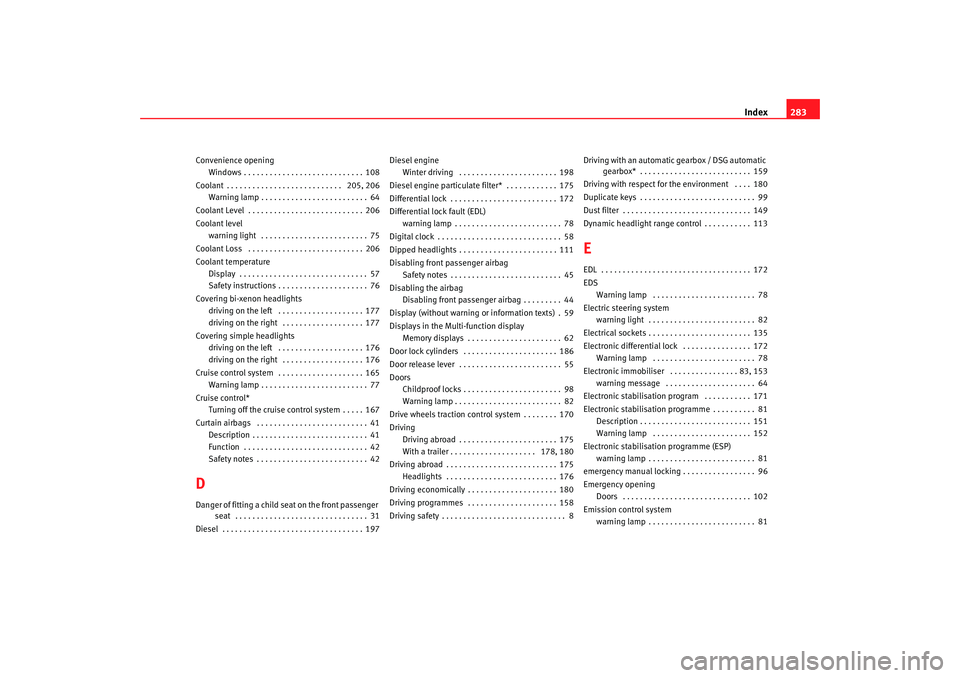
Index283
Convenience opening
Windows . . . . . . . . . . . . . . . . . . . . . . . . . . . . 108
Coolant . . . . . . . . . . . . . . . . . . . . . . . . . . . 205, 206 Warning lamp . . . . . . . . . . . . . . . . . . . . . . . . . 64
Coolant Level . . . . . . . . . . . . . . . . . . . . . . . . . . . 206
Coolant level warning light . . . . . . . . . . . . . . . . . . . . . . . . . 75
Coolant Loss . . . . . . . . . . . . . . . . . . . . . . . . . . . 206
Coolant temperature Display . . . . . . . . . . . . . . . . . . . . . . . . . . . . . . 57
Safety instructions . . . . . . . . . . . . . . . . . . . . . 76
Covering bi-xenon headlights driving on the left . . . . . . . . . . . . . . . . . . . . 177
driving on the right . . . . . . . . . . . . . . . . . . . 177
Covering simple headlights driving on the left . . . . . . . . . . . . . . . . . . . . 176
driving on the right . . . . . . . . . . . . . . . . . . . 176
Cruise control system . . . . . . . . . . . . . . . . . . . . 165 Warning lamp . . . . . . . . . . . . . . . . . . . . . . . . . 77
Cruise control* Turning off the cruise control system . . . . . 167
Curtain airbags . . . . . . . . . . . . . . . . . . . . . . . . . . 41 Description . . . . . . . . . . . . . . . . . . . . . . . . . . . 41
Function . . . . . . . . . . . . . . . . . . . . . . . . . . . . . 42
Safety notes . . . . . . . . . . . . . . . . . . . . . . . . . . 42DDanger of fitting a child seat on the front passenger seat . . . . . . . . . . . . . . . . . . . . . . . . . . . . . . . 31
Diesel . . . . . . . . . . . . . . . . . . . . . . . . . . . . . . . . . 197 Diesel engine
Winter driving . . . . . . . . . . . . . . . . . . . . . . . 198
Diesel engine particulate filter* . . . . . . . . . . . . 175
Differential lock . . . . . . . . . . . . . . . . . . . . . . . . . 172
Differential lock fault (EDL) warning lamp . . . . . . . . . . . . . . . . . . . . . . . . . 78
Digital clock . . . . . . . . . . . . . . . . . . . . . . . . . . . . . 58
Dipped headlights . . . . . . . . . . . . . . . . . . . . . . . 111
Disabling front passenger airbag Safety notes . . . . . . . . . . . . . . . . . . . . . . . . . . 45
Disabling the airbag Disabling front passenger airbag . . . . . . . . . 44
Display (without warning or information texts) . 59
Displays in the Mult i-function display
Memory displays . . . . . . . . . . . . . . . . . . . . . . 62
Door lock cylinders . . . . . . . . . . . . . . . . . . . . . . 186
Door release lever . . . . . . . . . . . . . . . . . . . . . . . . 55
Doors Childproof locks . . . . . . . . . . . . . . . . . . . . . . . 98
Warning lamp . . . . . . . . . . . . . . . . . . . . . . . . . 82
Drive wheels traction control system . . . . . . . . 170
Driving Driving abroad . . . . . . . . . . . . . . . . . . . . . . . 175
With a trailer . . . . . . . . . . . . . . . . . . . . 178, 180
Driving abroad . . . . . . . . . . . . . . . . . . . . . . . . . . 175 Headlights . . . . . . . . . . . . . . . . . . . . . . . . . . 176
Driving economically . . . . . . . . . . . . . . . . . . . . . 180
Driving programmes . . . . . . . . . . . . . . . . . . . . . 158
Driving safety . . . . . . . . . . . . . . . . . . . . . . . . . . . . . 8 Driving with an automatic gearbox / DSG automatic
gearbox* . . . . . . . . . . . . . . . . . . . . . . . . . . 159
Driving with respect for the environment . . . . 180
Duplicate keys . . . . . . . . . . . . . . . . . . . . . . . . . . . 99
Dust filter . . . . . . . . . . . . . . . . . . . . . . . . . . . . . . 149
Dynamic headlight range control . . . . . . . . . . . 113
EEDL . . . . . . . . . . . . . . . . . . . . . . . . . . . . . . . . . . . 172
EDS Warning lamp . . . . . . . . . . . . . . . . . . . . . . . . 78
Electric steering system warning light . . . . . . . . . . . . . . . . . . . . . . . . . 82
Electrical sockets . . . . . . . . . . . . . . . . . . . . . . . . 135
Electronic differential lock . . . . . . . . . . . . . . . . 172 Warning lamp . . . . . . . . . . . . . . . . . . . . . . . . 78
Electronic immobiliser . . . . . . . . . . . . . . . . 83, 153 warning message . . . . . . . . . . . . . . . . . . . . . 64
Electronic stabilisation program . . . . . . . . . . . 171
Electronic stabilisation programme . . . . . . . . . . 81 Description . . . . . . . . . . . . . . . . . . . . . . . . . . 151
Warning lamp . . . . . . . . . . . . . . . . . . . . . . . 152
Electronic stabilisation programme (ESP) warning lamp . . . . . . . . . . . . . . . . . . . . . . . . . 81
emergency manual locking . . . . . . . . . . . . . . . . . 96
Emergency opening Doors . . . . . . . . . . . . . . . . . . . . . . . . . . . . . . 102
Emission control system warning lamp . . . . . . . . . . . . . . . . . . . . . . . . . 81
leon_ingles Seite 283 Donnerstag, 24. August 2006 1:56 13