audio Seat Leon 5D 2009 CAR STEREO MP3
[x] Cancel search | Manufacturer: SEAT, Model Year: 2009, Model line: Leon 5D, Model: Seat Leon 5D 2009Pages: 75, PDF Size: 3.14 MB
Page 21 of 75
CD mode
20When the function is on, it is possible to switch between the two operating
modes by pressing the SCAN function key for 2 seconds.
To select a track, stop the SCAN function whilst the track is being played. You
stop the SCAN function by briefly pressing the function key SCAN.
BROWSE function
The BROWSE function allows you to search the contents of the CD to go
directly to a track.
The function is activated by briefly pressing BROWSE.
For an audio CD the list of tracks is on ly given with a generic name (“track
1”,“track 2”,...)
For an audio CD with additional information (CD text) the track titles are
shown.
For a CD in MP3 format, when the function is activated the track titles of the
current folder are displayed first.
To go to t h e l ist o f fo l d er s , b r i e fl y p ress bu tto n o r tu r n b u t to n to th e last
position on the list.
In all the above cases, the track and/or folder is selected using button .Searching through individual tracksFast forward / rewind
To search through individual tracks with the fast forward and rewind function,
press and hold
b (fast forward) or
‚ (rewind) until you have reached the
required position.
Random play functionAll tracks on a CD will be played in random order if the MIX function is active.
For an audio CD or an audio CD with additional information (CD text) the MIX
function is activated by briefly pressing the MIX button.
For a CD in MP3 format there are two types of MIX:
MIX FOLDER: All tracks in the current folder are played in random order. You
start the MIX function by briefly pressing the function key MIX.
MIX ALL: All tracks on the CD are played in random order. Folders may be
changed after playing several songs from the same folder. You start the MIX
function by pressing the function key MIX for 2 seconds.
You stop the MIX function by briefly pressing the function key MIX.PAUSE FunctionWhen the pause function is on, the CD st ops playing until the function is
switched off.
To switch the function on, press button briefly. The loudspeaker symbol on
the display appears with a line through it.
To switch the function off, press or turn button briefly.INFO functionDisplay information (artist, track name,...) if available on CD.
ABAA
AC
AC
AC
AC
Car Stereo MP3_EN.book Seite 20 Montag, 20. April 2009 1:56 13
Page 22 of 75
CD mode21
For audio CDs with additional information (CD text) the title of the album, the
track name and the artist will be displayed.
For MP3 format CDs the information from the ID3 field will be displayed
(Album title, track name and artist).
The function is switched on by pressing the key . This button is only
available when the information has been correctly read by the CD unit.
If the length of the information is greater than the display capacity, the
display scrolls once the text to the left.
INFO
Car Stereo MP3_EN.book Seite 21 Montag, 20. April 2009 1:56 13
Page 23 of 75
MP3 mode
22MP3 modeWhat are MP3 files? MP3 (MPEG 1 Audio Layer-3) is a standardised technology and format for the
compression of sound sequences. The sound file is compressed to about
1/10th of its original size. Sounds that are out of the human hearing range
are excluded while those that are within the range are compressed.Accepted recording formatsIt is possible to play MP3 files recorded on CD-ROMs, CD-Rs and CD-RWs.
The unit accepts MP3 discs that have been formatted using the ISO 9660
standard level 1 or 2. The unit can also play discs recorded using the Romeo
or Joliet standard.
The unit will not play CDs recorded using “Packet Writing” (UDF or Direct CD
formats) whether this has been used on the entire disc or within a session. In
this case the display will display an error message and will eject the CD.
ISO 9660 format
This is the most common of international standards for the format logic of
files and folders on a CD-ROM.
There are different levels of specification. For level 1, the names must be in
8.3 format (8 characters maximum for the name of the file + 3 characters for
the extension “.MP3”. Folder names cannot be more than 8 letters long. On
the contrary, Level 2 specifications allow up to 31 characters.
Multi-session CDs This method of recording means that information may later be added to the
CD (while there is enough space remaining and the CD is not closed). The
information on each recorded CD is contained within an area marked by two
data labels called “Lead-in” for the beginning of the session and “Lead-out”
for the end. A multi-session CD will allow for multiple segments that contain
their own “Lead-in” and “Lead-out”.
Information from the ID3 data fieldThe ID3 data of an MP3 file contains information on the Artist, Album and the
name of the track.
This unit can display the information from the ID3 data field, versions 1 and
2, to a maximum of 60 characters in total.
Note
•When an MP3 disc is being played it is possible that some songs may not
play or may be played incorrectly. This may be due to the configuration of the
disc, the software or the hardw are used for the recording.•Audio CDs (CD-DA) meet the specifications and carry their corresponding
symbol. Those CDs with copyright protection do not meet these specifica-
tions and do not bear the corresponding symbol; for this reason there may be
errors in reading this type of disc.•For MP3 CDs, the MP3 data rate should oscillate between 8 and 320
Kb/sec.•It is possible to read multi-session discs but if the data has been recorded
in both formats (CD-DA and MP3), regardless of the order, only the audio
tracks will be played.
Car Stereo MP3_EN.book Seite 22 Montag, 20. April 2009 1:56 13
Page 24 of 75
MP3 mode23
•With other formats that are not ISO 9660 level 1 or 2, the names of the
files and folders may not be displayed correctly.•When naming an MP3 file make sure the extension is correct. Writing
“.MP3” for a non-MP3 file means that the file will not be recognised and may
play annoying noises.•It is not possible to play MP3 files that are deeper than the first 8 folder
levels. To speed up the reading and searching, only two levels of folders are
recommended.•The following types of disc will take some time to begin playing: a disc
recorded with many levels of subfolders; a disc recorded with multisession; a
disc to which information may be added (Disc not closed)•It will not be poss ible to play an audio CD (CD-R/CD-RW) that has not been
closed.
Car Stereo MP3_EN.book Seite 23 Montag, 20. April 2009 1:56 13
Page 27 of 75
AUX* Mode
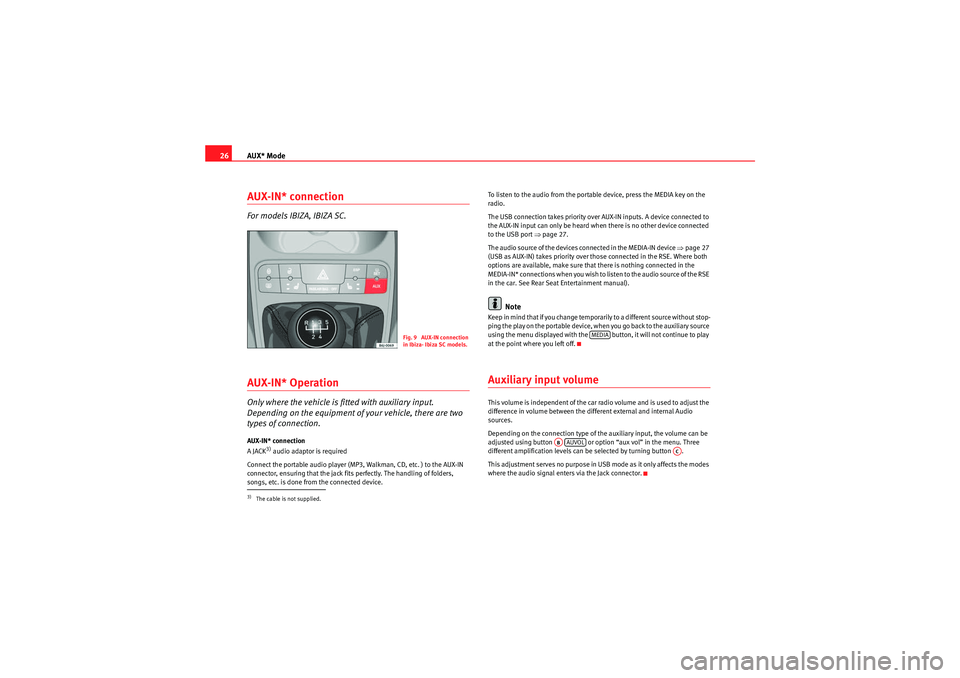
26AUX-IN* connectionFor models IBIZA, IBIZA SC.AUX-IN* OperationOnly where the vehicle is fitted with auxiliary input.
Depending on the equipment of your vehicle, there are two
types of connection.AUX-IN* connection
A JACK
3) audio adaptor is required
Connect the portable audio player (MP3, Walkman, CD, etc. ) to the AUX-IN
connector, ensuring that the jack fits perfectly. The handling of folders,
songs, etc. is done from the connected device. To listen to the audio from the portable device, press the MEDIA key on the
radio.
The USB connection takes priority over AUX-IN inputs. A device connected to
the AUX-IN input can only be heard when there is no other device connected
to the USB port
Ÿpage 27.
The audio source of the devices connected in the MEDIA-IN device Ÿpage 27
(USB as AUX-IN) takes priority over those connected in the RSE. Where both
options are available, make sure that there is nothing connected in the
MEDIA-IN* connections when you wish to listen to the audio source of the RSE
in the car. See Rear Seat Entertainment manual).
Note
Keep in mind that if you change temporarily to a different source without stop-
ping the play on the portable device, when you go back to the auxiliary source
using the menu displayed with the button, it will not continue to play
at the point where you left off.Auxiliary input volumeThis volume is independent of the car radio volume and is used to adjust the
difference in volume between the different external and internal Audio
sources.
Depending on the connection type of the auxiliary input, the volume can be
adjusted using button or option “aux vol” in the menu. Three
different amplification levels can be selected by turning button .
This adjustment serves no purpose in USB mode as it only affects the modes
where the audio signal enters via the Jack connector.
3)The cable is not supplied.
Fig. 9 AUX-IN connection
in Ibiza- Ibiza SC models.
MEDIA
ABAUVOL
AC
Car Stereo MP3_EN.book Seite 26 Montag, 20. April 2009 1:56 13
Page 29 of 75
MEDIA-IN* mode
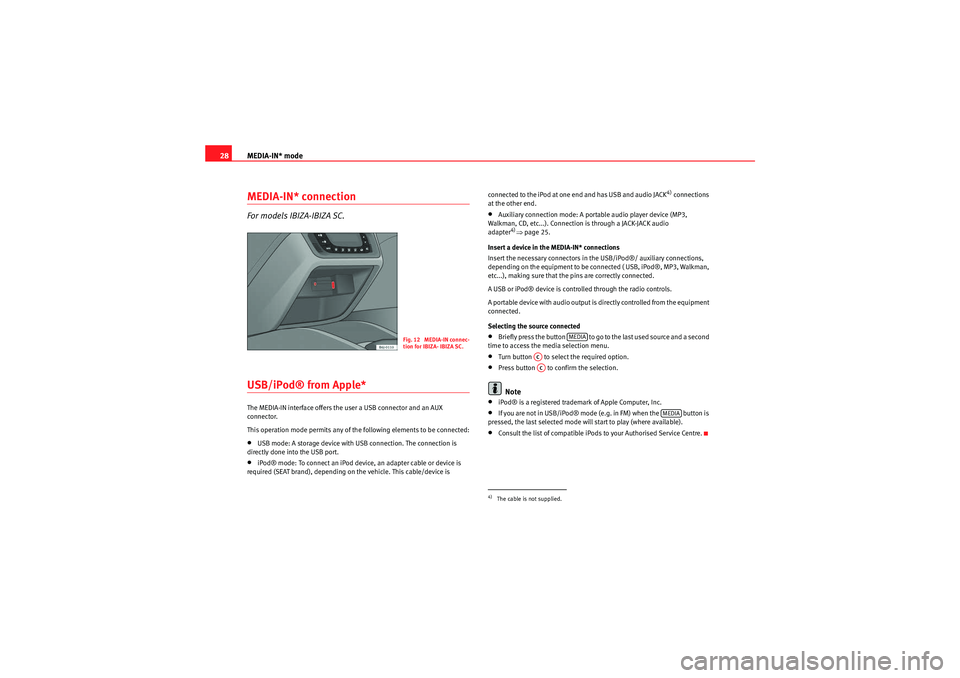
28MEDIA-IN* connectionFor models IBIZA-IBIZA SC.USB/iPod® from Apple* The MEDIA-IN interface offers the user a USB connector and an AUX
connector.
This operation mode permits any of the following elements to be connected:•USB mode: A storage device with USB connection. The connection is
directly done into the USB port.•iPod® mode: To connect an iPod device, an adapter cable or device is
required (SEAT brand), depending on the vehicle. This cable/device is connected to the iPod at one end and has USB and audio JACK
4) connections
at the other end.
•Auxiliary connection mode: A portable audio player device (MP3,
Walkman, CD, etc...). Connection is through a JACK-JACK audio
adapter
4)Ÿ page 25.
Insert a device in the MEDIA-IN* connections
Insert the necessary connectors in the USB/iPod®/ auxiliary connections,
depending on the equipment to be connected ( USB, iPod®, MP3, Walkman,
etc...), making sure that the pins are correctly connected.
A USB or iPod® device is controlled through the radio controls.
A portable device with audio output is directly controlled from the equipment
connected.
Selecting the source connected
•Briefly press the button to go to the last used source and a second
time to access the media selection menu.•Turn button to select the required option.•Press button to confirm the selection.Note
•iPod® is a registered trademark of Apple Computer, Inc.•If you are not in USB/iPod® mode (e.g. in FM) when the button is
pressed, the last selected mode will start to play (where available).•Consult the list of compatible iPods to your Authorised Service Centre.
Fig. 12 MEDIA-IN connec-
tion for IBIZA- IBIZA SC.
4)The cable is not supplied.
MEDIA
ACAC
MEDIA
Car Stereo MP3_EN.book Seite 28 Montag, 20. April 2009 1:56 13
Page 30 of 75
MEDIA-IN* mode29
Selecting tracks from the USB/iPod® Selecting tracks from the USB/iPod®
Press
‚ or b to rewind or fast forward USB/iPod® tracks. The number of
selected track will be shown on the display.
For audio files with additional inform ation (ID3) the title of the album, the
track name and the artist can also be displayed. See INFO function
SCAN function
When the SCAN function is switched on, each track on the USB/iPod® is
played for 10 seconds.
There are two types of SCAN:
SCAN FOLDER: This plays 10 seconds of each track in the current folder. You start the SCAN function by briefly pressing the function key SCAN.
SCAN ALL: This plays 10 seconds of all the tracks on the USB/iPod®. You start the SCAN function by pressing the function key SCAN for 2 seconds.
To select a track, stop the SCAN function whilst the track is being played. You
stop the SCAN function by briefly pressing the function key SCAN.
BROWSE function
The BROWSE function allows you to search the contents of a USB/iPod® to
go directly to a track.
The function is activated by briefly pressing “Browse”.
The tracks and folders in the folder currently playing are displayed indis-
tinctly.
To go to the folders in a higher level, press button or turn button to the
last position on the list.
In all the above cases, the track and/or folder is selected using button .
Searching through individual tracksFast forward / rewind
To search through individual tracks with the fast forward and rewind function,
press and hold
b (fast forward) or
‚ (rewind) until you have reached the
required position.
Random play functionAll tracks on a USB/iPod® will be played in random order if the MIX function
is active.
There are two types of MIX:
MIX FOLDER: All tracks in the current folder are played in random order. You
start the MIX function by briefly pressing the function key MIX.
MIX ALL: All tracks on the USB/iPod® are played in random order. Folders
may be changed after playing several tracks from the same folder. You start
the MIX ALL function by pressing the function key MIX for 2 seconds.
When the function is on, it is possible to switch between the two operating
modes by pressing the MIX function key for 2 seconds.
You stop the MIX function by briefly pressing the function key MIX.PAUSE FunctionWhen the pause function is on, the USB/iPod® stops playing until the func-
tion is switched off.
AB
AA
ACAC
Car Stereo MP3_EN.book Seite 29 Montag, 20. April 2009 1:56 13
Page 31 of 75
MEDIA-IN* mode
30To switch the function on, press button briefly. The loudspeaker symbol on
the display appears with a line through it.
To switch the function off, press or turn button briefly.INFO FunctionDisplay information (artist, track name,...) if available on the ID3.
The function is switched on using the key “info”. This button is only avail-
able when the information has been correctly read by the device.
If the length of the information is greater than the display capacity, the
display scrolls once the text to the left.
Additional instructions
Additional instructions for the mass storage device (MSD: Mass Storage
Device):•Only external data devices or USB mass storage devices complying with
the USB 2.0 specification can be used.•Partition of an external data device shall be in accordance with the file
system, FAT16 (< 2 GB) or FAT32 (> 2 GB) (FAT: File Allocation Table)•MTP (Media Transfer Protocol) players, recognised by the commercial
name “PlaysForSure” or “ReadyFor- Vista”, are highly sensitive to factors
including the battery charge and the volume of data in the MEDIA-IN multi-
media interface requests. It may take several minutes before an MTP player is
ready to play•When playing large capacity hard discs with several files and a complex
data structure (several folders and subfolders, non-playable files, etc.) it may
take some time to read the audio files. The reaction time may also be influ-
enced by the connected device.
•The structure of the folders in the external data device shall not exceed a
depth of eight folder levels. A folder should not contain more than 1,000
entries.•The use of USB cable extensions and USB hubs may cause operating
errors.•If an external data device is divided into various partitions, only the first
partition with compatible audio files will be played.•Memory card adapters can not be used, their use may cause operating
errors.•If an MP3 player is updated via the manufacturer (firmware update) this
may lead to operating errors.•An external data device should be connected first or select the corre-
sponding data mode.•Compatible formats include: MP3, WMA, OGG-Vorbis, AAC.•To use the external data device, please refer to the manufacturer's instruc-
tion manual
Compatible file formats
The use of file formats which can be played on this equipment is the same as
for compressed audio files in MP3 format and will not be explained further in
this manual.•The radio and navigation equipment can be used to play and control
audio files in MP3, WMA, OGG Vorbis and AAC format from an external data
device.•Playlists in PLS, B4S, ASX and WPL format are compatible.•WMA (Windows Media Audio) audio files can only be played if they are not
protected by authors' rights with the DRM (Digital Rights Management)
system.•Generally, files with anti-copy protection can not be played (e.g. M4P).•Files in 3GP format and “WMA lossless” file types can not be played.
Check there are no MP3 files stored in the playlist. A playlist only defines a
certain order of play. If a playlist is not played, check whether the “route data”
AC
AC
AA
Car Stereo MP3_EN.book Seite 30 Montag, 20. April 2009 1:56 13
Page 32 of 75
MEDIA-IN* mode31
is correct, that is, whether the MP3 files are stored in the data device to which
the playlist refers.
WARNING
•The connected audio devices must be protected from possible mechan-
ical damage and other kind of wear.•We do not hold responsible for any possible damage on the connected
devices.•The connection of USB devices is sensitive to interference from mobile
telephones. Mobile telephones should not be left next to the USB when
this is connected, to prevent distortion.•The connected audio devices must be protected from possible mechan-
ical damage and other kind of wear.•Objects which are not secured in the vehicle compartment may inter-
fere with driving and could result in serious injury.•The external data device should never be left on the instrument panel.
A sharp manoeuvre can throw the device towards the compartment and
injure the vehicle passengers.•The external data device should never be mounted in the vicinity of the
airbag. A sharp manoeuvre can throw the device towards the compartment
and injure the vehicle passengers.•The external data device must not be held in hand or on the legs while
driving. A sharp manoeuvre can throw the device towards the compartment
and injure the vehicle passengers.•Place the external data device cables so that they are not in the way
while driving.Note
Some vehicles with the MEDIA-IN multimedia interface mounted on the
central armrest are also equipped with an additional compartment. The rubber insert of this compartment can be removed in order to extract small
objects which may have fallen inside.
Car Stereo MP3_EN.book Seite 31 Montag, 20. April 2009 1:56 13
Page 34 of 75
Technical specifications33
Technical specificationsTechnical specifications– Output power 4 x 20 W RMS
– Intake for telephone mute
– Security lock (without code card for the customer).
– Frequency range: FM (2 bands), AM (2 medium wave bands)
– Traffic Programme (TP)
– Searching for stations by type of programme (PTY)
– EON (similar to TP for radio stations).
– SCV (speed-dependent volume adjustment)
– Audio memories (5 equalisers: bass, mid, treb, fader, balance
and one lineal)
– System Programme (possibility to adjust various functions explained in this manual)
Car Stereo MP3_EN.book Seite 33 Montag, 20. April 2009 1:56 13