airbag Seat Leon 5D 2012 Owner's Guide
[x] Cancel search | Manufacturer: SEAT, Model Year: 2012, Model line: Leon 5D, Model: Seat Leon 5D 2012Pages: 289, PDF Size: 3.81 MB
Page 54 of 289

53
Child safety
WARNING
● When travelling, children must be secured in the vehicle with a re-
straint system suitable for age, weight and size.
● Never install a child seat facing backwards on the front passenger
seat unless the front passenger airbag has been disabled. This could
cause fatal injuries to the child! However, if, in exceptional cases, it is
necessary to transport a child in the front passenger seat, the front pas-
senger airbag ⇒ page 44 must always be disabled and the seat adjusted
to its backmost highest position, where possible.
● Read and always observe information and warnings concerning the
use of child seats ⇒ page 47.
Safety FirstOperating instructionsPractical TipsTechnical specifications
Page 60 of 289
59
Controls and displays
Operating instructions Controls and displays
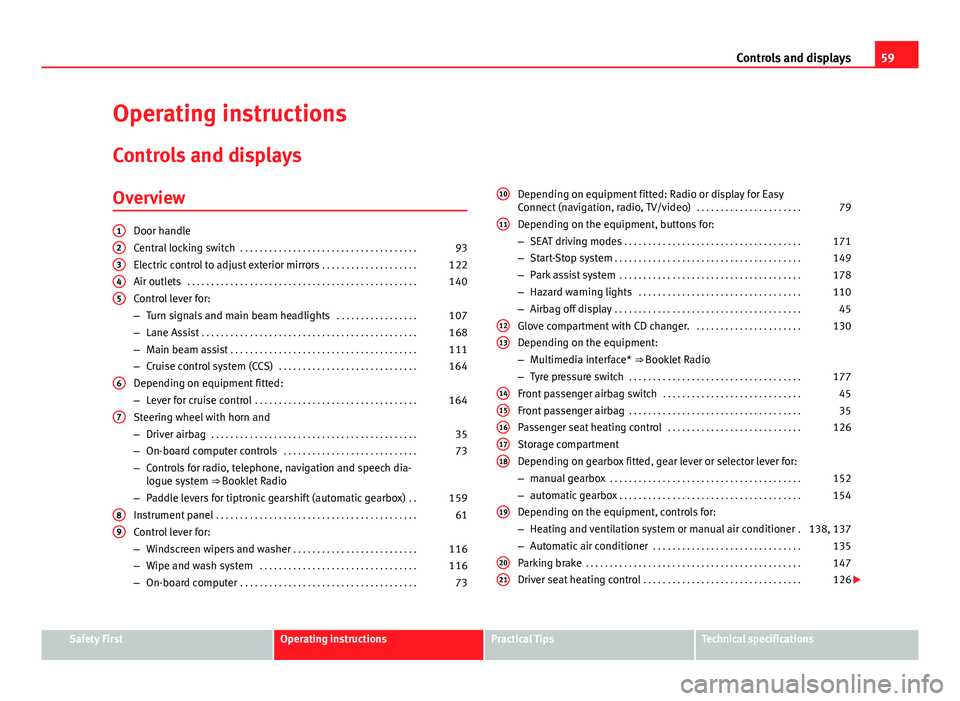
Overview
Door handle
Central locking switch . . . . . . . . . . . . . . . . . . . . . . . . . . . . . . . . . . . . . 93
Electric control to adjust exterior mirrors . . . . . . . . . . . . . . . . . . . .122
Air outlets . . . . . . . . . . . . . . . . . . . . . . . . . . . . . . . . . . . . . . . . . . . . . . . . 140
Control lever for:
– Turn signals and main beam headlights . . . . . . . . . . . . . . . . .107
– Lane Assist . . . . . . . . . . . . . . . . . . . . . . . . . . . . . . . . . . . . . . . . . . . . . 168
– Main beam assist . . . . . . . . . . . . . . . . . . . . . . . . . . . . . . . . . . . . . . . 111
– Cruise control system (CCS) . . . . . . . . . . . . . . . . . . . . . . . . . . . . . 164
Depending on equipment fitted:
– Lever for cruise control . . . . . . . . . . . . . . . . . . . . . . . . . . . . . . . . . . 164
Steering wheel with horn and
– Driver airbag . . . . . . . . . . . . . . . . . . . . . . . . . . . . . . . . . . . . . . . . . . . 35
– On-board computer controls . . . . . . . . . . . . . . . . . . . . . . . . . . . . 73
– Controls for radio, telephone, navigation and speech dia-
logue system ⇒ Booklet Radio
– Paddle levers for tiptronic gearshift (automatic gearbox) . .159
Instrument panel . . . . . . . . . . . . . . . . . . . . . . . . . . . . . . . . . . . . . . . . . . 61
Control lever for:
– Windscreen wipers and washer . . . . . . . . . . . . . . . . . . . . . . . . . . 116
– Wipe and wash system . . . . . . . . . . . . . . . . . . . . . . . . . . . . . . . . . 116
– On-board computer . . . . . . . . . . . . . . . . . . . . . . . . . . . . . . . . . . . . . 73
12345
6
7
89
Depending on equipment fitted: Radio or display for Easy
Connect (navigation, radio, TV/video)
. . . . . . . . . . . . . . . . . . . . . .79
Depending on the equipment, buttons for:
– SEAT driving modes . . . . . . . . . . . . . . . . . . . . . . . . . . . . . . . . . . . . . 171
– Start-Stop system . . . . . . . . . . . . . . . . . . . . . . . . . . . . . . . . . . . . . . . 149
– Park assist system . . . . . . . . . . . . . . . . . . . . . . . . . . . . . . . . . . . . . . 178
– Hazard warning lights . . . . . . . . . . . . . . . . . . . . . . . . . . . . . . . . . . 110
– Airbag off display . . . . . . . . . . . . . . . . . . . . . . . . . . . . . . . . . . . . . . . 45
Glove compartment with CD changer. . . . . . . . . . . . . . . . . . . . . . .130
Depending on the equipment:
– Multimedia interface* ⇒ Booklet Radio
– Tyre pressure switch . . . . . . . . . . . . . . . . . . . . . . . . . . . . . . . . . . . . 177
Front passenger airbag switch . . . . . . . . . . . . . . . . . . . . . . . . . . . . . 45
Front passenger airbag . . . . . . . . . . . . . . . . . . . . . . . . . . . . . . . . . . . . 35
Passenger seat heating control . . . . . . . . . . . . . . . . . . . . . . . . . . . . 126
Storage compartment
Depending on gearbox fitted, gear lever or selector lever for:
– manual gearbox . . . . . . . . . . . . . . . . . . . . . . . . . . . . . . . . . . . . . . . . 152
– automatic gearbox . . . . . . . . . . . . . . . . . . . . . . . . . . . . . . . . . . . . . . 154
Depending on the equipment, controls for:
– Heating and ventilation system or manual air conditioner .138, 137
– Automatic air conditioner . . . . . . . . . . . . . . . . . . . . . . . . . . . . . . . 135
Parking brake . . . . . . . . . . . . . . . . . . . . . . . . . . . . . . . . . . . . . . . . . . . . . 147
Driver seat heating control . . . . . . . . . . . . . . . . . . . . . . . . . . . . . . . . . 126
10
11
1213
1415161718
19
2021
Safety FirstOperating instructionsPractical TipsTechnical specifications
Page 61 of 289

60Controls and displays
Ignition lock . . . . . . . . . . . . . . . . . . . . . . . . . . . . . . . . . . . . . . . . . . . . . . 144
Knee airbag . . . . . . . . . . . . . . . . . . . . . . . . . . . . . . . . . . . . . . . . . . . . . . . 38
Adjustable steering column . . . . . . . . . . . . . . . . . . . . . . . . . . . . . . . . 143
Storage compartment
Bonnet lock release . . . . . . . . . . . . . . . . . . . . . . . . . . . . . . . . . . . . . . . 210
Headlight range control . . . . . . . . . . . . . . . . . . . . . . . . . . . . . . . . . . . 114
Light switch . . . . . . . . . . . . . . . . . . . . . . . . . . . . . . . . . . . . . . . . . . . . . . . 106
Electric windows . . . . . . . . . . . . . . . . . . . . . . . . . . . . . . . . . . . . . . . . . . 100
Note
● Some of the equipment listed in this section is only fitted on certain
models or are optional extras.
● A separate instruction manual is enclosed if the vehicle is equipped
with a factory-fitted sound system, CD changer, AUX IN connection, or navi-
gation system.
● The arrangement of switches and controls on right-hand drive models*
may be slightly different from the layout shown in ⇒ page 58. However, the
symbols used to identify the controls are the same.
2223242526272829
Page 71 of 289
70Instruments and warning/control lamps
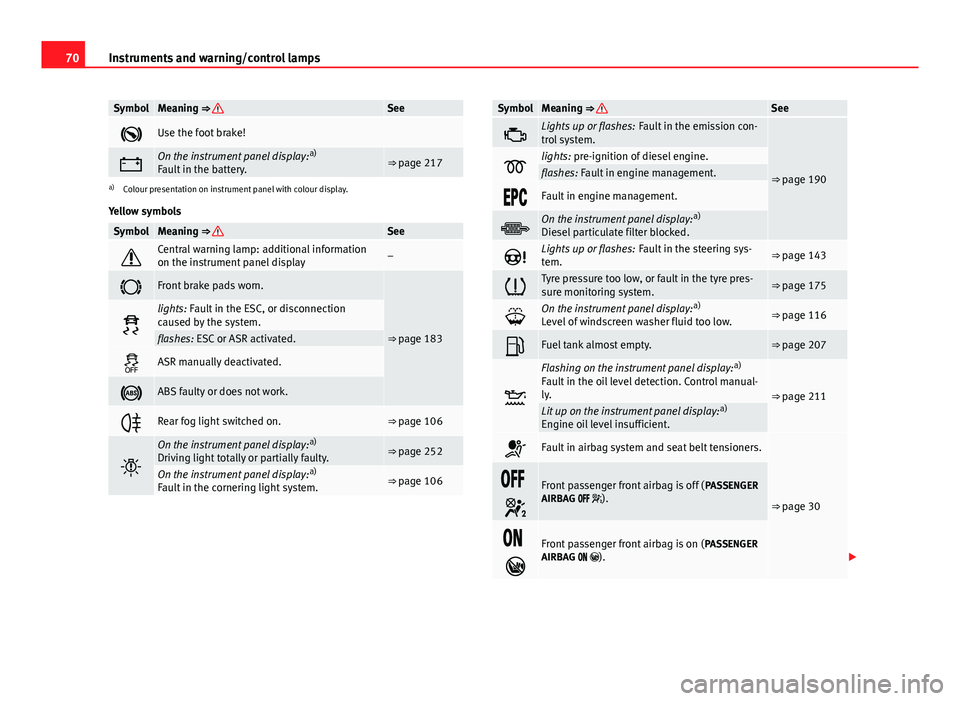
SymbolMeaning ⇒ See
Use the foot brake!
On the instrument panel display: a)
Fault in the battery.⇒ page 217
a) Colour presentation on instrument panel with colour display.
Yellow symbols
SymbolMeaning ⇒ See
Central warning lamp: additional information
on the instrument panel display–
Front brake pads worn.
⇒ page 183
lights: Fault in the ESC, or disconnection
caused by the system.
flashes: ESC or ASR activated.
ASR manually deactivated.
ABS faulty or does not work.
Rear fog light switched on.⇒ page 106
On the instrument panel display: a)
Driving light totally or partially faulty.⇒ page 252
On the instrument panel display: a)
Fault in the cornering light system.⇒ page 106
SymbolMeaning ⇒ See
Lights up or flashes: Fault in the emission con-
trol system.
⇒ page 190lights: pre-ignition of diesel engine.flashes: Fault in engine management.
Fault in engine management.
On the instrument panel display: a)
Diesel particulate filter blocked.
Lights up or flashes: Fault in the steering sys-
tem.⇒ page 143
Tyre pressure too low, or fault in the tyre pres-
sure monitoring system.⇒ page 175
On the instrument panel display: a)
Level of windscreen washer fluid too low.⇒ page 116
Fuel tank almost empty.⇒ page 207
Flashing on the instrument panel display: a)
Fault in the oil level detection. Control manual-
ly.
⇒ page 211Lit up on the instrument panel display: a)
Engine oil level insufficient.
Fault in airbag system and seat belt tensioners.
⇒ page 30
Front passenger front airbag is off ( PASSENGER
AIRBAG ).
Front passenger front airbag is on ( PASSENGER
AIRBAG ).
Page 87 of 289

86Opening and closing
Opening and closing
Central locking system
Description
The vehicle can be locked and unlocked via the central locking system.
There are several methods, depending on the vehicle equipment:
● key with remote control ⇒ page 91,
● lock on driver door (emergency opening ⇒ page 97) or
● interior central locking switch ⇒ page 93.
Unlocking one side of the vehicle only
When you lock the vehicle with the key, the doors and the rear lid are
locked. When you open the door, you can either unlock only the driver door,
or all the vehicle doors. To select the required option, use Easy Connect*
⇒ page 92.
Central locking (Auto Lock)
The Auto Lock function locks the doors and the rear lid when the vehicle ex-
ceeds a speed of about 15 km/h (10 mph).
The vehicle is unlocked again when the ignition key is removed. Alternative-
ly, the vehicle can also be unlocked via the central locking switch or by pull-
ing one of the inside door handles. The Auto Lock function can be switched
on and off on the sound system or on the Easy Connect* system
⇒ page 92.
In the event of an accident in which the airbags inflate, the doors will be au-
tomatically unlocked to facilitate access and assistance. Anti-theft security system (Safelock)
1)
The following message is displayed on the instrument panel to remind the
driver that when the vehicle is closed from the outside, the anti-theft securi-
ty system is switched on. Do not forget the Safelock. Please see Instruction
Manual. The vehicle cannot be opened from inside. This makes it more diffi-
cult for unauthorised persons to break into the vehicle ⇒ .
The anti-theft security system can be switched off each time the vehicle is
locked:
● Turn the key a second time to the lock position, in the door lock, for the
next two seconds . If necessary, remove the protective cover on the driver
door handle ⇒ page 97. or
● Press
on the remote control key for a second time
for the following 2
seconds.
The flashing frequency of the diode in the door sill immediately confirms
the process. Initially, the diode flashes in a fast sequence for a brief period,
then it stops for approximately 30 seconds and, lastly continues flashing
slowly.
Anti-theft alarm system*
If the anti-theft alarm system senses interference with the vehicle it triggers
an audible and visible alarm.
The anti-theft alarm system is automatically switched on when locking the
vehicle. It switches off when the vehicle is unlocked from a distance.
When the driver door is unlocked with the key, you should switch on the ig-
nition within 15 seconds. Otherwise the alarm will be triggered. On some
export versions, the alarm is triggered immediately when you open a door.
1)
The availability of this function depends on the vehicle equipment.
Page 94 of 289

93
Opening and closing
Central locking switch
Fig. 50 Driver door: cen-
tral locking switch
– To lock the vehicle, press the
button ⇒ .
– To unlock the vehicle, press the
button ⇒ Fig. 50.
Please note the following when using the central locking switch to lock your
vehicle:
● It is not possible to open the doors or the rear lid from the outside (for
safety reasons, e.g. when stopped at traffic lights).
● The LED in the central locking switch lights up when all the doors are
closed and locked.
● You can open the doors individually from the inside by pulling the inside
door handle.
● In the event of an accident in which the airbags inflate, doors locked
from the inside will be automatically unlocked to facilitate access and assis-
tance.
WARNING
● The central locking switch also operates when the ignition is switch-
ed off and automatically locks all the vehicle doors when the button
is
pressed.
● The central locking switch does not operate if the vehicle is locked
from the outside and the anti-theft security system is switched on.
● Locked doors could delay assistance in an emergency, potentially
putting lives at risk. Do not leave anyone (especially children) in the vehi-
cle.
Note
The doors and the rear lid are locked automatically when the vehicle rea-
ches a speed of about 15 km/h (10 mph) (Auto Lock) ⇒ page 86. You can
unlock the vehicle again using button
on the central locking switch.
Anti-theft alarm system
Description
The anti-theft alarm makes it more difficult to break into the vehicle or steal
it.
The anti-theft alarm is automatically turned on when the vehicle is locked
with the key.
When does the system trigger an alarm?
The anti-theft alarm siren will be triggered for about 30 seconds accompa-
nied by optical warning signals for about five minutes when the vehicle is
locked and the following unauthorised actions are taken:
Safety FirstOperating instructionsPractical TipsTechnical specifications
Page 126 of 289

125
Seats and storage
Seats and storage General notes
WARNING
The Safe driving chapter contains important information, tips, sugges-
tions and warnings that you should read and observe for your own safety
and the safety of your passengers ⇒ page 7.
Front seats Manual seat adjustment
Fig. 71 Front seats:
manual seat adjustment Adjusting the seat forward/backward: pull the lever and move the seat
forwards or backwards.
Adjusting the lumbar support* : press the button in the corresponding
position.
Backrest lower/raise: turn the hand wheel.
Raise/lower the seat: Pull/push the lever.
WARNING
● Adjust the front seats only when the vehicle is stationary. Failure to
do so could result in an accident.
● Be careful when adjusting the seat height. Careless or uncontrolled
adjustment can cause injuries.
● The front seat backrests must not be reclined for driving. Otherwise,
seat belts and the airbag system might not protect as they should, with
the subsequent danger of injury.
Front centre armrest
The centre armrest can be adjusted to various levels. Adjusting the centre armrest
– To adjust the tilt, lift the armrest from the starting position so
that it is engaged.
– To return the armrest to the starting position, remove the arm-
rest from the upper fixed position and lower it.
The armrest can be moved backwards and forwards.
1
2
34
Safety FirstOperating instructionsPractical TipsTechnical specifications
Page 127 of 289

126Seats and storage
Seat functions
Introduction
Additional information and warnings
● Adjusting the position of the seats ⇒ page 10
● Seat belts ⇒ page 19
● Airbag system ⇒ page 30
● Child seats (accessories) ⇒ page 47
WARNING
Inappropriate use of the seat functions can cause severe injuries.
● Assume the proper sitting position before your trip and remain in it
throughout. This also applies to the other occupants.
● Always keep hands, fingers, feet and other parts of the body away
from the operating radius and the adjustment of seats.
Seat heating
Fig. 72 In the centre
console: front seats heat-
ing switch The seat cushions can be heated electrically when the ignition is switched
on. The backrest is also heated in some versions.
The seat heating should not be engaged in any of the following conditions:
●
The seat is unoccupied.
● The seat has a covering.
● There is a child seat installed in the seat.
● The seat cushion is wet or damp.
● The indoor or outdoor temperature is greater than 25 °C (77 °F).
FunctionUsing seat heatingTo switch sys-
tem on:Press the button or . Seat heating is switched on fully.
Adjusting the
heating out-
put:Press the button or repeatedly until the desired inten-
sity level is reached.
To switch sys-
tem off:Press the button or until all warning lamps switch off.
WARNING
People who, because of medications, paralysis or chronic diseases (e.g.
diabetes) cannot perceive pain or temperature, or have a limited percep-
tion thereof, may suffer burns to the back, buttocks or legs when using
seat heating, an occurrence that may entail a very lengthy recovery peri-
od or from which it may not be possible to recover fully. Seek medical ad-
vice if you have doubts regarding your health.
● People with a limit pain and temperature threshold must never use
seat heating.
Page 132 of 289
131
Seats and storage
WARNING
● Please make sure that any items of clothing hanging from the coat
hooks do not obstruct your view to the rear.
● The coat hooks should only be used for lightweight clothing. Do not
leave any heavy or sharp objects in the pockets.
● Do not use clothes hangers to hang up the clothing, as this could in-
terfere with the function of the head-protection airbags.
Roof carrier
Note the following points if you intend to carry loads on the roof:
● In your car only certain roof carriers should be used. Roof carriers are the
basis of a complete roof carrier system. To transport luggage and sports
equipment, additional structures/transport systems are needed. We recom-
mend roof carriers and structures from the SEAT accessories programme.
● When mounting the roof carrier, be sure to mount only on the points al-
ready provided on the roof. The front and rear attachment points are only
visible when the doors are open.
● The maximum permissible roof load for your vehicle is 75 kg. The load
limit applies to the combined weight of the roof carrier, the structures, and
load itself. However, check the load permitted by the specific loading sys-
tem being used. Permissible axle weight and permissible total weight for
your vehicle ⇒ page 267.
WARNING
● Take note of the mounting instructions for the roof carrier system. If
the carrier system and the roof load are not properly secured, items of
luggage could fall from the vehicle and cause an accident.
● When you use a roof carrier system the style of driving changes due
to a shift of emphasis and the larger surface area exposed to wind drag,
which could cause an accident. Therefore, it is essential to adjust your
speed and driving style accordingly, to avoid accidents.
CAUTION
Check that when the rear lid is open, it does not touch loads carried on the
roof. When a roof carrier is fitted, DO NOT open the panoramic roof*.
For the sake of the environment
Greater aerodynamic drag increases fuel consumption. For this reason you
should always take off the roof carrier when it is not in use.
Luggage compartment
General notes
WARNING
The Safe driving chapter contains important information, tips, sugges-
tions and warnings that you should read and observe for your own safety
and the safety of your passengers ⇒ page 7.
Safety FirstOperating instructionsPractical TipsTechnical specifications
Page 169 of 289
168Driver assistance systems
Travelling down hills with the CCS
When travelling down hills the CCS cannot maintain a constant speed. Slow
the vehicle down using the brake pedal and reduce gears if required.
Automatic off
The cruise control system (CCS) is switched off automatically or temporarily:
● If the system detects a fault that could affect the working order of the
CCS.
● If you press and maintain the accelerator pedal for a certain time, driv-
ing faster than the stored speed.
● If the dynamic driving control systems intervene (i.e. ASR or ESC).
● If the airbag is triggered.
Lane Assist system* Introduction
Additional information and warnings:
● SEAT information system ⇒ page 73
● Accessories, parts replacement, repairs and modifications ⇒ page 230
WARNING
The intelligent technology in the Lane Assist system cannot change the
limits imposed by the laws of physics and by the very nature of the sys-
tem. Careless or uncontrolled use of the Lane Assist system may cause
accidents and injury. The system is not a replacement for driver aware-
ness.
● Always adapt your speed and the distance to the vehicles ahead in
line with visibility, weather conditions, the condition of the road and the
traffic situation.
● Always keep your hands on the steering wheel so it can be turned at
any time.
● The Lane Assist system does not detect all road markings. The road
surfaces, road structures or objects in poor condition can be incorrectly
detected as road markings under certain circumstances by the Lane As-
sist system. In such situations, switch the Lane Assist system off imme-
diately.
● Please observe the indications on the instrument panel and act as is
necessary.
● Always pay attention to the vehicle's surroundings.
● When the area of vision of the camera becomes dirty, covered or is
damaged, the Lane Assist system function can be affected.
CAUTION
In order to avoid influencing the operation of the system, the following
points must be taken into account:
● Regularly clean the area of vision of the camera and keep it in a clean
state, without snow or ice.
● Do not cover the area of vision of the camera.
● Check that the area of vision of the windscreen camera is not damaged.