tyre pressure Seat Leon 5D 2012 Owner's manual
[x] Cancel search | Manufacturer: SEAT, Model Year: 2012, Model line: Leon 5D, Model: Seat Leon 5D 2012Pages: 289, PDF Size: 3.81 MB
Page 9 of 289

8Safe driving
passengers are sitting in a correct position and use this equipment proper-
ly.
Therefore, information is provided about why this equipment is so impor-
tant, how it protects you, what you have to consider when using it and how
you and your passengers can achieve the greatest possible benefit from the
safety equipment fitted. This manual includes important warnings that you
and your passengers should note in order to reduce the risk of injury.
Safety is everyone's business!
Before starting every trip
The driver is always responsible for the safety of the passen-
gers and the safe operation of the vehicle.
For your own safety and the safety of your passengers, always note
the following points before every trip:
– Make sure that the vehicle's lights and turn signals are working
properly.
– Check tyre pressure.
– Ensure that all windows provide a clear and good view of the
surroundings.
– Make sure all luggage is secured ⇒ page 17.
– Make sure that no objects can interfere with the pedals.
– Adjust front seat, head restraint and rear vision mirrors properly
according to your size. –
Ensure that the passengers in the rear seats always have the
head restraints in the in-use position ⇒ page 15
– Instruct passengers to adjust the head restraints according to
their height.
– Protect children with appropriate child seats and properly ap-
plied seat belts ⇒ page 47.
– Assume the correct sitting position. Instruct your passengers al-
so to assume a proper sitting position. ⇒ page 10.
– Fasten your seat belt securely. Instruct your passengers also to
fasten their seat belts properly. ⇒ page 19.
What affects driving safety?
Driving safety is largely determined by your driving style
and the personal behaviour of all vehicle occupants.
As a driver, you are responsible for yourself and your passengers.
When your concentration or driving safety is affected by any cir-
cumstance, you endanger yourself as well as others on the road
⇒
, for this reason:
– Always pay attention to traffic and do not get distracted by pas-
sengers or telephone calls.
– Never drive when your driving ability is impaired (e.g. by medi-
cation, alcohol, drugs).
– Observe traffic laws and speed limits.
Page 60 of 289
59
Controls and displays
Operating instructions Controls and displays
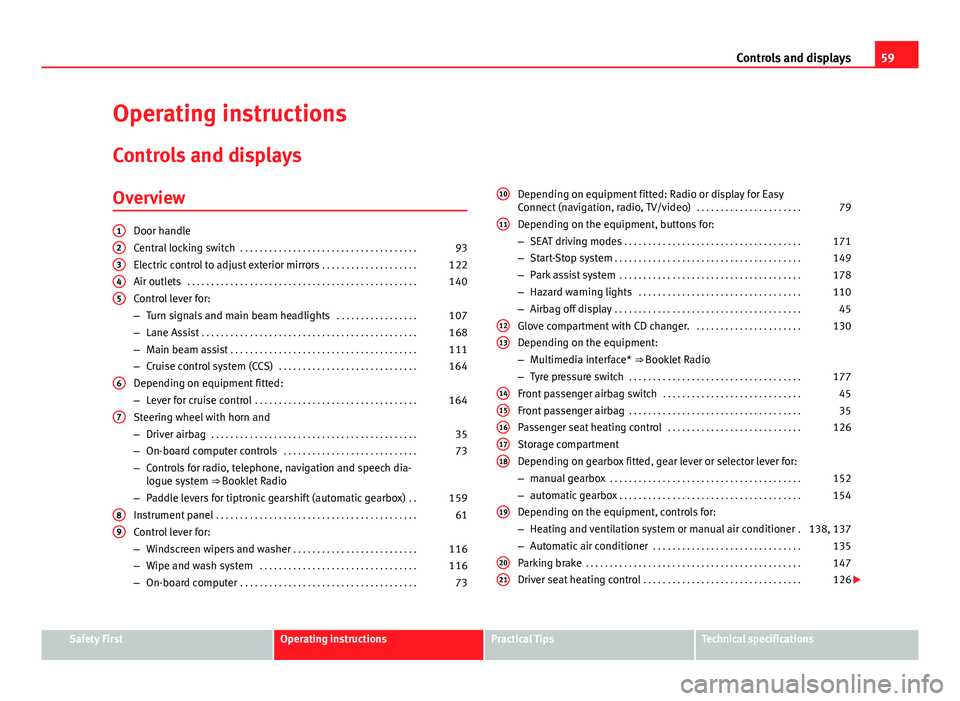
Overview
Door handle
Central locking switch . . . . . . . . . . . . . . . . . . . . . . . . . . . . . . . . . . . . . 93
Electric control to adjust exterior mirrors . . . . . . . . . . . . . . . . . . . .122
Air outlets . . . . . . . . . . . . . . . . . . . . . . . . . . . . . . . . . . . . . . . . . . . . . . . . 140
Control lever for:
– Turn signals and main beam headlights . . . . . . . . . . . . . . . . .107
– Lane Assist . . . . . . . . . . . . . . . . . . . . . . . . . . . . . . . . . . . . . . . . . . . . . 168
– Main beam assist . . . . . . . . . . . . . . . . . . . . . . . . . . . . . . . . . . . . . . . 111
– Cruise control system (CCS) . . . . . . . . . . . . . . . . . . . . . . . . . . . . . 164
Depending on equipment fitted:
– Lever for cruise control . . . . . . . . . . . . . . . . . . . . . . . . . . . . . . . . . . 164
Steering wheel with horn and
– Driver airbag . . . . . . . . . . . . . . . . . . . . . . . . . . . . . . . . . . . . . . . . . . . 35
– On-board computer controls . . . . . . . . . . . . . . . . . . . . . . . . . . . . 73
– Controls for radio, telephone, navigation and speech dia-
logue system ⇒ Booklet Radio
– Paddle levers for tiptronic gearshift (automatic gearbox) . .159
Instrument panel . . . . . . . . . . . . . . . . . . . . . . . . . . . . . . . . . . . . . . . . . . 61
Control lever for:
– Windscreen wipers and washer . . . . . . . . . . . . . . . . . . . . . . . . . . 116
– Wipe and wash system . . . . . . . . . . . . . . . . . . . . . . . . . . . . . . . . . 116
– On-board computer . . . . . . . . . . . . . . . . . . . . . . . . . . . . . . . . . . . . . 73
12345
6
7
89
Depending on equipment fitted: Radio or display for Easy
Connect (navigation, radio, TV/video)
. . . . . . . . . . . . . . . . . . . . . .79
Depending on the equipment, buttons for:
– SEAT driving modes . . . . . . . . . . . . . . . . . . . . . . . . . . . . . . . . . . . . . 171
– Start-Stop system . . . . . . . . . . . . . . . . . . . . . . . . . . . . . . . . . . . . . . . 149
– Park assist system . . . . . . . . . . . . . . . . . . . . . . . . . . . . . . . . . . . . . . 178
– Hazard warning lights . . . . . . . . . . . . . . . . . . . . . . . . . . . . . . . . . . 110
– Airbag off display . . . . . . . . . . . . . . . . . . . . . . . . . . . . . . . . . . . . . . . 45
Glove compartment with CD changer. . . . . . . . . . . . . . . . . . . . . . .130
Depending on the equipment:
– Multimedia interface* ⇒ Booklet Radio
– Tyre pressure switch . . . . . . . . . . . . . . . . . . . . . . . . . . . . . . . . . . . . 177
Front passenger airbag switch . . . . . . . . . . . . . . . . . . . . . . . . . . . . . 45
Front passenger airbag . . . . . . . . . . . . . . . . . . . . . . . . . . . . . . . . . . . . 35
Passenger seat heating control . . . . . . . . . . . . . . . . . . . . . . . . . . . . 126
Storage compartment
Depending on gearbox fitted, gear lever or selector lever for:
– manual gearbox . . . . . . . . . . . . . . . . . . . . . . . . . . . . . . . . . . . . . . . . 152
– automatic gearbox . . . . . . . . . . . . . . . . . . . . . . . . . . . . . . . . . . . . . . 154
Depending on the equipment, controls for:
– Heating and ventilation system or manual air conditioner .138, 137
– Automatic air conditioner . . . . . . . . . . . . . . . . . . . . . . . . . . . . . . . 135
Parking brake . . . . . . . . . . . . . . . . . . . . . . . . . . . . . . . . . . . . . . . . . . . . . 147
Driver seat heating control . . . . . . . . . . . . . . . . . . . . . . . . . . . . . . . . . 126
10
11
1213
1415161718
19
2021
Safety FirstOperating instructionsPractical TipsTechnical specifications
Page 71 of 289
70Instruments and warning/control lamps
SymbolMeaning ⇒ See
Use the foot brake!
On the instrument panel display: a)
Fault in the battery.⇒ page 217
a) Colour presentation on instrument panel with colour display.
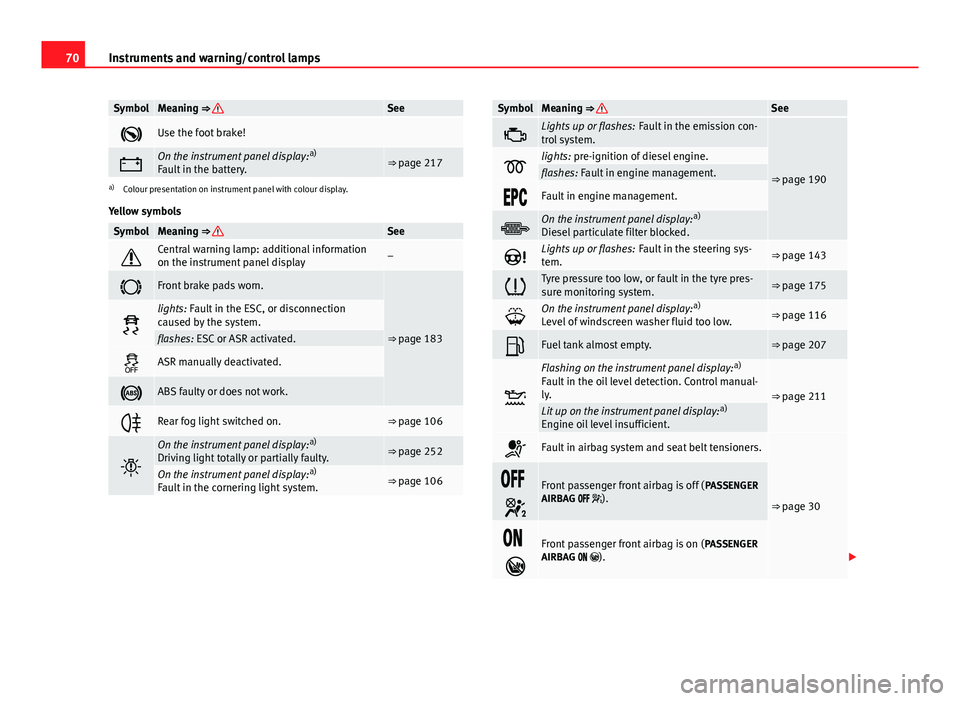
Yellow symbols
SymbolMeaning ⇒ See
Central warning lamp: additional information
on the instrument panel display–
Front brake pads worn.
⇒ page 183
lights: Fault in the ESC, or disconnection
caused by the system.
flashes: ESC or ASR activated.
ASR manually deactivated.
ABS faulty or does not work.
Rear fog light switched on.⇒ page 106
On the instrument panel display: a)
Driving light totally or partially faulty.⇒ page 252
On the instrument panel display: a)
Fault in the cornering light system.⇒ page 106
SymbolMeaning ⇒ See
Lights up or flashes: Fault in the emission con-
trol system.
⇒ page 190lights: pre-ignition of diesel engine.flashes: Fault in engine management.
Fault in engine management.
On the instrument panel display: a)
Diesel particulate filter blocked.
Lights up or flashes: Fault in the steering sys-
tem.⇒ page 143
Tyre pressure too low, or fault in the tyre pres-
sure monitoring system.⇒ page 175
On the instrument panel display: a)
Level of windscreen washer fluid too low.⇒ page 116
Fuel tank almost empty.⇒ page 207
Flashing on the instrument panel display: a)
Fault in the oil level detection. Control manual-
ly.
⇒ page 211Lit up on the instrument panel display: a)
Engine oil level insufficient.
Fault in airbag system and seat belt tensioners.
⇒ page 30
Front passenger front airbag is off ( PASSENGER
AIRBAG ).
Front passenger front airbag is on ( PASSENGER
AIRBAG ).
Page 81 of 289
80Introduction to the Easy Connect system*
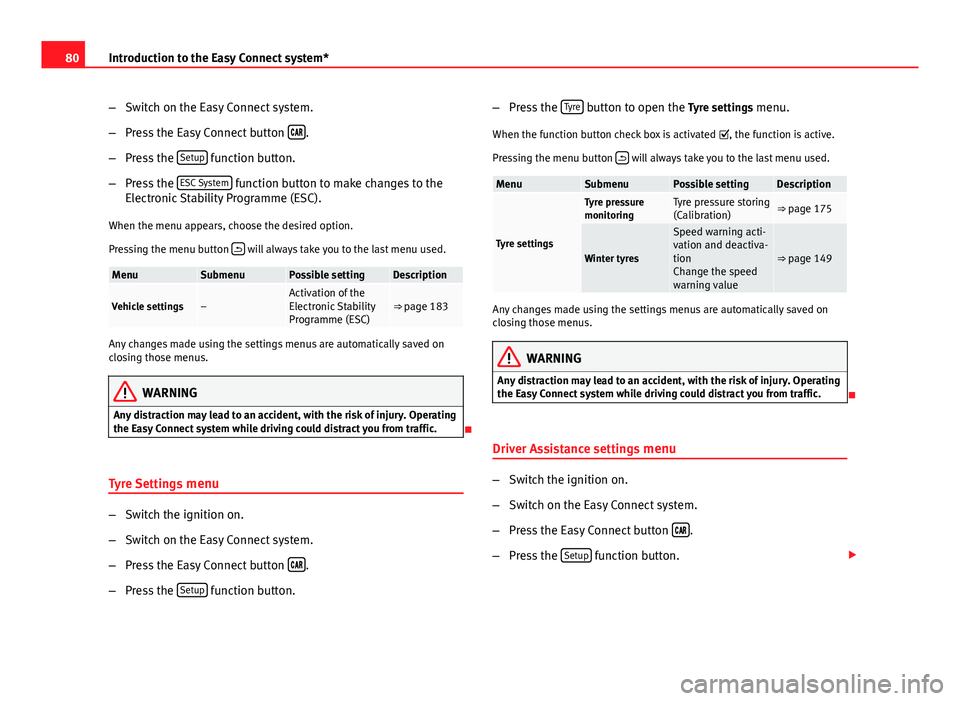
–Switch on the Easy Connect system.
– Press the Easy Connect button
.
– Press the Setup
function button.
– Press the ESC System
function button to make changes to the
Electronic Stability Programme (ESC).
When the menu appears, choose the desired option.
Pressing the menu button
will always take you to the last menu used.
MenuSubmenuPossible settingDescription
Vehicle settings–Activation of the
Electronic Stability
Programme (ESC)⇒ page 183
Any changes made using the settings menus are automatically saved on
closing those menus.
WARNING
Any distraction may lead to an accident, with the risk of injury. Operating
the Easy Connect system while driving could distract you from traffic.
Tyre Settings menu
–Switch the ignition on.
– Switch on the Easy Connect system.
– Press the Easy Connect button
.
– Press the Setup
function button. –
Press the Tyre
button to open the Tyre settings menu.
When the function button check box is activated , the function is active.
Pressing the menu button
will always take you to the last menu used.
MenuSubmenuPossible settingDescription
Tyre settings
Tyre pressure
monitoringTyre pressure storing
(Calibration)⇒ page 175
Winter tyres
Speed warning acti-
vation and deactiva-
tion
Change the speed
warning value
⇒ page 149
Any changes made using the settings menus are automatically saved on
closing those menus.
WARNING
Any distraction may lead to an accident, with the risk of injury. Operating
the Easy Connect system while driving could distract you from traffic.
Driver Assistance settings menu
– Switch the ignition on.
– Switch on the Easy Connect system.
– Press the Easy Connect button
.
– Press the Setup
function button.
Page 176 of 289

175
Driver assistance systems
Tyre monitoring systems Introduction
Additional information and warnings:
● SEAT information system ⇒ page 73
● Caring for and cleaning the vehicle exterior ⇒ page 198
● Wheels and tyres ⇒ page 223
● Accessories, parts replacement, repairs and modifications ⇒ page 230
WARNING
Unsuitable handling of the wheels and tyres may lead to sudden tyre
pressure losses, to tread separation or even to a blow-out.
● Check tyre pressures regularly and ensure they are maintained at the
pressures indicated. Tyre pressure that is too low could cause overheat-
ing, resulting in tread detachment or even burst tyres.
● Tyre pressure should be that indicated on the label when the tyres are
cold at all times ⇒ page 266.
● Regularly check the cold inflation pressure of the tyres. If necessary,
change the tyre pressure of the vehicle tyres while they are cold.
● Regularly check your tyres for damage and wear.
● Never exceed the maximum permitted speed or loads specified for the
type of tyre fitted on your vehicle.
For the sake of the environment
Under-inflated tyres lead to increased fuel consumption and tyre wear.
Note
● Driving for the first time with new tyres at a high speed can cause them
to slightly expand, which could then produce an air pressure warning.
● Only replace used tyres with those authorised by SEAT for the corre-
sponding type vehicle.
● Do not only rely on the tyre monitoring system. Regularly check your
tyres to ensure that the tyre pressure is correct and that the tyres are not
damaged due to puncture, cuts, tears and impacts/dents. Remove objects
from the tyres only when they have not pierced the tyres.
Tyre monitor indicator warning lamp
lights upPossible causeSolution
The pressure in one or more
tyres has clearly reduced in
comparison to the tyre pres-
sure set by the driver or the
tyre has structural damage.
Additionally, an audible
warning can be heard and a
text message can be seen on
the instrument panel display. Stop the vehicle! Reduce
speed immediately! Stop the
vehicle safely as soon as
possible. Avoid sudden ma-
noeuvres and braking! Check
all tyres and pressures. Re-
place any damaged tyres.
flashesPossible causeSolution
System malfunction. The
control lamp flashes for
about one minute and then
lights up permanently.
If the tyre pressure is correct,
switch the ignition off and on
again. If the control lamp re-
mains lit up, the tyre monitor-
ing indicator can be calibra-
ted. Have the system re-
viewed by a specialised
workshop.
Safety FirstOperating instructionsPractical TipsTechnical specifications
Page 177 of 289

176Driver assistance systems
Several warning and control lamps light up for a few seconds when the igni-
tion is switched on while the function is verified. They will switch off after a
few seconds.
WARNING
When the tyres are inflated at different pressures or at a pressure that is
too low then a tyre may the damaged resulting in a loss of control of the
vehicle and a serious or fatal accident.
● If the warning lamp lights up, stop immediately and check the
tyres.
● If the tyres are inflated at different pressures or if a tyre pressure is
too low, this will increase tyre wear, negatively affecting vehicle stability
and increasing braking distances.
● If tyres are inflated at different pressures or a tyre pressure is too low,
a tyre may be damaged and burst resulting in a loss of control of the ve-
hicle.
● The driver is responsible for ensuring that all of the vehicle tyres are
correctly inflated to the right pressure. The recommended tyre pressure
is indicated on the label ⇒ page 266.
● The tyre monitoring system can only operate correctly if all of the
tyres are inflated to the correct pressure when cold.
● Driving with tyres at the wrong pressure can cause them damage and
result in an accident. Ensure that the tyre pressures of all the tyres corre-
spond to the vehicle load.
● Before starting a journey, always inflate tyres to the correct pressure.
● Tyres with insufficient pressure are subjected to more flexing. Due to
this, the tyre could become excessively hot, causing tread separation
and also tyre blow-out.
● With an overloaded vehicle at high speed, the tyres can overheat and
burst resulting in a loss of vehicle control.
WARNING (Continued)
● Tyre pressures which are too high or too low reduce the useful life of
the tyre, affecting vehicle performance.
● If a tyre has not been punctured then it does not have to be changed
immediately; drive to the nearest specialised workshop at a moderate
speed and have the tyre checked and inflated to the correct pressure.
WARNING
If the warning lamps and messages are ignored, the vehicle may stall in
traffic, or may cause accidents and severe injuries.
● Never ignore the warning lamps or text messages.
● Stop the vehicle safely as soon as possible.
CAUTION
Failure to heed the control lamps and text messages when they appear may
result in faults in the vehicle.
Note
● If excessively low tyre pressure is detected with the ignition on, an audi-
ble warning will sound. In the event that there is a fault in the system, an
audible warning will sound.
● Driving on dirt tracks for a long period of time or driving in a sporty style
can temporarily deactivate the TPMS. The control lamp shows a fault, but
disappears when road conditions or the driving style change.
Page 178 of 289

177
Driver assistance systems
Tyre monitoring indicator
Fig. 102 Glove compart-
ment: tyre control switch
The tyre monitor indicator compares wheel revolutions and, with this infor-
mation, the tread of each wheel using the ABS sensors. If the tread of one or
more wheels is changed, the tyre monitoring indicator will indicate as such
on the instrument panel.
Wheel tread change
The wheel tread changes when:
● Tyre pressure is manually changed
● Tyre pressure is insufficient
● Tyre structure is damaged
● The vehicle is unbalanced because of a load
● The wheels on an axle are subject to a heavier load (e.g. when towing a
heavy load)
● The vehicle is fitted with snow chains
● The temporary spare wheel is fitted
● The wheel on one axle is changed There may be a delay in the reaction of the tyre monitoring indicator
or it
may not indicate anything under certain circumstances (e.g. sporty driving,
snow-covered or unpaved roads, or when driving with snow chains).
Calibrating the tyre monitoring indicator
After changing the tyre pressure or replacing one or more wheels, the tyre
monitoring indicator must be recalibrated. Do the same, for example, when
the front and rear wheels are swapped.
● Switch the ignition on.
● Store the new tyre pressure in the Easy Connect system with the button
and the function button Setup ⇒ page 80 or using the switch located in
the glove compartment* ⇒ Fig. 102.
When driving, the system self-calibrates the tyre pressure provided by the
driver and the wheels fitted. After a long journey with varied speeds the pro-
grammed values are collected and monitored.
With the wheels under very heavy loads, the tyre pressure must be in-
creased to the total recommended tyre pressure before the calibration
⇒ page 266.
Note
● The tyre monitoring indicator does not function when there is a fault in
the ESC or ABS ⇒ page 183.
● An erroneous indication may be given when snow chains are in use be-
cause the chains increase the tread of the wheel.
Safety FirstOperating instructionsPractical TipsTechnical specifications
Page 185 of 289
184Intelligent technology
Multi-collision brake
In an accident, the multi-collision brake can help the driver by braking to
avoid the risk of skidding during the accident, which could lead to further
collisions.
The multi-collision brake works for front, side or rear accidents, when the
airbag control unit records its activation level and the accident takes place
at a speed of over 10 km/h (6 mph). The EI ESC automatically brakes the
vehicle, as long as the accident has not damaged the ESC, the brake hy-
draulics or the on-board network.
The following actions control automatic braking during the accident:
● When the driver presses the accelerator. The automatic braking does not
take place.
● When the braking pressure through pressing the brake pedal is greater
than the system’s braking pressure. The vehicle will brake manually.
● Multi-collision braking will not be available if ESC is malfunctioning.
WARNING
● Nor can the ESC, ABS, ASR, EDL, electronic self-locking differential or
selective torque control systems exceed the limits imposed by the laws
of physics. Always bear this in mind, especially on wet or slippery roads.
If you notice the systems cutting in, you should reduce your speed imme-
diately to suit the road and traffic conditions. Do not be encouraged to
take risks by the presence of more safety systems. If you do, an accident
may occur.
● Please remember that the accident risk always increases if you drive
fast, especially in corners or on a slippery road, or if you follow too close
behind the vehicle in front of you. The ESC, ABS, brake assist, EDL, elec-
tronic self-locking and selective torque control systems cannot prevent
accidents: risk of accidents!
● Accelerate with caution on slippery surfaces (for example, icy or
snow-covered). Despite the control systems, the driven wheels could
spin, affecting the stability of the vehicle: risk of accident!
Note
● The ABS and ASR will only operate correctly if the four wheels have iden-
tical tyres. Any differences in the rolling radius of the tyres can cause the
system to reduce engine power when this is not desired.
● The regulating processes of the systems can make noises when they in-
tervene.
● If the warning lamp lights up, or alternatively, there could be a
fault ⇒ page 69.
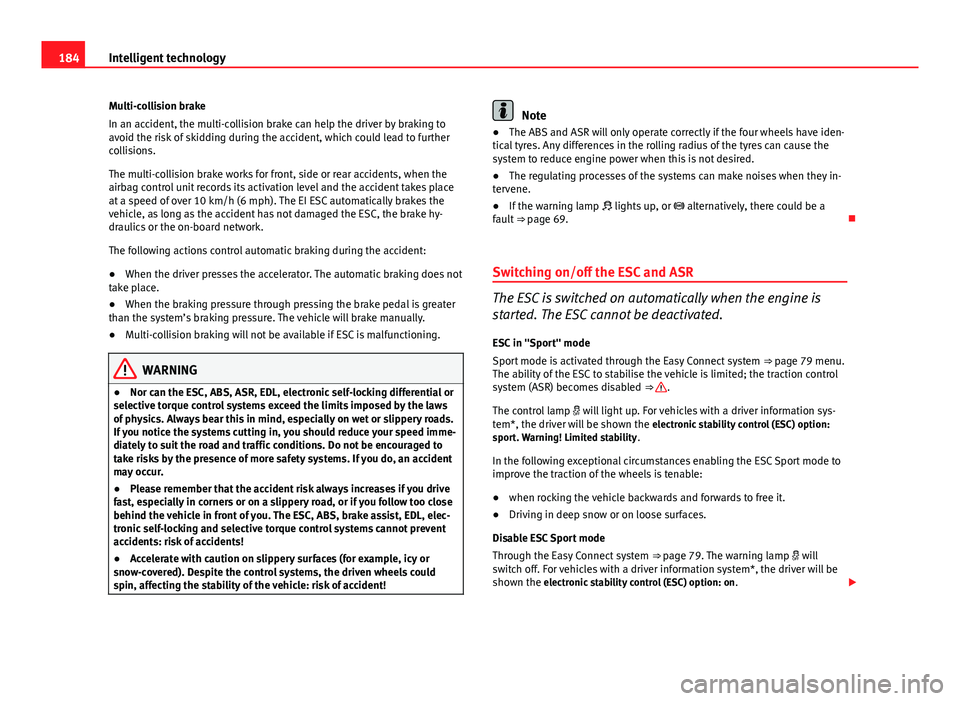
Switching on/off the ESC and ASR
The ESC is switched on automatically when the engine is
started. The ESC cannot be deactivated. ESC in "Sport" mode
Sport mode is activated through the Easy Connect system ⇒ page 79 menu.
The ability of the ESC to stabilise the vehicle is limited; the traction control
system (ASR) becomes disabled ⇒
.
The control lamp will light up. For vehicles with a driver information sys-
tem*, the driver will be shown the electronic stability control (ESC) option:
sport. Warning! Limited stability .
In the following exceptional circumstances enabling the ESC Sport mode to
improve the traction of the wheels is tenable:
● when rocking the vehicle backwards and forwards to free it.
● Driving in deep snow or on loose surfaces.
Disable ESC Sport mode
Through the Easy Connect system ⇒ page 79. The warning lamp will
switch off. For vehicles with a driver information system*, the driver will be
shown the electronic stability control (ESC) option: on .
Page 193 of 289

192Driving and the environment
Reduce idling time
In vehicles with the Start-Stop system idling is automatically reduced. In ve-
hicles without the Start-Stop system it is worth switching off the engine, for
example, at level crossings and at traffic lights that remain red for long peri-
ods of time. When an engine has reached operating temperature, and de-
pending on the cylinder capacity, keeping it off after about 5 seconds al-
ready saves more than the amount of fuel necessary for restarting.
The engine takes a long time to warm up when it is idling. Mechanical wear
and pollutant emissions are also especially high during this initial warm-up
phase. It is therefore best to drive off immediately after starting the engine.
Avoid running the engine at high speed.
Regular maintenance
Regular servicing helps in saving fuel even before the engine is started. A
well-serviced engine gives you the benefit of improved fuel efficiency as
well as maximum reliability and an enhanced resale value. A badly serviced
engine can consume up to 10% more fuel than necessary.
Avoid short journeys
The engine and catalytic converter need to reach their optimal operating
temperature in order to minimise fuel consumption and emissions.
A cold engine consumes a disproportionate amount of fuel. The engine only
reaches its working temperature after about four kilometres (2.5 miles),
when fuel consumption will return to a normal level.
Check tyre pressure
Always make sure the tyres are inflated to the correct pressures
⇒ page 223 to save fuel. If the pressure is below half bar, fuel consumption
may increase by 5%. Due to the greater rolling resistance, under-inflation
also increases tyre wear and impairs handling.
Do not use winter tyres all year round as they increase fuel consumption by
up to 10%. Avoid carrying unnecessary loads
Given that every kilo of
extra weight will increase the fuel consumption, it is
advisable to always check the luggage compartment to make sure that no
unnecessary loads are being transported.
Since the luggage rack increases the aerodynamic drag of the vehicle, you
should remove it when not needed. This will save, at a speed of 100-120
km/h (60-75 mph), approximately 12% of fuel.
Save electrical energy
The engine drives the alternator, thereby generating electricity. This implies
that any increase in power consumption also increases fuel consumption!
For this reason, switch off any unneeded consumption of electricity. Electri-
cal equipment which uses a lot of electricity includes the blower (at a high
setting), the rear window heating and the seat heating*.
Environmental friendliness
Environmental protection is a top priority in the design, choice of materials
and production of your new SEAT.
Design measures for economical recycling
● Joints and connections designed for easy dismantling
● Modular construction to facilitate dismantling
● Increased use of single-grade materials
● Plastic parts and elastomers are rated in accordance with ISO 1043, ISO
11469 and ISO 1629
Choice of materials
● Nearly all materials used can be recycled
● Use of suitable plastics within the same system/set
● Recycled materials used in manufacture
Page 195 of 289
194Trailer
Trailer
Trailer towing What do you need to bear in mind when towing a trailer?
Your vehicle may be used to tow a trailer when fitted with the correct equip-
ment.
If you wish to retrofit a towing bracket, consult ⇒ page 196.
Connectors
Your vehicle is fitted with a 12-pin connector for the electrical connection
between the trailer and the vehicle.
If the trailer has a 7-pin plug you will need to use an adapter cable. This is
available in any Technical Service.
Trailer weight/drawbar load
Never exceed the authorised trailer weight. If you do not load the trailer up
to the maximum permitted trailer weight, you can then climb correspond-
ingly steeper slopes.
The maximum trailer weights listed are only applicable for altitudes up to
1000 m above sea level. With increasing altitude the engine power and
therefore the vehicle climbing ability are impaired because of the reduced
air density. The maximum trailer weight has to be reduced accordingly. The
weight of the vehicle and trailer combination must be reduced by 10% for
every further 1000 m (or part thereof). The gross combination weight is the
actual weight of the laden vehicle plus the actual weight of the laden trailer.
When possible, operate the trailer with the maximum permitted drawbar
load on the ball joint of the towing bracket, but do not exceed the specified
limit. The figures for
trailer weights and drawbar loads that are given on the data
plate of the towing bracket are for certification purposes only. The correct
figures for your specific model, which may be lower than these figures for
the towing bracket, are given in the vehicle documentation or in ⇒ chap-
ter Technical Data.
Distributing the load
Distribute loads in the trailer so that heavy objects are as near to the axle as
possible. Loads carried in the trailer must be secured to prevent them mov-
ing.
Tyre pressure
Set tyre pressure to the maximum permissible pressure shown on the stick-
er on the inside of the fuel tank flap. Set the tyre pressure of the trailer tyres
in accordance with the trailer manufacturer's recommendations.
Exterior mirrors
Check whether you can see enough of the road behind the trailer with the
standard rear vision mirrors. If this is not the case, you should have addi-
tional exterior mirrors fitted. Both exterior mirrors should be mounted on
hinged extension brackets. Adjust the mirrors to give sufficient vision to the
rear.
WARNING
Never transport people in a trailer. This could result in fatal accidents.