ESP Seat Leon 5D 2013 User Guide
[x] Cancel search | Manufacturer: SEAT, Model Year: 2013, Model line: Leon 5D, Model: Seat Leon 5D 2013Pages: 339, PDF Size: 4.8 MB
Page 50 of 339
48Child safety
Child safety
Brief introduction Introduction
Statistics show that children are generally safer on the rear
seat than on the front passenger seat.For safety reasons we recommend that children under 12 years of age travel
on the rear seats. Depending on their age, height and weight, children trav-
elling on the rear seat must use a child seat or a seat belt. For safety rea-
sons, the child seat should be installed in the centre of the rear seat or be-
hind the front passenger seat.
The physical laws involved and the forces acting in a collision apply also to
children ⇒ page 22.
But unlike adults, children do not have fully developed muscle and bone
structures. This means that children are subject to a greater risk of injury.
To reduce this risk, children must always use special child restraint systems
when travelling in the vehicle.
We recommend the use of child safety products from the SEAT Original Ac-
cessories Programme, which includes systems for all ages made by
“Peke” 1)
.
These systems have been especially designed and approved, complying
with the ECE-R44. regulation. Follow the manufacturer's instructions and observe any statutory require-
ments when installing and using child seats. Always read and note
⇒ page 48.
We recommend you to always include the manufacturer's Child Seat Instruc-
tion Manual together with the on-board documentation.
Safety notes on using child seats
Proper use of child seats substantially reduces the risk of in-
jury in an accident!
As the driver, you are responsible for any children you transport in your vehi-
cle.
● Protect your children by properly using the appropriate child seats
⇒ page 50.
● Always ensure that the seat belt is properly positioned according to the
instructions provided by the manufacturer of the child seat.
● When travelling, do not allow children to distract you from traffic.
● Take breaks regularly during long trips. Take a break at least every two
hours.
1)
Not for all countries
Page 51 of 339
49
Child safety
WARNING
● Never install a child seat facing backwards on the front passenger
seat unless the front passenger front airbag has been disabled. Risk of
potentially fatal injuries to the child! However, if it is necessary, in excep-
tional cases, to transport a child in the front passenger seat, the front
passenger front airbag must always be disabled ⇒ page 45. If the pas-
senger seat has a height adjustment option, move it to the highest, most
upright position. If you have a fixed seat, do not install any child restraint
system in this location.
● For those vehicles that do not include a key lock switch to deactivate
the airbag, the vehicle must be taken to a Technical Service.
● All vehicle occupants, especially children, must assume the proper
sitting position and be properly belted in while travelling.
● Never hold children or babies on your lap, this can result in potential-
ly fatal injuries to the child!
● Never allow a child to be transported in a vehicle without being prop-
erly secured, or to stand up or kneel on a seat while travelling. In an acci-
dent, the child could be flung through the vehicle, causing possibly fatal
injuries to themselves and to the other vehicle occupants.
● If children assume an improper sitting position when the vehicle is
moving, they expose themselves to greater risk of injury in the event of a
sudden braking manoeuvre or in an accident. This is particularly impor-
tant if the child is travelling on the front passenger seat and the airbag
system is triggered in an accident; as this could cause serious injury or
even death.
● A suitable child seat can protect your child!
● Never leave an unsupervised child alone on a child seat or in the vehi-
cle.
● Depending on weather conditions, it may become extremely hot or
cold inside the vehicle. This can be fatal.WARNING (Continued)
● Children who are less than 1.5 metres tall must not wear a normal
seat belt without a child seat, as this could cause injuries to the abdomi-
nal and neck areas during a sudden braking manoeuvre or in an accident.
● Do not allow the seat belt to become twisted or jammed, or to rub on
any sharp edges.
● Incorrectly worn seat belts can cause injuries even in a minor colli-
sion or in sudden braking manoeuvres.
● The seat belt provides maximum protection only when the seat belt is
properly positioned ⇒ page 26, Seat belts.
● Only one child may occupy a child seat ⇒ page 50, Child seats.
Safety FirstOperating instructionsPractical TipsTechnical specifications
Page 66 of 339

64Instruments and warning/control lamps
The time can also be set via the
key and Setup function button in the
Easy Connect system ⇒ page 79.
Outside temperature display
When the outside temperature is below +4 °C (+39 °F), the symbol “ice crys-
tal” (warning of risk of freezing) is also displayed next to the temperature.
At first this symbol flashes and then it remains lit until the outside tempera-
ture rises above +6 °C (+43 °F) ⇒
.
When the vehicle is at a standstill or when travelling at very low speeds, the
temperature displayed may be higher than the true outside temperature as
a result of the heat produced by the engine.
The temperatures measured range from -40 °C to +50 °C (-40 °F to +122 °F).
Compass
With the ignition on and the navigation system on, the cardinal point corre-
sponding to the direction of travel of the vehicle is displayed on the instru-
ment panel.
Selector lever positions
The selected gear is displayed on the side of the selector lever and on the
instrument panel display. In positions D and S, and with the Tiptronic, the
corresponding gear is also displayed.
Recommended gear (manual gearbox)
The recommended gear in order to save fuel is displayed on the instrument
panel while you are driving ⇒ page 68.
Second speed display (mph or km/h)
In addition to the speedometer, the speed can also be displayed in a differ-
ent unit of measurement (in miles or in km per hour).
This option cannot be deactivated in models destined for countries in which
the second speed must always be visible.
The second speed display can be adjusted in the Easy Connect system via
the
key and the Setup function button ⇒ page 79. Speed warning
When the speed setting is exceeded, this will be indicated on the instru-
ment panel display. This is very useful, for example when using winter tyres
that are not designed for driving at the maximum speed of the vehicle
⇒
page 168.
The speed warning settings can be adjusted in the Easy Connect system via
the
key and the Setup function button ⇒
page 79.
Start/Stop operating display
Updated information relating to the status is displayed on the instrument
panel ⇒ page 169.
Identifying letters on engine (MKB)
Hold the button ⇒ Fig. 38 4
down for more than 15 seconds to display the
identifying letters of the vehicle engine (MKB). To do this, the ignition must
be switched on and the engine switched off.
WARNING
If the warning lamps and messages are ignored, the vehicle may stall in
traffic, or may cause accidents and severe injuries.
● Never ignore the warning lamps or text messages.
● Stop the vehicle safely as soon as possible.
● A faulty vehicle represents a risk of accident for the driver and for oth-
er road users. If necessary, switch on the hazard warning lamps and put
out the warning triangle to advise other drivers.
● Park the vehicle away from the traffic, ensuring that there are no easi-
ly inflammable materials under the vehicle which could come into contact
with the exhaust system (e.g. dry grass, fuel).
Page 67 of 339
65
Instruments and warning/control lamps
WARNING
Although the outside temperature is above freezing, some roads and
bridges may be frozen.
● At an outside temperature of above +4 °C (+39 °F), even when the
“ice crystal” is not visible, there may still be ice on the road.
● Never rely on the outside temperature indicator!
CAUTION
Failure to heed the control lamps and text messages when they appear may
result in faults in the vehicle.
Note
● Different versions of the instrument panel are available and therefore
the versions and instructions on the display may vary. In the case of dis-
plays without warning or information texts, faults are indicated exclusively
by the warning lamps.
● Depending on the equipment, some settings and instructions can also
be carried out in the Easy Connect system.
● When several warnings are active at the same time, the symbols are
shown successively for a few seconds. The symbols will stay on until the
fault is rectified.
Service interval display
The service interval indication appears on the instrument panel display
⇒ Fig. 38 3.
SEAT distinguishes between services with engine oil change (e.g. Oil
change service) and services without engine oil change (e.g. Inspection). In vehicles with
Services established by time or mileage , the service inter-
vals are already pre-defined.
In vehicles with LongLife Service , the intervals are determined individually.
Technical progress has made it possible to considerably reduce servicing re-
quirements. The technology used by SEAT ensures that your vehicle only
has an Oil Change Service when it is necessary. To establish when the Oil
Change Service is due (max. 2 years), the vehicle's conditions of use and
individual driving styles are considered. The service pre-warning first ap-
pears 20 days before the date established for the corresponding service.
The kilometres remaining until the next service are always rounded up to
the nearest 100 km (miles) and the remaining time is given in complete
days. The current service message cannot be viewed until 500 km (miles)
after the last service. Prior to this only lines are visible on the display.
Inspection reminder
When the Service date is approaching, when the ignition is switched on a
Service reminder is displayed.
In vehicles without text messages , a spanner is displayed on the instrument
panel with a figure given in km. The number of kilometres shown is the
maximum number that may be driven until the next service. After a few sec-
onds, the display mode changes. A clock symbol appears and the number
of days until the next service appointment is due.
In vehicles with text messages , Service in --- km (miles) or --- days is dis-
played on the instrument panel.
Service due
After the service date, an audible warning is given when the ignition is
switched on and the spanner displayed on the screen flashes for a few sec-
onds . In vehicles with text messages , Service in --- km or --- days is dis-
played on the instrument panel.
Reading a service notification
With the ignition switched on, the engine off and the vehicle at a standstill,
the current service notification can be read:
Safety FirstOperating instructionsPractical TipsTechnical specifications
Page 71 of 339
69
Instruments and warning/control lamps
To familiarise yourself with the gear-change indicator, we recommend driv-
ing in the normal way to start with. A gear change will be recommended if
the gear you are in is not the most economical choice.
If no gear-change is recommended, you are already in the most economical
gear.
Vehicles with a manual gearbox
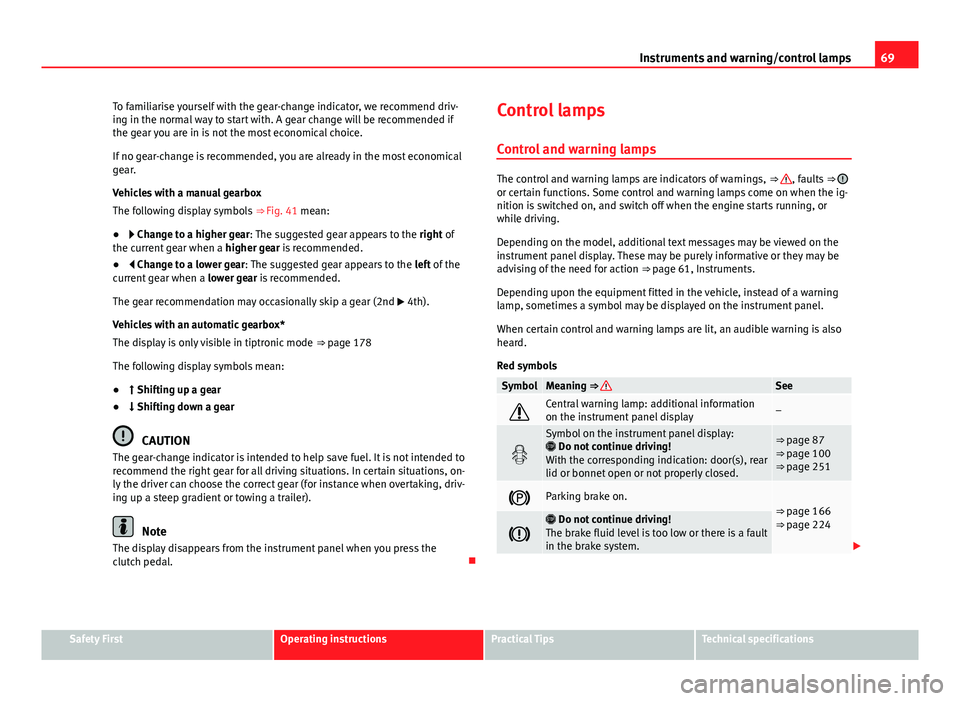
The following display symbols ⇒ Fig. 41 mean:
● Change to a higher gear: The suggested gear appears to the right of
the current gear when a higher gear is recommended.
● Change to a lower gear: The suggested gear appears to the left of the
current gear when a lower gear is recommended.
The gear recommendation may occasionally skip a gear (2nd 4th).
Vehicles with an automatic gearbox*
The display is only visible in tiptronic mode ⇒ page 178
The following display symbols mean:
● Shifting up a gear
● Shifting down a gear
CAUTION
The gear-change indicator is intended to help save fuel. It is not intended to
recommend the right gear for all driving situations. In certain situations, on-
ly the driver can choose the correct gear (for instance when overtaking, driv-
ing up a steep gradient or towing a trailer).
Note
The display disappears from the instrument panel when you press the
clutch pedal. Control lamps
Control and warning lamps
The control and warning lamps are indicators of warnings, ⇒ , faults ⇒ or certain functions. Some control and warning lamps come on when the ig-
nition is switched on, and switch off when the engine starts running, or
while driving.
Depending on the model, additional text messages may be viewed on the
instrument panel display. These may be purely informative or they may be
advising of the need for action ⇒ page 61, Instruments.
Depending upon the equipment fitted in the vehicle, instead of a warning
lamp, sometimes a symbol may be displayed on the instrument panel.
When certain control and warning lamps are lit, an audible warning is also
heard.
Red symbols
SymbolMeaning ⇒ See
Central warning lamp: additional information
on the instrument panel display–
Symbol on the instrument panel display:
Do not continue driving!
With the corresponding indication: door(s), rear
lid or bonnet open or not properly closed.⇒ page 87
⇒ page 100
⇒ page 251
Parking brake on.⇒ page 166
⇒ page 224
Do not continue driving!
The brake fluid level is too low or there is a fault
in the brake system.
Safety FirstOperating instructionsPractical TipsTechnical specifications
Page 90 of 339
88Opening and closing
To deactivate the alarm, press the button
on the remote control key, or
switch on the ignition. After a certain time, the alarm will automatically
switch off.
Switch off the vehicle interior monitoring and tow-away protection if you
wish to prevent the alarm from being triggered accidentally ⇒ page 97.
Turn signals
The turn signals will flash twice when the vehicle is unlocked and once
when the vehicle is locked.
If the signals do not flash, this indicates that one of the doors, the rear lid or
the bonnet is not closed correctly.
Accidental lock-out
The central locking system prevents you from being locked out of the vehi-
cle in the following situations:
● If the driver door is open, the vehicle cannot be locked with the central
locking switch ⇒ page 94.
Lock the vehicle with the remote control key, when all the doors and the rear
lid have been closed. This prevents the accidental locking of the vehicle.
WARNING
Do not leave anyone (especially children) in the vehicle if it is locked from
the outside and the anti-theft security system* is enabled, as the doors
and windows cannot then be opened from the inside. Locked doors could
delay assistance in an emergency, potentially putting lives at risk.
Note
● Never leave any valuable items in the vehicle unattended. Even a locked
vehicle is not a safe.
● If the diode on the driver door sill lights up for about 30 seconds when
the vehicle is locked, the central locking system or anti-theft alarm* is not
working properly. You should have the fault repaired at a SEAT Official Serv-
ice or specialised workshop.
● The vehicle interior monitoring of the anti-theft alarm* system will only
function as intended if the windows and the sunroof* are closed.
Page 92 of 339
90Opening and closing
CAUTION
All of the vehicle keys contain electronic components. Protect the vehicle
keys from damage, impacts and humidity.
Note
● Only use the key button when you require the corresponding function.
Pushing the button unnecessarily could accidentally unlock the vehicle or
trigger the alarm. It is also possible even when you are outside the radius of
action.
● Key operation can be greatly influenced by overlapping radio signals
close the vehicle working in the same range of frequencies, for example, ra-
dio transmitters, mobile telephones.
● Obstacles between the remote control and the vehicle, bad weather con-
ditions and discharged batteries can considerably reduce the range of the
remote control.
● If buttons ⇒ Fig. 50 or ⇒ Fig. 51 on the vehicle key, or one of the central
locking buttons ⇒ page 94 are pressed repeatedly in short succession,
the central locking is briefly switched off to protect against overloading. The
vehicle is then unlocked. Lock the vehicle if necessary. Control lamp on the vehicle key
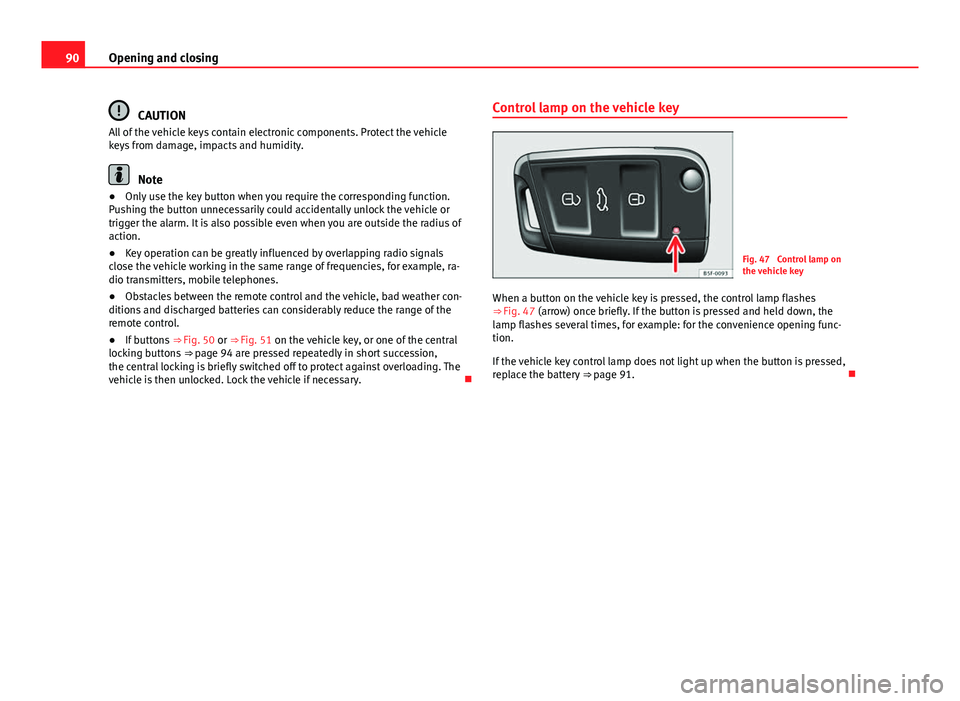
Fig. 47 Control lamp on
the vehicle key
When a button on the vehicle key is pressed, the control lamp flashes
⇒ Fig. 47 (arrow) once briefly. If the button is pressed and held down, the
lamp flashes several times, for example: for the convenience opening func-
tion.
If the vehicle key control lamp does not light up when the button is pressed,
replace the battery ⇒ page 91.
Page 93 of 339
91
Opening and closing
Changing the battery
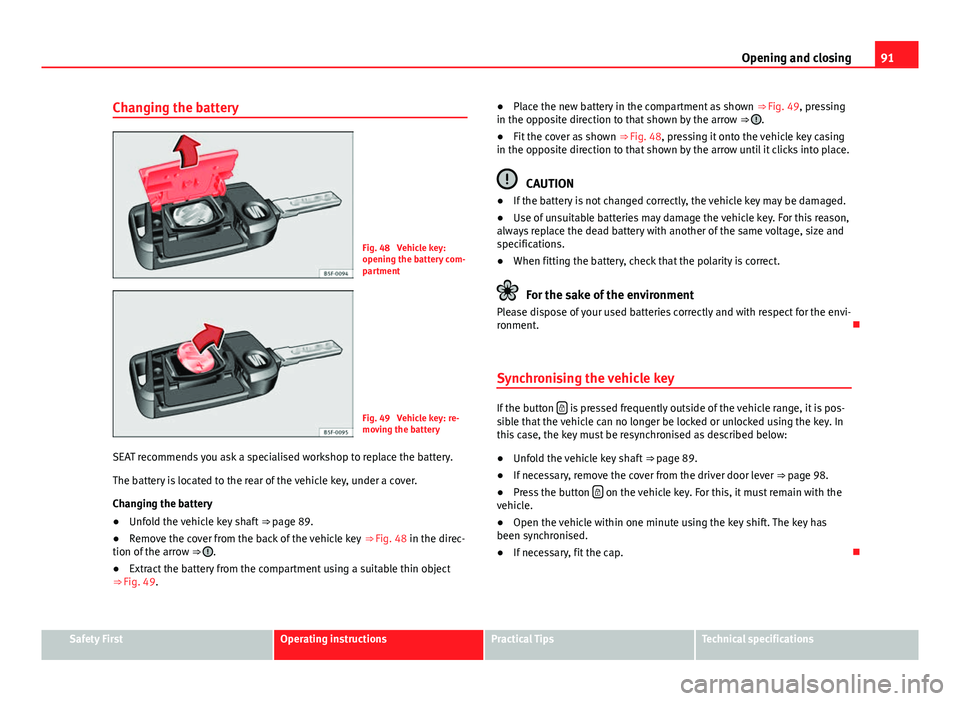
Fig. 48 Vehicle key:
opening the battery com-
partment
Fig. 49 Vehicle key: re-
moving the battery
SEAT recommends you ask a specialised workshop to replace the battery.
The battery is located to the rear of the vehicle key, under a cover.
Changing the battery
● Unfold the vehicle key shaft
⇒ page 89.
● Remove the cover from the back of the vehicle key
⇒ Fig. 48 in the direc-
tion of the arrow ⇒
.
● Extract the battery from the compartment using a suitable thin object
⇒ Fig. 49. ●
Place the new battery in the compartment as shown ⇒ Fig. 49, pressing
in the opposite direction to that shown by the arrow ⇒
.
● Fit the cover as shown ⇒ Fig. 48, pressing it onto the vehicle key casing
in the opposite direction to that shown by the arrow until it clicks into place.
CAUTION
● If the battery is not changed correctly, the vehicle key may be damaged.
● Use of unsuitable batteries may damage the vehicle key. For this reason,
always replace the dead battery with another of the same voltage, size and
specifications.
● When fitting the battery, check that the polarity is correct.
For the sake of the environment
Please dispose of your used batteries correctly and with respect for the envi-
ronment.
Synchronising the vehicle key
If the button is pressed frequently outside of the vehicle range, it is pos-
sible that the vehicle can no longer be locked or unlocked using the key. In
this case, the key must be resynchronised as described below:
● Unfold the vehicle key shaft
⇒ page 89.
● If necessary, remove the cover from the driver door lever
⇒ page 98.
● Press the button
on the vehicle key. For this, it must remain with the
vehicle.
● Open the vehicle within one minute using the key shift. The key has
been synchronised.
● If necessary, fit the cap.
Safety FirstOperating instructionsPractical TipsTechnical specifications
Page 94 of 339
92Opening and closing
Remote unlocking/Locking
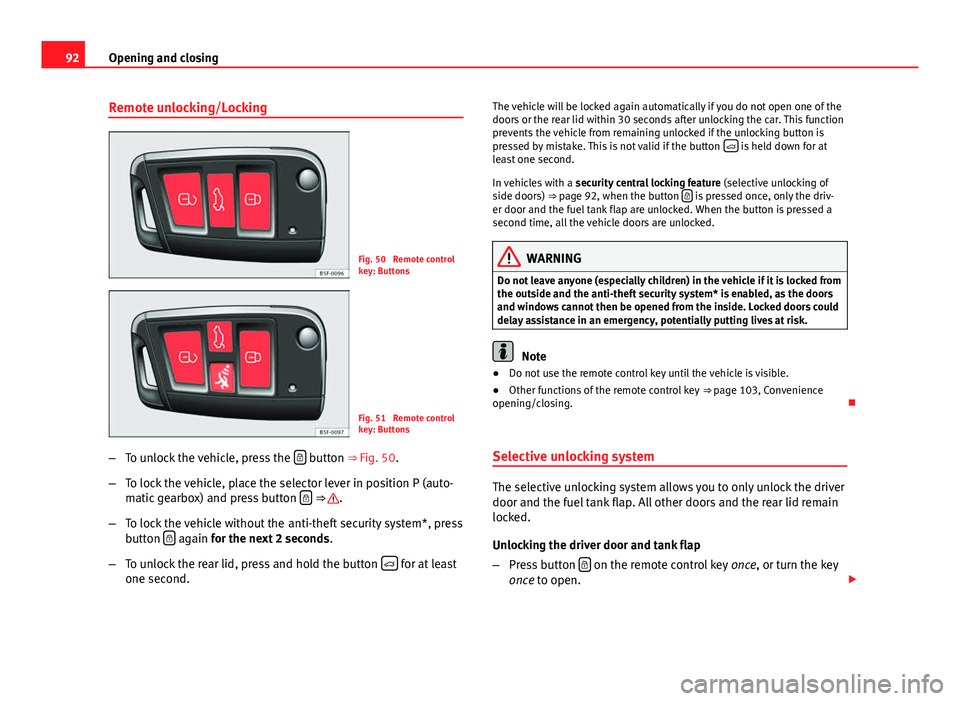
Fig. 50 Remote control
key: Buttons
Fig. 51 Remote control
key: Buttons
– To unlock the vehicle, press the
button ⇒ Fig. 50.
– To lock the vehicle, place the selector lever in position P (auto-
matic gearbox) and press button
⇒ .
– To lock the vehicle without the anti-theft security system*, press
button
again
for the next 2 seconds
.
– To unlock the rear lid, press and hold the button
for at least
one second. The vehicle will be locked again automatically if you do not open one of the
doors or the rear lid within 30 seconds after unlocking the car. This function
prevents the vehicle from remaining unlocked if the unlocking button is
pressed by mistake. This is not valid if the button
is held down for at
least one second.
In vehicles with a security central locking feature (selective unlocking of
side doors) ⇒ page 92, when the button
is pressed once, only the driv-
er door and the fuel tank flap are unlocked. When the button is pressed a
second time, all the vehicle doors are unlocked.
WARNING
Do not leave anyone (especially children) in the vehicle if it is locked from
the outside and the anti-theft security system* is enabled, as the doors
and windows cannot then be opened from the inside. Locked doors could
delay assistance in an emergency, potentially putting lives at risk.
Note
● Do not use the remote control key until the vehicle is visible.
● Other functions of the remote control key ⇒ page 103, Convenience
opening/closing.
Selective unlocking system
The selective unlocking system allows you to only unlock the driver
door and the fuel tank flap. All other doors and the rear lid remain
locked.
Unlocking the driver door and tank flap
– Press button
on the remote control key
once, or turn the key
once to open.
Page 96 of 339
94Opening and closing
Central locking switch
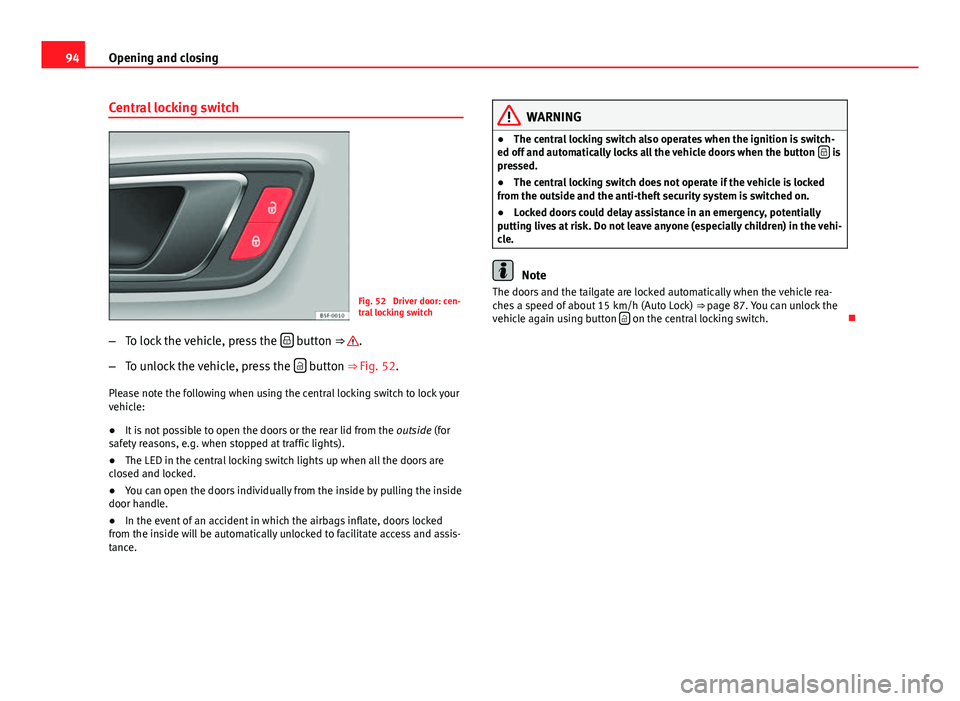
Fig. 52 Driver door: cen-
tral locking switch
– To lock the vehicle, press the
button ⇒ .
– To unlock the vehicle, press the
button ⇒ Fig. 52.
Please note the following when using the central locking switch to lock your
vehicle:
● It is not possible to open the doors or the rear lid from the outside (for
safety reasons, e.g. when stopped at traffic lights).
● The LED in the central locking switch lights up when all the doors are
closed and locked.
● You can open the doors individually from the inside by pulling the inside
door handle.
● In the event of an accident in which the airbags inflate, doors locked
from the inside will be automatically unlocked to facilitate access and assis-
tance.
WARNING
● The central locking switch also operates when the ignition is switch-
ed off and automatically locks all the vehicle doors when the button
is
pressed.
● The central locking switch does not operate if the vehicle is locked
from the outside and the anti-theft security system is switched on.
● Locked doors could delay assistance in an emergency, potentially
putting lives at risk. Do not leave anyone (especially children) in the vehi-
cle.
Note
The doors and the tailgate are locked automatically when the vehicle rea-
ches a speed of about 15 km/h (Auto Lock) ⇒ page 87. You can unlock the
vehicle again using button
on the central locking switch.