air condition Seat Leon 5D 2013 Owner's Guide
[x] Cancel search | Manufacturer: SEAT, Model Year: 2013, Model line: Leon 5D, Model: Seat Leon 5D 2013Pages: 339, PDF Size: 4.8 MB
Page 174 of 339
172Driving
Driver messages on the instrument panel display
Start-Stop system deactivated. Start the engine manually
This driver message is displayed when certain conditions are not met during
the stopping phase and the Start-Stop system cannot restart the engine.
The engine must be started manually.
Start-Stop system: Fault! Function not available
There is a fault in the Start-Stop system. Take the vehicle to a workshop to
have the fault repaired.
Manual gearbox
Changing gears
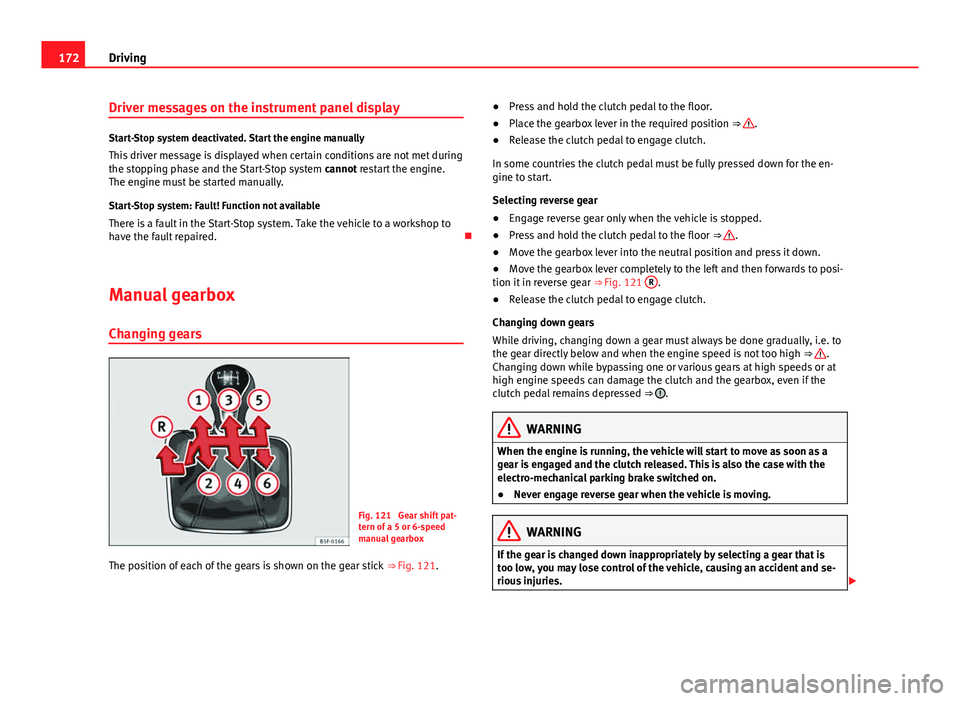
Fig. 121 Gear shift pat-
tern of a 5 or 6-speed
manual gearbox
The position of each of the gears is shown on the gear stick ⇒ Fig. 121. ●
Press and hold the clutch pedal to the floor.
● Place the gearbox lever in the required position ⇒
.
● Release the clutch pedal to engage clutch.
In some countries the clutch pedal must be fully pressed down for the en-
gine to start.
Selecting reverse gear
● Engage reverse gear only when the vehicle is stopped.
● Press and hold the clutch pedal to the floor ⇒
.
● Move the gearbox lever into the neutral position and press it down.
● Move the gearbox lever completely to the left and then forwards to posi-
tion it in reverse gear ⇒ Fig. 121 R
.
● Release the clutch pedal to engage clutch.
Changing down gears
While driving, changing down a gear must always be done gradually, i.e. to
the gear directly below and when the engine speed is not too high ⇒
.
Changing down while bypassing one or various gears at high speeds or at
high engine speeds can damage the clutch and the gearbox, even if the
clutch pedal remains depressed ⇒
.
WARNING
When the engine is running, the vehicle will start to move as soon as a
gear is engaged and the clutch released. This is also the case with the
electro-mechanical parking brake switched on.
● Never engage reverse gear when the vehicle is moving.
WARNING
If the gear is changed down inappropriately by selecting a gear that is
too low, you may lose control of the vehicle, causing an accident and se-
rious injuries.
Page 191 of 339
189
Driver assistance systems
Adaptive cruise control (ACC)*
Introduction
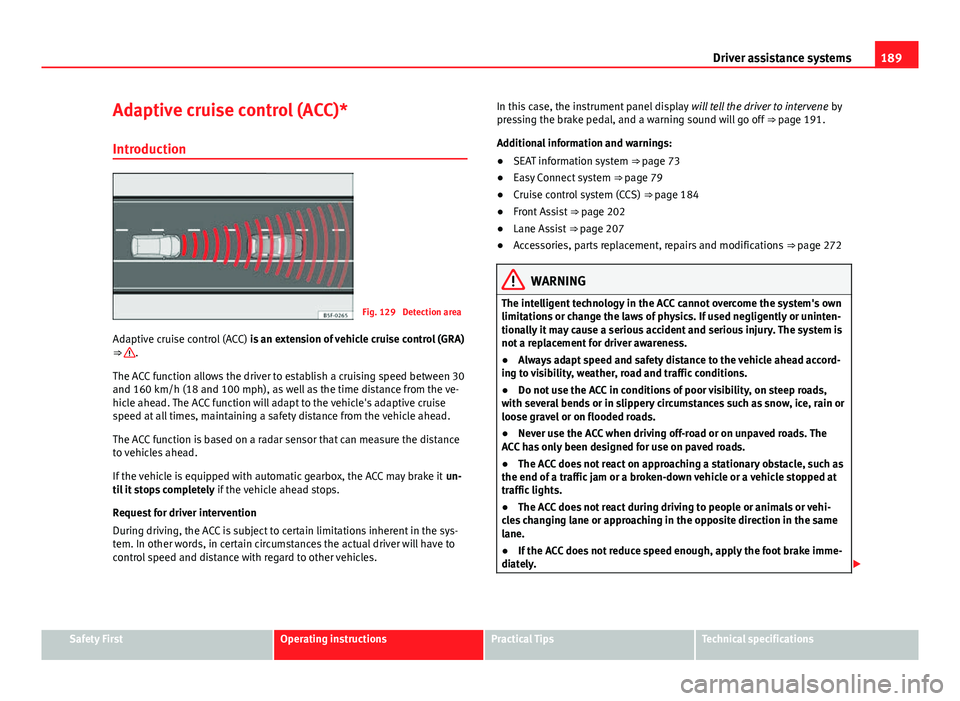
Fig. 129 Detection area
Adaptive cruise control (ACC) is an extension of vehicle cruise control (GRA)
⇒
.
The ACC function allows the driver to establish a cruising speed between 30
and 160 km/h (18 and 100 mph), as well as the time distance from the ve-
hicle ahead. The ACC function will adapt to the vehicle's adaptive cruise
speed at all times, maintaining a safety distance from the vehicle ahead.
The ACC function is based on a radar sensor that can measure the distance
to vehicles ahead.
If the vehicle is equipped with automatic gearbox, the ACC may brake it un-
til it stops completely if the vehicle ahead stops.
Request for driver intervention
During driving, the ACC is subject to certain limitations inherent in the sys-
tem. In other words, in certain circumstances the actual driver will have to
control speed and distance with regard to other vehicles. In this case, the instrument panel display
will tell the driver to intervene by
pressing the brake pedal, and a warning sound will go off ⇒ page 191.
Additional information and warnings:
● SEAT information system ⇒ page 73
● Easy Connect system ⇒ page 79
● Cruise control system (CCS) ⇒ page 184
● Front Assist ⇒ page 202
● Lane Assist ⇒ page 207
● Accessories, parts replacement, repairs and modifications ⇒ page 272
WARNING
The intelligent technology in the ACC cannot overcome the system's own
limitations or change the laws of physics. If used negligently or uninten-
tionally it may cause a serious accident and serious injury. The system is
not a replacement for driver awareness.
● Always adapt speed and safety distance to the vehicle ahead accord-
ing to visibility, weather, road and traffic conditions.
● Do not use the ACC in conditions of poor visibility, on steep roads,
with several bends or in slippery circumstances such as snow, ice, rain or
loose gravel or on flooded roads.
● Never use the ACC when driving off-road or on unpaved roads. The
ACC has only been designed for use on paved roads.
● The ACC does not react on approaching a stationary obstacle, such as
the end of a traffic jam or a broken-down vehicle or a vehicle stopped at
traffic lights.
● The ACC does not react during driving to people or animals or vehi-
cles changing lane or approaching in the opposite direction in the same
lane.
● If the ACC does not reduce speed enough, apply the foot brake imme-
diately.
Safety FirstOperating instructionsPractical TipsTechnical specifications
Page 194 of 339
192Driver assistance systems
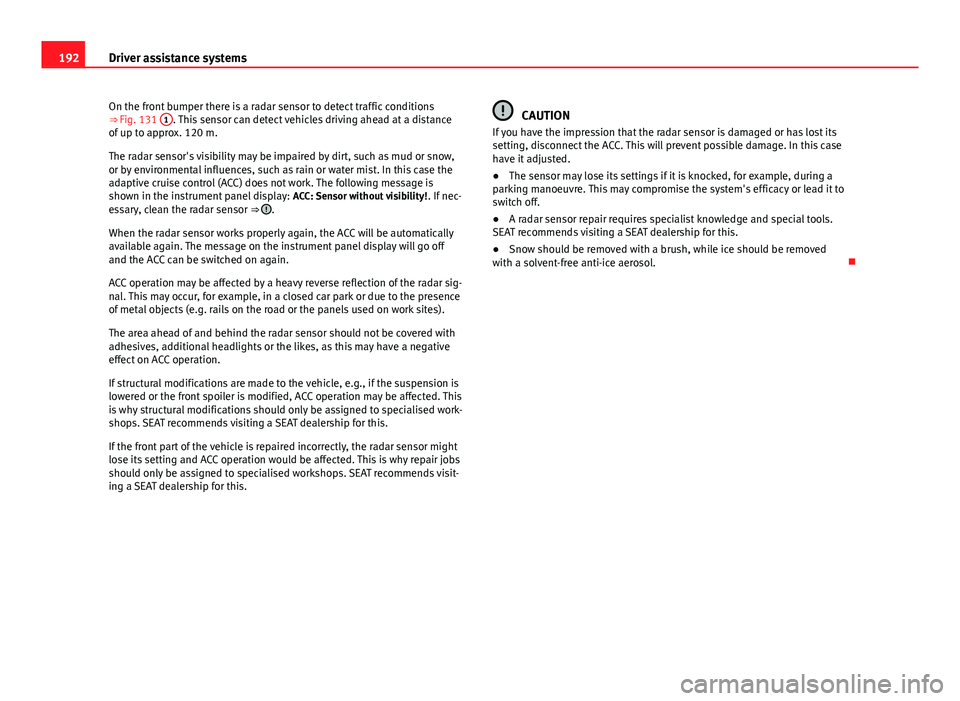
On the front bumper there is a radar sensor to detect traffic conditions
⇒ Fig. 131 1
. This sensor can detect vehicles driving ahead at a distance
of up to approx. 120 m.
The radar sensor's visibility may be impaired by dirt, such as mud or snow,
or by environmental influences, such as rain or water mist. In this case the
adaptive cruise control (ACC) does not work. The following message is
shown in the instrument panel display: ACC: Sensor without visibility!. If nec-
essary, clean the radar sensor ⇒
.
When the radar sensor works properly again, the ACC will be automatically
available again. The message on the instrument panel display will go off
and the ACC can be switched on again.
ACC operation may be affected by a heavy reverse reflection of the radar sig-
nal. This may occur, for example, in a closed car park or due to the presence
of metal objects (e.g. rails on the road or the panels used on work sites).
The area ahead of and behind the radar sensor should not be covered with
adhesives, additional headlights or the likes, as this may have a negative
effect on ACC operation.
If structural modifications are made to the vehicle, e.g., if the suspension is
lowered or the front spoiler is modified, ACC operation may be affected. This
is why structural modifications should only be assigned to specialised work-
shops. SEAT recommends visiting a SEAT dealership for this.
If the front part of the vehicle is repaired incorrectly, the radar sensor might
lose its setting and ACC operation would be affected. This is why repair jobs
should only be assigned to specialised workshops. SEAT recommends visit-
ing a SEAT dealership for this.
CAUTION
If you have the impression that the radar sensor is damaged or has lost its
setting, disconnect the ACC. This will prevent possible damage. In this case
have it adjusted.
● The sensor may lose its settings if it is knocked, for example, during a
parking manoeuvre. This may compromise the system's efficacy or lead it to
switch off.
● A radar sensor repair requires specialist knowledge and special tools.
SEAT recommends visiting a SEAT dealership for this.
● Snow should be removed with a brush, while ice should be removed
with a solvent-free anti-ice aerosol.
Page 204 of 339
202Driver assistance systems
Monitoring system Front Assist*
Introduction
The Front Assist Monitoring System helps to avoid rear-end collisions.
The Front Assist can warn the driver in case of a collision hazard, prepare
the vehicle for emergency braking in the event of danger, assisting the driv-
er in braking and provoking automatic braking.
The Front Assist system is not a replacement for driver awareness.
Additional information and warnings:
● SEAT information system ⇒ page 73
● Easy Connect system ⇒ page 79
● Cruise control system (CCS) ⇒ page 184
● Adaptive Cruise Control (ACC) ⇒ page 189
● Accessories, parts replacement, repairs and modifications ⇒ page 272
Distance warning
If the system detects that safety is compromised because you are driving
too close to the vehicle in front, it can warn the driver with an on-screen
message on the instrument panel when you are driving at a speed between
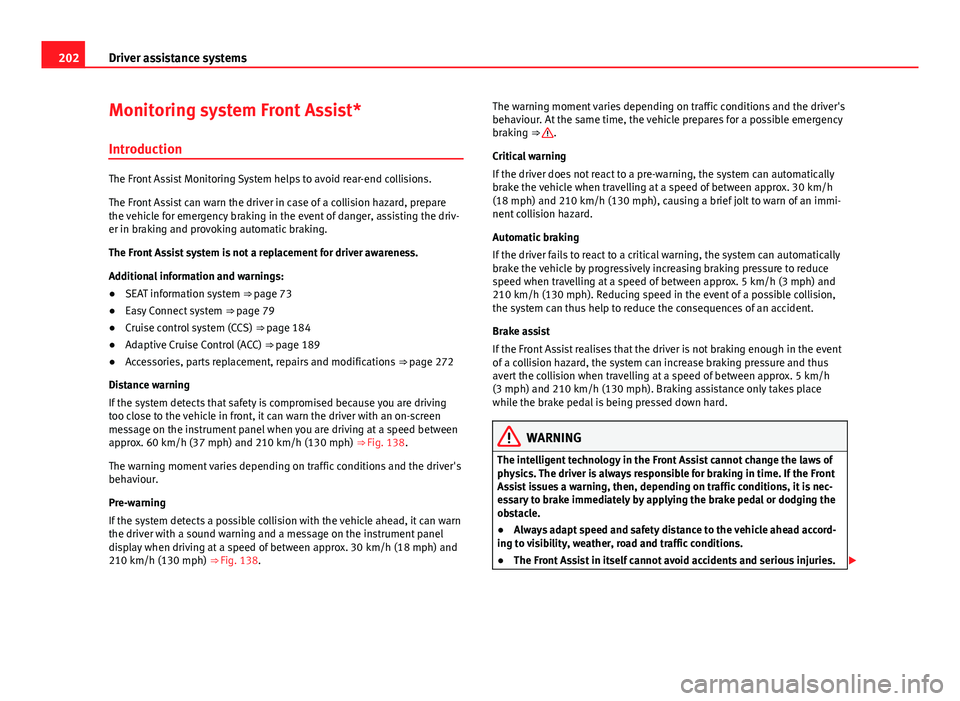
approx. 60 km/h (37 mph) and 210 km/h (130 mph) ⇒ Fig. 138.
The warning moment varies depending on traffic conditions and the driver's
behaviour.
Pre-warning
If the system detects a possible collision with the vehicle ahead, it can warn
the driver with a sound warning and a message on the instrument panel
display when driving at a speed of between approx. 30 km/h (18 mph) and
210 km/h (130 mph) ⇒ Fig. 138. The warning moment varies depending on traffic conditions and the driver's
behaviour. At the same time, the vehicle prepares for a possible emergency
braking ⇒
.
Critical warning
If the driver does not react to a pre-warning, the system can automatically
brake the vehicle when travelling at a speed of between approx. 30 km/h
(18 mph) and 210 km/h (130 mph), causing a brief jolt to warn of an immi-
nent collision hazard.
Automatic braking
If the driver fails to react to a critical warning, the system can automatically
brake the vehicle by progressively increasing braking pressure to reduce
speed when travelling at a speed of between approx. 5 km/h (3 mph) and
210 km/h (130 mph). Reducing speed in the event of a possible collision,
the system can thus help to reduce the consequences of an accident.
Brake assist
If the Front Assist realises that the driver is not braking enough in the event
of a collision hazard, the system can increase braking pressure and thus
avert the collision when travelling at a speed of between approx. 5 km/h
(3 mph) and 210 km/h (130 mph). Braking assistance only takes place
while the brake pedal is being pressed down hard.
WARNING
The intelligent technology in the Front Assist cannot change the laws of
physics. The driver is always responsible for braking in time. If the Front
Assist issues a warning, then, depending on traffic conditions, it is nec-
essary to brake immediately by applying the brake pedal or dodging the
obstacle.
● Always adapt speed and safety distance to the vehicle ahead accord-
ing to visibility, weather, road and traffic conditions.
● The Front Assist in itself cannot avoid accidents and serious injuries.
Page 205 of 339
203
Driver assistance systems
WARNING (Continued)
● In complex driving conditions, the Front Assist may unnecessarily
warn and act unintentionally on the brakes, such as, for example, in the
case of traffic islands.
● If the operation of the Front Assist is impaired, for example, because
of dirt or because the radar sensor has lost its setting, the system may
issue unnecessary warnings and act inappropriately on the brakes.
● The ACC does not react during driving to people or animals or vehi-
cles changing lane or approaching in the opposite direction in the same
lane.
● The driver must always be ready to take control of the vehicle again.
Note
● When the Front Assist causes a braking, the brake pedal is “harder”.
● Automatic interventions in the Front Assist braking may be interrupted
by pressing the clutch pedal, accelerator or moving the steering wheel.
● If the Front Assist does not work as described in this chapter (e.g. if it
intervenes several times unnecessarily), switch it off. Have the system
checked by a specialised workshop. SEAT recommends visiting a SEAT deal-
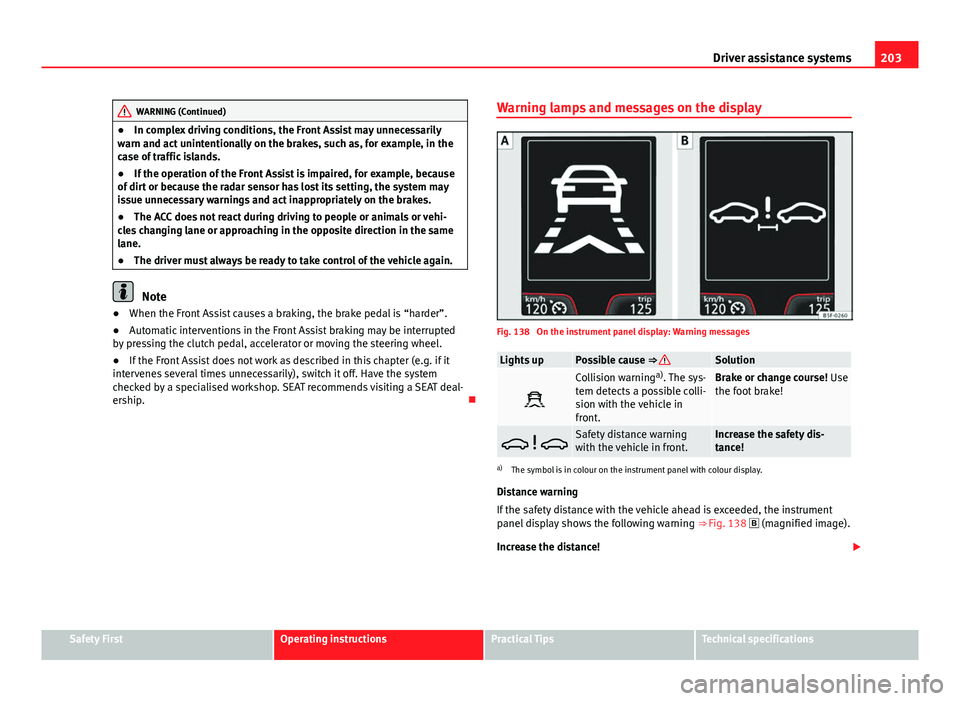
ership. Warning lamps and messages on the display
Fig. 138 On the instrument panel display: Warning messages
Lights upPossible cause ⇒ Solution
Collision warning
a)
. The sys-
tem detects a possible colli-
sion with the vehicle in
front.Brake or change course! Use
the foot brake!
Safety distance warning
with the vehicle in front.Increase the safety dis-
tance!
a) The symbol is in colour on the instrument panel with colour display.
Distance warning
If the safety distance with the vehicle ahead is exceeded, the instrument
panel display shows the following warning ⇒ Fig. 138
(magnified image).
Increase the distance!
Safety FirstOperating instructionsPractical TipsTechnical specifications
Page 206 of 339
204Driver assistance systems
WARNING
Failure to heed the warning lamps when they light up and the corre-
sponding messages may result in an accident and injury.
● Never ignore the warning lamps or on-screen messages.
Note
When the Front Assist is connected, the instrument panel display messages
pertaining to other functions may be hidden, such as an incoming call.
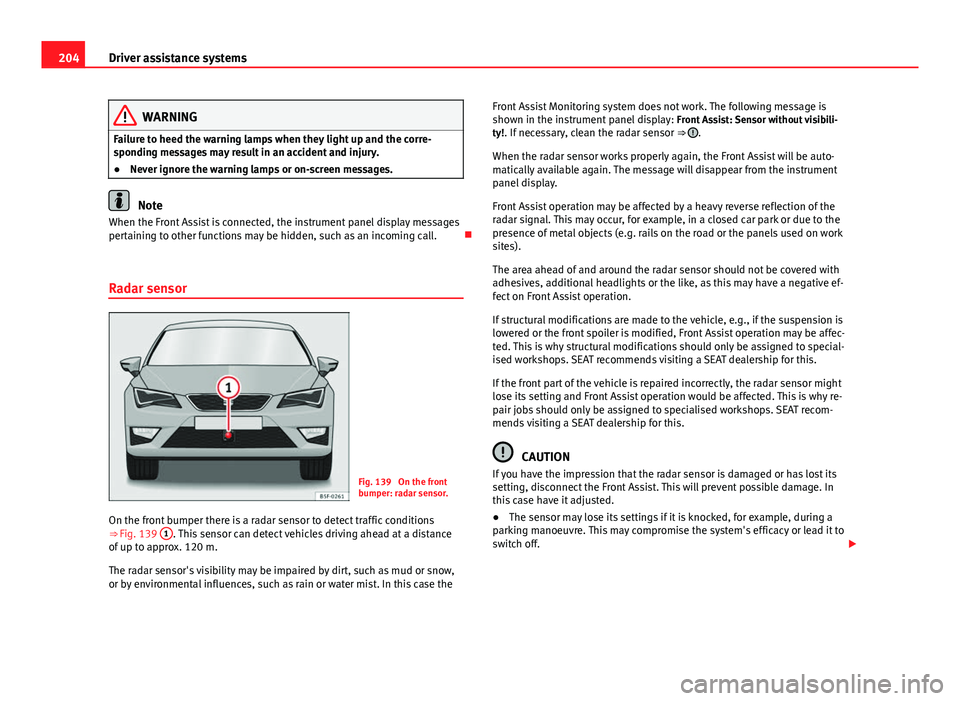
Radar sensor
Fig. 139 On the front
bumper: radar sensor.
On the front bumper there is a radar sensor to detect traffic conditions
⇒ Fig. 139 1
. This sensor can detect vehicles driving ahead at a distance
of up to approx. 120 m.
The radar sensor's visibility may be impaired by dirt, such as mud or snow,
or by environmental influences, such as rain or water mist. In this case the Front Assist Monitoring system does not work. The following message is
shown in the instrument panel display:
Front Assist: Sensor without visibili-
ty!. If necessary, clean the radar sensor ⇒
.
When the radar sensor works properly again, the Front Assist will be auto-
matically available again. The message will disappear from the instrument
panel display.
Front Assist operation may be affected by a heavy reverse reflection of the
radar signal. This may occur, for example, in a closed car park or due to the
presence of metal objects (e.g. rails on the road or the panels used on work
sites).
The area ahead of and around the radar sensor should not be covered with
adhesives, additional headlights or the like, as this may have a negative ef-
fect on Front Assist operation.
If structural modifications are made to the vehicle, e.g., if the suspension is
lowered or the front spoiler is modified, Front Assist operation may be affec-
ted. This is why structural modifications should only be assigned to special-
ised workshops. SEAT recommends visiting a SEAT dealership for this.
If the front part of the vehicle is repaired incorrectly, the radar sensor might
lose its setting and Front Assist operation would be affected. This is why re-
pair jobs should only be assigned to specialised workshops. SEAT recom-
mends visiting a SEAT dealership for this.
CAUTION
If you have the impression that the radar sensor is damaged or has lost its
setting, disconnect the Front Assist. This will prevent possible damage. In
this case have it adjusted.
● The sensor may lose its settings if it is knocked, for example, during a
parking manoeuvre. This may compromise the system's efficacy or lead it to
switch off.
Page 209 of 339
207
Driver assistance systems
If the driver does not react to a collision hazard, the system can automati-
cally brake the vehicle by progressively increasing braking pressure to re-
duce speed in the event of a collision. The system can thus help to reduce
the consequences of an accident.
Status display
Automatic deceleration by the City emergency braking function is shown on
the instrument panel display by means of a pre-warning message
⇒ Fig. 140 1)
.
WARNING
The smart technology included in the City emergency braking function
cannot defy the laws of physics. The driver is always responsible for
braking in time.
● Always adapt speed and safety distance to the vehicle ahead accord-
ing to visibility, weather, road and traffic conditions.
● The City emergency braking function alone cannot prevent accidents
or serious injury.
● In complex driving conditions, the City emergency braking function
may act on the brakes, for example, in areas with road works or metal
rails.
● If the City emergency braking function is impaired, for example, be-
cause of dirt or because the radar sensor has lost its setting, the system
may issue unnecessary warnings and act inappropriately on the brakes.
● The City emergency braking function does not react during driving to
people or animals or vehicles changing lane or approaching in the oppo-
site direction in the same lane.
Note
● When the City emergency braking function causes a braking, the brake
pedal is “harder”.
● Automatic interventions in the City emergency braking function may be
interrupted by pressing the clutch pedal, accelerator or moving the steering
wheel.
● The City emergency braking function can decelerate the vehicle and
bring it to a standstill. However, the brake system does not halt the vehicle
permanently. Use the foot brake!
● If several inappropriate interventions take place, disconnect the Front
Assist and with it the City emergency braking function. Visit a specialised
workshop, SEAT recommends a SEAT dealer.
● If numerous unfounded interventions occur the City emergency braking
function may disconnect automatically
Lane Assist system* Introduction
Additional information and warnings:
● SEAT information system ⇒ page 73
● Accessories, parts replacement, repairs and modifications ⇒ page 272
1)
The symbol is in colour on the instrument panel with colour display.
Safety FirstOperating instructionsPractical TipsTechnical specifications
Page 214 of 339
212Driver assistance systems
If the DCC has a fault, the instrument panel display shows the message
Fault: Damping control.
Steering
Power steering becomes more robust in sport mode to enable a more sporty
driving style.
Air conditioning
In vehicles with Climatronic, this can operate in eco mode, especially re-
stricting fuel consumption.
Ambient lighting
The ambient lighting guides located in the interior front door panels of the
Leon FR change colour from white to red when sport mode is activated.
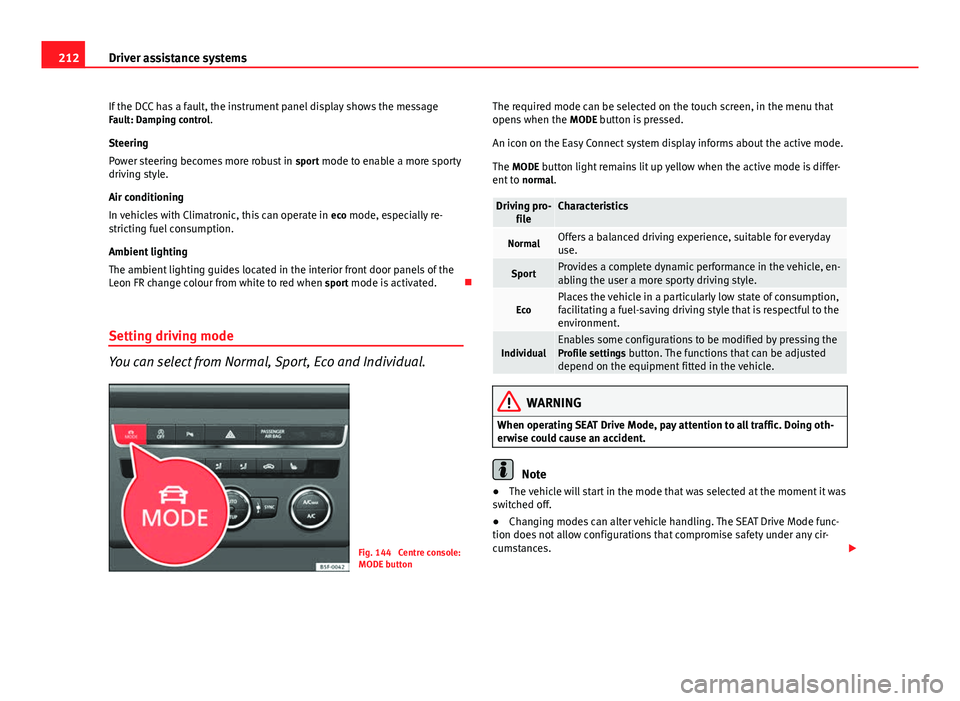
Setting driving mode
You can select from Normal, Sport, Eco and Individual.
Fig. 144 Centre console:
MODE button The required mode can be selected on the touch screen, in the menu that
opens when the
MODE button is pressed.
An icon on the Easy Connect system display informs about the active mode.
The MODE button light remains lit up yellow when the active mode is differ- ent to normal.
Driving pro-
fileCharacteristics
NormalOffers a balanced driving experience, suitable for everyday
use.
SportProvides a complete dynamic performance in the vehicle, en-
abling the user a more sporty driving style.
EcoPlaces the vehicle in a particularly low state of consumption,
facilitating a fuel-saving driving style that is respectful to the
environment.
IndividualEnables some configurations to be modified by pressing the
Profile settings button. The functions that can be adjusted
depend on the equipment fitted in the vehicle.
WARNING
When operating SEAT Drive Mode, pay attention to all traffic. Doing oth-
erwise could cause an accident.
Note
● The vehicle will start in the mode that was selected at the moment it was
switched off.
● Changing modes can alter vehicle handling. The SEAT Drive Mode func-
tion does not allow configurations that compromise safety under any cir-
cumstances.
Page 215 of 339
213
Driver assistance systems
● Your speed and driving style must always be adjusted to visibility,
weather, and traffic conditions.
● The eco mode is not available when towing a trailer.
Tiredness detection (break
recommendation)* Introduction
The Tiredness detection informs the driver when their driving behaviour
shows signs of fatigue.
Additional information and warnings:
● Easy Connect system ⇒ page 79
● Accessories, change a part, repairs and adjustments (information stored
in the control units) ⇒ page 272
WARNING
Do not let the comfort afforded by the Tiredness detection system tempt
you into taking any risks when driving. Take regular breaks, sufficient in
length when making long journeys.
● The driver always assumes the responsibility of driving to their full
capacity.
● Never drive if you are tired.
● The system does not detect the tiredness of the driver in all circum-
stances. Consult the information in the section ⇒ page 214, System limi-
tations.
WARNING (Continued)
● In some situations the system may incorrectly interpret an intended
driving manoeuvre as driver tiredness.
● No warning is given in the event of the effect called microsleep!
● Please observe the indications on the instrument panel and act as is
necessary.
Note
● Tiredness detection has been developed for driving on motorways and
well paved roads only.
● If there is a fault in the system, have it checked by a specialised work-
shop.
Function and operation
Fig. 145 On the instru-
ment panel display:
Tiredness detection sym-
bol
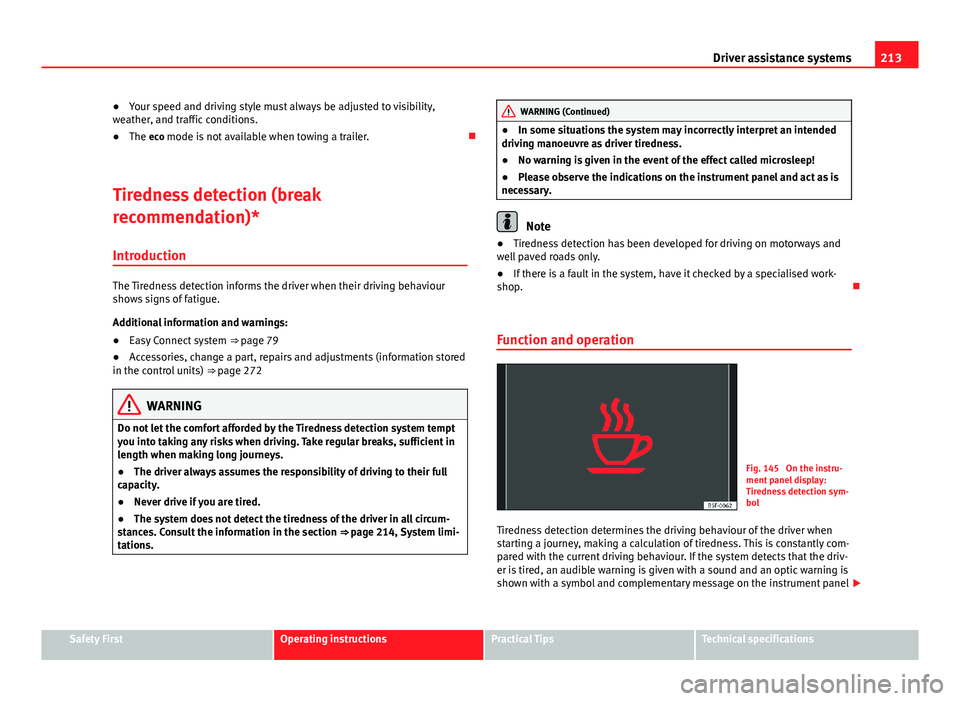
Tiredness detection determines the driving behaviour of the driver when
starting a journey, making a calculation of tiredness. This is constantly com-
pared with the current driving behaviour. If the system detects that the driv-
er is tired, an audible warning is given with a sound and an optic warning is
shown with a symbol and complementary message on the instrument panel
Safety FirstOperating instructionsPractical TipsTechnical specifications
Page 216 of 339
214Driver assistance systems
display ⇒ Fig. 145. The message on the instrument panel display is shown
for about 5 seconds, and depending on the case, is repeated. The system
stores the last message displayed.
The message on the instrument panel display can be switched off by press-
ing the
button on the windscreen wiper lever or the button on the
multi function steering wheel ⇒ page 73.
The message can be recalled to the instrument panel display using the mul-
tifunction display ⇒ page 73.
Conditions of operation
Driving behaviour is only calculated on speeds above about 65 km/h (40
mph) up to around 200 km/h (125 mph).
Switching on and off
Tiredness detection can be activated or deactivated in the Easy Connect
system with the button
and the function button
⇒ page 79. A mark
indicates that the adjustment has been activated.
System limitations
The Tiredness detection has certain limitations inherent to the system. The
following conditions can limit the Tiredness detection or prevent it from
functioning.
● At speeds below 65 km/h (40 mph)
● At speeds above 200 km/h (125 mph)
● When cornering
● On roads in poor condition
● In unfavourable weather conditions
● When a sporty driving style is employed
● In the event of a serious distraction to the driver
Tiredness detection will be restored when the vehicle is stopped for more
than 15 minutes, when the ignition is switched off or when the driver has
unbuckled their seat belt and opened the door. In the event of slow driving during a long period of time (below 65 km/h (40
mph) the system automatically re-establishes the tiredness calculation.
When driving at a faster speed the driving behaviour will be recalculated.
Tyre monitoring systems Introduction
Additional information and warnings:
● SEAT information system ⇒ page 73
● Caring for and cleaning the vehicle exterior ⇒ page 238
● Wheels and tyres ⇒ page 265
● Accessories, parts replacement, repairs and modifications ⇒ page 272
WARNING
Unsuitable handling of the wheels and tyres may lead to sudden tyre
pressure losses, to tread separation or even to a blow-out.
● Check tyre pressures regularly and ensure they are maintained at the
pressures indicated. Tyre pressure that is too low could cause overheat-
ing, resulting in tread detachment or even burst tyres.
● Tyre pressure should be that indicated on the label when the tyres are
cold at all times ⇒ page 307.
● Regularly check the cold inflation pressure of the tyres. If necessary,
change the tyre pressure of the vehicle tyres while they are cold.
● Regularly check your tyres for damage and wear.
● Never exceed the maximum permitted speed or loads specified for the
type of tyre fitted on your vehicle.